On this page18
- What Is Security Monitoring?
- Why Security Monitoring Matters in Australia
- How Security Monitoring Works
- Common Systems Used in Security Monitoring
- Security Monitoring for Homes, Businesses and Strata
- Onshore vs Offshore Security Monitoring
- Security Monitoring Onboarding Checklist
- Australian Compliance and Administration Notes
- Security Monitoring and the NBN
- Reducing False Alarms
- Maintenance for Security Monitoring Systems
- Costs, Value and Choosing the Right Setup
- Choosing a Security Monitoring Provider in Australia
- Common Security Monitoring Mistakes to Avoid
- Security Monitoring for Multi-Site Businesses
- People Also Ask
- Security Monitoring Q&A
- Conclusion
Not sure what your site needs?
A technical consultant from our Hallam office will look at the site and recommend a system, free of charge.
Request an assessment 1300 66 11 99Security monitoring helps Australian homes, offices, warehouses, retail stores, strata buildings and commercial sites detect problems early and respond faster. From my experience working around electronic security projects, the biggest benefit is not just having alarms, cameras or access control. It is having a clear process for what happens after an alert is triggered.
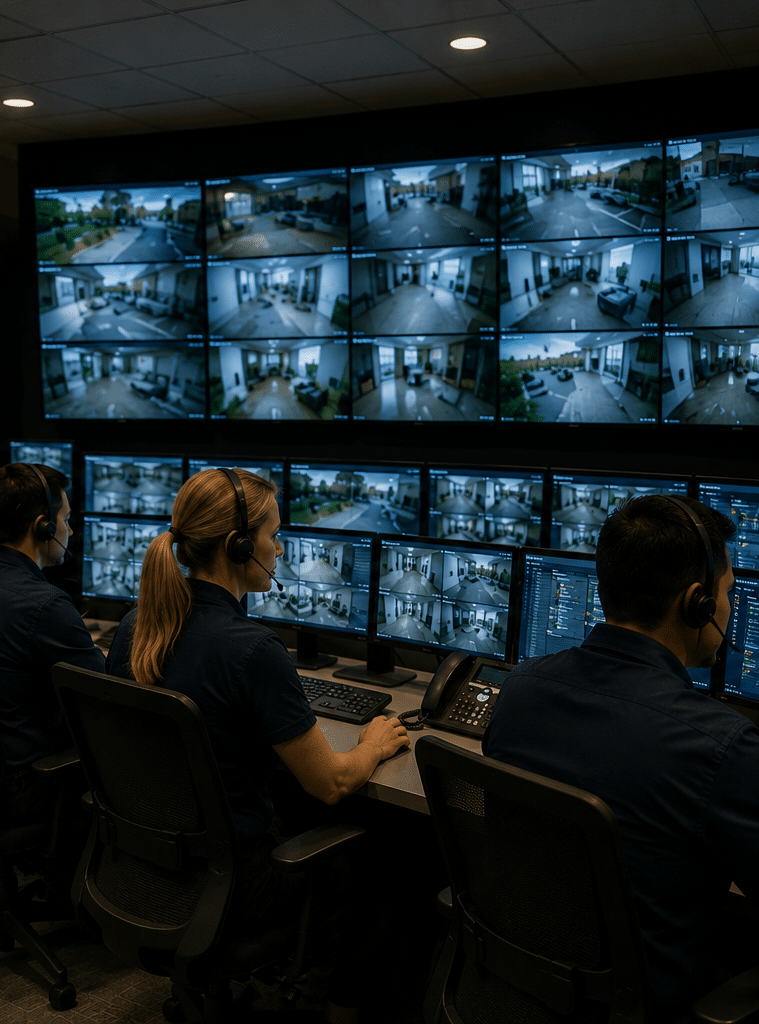
Many people think security monitoring means “someone watches cameras all day”. Sometimes that is true, but modern monitoring is broader. It can include alarm signals, CCTV verification, access control events, duress alarms, environmental alerts, after-hours entry reports and maintenance notifications. When designed well, it gives your site a practical response pathway instead of leaving alerts unseen.
What Is Security Monitoring?
Security monitoring is the process of connecting alarms, CCTV, access control or other security devices to a system or monitoring centre that receives alerts, checks what happened, records the event and follows an agreed response plan, such as contacting keyholders, dispatching patrols or escalating emergencies.
Table of Contents
- Why security monitoring matters in Australia
- How security monitoring works
- Common systems used in security monitoring
- Security monitoring for homes, businesses and strata
- Onshore vs offshore security monitoring
- Security monitoring onboarding checklist
- Australian compliance and administration notes
- Costs, value and choosing the right setup
- People Also Ask
- Security monitoring Q&A
- Conclusion
Why Security Monitoring Matters in Australia
Security monitoring matters because an alert without a response plan is easy to miss. For example, a siren may scare off an intruder, but it may not tell the right person what happened. Likewise, a CCTV camera may record useful footage, but it may not stop a break-in if nobody checks the alert in time.
In Australia, monitored security is used across retail shops, schools, warehouses, offices, apartment buildings, medical clinics, construction sites and private homes. The risks vary by site. However, the goal is usually the same: detect an event, verify it where possible and respond in a controlled way.
According to the Australian Security Industry Association Limited, monitoring centre grading can be assessed against AS 2201.2, which is the Australian Standard for alarm monitoring centres. ASIAL also states that its grading scheme covers alarm monitoring centres and separate redundant centre certification, helping customers understand whether a monitoring centre has been independently assessed. ASIAL monitoring centre grading scheme
This matters because monitoring is not only about technology. It also depends on people, procedures, communication paths, records and backup arrangements. Therefore, when you choose a security monitoring setup, you should look at both the devices on site and the response process behind them.
From my experience, many security problems happen because the system was installed correctly at first, but the response list, communication path or user training was never maintained. As a result, alerts go to old staff members, alarm codes are shared too widely or cameras stop sending useful footage after a network change.

How Security Monitoring Works
Security monitoring usually follows a simple chain. First, a device detects an event. Next, the signal travels through a communication path. Then, the monitoring platform or monitoring centre receives the alert. After that, the event is assessed and handled according to a response plan.
For example, a commercial alarm system may detect movement after hours. The monitoring centre receives an alarm signal from a specific zone, such as “rear warehouse roller door”. The operator then checks the site instructions. Depending on the plan, they may call the first keyholder, request video verification, dispatch a patrol or escalate to emergency services where appropriate.
However, not every alert should be treated the same way. A low-battery warning is different from a duress alarm. A door forced open at 2:00 am is different from a staff member entering with an authorised card at 7:45 am. Good security monitoring separates urgent events from routine events, reducing unnecessary callouts and helping decision-makers act faster.
Main Steps in a Security Monitoring Event
- Detection: A sensor, camera, access reader or alarm panel identifies activity.
- Transmission: The event is sent through IP, mobile network, radio, dual-path communicator or another approved pathway.
- Reception: A monitoring centre or software platform receives the event.
- Verification: Operators or automated tools check available details, such as zone names, video clips or access logs.
- Action: The agreed response plan is followed.
- Reporting: The event is logged for review, reporting, maintenance or insurance administration.
This process sounds simple, but every step needs care. If the sensor is poorly placed, it may create false alarms. If the internet connection fails, the signal may not arrive. If the call list is outdated, nobody may answer. Therefore, the best security monitoring plans include testing and maintenance, not just installation.
Common Systems Used in Security Monitoring
Security monitoring can include several connected systems. The right mix depends on your site, risk level, budget and response needs.
Alarm Monitoring
Alarm monitoring is one of the most common forms of security monitoring. It connects an intrusion alarm system to a monitoring pathway. When a sensor detects activity, the alarm panel sends a signal to a monitoring centre.
Typical monitored alarm devices include:
- Motion detectors
- Reed switches on doors or windows
- Glass break sensors
- Panic or duress buttons
- Smoke or environmental alerts, where supported
- Tamper switches
- Sirens and strobe lights
Alarm monitoring is useful because it turns a local alarm into an actionable event. Instead of hoping a neighbour hears the siren, the system sends information to people who can follow an agreed process.
CCTV Monitoring
CCTV monitoring uses cameras and video management systems to help verify events. It may include live viewing, event-based video clips, virtual patrols, line-crossing alerts, after-hours motion alerts or remote guard tours.
CCTV is especially helpful when it supports alarm verification. For instance, if a warehouse alarm activates, a monitoring operator may check the associated camera view to see whether the event appears to be a real intrusion, an animal, moving stock, bad weather or an authorised staff member who forgot their code.
However, CCTV monitoring must be designed carefully. Cameras need suitable lighting, field of view, network reliability and storage. Additionally, privacy expectations should be considered, especially in workplaces, shared spaces and strata buildings.
Access Control Monitoring
Access control monitoring tracks who enters specific areas and when. It is useful for offices, apartment buildings, schools, warehouses and high-value storage areas.
Common monitored access control events include:
- Door forced open
- Door held open
- Invalid card attempt
- After-hours access
- Access denied
- Lost card usage
- Multiple failed attempts
- Critical door unlock
This type of monitoring helps businesses investigate unusual activity. It can also support staff safety and audit processes. However, access reports should be managed responsibly, with clear internal policies.
Intercom and Visitor Monitoring
Intercom monitoring can support visitor management at gates, apartment entrances and commercial reception points. In some setups, calls can be answered remotely or routed to authorised staff.
For example, an after-hours delivery driver may call through a gate intercom. The operator or authorised staff member can verify the reason for entry before allowing access. This can reduce unauthorised entry while still supporting practical operations.
Environmental and Operational Alerts
Security systems can also monitor non-intrusion events. These may include server room temperature alerts, water leak sensors, plant room alarms, freezer alerts or power failure notifications.
These alerts are not always “security” in the traditional sense. However, they protect assets and operations. Therefore, many Australian businesses include them in a broader monitoring plan.
Security Monitoring for Homes, Businesses and Strata
Security monitoring should match the environment. A small home, a retail shop and a mixed-use apartment building do not need the same setup.
Home Security Monitoring
For homes, security monitoring often focuses on intrusion alarms, perimeter protection, smart alerts and emergency contact procedures. Many homeowners want to know whether the house is protected while they are at work, travelling or asleep.
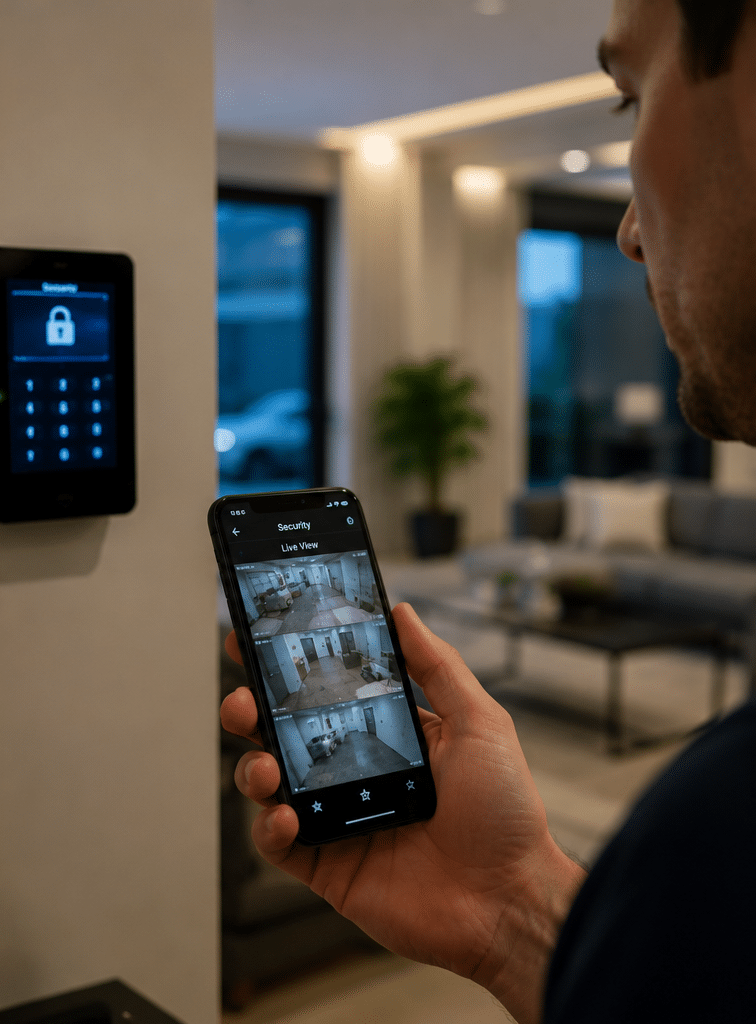
A good home setup may include monitored entry points, motion detectors in key areas, battery backup and mobile app notifications. However, app notifications alone are not the same as professional monitoring. If your phone is off, out of coverage or ignored during a meeting, the alert may not be actioned.
Business Security Monitoring
For businesses, the stakes are usually broader. Security monitoring may protect stock, staff, equipment, confidential records and business continuity. It may also support opening and closing procedures.
For example, a retail store may use alarm monitoring after hours, CCTV verification at entry points and access reports for staff-only areas. Meanwhile, a warehouse may need roller-door monitoring, loading dock cameras, gate access control and duress points.
The best business security monitoring plan is built around real workflows. Who opens the site? Who closes it? Who should be called first? What areas are high risk? What happens if the manager is overseas? These questions matter more than simply buying more devices.
Strata and Apartment Security Monitoring
Strata buildings often need a careful balance between security, resident access and privacy. Monitoring may cover garage doors, foyer doors, lifts, intercoms, visitor access, CCTV and plant room alarms.
In these buildings, administration is critical. Access cards must be added and removed correctly. Lost fobs should be disabled quickly. CCTV access should be controlled. Resident communication should be clear. As a result, security monitoring for strata is often as much about management process as technology.
Onshore vs Offshore Security Monitoring
Some Australian organisations compare onshore and offshore security monitoring. The best choice depends on risk, budget, reporting needs, communication expectations and service level requirements.
| Factor | Onshore Security Monitoring | Offshore Security Monitoring |
| Local context | Better understanding of Australian suburbs, time zones, emergency terminology and site instructions | May need more detailed scripts to avoid confusion |
| Communication | Easier local calling and escalation | Can work well with strong procedures, but communication should be tested |
| Compliance administration | Easier to align with Australian industry expectations and recordkeeping | Requires extra checks on data handling, privacy and service agreements |
| Cost | Often higher | Often lower |
| Response coordination | Usually easier for local patrols, keyholders and Australian contacts | Possible, but needs clear routing and escalation rules |
| Best suited for | Higher-risk sites, commercial premises, regulated environments and customers wanting local support | Lower-risk monitoring, basic alerts or budget-sensitive setups where procedures are strong |
Neither option is automatically perfect. However, for many Australian businesses, onshore security monitoring provides practical advantages because operators understand local geography, public holidays, language patterns and escalation expectations.
Security Monitoring Onboarding Checklist
Use this checklist before setting up or changing a monitored security service.
- Define your risks. List what you need to protect, such as people, stock, data, vehicles, tools or restricted areas.
- Map your site. Identify entry points, weak spots, after-hours zones, camera locations and high-value areas.
- Choose monitored events. Decide which alarms, doors, cameras, duress buttons or environmental alerts should be monitored.
- Confirm communication paths. Check whether the system will use IP, mobile, radio, dual-path or another transmission method.
- Review NBN compatibility. If your alarm uses a phone or internet pathway, check compatibility before service changes. NBN Co advises customers to contact their security alarm provider before switching to the nbn network because some devices may not be compatible. NBN security alarm compatibility guidance
- Create a response plan. Decide who gets called, in what order and under what conditions.
- Set keyholder rules. Add at least two reliable contacts and update them when staff change.
- Label zones clearly. Use meaningful names, such as “rear warehouse door”, not vague labels like “Zone 4”.
- Test every signal. Confirm that alarms, duress buttons, tamper alerts and video links report correctly.
- Train users. Show staff how to arm, disarm, report faults and avoid false alarms.
- Schedule maintenance. Check batteries, sensors, cameras, network devices and monitoring reports regularly.
- Review after incidents. After a real event or false alarm, improve the response plan.
This checklist is simple, but it prevents many avoidable problems. In my experience, unclear zone names and outdated call lists are two of the most common causes of slow or confused responses.
Australian Compliance and Administration Notes
Security monitoring in Australia involves several administrative considerations. This section is general information, not legal advice. Businesses should check their obligations with licensed security providers, insurers, strata managers or legal advisers where needed.
Licensing and Security Providers
Security licensing is managed at state and territory level in Australia. Therefore, requirements may differ between New South Wales, Victoria, Queensland, Western Australia, South Australia, Tasmania, the ACT and the Northern Territory.
For customers, the practical step is to check that the installer, monitoring provider or guard response provider is appropriately licensed for the services being supplied. This is an administrative safeguard, not just a formality.
Monitoring Centre Standards
Monitoring centre grading and certification can help customers compare providers more objectively. ASIAL notes that graded monitoring centres are inspected and graded for compliance with AS 2201.2, either the 2004 or 2022 version, depending on the listed centre and certification details.
This does not mean every site needs the highest grade available. However, it does mean customers should ask what standard, grade, redundancy and response processes apply to their service.
Privacy and CCTV Use
CCTV monitoring can involve personal information. Therefore, businesses should use cameras responsibly, place signage where appropriate and control who can access footage. Workplaces, schools, healthcare sites and strata buildings should be especially careful because people may have stronger privacy expectations.
Cyber and Physical Security Together
Modern security monitoring often depends on networks, apps, cloud platforms and internet-connected devices. As a result, cyber security and physical security now overlap.
The Australian Signals Directorate’s Information Security Manual says organisations should consider relevant guidance across governance, physical security, personnel security and ICT security topics. Its physical security guidance also refers to defence-in-depth, meaning layered protection rather than relying on one control. Australian Signals Directorate physical security guidance
For a business, this means cameras, access control and alarms should be supported by secure passwords, controlled admin access, network protection and regular updates.
Security Monitoring and the NBN
Many older alarm systems used traditional phone lines to report signals. However, Australian premises have moved through different telecommunications changes, including nbn connections. Because of this, older alarm communicators may need upgrades.
If a monitored alarm depends on a communication path that changes, it may stop reporting correctly. Therefore, testing is essential after internet, router, phone service or NBN changes.
A practical approach is to ask:
- Does the alarm still send signals after the network change?
- Is there a backup path, such as mobile?
- Does the panel have battery backup?
- Are outage alerts reported?
- Has the monitoring centre confirmed successful test signals?
Do not assume a siren means the monitoring path works. A local siren can activate even if the monitoring signal fails. Therefore, proper signal testing is a must.
Reducing False Alarms
False alarms waste time, create stress and may lead to avoidable callout costs. However, many false alarms can be reduced with better design and training.
Common causes include:
- Staff entering without disarming the alarm
- Pets triggering motion sensors
- Poor sensor placement near heaters, vents or sunlight
- Loose doors or roller doors
- Insects near detectors
- Low batteries
- Network dropouts
- Contractors using old codes
- Unclear opening and closing procedures
Good security monitoring should include false alarm review. For instance, if the same detector triggers repeatedly, the provider should investigate the device, placement or user behaviour. Repeatedly ignoring the issue is risky because people may start treating real alerts as routine.
Maintenance for Security Monitoring Systems
Security monitoring is only reliable if the connected systems are maintained. Cameras can go out of focus. Batteries fail. Access cards remain active after staff leave. Firmware becomes outdated. Network passwords change. Dust, insects and weather can affect sensors.
A maintenance plan may include:
- Alarm panel testing
- Backup battery checks
- Sensor walk testing
- Camera cleaning and focus checks
- Recorder health checks
- Storage capacity review
- Access control user audit
- Intercom testing
- Monitoring signal testing
- Response list updates
- App and admin access review
- Event report review
For commercial sites, maintenance should be documented. This helps with accountability and may support insurance or internal audit processes. However, customers should confirm specific insurance requirements with their insurer.
Costs, Value and Choosing the Right Setup
Security monitoring costs vary. The final price depends on the type of system, number of monitored points, communication method, monitoring centre, response plan, patrol dispatch arrangements, maintenance needs and reporting requirements.
Because pricing changes by provider and site, it is best to treat online cost ranges as estimates only. A small home alarm may need a simple monthly monitoring plan. A multi-site business may need integrated alarms, CCTV verification, access reporting and scheduled maintenance.
When comparing quotes, look beyond the monthly fee. Ask what is included.
Important questions include:
- Is monitoring 24/7?
- Is the monitoring centre graded or certified?
- Which communication paths are used?
- Is there backup communication?
- What events are monitored?
- Are video verification services included?
- Are reports included?
- How are false alarms handled?
- How are keyholder details updated?
- Are patrol response services available?
- What maintenance is included?
- What happens during power or internet outages?
A cheaper service may be fine for a low-risk site. However, for higher-risk premises, the cost of weak monitoring can be much higher than the monthly saving.
Choosing a Security Monitoring Provider in Australia
A good provider should explain the system clearly. They should not rely on fear-based selling or vague promises. Instead, they should help you understand the devices, monitoring pathway, response plan and maintenance requirements.
Look for a provider that can:
- Assess your site properly
- Explain alarm, CCTV, access control and intercom options
- Recommend practical monitoring pathways
- Provide clear response procedures
- Test all signals before handover
- Keep accurate records
- Support maintenance and upgrades
- Explain limitations honestly
- Help with future changes, such as renovations or network upgrades
For Australian businesses and property managers looking for practical support, explore Eclipse Security’s security solutions for Australian sites.
Common Security Monitoring Mistakes to Avoid
Security monitoring works best when people understand the process. Unfortunately, many sites make avoidable mistakes.
Mistake 1: Treating Monitoring as Set and Forget
Systems need updates. Staff change. Contact numbers change. Network equipment changes. Therefore, monitoring details should be reviewed regularly.
Mistake 2: Using Weak Zone Names
“Zone 3” does not help a keyholder understand the problem. “Front office glass break” is much more useful.
Mistake 3: Ignoring Communication Failures
A system that cannot communicate is not properly monitored. Therefore, communication faults should be investigated quickly.
Mistake 4: Giving Too Many People Admin Access
Too much access creates confusion and risk. Instead, assign clear roles and remove old users promptly.
Mistake 5: Not Testing Duress Alarms
Duress alarms are high-priority devices. They should be tested carefully under controlled conditions with the monitoring provider, so operators know it is a test.
Security Monitoring for Multi-Site Businesses
Multi-site businesses need extra planning. A retailer with ten locations, for example, may need consistent opening reports, alarm response rules, camera naming and maintenance schedules across all sites.
Standardisation helps because managers can compare events across locations. It also makes training easier. However, each site may still need local adjustments due to layout, risk, staffing and operating hours.
A practical multi-site monitoring plan should include:
- Standard alarm zone naming
- Consistent user permissions
- Site-specific escalation lists
- Central reporting
- Local patrol response options
- Regular access audits
- Documented maintenance cycles
- Clear procedures for new stores and closed sites
This approach reduces confusion and helps head office manage security without relying on guesswork.
People Also Ask
Is security monitoring worth it for a small business in Australia?
Yes, security monitoring can be worthwhile for small businesses that hold stock, tools, cash, customer records or expensive equipment. It helps ensure that after-hours alerts are sent to the right people instead of relying only on a siren or camera recording.
What is the difference between alarm monitoring and CCTV monitoring?
Alarm monitoring receives signals from an alarm panel, such as motion, door contact or duress events. CCTV monitoring uses video to check activity, verify alarms or conduct virtual patrols. Many businesses use both because alarms detect events quickly, while cameras provide context.
Can my old alarm still work with the NBN?
Some older alarms may need upgrades or a new communicator. NBN Co advises customers to contact their security alarm provider before switching because some devices may not be compatible with newer network technologies. Always test signals after any network change.
Does security monitoring stop break-ins?
Security monitoring cannot guarantee that a break-in will never happen. However, it can improve detection, escalation and response. When combined with good locks, lighting, cameras, alarms and procedures, it becomes part of a stronger layered security approach.
Who responds when a monitored alarm goes off?
The response depends on your agreed plan. A monitoring centre may call keyholders, send notifications, request patrol attendance or escalate emergencies where appropriate. Therefore, your response instructions should be clear, current and tested.
Security Monitoring Q&A
1. How often should a monitored security system be tested?
A monitored system should be tested whenever it is installed, after network changes, after major renovations and during scheduled maintenance. Many businesses also run regular test signals with their provider. The right frequency depends on risk, site type and insurer expectations.
2. What information should be in a security monitoring response plan?
A response plan should include site name, address, alarm zone descriptions, keyholder names, phone numbers, escalation order, special hazards, opening hours, patrol instructions and emergency notes. It should also explain what to do for different event types, such as intrusion, duress, power failure or access control alerts.
3. Can security monitoring integrate with access control?
Yes. Many commercial systems can monitor access control events such as forced doors, held-open doors, invalid card attempts and after-hours access. This helps managers identify unusual activity and respond before a small issue becomes a larger security problem.
4. What happens if the internet goes down?
It depends on the communication setup. Some systems use mobile backup, dual-path communicators or supervised links that report communication failures. If your system relies only on one internet path, an outage may affect reporting. Therefore, backup communication is important for higher-risk sites.
5. How can I improve security monitoring without replacing everything?
Start by reviewing response lists, zone names, communication paths, user permissions and maintenance records. Then test signals and fix unreliable devices. In many cases, improving administration and communication can make the existing system much more effective before major upgrades are needed.
Conclusion
Security monitoring is not just a monthly service. It is a complete process that connects detection, communication, verification, response and maintenance. For Australian homes and businesses, it can reduce uncertainty and help people act faster when something goes wrong.
However, the best results come from thoughtful design. You need the right devices, reliable communication, clear response instructions, trained users and regular maintenance. You also need honest advice about what monitoring can and cannot do.
If you are reviewing your current system, start with the basics: test your signals, update your keyholders, check your communication path and review your response plan. Then work with a qualified provider to strengthen the areas that matter most for your site.