On this page23
- Home Security Monitoring
- What Is Home Security Monitoring?
- How Home Security Monitoring Works
- Why Home Security Monitoring Can Matter in Australian Homes
- Monitored vs Unmonitored Security Systems
- What a Monitoring Centre Actually Does
- Alarm Verification and False Alarms
- Cameras, Privacy and Home Security Monitoring
- Onshore vs Offshore Monitoring
- What to Look for in a Monitoring Service
- Home Security Monitoring Onboarding Checklist
- What Happens During a Real Alarm?
- Costs and Value
- Home Security Monitoring for Different Australian Properties
- Home Security Monitoring and Administrative Compliance
- People Also Ask
- Q&A: Expert Questions About Home Security Monitoring
- Building a Better Home Security Strategy
- How to Choose a Home Security Monitoring Provider
- A Practical Way to Compare Quotes
- The Role of Professional Installation
- What Good Home Security Monitoring Looks Like
- Conclusion
Not sure what your site needs?
A technical consultant from our Hallam office will look at the site and recommend a system, free of charge.
Request an assessment 1300 66 11 99Choosing home security monitoring is no longer simply about installing an alarm and hoping it works when you are away. For Australian homeowners, the bigger question is what happens after an alarm, smoke detector, duress button or other connected security device sends an alert.
That distinction matters. A professionally monitored system can provide an additional layer between a security event at your property and the actions that follow. However, monitoring is not a magic solution, and the quality of the service depends on the equipment, communications path, monitoring centre, escalation process and support behind it.
Australian households also have good reason to take property security seriously. The Australian Bureau of Statistics reported that 196,600 Australian households experienced a break-in during 2024–25, equivalent to 1.8% of households. The same release recorded 217,500 households experiencing an attempted break-in. (Australian Bureau of Statistics)
This guide explains how home security monitoring works in Australia, what happens during an alarm, what features are worth comparing, how privacy considerations apply to connected cameras, and what questions to ask before signing a monitoring agreement.
Home Security Monitoring
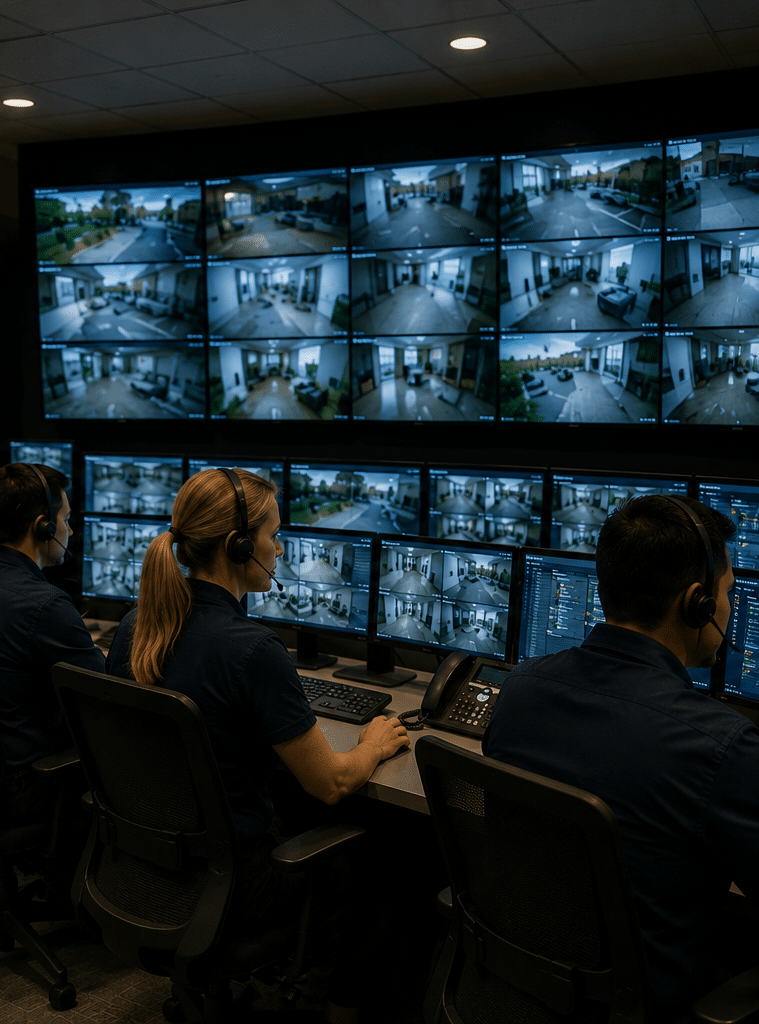
Home security monitoring is a service where a professional monitoring centre receives alerts from a residential security system and follows an agreed response procedure. Depending on the service, operators may verify an event, contact nominated people, request a security response or advise the appropriate emergency service.
Table of Contents
- What Is Home Security Monitoring?
- How Home Security Monitoring Works
- Why Monitoring Can Matter in Australian Homes
- Monitored vs Unmonitored Security Systems
- What a Monitoring Centre Actually Does
- Alarm Verification and False Alarms
- Cameras, Privacy and Home Security Monitoring
- Onshore vs Offshore Monitoring
- What to Look for in a Monitoring Service
- Home Security Monitoring Onboarding Checklist
- What Happens During a Real Alarm?
- Costs and Value
- Home Security Monitoring for Different Australian Properties
- People Also Ask
- Q&A: Expert Questions About Home Security Monitoring
- Conclusion
What Is Home Security Monitoring?
A home alarm can detect an event. Home security monitoring adds a human response process to that detection.
For example, a sensor may detect an opened door while the alarm system is armed. The system sends an event through its communications connection to a monitoring centre. An operator then receives information about the alarm and follows the agreed procedure for that property.
The response may vary depending on the type of alarm, the customer's instructions and the available verification information.
In Australia, the term "monitoring centre" has a specific industry meaning. NSW Police describes a monitoring centre as a facility defined by AS 2201.2:2004, Intruder Alarm Systems – Monitoring Centres, where domestic and commercial alarm systems are monitored and alarm activations are actioned according to client instructions. (NSW Police)
That helps explain why monitoring should be viewed as a process, rather than simply an app notification.
A smartphone notification might tell you that something happened.
A monitoring service can provide a defined workflow for what happens next.
Detection, monitoring and response are different
It is useful to separate three concepts:
- Detection: A sensor or device identifies a possible event.
- Monitoring: A monitoring centre receives and assesses the alarm signal.
- Response: The operator follows the agreed escalation procedure.
A good security design considers all three.
For instance, a door contact might detect an intrusion. The monitoring centre might receive the alarm and contact a nominated person. Depending on the circumstances and the service arrangement, further action may then be appropriate.
The exact response should always be confirmed with the monitoring provider rather than assumed.
How Home Security Monitoring Works
A typical monitored home security system contains several connected components.
1. Security devices detect activity
These can include:
- Door and window contacts
- Motion detectors
- Glass-break detectors
- Panic or duress buttons
- Smoke or fire-related sensors
- Water or environmental sensors
- Security cameras
- Smart locks and access devices
- Alarm panels
The right combination depends on the property.
A small apartment may need a different setup from a detached suburban home with a garage, side access and a large backyard.
2. The alarm panel processes the event
The control panel receives information from connected devices.
It can determine whether the system is armed, whether a particular zone has been triggered and whether other system conditions are present.
Modern systems may also report technical conditions such as communication failures, low battery conditions or tampering.
3. The system communicates the event
The alarm needs a reliable path to the monitoring service.
Depending on the system, communications may involve mobile networks, broadband or other communications technologies.
This is an important question to ask during installation because a security system is only as useful as its ability to communicate an event when something goes wrong.
4. The monitoring centre receives the signal
The monitoring operator receives the alarm event and identifies the relevant property and alarm type.
The operator can then follow the instructions attached to the account.
5. The agreed response procedure begins
This might involve contacting a nominated person, attempting verification, requesting an authorised security response or escalating an appropriate emergency situation.
The exact procedure varies between providers.
Therefore, avoid choosing a service based solely on phrases such as "24/7 protection". Ask exactly what the monitoring centre does when an alarm is received.
Why Home Security Monitoring Can Matter in Australian Homes
Australian properties vary enormously.
There are inner-city apartments, suburban houses, rural properties, holiday homes, coastal residences and large acreage properties.
Each creates different security challenges.
For example, a homeowner who is frequently away from the property may value professional monitoring because they cannot personally respond to every alarm notification.
A holiday-home owner may have an even greater need for remote awareness because the property can remain empty for extended periods.
The ABS's latest crime victimisation figures provide useful context. In 2024–25, 1.8% of Australian households experienced a break-in, while another 2.0% experienced an attempted break-in. The ABS also reported that 69% of households experiencing a break-in reported their most recent incident to police. (Australian Bureau of Statistics)
These statistics do not mean every household needs professional monitoring.
Instead, they demonstrate why homeowners should think about the complete security response rather than only the hardware installed on the property.
Monitoring can be particularly useful when:
- Nobody is normally home during the day.
- Residents travel frequently.
- The property is difficult to observe from neighbouring homes.
- There are vulnerable access points.
- The home contains valuable belongings.
- A holiday property is often unoccupied.
- The owner wants a structured response process.
- Household members may not always be available to receive app alerts.
Monitored vs Unmonitored Security Systems
There is no single security setup that is best for every Australian household.
The right choice depends on your risk profile, budget, lifestyle and expectations.
| Feature | Unmonitored system | Professionally monitored system |
| Alarm detection | Yes | Yes |
| Local siren | Usually | Usually |
| Mobile/app alerts | Often | Often |
| Monitoring centre | No | Yes |
| Human assessment of alarm | No | Yes |
| Agreed escalation process | Usually limited | Typically included |
| Suitable for remote property owners | Can be | Often more suitable |
| Ongoing service fee | Usually lower | Usually applies |
| Dependence on homeowner response | Higher | Lower |
| Best for | Self-managed security | People wanting an additional response layer |
An unmonitored system can still provide valuable security.
For someone who is home frequently and is comfortable receiving notifications and managing alerts personally, it may be sufficient.
However, an app notification does not guarantee that someone will see it immediately.
A monitored service is designed around the assumption that an alarm may need attention when the homeowner is asleep, driving, travelling or otherwise unavailable.
What a Monitoring Centre Actually Does
One of the biggest misconceptions about home security monitoring is that operators automatically send police whenever an alarm activates.
That is not a safe assumption.
The actual process depends on the service, alarm information, customer instructions, verification procedures and relevant arrangements.
NSW Police explains that monitoring centre operators monitor alarm systems and action alarm activations according to client instructions. It also notes that monitoring centre operations require a Class 1E Monitoring Centre Operator security operative licence in NSW. (NSW Police)
The practical lesson is simple:
Ask the provider to explain the alarm-response workflow before you subscribe.
Questions worth asking include:
- What happens when a door sensor activates?
- What happens if a motion sensor activates shortly afterwards?
- What happens if the alarm cannot be verified?
- Who is contacted first?
- How are nominated contacts recorded and updated?
- What happens if a nominated contact does not answer?
- What happens if communications to the property fail?
- Are security response services available?
- Are response charges included or additional?
- How are false alarms handled?
The answers should be documented clearly.
Alarm Verification and False Alarms
False alarms are an important part of security system design.
An alarm can be triggered accidentally by a household member, pet, environmental condition, technical issue or incorrect system operation.
That does not mean the alarm system is ineffective.
Instead, the system should be designed and configured to reduce unnecessary activations while still detecting genuine events.
Common causes of avoidable alarms include:
- Incorrectly positioned motion detectors
- Pets entering restricted areas
- Doors not properly secured
- Household members forgetting the system is armed
- Environmental movement
- Poor sensor placement
- User error
- Communication or equipment faults
A professional installer should consider these issues during system design.
Where video verification or multiple alarm signals are available, they may provide additional information to help an operator understand what is happening.
However, cameras are not a substitute for good sensor placement.
A camera pointed at a doorway does not necessarily tell you whether a person has entered through another part of the property.
Cameras, Privacy and Home Security Monitoring
Connected security cameras provide useful information, but Australian homeowners should also consider privacy.
The Office of the Australian Information Commissioner, or OAIC, explains that privacy obligations can apply to organisations and agencies using surveillance devices. It also notes that state and territory surveillance laws may apply to residential camera use. (OAIC)
For a homeowner, the important point is that privacy considerations can depend on who operates the camera, where it is installed and which laws apply to the situation.
A camera inside your home is different from a camera deliberately capturing areas outside your property.
For businesses and organisations covered by the Privacy Act, the OAIC says personal information collected through surveillance devices must be handled consistently with applicable Australian Privacy Principles. (OAIC)
For further reading, the OAIC's security camera guidance explains relevant privacy considerations.
Questions to ask about monitored cameras
Before adding cameras to a monitored security system, ask:
- Where is video stored?
- Is footage stored locally, in the cloud or both?
- Who can access it?
- How long is footage retained?
- Is footage encrypted?
- Can monitoring operators view live video?
- Under what circumstances can they access recordings?
- Can access permissions be removed?
- What happens if the internet connection fails?
The OAIC's broader guidance also emphasises reasonable technical and organisational measures for protecting personal information where the Privacy Act applies. (OAIC)
These are sensible questions even where a particular household is not directly covered by the Privacy Act.
Onshore vs Offshore Monitoring
Some Australian customers specifically ask whether their monitoring centre is located in Australia.
That can be a reasonable consideration, particularly if you want a provider that understands Australian operating conditions and can clearly explain its local response arrangements.
However, location alone does not determine service quality.
| Consideration | Australian-based monitoring | Overseas-based monitoring |
| Local operating context | Potential advantage | May vary |
| Australian time zones | Straightforward | May require additional processes |
| Understanding local escalation | Potential advantage | Provider-dependent |
| Language and communication | Usually straightforward | Provider-dependent |
| Australian licensing considerations | Important to verify | Important to verify |
| Data location | Ask the provider | Ask the provider |
| Response capability | Must be confirmed | Must be confirmed |
| Service quality | Depends on provider | Depends on provider |
The key is to investigate the actual operating model.
Do not assume that "Australian company" automatically means every monitoring operation, support function or data system is physically located in Australia.
Likewise, do not assume that offshore processing automatically means poor service.
Ask where the monitoring occurs, who operates it, what licensing applies and where your information is stored.
What to Look for in a Monitoring Service
When comparing home security monitoring providers, look beyond the monthly price.
1. Monitoring availability
Confirm whether monitoring operates continuously and what happens outside standard business hours.
A security event does not necessarily occur during office hours.
2. Communications resilience
Ask how the alarm communicates with the monitoring centre.
Also ask what happens if the primary communications path becomes unavailable.
3. Clear alarm procedures
You should understand what operators do after different types of alarm events.
The procedure should not be vague.
4. Qualified personnel
Ask about the monitoring centre's staffing, licensing and operating procedures.
Licensing requirements differ between Australian jurisdictions, so administrative and compliance requirements should be checked for the relevant state or territory.
5. Security response
If a provider offers mobile security response, determine:
- Where responders operate
- Whether response is included
- Whether additional fees apply
- What events qualify for response
- What happens if a responder cannot attend
6. Equipment ownership
Clarify whether you own, rent or lease the equipment.
This can affect what happens if you cancel the monitoring service.
7. Contract terms
Read the agreement carefully.
Check:
- Contract duration
- Cancellation requirements
- Equipment charges
- Installation charges
- Monitoring fees
- Response charges
- Maintenance
- Relocation arrangements
- Upgrade terms
8. Customer support
Good security technology still needs good support.
Find out how equipment faults are reported and how quickly service issues are normally addressed.
Home Security Monitoring Onboarding Checklist
A structured onboarding process can prevent confusion later.
Before installation
- Assess the property.
Identify doors, windows, garages, gates and other vulnerable access points. - Define your priorities.
Decide whether you mainly want intrusion detection, remote awareness, monitored response or a combination. - Consider household behaviour.
Think about children, pets, visitors, cleaners and tradespeople. - Identify high-value areas.
This might include garages, sheds, home offices or storage areas. - Review communications.
Ask how the system will communicate with the monitoring centre.
During installation
- Confirm sensor locations.
Make sure each sensor has a clear purpose. - Test every device.
Door contacts, motion detectors, panic devices and cameras should be tested. - Confirm account details.
Check your address, contact information and nominated contacts. - Understand the alarm process.
Ask the installer or monitoring provider to explain what happens after activation. - Learn how to operate the system.
Every household member who uses the alarm should understand arming and disarming procedures.
After installation
- Test the monitoring connection.
Follow the provider's approved test procedure. - Review notifications.
Make sure authorised users receive the information they need. - Check camera privacy settings.
Confirm recording, access and retention settings. - Update contacts when circumstances change.
Remove people who should no longer receive alarm notifications. - Schedule periodic reviews.
Household routines and security requirements can change over time.
What Happens During a Real Alarm?
Imagine you are away for the weekend.
Your security system is armed.
A door sensor activates.
The system sends an alarm event to the monitoring centre.
The operator identifies the property and the relevant alarm information. The operator then follows the response instructions associated with your account.
Depending on the system and service, additional alarm signals or video information may help provide context.
The monitoring centre may then contact a nominated person or take another action permitted under the agreed response procedure.
If a security response service forms part of the arrangement, the relevant response process can be initiated according to the service terms.
This example illustrates an important point:
The value of monitoring is not simply receiving an alarm signal. It is having a defined process for dealing with that signal.
That process should be explained before you purchase the service.
Costs and Value
The cost of home security monitoring varies considerably because the service is not just one product.
Pricing can depend on:
- Number and type of security devices
- Existing alarm equipment
- New installation requirements
- Monitoring service level
- Communications equipment
- Video services
- Security response options
- Maintenance
- Contract terms
- Property size and complexity
For that reason, a single "average Australian price" can be misleading.
Instead, compare the total cost of ownership.
For example, a cheaper monthly monitoring plan may become less attractive if it requires substantial installation costs, expensive equipment upgrades or additional response charges.
Conversely, a more comprehensive service may provide features that are genuinely useful for your property.
A sensible comparison method
Ask every provider for the same information:
| Cost or service item | Provider A | Provider B | Provider C |
| Installation | $ | $ | $ |
| Equipment | $ | $ | $ |
| Monthly monitoring | $ | $ | $ |
| Communications | $ | $ | $ |
| Security response | $ | $ | $ |
| Maintenance | $ | $ | $ |
| Contract term | — | — | — |
| Cancellation costs | $ | $ | $ |
This makes the comparison much more useful than comparing monthly prices alone.
Home Security Monitoring for Different Australian Properties
Suburban family homes
A typical suburban home may have several entry points, a garage and outdoor areas.
A practical system could combine perimeter sensors, internal detection and selected cameras.
The objective is not to place a sensor on every possible surface.
Instead, focus on realistic entry routes and areas where detection will provide useful information.
Apartments
Apartment security requires a different approach.
The building may already have controlled access, intercoms, shared CCTV and other security measures.
In that situation, the home's internal entry door may be the most important point to protect.
Apartment owners should also consider strata rules before installing equipment affecting common property.
Rural and acreage properties
Large properties create greater physical distances.
A sensor at the house may not detect activity near a detached shed or gate.
Therefore, security planning should consider the entire property layout.
Wireless coverage, power availability and communications should be reviewed carefully.
Holiday homes
A holiday property can remain vacant for weeks or months.
Remote alerts may therefore be particularly valuable.
Professional monitoring can also provide a structured response process when the owner is not nearby.
Home offices
People working from home may have business equipment and sensitive information on the property.
A security system can be designed around the office, storage areas and external access points without treating every room as equally important.
Home Security Monitoring and Administrative Compliance
Security businesses and monitoring providers may have licensing, privacy, recordkeeping and operational obligations that vary by jurisdiction and service type.
These requirements should be treated as administrative and operational matters, not as a substitute for legal advice.
For example, NSW Police distinguishes between monitoring centre operations and control-room functions and identifies specific licensing requirements for monitoring centre operators in NSW. (NSW Police)
If your installation involves cameras, access control or a business property, additional privacy and surveillance considerations may apply.
The safest approach is to ask the provider what requirements apply to your particular service and, where necessary, have the relevant administrative arrangements reviewed by an appropriately licensed professional or adviser.
People Also Ask
Is home security monitoring worth it in Australia?
It can be worthwhile for households that want more than an alarm or smartphone notification. The main benefit is having a defined monitoring and escalation process when the homeowner is unavailable, although the value depends on the quality and terms of the service.
What happens when a monitored home alarm goes off?
The alarm sends an event to a monitoring centre, where an operator follows the agreed response procedure. Depending on the service, this may include contacting nominated people, assessing available information or arranging an authorised security response.
Do monitored alarms automatically call the police?
Not necessarily. The response depends on the monitoring service, alarm information, verification requirements, customer instructions and relevant arrangements. Homeowners should ask their provider exactly how police or emergency-service escalation works.
Does home security monitoring work without internet?
Some alarm systems have communications options that do not depend solely on a home's broadband connection. However, the exact configuration varies, so ask whether the system has a secondary communications path and how a communications failure is reported.
Can security cameras be connected to monitoring?
Yes, depending on the system and monitoring service. Cameras can provide additional information about an event, but homeowners should understand video access, storage, retention and privacy arrangements before enabling monitored video.
Q&A: Expert Questions About Home Security Monitoring
1. What is the difference between alarm monitoring and video monitoring?
Alarm monitoring primarily involves receiving signals from security devices such as door contacts, motion detectors and panic buttons.
Video monitoring can add visual information. Depending on the service, an operator may be able to view live or recorded footage when an alarm occurs.
The two services can complement one another, but they are not identical.
2. Should every room have a motion detector?
No.
Good security design is based on risk and property layout rather than simply maximising the number of sensors.
Entry routes, high-value areas and likely movement paths generally deserve more attention.
Too many poorly positioned devices can also increase nuisance alarms.
3. What should happen if the monitoring centre cannot reach me?
This should be agreed before the system goes live.
Your provider should explain the escalation sequence, including what happens when a nominated contact does not answer.
The procedure may include additional nominated contacts or another authorised response, depending on your service.
4. How often should a monitored security system be reviewed?
A practical review should occur whenever something significant changes.
Examples include moving house, changing household members, adding a garage or shed, changing internet or communications services, adopting a pet or changing travel patterns.
It is also sensible to periodically test equipment according to the manufacturer's and monitoring provider's instructions.
5. What questions should I ask before signing a monitoring contract?
Ask for a complete explanation of:
- Monthly monitoring charges
- Installation and equipment costs
- Contract duration
- Cancellation terms
- Alarm-response procedures
- Security response charges
- Communications failure handling
- Equipment ownership
- Maintenance
- Camera data storage
- Privacy arrangements
- Customer support
- Monitoring centre location
- Relevant licensing and administrative requirements
A provider that explains these points clearly makes it easier to compare services on value rather than marketing language.
Building a Better Home Security Strategy
The strongest security setup is usually layered.
Think of the property as a series of protective measures rather than one device.
Layer 1: Physical security
Start with good-quality doors, locks, windows, gates and lighting.
Layer 2: Detection
Add sensors where they can identify meaningful activity.
Layer 3: Verification
Use appropriate cameras or additional sensors when visual or multi-signal information would improve understanding of an event.
Layer 4: Monitoring
Connect the system to a professional monitoring service if a human response process suits your needs.
Layer 5: Response
Make sure everyone understands what happens when an alarm occurs.
This approach is more useful than simply buying the largest number of devices.
How to Choose a Home Security Monitoring Provider
Before making a decision, compare providers against your actual circumstances.
A useful provider should be able to explain the system without relying on vague claims.
Look for clear answers about:
Technology: What equipment is installed, and how does it communicate?
Monitoring: Who receives the alarm and when?
Response: What happens after the alarm is received?
Reliability: What happens if power or communications fail?
Privacy: How is camera footage or customer information handled?
Support: Who do you contact when something stops working?
Costs: What will you pay initially and on an ongoing basis?
Contract: What are the cancellation and equipment terms?
Local requirements: What licensing or administrative requirements apply to the service?
The provider should also be willing to explain what the system does not do.
That is an important sign of a balanced security assessment.
No security system can guarantee that a property will never experience an intrusion. The goal is to improve detection, awareness and response while reducing avoidable weaknesses.
A Practical Way to Compare Quotes
Suppose you receive three quotes.
Do not immediately select the cheapest.
Instead, score each proposal against the same criteria:
- Property assessment
- Sensor coverage
- Communications resilience
- Monitoring arrangements
- Alarm verification
- Response procedure
- Camera functionality
- Privacy controls
- Installation quality
- Equipment warranty
- Customer support
- Contract flexibility
- Total ongoing cost
This approach reveals differences that are easy to miss when comparing only monthly fees.
It also helps you identify whether you are paying for features you will actually use.
The Role of Professional Installation
Professional installation can be valuable because security equipment needs to work as a coordinated system.
For example, a motion detector positioned incorrectly can create nuisance alarms.
A camera mounted too high may capture useful general footage but provide poor identification detail.
A sensor installed without considering household movement can become a recurring source of false alarms.
Installation is therefore about more than attaching equipment to walls.
It involves understanding the property's layout, likely movement patterns, communications requirements and the homeowner's daily routine.
For Australians comparing providers, it is worth asking whether the installer will explain why each device is being placed in a particular location.
What Good Home Security Monitoring Looks Like
A good monitoring service should feel predictable.
You should know:
- What the system detects
- What information reaches the monitoring centre
- What the operator does
- Who gets contacted
- What happens if nobody answers
- What happens if the communications path fails
- What response options are available
- What the service costs
- How your data is handled
That predictability is one of the most important benefits of a professionally designed monitoring process.
Security is not only about technology.
It is also about having a sensible procedure when something unexpected happens.
Conclusion
Home security monitoring can provide Australian homeowners with an additional layer of protection by connecting security equipment to a professional monitoring and response process.
The key is to look beyond the alarm panel or smartphone app.
Consider the property's entry points, sensors, cameras, communications path, monitoring centre, alarm procedures and response arrangements as one complete system.
The latest ABS figures show that break-ins and attempted break-ins remain relevant household security concerns across Australia, while the OAIC highlights the importance of considering privacy when surveillance technology is involved. (Australian Bureau of Statistics)
Most importantly, ask practical questions before signing a contract. Find out what happens when an alarm activates, who responds, how communications failures are handled and what you will actually pay.
If you are comparing security options for an Australian property, explore professional security solutions designed around your property's needs and use the questions in this guide to assess whether the monitoring service is the right fit.
A well-designed system does not promise that an incident will never occur. Instead, it aims to improve detection, provide useful information and create a clear response process when it matters.