
On this page26
- Business Alarm Monitoring
- What Is Business Alarm Monitoring?
- How Business Alarm Monitoring Works
- Why Businesses Use Alarm Monitoring
- Monitored vs Unmonitored Business Alarms
- What Happens When a Business Alarm Activates?
- Business Alarm Monitoring and Alarm Verification
- Business Alarm Monitoring and CCTV
- Onshore vs Offshore Monitoring
- Choosing a Business Alarm Monitoring Service
- Business Alarm Monitoring Onboarding Checklist
- Business Alarm Monitoring for Different Australian Premises
- Costs and Contracts
- Privacy, Surveillance and Administrative Compliance
- Business Alarm Monitoring and Communications Resilience
- Business Alarm Monitoring and Access Control
- Business Alarm Monitoring for Multi-Site Businesses
- What Good Business Alarm Monitoring Looks Like
- How to Compare Business Alarm Monitoring Providers
- People Also Ask
- Expert Q&A
- Building a Layered Commercial Security Strategy
- When Should a Business Review Its Alarm System?
- A Practical Quote-Comparison Framework
- Questions to Ask Before Signing
- Conclusion
Not sure what your site needs?
A technical consultant from our Hallam office will look at the site and recommend a system, free of charge.
Request an assessment 1300 66 11 99For an Australian business, business alarm monitoring is about more than installing an alarm and receiving a notification on a phone. The important question is what happens after an alarm is triggered, particularly when the premises are empty, staff are unavailable or an owner is travelling.
A well-designed monitored security system connects detection equipment at the premises with a monitoring process. Depending on the service, an alarm activation can be assessed by a monitoring operator and handled according to documented customer instructions. That can provide a more structured response than relying entirely on someone noticing an app notification.
This matters because businesses have different operating environments. A retail shop may need protection after trading hours, while a warehouse may have large areas, multiple access points and valuable stock. An office may be concerned about unauthorised access to sensitive areas, whereas a medical, industrial or professional premises may have additional operational requirements.
The Australian Bureau of Statistics' latest Crime Victimisation release covers household crime rather than business premises, so it should not be used as a direct measure of commercial burglary. Nevertheless, it provides useful broader context: in 2024–25, 1.8% of Australian households experienced a break-in and 2.0% experienced an attempted break-in. (Australian Bureau of Statistics)
The practical lesson for businesses is not that every premises requires professional monitoring. Rather, security decisions should be based on the property's exposure, operating hours, assets, access arrangements and the consequences of an incident.
Business Alarm Monitoring
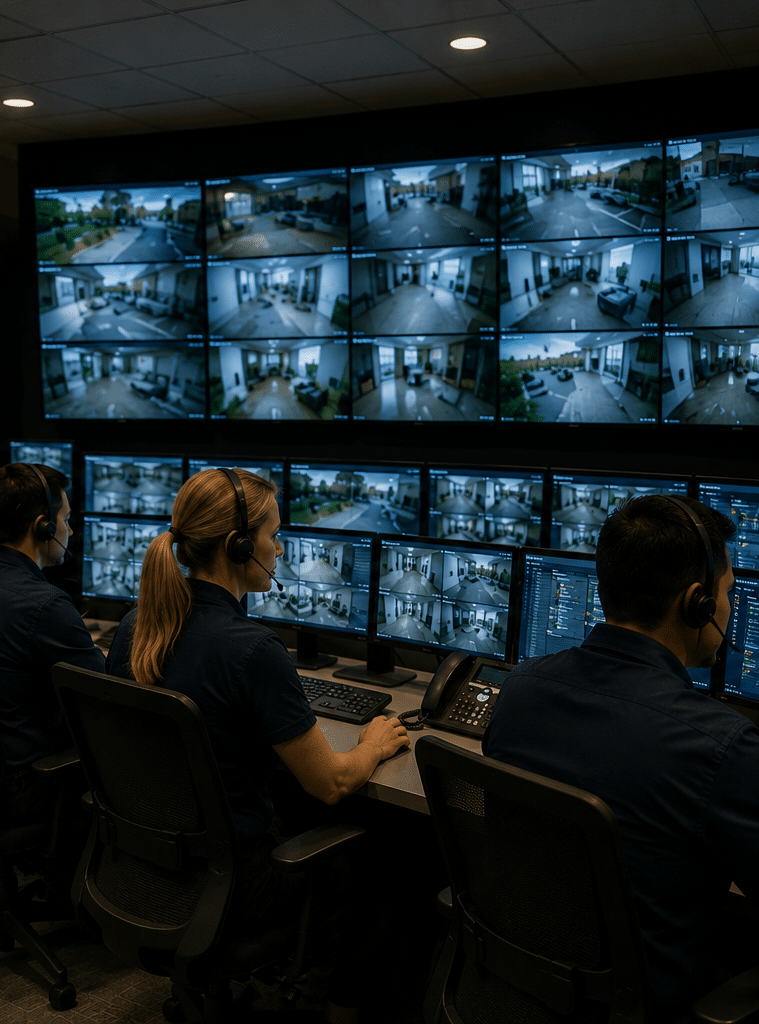
Business alarm monitoring is a service where a professional monitoring centre receives alarm signals from a commercial security system and follows an agreed response procedure. Depending on the service, operators may assess alarm information, contact nominated people, arrange authorised security response or escalate an incident under applicable procedures.

Table of Contents
- What Is Business Alarm Monitoring?
- How Business Alarm Monitoring Works
- Why Businesses Use Alarm Monitoring
- Monitored vs Unmonitored Business Alarms
- What Happens When a Business Alarm Activates?
- Alarm Verification and False Alarms
- Business Alarm Monitoring and CCTV
- Onshore vs Offshore Monitoring
- Choosing a Business Alarm Monitoring Service
- Business Alarm Monitoring Onboarding Checklist
- Business Security for Different Australian Premises
- Costs and Contracts
- Privacy, Surveillance and Administrative Compliance
- Business Alarm Monitoring and Communications Resilience
- People Also Ask
- Expert Q&A
- Conclusion
What Is Business Alarm Monitoring?
A commercial alarm system can detect an event.
Professional monitoring adds another layer: a monitoring centre receives information from the system and follows a defined response process.
That distinction is important for business owners.
If an alarm simply produces a siren, the premises may be relying on neighbours, passers-by or employees to notice the event.
If it produces a smartphone notification, the business owner still needs to see the notification, understand it and decide what to do.
With professional monitoring, the alarm can be connected to a monitoring centre that operates according to established procedures.
NSW Police describes a monitoring centre as a facility defined by AS 2201.2:2004, Intruder Alarm Systems – Monitoring Centres, and says monitoring centres monitor domestic and commercial alarm systems and action alarm activations according to client instructions. (NSW Police)
That makes the monitoring process an important part of commercial security planning.
Detection is not the same as response
It helps to separate the system into three stages:
Detection: A sensor identifies a possible event.
Transmission: The alarm system communicates the event to the monitoring centre.
Response: The monitoring operator follows the agreed procedure.
For example, a warehouse door contact might detect an unauthorised opening after closing time. The alarm panel sends that event to the monitoring centre. The operator then handles the event according to the instructions attached to the business account.
The exact response depends on the monitoring arrangement.
Therefore, businesses should never assume that every alarm automatically results in police attendance.
Instead, ask the provider to explain exactly what happens.
How Business Alarm Monitoring Works
A typical monitored commercial security system contains several components.
1. Sensors detect an event
Depending on the premises, these may include:
- Door contacts
- Window contacts
- Motion detectors
- Glass-break detectors
- Panic or duress devices
- Roller-door contacts
- Perimeter sensors
- Smoke or other approved detection devices
- Environmental sensors
- Security cameras
The objective is not necessarily to install the maximum number of sensors.
Instead, each device should have a clear purpose.
A warehouse, for example, may need protection around loading doors, staff entrances and high-value storage areas. A small office may require a simpler arrangement.
2. The control panel processes the signal
The alarm panel receives information from the security devices.
It determines which zone or device has activated and communicates the relevant event.
Modern systems may also identify technical conditions such as low battery states, tampering or communications problems, depending on the equipment.
3. The system sends the alarm to the monitoring centre
The security system needs a communications path to the monitoring service.
Depending on the equipment, this can involve mobile communications, broadband or another communications method.
This is an area businesses should examine carefully.
A sophisticated alarm is of limited value if it cannot reliably communicate when an incident occurs.
4. The monitoring centre receives the event
An operator receives information about the alarm and the associated premises.
The operator then follows the business's agreed response instructions.
5. The response procedure begins
Depending on the service, this may involve contacting nominated people, assessing available alarm information or arranging an authorised security response.
The exact process should be documented in the monitoring agreement and account instructions.
Why Businesses Use Alarm Monitoring
The biggest practical advantage is continuity of response.
A business owner cannot be expected to personally monitor security notifications at all times.
Consider a retailer that closes at 6 pm.
At 2 am, an alarm activates.
The owner may be asleep.
An app notification could sit unread for several hours.
A professionally monitored system is designed around a different model: the event is sent to a monitoring centre where an operator follows the agreed procedure.
That does not guarantee that an incident will be prevented.
It does, however, create a structured process for dealing with an alarm.
Monitoring can be useful when:
- The business operates outside normal hours.
- Premises are empty overnight.
- Owners or managers travel frequently.
- Valuable stock or equipment is stored onsite.
- There are several access points.
- The premises are geographically separated from management.
- A business has multiple locations.
- The owner wants a formal alarm-response process.
- Staff cannot reasonably be expected to monitor security alerts continuously.
Why business requirements differ
A one-room office and a large warehouse should not automatically receive the same security design.
For example, a warehouse may have:
- Multiple roller doors
- Loading docks
- Vehicle access
- High ceilings
- Large internal areas
- Outdoor storage
- Separate offices
Those characteristics can affect sensor selection, camera placement and monitoring procedures.
A professional security assessment should therefore start with the premises rather than a generic equipment list.
Monitored vs Unmonitored Business Alarms
Both approaches have legitimate uses.
The right choice depends on the business's risk profile and operating requirements.
| Feature | Unmonitored alarm | Professionally monitored alarm |
| Alarm detection | Yes | Yes |
| Local siren | Usually | Usually |
| App notifications | Often | Often |
| Monitoring centre | No | Yes |
| Human alarm assessment | No | Yes |
| Defined escalation process | Business-managed | Provider-managed according to agreement |
| Owner availability required | Usually higher | Usually lower |
| Ongoing monitoring fee | Usually no | Usually yes |
| Suitable for unattended premises | Depends on business | Often more suitable |
| Response process | Self-managed | Professionally coordinated |
An unmonitored alarm can be a sensible choice for some businesses.
For example, a small owner-operated premises where someone is nearby and available to respond may not need the same service level as a warehouse left unattended overnight.
However, businesses should consider what happens when nobody is available.
That is where professional monitoring can add value.
What Happens When a Business Alarm Activates?
Understanding the sequence is one of the most useful things a business owner can do before purchasing a monitoring service.
Imagine a retail store has closed for the evening.
The alarm is armed.
A rear door opens.
Step 1: Detection
The door contact identifies the opening.
Step 2: Alarm processing
The control panel determines that the relevant security zone has activated.
Step 3: Signal transmission
The alarm system sends the event to the monitoring centre.
Step 4: Operator assessment
The monitoring operator receives the alarm and identifies the relevant account and event.
Step 5: Agreed response
The operator follows the instructions recorded for the business.
This may involve contacting nominated people or taking another authorised action depending on the service.
Step 6: Further escalation where appropriate
If the monitoring arrangement includes security response, an authorised response may be requested under the applicable procedure.
NSW Police notes that monitoring centre operators can request other security operatives to respond to security-risk situations. It also distinguishes monitoring centre functions from physical security officer functions. (NSW Police)
That distinction is worth understanding.
A monitoring operator is not automatically the same person as an onsite security guard.
Business Alarm Monitoring and Alarm Verification
False alarms can be costly in terms of time and disruption.
A business might trigger an alarm because:
- A staff member forgot to disarm it
- A cleaner entered unexpectedly
- A door was not properly secured
- A motion sensor detected an unexpected movement
- Equipment developed a fault
- A sensor was poorly positioned
- An environmental condition caused an activation
Good security design should therefore consider alarm verification.
What is alarm verification?
Alarm verification means using available information to better understand an alarm event.
For example, a system might provide:
- Multiple sensor activations
- Camera information
- Door status
- Access-control events
- Alarm sequence information
The available verification method depends on the equipment and monitoring service.
Verification does not mean ignoring an alarm that cannot be visually confirmed.
Instead, it gives the monitoring process more information where that information is available.
Reduce false alarms at the design stage
Businesses can reduce avoidable activations by:
- Training staff properly
- Creating clear opening and closing procedures
- Positioning sensors correctly
- Reviewing recurring alarm events
- Updating authorised-user information
- Separating staff areas from restricted areas
- Checking equipment regularly
From a practical security-planning perspective, recurring false alarms should be treated as a system-management issue rather than simply an inconvenience.
If an alarm repeatedly activates without a genuine event, investigate why.
Business Alarm Monitoring and CCTV
CCTV can complement alarm monitoring by providing visual context.
For example, a door alarm may tell the monitoring centre that an entry point has opened.
A camera may provide additional information about what is happening around that location.
However, CCTV and alarm monitoring are different functions.
A camera does not automatically mean that someone is watching it continuously.
Businesses should ask whether their proposed service involves:
- Recorded video
- Live video
- Video verification
- Event-triggered footage
- Remote access
- Professional monitoring
- Local recording
- Cloud recording
Camera placement matters
The objective should be useful coverage, not simply installing cameras everywhere.
Important areas might include:
- Main entrances
- Rear entrances
- Loading areas
- Cash-handling areas
- High-value storage
- Car parks
- Restricted internal areas
- Perimeter approaches
However, camera placement should also consider privacy, lighting and image quality.
A camera that produces poor footage at night may not provide the evidence a business expects.
Onshore vs Offshore Monitoring
Some Australian businesses specifically want their monitoring centre to be located in Australia.
That preference can be reasonable, but the location of the monitoring centre is only one factor.
A business should also investigate staffing, procedures, communications, licensing, escalation and data handling.
| Consideration | Australian-based monitoring | Offshore monitoring |
| Australian operating context | Potential advantage | Provider-dependent |
| Local time-zone alignment | Straightforward | May require additional processes |
| Understanding Australian procedures | Potential advantage | Provider-dependent |
| Communication | Usually straightforward | Provider-dependent |
| Monitoring location | In Australia | Outside Australia |
| Data location | Must be confirmed | Must be confirmed |
| Australian licensing considerations | Must be checked | Must be checked |
| Security response | Must be confirmed | Must be confirmed |
| Service quality | Depends on provider | Depends on provider |
The important point is not to rely on marketing terminology.
Ask the provider:
"Where is my alarm actually monitored?"
Then ask:
"Where is my security information stored?"
And:
"Who physically responds if an onsite response is required?"
Those questions can reveal differences between apparently similar services.
Choosing a Business Alarm Monitoring Service
Price is important, but it should not be the first or only consideration.
A business should compare the complete service.
1. Monitoring availability
Confirm the hours of monitoring.
If your premises are vulnerable outside normal business hours, determine whether the service operates during those periods.
2. Communications
Ask how the alarm communicates with the monitoring centre.
Also ask what happens if the primary connection becomes unavailable.
3. Alarm-response procedures
Ask for a straightforward explanation of the process.
Avoid vague statements such as "we'll handle it".
You should understand what "handle it" actually means.
4. Monitoring centre
Ask where the monitoring centre is located and who operates it.
NSW Police's guidance identifies monitoring centre operations as a specific function and refers to licensing requirements for monitoring centre operators in NSW. Requirements can differ between Australian jurisdictions, so businesses should confirm the administrative requirements relevant to their location. (NSW Police)
5. Security response
If a mobile security response is offered, clarify:
- Geographic coverage
- Operating hours
- Response conditions
- Additional charges
- What happens when a responder cannot attend
6. Equipment
Determine whether equipment is:
- Purchased
- Rented
- Leased
- Included in a service package
Also ask about warranties and replacement procedures.
7. Maintenance
Find out who is responsible for equipment faults.
A monitored system still requires functioning sensors, power and communications.
8. Customer support
Ask how technical problems are reported and what support is available outside business hours.
9. Contract terms
Review:
- Contract length
- Monthly fees
- Installation charges
- Equipment charges
- Cancellation provisions
- Maintenance
- Response fees
- Upgrade costs
The cheapest monthly price may not be the cheapest overall arrangement.
Business Alarm Monitoring Onboarding Checklist
A good onboarding process should leave the business knowing exactly how the system works.
Before installation
- Map the premises.
Identify entrances, exits, loading areas, storage rooms and other important zones. - Identify operating hours.
Note normal opening, closing and cleaning times. - Identify priority assets.
Consider stock, equipment, documents and restricted areas. - Review staff access.
Determine who needs authorised access and when. - Assess communications.
Ask how the alarm will communicate with the monitoring centre. - Define the desired response.
Establish who should be contacted and what escalation process is appropriate.
During installation
- Confirm sensor locations.
Each sensor should have a defined purpose. - Test every zone.
Confirm that each device generates the expected event. - Test communications.
Follow the provider's approved testing procedure. - Confirm account information.
Check the business name, address and nominated contacts. - Review alarm instructions.
Make sure opening and closing procedures are clear.
After installation
- Train authorised staff.
Employees should know how to arm, disarm and report problems. - Review notifications.
Confirm who receives alerts and account information. - Document procedures.
Keep practical opening, closing and alarm instructions accessible to authorised personnel. - Review the system periodically.
Update contacts, access permissions and procedures when business circumstances change.
Business Alarm Monitoring for Different Australian Premises
Retail shops
Retail premises often have predictable trading hours.
The security priority may shift significantly after closing.
Common considerations include:
- Front and rear doors
- Shopfront glazing
- Staff entrances
- Cash areas
- Stockrooms
- Loading areas
- Point-of-sale equipment
A monitoring system can provide a structured response process after staff leave.
Warehouses
Warehouses can be more complex because of their size and number of access points.
Consider:
- Roller doors
- Loading docks
- Pedestrian doors
- Storage areas
- Office areas
- Yard access
- Vehicle gates
Sensor and camera design should reflect how the facility is actually used.
Offices
Offices may have fewer physical access points but can contain valuable computers, documents and equipment.
Security design might focus on:
- Main entrances
- Reception areas
- Server or communications rooms
- Records storage
- Executive offices
- After-hours access
Construction and development sites
Construction sites can change rapidly.
Temporary fencing, incomplete buildings, tools and equipment can create a different security environment from a completed commercial property.
The system may need to be adjusted as the project progresses.
Medical and professional premises
Medical, accounting, legal and other professional businesses may hold information that requires careful handling.
Security planning should therefore consider physical access as well as camera and information-management practices.
Costs and Contracts
There is no reliable single price for business alarm monitoring across Australia.
Costs depend on the service and the premises.
Factors can include:
- Number of alarm zones
- Existing equipment
- New equipment
- Installation complexity
- Communications technology
- Monitoring service
- CCTV integration
- Security response
- Maintenance
- Contract duration
Therefore, businesses should compare total costs rather than monthly monitoring alone.
Compare quotes consistently
| Item | Quote A | Quote B | Quote C |
| Installation | $ | $ | $ |
| Equipment | $ | $ | $ |
| Monitoring | $ | $ | $ |
| Communications | $ | $ | $ |
| Security response | $ | $ | $ |
| Maintenance | $ | $ | $ |
| Contract term | — | — | — |
| Cancellation charges | $ | $ | $ |
These figures should be completed using actual supplier quotations.
Do not treat example figures as market averages.
Questions about the contract
Before signing, ask:
- Is the equipment owned by the business?
- What happens if monitoring is cancelled?
- Are there minimum contract periods?
- Are there annual price changes?
- Is maintenance included?
- Are security response visits charged separately?
- Are communications charges included?
- What happens if the business moves premises?
These questions can prevent unexpected costs later.
Privacy, Surveillance and Administrative Compliance
Commercial security systems increasingly involve cameras, access-control systems and recorded footage.
That creates privacy considerations.
The Office of the Australian Information Commissioner explains that organisations covered by the Privacy Act may have obligations relating to personal information collected through surveillance devices, including security cameras. It also notes that state and territory surveillance laws may apply. (OAIC)
The OAIC separately explains that workplace monitoring and surveillance can be subject to Australian, state and territory laws, including laws concerning CCTV and other forms of monitoring. (OAIC)
Businesses should therefore treat privacy and compliance as part of their security administration.
This is general administrative information, not legal advice.
Depending on the business and jurisdiction, practical tasks may include:
- Reviewing camera locations
- Considering whether employees and visitors need appropriate notice
- Checking access to recorded footage
- Establishing retention practices
- Protecting stored footage
- Reviewing relevant state or territory surveillance requirements
- Checking workplace policies
- Reviewing strata or landlord requirements where relevant
For more detail, businesses can consult the OAIC guidance on security cameras.
Where a specific legal obligation is uncertain, have the arrangement reviewed by an appropriately qualified adviser.
Business Alarm Monitoring and Communications Resilience
Communications are often overlooked during security planning.
A monitored alarm needs a path to the monitoring centre.
That means businesses should ask:
What happens if the internet goes down?
What happens during a power failure?
What happens if the primary communications connection is unavailable?
The answer depends on the equipment and service.
Some systems can use alternative communications paths, but this should never be assumed.
Power matters too
An alarm system may have battery backup, but backup duration depends on the equipment, battery condition and connected devices.
Ask the provider how power failures are detected and reported.
Test the system
Testing should follow the provider's approved procedure.
Do not simply activate an alarm without notifying the monitoring provider if notification is required.
A controlled test confirms that the intended chain—from device to alarm panel to communications path to monitoring centre—is functioning as expected.
Business Alarm Monitoring and Access Control
Alarm monitoring can work alongside access-control systems.
Access control determines who is permitted to enter.
Alarm monitoring deals with security events and response.
For example, a business may use electronic access control for authorised employees while using alarm monitoring after closing hours.
This creates a more integrated security model.
Useful information can include:
- Door opened
- Door forced
- Access granted
- Access denied
- Alarm activated
- System armed
- System disarmed
The value comes from understanding how these events relate to one another.
For example, an authorised access event at 8:00 am may be expected.
A forced-door alarm at 2:00 am is a different situation.
Integration can therefore provide more useful context for security management.
Business Alarm Monitoring for Multi-Site Businesses
Businesses with multiple locations should think about consistency.
A company might operate:
- Several retail stores
- Multiple warehouses
- Branch offices
- Remote facilities
- Head office and satellite offices
Managing each alarm independently can become difficult.
A centralised approach may make it easier to maintain:
- Consistent alarm procedures
- Standard contact information
- Common reporting
- Central oversight
- Comparable equipment
- Consistent staff training
However, the individual premises still need site-specific security assessments.
A suburban office and a regional warehouse may have completely different security requirements.
What Good Business Alarm Monitoring Looks Like
A strong monitoring service should be easy to explain.
You should know:
- What the system detects
- How alarms are transmitted
- Where the signal goes
- Who receives it
- What the operator does
- Who gets contacted
- What happens if nobody answers
- What happens if communications fail
- Whether security response is available
- What response charges apply
- How cameras and recordings are handled
- What the service costs
If a provider cannot explain those points clearly, ask more questions before signing.
Security decisions should be based on the actual service rather than broad claims such as "complete protection" or "guaranteed security".
No alarm system can guarantee that a crime will never occur.
The purpose is to improve detection, awareness and the response process.
How to Compare Business Alarm Monitoring Providers
A useful comparison should consider the entire security lifecycle.
Technology
What equipment will be installed?
Installation
Who installs it and how is sensor placement determined?
Monitoring
Who receives alarm signals?
Response
What happens after an alarm?
Communications
How does the system reach the monitoring centre?
Resilience
What happens if power or communications fail?
Privacy
How are cameras and recordings managed?
Support
Who handles technical faults?
Costs
What will installation and ongoing service actually cost?
Contract
What are the cancellation and equipment conditions?
Administration
What licensing, workplace, privacy or other jurisdiction-specific requirements need to be considered?
This approach makes comparisons more meaningful than simply asking, "How much is your alarm?"
People Also Ask
How does business alarm monitoring work in Australia?
A commercial alarm system sends an event from security equipment at the premises to a professional monitoring centre. An operator then follows the agreed response procedure, which may include contacting nominated people or arranging an authorised security response.
Is business alarm monitoring worth it?
It can be worthwhile when a business needs a structured response outside normal operating hours or when owners and managers cannot reliably monitor alarms themselves. The value depends on the premises, equipment, monitoring process and total cost.
Does a monitored business alarm automatically call police?
Not necessarily. Police or emergency-service involvement depends on the circumstances, the monitoring provider's procedures and applicable arrangements. Businesses should ask exactly how escalation works rather than assuming every alarm produces an automatic police response.
Can CCTV work with business alarm monitoring?
Yes, depending on the system. CCTV can provide additional information about an alarm event, although businesses should distinguish between recorded video, remote access, video verification and genuinely monitored video services.
What happens if the internet goes down?
It depends on the alarm system's communications configuration. Businesses should ask whether the system has an alternative communications path and whether the monitoring centre receives an alert when the primary connection becomes unavailable.
Expert Q&A
1. What is the difference between a monitoring centre and an onsite security control room?
A monitoring centre generally monitors alarm systems for multiple customers and handles alarm activations according to client instructions.
An onsite control room is usually associated with a particular facility, such as a shopping centre, stadium, office complex or large site.
NSW Police specifically distinguishes these functions and identifies different licensing requirements for monitoring centre operators and security officers in NSW. (NSW Police)
Businesses should therefore ask whether a quoted service involves remote alarm monitoring, onsite security, or both.
2. Should a business monitor every door and window?
Not necessarily.
Security design should be based on the property's layout, access routes and risk profile.
For some businesses, perimeter protection may be important. For others, internal detection around critical areas may provide better value.
The goal is useful detection rather than simply maximising the number of devices.
3. How should a business handle staff using a monitored alarm?
Staff should receive clear procedures for arming and disarming the system.
Authorised users should understand:
- When the system should be armed
- How to disarm it
- What to do if an alarm activates accidentally
- Who to contact for technical problems
- What to do if they cannot operate the system
The monitoring account should also be kept current when employees leave or responsibilities change.
4. How can businesses reduce recurring false alarms?
Start by identifying the cause.
Review the alarm history and determine whether activations are associated with staff behaviour, sensor placement, environmental conditions or equipment faults.
Then address the underlying issue.
Staff training is often important because an otherwise reliable system can produce repeated nuisance alarms if opening and closing procedures are unclear.
5. What should a business do before integrating CCTV with alarm monitoring?
First, establish what the cameras are intended to achieve.
Then consider camera positioning, lighting, recording, access permissions, retention and privacy.
The OAIC notes that organisations covered by the Privacy Act have obligations concerning personal information collected through surveillance devices, while state and territory laws may also apply. (OAIC)
Businesses should treat those matters as part of their security administration and obtain appropriate professional advice where the legal position is unclear.
Building a Layered Commercial Security Strategy
Business alarm monitoring works best as one part of a broader security strategy.
Think in layers.
Layer 1: Physical security
Start with doors, locks, shutters, gates, lighting and other physical measures.
Layer 2: Detection
Add sensors that identify unauthorised entry or activity.
Layer 3: Verification
Use CCTV or other information where it can help establish what happened.
Layer 4: Monitoring
Connect the alarm system to a professional monitoring service if the business requires human oversight.
Layer 5: Response
Define what happens after an alarm.
Layer 6: Review
Regularly assess whether the system still matches the business.
This layered approach helps prevent the common mistake of expecting one device to solve every security problem.
When Should a Business Review Its Alarm System?
Security requirements can change quickly.
A review is sensible when:
- The business moves premises.
- Opening hours change.
- New stock or equipment is introduced.
- A warehouse expands.
- New entrances are created.
- A business starts operating overnight.
- Employees change significantly.
- Access-control requirements change.
- CCTV is added.
- Communications services change.
- Repeated false alarms occur.
- A security incident exposes a weakness.
A system that worked well two years ago may not be appropriate after a major business change.
A Practical Quote-Comparison Framework
When requesting proposals, give each provider the same information.
Tell them:
- What type of business you operate
- Where the premises are located
- Opening hours
- Approximate property layout
- Number of major entrances
- High-value areas
- Existing alarm equipment
- Existing CCTV
- Whether monitoring is required after hours
- Whether mobile security response is required
- Whether you have multiple sites
Then ask each provider to explain its proposed solution.
This produces a more useful comparison.
It also lets you identify whether one provider is recommending equipment because the property genuinely needs it or simply because it is part of a standard package.
Questions to Ask Before Signing
Keep these questions handy when speaking with a security provider:
- Where is the monitoring centre located?
- Is monitoring continuous?
- How is the alarm signal transmitted?
- What happens if communications fail?
- What happens if power fails?
- How are false alarms handled?
- Who is contacted first?
- What happens if nobody answers?
- Is mobile security response available?
- Are response visits included?
- Who owns the equipment?
- What happens when the contract ends?
- What are the cancellation conditions?
- How are CCTV recordings stored?
- Who can access recordings?
- How long are recordings retained?
- What maintenance is included?
- What licensing or administrative requirements apply to the service?
- How are staff trained?
- What happens if the business moves premises?
Clear answers to these questions can be more valuable than a long equipment list.
Conclusion
Business alarm monitoring provides Australian businesses with a structured way to connect commercial alarm systems to professional monitoring and response procedures.
The key benefit is not simply the alarm itself.
It is the process that follows an alarm.
A well-planned system should detect meaningful events, communicate those events reliably, provide the monitoring centre with useful information and follow clearly documented response instructions.
Businesses should also look beyond security hardware. Communications resilience, CCTV privacy, staff procedures, maintenance, contract terms and jurisdiction-specific administrative requirements can all affect the practical value of a monitoring service.
Australian businesses should avoid assuming that every monitored alarm automatically results in police attendance. Instead, ask providers to explain exactly what their monitoring centre does, how alarm verification works and what security response options are available.
Likewise, avoid choosing a service based only on the lowest monthly fee. Compare installation, equipment, monitoring, communications, response, maintenance and contract costs together.
For businesses looking to assess their premises and compare commercial security options, explore professional business security and monitoring solutions tailored to Australian premises.
The strongest approach is practical and layered: secure the physical premises, detect meaningful events, verify where appropriate, monitor alarms when needed and maintain a clear response process.
That is the foundation of a business security system designed for how Australian businesses actually operate.