
On this page32
- Remote CCTV Monitoring
- What Is Remote CCTV Monitoring?
- How Remote CCTV Monitoring Works
- Remote CCTV Monitoring vs CCTV Recording
- Remote CCTV Monitoring vs Live Guarding
- Why Australian Businesses Use Remote CCTV Monitoring
- What Remote CCTV Operators Actually Do
- Video Verification and Event-Based Monitoring
- Remote CCTV Monitoring for Different Australian Businesses
- Retail Stores
- Cameras, Lighting and Image Quality
- Remote CCTV Monitoring and Lighting
- Onshore vs Offshore Remote CCTV Monitoring
- Privacy and Workplace Surveillance in Australia
- Remote CCTV Monitoring and Facial Recognition
- Remote CCTV Monitoring and Cybersecurity
- Communications, Power and System Resilience
- How to Choose a Remote CCTV Monitoring Provider
- Remote CCTV Monitoring Onboarding Checklist
- Costs and Value
- Remote CCTV Monitoring and Security Response
- Common Mistakes to Avoid
- Remote CCTV Monitoring for Multi-Site Businesses
- How to Improve Monitoring Results
- Privacy and Data Retention
- People Also Ask
- Expert Q&A
- A Practical Provider-Comparison Framework
- What Good Remote CCTV Monitoring Looks Like
- When Should a Business Review Its CCTV Monitoring?
- Final Remote CCTV Monitoring Checklist
- Conclusion
Not sure what your site needs?
A technical consultant from our Hallam office will look at the site and recommend a system, free of charge.
Request an assessment 1300 66 11 99For Australian businesses, remote CCTV monitoring can turn security cameras from a passive recording system into part of an active security process. Instead of simply recording footage for someone to review later, monitored cameras can provide information to trained operators who assess activity remotely and follow an agreed response procedure.
That distinction is important. A camera can show that something happened, but a recording alone does not necessarily mean anyone is watching when an incident occurs. Remote monitoring is designed to address that gap by combining CCTV technology, communications, trained operators and defined procedures.
From my experience with security planning, the most useful discussions start with the business rather than the camera specification. A warehouse, retail shop, construction site and professional office can all use CCTV, yet each has different risks, operating hours, access points and monitoring requirements.
The Australian context also matters. CCTV can capture identifiable people, vehicles and activities, so businesses need to consider privacy, workplace surveillance and applicable state or territory requirements alongside technical performance. The Office of the Australian Information Commissioner (OAIC) explains that organisations covered by the Privacy Act may have obligations when security cameras collect personal information, while state and territory surveillance laws may also apply. (OAIC)
This guide explains how remote CCTV monitoring works, what operators actually do, how video verification differs from recording, what Australian businesses should consider before installation, and how to compare providers without relying on exaggerated security claims.
Remote CCTV Monitoring
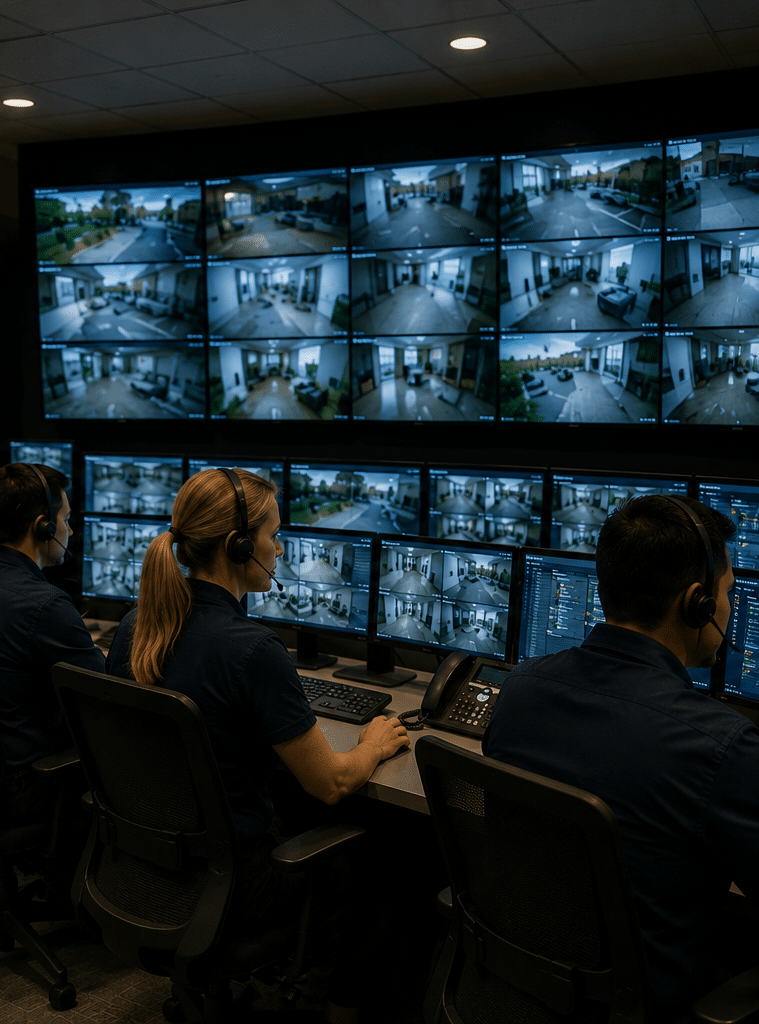
Remote CCTV monitoring is a security service where cameras at a property transmit live or event-triggered video to trained operators at a remote monitoring centre. Operators assess activity against agreed procedures and may issue warnings, contact nominated people or arrange an authorised response when appropriate.

Table of Contents
- What Is Remote CCTV Monitoring?
- How Remote CCTV Monitoring Works
- Remote CCTV Monitoring vs CCTV Recording
- Why Australian Businesses Use Remote CCTV Monitoring
- What Remote CCTV Operators Actually Do
- Video Verification and Event-Based Monitoring
- Remote CCTV Monitoring for Different Australian Businesses
- Cameras, Lighting and Image Quality
- Onshore vs Offshore Remote CCTV Monitoring
- Privacy and Workplace Surveillance in Australia
- Remote CCTV Monitoring and Cybersecurity
- Communications, Power and System Resilience
- How to Choose a Remote CCTV Monitoring Provider
- Remote CCTV Monitoring Onboarding Checklist
- Costs and Value
- Common Mistakes to Avoid
- People Also Ask
- Expert Q&A
- Conclusion
What Is Remote CCTV Monitoring?
Traditional CCTV and remote monitoring are related, but they are not the same service.
A traditional CCTV system may continuously record video to a recorder or cloud platform. Someone can then review that footage after an incident.
Remote CCTV monitoring adds a human element.
A monitoring operator receives video or event information remotely and assesses what is happening according to the service's procedures.
For example, imagine a warehouse closes at 6 pm.
At 11:30 pm, a camera detects movement near a loading door.
With ordinary recording, the system may simply store footage.
With remote monitoring, the event may be presented to a monitoring operator. The operator can assess the available video and, depending on the agreed service, take an authorised action.
That could involve a verbal challenge through a speaker, contacting a nominated person or requesting an approved security response.
The precise process varies between providers.
Therefore, businesses should ask a very specific question:
"What does your monitoring operator actually do when they see suspicious activity?"
A vague answer is not enough.
How Remote CCTV Monitoring Works
A typical system involves several stages.
1. Cameras capture activity
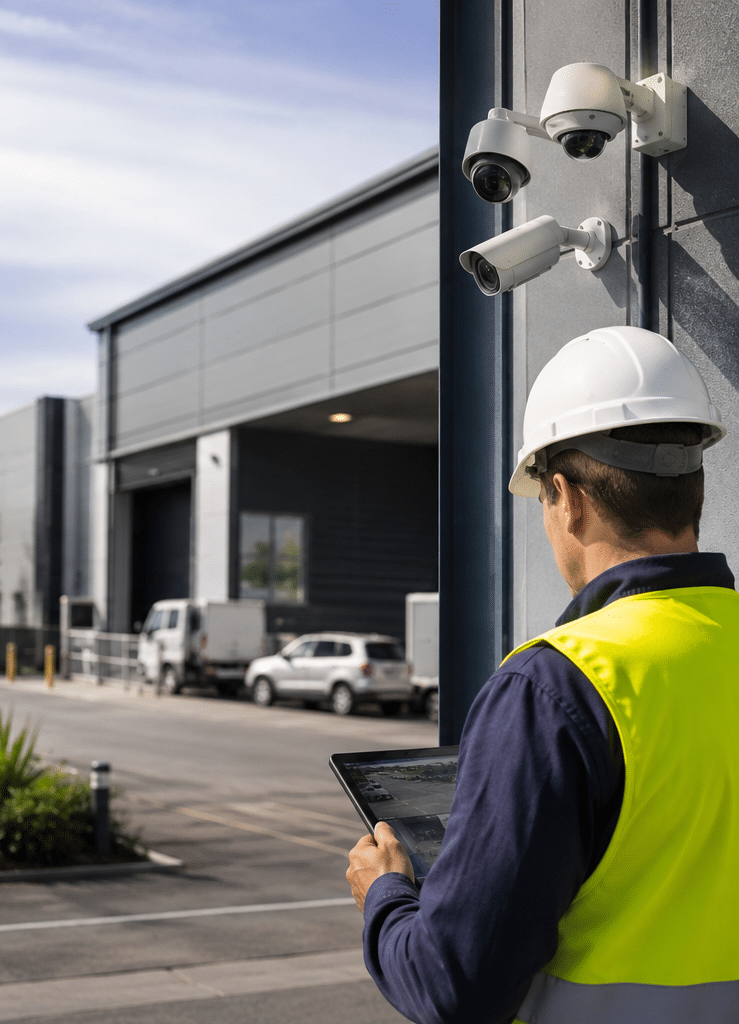
Cameras are positioned around important areas of the premises.
These could include:
- Entry doors
- Loading docks
- Car parks
- Gates
- Stock areas
- Perimeter zones
- Construction areas
- Restricted rooms
- Outdoor equipment
- High-value asset locations
The camera selection should match the environment.
A camera designed for an indoor office may not be appropriate for a poorly lit outdoor yard.
2. Video analytics or security sensors identify an event
Not every monitoring system requires an operator to watch every camera continuously.
Instead, systems can use event triggers.
For example:
- Person detection
- Vehicle detection
- Line crossing
- Intrusion detection
- Motion within a defined area
- Alarm activation
- Access-control events
These technologies can help direct operator attention to relevant events.
However, analytics are not perfect.
Rain, insects, shadows, vegetation and changing lighting conditions can all affect detection performance.
That is why system configuration matters.
3. The event reaches the monitoring centre
Video and event information must travel from the premises to the monitoring centre.
The communications method depends on the system.
The provider should explain:
- Primary communications path
- Backup communications
- Bandwidth requirements
- What happens during an outage
- How communications failures are detected
4. An operator assesses the event
The operator examines the available information.
This may include:
- Live video
- Previous frames
- Multiple camera views
- Alarm signals
- Access-control information
- Site instructions
- Time and location data
The operator's job is not simply to look at a screen.
The purpose is to assess the event and follow the agreed procedure.
5. The appropriate response is initiated
Depending on the service, the response might involve:
- Audio intervention
- Contacting the client
- Contacting a nominated person
- Requesting a security patrol
- Escalating according to an agreed process
Businesses should clarify exactly what actions are included.
Remote CCTV Monitoring vs CCTV Recording
This is one of the most important distinctions for anyone researching security cameras.
| Feature | CCTV recording | Remote CCTV monitoring |
| Cameras installed | Yes | Yes |
| Video recorded | Usually | Depending on service |
| Human operator actively assesses events | No | Yes |
| Event verification | Usually retrospective | Can occur in real time |
| Audio intervention | Usually unavailable | May be available |
| Immediate response process | Business-managed | Provider-dependent |
| Useful for investigating incidents | Yes | Yes |
| Useful for responding while an event is occurring | Limited | Potentially |
| Ongoing monitoring cost | Often lower | Usually higher |
| Requires defined operating procedures | Recommended | Essential |
Neither option is automatically better for every business.
A small office may primarily need reliable recording for incident investigation.
A vacant construction site may place greater value on real-time intervention.
A warehouse might benefit from combining both.
Why recording alone may not be enough
Suppose a business discovers a damaged fence on Monday morning.
Recorded CCTV could potentially show what happened overnight.
That can be useful.
However, the event has already happened.
With active remote monitoring, a suspicious event may be identified while it is occurring, allowing the monitoring process to respond according to the agreed procedure.
That difference is the core reason businesses consider remote monitoring.
Remote CCTV Monitoring vs Live Guarding
Remote monitoring should also be distinguished from onsite security guarding.
An onsite security guard is physically present at the premises.
A remote CCTV operator is not.
Instead, the operator uses technology to observe events from another location.
Remote monitoring can offer:
- Centralised observation
- Coverage across multiple sites
- Event-based operator attention
- Remote audio intervention where available
- Video verification
- Reduced dependence on someone physically being onsite
An onsite guard can offer:
- Physical presence
- Immediate physical observation
- Patrols
- Access management
- Physical response
- Face-to-face interaction
The two approaches can also complement each other.
For example, remote monitoring could identify suspicious activity and an onsite security team could handle the physical response.
The appropriate arrangement depends on the site.
Why Australian Businesses Use Remote CCTV Monitoring
Australian businesses operate across very different environments.
A Melbourne retail store, a Perth warehouse, a Brisbane construction site and a regional NSW facility can have very different security requirements.
Remote monitoring can be particularly relevant where premises are:
- Unoccupied overnight
- Spread across large areas
- Difficult to patrol
- Located remotely
- Exposed to unauthorised after-hours access
- Storing valuable equipment or stock
- Frequently affected by trespass
- Operating across multiple sites
After-hours security
Many businesses are most vulnerable when staff have gone home.
During trading hours, there may be employees, customers, suppliers and delivery drivers onsite.
After closing, the property can become quiet.
Remote monitoring is designed for this type of environment.
Multiple sites
A business with ten locations may find it difficult to maintain the same level of physical security oversight at every site.
A remote monitoring service can provide a centralised operational layer.
However, each site still needs appropriate camera coverage and site-specific instructions.
Construction sites
Construction sites can contain expensive tools, plant, materials and temporary infrastructure.
They also change continuously.
Remote monitoring can be considered where a site needs security attention outside normal working hours.
What Remote CCTV Operators Actually Do
A professional operator should work from defined procedures rather than personal judgement alone.
A typical event may follow this sequence:
Event detection
The system identifies activity within a monitored area.
Video presentation
Relevant footage is presented to the operator.
Assessment
The operator examines the event and available camera views.
Verification
Where possible, the operator establishes whether the activity appears authorised, accidental or suspicious.
Intervention or escalation
The operator follows the customer-specific procedure.
This is where monitoring services can differ significantly.
One provider may offer audio intervention.
Another may primarily notify nominated contacts.
Another may integrate CCTV events with an alarm monitoring service and an authorised mobile response.
Therefore, businesses should compare the response workflow, not merely the camera specifications.
Video Verification and Event-Based Monitoring
Video verification is often discussed alongside remote CCTV monitoring.
The concept is straightforward.
An alarm signal tells a monitoring operator that something has happened.
Video can provide additional information about what is happening.
For example, an intrusion sensor may activate near a rear door.
The operator may then view associated cameras.
If the footage shows a person moving through the restricted area, the operator has more context than an alarm signal alone.
Event-based monitoring
Modern systems can use analytics to identify events rather than requiring operators to watch every camera continuously.
This can make large camera networks more practical.
However, businesses should ask how the analytics have been configured.
A system may perform differently depending on:
- Camera angle
- Lighting
- Weather
- Background movement
- Object size
- Camera resolution
- Scene complexity
Testing and adjustment are therefore important.
Remote CCTV Monitoring for Different Australian Businesses
Retail Stores
Retail businesses often have predictable opening and closing times.
Security requirements may change dramatically after closing.
Important camera areas may include:
- Front entrance
- Rear entrance
- Stockroom
- Loading area
- Cash-handling area
- Car park
- External perimeter
Remote monitoring can focus attention on defined after-hours zones.
Warehouses and Distribution Centres
Warehouses can be difficult to monitor because of their size.
Consider:
- Roller doors
- Loading docks
- Vehicle gates
- Pedestrian entrances
- Storage areas
- Yard areas
- Perimeter fencing
Camera placement should consider both detection and identification.
A wide camera may show that someone is in a yard.
A more targeted camera may be needed to provide useful detail around an access point.
Construction Sites
Construction sites can have changing layouts and temporary access points.
A monitoring plan should therefore be reviewed as the project progresses.
Cameras may need to cover:
- Site entrances
- Material storage
- Plant and equipment
- Temporary buildings
- Perimeter areas
Offices
Office security often focuses on entrances, restricted rooms and after-hours access.
Potentially important areas include:
- Reception
- Main entry
- Rear doors
- Server rooms
- Records storage
- Car parks
Businesses should avoid unnecessarily monitoring areas where surveillance is not required.
Industrial Premises
Industrial sites may combine warehouses, machinery, yards, staff areas and vehicle movements.
The security system needs to distinguish normal operational activity from unusual after-hours behaviour.
Cameras, Lighting and Image Quality
A remote monitoring service is only as useful as the images its operators receive.
This is why camera selection should not start with megapixels alone.
Field of view
A camera with a wide field of view can cover a large area.
However, the wider the scene becomes, the smaller individual people or objects may appear.
Identification vs detection
These are different goals.
Detection means recognising that something is happening.
Identification requires enough image detail to distinguish relevant characteristics.
A camera may be excellent for detection but poor for identification.
The system should therefore be designed around the intended purpose of each camera.
Night performance
Night-time performance is particularly important for remote monitoring.
Ask:
- Is there adequate lighting?
- Does the camera use infrared?
- How does the image perform when lighting changes?
- What happens when a person approaches with bright headlights?
- Can the operator distinguish a person from background movement?
Testing the actual camera position is often more valuable than relying solely on specification sheets.
Remote CCTV Monitoring and Lighting
Lighting is part of the security system.
A camera cannot create detail that is not present in the scene.
Good lighting can improve:
- Person detection
- Facial detail
- Vehicle visibility
- Perimeter observation
- Colour recognition
However, excessive lighting can also create problems.
For example, strong lights pointed toward a camera can produce glare or wash out important areas.
A professional site assessment should consider the relationship between cameras and lighting.
Onshore vs Offshore Remote CCTV Monitoring
Australian businesses sometimes prefer monitoring operations based in Australia.
That can be a valid preference, but location should not be the only selection criterion.
| Factor | Australian-based monitoring | Offshore monitoring |
| Australian operating context | Potential advantage | Provider-dependent |
| Local time zones | Straightforward | May vary |
| Understanding local site procedures | Potential advantage | Must be confirmed |
| Language and communication | Usually straightforward | Must be confirmed |
| Data location | Confirm with provider | Confirm with provider |
| Security response | Must be locally arranged | Must be locally arranged |
| Staffing model | Verify | Verify |
| Service quality | Provider-dependent | Provider-dependent |
| Cost | May be higher | May be lower in some models |
The important questions are practical.
Ask:
Where are operators physically located?
Who can access video?
Where is video stored?
Who handles an Australian security response?
What happens if the monitoring centre is unavailable?
These questions are more informative than simply asking whether a company is Australian-owned.
Privacy and Workplace Surveillance in Australia
CCTV captures images of people.
In a commercial environment, those images can constitute personal information where an individual is identified or reasonably identifiable.
The OAIC explains that surveillance cameras can collect personal information and that organisations covered by the Privacy Act must comply with applicable Australian Privacy Principles. It also notes that state and territory surveillance laws can apply. (OAIC)
For Australian businesses, this means CCTV planning should include privacy considerations from the beginning.
The OAIC also states that the Privacy Act does not specifically regulate workplace surveillance itself, while relevant state and territory laws can apply to workplace monitoring and CCTV. (OAIC)
This is general administrative information, not legal advice.
Practical administrative questions include:
- Where are cameras installed?
- What areas do they capture?
- Is audio enabled?
- Who can access footage?
- How long is footage retained?
- Is footage stored locally or offshore?
- Are employees appropriately informed?
- Are visitors given appropriate notice where required?
- Does the business have a relevant CCTV or surveillance policy?
- Do state or territory workplace surveillance rules apply?
Businesses should have specific arrangements reviewed by an appropriately qualified adviser where necessary.
Minimise unnecessary surveillance
A good security design does not require cameras to watch every space.
Instead, identify the security purpose.
For example, monitoring an external loading area may be directly relevant to property security.
Monitoring a private staff area may create different privacy considerations and may not be necessary.
The OAIC's current guidance on personal information collection emphasises that covered organisations should consider whether information collected is reasonably necessary for their functions or activities. (OAIC)
Remote CCTV Monitoring and Facial Recognition
Some modern security systems offer facial recognition or other biometric technologies.
These features require additional care.
The OAIC identifies biometric information as sensitive information under the Privacy Act when the relevant requirements apply. (OAIC)
Businesses should therefore avoid adding facial recognition simply because a camera platform offers it.
First determine whether there is a genuine business purpose.
Then consider whether the proposed collection and use is appropriate and whether applicable privacy requirements have been addressed.
For many businesses, ordinary video monitoring may provide sufficient security information without introducing biometric processing.
Remote CCTV Monitoring and Cybersecurity
CCTV systems are connected technology.
That means physical security and cybersecurity should be considered together.
A network camera can potentially be connected to:
- Business networks
- Internet services
- Cloud platforms
- Mobile applications
- Remote monitoring systems
- Storage servers
Security measures should therefore include appropriate technical controls.
Questions to ask a provider
- How are cameras authenticated?
- How are administrator accounts protected?
- Are default passwords removed?
- Is remote access controlled?
- Is video encrypted in transit?
- Is stored video encrypted?
- Who can access the monitoring platform?
- Are access logs maintained?
- How are firmware updates handled?
- What happens when an employee leaves?
These are practical security-management questions.
The exact technical controls depend on the platform.
Why account security matters
A sophisticated camera system can still create unnecessary risk if multiple people share one administrator password.
Use individual authorised accounts where supported.
Review access regularly.
Remove access when staff change roles.
Security should cover both the camera and the system controlling it.
Communications, Power and System Resilience
Remote monitoring depends on communications.
If cameras cannot send relevant information to the monitoring centre, operators cannot assess events in real time.
Internet connection
Businesses should ask what happens if the primary internet service fails.
Potential options depend on the system and site.
Backup communications
Some installations can use an alternative communications path.
However, this should be confirmed rather than assumed.
Power
Cameras, network equipment, recording devices and communications hardware all require power.
A power outage can therefore affect multiple components simultaneously.
Ask:
- Is there battery backup?
- Which components remain operational?
- How long is backup expected to last?
- Does the monitoring centre receive a power-failure alert?
- Is critical network equipment also protected?
Testing
A monitoring system should be tested using the provider's approved procedure.
Do not simply create an alarm event without coordinating the test with the monitoring service.
A controlled test can establish whether the complete chain is operating correctly.
How to Choose a Remote CCTV Monitoring Provider
The best provider is not necessarily the one offering the most cameras.
Instead, assess the entire service.
1. Start with the security objective
What are you trying to detect?
For example:
- Trespass
- Theft
- Unauthorised access
- Vehicle movement
- After-hours activity
- Perimeter breaches
- Vandalism
2. Assess the property
Look at:
- Entrances
- Exits
- Fences
- Loading areas
- Lighting
- Blind spots
- Valuable assets
- Staff movement
- Vehicle access
3. Define the monitoring period
Does the business need:
- 24-hour monitoring?
- After-hours monitoring?
- Monitoring only when the alarm is armed?
- Event-based monitoring?
The correct answer depends on the business.
4. Understand the operator workflow
Ask the provider to explain what happens from detection to response.
5. Check response arrangements
Determine whether security response is:
- Included
- Optional
- Charged separately
- Available only in certain locations
6. Review privacy and data handling
Ask where video is stored and who can access it.
7. Review cybersecurity
Understand how remote access, accounts and system updates are managed.
8. Compare the complete cost
Include equipment, installation, monitoring, communications, maintenance and response charges.
Remote CCTV Monitoring Onboarding Checklist
A structured onboarding process can prevent many problems later.
Before installation
- Define the security objectives.
Decide which activities the system should detect. - Map the site.
Identify entrances, perimeter zones, loading areas and priority assets. - Review operating hours.
Separate normal activity from after-hours activity. - Identify normal movement.
Include employees, contractors, cleaners and delivery drivers. - Assess lighting.
Check daytime and night-time conditions. - Determine communications requirements.
Confirm how cameras will communicate with the monitoring centre. - Establish the response procedure.
Document who should be contacted and what actions are authorised.
During installation
- Test camera views.
Confirm that each camera covers its intended area. - Test night performance.
Review actual images after dark. - Configure analytics carefully.
Set detection zones to match the property's real conditions. - Test communications.
Confirm that event information reaches the monitoring centre. - Confirm user access.
Establish who can access video and administration functions.
After installation
- Test monitoring procedures.
Use the provider's approved test process. - Train relevant staff.
Employees should understand basic procedures and who to contact. - Document camera locations.
Maintain an accurate system record. - Review false or nuisance events.
Adjust configuration where necessary. - Review privacy arrangements.
Confirm that workplace and surveillance administration remains appropriate. - Review the system after business changes.
New buildings, entrances, operating hours or site layouts may require changes.
Costs and Value
There is no single reliable Australian price for remote CCTV monitoring.
Costs vary because the service can include several separate components.
Potential costs include:
- Camera hardware
- Recording hardware
- Network equipment
- Installation
- Cabling
- Communications
- Monitoring
- Video analytics
- Maintenance
- Security response
- Cloud storage
- System upgrades
For that reason, businesses should avoid judging proposals purely by the monthly monitoring fee.
Compare the complete package
| Cost area | Provider A | Provider B | Provider C |
| Camera equipment | $ | $ | $ |
| Installation | $ | $ | $ |
| Communications | $ | $ | $ |
| Monitoring | $ | $ | $ |
| Recording/storage | $ | $ | $ |
| Security response | $ | $ | $ |
| Maintenance | $ | $ | $ |
| Contract term | — | — | — |
| Cancellation costs | $ | $ | $ |
These are comparison fields, not suggested market prices.
Ask what is included
For example, does the monthly fee include:
- Operator monitoring?
- Video storage?
- Maintenance?
- Analytics?
- Audio intervention?
- Security response?
- Communications?
- Equipment replacement?
A low headline price can become less attractive once additional services are added.
Remote CCTV Monitoring and Security Response
One of the most important questions is:
Who physically responds?
A remote operator is not necessarily an onsite security guard.
If the monitoring service identifies suspicious activity, the next action depends on the service agreement.
It could involve contacting the customer or nominated person.
Businesses should obtain the exact procedure in writing.
NSW Police distinguishes monitoring centre operations from onsite security functions and explains that monitoring centre operators may request other security operatives to respond to security-risk situations. (police.nsw.gov.au)
The practical lesson is straightforward:
Remote monitoring and physical response are separate services unless the provider explicitly combines them.
Common Mistakes to Avoid
Mistake 1: Buying cameras before assessing the site
A camera catalogue cannot tell you where your blind spots are.
Start with the property.
Mistake 2: Assuming more cameras means better security
More cameras can create more footage without necessarily improving useful detection.
Focus on coverage and purpose.
Mistake 3: Ignoring night conditions
A camera that looks excellent during the day may perform poorly after dark.
Test actual night-time images.
Mistake 4: Treating motion detection as perfect
Analytics can generate false positives and false negatives.
Configuration matters.
Mistake 5: Assuming someone watches every camera continuously
Ask whether the service is continuous observation, event-based monitoring or another model.
Mistake 6: Ignoring privacy
Commercial CCTV can involve personal information.
Review relevant Australian and state or territory requirements.
Mistake 7: Forgetting cybersecurity
Internet-connected cameras need appropriate account and access controls.
Mistake 8: Not asking about outages
Find out what happens if power, internet or communications fail.
Mistake 9: Assuming monitoring means police response
Ask for the exact escalation procedure.
Mistake 10: Choosing on monthly price alone
Compare the total service, not just the subscription.
Remote CCTV Monitoring for Multi-Site Businesses
Multi-site businesses can potentially gain significant operational value from centralised monitoring.
For example, a company might have:
- Retail stores across several suburbs
- Warehouses in different cities
- Regional facilities
- Temporary construction sites
A central monitoring service can provide consistent procedures across those locations.
However, consistency should not mean identical camera layouts.
Each site still requires an individual assessment.
A regional warehouse may need perimeter detection.
A small retail shop may need stronger focus on entrances and stock areas.
A construction site may require temporary cameras that can be relocated as work progresses.
How to Improve Monitoring Results
Technology works best when people and procedures support it.
Review recurring events
If operators repeatedly receive alerts from the same area, investigate.
It may be:
- A tree moving in the wind
- Poorly configured analytics
- A staff procedure issue
- A faulty sensor
- Incorrect camera positioning
Fixing the underlying cause can improve monitoring efficiency.
Review footage quality
Periodically check whether cameras still provide useful images.
Lighting can change.
Landscaping can grow.
Buildings can be modified.
A camera that worked perfectly when installed may become partially obstructed later.
Privacy and Data Retention
Businesses should establish clear rules for recorded footage.
Consider:
- What is recorded?
- Why is it recorded?
- Who can access it?
- How long is it retained?
- Where is it stored?
- When is it deleted?
- Can footage be exported?
- Who approves exports?
The OAIC states that where the Privacy Act applies, organisations must take reasonable steps to protect personal information and, where no longer needed for a relevant purpose, destroy or de-identify it. (OAIC)
Retention periods should therefore not simply be selected because "more footage is always better".
Businesses should consider operational requirements, applicable obligations and the actual purpose of keeping recordings.
This section provides administrative guidance only and should not be treated as legal advice.
People Also Ask
Is remote CCTV monitoring worth it for a business?
It can be valuable for businesses that need active oversight when premises are unattended. The strongest use cases are often after-hours environments, remote sites, large properties and locations where rapid awareness of suspicious activity is important.
What is the difference between CCTV monitoring and CCTV recording?
CCTV recording stores footage for later review. Remote CCTV monitoring adds operators who can assess selected live or event-triggered video and follow an agreed response procedure.
Can remote CCTV monitoring prevent theft?
It can potentially help deter or interrupt some unwanted activity through visible cameras, event detection and operator intervention. However, no CCTV service can guarantee that theft or another security incident will not occur.
Does remote CCTV monitoring work without internet?
A remote monitoring system needs a reliable communications path between the premises and monitoring centre. The exact technology varies, so businesses should ask about backup communications and how the service handles connectivity failures.
Is remote CCTV monitoring legal in Australia?
CCTV can be used lawfully in Australia, but businesses need to consider applicable privacy, workplace surveillance and state or territory requirements. The exact obligations depend on the circumstances, so specific arrangements should be reviewed by an appropriately qualified adviser where necessary.
Expert Q&A
1. How many cameras does a business need for remote CCTV monitoring?
There is no universal number.
The required number depends on the property layout, camera purpose, field of view, lighting, access points and areas that need verification.
A professional assessment should identify the locations where a camera can provide useful security information.
The objective is effective coverage rather than an arbitrary camera count.
2. Should cameras record continuously if remote monitoring is enabled?
Not necessarily.
Some systems record continuously, while others use event-based recording or a combination of recording and monitoring.
Continuous recording can be useful for investigation, while event-based systems may reduce the amount of footage requiring review.
The appropriate configuration depends on the business's operational requirements and storage arrangements.
3. Can remote CCTV operators speak to people onsite?
Some systems support two-way audio or loudspeaker intervention.
However, this is not automatically included with every CCTV system.
Ask whether audio intervention is available, when operators are authorised to use it and whether the speaker and microphone are suitable for the environment.
4. What should happen if a camera stops working?
A good system should provide a way to identify technical faults.
Businesses should ask whether the monitoring centre receives camera-failure or communications-failure alerts.
They should also understand who is responsible for repairs and how quickly faults are normally addressed.
A blind spot that remains unnoticed can undermine the intended security design.
5. Can remote CCTV monitoring integrate with alarms and access control?
Yes, depending on the technology.
Integration can provide additional context.
For example, an access-control event can show that an authorised credential was used, while CCTV can provide visual information around the door.
Similarly, an intrusion alarm can trigger a relevant camera view for operator assessment.
Integration should be designed around useful security outcomes rather than technology for its own sake.
A Practical Provider-Comparison Framework
Before choosing a remote monitoring service, score each provider against the same questions.
Monitoring
- Who monitors the cameras?
- Where are operators located?
- What hours are covered?
- Is monitoring continuous or event-based?
Technology
- What cameras are proposed?
- What analytics are used?
- How is night vision handled?
- How is video stored?
Response
- What does the operator do after an event?
- Is audio intervention available?
- Who is contacted?
- Is mobile security response available?
- Are response charges included?
Reliability
- What happens during an internet outage?
- What happens during a power failure?
- Is there backup communications?
- How are equipment faults reported?
Privacy
- Who can access video?
- Where is video stored?
- How long is it retained?
- What employee and visitor notification processes apply?
Cybersecurity
- How are accounts protected?
- How is remote access controlled?
- Are software and firmware updates managed?
Commercial terms
- What is the installation cost?
- What is the ongoing monitoring cost?
- What equipment is included?
- What maintenance is included?
- What are the contract and cancellation conditions?
This makes it easier to compare providers on substance rather than marketing language.
What Good Remote CCTV Monitoring Looks Like
Good monitoring should be predictable.
A business should know:
- What the cameras are intended to detect.
- How events reach the monitoring centre.
- What information operators receive.
- How operators assess events.
- What actions operators can take.
- Who is contacted.
- What happens when nobody answers.
- What happens if communications fail.
- How video is stored and protected.
- Who is responsible for technical maintenance.
When these points are clear, the monitoring service becomes much easier to manage.
The technology is important, but the operating procedure is equally important.
When Should a Business Review Its CCTV Monitoring?
A CCTV system should be reviewed when the business changes.
Examples include:
- Moving premises
- Adding a new entrance
- Expanding a warehouse
- Changing opening hours
- Adding outdoor storage
- Changing lighting
- Building a new structure
- Adding access control
- Experiencing repeated false alerts
- Experiencing a security incident
- Changing monitoring providers
- Changing network infrastructure
A security system is not necessarily a "set and forget" investment.
The physical environment changes.
So should the security design.
Final Remote CCTV Monitoring Checklist
Before signing a monitoring agreement, make sure you can answer these questions:
- What exactly is being monitored?
- Which areas are covered?
- Who monitors the cameras?
- Where are the operators located?
- Is monitoring continuous or event-based?
- What triggers operator attention?
- What does an operator do after an event?
- Can operators use two-way audio?
- Who receives escalation calls?
- Is mobile security response available?
- What happens during an internet outage?
- What happens during a power failure?
- Where is video stored?
- Who can access it?
- How long is footage retained?
- How is the system protected from unauthorised access?
- What happens when a camera fails?
- What are the installation costs?
- What are the ongoing costs?
- What are the contract terms?
- What privacy and workplace surveillance administration applies?
If a provider can answer these questions clearly, you have a much better basis for comparison.
Conclusion
Remote CCTV monitoring can give Australian businesses more than a library of recorded footage. When properly designed, it combines cameras, event detection, communications, trained operators and a defined response process.
However, the value is not simply in having more cameras.
A successful system starts with the property and the business's actual security objectives. The cameras then need to be positioned for useful detection and identification, supported by suitable lighting, reliable communications and appropriate system configuration.
Businesses should also distinguish between recording, remote monitoring, video verification and physical security response. These are related services, but they are not interchangeable.
Privacy is another essential consideration. The OAIC confirms that CCTV can involve personal information and that Australian organisations may have obligations under the Privacy Act and Australian Privacy Principles, while state and territory surveillance laws can also apply. (OAIC)
Likewise, cybersecurity should be considered alongside physical security. Connected cameras, recorders and remote-access platforms should be managed with appropriate account, access and system-security controls.
Finally, avoid choosing a provider based solely on camera count or monthly price. Compare monitoring procedures, response arrangements, communications resilience, privacy administration, cybersecurity, maintenance and the total cost of ownership.
For Australian businesses assessing their current CCTV setup or looking for a professionally designed monitoring solution, explore tailored commercial CCTV and security monitoring solutions.
The goal should not be to promise perfect security. Instead, it should be to build a practical system that helps a business detect relevant activity, understand what is happening and follow a clear response process when the premises are unattended.
That is where remote CCTV monitoring can provide meaningful value.