
On this page15
- What Is CCTV Monitoring?
- Why CCTV Monitoring Matters in Australia
- How CCTV Monitoring Works
- CCTV Monitoring Options for Australian Sites
- Onshore vs Offshore CCTV Monitoring
- Key Features to Look For in CCTV Monitoring
- CCTV Monitoring Compliance and Admin Considerations
- Cyber Security for CCTV Monitoring
- CCTV Monitoring Setup Checklist
- Common Mistakes to Avoid
- CCTV Monitoring for Different Australian Sites
- Choosing a CCTV Monitoring Provider
- People Also Ask
- Expert Q&A
- Conclusion
Not sure what your site needs?
A technical consultant from our Hallam office will look at the site and recommend a system, free of charge.
Request an assessment 1300 66 11 99CCTV monitoring is one of the most practical ways Australian homes, businesses, warehouses, strata sites, construction sites, schools, and commercial facilities can improve visibility after hours and during high-risk periods. From my experience reviewing security setups, the strongest systems are not just a few cameras on a wall. They combine camera placement, network security, clear response rules, reliable recording, privacy-aware administration, and trained operators who know what to do when something looks wrong.
For many Australian organisations, the question is no longer “Should we install cameras?” Instead, it is “How should we monitor footage in a way that is useful, secure, proportionate, and manageable?” That matters because CCTV monitoring can support deterrence and incident response, but it can also create privacy, cyber security, and operational risks if it is poorly planned.
This guide explains CCTV monitoring in plain English, with Australian context, practical checklists, and balanced advice for non-experts.
Table of Contents
- What Is CCTV Monitoring?
- Why CCTV Monitoring Matters in Australia
- How CCTV Monitoring Works
- CCTV Monitoring Options for Australian Sites
- Onshore vs Offshore CCTV Monitoring
- Key Features to Look For
- CCTV Monitoring Compliance and Admin Considerations
- Cyber Security for CCTV Monitoring
- CCTV Monitoring Setup Checklist
- Common Mistakes to Avoid
- People Also Ask
- Expert Q&A
- Conclusion
What Is CCTV Monitoring?
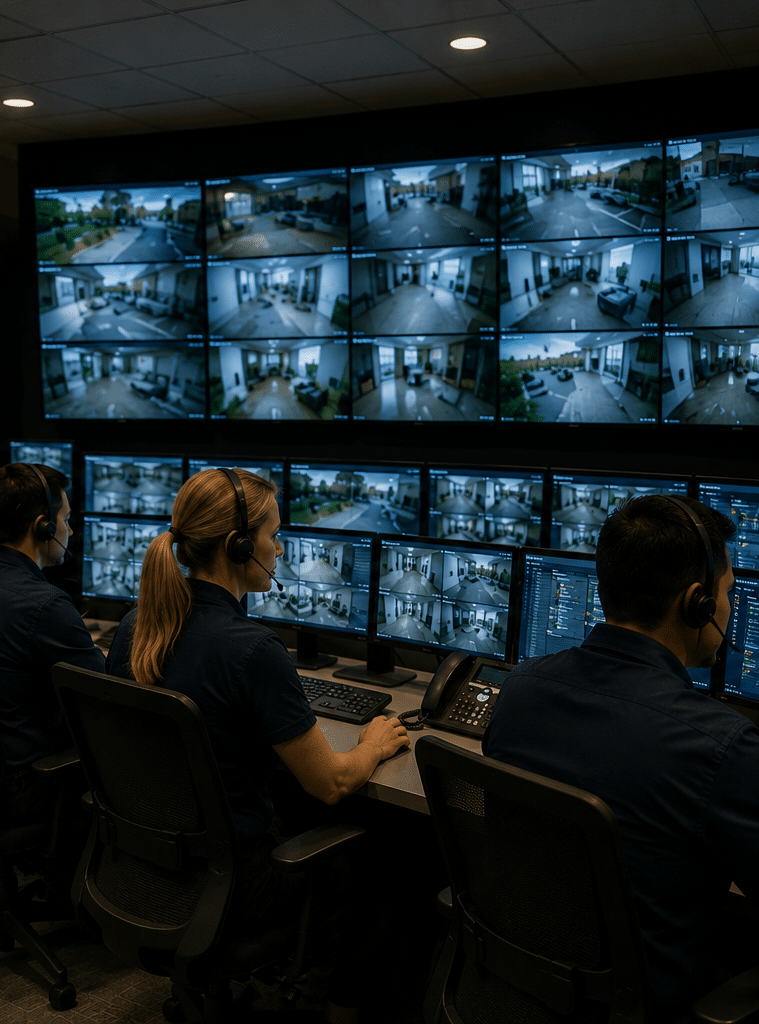
CCTV monitoring is the process of watching live or recorded security camera footage to identify suspicious activity, verify incidents, and trigger an agreed response. In Australia, it can be handled on-site, remotely, or through a monitoring centre, depending on the site, risk level, budget, and privacy requirements.
Why CCTV Monitoring Matters in Australia
CCTV monitoring matters because cameras are most useful when someone can act on what they show. A recording may help after an incident, but active monitoring can help staff identify unauthorised access, after-hours movement, perimeter breaches, loitering, vandalism, and safety risks sooner.
However, monitoring should be planned carefully. The Office of the Australian Information Commissioner explains that images or identity information may be collected in some situations, but organisations still need to consider privacy obligations and relevant state or territory surveillance laws. This is especially important for workplaces, public-facing businesses, and sites where visitors or staff may be recorded. According to the OAIC guidance on surveillance and monitoring, workplace monitoring and CCTV use can involve different Australian, state, and territory requirements.
From my experience, the best CCTV monitoring projects start with a risk question, not a technology question. For example, a retail store may want to reduce after-hours break-ins. A warehouse may need loading dock visibility. A construction site may need temporary camera towers and alert review. A strata complex may need entry point evidence. Each use case changes the camera type, recording period, response workflow, and monitoring schedule.

How CCTV Monitoring Works
CCTV monitoring usually has five parts: cameras, recording, connectivity, alert rules, and response procedures. Each part affects the overall result.
First, cameras capture video from key areas. These may include entrances, car parks, loading bays, corridors, cash handling areas, fence lines, or plant rooms. Next, footage is stored on a network video recorder, digital video recorder, cloud platform, or hybrid system. Then, the system sends live video or event clips to authorised users, a control room, or a monitoring centre.
After that, alert rules help decide when a person should check the footage. For instance, motion detection may trigger after business hours, but it should be configured carefully to reduce false alerts from rain, trees, insects, headlights, or passing traffic. Finally, the response procedure explains what happens next. This may include calling a site contact, sending a patrol, contacting emergency services when appropriate, or logging the incident for later review.
This is why good CCTV monitoring is not just “watching cameras.” It is a structured process. A well-designed system helps people make faster, better decisions with clearer evidence.
CCTV Monitoring Options for Australian Sites
Australian businesses generally choose from several CCTV monitoring models. The right option depends on the site’s risk profile, budget, staffing, privacy needs, and operating hours.
Self-Monitoring
Self-monitoring means the owner, manager, or authorised staff member checks footage through an app, desktop software, or local recorder. This can suit small offices, homes, and low-risk businesses.
The benefit is control. The drawback is reliability. If the nominated person is asleep, travelling, busy, or has poor mobile reception, alerts may be missed. Also, too many notifications can lead to alert fatigue.
On-Site Monitoring
On-site monitoring involves a guard, concierge, facility manager, or control room staff member watching cameras from the premises. This can suit larger facilities, shopping centres, hospitals, industrial sites, and high-traffic buildings.
The benefit is context. On-site staff understand normal site behaviour and can respond quickly. However, it costs more and may not be practical for smaller businesses.
Remote CCTV Monitoring
Remote CCTV monitoring sends alerts, live video, or event clips to an external monitoring team. The team can verify activity and follow the agreed escalation process.
This model can be useful for commercial premises, yards, warehouses, schools, and construction sites that need after-hours coverage. However, it must be set up with clear response rules, secure access, and good camera positioning.
Event-Based Monitoring
Event-based monitoring does not require someone to watch every camera continuously. Instead, the system flags certain events, such as movement in a restricted zone after hours.
This is often more practical than constant viewing. However, the rules need tuning. Otherwise, false alarms can waste time and reduce confidence in the system.
AI-Assisted Monitoring
AI-assisted CCTV monitoring can detect people, vehicles, line crossing, loitering, or object removal, depending on the camera and software. It can reduce manual review time, but it is not perfect.
From my experience, AI works best when it supports human review rather than replacing it completely. Lighting, camera angle, weather, shadows, reflective surfaces, and site layout can affect results.
Onshore vs Offshore CCTV Monitoring
Some Australian businesses compare local monitoring with offshore monitoring. The best choice depends on the sensitivity of the footage, required response speed, budget, contract terms, and data handling expectations.
| Factor | Onshore CCTV Monitoring | Offshore CCTV Monitoring |
| Local context | Stronger understanding of Australian sites, time zones, suburbs, and emergency expectations | May require more detailed scripts and escalation instructions |
| Response coordination | Often easier to coordinate with local patrols, site contacts, and Australian procedures | Can still work, but response rules must be very clear |
| Privacy administration | Easier to align with Australian privacy expectations and internal policies | Requires careful review of data access, storage, and contractual controls |
| Cost | Often higher | Often lower |
| Communication | Usually easier for local contacts and after-hours escalation | May vary by provider and training |
| Best suited for | Higher-risk sites, sensitive footage, complex escalation | Lower-risk, budget-sensitive, highly scripted monitoring |
In practice, many businesses choose onshore monitoring when footage is sensitive, response is complex, or local context matters. However, offshore monitoring may be considered when the task is simple and cost is a major factor. Either way, the provider should explain who can access footage, where data is handled, how incidents are logged, and how access is revoked.
Key Features to Look For in CCTV Monitoring
A good CCTV monitoring setup should be easy to use, secure, and designed around real site risks. Before choosing equipment or a provider, look at the following features.
Clear Camera Coverage
Camera placement is more important than camera count. A site with ten badly placed cameras may perform worse than a site with six well-positioned cameras.
Prioritise entry points, high-value areas, blind spots, vehicle access points, and areas where people naturally pass through. Also, avoid placing cameras where they capture more private or irrelevant footage than needed.
Reliable Recording
The recorder should match the number of cameras, resolution, frame rate, and storage period required. For example, high-resolution footage uses more storage. Therefore, the system should be sized properly from the start.
In addition, storage should be protected from tampering where possible. If an intruder can easily access and remove the recorder, the value of the footage may be reduced.
Remote Access With Controls
Remote access is useful, but it should be controlled. Users should have unique logins, strong passwords, multi-factor authentication where available, and role-based permissions.
The Australian Cyber Security Centre includes security cameras as examples of Internet of Things devices and recommends taking steps to secure connected devices. Its guidance on securing Internet of Things devices is relevant because many modern CCTV systems rely on internet-connected cameras, apps, and recorders.
Smart Alerts
Smart alerts can make CCTV monitoring more efficient. Common options include motion detection, person detection, vehicle detection, line crossing, intrusion zones, and after-hours alerts.
However, alerts should be tested. A useful alert points to real risk. A poor alert triggers every time a branch moves in the wind.
Audio Considerations
Some CCTV systems can record audio, but audio recording can raise extra privacy and surveillance concerns. Therefore, it should not be enabled casually. Businesses should seek appropriate advice and document why audio is needed before using it.
Incident Logs
A strong CCTV monitoring process includes incident logs. These logs may record the date, time, camera, event type, operator notes, action taken, and escalation outcome.
This helps with accountability. It also makes later review easier if the business needs to understand what happened.
CCTV Monitoring Compliance and Admin Considerations
This section is general administrative guidance, not legal advice. CCTV monitoring rules can depend on the state or territory, the type of site, whether employees are monitored, whether audio is recorded, and how footage is stored or shared. Businesses should review their obligations with a qualified adviser or licensed security professional where needed.
Signage and Notification
In many settings, clear signage helps people understand that CCTV is operating. Signs should be easy to see and placed before people enter monitored areas where practical.
Good signs usually mention CCTV in operation, the purpose in plain language, and who to contact for more information. This is especially useful for public-facing businesses, apartment buildings, and workplaces.
Purpose Limitation
CCTV monitoring should have a clear purpose. For example, the purpose may be safety, theft deterrence, after-hours security, access verification, or incident investigation.
If the purpose is unclear, the system may become excessive. From my experience, organisations avoid many problems by writing a simple internal CCTV monitoring policy before installation.
Access Control
Not every staff member needs access to footage. Access should be limited to authorised people with a genuine business need.
In addition, access should be removed when a person changes role or leaves the business. This simple admin step is often missed.
Retention Periods
Businesses should decide how long footage is kept. Longer retention needs more storage and may create more privacy risk. Shorter retention may reduce usefulness if an incident is discovered late.
The right period depends on the site, risks, insurer expectations, and operational needs. The key is to decide intentionally, document the reason, and apply it consistently.
Monitoring Centres
For professional monitoring, Australian businesses may ask whether the provider operates in line with recognised standards. AS 2201.2:2022 relates to monitoring centres for alarm and electronic security systems and covers requirements for construction, equipment, staff, and operation of centres used to monitor client alarm and security systems. Details are available through the AS 2201.2:2022 monitoring centres standard listing.
Cyber Security for CCTV Monitoring
Cyber security is now part of CCTV monitoring. Many systems use apps, cloud access, remote viewing, networked cameras, and internet-connected recorders. As a result, weak cyber settings can expose footage, disrupt access, or create a pathway into the broader network.
From my experience, the most common CCTV cyber weaknesses are default passwords, shared logins, outdated firmware, open remote access, poor router configuration, and no record of who has access.
Use these practical controls:
- Change all default passwords before the system goes live.
- Use unique user accounts instead of shared logins.
- Enable multi-factor authentication where available.
- Update camera and recorder firmware.
- Restrict remote access to authorised users.
- Separate CCTV devices from sensitive business systems where practical.
- Remove accounts that are no longer needed.
- Keep a written access register.
- Review alerts and logs regularly.
- Choose reputable equipment and professional installation.
These steps do not guarantee perfect security. However, they reduce common risks and make the system easier to manage.
CCTV Monitoring Setup Checklist
Use this numbered checklist before onboarding a new CCTV monitoring system.
- Define the purpose of CCTV monitoring
Decide whether the main goal is deterrence, live response, safety, evidence, access control support, or after-hours monitoring. - Map the risk areas
Walk through the site and identify entrances, blind spots, valuable assets, public areas, staff-only areas, and lighting issues. - Confirm camera positions
Check that each camera has a clear purpose. Avoid unnecessary coverage of private or unrelated areas. - Choose the monitoring model
Decide between self-monitoring, on-site monitoring, remote CCTV monitoring, event-based monitoring, or a mixed model. - Set alert rules
Choose when alerts should trigger. For example, after-hours movement in a restricted zone may matter more than daytime movement in a public entry. - Write response instructions
List who to call, when to escalate, when to send a patrol, and what information the operator must record. - Secure remote access
Set unique logins, strong passwords, permissions, and multi-factor authentication where possible. - Decide footage retention
Choose how long recordings will be stored and document the reason. - Install signage
Place clear CCTV signs where appropriate, especially at entry points. - Test the system
Test daytime footage, night footage, alerts, remote access, recording playback, and escalation procedures. - Train authorised users
Show users how to access footage, export clips, report faults, and protect login details. - Schedule regular reviews
Recheck camera views, storage, user access, firmware, and alert settings at least periodically.
Common Mistakes to Avoid
Installing Cameras Without a Monitoring Plan
Many sites install cameras first and decide how to use them later. This often leads to poor results. Instead, the monitoring goal should guide the camera layout and system design.
Ignoring Lighting
A camera cannot perform well in poor lighting unless it is designed for that environment. Night vision, infrared range, glare, and contrast all matter.
Relying Only on Motion Alerts
Motion alerts can be useful, but they are not always accurate. Therefore, use smart detection where suitable and test it under real site conditions.
Giving Too Many People Access
Too much access creates privacy and security risk. Keep permissions narrow and review them regularly.
Forgetting Maintenance
Cameras need cleaning, testing, firmware checks, time synchronisation, and storage checks. A dirty lens or failed hard drive can make the whole system less useful.
Overpromising What CCTV Can Do
CCTV monitoring can support safety and security, but it cannot prevent every incident. It should be part of a broader security plan that may include alarms, access control, lighting, locks, procedures, and staff training.
CCTV Monitoring for Different Australian Sites
Retail Stores
Retail stores often use CCTV monitoring for entry points, cash areas, stock rooms, loading areas, and after-hours alerts. The key is balancing visibility with customer and staff privacy.
Warehouses and Industrial Sites
Warehouses may need cameras at roller doors, loading docks, vehicle gates, storage areas, and external perimeters. In these settings, CCTV monitoring often works well when combined with access control and alarm systems.
Construction Sites
Construction sites change often, so temporary cameras, solar camera towers, and mobile connectivity may be useful. However, camera angles and alert zones should be reviewed as the site changes.
Strata and Apartment Buildings
Strata sites often focus on entrances, car parks, lifts, mail areas, and shared spaces. Clear rules for who can access footage are especially important.
Offices
Offices may use CCTV monitoring for reception, external doors, server rooms, and after-hours movement. However, monitoring desks or private work areas without a clear reason may create concern.
Choosing a CCTV Monitoring Provider
When choosing a provider, do not focus only on camera price. Instead, ask practical questions about design, response, privacy administration, cyber security, and support.
Useful questions include:
- Will you inspect the site before recommending cameras?
- How will you decide the correct camera locations?
- Can the system support remote CCTV monitoring?
- Who can access footage?
- Where is footage stored?
- What happens when an alert is triggered?
- How are incidents logged?
- How often should the system be serviced?
- What cyber security settings are included?
- Can you support CCTV, alarms, access control, and monitoring together?
A provider that asks about your risks before selling equipment is usually a better sign than one that recommends a generic package straight away.
For Australian businesses seeking a practical security setup, explore CCTV monitoring and security system support from Eclipse Security to plan a system around your site, risks, and response needs.
People Also Ask
Is CCTV monitoring legal in Australia?
CCTV monitoring can be used in Australia, but businesses must consider privacy, workplace surveillance, signage, data handling, and relevant state or territory rules. This is administrative guidance, not legal advice, so complex sites should seek professional advice.
What is the difference between CCTV recording and CCTV monitoring?
CCTV recording stores footage for later review. CCTV monitoring involves watching live footage or checking alerts so that someone can respond sooner when suspicious activity occurs.
Do I need remote CCTV monitoring for my business?
You may need remote CCTV monitoring if your site has after-hours risks, valuable assets, repeated incidents, or no staff on-site. However, low-risk sites may only need recording and occasional review.
How much does CCTV monitoring cost in Australia?
Costs vary based on camera count, monitoring hours, alert volume, response procedures, and whether the system is self-monitored or professionally monitored. Any estimate should be treated as general until a provider reviews the site.
Can CCTV monitoring reduce false alarms?
Yes, CCTV monitoring can help verify whether an alarm event appears genuine before escalation. However, it depends on camera coverage, alert setup, lighting, and operator procedures.
Expert Q&A
1. What camera resolution is best for CCTV monitoring?
The best resolution depends on the distance, lighting, and purpose. For example, general area awareness may need less detail than identifying a face or vehicle plate. In many commercial settings, the camera position and lens choice matter as much as the megapixel rating.
2. Should CCTV monitoring be integrated with alarms?
Yes, integration can be helpful. When an alarm triggers, linked cameras can show what is happening at the site. This helps the monitoring team verify events and follow the correct response procedure.
3. How often should a CCTV monitoring system be serviced?
Many businesses benefit from periodic checks at least once or twice a year, although higher-risk sites may need more frequent reviews. Servicing should include camera views, recording health, storage, remote access, firmware, time settings, and user permissions.
4. What is video verification?
Video verification means using CCTV footage to check whether an alarm, alert, or suspicious event appears genuine. It helps reduce unnecessary escalation and gives responders more context before attending the site.
5. What should be included in a CCTV monitoring policy?
A CCTV monitoring policy should explain why cameras are used, where they are located, who can access footage, how long recordings are kept, how footage may be shared, and how access is reviewed. It should be written in plain language and reviewed when the system changes.
Conclusion
CCTV monitoring is most effective when it is planned as a complete process, not just a camera installation. The right setup combines clear camera coverage, reliable recording, secure remote access, smart alerts, documented response steps, and privacy-aware administration.
For Australian businesses, the strongest approach is practical and balanced. Start with the risks. Choose the monitoring model that fits the site. Secure the system properly. Then review it regularly so it continues to work as the business changes.
Done well, CCTV monitoring can improve visibility, support faster decisions, and provide clearer evidence when incidents occur. More importantly, it can help owners, managers, and site teams respond with confidence instead of guessing what happened after the fact.