
On this page15
- What Are Monitored Security Systems?
- Why Monitored Security Systems Matter in Australia
- How Monitored Security Systems Work
- Common Components of a Monitored Setup
- Monitored Security Systems vs Self-Monitored Systems
- Onshore vs Offshore Monitoring Centres
- Australian Compliance and Admin Considerations
- Choosing the Right Monitoring Level
- How to Onboard Monitored Security Systems
- Costs and Value Considerations
- Common Mistakes to Avoid
- Best-Fit Use Cases for Monitored Security Systems
- People Also Ask: Monitored Security Systems in Australia
- Expert Q&A: High-Value Questions About Monitored Security Systems
- Conclusion
Not sure what your site needs?
A technical consultant from our Hallam office will look at the site and recommend a system, free of charge.
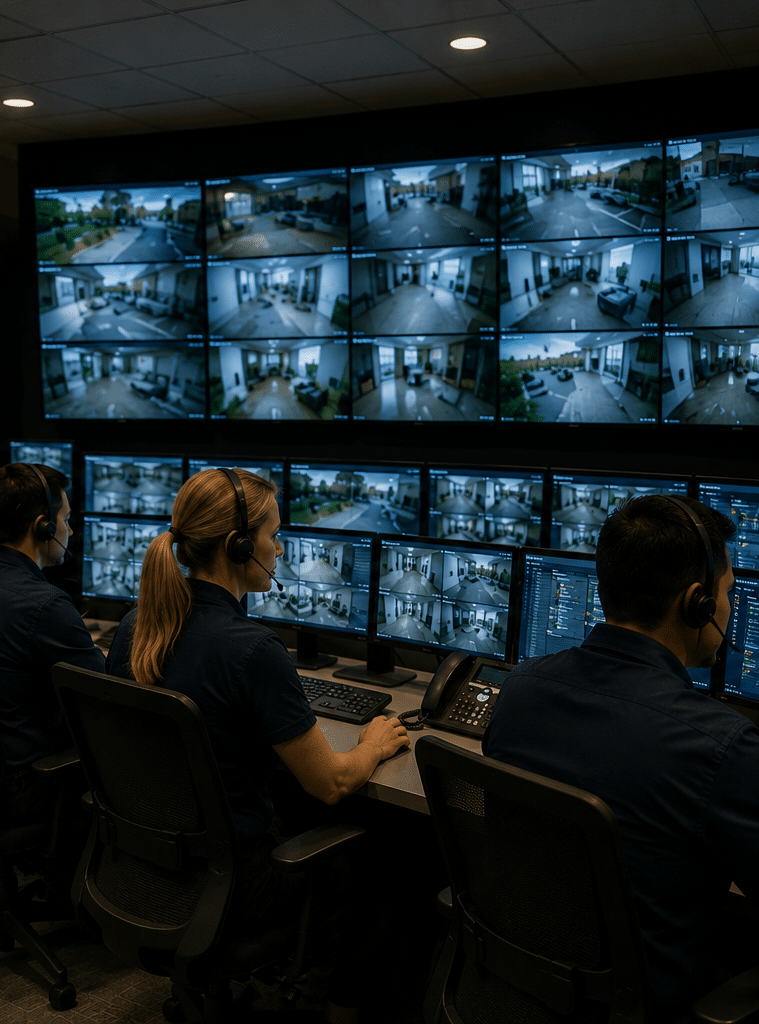
Request an assessment 1300 66 11 99Monitored security systems are a strong choice for Australians who want more than a loud siren or a phone notification. From my experience working with security content and practical system planning, the biggest difference is response. A monitored setup connects your alarm, CCTV, access control, or panic buttons to trained operators who can assess alerts, follow agreed procedures, and escalate when needed.
Security needs vary across Australia. A suburban home in Sydney, a warehouse in Melbourne, a clinic in Perth, and a retail store in Brisbane all face different risks. However, the same principle applies. A security system is only useful if someone can interpret alerts quickly and act in the right way.
Table of Contents
- What Are Monitored Security Systems?
- Definition
- Why Monitored Security Systems Matter in Australia
- How Monitored Security Systems Work
- Common Components of a Monitored Setup
- Monitored Security Systems vs Self-Monitored Systems
- Onshore vs Offshore Monitoring Centres
- Australian Compliance and Admin Considerations
- Choosing the Right Monitoring Level
- Numbered Checklist: How to Onboard a Monitored System
- Costs and Value Considerations
- Common Mistakes to Avoid
- People Also Ask
- Expert Q&A
- Conclusion
What Are Monitored Security Systems?
Monitored security systems are alarms, CCTV, access control, or safety devices connected to a professional monitoring centre. When an alert occurs, trained operators assess the signal, contact nominated people, verify activity where possible, and escalate to patrols, emergency contacts, or other response pathways based on agreed instructions.
Why Monitored Security Systems Matter in Australia
Australia has a wide mix of residential, commercial, industrial, healthcare, education, and strata environments. Because of this, security systems should not be treated as one-size-fits-all products.
A basic alarm may scare off an intruder. However, if nobody hears it, checks it, or responds, its value is limited. In contrast, monitored security systems create a structured response pathway.
For example, a business alarm may activate after hours. The monitoring centre receives the signal, checks the zone, follows the response plan, and contacts the authorised person. If the site has video verification, operators may also review CCTV clips or live footage before escalating.
This matters because false alarms are common. Pets, staff error, faulty sensors, wind, insects, poorly positioned detectors, and unsecured doors can all cause issues. Therefore, a good monitoring process helps separate low-risk events from genuine threats.
In Australia, security monitoring also sits within a broader compliance and licensing environment. The Australian Security Industry Association Limited, commonly known as ASIAL, states that each state and territory has its own security licensing requirements, and many require both individuals and businesses to hold licences. According to ASIAL security licensing guidance, requirements depend on the jurisdiction and the type of security work being performed.
This is not legal advice. Instead, it is a reminder that security work is not just technical. It also involves administration, documentation, licensing checks, privacy awareness, and clear operating procedures.

How Monitored Security Systems Work
Most monitored security systems follow a clear chain of events.
First, a device detects activity. This might be a door contact, motion detector, glass-break sensor, duress button, smoke-related input, access control event, or CCTV analytics alert.
Next, the control panel or connected platform sends a signal to the monitoring centre. Depending on the system, this may use mobile data, internet, IP reporting, radio, or a backup pathway.
Then, the monitoring centre receives the event. Operators can see details such as the site name, alarm zone, event type, time, and response instructions.
After that, operators follow the agreed escalation plan. For example, they may call the owner, notify a manager, request a guard patrol, or contact emergency services where appropriate.
Finally, the event is logged. This record helps with reporting, review, insurance discussions, maintenance planning, and future improvements.
From my experience, the best systems are not always the most expensive. Instead, they are the systems with the clearest procedures. A modest alarm with accurate zone labels, tested communication paths, and current contact details can perform better than a complex system with poor setup.
Common Components of a Monitored Setup
Monitored security systems can include several layers. Each layer has a different job.
Alarm Panels and Sensors
The alarm panel is the control hub. It receives signals from sensors and sends events to the monitoring centre.
Common sensors include:
- Door and window contacts
- Motion detectors
- Reed switches
- Glass-break detectors
- Vibration sensors
- Roller door contacts
- Panic or duress buttons
- Environmental sensors, where appropriate
For homes, alarm sensors are often placed around entry points, hallways, garages, and key internal areas. For businesses, sensors may cover stockrooms, reception areas, loading docks, offices, and server rooms.
CCTV and Video Verification
CCTV can improve the quality of response. Instead of receiving only an alarm signal, operators may be able to verify whether a person, vehicle, animal, weather event, or staff member caused the alert.
However, CCTV must be handled carefully. The Office of the Australian Information Commissioner explains that organisations using surveillance devices, including security cameras, generally need to follow several laws. The OAIC also notes that workplace surveillance is often covered by state and territory laws. See the OAIC guidance on security cameras for a practical starting point.
For business owners, this means camera placement, signage, access controls, retention periods, and staff communication should be planned before the system goes live.
Access Control
Access control systems manage who can enter a building, room, gate, lift, or restricted area.
When connected to monitoring, access control can trigger alerts for forced doors, doors held open, invalid access attempts, after-hours entry, or system tampering.
This is useful for offices, warehouses, gyms, medical centres, childcare facilities, and multi-tenancy sites. It also helps create a clear audit trail.
Intercoms and Gate Control
Intercoms can support visitor management, especially for apartments, commercial gates, shared offices, and restricted facilities.
When integrated with monitored security systems, intercom events may be linked with CCTV, access logs, and alarm events. As a result, site managers can better understand what happened and when.
Duress and Personal Safety Devices
Duress devices are used when people may need urgent assistance. They can be fixed buttons, wireless pendants, mobile safety apps, or lone-worker devices.
For retail, healthcare, community services, real estate, and late-night operations, duress monitoring may be just as important as intrusion detection.
Monitored Security Systems vs Self-Monitored Systems
Self-monitoring usually means alerts go to your mobile phone. This can work for some small homes or low-risk sites. However, it depends on you being awake, available, connected, and able to respond.
Professional monitoring provides an extra layer. Operators are available according to the service arrangement, and they follow a documented response plan.
| Feature | Self-Monitored System | Professionally Monitored System |
| Alert recipient | Usually the owner’s phone | Monitoring centre operators |
| Response consistency | Depends on your availability | Based on agreed procedures |
| False alarm handling | Owner must assess | Operators can follow verification steps |
| After-hours support | Limited if you miss alerts | Stronger for nights, weekends, and holidays |
| Suitable for | Low-risk homes or basic setups | Homes, businesses, warehouses, clinics, and higher-risk sites |
| Reporting | Often app-based only | Event logs and structured escalation records |
| Main limitation | You may miss alerts | Ongoing service cost |
Neither option is automatically right or wrong. However, monitored security systems are generally better when response time, documentation, site risk, staff safety, or business continuity matters.
Onshore vs Offshore Monitoring Centres
Some providers use Australian-based monitoring centres. Others may use offshore support or hybrid models. The best choice depends on your risk profile, budget, required response process, and preference for local knowledge.
| Factor | Onshore Monitoring in Australia | Offshore or Hybrid Monitoring |
| Local context | Stronger knowledge of Australian suburbs, emergency pathways, and local business norms | May need more detailed instructions to understand local context |
| Time zone alignment | Naturally aligned with Australian time zones | Can still operate 24/7, but depends on setup |
| Communication | Often easier for local contacts and patrol coordination | May be effective if scripts and escalation rules are clear |
| Data handling | Easier to assess under Australian privacy and contractual expectations | Requires careful review of data access and storage arrangements |
| Cost | May be higher | May be lower in some cases |
| Best fit | Higher-risk sites, regulated environments, businesses wanting local escalation | Cost-sensitive sites with simple procedures, if governance is clear |
ASIAL operates a grading scheme for alarm monitoring centres, and its public material states that graded centres are inspected against applicable Australian Standards. According to ASIAL monitoring centre grading information, the scheme supports assessment of monitoring centre capability and related certification.
For a non-expert buyer, the key point is simple. Ask where your alarms are monitored, what standard the centre works to, what happens during an alert, and how the provider proves performance.
Australian Compliance and Admin Considerations
Compliance should not be treated as a scare tactic. For most customers, it means doing the basics properly.
Licensing Checks
Security licensing is administered by Australian states and territories. Therefore, requirements may differ between New South Wales, Victoria, Queensland, Western Australia, South Australia, Tasmania, the ACT, and the Northern Territory.
For customers, this means you should ask whether the business and relevant technicians hold appropriate licences for the work being performed. You should also keep records of installation, maintenance, and monitoring agreements.
Privacy and CCTV Administration
If your monitored security systems include CCTV, you should think about privacy early.
Key admin tasks may include:
- Displaying clear CCTV signage where appropriate
- Avoiding cameras in private areas such as bathrooms or change rooms
- Restricting who can access footage
- Setting reasonable retention periods
- Documenting why cameras are used
- Informing staff where workplace surveillance laws apply
- Reviewing audio recording settings, as audio can be more restricted than video
The OAIC states that the Privacy Act 1988 does not specifically cover workplace surveillance, but employers must follow relevant Australian, state, and territory laws. This includes laws that apply to CCTV and monitoring in workplace settings.
Again, this is administrative guidance, not legal advice. If your site has complex privacy needs, sensitive areas, unionised staff, healthcare data, children, tenants, or biometric technology, seek advice from a qualified professional.
Alarm Response Documentation
A monitored system depends on accurate instructions. Therefore, your provider should help document:
- Site address and access notes
- Opening and closing hours
- Keyholder contacts
- Escalation order
- Patrol instructions
- Emergency notes
- Known hazards
- Passwords or verification words where used
- Zones and device labels
- Temporary instructions for holidays or renovations
Outdated contacts are one of the most common weaknesses in monitored security systems. If the monitoring centre calls three people who no longer work for the business, valuable time is lost.
Choosing the Right Monitoring Level
The right monitoring level depends on risk.
A family home may need intrusion alerts, smoke-related inputs where suitable, and mobile app access. A retail store may need after-hours alarm monitoring, CCTV verification, and duress support. A warehouse may need perimeter beams, roller door contacts, camera analytics, and patrol response.
Before choosing a package, consider these questions.
What are you protecting? People, stock, tools, vehicles, data, cash, keys, or documents may need different controls.
When is the site most vulnerable? Homes may be vulnerable during holidays. Retail stores may be vulnerable after closing. Warehouses may be vulnerable overnight and on weekends.
Who can respond? If the owner lives far away or travels often, professional escalation becomes more important.
How costly is downtime? For some businesses, a break-in creates more than repair costs. It can delay trading, damage customer trust, and interrupt operations.
How many false alarms can you tolerate? Frequent false alarms create fatigue. Over time, people stop taking alerts seriously. Good design and maintenance reduce this risk.
How to Onboard Monitored Security Systems
Use this checklist before moving to live monitoring.
- Define the risk. List the main risks, such as break-ins, staff safety, stock theft, vandalism, unauthorised access, or after-hours entry.
- Map the site. Identify doors, windows, blind spots, loading areas, public entries, staff-only areas, and high-value rooms.
- Choose the right devices. Match sensors, cameras, access control, and duress devices to the risk, not just the floor plan.
- Confirm communication paths. Check whether the system uses mobile data, internet, IP reporting, or backup communication.
- Set clear alarm zones. Label zones in plain English, such as “front entry door” or “warehouse roller door”, not vague labels like “Zone 4”.
- Prepare escalation contacts. Add current names, phone numbers, roles, and after-hours availability.
- Write response instructions. Decide who gets called first, when patrols are requested, and when emergency escalation may be appropriate.
- Review privacy admin. Check signage, camera placement, footage access, staff notice, and retention settings.
- Test the system. Run test alarms, check signal paths, confirm operator instructions, and verify contacts.
- Schedule maintenance. Set routine checks for batteries, sensors, cameras, network equipment, and user codes.
- Review after changes. Update the monitoring centre after renovations, staff turnover, new tenants, changed trading hours, or new risk patterns.
This process may seem detailed. However, it prevents confusion later. In my experience, a clean onboarding process is one of the strongest predictors of reliable monitoring.
Costs and Value Considerations
The cost of monitored security systems can vary widely. Factors include the size of the site, number of devices, communication method, monitoring grade, response type, CCTV verification, patrol arrangements, maintenance plan, and whether new hardware is needed.
For a small home, costs may be modest. For a multi-site business, costs may include design, installation, monitoring, maintenance, user training, and reporting.
Although price matters, the cheapest plan may not be the best value. A low monthly fee is less helpful if the response process is unclear, the system is unreliable, or the provider does not maintain contact details.
When comparing quotes, ask for clarity on:
- Monitoring inclusions
- Contract length
- Setup fees
- Call-out fees
- Patrol fees
- Maintenance fees
- Communication charges
- App access
- Video verification
- Warranty terms
- Cancellation process
- Data access and privacy responsibilities
Also, ask what is not included. This helps prevent surprise costs.
Common Mistakes to Avoid
Choosing Technology Before Strategy
Many people start by asking, “How many cameras do I need?” A better question is, “What do I need to detect, deter, verify, and respond to?”
Technology should follow risk. Otherwise, you may overspend on visible devices while missing key entry points or response gaps.
Ignoring False Alarms
False alarms can damage trust in the system. They may also create unnecessary call-outs and frustration.
To reduce false alarms, use correct sensor placement, pet-friendly detectors where needed, user training, regular maintenance, and clear arming procedures.
Forgetting User Management
Old user codes are a security risk. When staff leave, tenants change, cleaners rotate, or contractors finish work, access rights should be updated.
This is especially important for monitored security systems connected to access control or app-based permissions.
Poor Camera Placement
A camera pointed at glare, trees, blank walls, or public areas with no clear purpose may not help during an event. Cameras should be positioned for identification, context, and verification.
For example, one wide-angle camera may show movement, while a second camera near an entry point may capture a clearer view of a face, vehicle, or direction of travel.
Not Maintaining the System
Security systems are active assets. Batteries fail, networks change, cameras get dirty, firmware ages, and sensors move.
Routine maintenance helps keep monitored security systems reliable. It also gives you a chance to review response procedures and update contacts.
Best-Fit Use Cases for Monitored Security Systems
Homes
For homes, monitoring is useful when occupants travel, work long hours, have valuable assets, or want support beyond mobile alerts.
Common residential features include alarms, smart arming, garage contacts, outdoor beams, CCTV, and panic buttons.
Retail Stores
Retail stores often need after-hours intrusion monitoring, duress buttons, CCTV verification, and entry logs.
This is especially useful for stores with cash handling, high-value stock, late trading, or repeated theft attempts.
Warehouses and Industrial Sites
Warehouses may need perimeter detection, roller door contacts, yard cameras, access control, and patrol response.
Because these sites are often large, monitored security systems should be designed around zones. This helps operators understand where the alert started.
Medical and Allied Health Clinics
Clinics may hold medication, client records, equipment, and private information. Therefore, access control, alarm monitoring, CCTV in appropriate public areas, and duress support can all be relevant.
Privacy planning is especially important in these settings.
Offices and Shared Workspaces
Offices benefit from monitored access events, after-hours alarms, visitor controls, and staff safety procedures.
For shared workspaces, access logs and user permissions are particularly useful.
People Also Ask: Monitored Security Systems in Australia
Are monitored security systems worth it in Australia?
Yes, monitored security systems can be worth it when you need reliable response, not just alerts. They are especially useful for businesses, larger homes, remote sites, and properties where owners cannot always respond quickly.
What happens when a monitored alarm goes off?
The monitoring centre receives the signal and follows your response instructions. Depending on the setup, operators may call keyholders, review video verification, request a patrol, or escalate according to agreed procedures.
Do monitored security systems need internet?
Some systems use internet or IP reporting, while others use mobile data or backup communication paths. A strong setup should consider what happens during outages, NBN changes, router failures, or power interruptions.
Can CCTV be part of a monitored security system?
Yes, CCTV can be connected to monitoring for video verification or event-based review. However, camera use should be planned with privacy, signage, access control, and Australian workplace surveillance obligations in mind.
Is professional monitoring better than phone alerts?
Professional monitoring is usually stronger when you need consistent response. Phone alerts can work, but they depend on you being available, awake, connected, and able to act.
Expert Q&A: High-Value Questions About Monitored Security Systems
1. What should I ask before signing a monitoring contract?
Ask where the monitoring centre is located, what standards it follows, what events are monitored, how false alarms are handled, and what escalation steps are included. Also ask about setup fees, patrol charges, maintenance, contract length, and cancellation terms.
2. How often should monitored security systems be tested?
A practical approach is to test key functions during installation, after any major system change, and during scheduled maintenance. Businesses should also review contacts and response instructions regularly, especially after staff changes or site changes.
3. Can monitored security systems reduce insurance risk?
They may support better risk management, but they do not guarantee lower premiums or claim outcomes. Insurers assess many factors, so customers should ask their insurer what evidence, standards, monitoring arrangements, or maintenance records they require.
4. What is video verification?
Video verification means operators can use CCTV footage or event clips to help assess whether an alarm appears genuine. This can improve decision-making because the operator may see whether the event was caused by a person, staff member, animal, weather, or site issue.
5. What makes a monitored system reliable?
Reliability comes from good design, quality installation, stable communication paths, clear zone labels, trained users, tested response procedures, and ongoing maintenance. The monitoring centre is important, but the site setup must also be accurate.
Conclusion
Monitored security systems give Australian homes and businesses a more structured way to manage risk. Instead of relying only on sirens or phone notifications, they connect alarms, CCTV, access control, and safety devices to trained operators and documented response procedures.
However, the best result comes from planning. You need the right devices, clear zones, current contacts, suitable communication paths, privacy-aware administration, and regular maintenance. You should also understand who monitors your system, where they are located, and how they respond when an alert occurs.
For Australian businesses, compliance should be treated as practical administration rather than fear. Licensing checks, CCTV signage, staff communication, footage access, and response documentation all help build a safer and more accountable system.
To explore a tailored system for your site, speak with Eclipse Security’s Australian security monitoring team about practical options for homes, businesses, warehouses, retail stores, and commercial facilities.