
On this page16
- What Is Commercial Security Monitoring?
- Why Australian Businesses Use Commercial Security Monitoring
- How Commercial Security Monitoring Works
- Core Components of a Monitored Commercial Security System
- Commercial Security Monitoring in Australia: Key Local Considerations
- Onshore vs Offshore Commercial Security Monitoring
- What Events Can Be Monitored?
- Commercial Alarm Monitoring vs CCTV Monitoring
- Monitoring Centre Grading and Administrative Compliance
- Cyber Security and Connected Monitoring Systems
- Onboarding Checklist for Commercial Security Monitoring
- Common Mistakes to Avoid
- How to Choose a Commercial Security Monitoring Provider
- People Also Ask
- Expert Q&A
- Conclusion
Not sure what your site needs?
A technical consultant from our Hallam office will look at the site and recommend a system, free of charge.
Request an assessment 1300 66 11 99Commercial security monitoring is no longer just a “nice to have” for Australian businesses. For offices, warehouses, retail stores, medical centres, schools, strata buildings, and industrial sites, it can help turn alarms, CCTV alerts, duress signals, and access events into a managed response process. From my experience reviewing business security needs, the biggest value is not simply having cameras or alarms. It is having the right people, procedures, and technology watching for the right events at the right time.
Many Australian businesses already have security equipment installed. However, equipment alone does not guarantee that someone will act when a break-in, after-hours movement, door-forced event, or camera alert occurs. That is where commercial security monitoring becomes important. It connects your site to a monitoring centre or response process so events can be assessed, escalated, and recorded.
According to the Australian Security Industry Association Limited, ASIAL operates a recognised grading scheme for alarm monitoring centres in Australia, including supplementary certification for redundant monitoring centres. This matters because monitoring quality depends on systems, staffing, procedures, and continuity, not just a phone line or app alert.
Table of Contents
- What Is Commercial Security Monitoring?
- Why Australian Businesses Use Commercial Security Monitoring
- How Commercial Security Monitoring Works
- Core Components of a Monitored Commercial Security System
- Commercial Security Monitoring in Australia: Key Local Considerations
- Onshore vs Offshore Monitoring: Comparison Table
- What Events Can Be Monitored?
- Commercial Alarm Monitoring vs CCTV Monitoring
- Monitoring Centre Grading and Administrative Compliance
- Cyber Security and Connected Monitoring Systems
- Onboarding Checklist for Commercial Security Monitoring
- Common Mistakes to Avoid
- How to Choose a Commercial Security Monitoring Provider
- People Also Ask
- Expert Q&A
- Conclusion
What Is Commercial Security Monitoring?
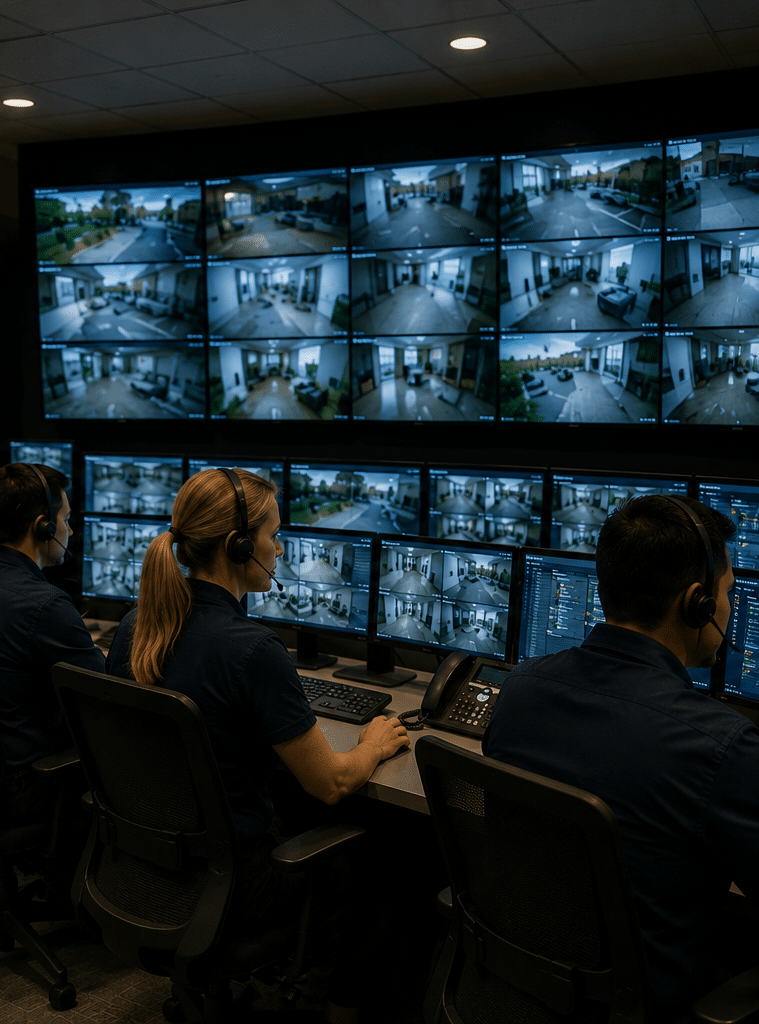
Commercial security monitoring is a service that connects business security systems, such as alarms, CCTV, access control, duress buttons, and environmental sensors, to trained operators or a monitoring centre. When an event occurs, the alert is assessed, recorded, and escalated according to agreed procedures.
In plain English, commercial security monitoring helps make sure your security system is not working in isolation. Instead of an alarm simply sounding on-site or a camera recording footage for later, the system can notify a monitoring team that follows your response plan.
This may include contacting keyholders, checking CCTV footage, dispatching a patrol, notifying emergency services where appropriate, or logging the event for later review.

Why Australian Businesses Use Commercial Security Monitoring
Australian businesses use commercial security monitoring because risk rarely happens at a convenient time. Break-ins, attempted theft, vandalism, staff safety incidents, and unauthorised access often happen after hours, during weekends, or when managers are off-site.
For example, a retail store may close at 6 pm, but stock, cash-handling areas, POS equipment, and staff-only entrances still need protection overnight. Likewise, a warehouse may have valuable inventory, loading docks, roller doors, and external yards that need monitoring outside normal operating hours.
Commercial security monitoring helps businesses manage this gap. It provides a structured way to detect, verify, and respond to events.
From my experience, business owners often think about monitoring only after an incident. However, the better approach is to design monitoring before something happens. That way, the response process is already clear.
The key reasons businesses consider monitoring include:
- Reducing reliance on staff to watch alerts manually
- Improving after-hours visibility
- Supporting faster escalation when alarms activate
- Creating a record of security events
- Helping manage multiple sites from one process
- Supporting workplace safety procedures
- Reducing false alarm disruption through verification
However, monitoring is not a magic shield. It does not guarantee that crime will not occur. Instead, it improves detection, escalation, and accountability when a security event happens.
How Commercial Security Monitoring Works
Commercial security monitoring usually follows a clear sequence.
First, your security system detects an event. This could be a motion detector activating, a door contact opening after hours, a panic button being pressed, or CCTV analytics detecting movement in a restricted area.
Next, the alert is sent to a monitoring platform or monitoring centre. Depending on the system, this may happen through IP communication, mobile network backup, NBN-connected devices, or other approved communication paths.
Then, the operator or system checks the event type. For example, an after-hours motion alarm in a warehouse may be treated differently from a low battery alert or a door-left-open event.
After that, the response plan is followed. This plan is usually agreed during onboarding. It may include calling the business owner, contacting a nominated keyholder, checking camera footage, escalating to a patrol, or recording the incident for follow-up.
Finally, the event is logged. A proper event record can help with internal reviews, insurance discussions, staff training, maintenance planning, and future security improvements.
Core Components of a Monitored Commercial Security System
Commercial security monitoring works best when the system is designed as a complete workflow. The main components usually include detection devices, communication pathways, monitoring procedures, and response actions.
Detection Devices
Detection devices are the sensors and tools that identify activity. They may include motion detectors, reed switches, glass-break sensors, vibration sensors, duress buttons, access control readers, CCTV cameras, and video analytics.
The “why” is simple. The monitoring centre can only respond to what the system can detect. Therefore, sensor placement matters. A poorly positioned detector may miss activity, while an overly sensitive detector may create false alarms.
Alarm Panel or Control Platform
The alarm panel or control platform is the system brain. It receives signals from devices and sends events to the monitoring pathway.
For commercial sites, the panel should match the building’s layout and operating hours. For instance, a warehouse may need separate alarm areas for offices, storage zones, loading docks, and external yards.
Communication Pathways
Communication pathways send alerts from your site to the monitoring service. Modern systems may use IP, 4G or 5G backup, and other network paths.
Redundancy is important. If one pathway fails, a backup pathway can help maintain communication. This is especially useful for sites with high-value stock, critical equipment, or long unattended periods.
Monitoring Centre or Monitoring Platform
A monitoring centre receives and manages alerts. In Australia, businesses often look for monitoring providers that follow recognised industry processes and administrative checks.
ASIAL notes that monitoring centre grading and redundant centre certification are designed to support standards and continuity within the security monitoring sector.
Response Plan
The response plan explains what should happen when an alert occurs. This is where many businesses need more care.
A good response plan includes:
- Who should be contacted first
- When a patrol should be dispatched
- Which events require video verification
- Which staff can authorise access
- What happens after repeated false alarms
- How reports should be sent
- What escalation applies for duress events
Without a clear response plan, even a good security system may create confusion.
Commercial Security Monitoring in Australia: Key Local Considerations
Australia has a mix of metropolitan, regional, and remote business environments. Therefore, commercial security monitoring should be planned around the actual site, not a generic package.
A business in Sydney, Melbourne, Brisbane, Perth, Adelaide, Canberra, Hobart, or Darwin may have different response options from a business in a regional industrial estate. Patrol availability, police response procedures, mobile coverage, building type, and operating hours can all affect the monitoring plan.
For non-experts, it is useful to separate compliance-style administration from legal advice. Security providers may help with administrative tasks such as maintaining keyholder lists, monitoring instructions, incident logs, and site details. However, business owners should seek licensed or legal advice where legal obligations, licensing, or formal compliance questions apply.
Common Australian business considerations include:
- State or territory security licensing requirements
- Monitoring centre procedures
- Keyholder availability
- Patrol response options
- Insurance documentation needs
- NBN and mobile network reliability
- Privacy-aware CCTV use
- Staff safety and duress procedures
- Access control permissions for employees and contractors
Because these details vary by site, the best monitoring setup usually starts with a security review.
Onshore vs Offshore Commercial Security Monitoring
Some businesses compare onshore and offshore monitoring. The right choice depends on risk, budget, response needs, customer expectations, and operational complexity.
| Factor | Onshore Monitoring in Australia | Offshore Monitoring |
| Local context | Operators may better understand Australian suburbs, time zones, public holidays, and emergency escalation expectations | Operators may need more detailed instructions to understand local response context |
| Communication | Easier alignment with Australian business hours, keyholders, and patrol networks | May still be effective, but response scripts must be very clear |
| Data handling | May suit businesses that prefer Australian-based event handling | Data storage and access arrangements should be checked carefully |
| Cost | Often higher due to local staffing and operational costs | May be lower, depending on provider and service model |
| Escalation | Can be easier to coordinate with local patrols and nominated contacts | Requires strong process design to avoid confusion |
| Best suited for | Higher-risk sites, multi-site businesses, regulated environments, and businesses wanting local support | Lower-risk or budget-sensitive sites where procedures are simple and well documented |
The balanced view is that location alone does not prove quality. A well-run offshore service may outperform a poorly managed local service. However, for many Australian businesses, onshore commercial security monitoring offers practical benefits because operators work within the same local context.
What Events Can Be Monitored?
Commercial security monitoring can cover more than burglary alarms. Modern monitored systems often combine security, safety, and operational alerts.
Intruder Alarm Events
These include motion detection, door contacts, glass-break sensors, roller door sensors, and perimeter alarms. Intruder alarm events are common for offices, shops, warehouses, showrooms, childcare centres, and medical suites.
CCTV Events
CCTV monitoring can include live video checks, event-based video verification, after-hours camera alerts, line-crossing detection, and restricted-area movement alerts.
However, CCTV monitoring should be designed carefully. Too many camera alerts can overwhelm operators and create false alarms. Therefore, zones, schedules, lighting, and analytics sensitivity should be configured properly.
Access Control Events
Access control monitoring can track door-forced events, door-held-open alerts, after-hours access, failed access attempts, and contractor entry.
This is useful because access control is not just about locking doors. It also helps businesses understand who accessed which area and when.
Duress and Panic Alerts
Duress alerts are used when staff may need urgent assistance. They can be useful for retail counters, reception desks, healthcare facilities, service stations, and lone-worker environments.
These alerts should have clear escalation instructions. For example, the monitoring team needs to know who to call, what wording to use, and whether a patrol or emergency escalation may be appropriate.
Environmental and Operational Alerts
Some commercial sites also monitor smoke alarms, water leaks, temperature changes, equipment rooms, freezer alarms, or power failure alerts.
These alerts are not always traditional “security” events. However, they may protect stock, equipment, and business continuity.
Commercial Alarm Monitoring vs CCTV Monitoring
Commercial alarm monitoring and CCTV monitoring are related, but they are not the same.
Commercial alarm monitoring is usually event-driven. A sensor activates, and the monitoring centre receives a signal. The response depends on the alarm type and site instructions.
CCTV monitoring focuses on video. It may involve operators reviewing footage when analytics trigger, checking cameras after an alarm, or using video to verify whether an alarm appears genuine.
The strongest systems often combine both. For example, if a warehouse alarm activates at 2 am, an operator may check relevant cameras before escalating. This can help reduce unnecessary callouts and provide better information to responders.
That said, video verification depends on camera quality, lighting, network reliability, camera placement, and monitoring procedures. Poor video design can make verification difficult.
Monitoring Centre Grading and Administrative Compliance
In Australia, monitoring centre grading is an important administrative reference for businesses comparing providers. It is not a substitute for site-specific advice, but it helps businesses ask better questions.
ASIAL states that it operates a grading scheme for alarm monitoring centres, along with supplementary certification for centres supported by a separate redundant location. This means businesses can ask whether a monitoring centre is graded and whether redundancy arrangements are in place.
SPAAL also describes an alarm monitoring centre certification scheme connected to AS 2201.2:2022, with inspections carried out by an independent inspector appointed by SPAAL.
For a business owner, the practical question is not “Which standard can I quote?” It is “How reliable and well managed is the monitoring process?”
Useful questions include:
- Is the monitoring centre graded or certified?
- Are operators trained for commercial alarm events?
- Is there a redundant monitoring centre or continuity plan?
- How are keyholder details updated?
- How are false alarms managed?
- How are reports delivered?
- What communication paths are supported?
- What happens during a network outage?
- How are event logs stored and accessed?
Again, this is administrative guidance only. Licensing, compliance, insurance, and legal obligations should be reviewed with the relevant licensed professionals.
For a practical starting point, business owners can review industry information from ASIAL monitoring centre grading, SPAAL’s alarm monitoring centre grading scheme, and the Australian Government’s Essential Eight cyber security guidance.
Cyber Security and Connected Monitoring Systems
Commercial security monitoring is increasingly connected. Alarm panels, CCTV systems, access control platforms, apps, and cloud dashboards may use internet-connected networks.
Therefore, cyber security matters. A weak password, outdated recorder, exposed remote access port, or poorly managed user account can create avoidable risk.
The Australian Signals Directorate recommends the Essential Eight as a baseline set of mitigation strategies to make it harder for adversaries to compromise systems, while also noting that no mitigation strategy can protect against every cyber threat.
For commercial security monitoring, this means businesses should consider both physical security and digital security.
Practical steps include:
- Use unique passwords for all security systems
- Enable multi-factor authentication where available
- Remove old staff accounts quickly
- Keep firmware and software updated
- Limit remote access to authorised users
- Segment security devices from guest Wi-Fi
- Use secure recorder and camera configurations
- Review user permissions regularly
- Document who can access monitoring dashboards
This matters because a monitored security system is only as strong as its weakest operational link. If too many people have admin access, or if old contractor logins remain active, the business may create unnecessary exposure.
Onboarding Checklist for Commercial Security Monitoring
A structured onboarding process helps reduce confusion. Use this checklist when moving to commercial security monitoring or reviewing an existing provider.
- Map your business risk areas
Identify doors, windows, reception areas, stockrooms, server rooms, loading docks, cash areas, external yards, and staff-only zones. - Confirm operating hours
Document normal hours, after-hours access, weekend trading, public holiday patterns, cleaners, contractors, and delivery windows. - List monitored event types
Decide which events need monitoring, such as intruder alarms, door-forced alerts, duress signals, camera analytics, and power failures. - Create a keyholder list
Add names, phone numbers, escalation order, availability, and authority level. Keep this updated when staff change. - Write response instructions
Define what should happen for each event. For example, a duress alert should not be treated the same as a low battery warning. - Check communication paths
Confirm whether the system uses IP, mobile backup, or other paths. Also check what happens if the main connection fails. - Test alarm signals
Conduct controlled testing to confirm that signals are received and interpreted correctly. - Review CCTV visibility
Check camera angles, lighting, night performance, blind spots, and whether operators can see enough detail to verify events. - Set reporting preferences
Decide who receives reports, how often reports are sent, and what detail should be included. - Schedule periodic reviews
Review procedures after renovations, staff changes, new stock layouts, added doors, changed trading hours, or security incidents.
This process may look simple, but it prevents many common monitoring failures.
Common Mistakes to Avoid
Commercial security monitoring can be very effective when it is designed properly. However, several mistakes can reduce its value.
Mistake 1: Treating Monitoring as a Set-and-Forget Service
Businesses change. Staff leave, doors are added, stock areas move, and opening hours change. If the monitoring instructions are not updated, operators may follow outdated procedures.
Therefore, review your monitoring plan at least annually and after major site changes.
Mistake 2: Not Managing False Alarms
False alarms waste time and may reduce confidence in the system. They can be caused by poor sensor placement, insects, air movement, loose doors, staff errors, or incorrect arming procedures.
A good provider should help identify patterns and reduce false alarms through maintenance, training, and configuration changes.
Mistake 3: Relying Only on Mobile App Alerts
App alerts are useful, but they are not the same as professional monitoring. A manager may be asleep, in a meeting, on a flight, or outside mobile coverage.
Commercial security monitoring provides a more structured response pathway.
Mistake 4: Ignoring Maintenance
Monitoring depends on working devices. A failed detector, weak battery, dirty camera lens, or offline recorder can reduce protection.
Routine maintenance helps keep the system reliable.
Mistake 5: Not Testing the Response Plan
A response plan should be tested before a real emergency. Testing helps confirm that signals are received, contacts are correct, and operators understand site instructions.
How to Choose a Commercial Security Monitoring Provider
Choosing a provider is not only about price. It is about fit, reliability, transparency, and service quality.
Look for a provider that explains the process clearly. They should be able to discuss alarm monitoring, CCTV verification, access control events, reporting, escalation, maintenance, and response options in plain English.
Also, ask whether they can support your type of site. A small office has different needs from a multi-building industrial facility. A retail chain has different needs from a medical practice or school.
Key questions to ask include:
- Do you support commercial security monitoring for my type of business?
- Is monitoring available 24/7?
- What monitoring centre is used?
- Is the monitoring centre graded or certified?
- What events can be monitored?
- Can CCTV be used for verification?
- How are keyholder details updated?
- What reports are provided?
- How do you manage false alarms?
- Do you offer maintenance and system reviews?
- What happens if communications fail?
- Can the system scale to more sites later?
A good provider should not pressure you into unnecessary equipment. Instead, they should explain the risks, options, limitations, and practical next steps.
For Australian businesses comparing options, commercial security monitoring support from Eclipse Security can help align alarms, CCTV, access control, and monitoring procedures around real site needs.
People Also Ask
Is commercial security monitoring worth it for a small business in Australia?
Yes, it can be worthwhile if the business has after-hours risk, valuable stock, staff safety concerns, or limited on-site supervision. However, the system should match the risk level, because a small office may not need the same setup as a warehouse or retail chain.
What is the difference between alarm monitoring and security monitoring?
Alarm monitoring usually focuses on alarm signals from sensors and panels. Security monitoring is broader and may include alarms, CCTV, access control, duress alerts, and operational events.
Can CCTV cameras be monitored after hours?
Yes, many commercial CCTV systems can be monitored after hours using video analytics, scheduled alerts, or event-based verification. However, camera placement, lighting, network quality, and clear response rules are essential.
Does commercial security monitoring guarantee police response?
No, it does not guarantee police response. Escalation depends on the event type, verification, local procedures, and the response plan agreed with the monitoring provider.
How often should a monitored security system be reviewed?
A monitored commercial security system should be reviewed at least once a year. It should also be reviewed after renovations, staff changes, false alarm trends, new equipment, or a security incident.
Expert Q&A
1. What should a commercial monitoring response plan include?
A response plan should include event types, keyholder contacts, escalation order, patrol instructions, emergency escalation rules, reporting preferences, and special site notes. It should also explain how to handle duress events, false alarms, after-hours access, and repeated signals.
2. What makes commercial security monitoring different from residential monitoring?
Commercial sites usually have more complex layouts, more users, more assets, and stricter procedures. They may also need access control integration, staff duress processes, multi-site reporting, loading dock coverage, and after-hours contractor rules.
3. Can commercial security monitoring reduce false alarms?
It can help manage false alarms, especially when paired with video verification, good maintenance, and better staff training. However, reducing false alarms also depends on correct sensor placement, clean devices, secure doors, and accurate opening and closing procedures.
4. What should businesses check before connecting CCTV to monitoring?
Businesses should check camera angles, night visibility, network upload capacity, recorder access, privacy considerations, user permissions, and analytics settings. They should also define which camera events require action and which should only be recorded.
5. Is commercial security monitoring useful for multi-site businesses?
Yes, it can be especially useful for multi-site businesses because it creates a consistent response process across locations. It can also simplify reporting, keyholder management, after-hours escalation, and review of recurring security issues.
Conclusion
Commercial security monitoring gives Australian businesses a more structured way to manage alarms, CCTV alerts, access events, duress signals, and after-hours risks. However, the quality of the outcome depends on design, procedures, monitoring centre capability, maintenance, communication paths, and response planning.
The main lesson is simple. Do not think of monitoring as just a monthly service. Think of it as an operational security workflow. When the workflow is clear, your people know what happens, your provider knows what to do, and your business has better visibility when something goes wrong.
For the best result, start with a site review, define your risks, document your response plan, and keep your monitoring instructions current. That approach gives commercial security monitoring a stronger chance of supporting real business protection without exaggerated promises.