On this page17
- What Is Touchless Access Control?
- What Touchless Access Control Means in Real Sites
- Why Australian Organisations Are Moving Away from Keys
- Common Touchless Access Control Technologies
- Comparison Table: Touchless Access Control Options in Australia
- Where Touchless Entry Works Best
- Planning a Secure Touchless Access Control System
- Numbered Checklist: Onboarding Touchless Access Control
- Privacy, Compliance and Administration in Australia
- Cybersecurity and System Hardening
- Costs, Limitations and Balanced Considerations
- Touchless Access Control vs Traditional Access Control
- Access Control Integrations to Consider
- Common Mistakes to Avoid
- People Also Ask
- Expert Q&A: Touchless Access Control
- Conclusion
Not sure what your site needs?
A technical consultant from our Hallam office will look at the site and recommend a system, free of charge.
Request an assessment 1300 66 11 99Touchless access control is becoming a practical choice for Australian businesses, apartment buildings, schools, warehouses, healthcare sites and premium homes that want secure entry without relying on shared keypads, traditional keys or constant hand contact. From my experience reviewing security upgrades for local sites, the best systems are not just “hands-free”. They combine convenience, audit trails, privacy-aware design and reliable door hardware that suits Australian conditions.
What Is Touchless Access Control?
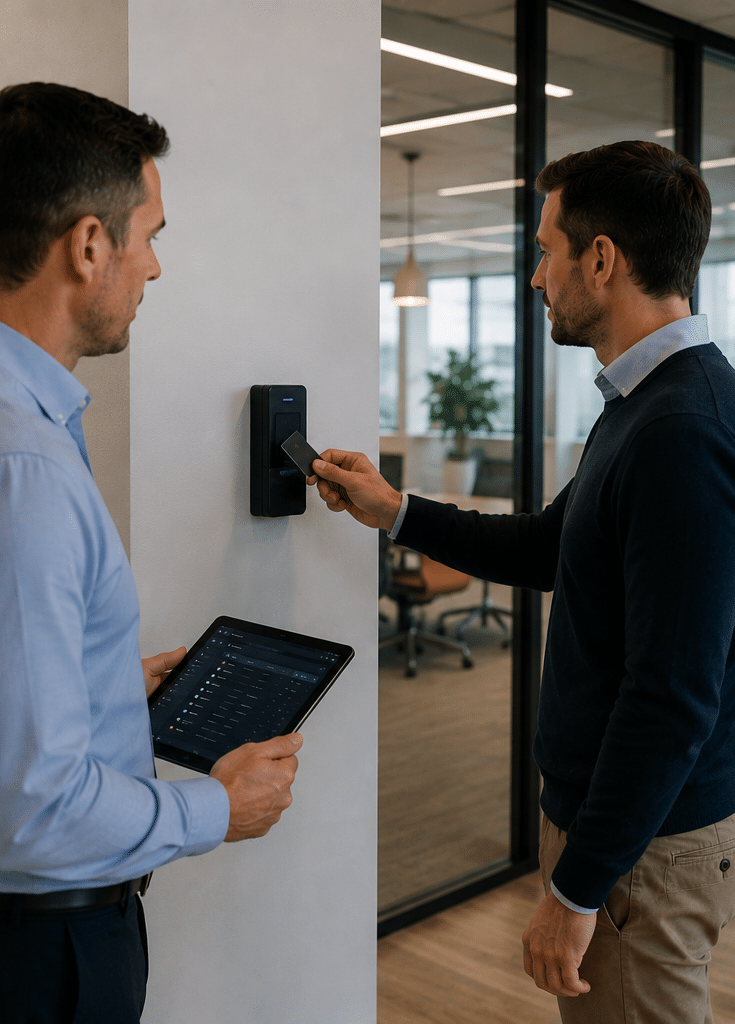
Touchless access control is a security system that lets authorised people unlock doors, gates or lifts without physically touching a reader or keypad. It may use mobile credentials, facial recognition, Bluetooth, QR codes, wave-to-open sensors or automatic doors to improve hygiene, speed and entry control.
Table of Contents
- What touchless access control means in real sites
- Why Australian organisations are moving away from keys
- Common touchless access control technologies
- Comparison table: touchless options for Australian sites
- Where touchless entry works best
- Planning a secure touchless access control system
- Numbered onboarding checklist
- Privacy, compliance and administration in Australia
- Cybersecurity and system hardening
- Costs, limitations and balanced considerations
- People Also Ask
- Expert Q&A
- Conclusion
What Touchless Access Control Means in Real Sites
In simple terms, touchless access control replaces a physical key or contact-based keypad with a credential that can be presented without hand contact. However, the real value is broader than hygiene.
A modern system can decide who may enter, when they may enter and which door, lift level, gate or room they may access. It can also keep an event log. Therefore, managers can review access history, remove lost credentials and adjust permissions without cutting new keys.
For example, a commercial office in Sydney may allow staff to enter the lobby with a mobile phone credential, call the lift automatically and access only their tenancy floor. Meanwhile, a logistics site in Melbourne may use long-range vehicle tags for boom gates and mobile credentials for staff doors. In a healthcare setting, a touchless wave sensor may be used on internal doors so staff can move through clean areas without pushing handles.
The important point is this: touchless access control is not one product. It is a design approach that combines readers, credentials, locks, controllers, software, doors, power supplies and policies.

Why Australian Organisations Are Moving Away from Keys
Traditional keys still work, but they create problems at scale. If a key is copied or lost, the usual fix may involve rekeying cylinders, issuing replacements and updating records. As a result, the true cost of keys is often hidden until something goes wrong.
Touchless access control gives site owners more control. Credentials can be issued and removed in software. Staff can be given access by role, roster or location. Contractors can receive temporary permissions. In addition, entry logs support incident review and general administration.
Australian workplaces also place high value on safety, hygiene and operational continuity. Although hygiene became a bigger discussion during the COVID period, the benefit remains relevant for healthcare, food processing, childcare, gyms, offices and shared facilities. Fewer shared touchpoints can support cleaner workflows, even though access control should never be treated as a substitute for cleaning, ventilation or workplace health practices.
Another reason is user expectation. People already use phones, contactless payments and digital wallets every day. Consequently, mobile access feels natural when the user experience is well planned.
Common Touchless Access Control Technologies
Mobile Credentials for Touchless Access Control
Mobile credentials allow a smartphone to act as the user’s access pass. Depending on the system, the phone may communicate through Bluetooth Low Energy, NFC, Wi-Fi or a cloud-connected app.
This approach is popular because many people already carry their phone. It also allows administrators to issue or revoke credentials remotely. For multi-site organisations, this can simplify onboarding and offboarding.
However, mobile credentials need careful planning. Not every user wants a work app on a personal phone. Therefore, many Australian sites keep a fallback option, such as a card, fob or temporary visitor pass. Battery life, phone compatibility and helpdesk support should also be considered.
Wave-to-Open Sensors and Automatic Doors
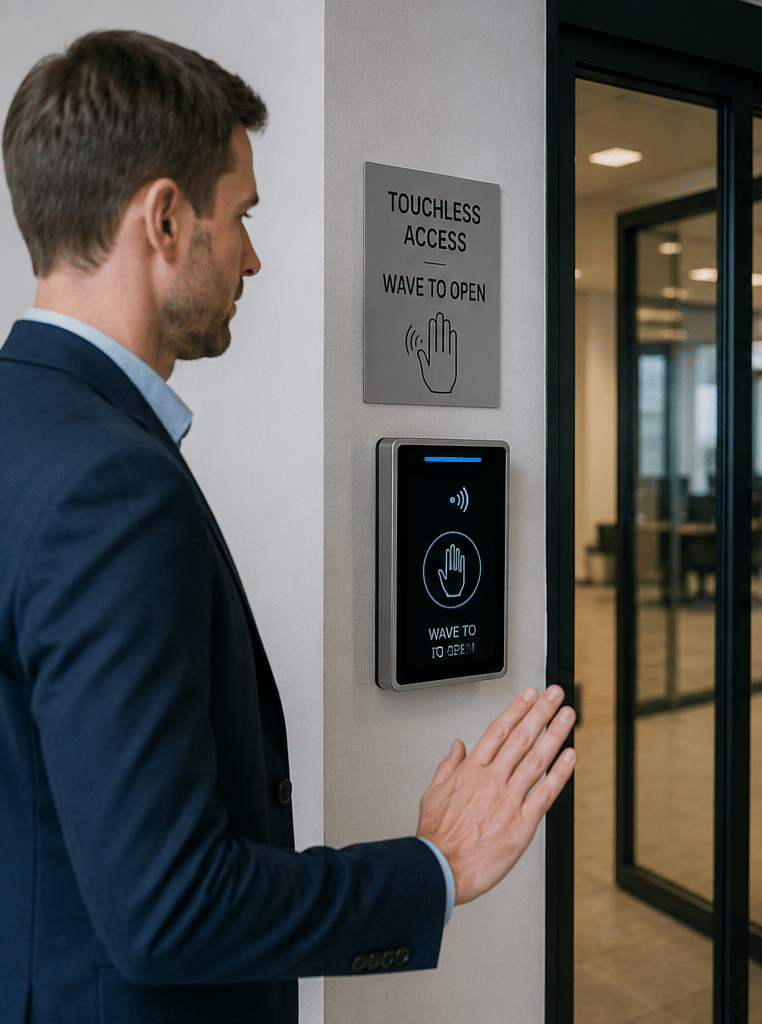
Wave-to-open sensors are simple and effective for internal doors. The user waves a hand near a sensor, and the door release activates. In many cases, the sensor is paired with an access control reader. The reader verifies the user first, while the sensor provides a touchless exit or entry action.
These sensors are common in healthcare, laboratories, end-of-trip facilities, accessible entries and clean workflow areas. However, they do not identify a person by themselves. So, for restricted areas, they should be paired with a valid credential, request-to-exit logic and suitable locking hardware.
Facial Recognition Access Control
Facial recognition can provide a fast, hands-free experience. It may suit high-throughput areas where people need to pass quickly. However, it also raises privacy and consent issues, especially because biometric information is sensitive.
In Australia, organisations considering facial recognition should assess privacy risks, transparency, consent, data minimisation and necessity. The Office of the Australian Information Commissioner has published guidance on assessing privacy risks for facial recognition technology, which is useful for organisations considering biometric access systems: OAIC facial recognition privacy guidance.
From my experience, facial recognition is not the default answer for every door. It should be used only where the benefit is clear, proportionate and supported by strong privacy controls.
QR Codes for Visitors and Temporary Access
QR code access can work well for visitors, deliveries, serviced apartments and short-term contractors. A code can be sent by email or SMS and limited to a date, time or entry point.
However, QR codes can be forwarded or screenshotted. Therefore, higher-risk sites may pair them with reception checks, intercom verification, licence plate recognition or staff approval. QR access is convenient, but it should match the risk level.
Long-Range and Vehicle Access
For car parks, warehouses, gated communities and loading docks, long-range credentials can open gates without the driver lowering a window or presenting a card. This is useful during rain, after hours or high-traffic periods.
Still, vehicle access should be designed carefully. Tailgating is common at gates. Therefore, boom gates, speed control, cameras, intercoms and anti-passback rules may be needed.
Comparison Table: Touchless Access Control Options in Australia
| Touchless option | Best for | Main benefits | Watch-outs |
| Mobile credentials | Offices, apartments, multi-site businesses | Easy to issue, convenient, reduces card handling | Phone battery, app support, personal device concerns |
| Wave-to-open sensors | Healthcare, amenities, clean areas, accessible doors | Simple, hygienic, user-friendly | Does not identify users unless paired with access control |
| Facial recognition | High-throughput or premium secure entries | Fast, hands-free, no card needed | Sensitive privacy issues, consent, data governance |
| QR code access | Visitors, contractors, short-term access | Quick temporary access, easy expiry | Can be shared, needs risk controls |
| Long-range vehicle tags | Car parks, gates, logistics sites | Smooth vehicle entry, better traffic flow | Tailgating, credential transfer, gate safety |
| Contactless cards or fobs | Sites needing simple fallback access | Familiar, reliable, easy to manage | Cards can be lost, shared or stolen |
Where Touchless Entry Works Best
Touchless access control is useful across many Australian environments, but the best design depends on the site.
Offices and Commercial Buildings
In offices, mobile access can reduce queues and simplify staff onboarding. It can also integrate with lifts, turnstiles and tenancy doors. In addition, managers can set schedules for cleaners, contractors and after-hours teams.
For commercial sites, the biggest wins usually come from centralised management. Instead of each tenancy or department managing keys separately, permissions can be updated through one platform.
Apartment Buildings and Mixed-Use Developments
Residents often want secure entry that feels easy. Mobile credentials, fobs, intercoms and lift control can work together. Visitor access can also be handled through temporary codes or app-based approvals.
However, apartment systems need strong resident administration. Strata managers, building managers and security providers should agree on who can issue credentials, how move-ins are handled and how lost access is revoked.
Healthcare, Aged Care and Clinics
Healthcare sites benefit from fewer shared touchpoints and controlled access to medication rooms, staff-only corridors and restricted treatment areas. Wave sensors, automatic doors and role-based permissions can support cleaner movement.
That said, reliability is critical. Doors must release safely during emergencies, and the system must align with fire egress requirements. Therefore, a qualified installer should coordinate with fire, electrical and building professionals where needed.
Warehouses and Industrial Sites
Industrial sites often need vehicle gates, staff entries, plant rooms and restricted stock areas. Touchless access can reduce delays at gates and improve audit trails.
However, these environments can be dusty, hot and exposed. Outdoor readers need suitable weather ratings, robust mounting and surge protection. In addition, vehicle flow should be tested during peak hours.
Schools and Education Facilities
Schools may use touchless systems for staff entries, administration offices, server rooms and after-hours facilities. The goal is usually not to lock down every door. Instead, it is to create sensible layers.
For example, perimeter gates may be controlled during school hours, while staff-only areas have role-based access. Visitor entry should remain clear and supervised.
Planning a Secure Touchless Access Control System
A strong project starts with the door, not the app. Before choosing technology, review what the door must do.
First, identify the risk. Is the door protecting people, stock, records, plant equipment or a general office? Next, map user groups. Staff, contractors, residents, visitors, cleaners and emergency responders may all need different access.
Then, review the physical door hardware. A weak door, poor closer or unsuitable lock can undermine a good electronic system. For example, a premium mobile reader will not help if the door does not latch properly.
After that, think about power and network design. Some systems run through local controllers. Others rely more heavily on cloud services. Both can work, but backup power, offline operation and support arrangements should be clear.
Finally, test the user journey. A secure system that frustrates users may lead to workarounds. People may prop doors open, share credentials or bypass procedures. Therefore, good design balances security with daily behaviour.
Numbered Checklist: Onboarding Touchless Access Control
- Audit doors, gates and lift points. List every entry point and decide which ones need electronic control.
- Define user groups. Separate staff, managers, visitors, cleaners, contractors and residents.
- Set access rules. Decide who can enter each area and during which hours.
- Choose credential types. Select mobile, card, fob, QR, biometric or vehicle credentials based on risk.
- Review privacy impacts. Pay extra attention to biometrics, logs, visitor data and retention periods.
- Check licensing and installation needs. Security work can be regulated by state or territory rules.
- Plan fallback access. Include procedures for flat phones, outages, emergencies and lost credentials.
- Install and test hardware. Test doors under real conditions, including peak use and after-hours access.
- Train administrators. Make sure authorised staff know how to add, suspend and remove users.
- Review logs and permissions regularly. Remove old users and check access groups after staff changes.
Privacy, Compliance and Administration in Australia
Touchless access control can involve personal information. Access logs may show when a person entered a site. Visitor systems may store names, phone numbers or email addresses. Biometric systems may involve sensitive information.
Therefore, privacy should be planned early. Organisations should collect only what they need, explain why it is collected and limit who can access the data. They should also set retention rules so records are not kept forever without a reason.
Workplace monitoring also needs care. The OAIC notes that workplace surveillance and monitoring may involve Australian, state or territory laws, and some states have specific workplace surveillance rules. This is why access logs, CCTV integration and biometric systems should be treated as governance matters, not just technical features.
Security licensing is another administrative point. Requirements vary between Australian states and territories. The Security Providers Association of Australia Limited notes that licensing requirements differ by jurisdiction and that security providers should check the relevant state or territory regulator: security industry licensing information.
This section is general information, not legal advice. For regulated, high-risk or biometric deployments, organisations should seek professional advice and ensure policies are reviewed by appropriate legal, privacy or compliance advisers.
Cybersecurity and System Hardening
Because modern access systems may connect to apps, cloud dashboards, integrations and networks, cybersecurity matters. A poorly secured access control platform can create risk even when the door hardware is strong.
Administrators should use strong passwords, role-based permissions and multi-factor authentication. According to the Australian Cyber Security Centre, multi-factor authentication is one of the most effective controls for stopping malicious access to systems and data: ACSC guidance on multi-factor authentication.
In practical terms, this means access control administrators should not share logins. Each admin should have a named account. Higher-level privileges should be limited. Also, old admin accounts should be removed when staff leave.
Software updates are also important. Controllers, mobile apps, management portals and integrations should be maintained. In addition, backups and export processes should be documented so the organisation can recover from mistakes or outages.
Network design matters too. Access control devices should not be left on an unmanaged network. Where possible, installers and IT teams should coordinate on segmentation, firewall rules and remote support methods.
Costs, Limitations and Balanced Considerations
Touchless access control can reduce operational friction, but it is not always the cheapest option upfront. Costs may include readers, locks, door hardware, controllers, cabling, software licences, mobile credentials, cloud subscriptions, installation, commissioning and training.
The final price depends on the number of doors, door condition, credential type, integration needs and site complexity. For example, a single internal office door is very different from a multi-building site with lifts, gates, car parks and visitor management.
There are also limitations. Mobile access depends on phones. Facial recognition requires careful privacy management. QR codes may be shared. Wave sensors can be triggered accidentally if poorly positioned. Long-range vehicle readers can be affected by layout and mounting conditions.
However, these issues can be managed with good design. The best approach is to match the technology to the risk, not to chase the newest feature.
For Australian businesses wanting practical advice, a site review from a qualified security provider can help identify the right mix of mobile credentials, readers, locks, gates and management software. Eclipse Security can help plan and install tailored systems for commercial and residential sites through its Australian access control and security solutions.
Touchless Access Control vs Traditional Access Control
Traditional access control often uses cards, fobs, PIN pads or keys. Touchless systems may still use cards or fobs, but the goal is to reduce physical contact and improve user flow.
In many cases, the best design is hybrid. For example, staff may use mobile credentials, while visitors use QR codes and cleaners use fobs. This gives flexibility without forcing every user into one method.
Hybrid design also supports business continuity. If mobile access has an outage, cards may still work. If a visitor does not have a smartphone, reception can issue a temporary pass. As a result, the system remains usable for more people.
Access Control Integrations to Consider
Touchless access control can integrate with other building systems. Common integrations include CCTV, intercoms, alarms, lifts, visitor management platforms and time attendance systems.
CCTV integration can help match an access event with video footage. For example, if a door is forced open, the system may trigger a camera bookmark. However, this should be handled with privacy and workplace monitoring obligations in mind.
Lift integration can restrict users to approved floors. This is useful in office towers, hotels, apartments and mixed-use buildings. Meanwhile, alarm integration can simplify opening and closing procedures, especially for retail sites and small offices.
Visitor management integration can improve front-desk workflows. Visitors can sign in, receive a temporary credential and have access automatically expire. This reduces manual follow-up and helps maintain better records.
Common Mistakes to Avoid
One common mistake is choosing technology before defining the problem. A site may buy facial recognition when mobile access and better visitor management would solve the issue with less privacy complexity.
Another mistake is ignoring door condition. Electronic access depends on reliable physical hardware. If the door is warped, the closer is weak or the latch does not align, users will blame the access system even if the reader works.
A third mistake is leaving permissions unmanaged. Access control is only as strong as its administration. If former staff, old contractors or unused visitor credentials remain active, the system loses value.
Finally, many projects forget training. Administrators need to know how to add users, remove users, run reports and respond to faults. Users also need simple instructions, especially when mobile credentials are introduced.
People Also Ask
Is touchless access control secure?
Yes, touchless access control can be secure when it uses proper authentication, strong door hardware, managed permissions and audit logs. However, security depends on design, installation and administration, not just the reader type.
What is the best touchless access control option for Australian offices?
Mobile credentials are often a strong option for offices because staff already carry smartphones and access can be managed centrally. Still, many offices keep cards or fobs as a backup for visitors, contractors and users without compatible phones.
Does touchless access control need the internet?
Some systems need internet access for cloud management, mobile credentials or remote administration. However, many systems can still unlock authorised doors locally during an internet outage if controllers and credentials are configured correctly.
Is facial recognition access control legal in Australia?
Facial recognition may be used in some settings, but it requires careful privacy assessment, transparency and appropriate handling of biometric information. Organisations should review Australian privacy guidance and obtain professional advice before using biometric access.
Can touchless access control work with existing doors?
Often, yes. Many existing doors can be upgraded with suitable locks, readers, request-to-exit devices and controllers. However, some doors may need repairs, closer adjustments or hardware changes before electronic access is reliable.
Expert Q&A: Touchless Access Control
1. How do I choose between mobile access and biometric access?
Start with risk and user experience. Mobile access is usually less intrusive and easier to roll out across general workplaces. Biometric access may suit specific high-security or high-throughput scenarios, but it requires stronger privacy governance and user communication.
2. What happens if a phone battery dies?
A well-designed system includes a fallback. This may be a physical card, reception-issued pass, intercom approval or administrator override. For critical areas, fallback procedures should be documented before the system goes live.
3. Can contractors receive temporary touchless access?
Yes. Contractors can be assigned time-limited credentials, QR codes or mobile access. Access should expire automatically at the end of the approved period, and permissions should be limited to the areas they actually need.
4. How often should access permissions be reviewed?
For most businesses, a quarterly review is a practical starting point. However, higher-risk sites may review permissions monthly or after every major staffing change. The key is to remove inactive users quickly.
5. Can touchless systems help with incident investigations?
Yes, access logs can show when credentials were used and at which entry points. When integrated with CCTV or alarms, they can support a clearer incident timeline. However, logs should be protected and used according to workplace and privacy requirements.
Conclusion
Touchless access control can make Australian buildings easier to use, easier to administer and safer to manage. It reduces reliance on keys, supports cleaner entry workflows and gives managers better control over who can access doors, gates, lifts and restricted areas.
However, the best system is not always the most advanced one. The right choice depends on your site, users, risk level, privacy obligations and long-term administration needs. Mobile credentials, wave sensors, QR codes, facial recognition and vehicle tags all have a place when used carefully.
For best results, begin with a site assessment, define access rules clearly, choose technology that fits the risk and train administrators properly. With the right planning, touchless access control can deliver practical security without making everyday entry harder than it needs to be.