

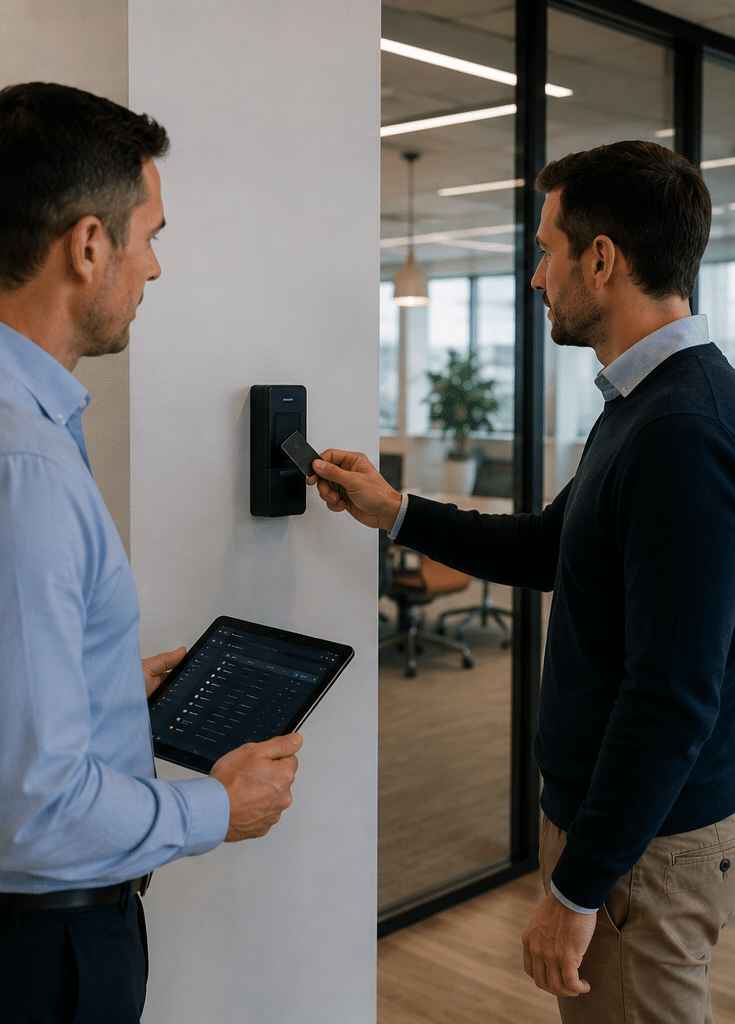
Suprema is increasingly relevant to Australian organisations looking for modern ways to control access to offices, warehouses, schools, healthcare facilities, commercial buildings and restricted areas. Instead of relying only on mechanical keys, modern access control can combine electronic readers, cards, mobile credentials, PINs, biometrics, controllers and central management software.
From a practical security-design perspective, however, the brand name on a reader is only one part of the decision. A well-designed access control system also depends on door hardware, cabling, credential policies, network security, user administration, privacy processes, emergency procedures and ongoing maintenance.
That is particularly important when biometrics are involved. Facial or fingerprint authentication can improve convenience and provide a stronger link between a credential and its authorised user. However, biometric information also requires careful privacy consideration in Australia.
This guide explains what Suprema is, how its access control ecosystem works, where it may fit Australian environments, what to consider before using biometrics and how to approach planning, installation and long-term management.
What Is Suprema?
Suprema is a global access control and biometric security brand offering readers, controllers, credentials and software platforms for managing who can enter specific doors or areas. In Australia, Suprema systems may use cards, mobile credentials, PINs, fingerprints or facial authentication, depending on the site’s security, privacy and operational requirements.
Table of Contents
- What Suprema Does
- Why Suprema Is Relevant in Australia
- How a Suprema Access Control System Works
- Suprema BioStar Platforms Explained
- Comparing Suprema Access Control Platforms
- Suprema Credentials and Authentication Methods
- Suprema Biometric Access Control
- Australian Privacy Considerations for Biometrics
- Choosing Suprema Readers and Controllers
- Suprema for Commercial and Multi-Site Security
- Integrating Access Control with Other Security Systems
- Cybersecurity and Network Planning
- Australian Standards and Installation Considerations
- Suprema Access Control Planning Checklist
- Common Suprema Deployment Mistakes
- Costs and Budget Considerations
- People Also Ask About Suprema
- Expert Q&A
- Conclusion
What Does Suprema Do?
Suprema develops physical access control and biometric authentication technologies.
In simple terms, an access control system answers several questions every time somebody approaches a controlled entrance:
- Who is requesting access?
- What credential are they using?
- Is that credential valid?
- Is the person allowed through this particular door?
- Are they allowed through at this particular time?
- Should the event be recorded?
- Should another security system respond?
Suprema provides technology that can form part of this process.
According to Suprema’s current product information, its portfolio includes on-premise and cloud security platforms together with biometric readers, RFID readers, mobile credentials, access control units and integration tools. Its current platform range includes BioStar X, BioStar Air and BioStar 2.
Therefore, Suprema should not be thought of as merely a fingerprint-reader manufacturer. Its ecosystem now extends across credentials, authentication devices, controllers, software and integration.
Why Suprema Is Relevant to Australian Organisations
Australian businesses have widely different access-control requirements.
For example, a small office may simply need electronic card access on the front and rear entrances.
Meanwhile, a manufacturing facility may require:
- Separate employee and contractor access
- Restricted plant rooms
- Time-based access permissions
- Gate control
- Audit trails
- Visitor management
- Multiple credential types
- Integration with alarms and CCTV
Likewise, healthcare facilities may need controlled access to medication rooms, IT spaces and staff-only areas.
Schools can have another set of requirements involving staff, contractors, administration areas, sensitive records and after-hours access.
Consequently, a flexible access-control ecosystem can be useful when an organisation needs more than a basic standalone keypad.
The important question is not simply, “Is Suprema good?”
A more useful question is:
Does a particular Suprema architecture match the risks, workflows, privacy requirements and expansion plans of this site?
That distinction matters because even sophisticated technology can perform poorly when it is badly designed or administered.
How Does a Suprema Access Control System Work?
A typical electronic access-control system has several layers.
1. Credential
The credential identifies the person requesting entry.
Depending on the selected Suprema equipment and configuration, this might involve:
- RFID card
- Smart card
- Mobile credential
- PIN
- Fingerprint
- Facial authentication
- QR-based credential
- Multiple authentication factors
However, presenting a credential does not automatically unlock the door.
2. Reader or Authentication Device
The reader captures the credential.
For example, an RFID reader reads a compatible card, while a biometric terminal can process a fingerprint or face.
The reader then passes authentication or credential information through the access-control system.
3. Controller
The controller is effectively part of the decision-making layer.
It determines whether the credential has permission to operate the particular door according to configured access rules.
Depending on system architecture, controllers can also help provide resilience if communication with a central server is interrupted.
4. Door Hardware
Access-control software cannot physically secure a doorway by itself.
A complete door may also require equipment such as:
- Electric strikes
- Magnetic locks
- Door-position monitoring
- Request-to-exit devices
- Emergency-release arrangements
- Door closers
- Power supplies
- Backup batteries
Therefore, reader selection is only one part of access-control design.
5. Management Platform
The management system lets authorised administrators control users, credentials, schedules, doors and events.
For example, an administrator may be able to:
- Add a new employee
- Remove a former employee
- Change a user’s access level
- Issue a credential
- Disable a lost credential
- Review door events
- Set access schedules
- Investigate unsuccessful access attempts
This administrative layer is one of the largest advantages of electronic access control compared with traditional keys.
If somebody loses a mechanical master key, physical locks may need attention.
In contrast, a lost electronic credential can normally be disabled within the management system.
Suprema BioStar Platforms Explained
One reason research into Suprema can become confusing is that several BioStar names appear online.
Currently, the main platforms include BioStar X, BioStar Air and BioStar 2.
The correct option depends on deployment requirements rather than simply choosing the newest name.
Suprema BioStar X
BioStar X is positioned by Suprema as its unified on-premise security platform.
An on-premise system generally means the organisation retains local infrastructure for running the security-management environment.
This approach can suit organisations that prefer direct control over infrastructure, have internal IT requirements or operate environments where cloud dependency is undesirable.
However, on-premise systems also create responsibilities.
For example, somebody must manage:
- Servers or appliances
- Backups
- Updates
- administrator access
- network security
- recovery procedures
- software lifecycle
Therefore, “on-premise” should not automatically be interpreted as “more secure”.
Security depends heavily on configuration and ongoing administration.
Suprema BioStar Air
BioStar Air is Suprema’s cloud-oriented access-control platform.
Cloud management can be attractive to organisations operating multiple branches because administrators may not need dedicated access-control servers at every location.
For example, a business with sites across Melbourne, Sydney and Brisbane could benefit from centralised management if the architecture meets its operational requirements.
Cloud systems can also reduce some local infrastructure requirements.
However, organisations should still consider:
- Internet dependency
- Identity and administrator security
- Data location requirements
- Subscription arrangements
- Business continuity
- Vendor support
- Integration requirements
Therefore, cloud access control is not automatically the best option for every site.
Suprema BioStar 2
BioStar 2 remains part of the Suprema ecosystem and has historically provided web-based access-control and time-and-attendance management.
Organisations with existing Suprema deployments may already be using BioStar 2.
Consequently, a new security project should first identify what is already installed before recommending replacement.
In many cases, understanding the installed infrastructure can reveal whether an extension, migration or complete upgrade offers the best value.
Comparison: Suprema Access Control Platforms
| Platform | General Deployment | Potential Fit | Main Considerations |
| BioStar X | On-premise | Enterprise environments wanting locally managed infrastructure | Server management, backups, IT administration, scalability |
| BioStar Air | Cloud | Multi-site organisations and teams wanting centralised remote administration | Connectivity, cloud policies, subscription model, administrator security |
| BioStar 2 | Primarily on-premise platform | Existing Suprema systems and established access-control environments | Existing version, compatibility, lifecycle and migration planning |
This comparison is intentionally high level. Exact compatibility, licensing and product support can change, so individual projects should be checked against current manufacturer documentation before procurement.
Suprema Credentials and Authentication Methods
Credentials are one of the most important design choices because employees interact with them every day.
Moreover, different credentials solve different problems.
RFID Cards and Fobs
Cards remain popular because they are familiar and relatively easy to issue.
When an employee leaves, their credential can be disabled rather than recovering every physical key they may have used.
However, cards can still be:
- Lost
- Shared
- Forgotten
- Misused
- Left active after employment ends
Therefore, good credential administration matters just as much as reader technology.
Mobile Credentials
Mobile credentials use a compatible smartphone as the user’s access credential.
This approach can reduce dependence on physical cards.
It can also simplify credential distribution in suitable environments.
However, mobile access introduces other considerations, including:
- Phone compatibility
- Employee device policies
- Lost phones
- Battery availability
- Credential revocation
- Staff acceptance
Consequently, organisations should think about user behaviour before adopting mobile-only access.
PIN Authentication
PINs are simple and familiar.
However, shared PINs provide limited accountability because multiple people may know the same code.
Therefore, PINs are generally more useful when paired with individual administration rather than using one code for an entire workplace.
Fingerprint Authentication
Fingerprint authentication links access to a biometric characteristic rather than something the user carries.
This can reduce credential sharing.
However, biometric data introduces higher privacy expectations than ordinary access cards.
Therefore, convenience should never be the only reason for deploying fingerprints.
Facial Authentication
Facial authentication offers contactless access and can be valuable in environments where hands-free operation is useful.
However, it should be assessed carefully because facial biometric information can raise significant privacy considerations.
A site should first determine why biometric authentication is needed and whether a less intrusive credential could reasonably meet the same objective.
Suprema Biometrics: Authentication Versus Identification
The term “facial recognition” is often used broadly.
However, there is a meaningful difference between verification and identification.
Verification generally asks:
“Are you the person associated with this credential?”
Identification asks:
“Who is this person among the enrolled population?”
This distinction matters because privacy risks can differ.
For example, verifying a person at a controlled staff entrance is not necessarily the same use case as scanning everyone entering a public environment to identify individuals.
Therefore, Australian organisations should document exactly what the system is intended to do before selecting biometric technology.

Australian Privacy Considerations for Suprema Biometrics
Biometric technology deserves particular attention in Australia.
The Office of the Australian Information Commissioner states that biometric templates and biometric information used for automated biometric verification or identification are sensitive information under the Privacy Act framework. The OAIC also recommends that organisations considering facial-recognition technology assess privacy impacts and determine a clear, lawful and proportionate basis for its use.
This does not mean that biometric access control is prohibited.
Instead, it means the organisation should treat biometric information differently from an ordinary door-card number.
Depending on the organisation and circumstances, administrative planning may include:
- Determining why biometric access is necessary
- Identifying exactly what information is collected
- Establishing an appropriate basis for collection
- Reviewing consent requirements where applicable
- Limiting information to what is reasonably necessary
- Setting retention and deletion processes
- Controlling administrator access
- Protecting stored information
- Documenting privacy responsibilities
- Preparing procedures for staff enquiries or complaints
A Privacy Impact Assessment may also be appropriate, particularly for higher-risk facial-recognition deployments.
However, privacy obligations depend on the organisation and use case. Therefore, this article provides general administrative guidance rather than legal advice. Organisations should obtain appropriate professional advice where required.
Biometrics Should Solve a Real Problem
A common mistake is selecting biometric technology because it appears more advanced.
Instead, begin with the risk.
Ask:
What security problem are we trying to solve?
For example, if the main concern is former employees retaining keys, individually issued cards or mobile credentials may already address the problem.
However, if credential sharing is a significant operational risk, stronger authentication may be justified.
Therefore, biometric access should be proportionate to the requirement.
Choosing Suprema Readers and Controllers
A good access-control design begins with the door, not the catalogue.
First, identify what each entrance actually needs.
For every controlled door, consider:
- Who uses it?
- How often is it used?
- Is it internal or external?
- Is it exposed to weather?
- What happens during a power failure?
- Does emergency egress need special consideration?
- Is anti-passback required?
- Should visitors use the same reader?
- Is biometric authentication justified?
- Does the doorway need CCTV coverage?
- Does it connect to an alarm system?
Only then should reader and controller models be selected.
This prevents a common problem: buying sophisticated equipment before understanding the workflow.
Suprema for Commercial Security in Australia
Suprema technology may suit several Australian commercial environments, depending on project requirements.
Offices
An office may use access control for:
- Main entrances
- Server rooms
- Records rooms
- Executive areas
- Car parks
- After-hours access
For example, employees could receive normal business-hour access while cleaners receive scheduled evening permissions.
Warehouses and Industrial Sites
Warehouses can have more complex movement patterns.
They may involve:
- Employees
- Drivers
- Temporary workers
- Contractors
- Delivery areas
- Plant rooms
- Offices
- Vehicle gates
Therefore, role-based access is particularly useful.
A warehouse employee may require different permissions from an IT contractor or external driver.
Schools and Education
Education environments may require controlled access to:
- Administration areas
- Staff rooms
- IT rooms
- Storage spaces
- Specialist facilities
- After-hours entrances
However, sites involving children should apply particularly careful security, privacy and operational planning.
Healthcare
Healthcare environments can combine high foot traffic with restricted areas.
For example, access policies may differentiate between:
- Clinical staff
- Administration
- Contractors
- Visitors
- Pharmacy areas
- IT facilities
- Records storage
Consequently, clear user groups and timely credential removal are essential.
Multi-Tenant Commercial Buildings
Commercial buildings may need separate permissions for:
- Tenants
- Building management
- Contractors
- Cleaners
- Visitors
- Loading areas
- Car parks
Therefore, administration can become as important as hardware.
Integrating Suprema with Wider Security Systems
Access control is most effective when considered as part of the whole security environment.
For example, a door event can become more useful when an operator can also review associated CCTV footage.
Similarly, an intruder alarm, intercom or building-management workflow may need to interact with access-control processes.
Suprema provides integration capabilities within its wider ecosystem. However, compatibility should always be verified for the exact software versions and third-party products involved.
Never assume two products integrate simply because both support networking or APIs.
Integration planning should confirm:
- Supported interfaces
- Software versions
- Authentication requirements
- Data exchanged
- Failure behaviour
- Licensing
- Vendor support
- Responsibility for troubleshooting
This approach reduces expensive surprises during commissioning.
Cybersecurity Matters in Suprema Access Control
Modern access control is both physical security technology and networked technology.
Therefore, cybersecurity cannot be left solely to the end of the project.
A compromised administrator account could potentially be more damaging than a lost access card.
Practical safeguards may include:
- Unique administrator accounts
- Strong authentication
- Least-privilege permissions
- Network segmentation
- Secure remote access
- Regular backups
- Firmware and software management
- Controlled API credentials
- Event logging
- Documented recovery procedures
In addition, default passwords should not remain in service.
Likewise, unnecessary services and old administrator accounts should be removed where possible.
Plan for Failure
Security planning should also ask uncomfortable questions.
For example:
- What happens if the server stops?
- What happens if the internet fails?
- What happens during a long power outage?
- What happens if an administrator leaves unexpectedly?
- How is the configuration restored after hardware failure?
- Who has emergency access?
- Where are backups stored?
A system is only resilient when these scenarios have been considered before an incident.
Australian Standards and Installation Considerations
Australian access-control projects can involve technical standards, cabling requirements, electrical considerations and state or territory security-industry requirements.
The Australian Security Industry Association Limited lists AS/NZS IEC 60839.11.1 and AS/NZS IEC 60839.11.2 among relevant electronic access-control standards. These cover areas including access-control system functionality and application guidance.
Therefore, equipment selection should not occur separately from installation quality.
A good reader fitted to an unsuitable door, badly routed cabling or poorly designed power arrangement will not produce a good security outcome.
Licensing and registration requirements can also vary between Australian jurisdictions.
Consequently, checking the appropriate security and cabling credentials for the project’s state or territory should be treated as part of project administration.
Again, this is general information rather than legal advice.
Suprema Access Control Deployment Checklist
Before proceeding with a Suprema access-control project, work through the following steps.
1. Document Every Controlled Door
List the entrances, gates, lifts and restricted spaces that may need electronic control.
2. Define User Groups
Separate employees, managers, visitors, contractors, cleaners and other users.
Do not automatically give every person the same permissions.
3. Define Access Schedules
Decide when each user group genuinely requires access.
For example, contractors may only need entry between 7:00 am and 5:00 pm.
4. Choose the Credential Strategy
Compare cards, mobile credentials, PINs and biometrics.
Select the least complicated method that still addresses the security risk.
5. Review Biometric Privacy Requirements
If fingerprints or facial authentication are proposed, document why they are needed and how information will be handled.
6. Select the Suprema Architecture
Determine whether an on-premise, cloud or existing-platform approach best suits the environment.
7. Review Door Hardware and Life Safety
Check locks, door monitoring, request-to-exit equipment, power supplies and required emergency behaviour.
8. Plan Network and Cybersecurity
Define network connections, administrator permissions, backups, updates and remote-access controls.
9. Confirm Integrations
Document required connections with CCTV, intercoms, alarms, lifts, identity systems or other platforms.
10. Commission and Test
Test normal access, denied access, schedules, alarms, power-loss behaviour and emergency scenarios.
11. Train Administrators
The people managing the platform should understand:
- Adding users
- Removing users
- Credential cancellation
- Event investigation
- Password security
- Backups
- Escalation procedures
12. Schedule Ongoing Reviews
Access control should not become a “set and forget” system.
Regularly review users, permissions, software, backups and system health.
Common Suprema Deployment Mistakes
Choosing Biometrics Without a Clear Reason
Biometrics can be useful, but they should address a specific security requirement.
Therefore, avoid collecting sensitive information merely because the technology is available.
Giving Everybody Too Much Access
A common administrative shortcut is creating one broad access group.
However, this defeats much of the purpose of electronic access control.
Instead, use access based on operational need.
Forgetting to Remove Former Users
Even excellent readers cannot protect a site when old credentials remain active.
Therefore, offboarding should include immediate access-control cancellation.
Ignoring the Door Hardware
The credential reader may be sophisticated, but the physical door is still the security boundary.
Locks, frames, hinges, closers and emergency arrangements all matter.
Treating Access Control as an Isolated System
A new system should be reviewed alongside CCTV, alarms, intercoms, networking and visitor processes.
Otherwise, organisations can create unnecessary administrative duplication.
Ignoring Software Maintenance
Access control platforms are software environments.
Consequently, firmware updates, software releases, backups and administrator account reviews should form part of ongoing maintenance.
How Much Does a Suprema System Cost in Australia?
There is no useful single Australia-wide price for a Suprema system.
A project may involve one simple door or hundreds of controlled entrances.
Therefore, price is normally influenced by:
- Number of doors
- Reader types
- Biometric requirements
- Controllers
- Locking hardware
- Cabling
- Power supplies
- Server or cloud architecture
- Software licensing
- Mobile credentials
- Integration
- Existing infrastructure
- Labour
- Commissioning
- Training
- Maintenance
For example, adding access control to a door that already has suitable electrical and locking infrastructure may differ significantly from converting an older mechanical doorway.
Likewise, a multi-site deployment introduces different networking and administration requirements.
Therefore, organisations should compare complete system scope rather than simply comparing the price of readers.
Is Suprema the Right Choice?
Suprema can offer a broad mix of biometric, RFID, mobile and software options.
However, no access-control manufacturer is automatically right for every organisation.
A decision should consider:
- Required authentication methods
- Number of users
- Number of doors
- Multi-site requirements
- Existing security systems
- Integration requirements
- IT policies
- Privacy requirements
- Support availability
- Long-term expansion
- Total lifecycle cost
For some sites, a simple card-access solution may be enough.
For others, mobile credentials, stronger authentication or centralised multi-site administration may provide worthwhile benefits.
The best solution is therefore the one that meets operational requirements without creating unnecessary complexity.
People Also Ask About Suprema
Is Suprema an access-control system?
Yes. Suprema provides access-control technologies including management platforms, controllers, RFID readers, biometric authentication devices and mobile credential solutions. However, the exact system architecture depends on the products and platform selected.
Does Suprema use facial recognition?
Suprema offers facial biometric authentication technologies among its access-control options. However, Australian organisations considering facial biometrics should assess the privacy implications and determine whether biometric collection is necessary and proportionate for their particular use case.
Can Suprema use mobile phones instead of access cards?
Compatible Suprema solutions can support mobile credentials, allowing a smartphone to act as an access credential. However, device compatibility, credential management, staff policies and fallback access should be planned before relying heavily on mobile-only entry.
Is Suprema suitable for Australian businesses?
Potentially. Suprema supports access-control requirements that can be relevant to offices, warehouses, healthcare facilities, education sites and other commercial environments. However, suitability depends on site risk, existing infrastructure, privacy requirements, integration needs and long-term administration.
Is Suprema cloud-based?
Suprema offers both cloud and on-premise approaches. BioStar Air is positioned as its cloud platform, while BioStar X provides an on-premise option, allowing organisations to select an architecture aligned with operational and IT requirements.
Expert Q&A: Suprema Access Control
1. Should an Australian business choose cards or biometrics with Suprema?
Start with the security risk rather than the technology.
Cards or mobile credentials may be sufficient where the primary objective is controlling and auditing employee access. However, biometrics may add value where credential sharing presents a significant risk. Because biometric information receives greater privacy protection, the added security benefit should justify the additional privacy and administrative requirements.
2. Can an existing access-control system be upgraded to Suprema gradually?
Possibly, but compatibility must be assessed first.
An upgrade review should examine existing locks, cabling, power supplies, readers, controllers, credentials, networking and software. In some environments, retaining compatible infrastructure can reduce disruption. In others, ageing equipment may make staged replacement impractical.
3. What happens when a Suprema access credential is lost?
An individually managed electronic credential can generally be disabled through the access-control management environment, subject to the system configuration.
This is one of the major operational benefits compared with physical keys. However, organisations should also have a documented lost-credential process so cancellation happens promptly rather than relying on somebody remembering to contact the administrator.
4. How often should a Suprema access-control system be reviewed?
User permissions should be reviewed regularly and whenever staffing, tenancy or contractor arrangements change.
In addition, organisations should periodically review software versions, firmware, backups, administrator accounts, locks, batteries, power supplies, door monitoring and system event logs. Higher-risk environments may justify more frequent formal reviews.
5. What should businesses ask an installer before choosing Suprema?
Ask how the proposed architecture addresses your actual risk rather than simply asking for a product list.
Useful questions include:
- Why was this authentication method selected?
- What happens during power or network failure?
- How are administrators protected?
- How are users removed?
- Where is data stored?
- How does backup and recovery work?
- What integrations are supported?
- Which ongoing licences are required?
- What maintenance is recommended?
- How easily can the system expand?
A competent design should provide clear answers before installation begins.
Practical Takeaway for Australian Buyers
Suprema is best viewed as an access-control ecosystem rather than a single product.
Its technology can combine physical credentials, mobile access, biometric authentication, controllers and central management platforms.
However, effective security still starts with basic questions.
Who genuinely needs access?
Where do they need access?
When should they have it?
How quickly can their access be removed?
What happens during an emergency?
How is sensitive information protected?
Who maintains the system after installation?
These questions determine whether access control remains useful five years after commissioning.
Technology comes afterwards.
Conclusion
Suprema provides Australian organisations with access-control options ranging from conventional electronic credentials to mobile and biometric authentication, supported by cloud and on-premise management platforms.
However, choosing Suprema should not begin with a reader model.
Instead, begin with the site’s risks, door requirements, user groups, privacy responsibilities, network environment and future expansion plans. Next, determine the most appropriate credential strategy and platform architecture. Finally, ensure installation, commissioning, administration and ongoing maintenance are treated as parts of the same security project.
Biometrics can add stronger authentication, but they also deserve additional privacy scrutiny. Likewise, cloud management can simplify multi-site administration, while on-premise infrastructure may suit organisations seeking greater control over local systems. Neither approach is universally better.
For organisations planning a new access-control system or reviewing an existing security environment, speak with Eclipse Security’s Australian commercial security specialists about your doors, user requirements, integrations and long-term security objectives before selecting a platform.