On this page24
- Featured definition: What is Protege GX?
- What Does Protege GX Do?
- How Protege GX Works
- Main Protege GX Components
- Protege GX Access-Control Capabilities
- Protege GX Intrusion Detection
- Protege GX Building Automation
- Protege GX Compared With Other Security Approaches
- Protege GX User and Credential Management
- Protege GX Reporting and Investigation
- Graphical Floor Plans and Operator Workflows
- Protege GX Mobile Access and Remote Control
- Protege GX Integrations
- Protege GX Applications in Australia
- Protege GX Server and Network Planning
- Cybersecurity for Protege GX
- Privacy and Administrative Considerations
- Numbered Protege GX Deployment Checklist
- Protege GX Licensing and Costs
- Common Protege GX Implementation Mistakes
- Protege GX Maintenance and Lifecycle Planning
- People Also Ask About Protege GX
- Expert Protege GX Q&A
- Conclusion
Not sure what your site needs?
A technical consultant from our Hallam office will look at the site and recommend a system, free of charge.
Request an assessment 1300 66 11 99Protege GX is an enterprise security-management platform used to combine access control, intrusion detection and selected building-automation functions. For Australian organisations, it can provide central control over doors, users, alarms and security events. However, a successful deployment depends on careful design, secure networking, licensing, staff procedures and ongoing administration.
From a practical security-design perspective, the most valuable feature is not simply the ability to unlock a door. It is the ability to define who may enter, where they may go, when access is allowed and what should happen when something unusual occurs.
This guide explains how Protege GX works, where it fits and what Australian organisations should evaluate before commissioning or expanding a system.
Featured definition: What is Protege GX?
Protege GX is an enterprise-level access control, intrusion detection and security-management system developed by Integrated Control Technology. It allows organisations to manage doors, cardholders, alarms, events and selected building functions through one platform while using intelligent field controllers to support local operation across connected sites.
Table of Contents
- What Protege GX does
- How the platform works
- Main system components
- Access-control capabilities
- Intrusion detection and alarm management
- Building automation
- Protege GX versus other approaches
- User and credential management
- Reporting and event investigation
- Graphical floor plans
- Mobile access and remote control
- Video and third-party integrations
- Australian industry applications
- Network and server planning
- Cybersecurity considerations
- Privacy and administrative obligations
- Deployment checklist
- Licensing and project costs
- Common implementation mistakes
- Maintenance and lifecycle planning
- People Also Ask
- Expert Q&A
- Conclusion
What Does Protege GX Do?
Protege GX is designed to help larger organisations control physical access and monitor security events across one or more sites.
According to ICT’s official Protege GX product information, the system brings together access control, intrusion detection and building-automation capabilities. It also supports reporting, graphical floor plans, status pages and integrations with selected third-party systems.
In practical terms, the platform can help an organisation answer questions such as:
- Which people can use a particular door?
- At what times is access permitted?
- Was an invalid credential presented?
- Is a controlled door currently open?
- Which areas are armed?
- Which sensor generated an alarm?
- Who acknowledged an alarm?
- When did a person enter a secured area?
- Which credentials are due to expire?
- Did a door remain open too long?
- Which users may enter after hours?
- What happened immediately before an incident?
The system can also automate responses. For example, a valid credential could unlock a door, disarm an authorised area and activate selected outputs according to the site configuration.
Nevertheless, automation should be purposeful. Excessive or poorly documented automation can make an installation difficult to operate and troubleshoot.
How Protege GX Works
Protege GX uses a server-based management architecture together with intelligent controllers and field devices.
The central software manages configuration, users, operators, schedules, events and reports. Meanwhile, controllers installed at the site communicate with readers, locks, sensors and other physical devices.
This architecture separates central management from local decision-making.
For example, when a person presents a credential at a reader, the controller can evaluate whether that user is permitted through the door. The decision does not necessarily need to travel to a distant server before the door operates.
That local intelligence can support continued site operation during a temporary communication interruption. However, the exact behaviour depends on the controller, downloaded configuration, integration and network design.
Typical access event
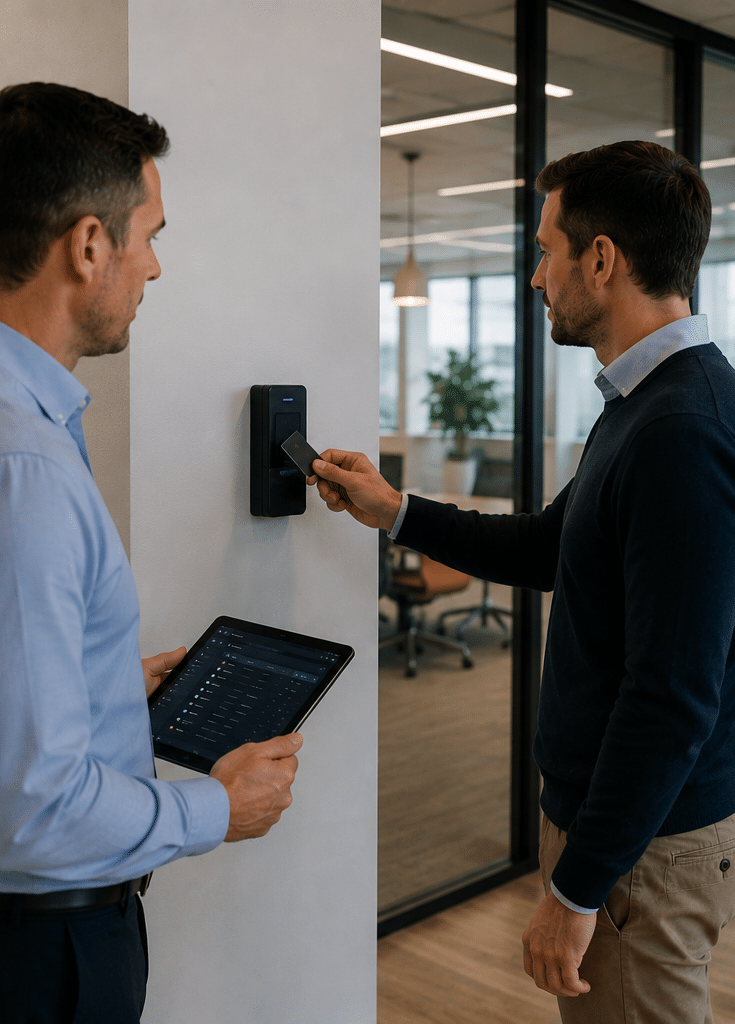
A normal credential transaction may follow this sequence:
- A person presents a card, mobile credential or other supported identifier.
- The reader sends credential information to the controller.
- The controller checks the programmed access rules.
- The rules evaluate the user, door, schedule and area state.
- Access is either granted or denied.
- If access is granted, the lock releases for a configured time.
- The door-position sensor reports whether the door opens and closes.
- The event is recorded in Protege GX.
- Operators may see the event in real time.
- A configured rule may trigger another action.
This sequence happens quickly, but each step requires correct planning.
Main Protege GX Components
Protege GX server
The server hosts the central system software and database.
It stores information such as:
- User records
- Credential details
- Access levels
- Schedules
- Doors
- Areas
- Controllers
- Alarm events
- Operator actions
- Reports
- System configuration
The server should be treated as critical infrastructure. Its operating system, storage, backup, access permissions and patching processes need active management.
Operator client
The operator client provides the user interface for security staff and administrators.
Depending on permissions, an operator may:
- View live events
- Acknowledge alarms
- Control doors
- Arm or disarm areas
- Review user records
- Run reports
- View floor plans
- Manage credentials
- Change configuration
- Monitor device status
Not every operator should receive every permission. A receptionist, control-room operator and system administrator have different responsibilities.
System controller
The controller is a core field device. It communicates with the server and manages connected expansion modules and devices.
Controllers provide distributed intelligence. Therefore, a temporary loss of server connectivity does not always mean that every controlled door stops operating.
However, organisations should test the behaviour they expect during:
- Server failure
- Network failure
- Controller isolation
- Power loss
- Database maintenance
- Internet failure
- Integration failure
Assumptions should not replace controlled testing.
Reader expander
Reader expanders connect access readers and associated door hardware to the system.
A typical controlled door may involve:
- Entry reader
- Exit reader or request-to-exit device
- Electric lock
- Door-position sensor
- Emergency-release interface
- Local sounder
- Break-glass device
- Power supply
The exact arrangement depends on the entrance and required security level.
Input expander
An input is a signal received from another device.
Inputs may monitor:
- Motion detectors
- Door contacts
- Duress buttons
- Cabinet tamper switches
- Water sensors
- Temperature alarms
- Equipment faults
- Fence detection
- Roller-door positions
- Power-supply faults
The system can use these signals for alarms, automation or status displays.
Output expander
An output sends a control signal to another device.
Outputs may control:
- Electric locks
- Lights
- Sounders
- Signage
- Roller-door inputs
- Air-conditioning interfaces
- Warning devices
- Relays
- Other approved systems
Building automation functions should be designed within the relevant technical and safety requirements.
Keypads and user interfaces
Keypads can allow authorised users to arm or disarm intrusion areas, review alarms and perform configured functions.
The interface should suit the people using it. Complicated menu structures can lead to errors, especially for staff who operate the system infrequently.
Readers and credentials
Readers capture the identifier presented by a user.
Credentials may include:
- Cards
- Fobs
- Supported mobile credentials
- PINs
- Biometric identifiers through supported integrations
- Other approved technologies
Credential technology should be selected according to risk, user experience, lifecycle and integration requirements.
Protege GX Access-Control Capabilities
Users and cardholders
Each authorised person can have an individual user record.
That record may contain:
- Name
- Employee or contractor identifier
- Credential number
- Access level
- Activation date
- Expiry date
- Contact information
- Department
- Photograph
- Additional custom information
- Alarm permissions
- Other project-specific fields
Organisations should collect only information needed for the documented purpose.
Access levels
An access level groups doors, schedules and related permissions.
For example:
- General office staff may enter the main office during business hours.
- Warehouse staff may enter the warehouse and staff amenities.
- Managers may receive extended hours.
- Cleaners may enter defined areas during evening shifts.
- Contractors may receive temporary access to one plant room.
- Security staff may receive broader emergency access.
Access levels make administration more consistent than programming every user separately.
However, poorly named or duplicated access levels can become difficult to manage. Use clear names that describe location, role and time conditions.
Schedules
Schedules define when an access rule applies.
They may control:
- User access
- Automatic door unlocking
- Area arming
- Outputs
- Notifications
- Holiday behaviour
- Contractor access
- Loading-dock operation
Australian public holidays vary by state and territory. Therefore, organisations with sites in Victoria, New South Wales, Queensland or other jurisdictions should review site-specific calendars rather than applying one national schedule blindly.
Door monitoring
Protege GX can monitor the status of a controlled entrance when suitable sensors are installed.
Useful conditions include:
- Door open
- Door closed
- Door forced open
- Door held open
- Access granted
- Access denied
- Reader offline
- Lock output active
- Request-to-exit activity
An alarm is useful only when someone is responsible for responding. Every monitored condition should have an owner and procedure.
Anti-passback
Anti-passback rules are designed to reduce credential sharing or incorrect movement sequences.
For example, a user who has entered an area may need to record an exit before the same credential can be used for another entry.
However, anti-passback can create operational issues if people follow each other through doors or use unmonitored exits. The design should account for emergencies, visitor movement and manual correction.
Dual credential or dual custody
High-security areas may require two authorised people or two forms of verification.
This can help protect sensitive rooms, cash-handling areas or critical infrastructure. Nevertheless, the exact workflow must be tested so authorised operations remain practical.
Temporary access
Contractors, visitors and short-term staff can receive time-limited permissions.
An expiry date reduces the chance of a credential remaining active indefinitely. Even so, administrators should also collect or revoke physical credentials when the person leaves.
Protege GX Intrusion Detection
Access control manages authorised movement. Intrusion detection monitors areas and sensors for unauthorised activity or abnormal conditions.
Protege GX can combine these functions within the same management environment.
Areas
An intrusion area groups selected sensors and alarm rules.
Examples include:
- Main office
- Warehouse
- Administration area
- Retail showroom
- Plant room
- Pharmacy dispensary
- Server room
- External storage yard
Areas may be armed or disarmed according to user actions, schedules or authorised automation.
Inputs and sensors
An intrusion input could come from a motion detector, door contact, duress button or other compatible device.
Each input needs a meaningful name. “Input 27” provides little operational value, while “Warehouse South Roller Door Contact” tells the operator where to respond.
Alarm priorities
Not every event has the same urgency.
A duress alarm, forced door, low battery and cabinet tamper require different responses. Alarm priorities and instructions should help operators distinguish critical events from maintenance issues.
Arming and disarming
Authorised users may arm or disarm areas through keypads, credentials, software or supported mobile functions.
Automation can simplify the process. For example, the first authorised employee may disarm a defined area after entering.
However, automatic rules must account for cleaners, contractors, late staff and public holidays.
Off-site monitoring
Selected alarm events may be sent to an off-site monitoring provider through an appropriate communication path and agreed configuration.
The organisation should confirm:
- Which events are transmitted
- Who receives them
- How they are verified
- What response is expected
- Which contacts are called
- What happens if communication fails
- How false alarms are reviewed
Monitoring arrangements and response services should be documented separately from software configuration.
Protege GX Building Automation
The platform can use inputs, outputs, schedules and logic to support selected building functions.
Possible applications include:
- Turning lights on when an authorised person enters
- Turning selected equipment off when an area is armed
- Controlling warning signs
- Managing roller-door permissions
- Activating duress outputs
- Adjusting selected environmental controls
- Linking security state with building-management events
Automation can improve efficiency. However, it should not replace a specialist building-management system where that platform is required.
Life-safety and regulated building functions should remain under appropriate systems and qualified oversight.
Why documentation matters
An automated action may make sense to the original programmer but confuse future technicians.
Each rule should document:
- Trigger
- Conditions
- Action
- Delay
- Reset behaviour
- Exception
- Responsible department
- Testing method
Without this information, troubleshooting becomes slower and riskier.
Protege GX Compared With Other Security Approaches
| Consideration | Protege GX | Protege WX | Standalone access system | Separate access and alarm systems |
| Typical fit | Enterprise and complex sites | Small to medium applications | Small, simple premises | Existing or specialised environments |
| Management | Server-based central management | Web-based management on supported controllers | Local device or basic software | Separate management tools |
| Multi-site capability | Designed for scalable management | More limited, project-dependent | Usually limited | Depends on each platform |
| Access and intrusion | Integrated | Integrated | Often access-focused | Managed separately |
| Reporting | Detailed and configurable | Suitable for smaller systems | Usually basic | Separate reports |
| Operator workstations | Supports managed operator access | Browser-oriented administration | Often limited | Multiple interfaces |
| Integrations | Broad potential through supported options | More limited than GX | Usually limited | Possible but often fragmented |
| IT requirements | Server, clients, network and backups | Lower infrastructure requirement | Relatively low | Depends on both platforms |
| Licensing | Flexible but must be planned | Product and feature-dependent | Often simple | Separate costs |
| Best advantage | Central control and scalability | Simpler deployment | Low complexity | Independent specialist systems |
| Main limitation | Requires disciplined design and administration | May not suit enterprise scale | Limited growth and reporting | Duplicate data and workflows |
The correct choice depends on scale and operational requirements. An enterprise system is not automatically better for a small site with two doors.
Protege GX User and Credential Management
Joiner, mover and leaver processes
A user’s access should reflect the person’s current role.
A structured process covers:
- Joiner: Create the user and assign approved permissions.
- Mover: Change access when the person changes department or location.
- Leaver: Disable access promptly when employment or engagement ends.
Human resources, facilities, IT and security teams should agree on who initiates each change.
Avoid shared credentials
Shared cards and PINs reduce accountability.
If an event shows that “Warehouse Card 1” entered after hours, the organisation may not know who used it. Individual credentials provide a clearer audit trail.
Credential expiry
Contractors and temporary users should receive automatic expiry dates.
However, expiry should not be the only control. If work ends early, access should be revoked immediately.
Lost cards
A lost credential should be disabled as soon as it is reported.
A replacement should be issued under a documented process. The old identifier should not be reused without careful review.
Periodic access reviews
Managers should review user access at suitable intervals.
The review can identify:
- Former staff
- Expired contractors
- Unused credentials
- Duplicate users
- Excessive permissions
- Old departments
- Shared cards
- Unnecessary after-hours access
Review frequency should reflect the organisation’s risk and staff turnover.

Protege GX Reporting and Investigation
Protege GX records events generated by users, doors, areas and system devices.
Reports can support incident review, system administration and maintenance.
Common report questions
An authorised investigator may ask:
- Who entered a defined area?
- Which credentials were denied?
- When was a door forced open?
- Which operator unlocked a door?
- Which cards are expiring?
- Which users have access to a sensitive room?
- When did an intrusion area disarm?
- Which controller went offline?
- What occurred before an alarm?
- Which users have not used their cards recently?
The system can only report events it received and retained. A missing sensor or incorrectly configured event cannot be recreated later.
Reports are not automatic proof
An access event generally shows that a credential was used. It does not always prove which person physically used it.
Credential sharing, tailgating and failure to use exit readers can affect interpretation.
Therefore, investigators may need to compare events with CCTV, witness information and operational records.
Time and attendance
Access events may assist with attendance reporting through supported features.
However, a door-access record is not always the same as a payroll record. Employees may enter through shared doors, work off site or leave without recording an exit.
Any employment-related use should be reviewed under the organisation’s policies and applicable requirements.
Graphical Floor Plans and Operator Workflows
Graphical floor plans can show doors, sensors, alarms and other configured objects on a visual site layout.
This helps an operator understand where an event occurred.
For example, a forced-door alarm can highlight the affected entrance on a floor plan. The operator can then follow a response procedure.
Useful floor-plan principles
Effective floor plans should:
- Use current building layouts
- Display meaningful device names
- Avoid excessive clutter
- Use consistent symbols
- Show relevant alarm states
- Provide logical navigation
- Match operator responsibilities
- Be tested at the control-room display size
A floor plan is not useful if operators cannot quickly locate an alarm.
Status pages
A status page can present selected system information, such as:
- Open doors
- Armed areas
- Active alarms
- Offline controllers
- Bypassed inputs
- Recent access events
- Relevant camera views
Different operator roles may need different status pages.
Protege GX Mobile Access and Remote Control
Supported Protege mobile services may allow authorised users to view system status, receive notifications and control selected functions.
Possible functions can include:
- Viewing events
- Receiving alerts
- Arming or disarming areas
- Controlling doors or outputs
- Viewing selected camera feeds
- Using a supported mobile credential
Exact availability depends on licensing, devices, regional services and configuration.
Mobile-access risks
A phone can be lost, replaced, shared or compromised. Therefore, mobile access needs a lifecycle process.
Administrators should define:
- Who may receive mobile access
- Which doors each user can open
- How a device is enrolled
- How identity is verified
- How a lost phone is revoked
- What happens when employment ends
- Whether personal phones are permitted
- Which application updates are required
Remote door control should be limited to users with a genuine operational need.
Protege GX Integrations
Protege GX can integrate with selected third-party technologies through supported modules, interfaces or development tools.
Potential categories include:
- Video-management systems
- Intercom systems
- Wireless locks
- Elevator systems
- Biometric readers
- Building-management systems
- Key cabinets
- Visitor-management platforms
- Human-resources databases
- Directory services
However, integration is not automatic merely because two systems use Ethernet.
Questions to ask about integration
Confirm:
- Which exact products and versions are supported?
- Is a separate licence required?
- Is an annual care plan required?
- Which system is the source of user data?
- Which events pass between platforms?
- Is the integration one-way or two-way?
- What happens if one platform is offline?
- Who supports the integration?
- How are upgrades tested?
- Is rollback possible?
A live demonstration or proof of concept may be appropriate for complex integrations.
Protege GX Applications in Australia
Commercial offices
Office buildings can manage staff, contractors, visitors, lifts and after-hours access.
Schedules should consider flexible work, public holidays and cleaning teams.
Warehouses and logistics
Warehouses may combine pedestrian doors, roller doors, vehicle gates and intrusion areas.
The system can record authorised movement and detect abnormal door conditions. However, it does not replace traffic management or workplace safety controls.
Manufacturing
Manufacturing sites may restrict access to production areas, control rooms, chemical storage and equipment zones.
Permissions can align with job roles and training status when suitable administrative integrations are designed.
Healthcare
Hospitals and medical facilities may need controlled access to medication rooms, records, plant areas and staff-only zones.
Privacy, emergency access and reliable operation are particularly important.
Education
Schools, TAFEs and universities can manage classrooms, administration areas, laboratories, student facilities and campus buildings.
Access must account for changing timetables, contractors, events and school holidays.
Data centres
Data centres may require layered access, strong credential policies and detailed event monitoring.
High-security areas may use multi-factor or dual-authorisation workflows through compatible technologies.
Retail
Retailers can control stockrooms, offices, loading areas and cash-handling rooms.
Area schedules should accommodate deliveries, late trading and cleaning staff.
Multi-site organisations
A central platform can help organisations apply consistent access practices across locations.
Nevertheless, local site managers may still need limited authority. Role-based administration can balance central governance with local operations.
Protege GX Server and Network Planning
Server sizing
Server requirements depend on the current product version, controllers, integrations, operator connections and event volume.
Therefore, use current ICT documentation rather than copying specifications from an old project.
The server design should consider:
- Supported operating system
- Processor and memory
- Database storage
- Event growth
- Backup capacity
- Integrated services
- Antivirus exclusions where approved
- Virtualisation support
- Recovery time objectives
- Monitoring
- Product lifecycle
Database backup
A backup is useful only if it can be restored.
Organisations should define:
- Backup frequency
- Storage location
- Encryption
- Retention
- Off-site protection
- Restore responsibility
- Restore testing
- Recovery priorities
Configuration exports do not always replace a complete database and server backup.
Network segmentation
Controllers, servers and operator clients should communicate through a planned network architecture.
A dedicated security network or controlled VLAN can reduce unnecessary exposure. Firewall rules should permit only required traffic.
The Australian Cyber Security Centre’s networking security guidance provides broader principles for securely designing and managing organisational networks.
The exact controls should be chosen with the organisation’s IT and cybersecurity teams.
Time synchronisation
All controllers, servers, cameras and integrated platforms should use consistent time.
Without synchronisation, comparing an access event with video can become difficult.
Resilience
A resilient design can include:
- Supported server backups
- Redundant storage
- Monitored power supplies
- Uninterruptible power supplies
- Network redundancy
- Controller communication monitoring
- Documented recovery procedures
- Spare critical hardware
- Tested restoration processes
The required level depends on operational risk.
Cybersecurity for Protege GX
Restrict administrative access
System-administrator rights should be limited to trained personnel.
Operators should receive only the functions required for their roles.
Use individual operator accounts
Individual accounts improve accountability. Shared “admin” logins make it difficult to determine who changed a configuration.
Apply strong authentication
Use strong, unique credentials. Where supported within the selected architecture, integrate appropriate central authentication or additional controls.
Patch the environment
Protege GX software, operating systems and related services require a coordinated update process.
Updates should be tested against integrations before production deployment where practical.
Protect controllers
Controllers should not be directly exposed to untrusted networks.
Physical access to security cabinets should also be restricted because attackers may target wiring, network ports or reset functions.
Review security advisories
The organisation or service provider should monitor relevant manufacturer advisories and support notices.
A defined owner should assess whether each notice applies to the installed system.
Log and review operator actions
Changes to doors, users, access levels and alarms can affect physical security.
Important administrative events should be reviewed according to the organisation’s risk profile.
Control vendor remote access
Remote support should be authorised, time-limited where practical and removed when no longer needed.
The property owner should know which vendors can connect and how access is authenticated.
Privacy and Administrative Considerations
A Protege GX database may contain names, photographs, credential identifiers and records of movement.
The Office of the Australian Information Commissioner’s APP 11 guidance on security of personal information discusses reasonable steps to protect personal information and the destruction or de-identification of information when it is no longer required, where the relevant Australian Privacy Principle applies.
Organisations should determine their obligations with qualified advisers. Administrative controls may include:
- Documenting why information is collected
- Limiting fields to necessary information
- Restricting operator access
- Setting retention rules
- Protecting backups
- Reviewing report permissions
- Logging disclosures
- Removing inactive user records
- Responding to access or correction requests
- Managing data used by integrations
- Securely disposing of exported reports
- Reviewing breach-response procedures
These are administrative considerations, not legal advice.
Biometrics
If biometric technologies are integrated, additional privacy and risk issues may arise.
Biometric templates are not equivalent to ordinary cards because a person cannot simply replace their physical characteristics. Organisations should conduct a dedicated privacy, security and operational assessment before deployment.
Numbered Protege GX Deployment Checklist
- Define security objectives.
Identify what the organisation needs to control, detect and report. - Survey all sites.
Record doors, areas, sensors, networks, power and existing equipment. - Create a door schedule.
Document hardware, reader direction, lock type and required monitoring for every entrance. - Map user groups.
Identify staff, contractors, visitors, administrators and emergency users. - Design access levels.
Group doors and schedules around real job functions. - Define intrusion areas.
Establish which sensors belong to each area and who may disarm it. - Write alarm-response procedures.
Assign an owner and action to every important event. - Confirm licensing.
Include doors, operators, cameras, integrations and optional functions. - Size the server.
Use current manufacturer requirements and expected system growth. - Design the network.
Plan addressing, VLANs, firewall rules, bandwidth and time services. - Plan resilience.
Include backup power, database backups and recovery procedures. - Review integrations.
Confirm versions, data ownership, licences and support responsibilities. - Design operator roles.
Apply least privilege to reception, security, administration and technicians. - Plan privacy administration.
Address purpose, access, retention, exports and disposal. - Install and label hardware.
Use consistent panel, cable, input, output and door names. - Configure secure accounts.
Remove defaults and document account ownership. - Import users carefully.
Test data mapping before synchronising a large user database. - Test every credential scenario.
Include granted, denied, expired, lost and after-hours credentials. - Test every alarm.
Confirm its name, priority, location and response instruction. - Test failures.
Simulate approved server, network, power and integration outages. - Train operators.
Use real scenarios rather than a feature-only demonstration. - Complete documentation.
Provide drawings, licences, backups, user roles and support contacts. - Schedule post-commissioning review.
Revisit alarms, access levels and operator feedback after real use.
Protege GX Licensing and Costs
The total cost depends on the site rather than the software alone.
A project budget may include:
- Server hardware or virtual infrastructure
- Server software
- Operator licences
- Door licences
- Controllers
- Expansion modules
- Readers
- Credentials
- Electric locks
- Power supplies
- Batteries
- Enclosures
- Cabling
- Network equipment
- Intrusion detectors
- Integration licences
- Database migration
- Configuration
- Testing
- Training
- Support agreements
- Maintenance
Some functions or integrations may require separate licences or care plans. Licensing models can change, so every project should use a current written schedule.
Questions to ask in a quote
Ask the provider:
- Which software version is proposed?
- Which licence pack is included?
- How many doors are licensed?
- How many concurrent operators are supported?
- Which integrations are licensed?
- Are recurring care costs included?
- Is server infrastructure included?
- Who manages operating-system updates?
- Are controllers and expansions included?
- Are locks and readers included?
- Is data migration included?
- Is operator training included?
- Is backup configuration included?
- What documentation will be provided?
- How much expansion capacity remains?
- Who provides after-hours support?
A lower quote may exclude server work, licences or integration testing. Compare the complete design.
Common Protege GX Implementation Mistakes
Treating it as a simple door controller
Protege GX is a management platform. Without naming standards, operator roles and procedures, its enterprise features can become difficult to use.
Copying old access levels
Migrating every old permission can preserve years of unnecessary access.
Use migration as an opportunity to review roles and remove obsolete permissions.
Creating too many individual exceptions
One-off user settings are hard to audit.
Where possible, use well-designed role-based access levels.
Ignoring event noise
If operators receive thousands of low-value events, they may miss important alarms.
Filters and priorities should reflect operational needs.
Failing to involve IT
Server, network and cybersecurity decisions require IT participation.
Assuming integrations will work automatically
Every integration should be confirmed using exact versions and licences.
Using shared operator accounts
Shared accounts weaken accountability and access control.
Failing to test controller isolation
The organisation should understand which functions continue when the server or network is unavailable.
Ignoring backup restoration
A backup that has never been tested may not support recovery when needed.
Leaving former users active
Joiner, mover and leaver processes should be tied to HR or management workflows.
Protege GX Maintenance and Lifecycle Planning
Routine maintenance should cover software, hardware and administration.
A service review may include:
- Testing controlled doors
- Checking door-position sensors
- Testing request-to-exit devices
- Checking lock operation
- Testing intrusion sensors
- Reviewing power-supply faults
- Testing batteries
- Confirming controller communication
- Reviewing operator accounts
- Reviewing inactive users
- Checking credential expiry
- Reviewing access levels
- Checking alarm priorities
- Reviewing firmware
- Reviewing server health
- Confirming database backups
- Testing restore procedures
- Reviewing network changes
- Updating floor plans
- Checking integration status
- Updating documentation
Maintenance frequency should match the organisation’s size, risk and operating hours.
A major change—such as an office relocation, company restructure or network upgrade—should also trigger a system review.
People Also Ask About Protege GX
What is Protege GX used for?
Protege GX is used for enterprise access control, intrusion detection and security management. It helps organisations manage users, doors, alarms, events and selected building functions across one or more sites.
What is the difference between Protege GX and Protege WX?
Protege GX is designed for enterprise and more complex multi-site requirements using server-based management. Protege WX is generally aimed at small-to-medium applications that benefit from a simpler web-based approach.
Can Protege GX manage multiple buildings?
Yes. It is designed to support scalable management across connected sites. However, the server, licensing, controllers and network must be sized for the project.
Does Protege GX work if the server goes offline?
Controllers may continue making local access decisions using downloaded configuration. Nevertheless, central monitoring, reporting and integrations may be affected, so the exact failure behaviour should be tested.
Can Protege GX use mobile credentials?
Supported mobile solutions can allow compatible smartphones to act as access credentials with suitable readers, services and configuration. Availability, licensing and device compatibility should be confirmed for the proposed deployment.
Expert Protege GX Q&A
1. How should an organisation structure Protege GX access levels?
Start with real roles, locations and schedules. Avoid creating an access level for every individual. Clear role-based groups are easier to approve, audit and maintain.
2. Can Protege GX replace a building-management system?
It can support selected automation and integrations, but it is not automatically a replacement for a specialist building-management platform. The decision depends on the required controls, safety functions and technical scope.
3. What data should be backed up?
Back up the database, relevant configuration, licence information, system documentation and any required integration settings. The organisation should also test the restoration process.
4. How should an existing access-control system be migrated?
Document doors, hardware, credentials, access levels, events and integrations first. Clean user data before import, migrate in controlled stages and maintain a tested rollback or temporary-access plan.
5. Who should administer Protege GX?
Administration should be shared through defined organisational roles rather than depend on one technician. Security, facilities, IT and HR may each own part of the process, while high-level configuration remains limited to trained administrators.
Conclusion
Protege GX gives Australian organisations a central platform for managing access control, intrusion alarms and selected building functions. It can support detailed permissions, live event monitoring, reporting and third-party integrations across complex sites.
However, the platform’s value depends on disciplined implementation. Organisations should design clear access levels, meaningful alarm priorities and reliable response procedures. Server resilience, network security, user administration and tested backups are equally important.
Before choosing licences or hardware, document the required doors, users, areas, integrations and operator roles. Then build the system around those real operational needs.
For assistance designing, installing or expanding an enterprise security platform, contact Eclipse Security’s Australian access-control specialists. A site-specific assessment can determine how Protege GX should be licensed, integrated and configured for your organisation.