
On this page18
- What Are Electronic Door Locks?
- Why Australians Are Switching to Electronic Door Locks
- How Electronic Door Locks Work
- Main Types of Electronic Door Locks
- Electronic Door Locks vs Traditional Locks
- Best Uses for Electronic Door Locks in Australia
- Installation Process for Electronic Door Locks in Australia
- Security, Privacy and Cyber Considerations
- Compliance and Administration Considerations
- Cost Factors and Budgeting
- Electronic Door Locks Comparison Table
- Numbered Checklist Before Buying Electronic Door Locks
- Onshore Support vs Offshore-Only Support
- Common Mistakes to Avoid
- Maintenance and Troubleshooting
- People Also Ask: Electronic Door Locks in Australia
- Expert Q&A: High-Value Questions About Electronic Door Locks
- Conclusion
Not sure what your site needs?
A technical consultant from our Hallam office will look at the site and recommend a system, free of charge.
Request an assessment 1300 66 11 99Electronic door locks are now a common choice for Australian homes, offices, warehouses, schools, clinics, strata buildings and retail sites that want safer, easier access without relying only on metal keys. From my experience reviewing access control projects, the best results come when the lock is matched to the door, traffic level, user habits, privacy needs and emergency exit requirements.
A good electronic lock is not just a gadget. It is part of a wider access plan. It can reduce lost-key risks, give better control over who enters, and make day-to-day entry more convenient. However, the wrong product or poor installation can create security gaps, user frustration or compliance headaches.
This guide explains how electronic door locks work, what options suit different Australian properties, what to consider before installation, and how to choose a setup that balances convenience, safety and long-term reliability.
Table of Contents
- what are electronic door locks?
- Why Australians are switching to electronic door locks
- How electronic door locks work
- Main types of electronic door locks
- Electronic door locks vs traditional locks
- Best uses for homes, offices and commercial sites
- Installation process in Australia
- Security, privacy and cyber considerations
- Compliance and administration considerations
- Cost factors and budgeting
- Electronic door locks comparison table
- Numbered checklist before buying
- Maintenance and troubleshooting
- People Also Ask
- Expert Q&A
- Conclusion
What Are Electronic Door Locks?
Electronic door locks are locking systems that use electricity, digital credentials or smart controls instead of only a physical key. They may open by PIN, card, fob, mobile app, biometric reader or access control software, helping Australian users manage entry, track access and reduce lost-key problems.
Why Australians Are Switching to Electronic Door Locks
Across Australia, property owners are looking for access that is easier to manage. A family may want keyless entry for children. A business may want to remove access quickly when staff leave. A warehouse may need audit trails for deliveries. A strata committee may want better control over common doors.
Traditional keys still work well for many doors. However, they have clear limits. Keys can be copied, lost or kept by former staff. Also, when one key goes missing, a property manager may need to rekey multiple cylinders. That can be slow and costly.
Electronic door locks solve many of these problems. For example, a PIN can be changed. A card can be cancelled. A mobile credential can be removed from the system. In addition, some locks can record access events, which helps managers understand who entered and when.
From my experience, the biggest benefit is control. Instead of asking “Who still has a key?”, you can manage access from a list of authorised users. That is especially useful for offices, gyms, medical suites, childcare centres, storage facilities and shared commercial buildings.
Still, electronic door locks are not all the same. Some are simple battery-powered digital locks. Others connect to full access control systems with readers, controllers, electric strikes, maglocks and management software. Therefore, the right choice depends on the door, risk level and how the site operates.
How Electronic Door Locks Work
Most electronic door locks use one or more of three parts: a locking device, a credential reader and a control method.
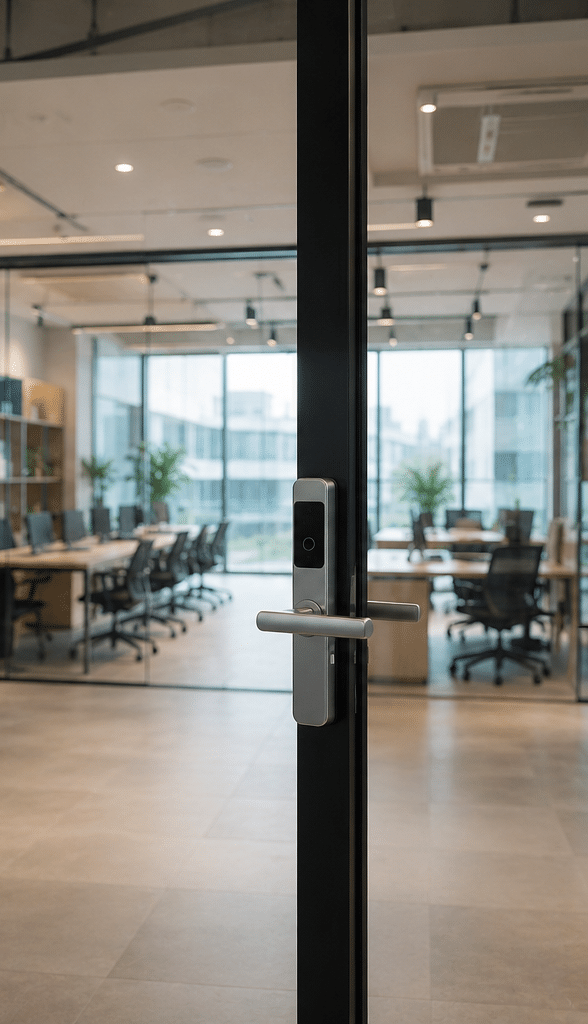
The locking device is the part that physically secures the door. It may be an electric strike, electric mortice lock, magnetic lock, smart deadbolt or digital lever set. The credential reader checks whether a person is allowed to enter. That reader may accept a PIN, card, fob, phone, fingerprint or face credential. Finally, the control method decides whether to unlock the door.
In a simple home lock, the keypad and lock may be in one unit. In a commercial setup, the reader may send data to a controller. Then the controller checks the user permission and unlocks the door if access is approved.
This matters because reliability depends on the full system. A strong lock with weak user management is not ideal. Likewise, a smart app with poor door hardware can fail under heavy use.
Generally, electronic door locks can be grouped into three broad categories:
- Standalone locks, which store users on the lock itself.
- Smart locks, which connect through Bluetooth, Wi-Fi or a hub.
- Networked access control locks, which connect to a managed access control platform.
Each option has a place. However, Australian businesses often benefit from a managed system because it supports multiple doors, user schedules and audit records.
Main Types of Electronic Door Locks
Keypad Electronic Door Locks
Keypad locks use a PIN code. They are popular because people do not need a card or key. They can work well for homes, small offices, storerooms and staff-only areas.
However, PINs can be shared. Also, if the same code is used by everyone, there is little accountability. For better control, choose a lock that supports unique codes for each user. Then, remove old codes when staff, tenants or contractors no longer need access.
Card and Fob Electronic Door Locks
Card and fob systems are common in Australian workplaces. Users tap a credential at a reader. Then the door unlocks if the credential is authorised.
These systems are practical for medium and large sites because cards can be issued, suspended or replaced. They also reduce the need to change mechanical keys. However, cards can be lent to others, so policies still matter.
Mobile App and Bluetooth Smart Locks
Smart locks can use a phone as the credential. They may suit homes, serviced offices, short-stay accommodation and some small businesses. For example, a manager may send temporary access to a cleaner or contractor.
However, internet-connected products need cyber security attention. The Australian Government’s security standards for smart devices set mandatory baseline standards for most consumer-grade smart devices acquired in Australia from 4 March 2026. This is relevant because smart locks may store access credentials, connect to apps and rely on software updates.
Biometric Electronic Door Locks
Biometric locks use fingerprints, face recognition, palm recognition or similar identifiers. They can be convenient because users do not need to carry anything. They can also reduce card sharing.
However, biometric access requires careful privacy handling. According to the OAIC, the Privacy Act regulates how many Australian organisations handle personal information, and biometric information can attract stronger privacy considerations depending on use. Businesses should review Australian privacy guidance before collecting biometric data.
Electric Strikes
An electric strike replaces the door frame’s strike plate. When access is approved, the strike releases the latch. Electric strikes are common on office doors because they can often work with existing lever hardware.
They suit many hinged doors. However, the door condition, latch alignment and frame strength are important. If the door drags or does not close cleanly, the strike may not operate reliably.
Magnetic Locks
A magnetic lock, often called a maglock, uses an electromagnet to hold the door closed. It is common on glass doors and some commercial entries.
Maglocks can be strong and simple. However, they must be designed carefully for safe exit. In many cases, they need exit buttons, emergency release devices and fire interface planning. For this reason, they should be installed by experienced technicians.
Electronic Mortice Locks
Electronic mortice locks sit inside the door and can offer strong, neat commercial locking. They are often used where appearance, durability and controlled entry matter.
These locks can support access control while still giving suitable mechanical functions. However, door preparation is more involved, so professional installation is usually best.
Electronic Door Locks vs Traditional Locks
Traditional locks are simple, familiar and usually lower cost upfront. They also do not depend on batteries, software or connectivity. For many low-risk doors, they remain a sensible choice.
However, electronic door locks offer better user control. You can cancel a credential, create timed access, keep records and reduce physical key handling. Therefore, they are more flexible for growing teams and shared spaces.
| Feature | Traditional mechanical lock | Electronic door locks |
| Entry method | Metal key | PIN, card, fob, phone, biometric or key override |
| Lost access item response | Rekey or replace cylinder | Cancel code, card or credential |
| User tracking | Usually none | Available on many systems |
| Best for | Simple doors and low-user areas | Shared, managed or higher-traffic doors |
| Upfront cost | Usually lower | Usually higher |
| Ongoing management | Low, unless keys are lost | Requires user and system management |
| Convenience | Good for simple use | Strong for multiple users and schedules |
| Cyber risk | Minimal | Relevant for connected smart locks |
| Battery/power needs | Usually none | Battery or wired power, depending on lock |
The main point is not that one option is always better. Instead, the best choice depends on the risk. A home side gate may only need a keypad lock. By contrast, a medical clinic may need managed access, staff permissions, audit records and a process for former employees.
Best Uses for Electronic Door Locks in Australia
Electronic Door Locks for Homes
For Australian homes, electronic door locks are often chosen for convenience. Families like not carrying keys. Parents may give each child a code. Homeowners may issue temporary access for cleaners, pet sitters or visiting relatives.
For homes, battery-powered smart deadbolts and keypad locks are popular. However, check the door type first. Many Australian doors have screen doors, narrow stiles, multipoint locks or older timber frames. Not every smart lock fits every door.
Also, consider the environment. Coastal areas can be harsh on hardware because salt air accelerates corrosion. Therefore, outdoor locks should have suitable weather resistance and durable finishes.
Electronic Door Locks for Offices
Offices often need more than convenience. They need control. When staff leave, access should be removed quickly. When contractors arrive, access should be limited. When cleaners work after hours, access should follow a schedule.
For this reason, office electronic door locks often work best as part of an access control system. That may include readers, electric strikes, controllers and software. It can also integrate with alarms or CCTV, depending on the site.
The goal is not to make entry complicated. Instead, the system should let authorised people move easily while keeping restricted areas secure.
Electronic Door Locks for Retail Sites
Retail stores need practical access for staff, delivery areas, stockrooms and back-of-house spaces. A keypad may be enough for a small shop. However, larger retail sites may need card access and audit records.
From my experience, stockroom access is often overlooked. Yet it can be one of the most important doors in the business. A simple access system can reduce casual unauthorised entry and support better accountability.
Electronic Door Locks for Warehouses
Warehouses need durable hardware. Doors may be used by staff, drivers, contractors and maintenance teams. In addition, roller doors, pedestrian doors and loading areas may need different solutions.
A warehouse system should focus on strength, uptime and easy user management. It should also consider emergency exit paths, visitor procedures and after-hours access.
Electronic Door Locks for Strata and Apartments
Strata buildings often need shared access for residents, cleaners, trades, building managers and emergency services. Electronic door locks can help because credentials can be managed without reissuing physical keys for every change.
However, strata decisions should consider fire doors, common property rules, resident privacy, maintenance responsibility and long-term product support. A cheap lock can become expensive if it fails often or cannot be managed easily.
Installation Process for Electronic Door Locks in Australia
A good installation starts before a technician touches the door. The first step is to understand the purpose of the lock. Is it for convenience, security, audit records, visitor control or staff management? The answer shapes the hardware choice.
Next, the door is assessed. The installer checks the material, frame, hinges, latch alignment, closer, exit path and available power. This is important because a poorly closing door can make even a premium electronic lock unreliable.
Then, the system design is confirmed. For a standalone lock, this may be simple. For a commercial system, it may include readers, cabling, controllers, power supplies, fire interfaces, request-to-exit devices and software setup.
After installation, testing is essential. The door should lock and unlock consistently. It should close without force. Exit should be safe and intuitive. User credentials should work as expected. Finally, the owner or manager should receive training.
From my experience, training is often the difference between a system people love and a system people avoid. Staff need to know how to add users, remove users, change PINs, report issues and use backup entry methods.
Security, Privacy and Cyber Considerations
Electronic door locks improve control, but they also introduce new responsibilities. This is especially true for connected locks and biometric systems.
For connected locks, focus on password strength, software updates, secure apps and manufacturer support. Avoid products with unclear update policies. Also, avoid shared admin logins. Each administrator should have their own account where possible.
For biometric locks, collect only what is needed. Explain why the data is collected, how it is used, who can access it and how long it is kept. In addition, consider whether a card or PIN would achieve the same goal with less personal data.
For commercial systems, access logs should be treated carefully. They may reveal work patterns, attendance times or sensitive site movements. Therefore, only authorised people should view logs.
A practical security plan should include:
- Unique admin accounts.
- Strong passwords and multi-factor authentication where supported.
- Regular firmware or software updates.
- Prompt removal of former users.
- Backup entry procedures.
- Secure storage of access reports.
- Clear rules for contractors and visitors.
- Regular testing of door hardware.
In short, electronic door locks are strongest when technology and administration work together.
Compliance and Administration Considerations
This section is general information, not legal advice. For regulated doors, workplaces or strata properties, decisions should be checked by a suitably licensed security professional, building consultant, fire safety practitioner or legal adviser where needed.
In Australia, licensing requirements for security work vary by state and territory. ASIAL notes that security licensing rules differ across jurisdictions, and some states require licensing for installing, maintaining or advising on electronic security equipment. You can review general industry information through ASIAL security licensing guidance.
For businesses, administration matters as much as hardware. You should document who can approve access, who can create credentials, how quickly former users are removed, and how access is reviewed.
For doors on exit paths, fire doors and shared commercial entries, extra care is needed. The lock should not create unsafe egress. For example, people must be able to leave safely during an emergency. Because building and fire requirements depend on the site, do not guess. Get the door assessed.
For privacy, consider whether the system collects personal information. Names, access times, employee identifiers and biometric data may all need careful handling. Therefore, create a simple access control policy that explains what is collected and why.
Cost Factors and Budgeting
The cost of electronic door locks in Australia varies widely. A basic residential keypad lock may cost far less than a multi-door commercial access control system. Installation costs also depend on door type, cabling, power, fire interface needs and software setup.
As a broad estimate, a simple standalone lock may suit a smaller budget. However, a business-grade access control door may involve several components, including the lock, reader, controller, power supply, cabling, exit device, software and labour.
Do not compare products on hardware price alone. A cheaper lock may cost more over time if batteries fail often, the app is unreliable, parts are hard to source or user management is limited.
When budgeting, consider:
- Hardware cost.
- Installation labour.
- Door preparation or repair.
- Power and cabling.
- Software or cloud subscription.
- User credentials.
- Maintenance and support.
- Future expansion.
- Warranty and spare parts.
- Staff training.
A good installer should explain these items clearly. Also, they should recommend a system that fits the use case, not just the most expensive option.
Electronic Door Locks Comparison Table
| Lock type | Best suited to | Strengths | Watch-outs |
| Keypad lock | Homes, small offices, storerooms | No card needed, simple to use | PIN sharing, limited audit records on basic models |
| Smart deadbolt | Homes, Airbnb-style access, small sites | App control, temporary codes, convenient | Cyber security, battery life, door compatibility |
| Card/fob reader with electric strike | Offices, clinics, schools, retail | Strong user management, scalable | Needs professional design and installation |
| Magnetic lock | Glass doors, commercial entries | Strong holding force, simple operation | Must be planned carefully for safe exit |
| Electronic mortice lock | Commercial doors, premium entries | Durable and neat, good door integration | More complex fitting |
| Biometric lock | Sensitive areas, high-convenience access | No card or PIN needed | Privacy, consent and fallback access |
| Wireless access control lock | Sites where cabling is hard | Faster retrofit, flexible | Battery management and signal reliability |
Numbered Checklist Before Buying Electronic Door Locks
- Define the purpose. Decide whether the main goal is convenience, security, audit records, visitor access or staff control.
- Check the door type. Confirm whether the door is timber, aluminium, glass, metal, fire-rated, external, internal or narrow-stile.
- Review the user group. Count residents, staff, visitors, cleaners, contractors and managers who need access.
- Choose the credential type. Compare PIN, card, fob, mobile and biometric access based on convenience and risk.
- Plan backup entry. Make sure there is a safe process for flat batteries, power failure, lost phones or system outages.
- Consider exit safety. Confirm people can exit quickly and safely, especially on workplace and common-area doors.
- Check licensing needs. Use a suitable licensed or qualified provider for commercial electronic security work where required.
- Review privacy impact. Decide what personal information is collected and who can access it.
- Assess cyber security. Prefer products with clear update support, strong admin controls and reputable local support.
- Think about future growth. Choose a system that can add more users, doors or sites if your needs change.
Onshore Support vs Offshore-Only Support
Support is often overlooked during buying. Yet it matters when a door will not unlock at 7:30 am on a Monday.
| Support model | Advantages | Disadvantages | Best fit |
| Australian-based support | Faster local advice, better awareness of local doors and conditions | May cost more upfront | Homes, strata, offices and critical business doors |
| Offshore-only support | May reduce product cost | Time-zone delays, limited local compliance context | Low-risk, non-critical doors |
| Installer-managed support | One accountable provider for hardware and setup | Depends on installer quality | Commercial and multi-door sites |
| DIY-only support | Low cost and flexible | Owner must troubleshoot issues | Simple residential uses |
For important doors, local support is usually worth it. In addition, using equipment with available spare parts can reduce downtime.
Common Mistakes to Avoid
The first mistake is buying before checking the door. Not every electronic lock fits every Australian door. A lock that works on a display stand may not suit a warped timber door, a framed glass door or a door with an old closer.
The second mistake is using shared PINs. Shared codes are easy but weak. If everyone uses one code, you cannot tell who entered. Also, when one person leaves, everyone may need a new code.
The third mistake is ignoring the exit side. Entry control is important, but safe exit is critical. For workplaces and common areas, people must be able to leave without confusion.
The fourth mistake is forgetting administration. Someone must manage users, remove old credentials and review access. Otherwise, electronic door locks can become digital key rings with too many forgotten users.
The fifth mistake is choosing a product with poor support. If the app stops receiving updates or the brand disappears, the system can become hard to maintain.
Maintenance and Troubleshooting
Electronic door locks need simple, regular maintenance. For battery locks, set a battery replacement schedule instead of waiting for warnings. For commercial doors, check that the door closes properly because latch alignment affects reliability.
Clean readers gently. Do not use harsh chemicals unless the manufacturer allows it. Also, keep firmware and apps updated where relevant.
If a lock becomes unreliable, check the simple issues first. Is the door closing fully? Are batteries low? Has a user credential expired? Is the reader damaged? Has the Wi-Fi or controller connection changed?
For commercial systems, keep a record of changes. Note when users are added, removed or given higher access. This helps when troubleshooting later.
A practical maintenance routine includes:
- Monthly door closing checks.
- Quarterly user access reviews.
- Scheduled battery replacement.
- Annual professional inspection for critical doors.
- Prompt removal of old users.
- Software and firmware update checks.
- Backup key or override testing where applicable.
People Also Ask: Electronic Door Locks in Australia
Are electronic door locks safe?
Yes, electronic door locks can be safe when they are correctly selected, installed and managed. However, safety depends on the door hardware, user settings, backup access, cyber security and exit design.
Do electronic door locks work during a power outage?
Some do and some do not. Battery-powered locks usually continue working until the battery runs low, while wired commercial locks may need backup power. Therefore, ask about fail-safe, fail-secure and emergency override options before installation.
Can electronic door locks be hacked?
Connected locks can have cyber risks, especially if passwords are weak, apps are outdated or products lack updates. However, good setup, secure admin accounts, firmware updates and reputable devices reduce the risk.
What is the best electronic door lock for an office?
For most offices, a card, fob or mobile access control system is better than a simple shared keypad. It allows managers to add users, remove former staff and set access schedules.
Are biometric electronic door locks legal in Australia?
Biometric locks can be used in Australia, but organisations should handle biometric information carefully. Businesses should consider privacy obligations, user notice, consent processes and secure storage before collecting biometric data.
Expert Q&A: High-Value Questions About Electronic Door Locks
1. What is the difference between a smart lock and an access control system?
A smart lock is usually a single lock controlled by a PIN, phone or app. An access control system is broader. It can manage many doors, users, schedules and audit records from one platform. Therefore, smart locks often suit homes and small sites, while access control systems suit businesses and shared buildings.
2. Should I choose a PIN, card, fob, mobile or biometric credential?
Choose based on risk and convenience. PINs are simple but can be shared. Cards and fobs are easy to cancel. Mobile credentials reduce plastic cards but depend on phones. Biometrics are convenient, yet they need careful privacy planning. For many Australian businesses, cards or mobile credentials offer a good balance.
3. How often should access permissions be reviewed?
For a business, review access at least quarterly. Also, review it whenever staff leave, contractors finish, tenants move out or roles change. This habit keeps the system clean and reduces the chance of old credentials remaining active.
4. Can electronic door locks integrate with CCTV and alarms?
Yes, many commercial systems can integrate with CCTV, alarms and intercoms. For example, a door event may be linked to camera footage. However, integration should be planned during design, because not all products connect easily.
5. What should I ask an installer before approving a quote?
Ask what lock type they recommend and why. Also ask how safe exit is handled, what happens in a power outage, how users are removed, what support is included, whether the product receives updates, and whether the system can expand later.
Conclusion
Electronic door locks can make Australian properties safer, simpler and easier to manage. They reduce lost-key problems, support flexible access, and help owners control who enters homes, offices, warehouses, retail spaces and shared buildings.
However, the best system is not always the most advanced one. It is the one that fits the door, the users, the risk and the daily routine. Therefore, before buying, check the door, define the access rules, review privacy needs and choose products with reliable support.
For business and commercial sites, professional design matters. A well-installed system should improve access without making exit difficult or administration confusing. It should also be easy to update as staff, tenants or contractors change.
For tailored advice on electronic door locks, access control and security solutions, speak with trusted Australian electronic security specialists at Eclipse Security.