
On this page54
- What Are Education & Childcare Facilities?
- What Security Means in Education & Childcare Facilities
- Why Security Planning for Education & Childcare Facilities Is Different
- Understanding Security Risks in Education & Childcare Facilities
- CCTV for Education & Childcare Facilities
- What CCTV can do
- Camera location matters more than camera quantity
- Privacy must influence camera placement
- Access Control for Education & Childcare Facilities
- Useful access-controlled locations
- Access levels should match roles
- Alarm Systems and 24/7 Monitoring
- Why monitoring matters
- Intercom Systems and Controlled Visitor Entry
- Integrated Security for Education & Childcare Facilities
- Privacy and Child Safety in Education & Childcare Facilities
- CCTV records need controlled access
- Early childhood education has additional considerations
- Comparing Security Needs Across Education & Childcare Facilities
- 10-Step Security Checklist for Education & Childcare Facilities
- 1. Map the site
- 2. Identify who uses each area
- 3. Identify important assets
- 4. Review existing controls
- 5. Identify gaps
- 6. Define each security objective
- 7. Review privacy requirements
- 8. Design the integrated system
- 9. Test procedures
- 10. Schedule ongoing reviews
- Maintaining Security Systems in Education & Childcare Facilities
- Common Security Mistakes in Education & Childcare Facilities
- Installing technology before assessing risk
- Relying only on CCTV
- Giving everyone the same access
- Ignoring visitor workflow
- Using shared administrator passwords
- Forgetting after-hours users
- Failing to maintain contact lists
- Overlooking privacy during system design
- People Also Ask About Education & Childcare Facilities
- What security systems are commonly used in schools in Australia?
- Can Australian childcare centres use CCTV?
- Where should security cameras be installed in a school?
- Why is access control useful for Education & Childcare Facilities?
- Do schools need 24/7 security monitoring?
- Expert Q&A About Education & Childcare Facilities
- 1. Should an education facility choose CCTV or access control first?
- 2. How should lost access cards be handled?
- 3. How long should CCTV recordings be retained?
- 4. How often should school security systems be reviewed?
- 5. Can old CCTV and access-control systems be upgraded instead of fully replaced?
- Building a Safer Long-Term Security Strategy
- Conclusion: Protecting Education & Childcare Facilities
Not sure what your site needs?
A technical consultant from our Hallam office will look at the site and recommend a system, free of charge.
Request an assessment 1300 66 11 99Education & Childcare Facilities have a security challenge that is different from almost any standard commercial property. Schools, early learning centres, childcare services, colleges and specialist learning environments need to remain welcoming and accessible while also controlling who can enter, protecting children and staff, monitoring important areas and responding quickly when something goes wrong.
For Australian operators, security also cannot be treated as simply installing more cameras or stronger locks. A well-designed system combines physical security, electronic systems and clear administrative procedures. Privacy, child safety, visitor management, staff access, after-hours protection and emergency response all need to work together.
From Eclipse Security Systems' published education project experience, this integrated approach can be seen across sites including St Francis Xavier College, Woodleigh School, Yarra Valley Grammar, Loyola College and Little Lane Early Learning Centre. Those projects have included technologies such as CCTV, Salto access control, Inner Range systems and Tecom security systems.
This guide explains how Australian education providers can approach security practically, what the main technologies do, where common problems occur and why careful planning is especially important when children and young people are involved.
What Are Education & Childcare Facilities?
Education & Childcare Facilities are premises where children, students, educators and support staff learn, work or receive care, including childcare centres, kindergartens, schools, colleges and training facilities. Security for these sites combines controlled access, CCTV, alarms, monitoring, communication systems and clear procedures to protect people, buildings and information.
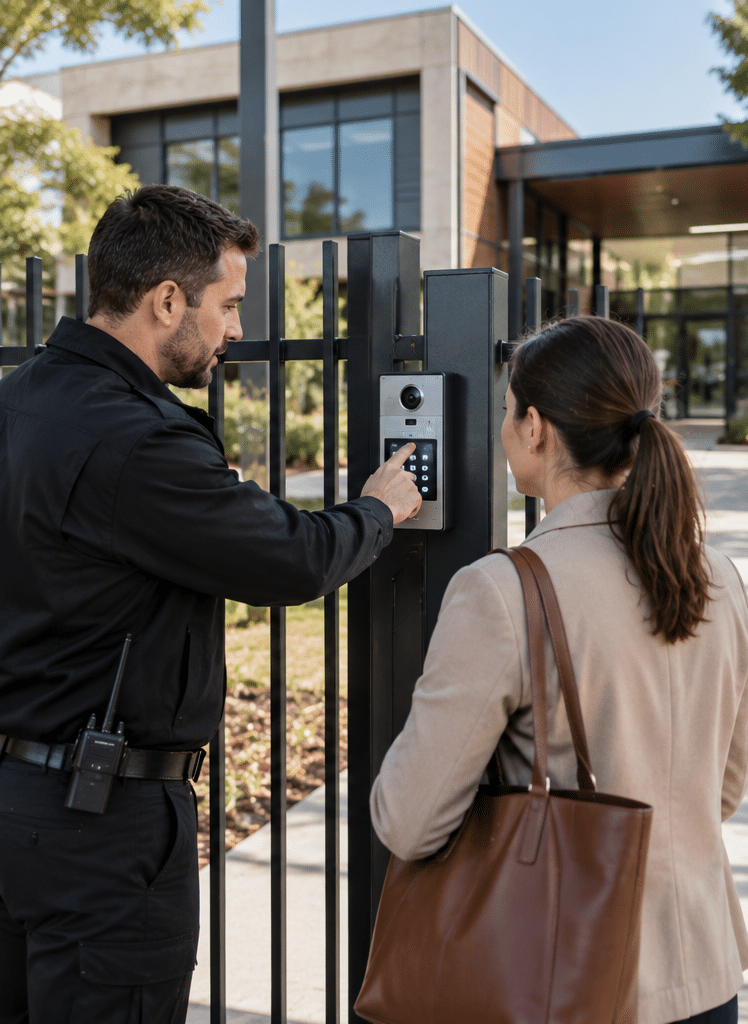
Table of Contents
- What security means in Education & Childcare Facilities
- Why education environments require a different security approach
- Understanding the main security risks
- CCTV systems for schools and childcare centres
- Access control and visitor management
- Alarm systems and 24/7 monitoring
- Intercoms and controlled entry
- Integrating multiple security technologies
- Privacy, CCTV and child-safety considerations
- Comparing security needs by facility type
- A 10-step security planning checklist
- Maintenance and ongoing management
- Common security planning mistakes
- People Also Ask
- Expert Q&A
- Conclusion
What Security Means in Education & Childcare Facilities
Security in an educational environment is not simply about preventing burglary.
A school or childcare centre may need to manage hundreds of people during a normal day. Students arrive in groups. Parents and carers come to reception. Contractors enter for maintenance work. Teachers move between different parts of the building. Deliveries arrive. Community groups may use facilities outside normal teaching hours.
Therefore, security has to support normal activity without creating unnecessary barriers.
A useful way to think about security is through several connected layers:
- perimeter protection
- controlled building entry
- visitor management
- CCTV surveillance
- access control
- intrusion detection
- alarm monitoring
- intercom communication
- emergency or duress procedures
- system maintenance
- staff procedures and training.
The Victorian Department of Education describes crime prevention for schools using a similar layered approach. Its guidance refers to physical measures such as locks and fences, environmental measures such as lighting, electronic measures such as CCTV, intruder detection and access control, and operational procedures such as visitor management and incident response.
The important lesson is that no single device should be expected to solve every security problem.
A camera may record someone entering a restricted area, for example. However, access control may prevent the unauthorised entry in the first place.
Likewise, an alarm can detect an after-hours intrusion, but professional monitoring can provide a structured response when that alarm activates.
Good security therefore works as a system rather than a collection of unrelated products.
Why Security Planning for Education & Childcare Facilities Is Different
Commercial security normally focuses heavily on protecting buildings, equipment, information and stock.
Education environments include another critical consideration: children and young people.
That changes the design priorities.
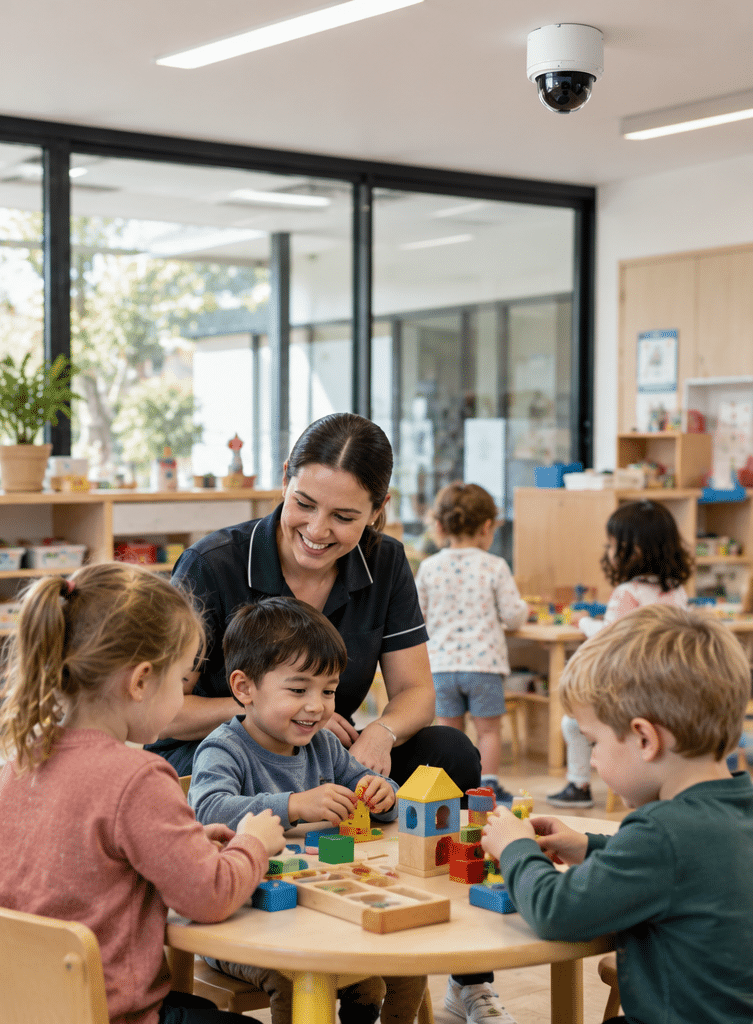
A childcare facility, for example, may need strict control over who can enter through the main entrance while still allowing parents and authorised carers to complete drop-off and collection efficiently.
A secondary school may need access control for administration areas, IT rooms, laboratories, maintenance areas or equipment stores while allowing students to move freely through approved learning spaces.
Meanwhile, a large college may operate multiple buildings, car parks, sporting facilities and after-hours spaces.
Security must therefore balance five objectives:
1. Protect people
The first priority is helping protect children, students, teachers, staff, visitors and contractors.
2. Control access
Facilities need a practical way to determine who should be able to enter specific buildings or rooms.
3. Protect property
Schools can contain computers, audiovisual equipment, scientific equipment, maintenance tools and other valuable assets.
4. Support incident response
When something happens, appropriate information should be available to authorised staff so they can understand and respond to the event.
5. Respect privacy
Because surveillance can involve children, students, employees and members of the public, privacy must form part of the system design rather than being considered after installation.
Victoria's current CCTV policy for government schools specifically states that privacy must be considered when CCTV systems are designed and used. It also identifies locations including toilets, change rooms, dressing rooms and showers where CCTV must not be installed.
Understanding Security Risks in Education & Childcare Facilities
Before choosing technology, a facility should understand its actual risks.
Simply installing more cameras is not necessarily the most effective approach.
Consider a school with several uncontrolled gates. Its biggest problem may be access management rather than camera quantity.
Likewise, a childcare facility with only one controlled entrance might already have good perimeter control but still need improved visitor verification.
Typical security concerns can include:
- unauthorised entry
- vandalism
- theft
- after-hours intrusion
- unauthorised access to restricted rooms
- uncontrolled visitor movement
- doors being left open
- lost or copied physical keys
- inadequate visibility around entrances
- poor response to alarm activations
- inadequate evidence following an incident
- equipment failures that remain unnoticed.
Australian education authorities encourage risk-based planning rather than using identical security solutions everywhere.
Victorian government schools, for example, are encouraged to conduct physical security assessments and incorporate relevant risks into emergency management planning.
That principle is useful for any education provider.
The correct question is not:
"How many cameras should we install?"
Instead, ask:
"What are we trying to protect, what could realistically happen, and which combination of controls addresses those risks?"
CCTV for Education & Childcare Facilities
CCTV is one of the most visible security technologies used in schools and education sites.
However, its usefulness depends heavily on system design.
What CCTV can do
CCTV may help a facility:
- observe entrances and exits
- monitor selected common areas
- monitor building perimeters
- investigate incidents
- identify unusual after-hours activity
- verify some alarm events
- review vandalism or property damage
- support authorised incident investigations.
Victorian government school guidance says CCTV can support a safe and secure environment by deterring vandalism and theft and helping verify incidents.
However, CCTV should not be treated as a replacement for supervision, access control or staff procedures.
Camera location matters more than camera quantity
A poorly positioned high-resolution camera may provide less useful information than a correctly positioned standard camera.
Important locations may include:
- main entrances
- secondary entrances
- reception approaches
- pedestrian gates
- car park entrances
- building perimeters
- equipment storage areas
- selected circulation areas
- delivery areas.
However, every camera should have a defined purpose.
A practical question during planning is:
"What event should this camera help us see or investigate?"
If that question cannot be answered, the camera may not be necessary.
Privacy must influence camera placement
Extra care is required because children and young people are involved.
For Victorian government schools, CCTV is prohibited in toilets, change rooms, dressing rooms, showers and other places where individual privacy is paramount. Schools also need required approvals, signage and administrative controls under departmental policy.
See the Victorian Department of Education CCTV policy for schools for the current government-school requirements.
Other education providers should check the requirements applying to their organisation and jurisdiction before deployment.
Access Control for Education & Childcare Facilities
Traditional keys still have a place in many buildings. However, electronic access control provides capabilities that ordinary keys cannot easily provide.
Access control determines who can enter, where they can enter and sometimes when they can enter.
Credentials may include:
- cards
- fobs
- mobile credentials
- PINs
- authorised digital credentials.
Consider a school employee who needs access to the administration building, staff room and general teaching areas but should not have access to a plant room.
An access control system can assign permissions accordingly.
If the employee leaves, their credential can generally be disabled without replacing locks throughout the building.
That is one reason access control becomes increasingly useful as facilities grow.
Useful access-controlled locations
Depending on the site, appropriate areas can include:
- administration offices
- staff-only areas
- IT and communications rooms
- laboratories
- equipment stores
- maintenance areas
- server rooms
- records storage
- medication storage
- selected external entrances.
Victorian government school information-security guidance also emphasises controlling physical access to school systems, ICT equipment and sensitive information.
Access levels should match roles
Not every staff member needs every permission.
For example:
| User | Typical Access Requirement | Security Approach |
| Teachers | Teaching buildings and approved staff areas | Role-based credential |
| Administration staff | Reception and administration areas | Role-based credential |
| IT staff | ICT and communications rooms | Restricted technical access |
| Contractors | Limited work area | Temporary or scheduled access |
| Cleaners | Defined buildings during approved hours | Time-limited access |
| Parents/visitors | Reception or approved areas | Managed visitor entry |
The goal is not to restrict people unnecessarily.
Instead, access should reflect legitimate operational needs.
Alarm Systems and 24/7 Monitoring
Education buildings can be particularly vulnerable when they are empty.
Large sections of a campus may remain unoccupied overnight, on weekends or during holiday periods.
An intrusion alarm system can detect activity through devices such as:
- motion detectors
- door contacts
- glass-break detection
- panic or duress inputs
- perimeter detection
- selected environmental sensors.
However, detection is only the first part of the process.
Why monitoring matters
A local alarm may produce a siren.
A monitored alarm can also transmit an event to a monitoring facility so that predetermined response instructions can be followed.
Eclipse states that its monitoring services connect alarm systems to a Grade A1 monitoring control room and that response instructions are recorded against the client's account.
For Education & Childcare Facilities, monitored events might include:
- an intrusion alarm after hours
- forced-door alerts
- duress activation
- communication failures
- power-related system warnings
- selected integrated security events.
The response should be agreed before an emergency occurs.
Facility managers should know:
Who gets called first?
Who has authority to make decisions?
When is a patrol response appropriate?
What happens when nobody answers?
Who manages the process during school holidays?
Clear procedures often matter just as much as the technology.
Intercom Systems and Controlled Visitor Entry
Visitors should not necessarily be able to walk directly into a school or childcare building simply because they reach the front door.
An intercom allows staff to communicate with visitors before entry is granted.
Video intercoms can additionally provide visual verification.
Intercoms can also integrate with electronic door control, allowing authorised staff to release a door from reception or another approved location.
Eclipse describes commercial intercom systems as being suitable for environments including schools and supporting functions such as two-way communication and controlled entry.
For childcare environments, this can be especially useful at the primary entrance.
A parent, contractor or delivery person can request access while staff maintain control over the door.
However, intercom procedures should remain simple.
If staff routinely release the door without checking who is requesting access, the technology is no longer providing meaningful access control.
Integrated Security for Education & Childcare Facilities
The strongest security designs usually allow different systems to complement each other.
Consider a forced door after hours.
With separate systems:
- Access control detects the forced door.
- Someone later notices the event log.
- CCTV is reviewed manually.
- Staff determine what happened.
With suitable integration, the security workflow can become more efficient.
A forced-door event might trigger an alert associated with the relevant camera and location.
Integration can potentially connect:
- CCTV
- access control
- intrusion alarms
- intercoms
- monitoring
- duress systems
- selected building-management functions.
The objective is not integration for its own sake.
It is to help staff obtain useful information quickly.
Eclipse's published education projects illustrate this approach. For example, the company's Woodleigh School Futures Studio project involved Inner Range Integriti security and access control, Salto access control integration and Rhombus CCTV. St Francis Xavier's Berwick project included Salto access control, CCTV and a Tecom security system.
Privacy and Child Safety in Education & Childcare Facilities
This is one of the most important parts of education security planning.
Privacy requirements are not identical across every Australian organisation.
For example, the Australian Privacy Act may apply to many private education providers, while public educational institutions can instead fall under state or territory privacy regimes. The Office of the Australian Information Commissioner explains that coverage depends on the type of institution and its circumstances.
The OAIC guidance on privacy for children and young people provides further Australian context.
Therefore, security installers and facility managers should avoid assuming that one privacy rule applies universally.
CCTV records need controlled access
Recorded video should not simply be available to everyone working at a facility.
Victorian government schools, for example, must have at least two CCTV administrators, use individual usernames and passwords, train relevant staff and record occasions when CCTV footage is accessed.
Even where that exact departmental policy does not apply, the underlying practice is sensible:
- restrict system administration
- use individual accounts
- avoid shared passwords
- define authorised users
- keep systems updated
- document access procedures.
Early childhood education has additional considerations
Australian early childhood education and care requirements have recently strengthened around digital technologies.
From 1 September 2025, National Quality Framework changes required relevant education and care services to have policies and procedures dealing with safe digital technology use. These include matters related to images and videos of children and the use of optical surveillance devices such as CCTV.
Additional National Law and Regulation changes applying from 27 February 2026 further restrict personal digital-device use and how images of children can be captured, stored and transmitted in relevant education and care services.
Service operators can review ACECQA's current child-safety and digital-device guidance.
These references are useful for administration and security planning. They are not a substitute for legal advice or advice from the relevant regulatory authority.
Comparing Security Needs Across Education & Childcare Facilities
Although the technologies may be similar, their implementation can differ considerably.
| Facility Type | Main Access Pattern | Typical Security Priorities | Useful Technologies | Important Consideration |
| Childcare / Early Learning | Frequent parent drop-off and collection | Controlled entry, child safety, visitor verification | Intercom, access control, CCTV, alarms | Image handling and privacy require careful policies |
| Primary School | Large daily student movement | Perimeter security, visitors, after-hours protection | CCTV, access control, alarms, intercom | Maintain welcoming but controlled access |
| Secondary School | Multiple buildings and larger campuses | Restricted rooms, vandalism, after-hours access | CCTV, access control, alarms, monitoring | Role-based access can become important |
| College / Tertiary Facility | Extended operating hours | Building access, equipment protection, public movement | Access control, CCTV, intercom, monitoring | Permissions may vary by building and time |
| Specialist Education Facility | Highly site-specific operations | Personal safety and controlled movement | Custom combination | Design should reflect individual site requirements |
There is no universal package that is suitable for every Education & Childcare Facilities site.
A small childcare centre with one building may require a very different system from a multi-building secondary school.
10-Step Security Checklist for Education & Childcare Facilities
A structured assessment can reduce unnecessary equipment purchases and design mistakes.
1. Map the site
Identify buildings, entrances, exits, fences, car parks, playgrounds, service areas and restricted rooms.
2. Identify who uses each area
Consider students, children, staff, parents, contractors, cleaners, delivery drivers and visitors.
3. Identify important assets
This may include computers, records, specialist equipment, audiovisual equipment and maintenance tools.
4. Review existing controls
Record current:
- locks
- cameras
- alarms
- access control
- intercoms
- monitoring
- lighting
- visitor procedures.
5. Identify gaps
Look for uncontrolled entrances, blind spots, outdated credentials, poor lighting, unreliable devices or unclear procedures.
6. Define each security objective
For every proposed device, explain the problem it is intended to address.
For example:
"Camera C07 monitors the main pedestrian gate."
That is clearer than simply specifying "additional camera".
7. Review privacy requirements
Consider:
- camera locations
- signage
- data access
- account permissions
- retention practices
- relevant organisational policies.
8. Design the integrated system
Determine whether CCTV, access control, alarms, monitoring and intercoms should interact.
9. Test procedures
Check what happens when:
- a door is forced open
- an alarm activates
- a credential is lost
- a camera fails
- an employee leaves
- a visitor arrives unexpectedly.
10. Schedule ongoing reviews
Security requirements change.
Buildings expand. Staff leave. Technology ages. New risks appear.
Therefore, the system should be reviewed rather than treated as a once-only installation.
Maintaining Security Systems in Education & Childcare Facilities
Even a well-designed system becomes less useful if it is not maintained.
Common problems include:
- dirty camera lenses
- cameras moved from their original position
- failed hard drives
- incorrect system time
- backup batteries reaching the end of their useful life
- damaged door hardware
- credentials belonging to former staff remaining active
- intercom audio becoming unreliable
- software or firmware being left outdated
- alarm sensors producing repeated faults.
Maintenance should therefore cover both technology and administration.
A useful review might ask:
Can every important camera still record clearly?
Can authorised staff retrieve footage when required?
Are door permissions current?
Have former employees been removed?
Does the monitoring centre have the correct contact list?
Are staff familiar with current procedures?
Eclipse states that it offers system maintenance, repairs and upgrades for CCTV, alarms and access-control systems, including systems originally installed by other providers.
Common Security Mistakes in Education & Childcare Facilities
Installing technology before assessing risk
A large equipment list does not automatically create good security.
Start with risks and workflows.
Relying only on CCTV
Cameras can provide valuable visibility, but cameras alone do not physically control entry.
Giving everyone the same access
Electronic access control becomes significantly more useful when permissions reflect job responsibilities.
Ignoring visitor workflow
An expensive system can still fail if visitors can bypass reception.
Using shared administrator passwords
Individual accounts improve accountability and make permissions easier to manage.
Forgetting after-hours users
Cleaning contractors, sporting clubs, maintenance teams and community groups may require different access schedules.
Failing to maintain contact lists
Monitoring procedures can break down if emergency contacts are outdated.
Overlooking privacy during system design
Camera placement, recorded information, user permissions and system access should be considered before installation rather than after complaints arise.
People Also Ask About Education & Childcare Facilities
What security systems are commonly used in schools in Australia?
Australian schools commonly use combinations of CCTV, electronic access control, intrusion alarms, intercoms and professional monitoring. The appropriate combination depends on the school's size, operating model, layout and assessed security risks.
Can Australian childcare centres use CCTV?
CCTV may be used in relevant childcare environments, but operators need to consider the National Quality Framework, privacy obligations, image-management policies and applicable state or territory rules. Since 1 September 2025, applicable education and care services must address optical surveillance devices such as CCTV within their safe digital-technology policies and procedures.
Where should security cameras be installed in a school?
Common locations can include entrances, exits, external areas, selected common areas, car parks and important access points where there is a legitimate security purpose. Privacy-sensitive locations must be avoided, and organisations should follow the policies and laws applicable to them.
Why is access control useful for Education & Childcare Facilities?
Access control helps facilities assign permissions according to roles, restrict sensitive areas, manage credentials and remove access when circumstances change. It can also generate useful event information for security administration.
Do schools need 24/7 security monitoring?
Not every site has the same requirements. However, monitoring can be valuable where facilities are unattended overnight, on weekends or during holidays because alarm events can be communicated to a monitoring facility for action under predefined instructions.
Expert Q&A About Education & Childcare Facilities
1. Should an education facility choose CCTV or access control first?
The decision should come from the facility's risk assessment.
If the primary concern is uncontrolled entry, access control may address the problem more directly.
If the concern is visibility around entrances, property damage or incident investigation, CCTV may be an important part of the solution.
In many larger Education & Childcare Facilities, the most effective design uses both technologies together.
2. How should lost access cards be handled?
A lost credential should be reported quickly and disabled according to the organisation's security procedure.
One advantage of electronic access control is that an individual credential can generally be cancelled without changing locks throughout the property.
Facilities should also establish processes covering replacements, temporary credentials and returned credentials when employees leave.
3. How long should CCTV recordings be retained?
There is no single retention period that should be assumed for every Australian education provider.
Retention should reflect relevant law, organisational policies, system capacity and legitimate operational requirements.
Facilities should document the retention approach and ensure that access and deletion practices are consistent with applicable privacy requirements.
4. How often should school security systems be reviewed?
Technical equipment should be maintained according to manufacturer, installer and organisational requirements.
In addition, access permissions, monitoring contacts, administrator accounts and security procedures should be reviewed regularly and whenever important organisational changes occur.
Examples include a new building opening, staff changes, a security incident or significant changes to site use.
5. Can old CCTV and access-control systems be upgraded instead of fully replaced?
Often, at least part of an existing system can potentially be retained or integrated. However, compatibility, equipment condition, cybersecurity, manufacturer support, cabling and system objectives all need assessment.
For example, a facility may be able to retain suitable cabling while upgrading cameras, recording equipment or door-control infrastructure.
A site assessment should determine whether upgrading provides better long-term value than maintaining outdated equipment.
Building a Safer Long-Term Security Strategy
Education security should not be driven by fear.
Its purpose is to make everyday operations more controlled, predictable and manageable.
A well-designed security environment allows teachers to teach, students to learn, childcare staff to care for children and administrators to manage visitors without constantly thinking about the technology operating around them.
From Eclipse's published education work, the recurring technical pattern is integration rather than reliance on one technology. Projects have combined CCTV with Salto access control, Inner Range platforms and Tecom security systems across Australian learning environments.
That approach reflects a broader security principle: prevention, detection, verification and response should reinforce one another.
Conclusion: Protecting Education & Childcare Facilities
Education & Childcare Facilities need security systems that protect people and property without disrupting the welcoming environment required for learning and care.
For most sites, that means starting with risk rather than equipment.
Assess entrances. Review visitor movement. Identify restricted spaces. Consider after-hours risks. Determine where CCTV has a legitimate purpose. Review access permissions. Establish alarm response procedures. Then ensure privacy, child-safety and administrative requirements are properly addressed.
Australian requirements also continue to evolve. Early childhood education providers, for example, now operate under strengthened digital-device and image-management requirements, while Victorian government schools have detailed departmental rules covering CCTV approval, placement, signage, access and administration.
Therefore, security should be treated as an ongoing operational system rather than a once-off installation.
If your school, childcare centre, college or education facility needs CCTV, electronic access control, alarms, intercoms, monitoring or an integrated security assessment, explore Eclipse Security Systems' integrated security solutions for Australian education sites and arrange an assessment based on the actual risks and operating requirements of your facility.