On this page16
- What are commercial access control systems?
- Why Australian businesses use access control
- Main components of a commercial access control system
- Types of commercial access control systems
- Key benefits for Australian workplaces
- Commercial access control systems vs traditional keys
- Cloud-based vs on-premise commercial access control systems
- Compliance and admin considerations in Australia
- How to choose the right commercial access control system
- Numbered checklist: onboarding commercial access control systems
- Common mistakes to avoid
- Cost factors for commercial access control systems in Australia
- Best-fit examples by business type
- People Also Ask: Commercial access control systems in Australia
- Expert Q&A: Commercial access control systems
- Conclusion
Not sure what your site needs?
A technical consultant from our Hallam office will look at the site and recommend a system, free of charge.
Request an assessment 1300 66 11 99Commercial access control systems help Australian businesses control who can enter a building, room, gate, warehouse, office, plant room, or restricted area. From my experience reviewing security setups for commercial sites, the best results come when access control is planned around real business risks, staff movement, compliance duties, and day-to-day usability.
Many Australian businesses start with a simple question: “How do we stop unauthorised access without slowing down staff?” The answer is not always the most expensive system. Instead, it is the system that matches the site’s layout, operating hours, risk profile, and management process.
This guide explains what commercial access control systems are, how they work, what options are available, and what Australian businesses should consider before installation. It also covers practical setup steps, comparison tables, and common questions people search before choosing a system.
Table of Contents
- What are commercial access control systems?
- Why Australian businesses use access control
- Main components of a commercial access control system
- Types of commercial access control systems
- Key benefits for Australian workplaces
- Commercial access control systems vs keys
- Cloud-based vs on-premise access control
- Compliance and admin considerations in Australia
- How to choose the right system
- Numbered checklist for access control onboarding
- Common mistakes to avoid
- People Also Ask
- Expert Q&A
- Conclusion
What are commercial access control systems?
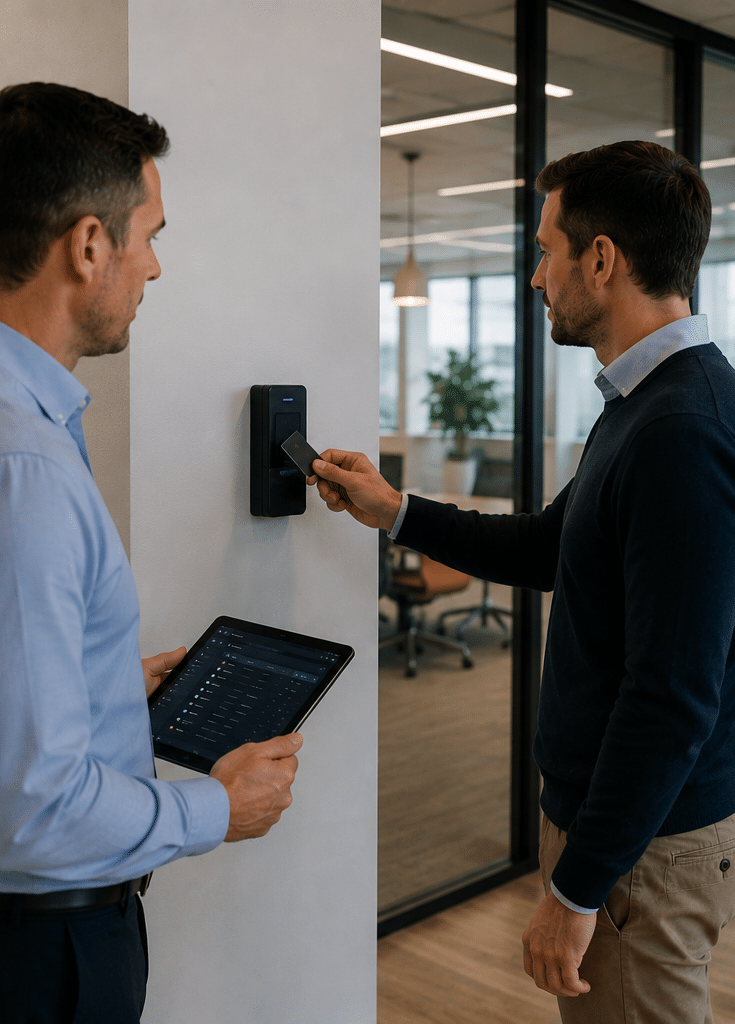
Commercial access control systems are electronic security solutions that manage who can enter specific areas of a business site. They commonly use cards, fobs, PINs, mobile credentials, biometrics, intercoms, electric locks, controllers, and software to grant, deny, record, and manage access across doors, gates, lifts, and restricted zones.
In simple terms, these systems replace or reduce the need for traditional keys. However, they do much more than unlock doors. They create a record of access events, support different permission levels, and help managers update access quickly when staff, tenants, contractors, or visitors change.
For example, a warehouse may allow forklift operators into the loading dock, office staff through the front entry, managers into the server room, and cleaners into shared areas after hours. As a result, the business can reduce unnecessary access without making every door hard to use.
Why Australian businesses use access control
Australian commercial sites often deal with mixed access needs. Staff, customers, delivery drivers, contractors, cleaners, technicians, and visitors may all need different access at different times. Therefore, commercial access control systems are useful because they bring structure to that movement.
A small office may need only two or three controlled doors. In contrast, a larger site may need access control across reception, car parks, lifts, storage rooms, server racks, warehouses, and back-of-house areas. Because each site is different, the system should be designed after a proper walkthrough.
Businesses commonly install access control to:
- Reduce unauthorised entry.
- Remove the risk of copied or lost keys.
- Manage staff and contractor access.
- Protect stock, records, cash, tools, and equipment.
- Support audit trails.
- Improve after-hours security.
- Integrate with CCTV, alarms, and intercoms.
- Control access across multiple locations.
According to the Australian Cyber Security Centre’s Essential Eight, restricting administrative privileges is an important cyber security mitigation strategy. While that guidance focuses on digital environments, the same principle applies operationally: access should be limited to people who need it for their role.
Main components of a commercial access control system
A commercial access control system is made from several parts. Each part has a specific job. When these parts are selected and installed correctly, the system feels simple to users but gives managers strong control.
Credentials
Credentials are the items or identifiers people use to request access. Common examples include swipe cards, proximity cards, fobs, PINs, mobile phone credentials, and biometric identifiers.
Cards and fobs are popular because they are easy to issue and cancel. Mobile credentials are growing because staff often already carry smartphones. Biometrics can be useful in high-security areas, although privacy, consent, and data storage need careful management.
Readers
Readers are installed near doors, gates, or entry points. They check the credential and send information to the controller. Depending on the system, a reader may support cards, fobs, PINs, Bluetooth, NFC, QR codes, or biometrics.
Controllers
The controller is the decision-making device. It checks whether a credential is valid for that door, at that time, and under that user profile. If access is approved, the controller triggers the lock to release.
Electric locks and door hardware
Access control needs compatible locking hardware. This can include electric strikes, magnetic locks, motorised locks, request-to-exit buttons, door contacts, and emergency egress hardware. Importantly, safety and exit requirements should be reviewed by qualified professionals.
Management software
The software lets authorised administrators add users, remove users, set schedules, review logs, and manage doors. Some software is installed on local servers. Other systems are cloud-based and managed through a browser or app.
Audit logs
Audit logs record access events. They may show who entered, which door they used, and when access was granted or denied. This can help with incident reviews, workplace investigations, contractor management, and operational reporting.
Types of commercial access control systems
Commercial access control systems come in several forms. The right choice depends on site size, budget, security risk, and how often access permissions change.
Card and fob access control
Card and fob systems are widely used in Australian offices, warehouses, apartment facilities, medical suites, gyms, schools, and retail back-of-house areas. They are practical because users do not need to remember codes.
If a card is lost, the administrator can deactivate it. Therefore, the business does not need to rekey locks every time a staff member leaves or loses a key.
PIN code access control
PIN systems allow users to enter a code on a keypad. They can work well for low-risk doors or small teams. However, codes can be shared, guessed, or written down. As a result, PIN-only access may not suit areas that need strong accountability.
Mobile access control
Mobile access uses a smartphone as the credential. It may use Bluetooth, NFC, app-based authentication, or cloud credentials. This is useful for modern workplaces, flexible teams, and multi-site businesses.
However, mobile access should be supported by clear onboarding and offboarding processes. For example, when a staff member leaves, their mobile credential should be removed immediately.
Biometric access control
Biometric systems use physical characteristics such as fingerprints or facial recognition. They can help prevent credential sharing. However, biometric information is sensitive. Australian businesses should think carefully about privacy, consent, storage, and access to biometric data.
The Office of the Australian Information Commissioner explains that APP entities must take reasonable steps to protect personal information from misuse, interference, loss, unauthorised access, modification, or disclosure under APP 11. See the OAIC’s APP 11 security guidance for general privacy administration guidance.
Intercom and visitor access
Intercom systems help control visitor entry. They are often used at offices, apartment buildings, medical centres, warehouses, childcare centres, and gated commercial sites. Video intercoms add visual confirmation, which helps staff avoid opening doors for unknown visitors.
Lift access control
Lift access control limits which floors a person can reach. This is common in commercial towers, shared offices, hotels, medical buildings, and mixed-use developments. It is especially useful when multiple tenants share one building.
Gate and car park access control
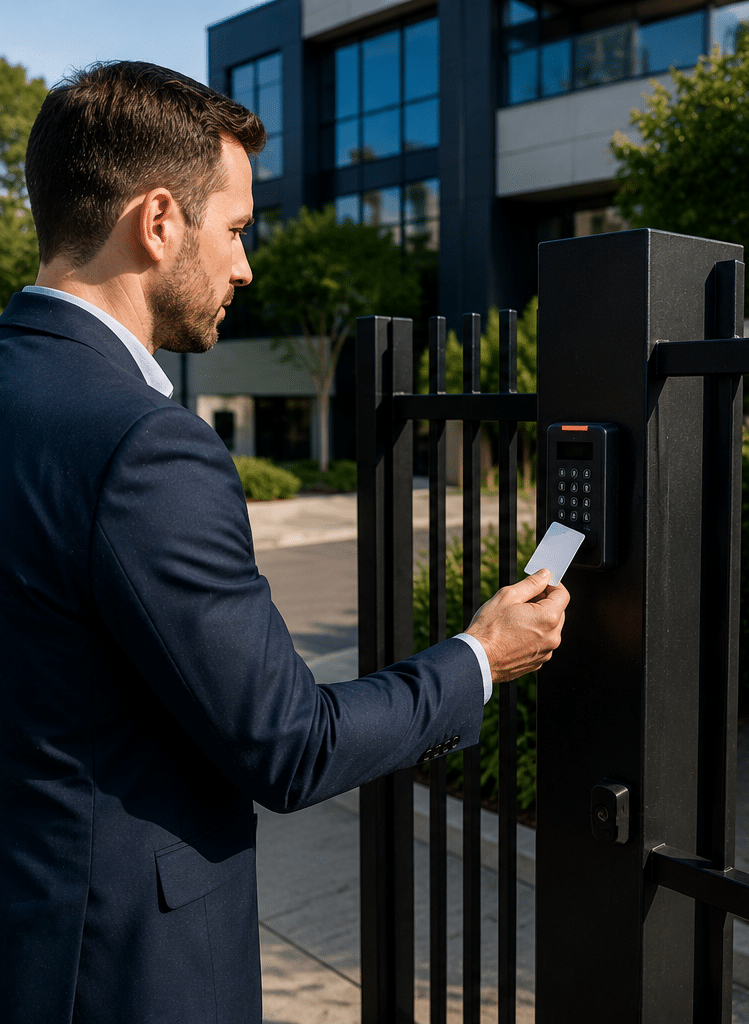
Commercial gates and car parks may use fobs, number plate recognition, remotes, intercoms, or mobile credentials. These systems help manage staff parking, visitor access, fleet areas, loading docks, and after-hours vehicle movement.
Key benefits for Australian workplaces
Commercial access control systems provide more than entry control. They also support administration, accountability, and business continuity.
Better control over staff and contractor access
Staff roles change. Contractors come and go. Cleaners may need after-hours access. Because of this, keys can become hard to manage. Access control solves this by letting administrators update permissions quickly.
For example, if a contractor only needs access for two weeks, the system can be set to expire that access automatically. This reduces the chance of forgotten credentials remaining active.
Reduced key management problems
Traditional keys are simple, but they create long-term risk. Keys can be copied. They can be lost. Former staff may not return them. Rekeying can also be expensive and disruptive.
With access control, a lost card or fob can be cancelled. Therefore, the business can respond faster and avoid replacing locks in many situations.
Stronger audit trails
Audit logs help businesses understand what happened during an event. For example, if stock goes missing, managers can check which credentials accessed the area. This does not prove misconduct by itself, but it gives a useful starting point for investigation.
Better after-hours security
Many commercial sites are busiest outside normal office hours. Cleaners, delivery drivers, warehouse teams, and maintenance workers may need access at different times. Access control lets businesses set schedules instead of giving everyone all-hours access.
Integration with CCTV and alarms
Access control can often integrate with CCTV and alarms. For example, a forced door event can trigger a camera view or alarm notification. Likewise, CCTV footage can help verify whether the person using a credential was the authorised user.
Improved user experience
Good access control should make life easier, not harder. Staff should be able to enter authorised areas quickly. Managers should be able to update access without complex manual work. Visitors should have a clear entry process.
Commercial access control systems vs traditional keys
Traditional keys still have a place. However, they become harder to manage as a business grows. The table below compares key differences.
| Feature | Traditional keys | Commercial access control systems |
| User tracking | Usually no access record | Access events can be logged |
| Lost credential response | Often requires rekeying | Card, fob, or mobile credential can be cancelled |
| Contractor access | Hard to limit once a key is issued | Can be time-limited or door-specific |
| Multi-site management | Difficult | Easier with central software |
| After-hours schedules | Manual and limited | Can be automated |
| Upfront cost | Usually lower | Usually higher |
| Long-term control | Limited | Stronger and more flexible |
| Best suited for | Simple, low-risk sites | Growing, shared, or higher-risk commercial sites |
Overall, commercial access control systems are often better for businesses that need visibility, flexibility, and quick permission changes. However, simple mechanical locks may still work for storage cupboards, low-risk internal rooms, or very small sites.
Cloud-based vs on-premise commercial access control systems
One major decision is whether to choose cloud-based or on-premise access control. Both can work well. However, they suit different business needs.
| Factor | Cloud-based access control | On-premise access control |
| Management | Browser or app-based | Local software or server |
| Remote changes | Usually easier | May require VPN or local access |
| Multi-site use | Strong option | Possible, but may be more complex |
| Internet reliance | Often needs reliable connectivity | Can be more locally controlled |
| Updates | Usually vendor-managed | Often locally managed |
| Upfront infrastructure | Often lower | May require server or local hardware |
| Ongoing fees | Subscription common | Support/licence fees may apply |
| Best for | Flexible, growing, multi-site businesses | Sites needing local control or specific integrations |
From my experience, cloud-based systems are attractive for businesses with multiple locations or managers who need remote access. However, on-premise systems may suit sites with strict internal IT requirements, specialised integrations, or a preference for local control.
Before choosing either option, ask how the system handles outages, backups, software updates, admin accounts, and user permissions.
Compliance and admin considerations in Australia
Access control is not just a hardware project. It also creates administrative responsibilities. This is especially true when the system stores personal information, user names, access logs, mobile credentials, photos, or biometric data.
This section is general information, not legal advice. Businesses should get legal, privacy, building, and security advice where needed.
Privacy administration
Access logs can identify people and their movements. Therefore, they may be personal information in many business contexts. Businesses should consider who can view logs, how long logs are kept, why logs are collected, and how users are informed.
The OAIC’s Australian Privacy Principles are principles-based privacy rules for covered organisations and agencies. In practical terms, businesses should treat access records carefully and limit access to people with a real operational need.
Cyber security administration
Modern access control systems may connect to networks, cloud platforms, mobile apps, and admin portals. As a result, cyber security matters. Administrators should use strong passwords, multi-factor authentication where available, role-based admin permissions, and prompt offboarding.
ISO explains that ISO/IEC 27001 supports a holistic approach to information security across people, policies, and technology. This is useful thinking for access control because weak admin processes can undermine strong door hardware.
Security licensing and installation standards
Electronic security work in Australia may involve state or territory licensing rules, cabling rules, manufacturer requirements, and relevant standards. The Australian Security Industry Association Limited provides information on security standards and codes, noting that standards support safe, reliable, and consistent system performance.
Because requirements vary by jurisdiction and project type, businesses should use appropriately licensed installers and confirm responsibilities before work begins.
Emergency exit and building safety
Access control should never trap people inside a building during an emergency. Door hardware, egress buttons, fire interfaces, and fail-safe or fail-secure settings should be designed carefully.
For example, a high-security store room may need different lock behaviour from a main exit door. Therefore, building safety should be reviewed before installation, not after.
How to choose the right commercial access control system
The best commercial access control systems are selected through a practical risk review. Rather than starting with a product list, start with the site’s real access problems.
Map your entry points
First, list all doors, gates, lifts, roller doors, and restricted areas. Then decide which areas need electronic control and which can remain mechanical.
Not every door needs access control. In fact, controlling too many low-risk doors can increase cost and complexity without adding much value.
Identify user groups
Next, group users by role. Common groups include staff, managers, cleaners, contractors, visitors, delivery drivers, tenants, and emergency contacts.
Each group should have clear access needs. For example, cleaners may need access to common areas after 6 pm, but not to the server room.
Decide your credential type
Choose credentials based on risk and usability. Cards and fobs are familiar. Mobile credentials reduce physical handouts. PINs are simple but easier to share. Biometrics may improve identity assurance but require stronger privacy administration.
Review integration needs
Many businesses want access control to work with CCTV, alarms, intercoms, lifts, gates, or building management systems. Therefore, confirm integration needs early.
Retrofitting integrations later can cost more if hardware and software are not compatible.
Check reporting needs
Some businesses only need basic logs. Others need detailed reporting for audits, tenants, incidents, or compliance administration. Ask what reports the system can export and who can access them.
Plan for growth
A system that works for three doors may not work for thirty. If the business may expand, choose a system that can grow across more users, doors, and locations.
Numbered checklist: onboarding commercial access control systems
Use this checklist before and during implementation.
- Walk through the site. Identify public, staff-only, restricted, and high-risk areas.
- List all entry points. Include doors, gates, lifts, car parks, server rooms, stock rooms, and plant rooms.
- Define user groups. Separate staff, managers, cleaners, contractors, visitors, and suppliers.
- Set access rules. Decide who can access each area and during which hours.
- Choose credential types. Select cards, fobs, PINs, mobile credentials, biometrics, or a mix.
- Review privacy needs. Decide how access logs and personal information will be stored, viewed, and retained.
- Confirm emergency egress. Make sure exit paths and safety requirements are reviewed by qualified professionals.
- Plan integrations. Confirm CCTV, alarms, intercoms, lifts, and gate requirements.
- Set administrator roles. Limit who can add users, change permissions, and view reports.
- Create an offboarding process. Remove access immediately when staff, contractors, or tenants leave.
- Train users. Show staff how to use credentials and report lost cards or access issues.
- Test the system. Test normal entry, denied access, forced doors, alarms, power loss, and after-hours schedules.
- Document the setup. Keep records of doors, controllers, credentials, admin users, and support contacts.
- Review access regularly. Schedule monthly or quarterly checks to remove old users and update permissions.
Common mistakes to avoid
Even good technology can fail if the process is weak. Here are common mistakes Australian businesses should avoid.
Giving too many people admin access
Administrative access should be limited. If too many people can create users or change permissions, mistakes become more likely. Instead, use role-based admin permissions where possible.
Not removing old users
Former staff and contractors should not remain active. This is one of the simplest but most common access control problems. A monthly access review can fix it.
Using shared PINs
Shared PINs reduce accountability. If everyone uses the same code, the business cannot easily know who entered. If PINs are used, assign unique codes and change them when roles change.
Ignoring door hardware
The software may be excellent, but poor door hardware can weaken the whole system. Doors need suitable locks, closers, contacts, and egress hardware.
Forgetting visitors and deliveries
Many access control plans focus on staff but forget visitors, couriers, and contractors. A clear visitor process can reduce pressure on reception and improve security.
Overcomplicating the setup
More controls are not always better. If the system is too hard to use, staff may find workarounds. Therefore, good design balances security with daily operations.
Cost factors for commercial access control systems in Australia
Costs vary widely because every site is different. Any estimate should be treated as general only. Pricing depends on door count, hardware type, cabling, software, licensing, credentials, integrations, and installation conditions.
Common cost factors include:
- Number of controlled doors.
- Type of locks and readers.
- Cloud subscription or software licence.
- Cards, fobs, or mobile credential fees.
- Cabling and network requirements.
- Integration with CCTV, alarms, gates, or lifts.
- After-hours work or difficult access areas.
- Ongoing support and maintenance.
For a small office, a basic system may only involve a few doors. For a large warehouse, commercial tower, school, or healthcare site, the design may need staged implementation, detailed user groups, and more advanced reporting.
Best-fit examples by business type
Offices
Offices often need front-door access, lift access, meeting room control, and after-hours permissions. Mobile credentials and cloud software can work well for hybrid teams.
Warehouses
Warehouses may need access control for roller doors, loading docks, stock cages, tool rooms, and office areas. Integration with CCTV is often useful because access events may need video verification.
Medical and allied health clinics
Clinics may need controlled access to reception, medication storage, treatment rooms, records, and staff-only areas. Privacy administration is especially important when access logs relate to sensitive work areas.
Retail and hospitality
Retail stores, restaurants, and venues may need access control for back doors, stock rooms, cash offices, cool rooms, and staff entrances. Simple fob systems can work well, but user offboarding must be prompt.
Schools and education sites
Education sites often have complex access needs. Staff, cleaners, contractors, visitors, and facility teams may all need different access. Systems should be designed with safety, emergency procedures, and administration in mind.
Multi-tenant buildings
Multi-tenant sites may need access control for common entries, lifts, car parks, plant rooms, and tenant areas. Good software is important because tenant changes can happen regularly.
People Also Ask: Commercial access control systems in Australia
What is the best access control system for a commercial building?
The best system depends on the building size, risk level, number of users, and management needs. For many Australian businesses, a card, fob, or mobile credential system with central software is a practical starting point.
How do commercial access control systems work?
Commercial access control systems check a user’s credential against stored permissions. If the user is approved for that door and time, the system releases the lock and records the event.
Are access control systems better than keys?
For growing businesses, access control is usually more flexible than keys. It allows lost credentials to be cancelled, access to be time-limited, and entry events to be reviewed.
Can access control connect with CCTV?
Yes, many commercial access control systems can integrate with CCTV. This allows managers to match access events with video footage, which can help with incident review and verification.
Do Australian businesses need to consider privacy?
Yes. Access logs, user records, photos, and biometric data may involve personal information. Businesses should manage this information carefully and seek professional advice if they are unsure.
Expert Q&A: Commercial access control systems
1. How often should access permissions be reviewed?
Access permissions should be reviewed regularly, such as monthly or quarterly. High-turnover workplaces, contractor-heavy sites, and multi-tenant buildings may need more frequent reviews.
2. Should every door be connected to access control?
No. Not every door needs electronic access control. Focus first on external entries, restricted areas, high-value storage, server rooms, cash areas, plant rooms, and shared access points.
3. What happens if the internet goes down?
This depends on the system design. Many systems can continue basic door decisions locally, but cloud management features may be limited during an outage. Always ask the installer how the system behaves during internet, power, and network failures.
4. Is biometric access control suitable for every business?
Not always. Biometrics can improve identity assurance, but they also introduce privacy and data management considerations. For many businesses, cards, fobs, or mobile credentials provide enough control with simpler administration.
5. Who should manage the access control system?
Access should be managed by trained and authorised staff only. Ideally, one or two primary administrators should handle user changes, while senior management reviews access reports and exceptions.
Conclusion
Commercial access control systems give Australian businesses a practical way to manage entry, reduce key risks, improve audit trails, and protect restricted areas. However, the best system is not just the one with the most features. It is the one that fits your site, users, risk level, compliance administration, and future growth.
Start with a site walkthrough. Then define user groups, access rules, credential types, integrations, and offboarding steps. Also, review privacy, cyber security, emergency exit, and licensing considerations before installation.
For tailored guidance on designing a practical system for your workplace, speak with the team at Eclipse Security’s commercial security specialists and plan an access control setup that supports both safety and everyday business operations.