On this page52
- What Is an Alarm System?
- How an Alarm System Works
- Intrusion Alarm System
- Perimeter Alarm System
- Personal Duress Alarm
- Commercial Alarm System
- Control Panel
- Keypad
- Door and Window Contacts
- Motion Detectors
- Sirens
- External Sirens and Warning Devices
- Unmonitored Alarm
- Professionally Monitored Alarm
- Magnetic Contacts
- Motion Detection
- Glass-Break Detection
- External Detection
- Home security at night
- Common commercial applications
- Benefits of integration
- What happens during an internet outage?
- Basic security practices
- Practical privacy administration
- Site assessment
- Sensor placement
- User setup
- Compare the equipment
- Compare the installation
- Compare monitoring
- Compare support
- Why regular testing matters
- 1. Buying based on brand alone
- 2. Installing sensors without a security plan
- 3. Ignoring communications
- 4. Forgetting power backup
- 5. Giving too many people access
- 6. Not training staff
- 7. Ignoring false alarms
- 8. Assuming monitoring equals emergency-service attendance
- 9. Neglecting maintenance
- 10. Choosing the cheapest quotation
- What is the best alarm system in Australia?
- How much does an alarm system cost in Australia?
- Is a monitored alarm better than an unmonitored alarm?
- Can an alarm system work without Wi-Fi?
- Do alarm systems deter burglars?
- 1. Should every door and window have an alarm sensor?
- 2. How long should an alarm system battery last?
- 3. Can an alarm system be upgraded later?
- 4. Should I choose an alarm system with a mobile app?
- 5. How often should an alarm system be tested?
Not sure what your site needs?
A technical consultant from our Hallam office will look at the site and recommend a system, free of charge.
Request an assessment 1300 66 11 99Choosing an Alarm system is about more than buying a keypad, sensors and a siren. In Australia, a well-designed system should match the property, identify meaningful security events, communicate reliably and give occupants a clear process for responding to alarms.
From my experience, the strongest security conversations begin with the property rather than a particular brand or gadget. A compact suburban home has different requirements from a large rural property, retail premises, warehouse or professional office. Likewise, a system designed only to make noise is very different from one connected to professional alarm monitoring.
This guide explains the main types of alarm systems, how the technology works, what to consider when choosing equipment, how monitoring changes the response process, and the practical Australian considerations that homeowners and businesses should understand before installation.
Featured Definition: An alarm system is a security arrangement that uses sensors to detect events such as unauthorised entry, movement or other defined conditions and then alerts occupants or a monitoring service. Modern systems can combine alarms with mobile notifications, CCTV, access control and professional monitoring for a broader security response.

Table of Contents
- What Is an Alarm System?
- How an Alarm System Works
- Main Types of Alarm System
- Alarm System Components Explained
- Wired vs Wireless Alarm System
- Monitored vs Unmonitored Alarm System
- Alarm System Sensors and Detection
- Choosing an Alarm System for an Australian Home
- Alarm System Options for Australian Businesses
- Alarm System and CCTV Integration
- Alarm System Communications and Reliability
- Alarm System Cybersecurity
- Privacy and Australian Alarm Systems
- Alarm System Installation
- Alarm System Onboarding Checklist
- How to Compare Alarm System Providers
- Common Alarm System Mistakes
- Alarm System Costs and Value
- People Also Ask
- Expert Q&A
- Conclusion
What Is an Alarm System?
An alarm system is designed to detect a defined security event and generate an alert.
The event might be:
- A door opening
- A window opening
- Movement inside a protected area
- A person entering a restricted zone
- A glass-break event
- A duress activation
- A tamper condition
- A system fault
- Another condition supported by the equipment
The basic principle is simple:
Detect → assess → alert → respond.
However, the quality of the result depends on how each stage has been designed.
A poorly positioned sensor can miss activity.
A badly configured system can create nuisance alarms.
An unreliable communications path can prevent an alert from reaching a monitoring centre.
And an unclear response procedure can leave people unsure what to do after an alarm activates.
Therefore, an alarm should be considered a complete security system rather than a collection of individual devices.
How an Alarm System Works
Most modern systems contain several core elements.
1. Detection
Sensors monitor selected areas.
For example, a magnetic contact can monitor whether a door is open or closed.
A motion detector can identify movement within its configured field.
2. Processing
The alarm control panel receives information from sensors.
It determines whether an event matches the system's programmed conditions.
3. Alert
If the appropriate conditions are met, the system can activate a siren, send a notification or communicate with a monitoring centre.
4. Response
The final stage depends on the system.
A basic system might alert the property owner through an app.
A professionally monitored system may send the event to trained operators who follow an agreed procedure.
That distinction is important.
An alarm does not automatically mean that police or another emergency service will attend.
The response depends on the service arrangement, the nature of the event and applicable procedures.
Main Types of Alarm System
There is no single alarm configuration that suits every Australian property.
Instead, systems can be classified according to their technology and response model.
Intrusion Alarm System
An intrusion alarm is designed primarily to detect unauthorised entry or movement.
Typical components include:
- Door contacts
- Window contacts
- Motion detectors
- Glass-break detectors
- External detection
- Sirens
- Keypads
- Control panels
These systems are commonly used in homes, offices, shops, warehouses and other premises.
Perimeter Alarm System
A perimeter-focused system concentrates on the outside boundary or building openings.
This can be useful where the goal is to detect an event before someone reaches an internal area.
Potential detection points include:
- Gates
- Fences
- External doors
- Windows
- Driveways
- Building perimeters
However, outdoor detection requires careful design.
Wind, animals, vegetation, weather and other environmental conditions can affect some technologies.
Personal Duress Alarm
A duress button allows an authorised person to generate an alarm manually.
For example, a business may use a duress device where staff could face a security risk.
The exact response procedure should be established before the system is put into service.
Commercial Alarm System
Commercial systems are often more complex because businesses can have:
- Multiple entry points
- Different staff access levels
- Large floor areas
- Multiple buildings
- Restricted zones
- After-hours contractors
- Multiple sites
They may also integrate with CCTV and access control.
Alarm System Components Explained
Understanding the components makes it easier to compare quotations.
Control Panel
The control panel is the central processing component.
It receives signals from sensors and manages the system according to its configuration.
Depending on the platform, it may also communicate with:
- Mobile applications
- Monitoring centres
- CCTV platforms
- Access-control systems
- Building-management systems
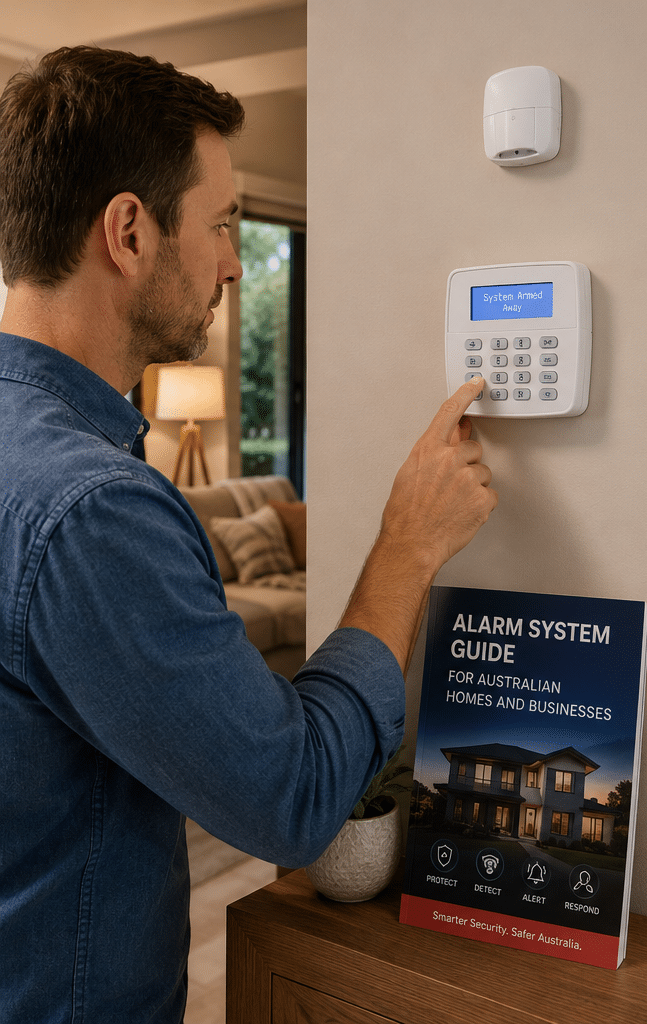
Keypad
A keypad allows authorised users to operate the system.
Common functions include:
- Arming
- Disarming
- Selecting areas
- Entering codes
- Viewing system status
- Identifying certain faults
Some modern systems replace or supplement physical keypads with mobile applications.
Door and Window Contacts
These sensors typically consist of two parts.
One part is mounted to the frame.
The other is mounted to the moving door or window.
When the two parts separate, the system can detect that the opening has changed state.
They are simple, but they remain useful because they directly monitor important entry points.
Motion Detectors
Motion detectors are commonly installed inside buildings.
They can protect:
- Hallways
- Living areas
- Offices
- Warehouses
- Storage areas
Placement matters.
A detector should be positioned according to its intended coverage rather than simply installed in the most convenient location.
Sirens
Sirens provide an audible local alert.
They can also have a deterrent role.
However, a siren should not be confused with professional monitoring.
A loud alarm may alert neighbours or occupants, but it does not by itself establish who will assess the event or initiate a response.
External Sirens and Warning Devices
Outdoor warning devices can make an alarm condition visible or audible from outside the building.
These may be useful for drawing attention to an event.
However, they should form part of a broader security plan.
Wired vs Wireless Alarm System
Both wired and wireless systems can be suitable.
The better choice depends on the property and installation requirements.
| Feature | Wired system | Wireless system |
| Cabling | Required | Minimal for sensors |
| Installation | Can be more involved | Often less intrusive |
| Existing construction | May require cable pathways | Can suit finished properties |
| Battery management | Usually less relevant for individual sensors | Sensor batteries need management |
| Expansion | Depends on system capacity | Often flexible, depending on platform |
| Reliability | Can be highly reliable when properly installed | Can be highly reliable when properly designed |
| Best suited to | New builds, major fit-outs and established cabling | Existing properties and flexible installations |
| Maintenance | Cable faults can require investigation | Batteries and wireless communication need monitoring |
It is important not to assume that wireless automatically means less reliable.
Modern wireless security technology can perform well.
Likewise, wired does not automatically mean better.
The quality of the design, equipment, installation and maintenance remains critical.
Monitored vs Unmonitored Alarm System
This is one of the most important decisions.
Unmonitored Alarm
An unmonitored system may activate a siren and send notifications to nominated users.
For example, an app might tell the owner that an alarm has activated.
The owner then decides what to do.
This can be appropriate where the occupants are usually nearby and can manage alerts themselves.
Professionally Monitored Alarm
A monitored system sends alarm events to a monitoring centre.
An operator assesses the event and follows the agreed response procedure.
Depending on the service, this could include contacting nominated people or arranging an authorised security response.
The exact service must be confirmed with the provider.
Why monitoring matters
Consider a business that closes at 5 pm.
At 2 am, an alarm activates.
With an unmonitored system, a notification may be sent to the owner.
If the owner is asleep, travelling or unable to respond, the practical response may be delayed.
With professional monitoring, the alarm event can be assessed by an operator according to the agreed procedure.
This does not guarantee prevention of an incident.
It does, however, change the way an alarm event is handled.
Alarm System Sensors and Detection
The right sensor depends on the threat and environment.
Magnetic Contacts
Best suited to monitoring:
- Doors
- Windows
- Gates
- Other openings
They provide straightforward open/closed information.
Motion Detection
Useful for internal areas.
However, motion detectors need careful placement to reduce unwanted activations.
Consider:
- Pets
- Air movement
- Heat sources
- Sunlight
- Reflections
- Furniture changes
Glass-Break Detection
These sensors are designed to detect characteristics associated with breaking glass.
They can provide another layer of protection where windows are a concern.
They should not necessarily replace physical opening contacts.
External Detection
Outdoor sensors can help identify activity before someone reaches the building.
However, outdoor environments are more complex.
Vegetation, weather and animals can affect detection.
Consequently, installation and configuration are especially important.
Alarm System for Australian Homes
Australian homes vary enormously.
A compact terrace, suburban house, acreage property and apartment can require very different security designs.
Start by asking:
What needs to be protected?
Then consider:
- Main entry
- Rear doors
- Side doors
- Garage
- Windows
- Internal circulation areas
- Outdoor zones
- Valuable assets
- Access patterns
Home security at night
Many households want the ability to secure external openings while people remain inside.
A system can therefore be configured with different arming modes.
For example, a "night" or "stay" mode may protect selected perimeter points while allowing occupants to move through designated internal areas.
The exact functionality varies by system.
Pets and alarm systems
Pet ownership should be discussed before choosing motion sensors.
Some detectors are designed with pet-related considerations, but no sensor should be assumed to be immune to nuisance activations.
The property, animal behaviour and sensor placement all matter.
Garage protection
Garages are often overlooked.
They can provide direct or indirect access to a home and may contain vehicles, tools, bicycles and other valuable property.
A garage door contact and suitable detection can form part of a broader home security design.
Alarm System for Australian Businesses
Commercial security requires a different mindset.
A business needs to consider both security and operations.
For example, a warehouse may have legitimate staff movement at 6 am but should have almost no movement at 2 am.
The alarm configuration should reflect that difference.
Common commercial applications
Alarm systems can be used in:
- Retail stores
- Offices
- Warehouses
- Medical practices
- Industrial premises
- Construction sites
- Workshops
- Restaurants
- Storage facilities
- Professional practices
Multiple areas
A larger business may need different security areas.
For example:
- Reception
- Warehouse
- Office
- Restricted storage
- Plant room
This can allow authorised users to access their normal working areas without unnecessarily disabling security throughout the property.
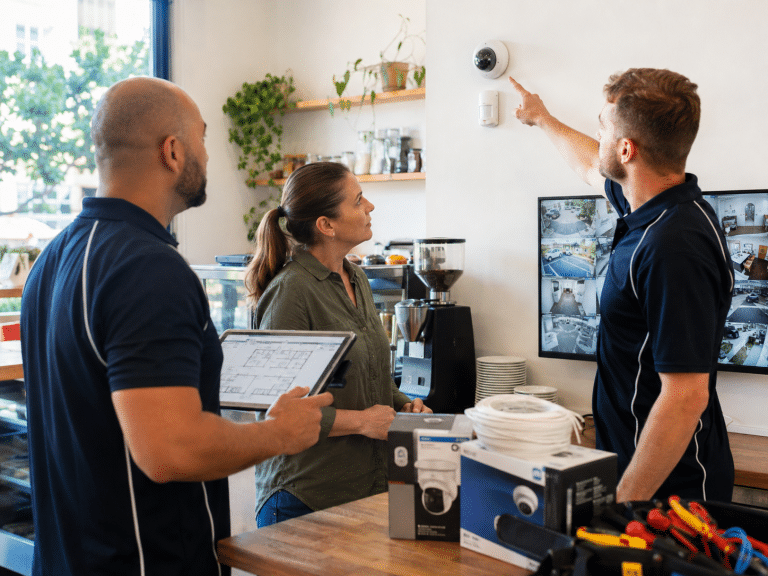
Alarm System and CCTV Integration
An alarm tells you that a defined event occurred.
CCTV can provide visual context.
Together, they can provide more information than either technology alone.
Imagine a rear door contact activates.
The alarm identifies the event.
An associated camera can show the area around the door.
A monitoring operator can potentially use the video to assess what is happening.
This is one reason integrated security systems are increasingly useful.
Benefits of integration
Integration can help with:
- Event verification
- Incident investigation
- Operator awareness
- Access monitoring
- Site management
- Evidence gathering
However, integration should serve a clear purpose.
There is little value in adding complicated features that nobody uses.
Alarm System Communications and Reliability
An alarm needs a reliable way to communicate its status.
Depending on the system, this could involve:
- Internet
- Cellular communications
- Ethernet
- Other communications technologies
The appropriate arrangement depends on the property and service.
What happens during an internet outage?
This is an important question to ask a provider.
A system may continue to function locally while its connection to a remote service is unavailable.
A suitable installation should therefore make the consequences clear.
Ask:
- Will the local alarm still work?
- Will a monitoring centre receive the event?
- Is there a backup communications path?
- Will a communications failure generate an alert?
- How is the fault reported?
Do not assume that every alarm has identical connectivity.
Alarm System Power Resilience
Power is another practical consideration.
A mains power failure can affect:
- Control equipment
- Network equipment
- Cameras
- Routers
- Communications equipment
Many security systems incorporate battery backup, but the backup capability varies.
Ask what remains operational during a power outage and for how long.
The answer should be based on the actual equipment and installation rather than a generic assumption.
Alarm System Cybersecurity
Modern alarm systems can be connected to apps, networks and cloud services.
Therefore, cybersecurity is part of modern physical security.
Basic security practices
Businesses and homeowners should consider:
- Strong unique passwords
- Individual user accounts where available
- Removing former users
- Keeping software updated
- Protecting administrator accounts
- Restricting remote access
- Reviewing account permissions
- Using reputable equipment
- Securing the home or business network
Why this matters
An alarm protects physical premises.
But the technology controlling that alarm is itself part of the digital environment.
A secure installation should therefore consider both sides.
For businesses, it is also sensible to establish who is authorised to access security-system administration.
Privacy and Australian Alarm Systems
An alarm system by itself may collect relatively limited personal information.
However, once it is combined with CCTV, access control, mobile applications or other technologies, privacy considerations become more significant.
The Office of the Australian Information Commissioner explains that surveillance cameras can collect personal information where individuals are identifiable or reasonably identifiable. Organisations covered by the Privacy Act need to consider the Australian Privacy Principles when handling that information. (OAIC)
The OAIC's updated 2026 APP 3 guidance also emphasises that covered organisations should only collect personal information that is reasonably necessary for their functions or activities and should take a data-minimisation approach. (OAIC)
This is particularly relevant when an alarm system is integrated with CCTV.
Practical privacy administration
Businesses should consider:
- What cameras are installed?
- What areas do they capture?
- Who can view recordings?
- How is footage protected?
- How long is it retained?
- Is audio enabled?
- Are employees informed?
- Are visitors appropriately notified?
- Where is footage stored?
- Are third-party providers involved?
These are administrative considerations, not legal advice.
State and territory surveillance and workplace-monitoring rules can also apply, so businesses should obtain appropriate professional advice for their circumstances.
Alarm System Installation
A good installation starts before equipment is mounted.
Site assessment
The installer should understand:
- Building layout
- Access points
- Occupancy
- Operating hours
- Security objectives
- Existing systems
- Communications
- Power
- Environmental conditions
Sensor placement
Sensor location affects performance.
For example, a motion detector positioned incorrectly can create unnecessary alarms.
Likewise, an opening sensor that does not properly monitor the intended access point provides limited value.
User setup
After installation, authorised users should understand:
- How to arm
- How to disarm
- What different alerts mean
- How to report faults
- What to do after an alarm
- How to contact the security provider
For businesses, staff training is particularly important.
An excellent system can become unreliable in practice if users repeatedly bypass or incorrectly operate it.
Alarm System Onboarding Checklist
Use this checklist before activating a new system.
1. Define the security objectives
Write down what the system should detect.
2. Map the property
Identify doors, windows, gates, garages and other priority areas.
3. Identify normal activity
Record when residents, employees, contractors and visitors are normally present.
4. Choose detection methods
Decide whether each area requires contacts, motion detection, external detection or another technology.
5. Decide whether monitoring is required
Compare self-monitoring with professional monitoring.
6. Review communications
Confirm how alarm events reach users or a monitoring centre.
7. Review power backup
Understand what happens during a mains power failure.
8. Consider CCTV integration
Determine whether visual verification would add meaningful value.
9. Establish authorised users
Create accounts for the people who genuinely need access.
10. Set response procedures
Define who should be contacted and what actions are authorised.
11. Test the complete system
Check sensors, sirens, communications and notifications.
12. Train users
Make sure everyone who operates the system understands the basics.
13. Document the installation
Keep records of equipment, zones, users and relevant procedures.
14. Schedule maintenance
Do not wait for a failure before checking the system.
15. Review after changes
Renovations, new staff, pets, business expansion and operating-hour changes can affect security requirements.
How to Compare Alarm System Providers
Security quotations can look similar at first glance.
However, the underlying service can be very different.
Compare the equipment
Ask:
- What control panel is being used?
- What sensors are included?
- Is battery backup provided?
- Is remote access included?
- Can the system be expanded later?
Compare the installation
Ask:
- Who performs the installation?
- Is the installer appropriately licensed for the relevant work?
- Is programming included?
- Is user training included?
- Is testing included?
Licensing requirements vary between Australian jurisdictions and security activities. For example, the Australian Business Licence and Information Service identifies security alarm installation as a licensed security activity in Western Australia, while NSW has specific security licensing categories including monitoring-centre operators. (ABLIS)
These examples demonstrate why businesses should check the requirements applying in their own state or territory.
Compare monitoring
If professional monitoring is included, ask:
- Where is the monitoring centre?
- What hours are covered?
- Who receives the alarm?
- What does the operator do?
- How are false alarms handled?
- Is security response included?
- What additional charges apply?
Compare support
Ask about:
- Fault reporting
- Maintenance
- Battery replacement
- System upgrades
- Technical support
- Emergency assistance
Alarm System Monitoring: What Happens After an Alarm?
The process depends on the service.
A typical monitored workflow may look like this:
Sensor activation → alarm panel → communications → monitoring centre → operator assessment → agreed response
The operator may review the event and follow the customer's instructions.
For example, the procedure could specify that a nominated contact is called first.
Another service may incorporate additional verification or authorised security response.
The key point is to understand the actual process before signing a contract.
Never assume that "monitored" automatically means police attendance.
Alarm System False Alarms
False or nuisance alarms can reduce confidence in a security system.
They can happen for many reasons.
Examples include:
- Incorrect sensor placement
- User error
- Pets
- Unsecured doors
- Environmental movement
- Equipment faults
- Poor configuration
- Unexpected contractors
- Changes to the property
The correct response is not simply to disable the sensor.
Instead, investigate the cause.
Reduce nuisance alarms
A provider may be able to:
- Adjust sensor positioning
- Change detection settings
- Update user procedures
- Replace faulty equipment
- Modify zones
- Review operating schedules
A system that produces frequent unwanted activations may eventually encourage users to ignore alerts.
Reliable configuration is therefore a security issue, not merely a convenience issue.
Alarm System Maintenance
Security equipment should be treated as an operating system rather than a one-time purchase.
Maintenance can include:
- Checking batteries
- Testing sensors
- Inspecting sirens
- Reviewing communications
- Checking system faults
- Updating software where applicable
- Testing monitoring pathways
- Reviewing user access
Why regular testing matters
A system can appear normal while a component has failed.
For example, a sensor may stop communicating.
A backup battery may lose capacity.
A network connection may become unreliable.
Regular testing can help identify these issues before they become important during an actual security event.
Alarm System for Rental Properties
Rental properties introduce additional practical considerations.
Property owners, occupants and property managers may all have different responsibilities.
Before installation or modification, consider:
- Who owns the equipment?
- Who can access the system?
- Who pays monitoring fees?
- Who receives notifications?
- What happens when tenants change?
- Who maintains the equipment?
- Is CCTV also being installed?
Where privacy or tenancy issues are involved, obtain advice appropriate to the property and jurisdiction.
Alarm System for New Builds and Renovations
A renovation or new construction project can provide an excellent opportunity to plan security properly.
Wiring can potentially be incorporated before walls and ceilings are finished.
Consider future requirements such as:
- Additional sensors
- CCTV
- Access control
- Intercoms
- Network equipment
- Smart-home integration
Planning early can provide more installation options.
However, technology changes quickly, so avoid designing solely around one future product.
Focus on infrastructure and security objectives.
Alarm System for Rural and Regional Australia
Regional properties can have different challenges from metropolitan homes and businesses.
Large distances may affect:
- Security response
- Mobile coverage
- Internet availability
- Physical access
- Service and maintenance arrangements
A rural property may also have multiple buildings.
For example:
- Main residence
- Garage
- Workshop
- Shed
- Farm office
- Equipment storage
A security assessment should consider which buildings actually require protection.
Communications should be tested at the property rather than assumed to work because coverage is available elsewhere.
Smart Alarm System Features
Modern alarm systems can provide features such as:
- Smartphone notifications
- Remote arming
- Remote disarming
- User management
- Event history
- Integration with smart locks
- CCTV integration
- Automation
These features can be useful.
However, convenience should not replace security fundamentals.
For example, remote disarming is convenient, but account security becomes particularly important when the system can be controlled through an internet-connected application.
Use strong authentication and review who has access.
Alarm System Comparison Table
The following table provides a practical high-level comparison.
| Alarm system type | Best suited to | Main strength | Main consideration |
| Basic local alarm | Small homes | Simple local alert | Limited remote response |
| App-connected alarm | Homes and small businesses | Remote notifications | Depends on connectivity and account security |
| Professionally monitored alarm | Homes and businesses needing active oversight | Operator-based response process | Ongoing monitoring cost |
| Commercial multi-area system | Larger businesses | Flexible zones and users | More complex configuration |
| Integrated alarm + CCTV | Higher-security properties | Alarm plus visual context | Higher system complexity |
| Perimeter-focused system | Large sites | Earlier external detection | Outdoor conditions can affect detection |
There is no universally "best" alarm.
The right system is the one that addresses the property's actual risks and can be operated reliably.
Alarm System Costs and Value
Alarm pricing in Australia varies widely.
A useful comparison should separate equipment cost from service cost.
Potential expenses include:
- Equipment
- Installation
- Cabling
- Programming
- Monitoring
- Communications
- Cloud services
- Maintenance
- Battery replacement
- CCTV integration
- Security response
Avoid comparing headline prices only
Consider two hypothetical quotations.
Option A may have a lower installation price but charge separately for monitoring, app access and maintenance.
Option B may cost more initially but include additional services.
Neither is automatically better.
The correct comparison is the total cost against the features and service actually required.
Estimate versus quoted price
Any figures provided by a supplier should be treated as a quotation specific to the property.
An online "average price" is unlikely to account for the building layout, cabling, sensor count, communications requirements or monitoring service.
Common Alarm System Mistakes
1. Buying based on brand alone
A reputable brand is useful, but installation and configuration still matter.
2. Installing sensors without a security plan
Every sensor should have a purpose.
3. Ignoring communications
A monitored alarm needs a dependable communications pathway.
4. Forgetting power backup
Ask what happens during an outage.
5. Giving too many people access
User permissions should be managed.
6. Not training staff
Users need to understand normal operation and alarm procedures.
7. Ignoring false alarms
Repeated nuisance events should be investigated.
8. Assuming monitoring equals emergency-service attendance
Always confirm the actual response procedure.
9. Neglecting maintenance
A security system needs periodic testing.
10. Choosing the cheapest quotation
The lowest price may not represent the lowest total cost or best fit.
People Also Ask
What is the best alarm system in Australia?
There is no single best alarm system for every Australian property. The right choice depends on the building, detection requirements, communications, monitoring needs, users and budget.
How much does an alarm system cost in Australia?
Costs vary according to equipment, installation complexity, number of protected zones, communications, monitoring and optional integrations. A site-specific quotation is more useful than relying on a generic advertised price.
Is a monitored alarm better than an unmonitored alarm?
A monitored alarm can provide an additional layer of response because alarm events are sent to trained operators. However, self-monitored systems can be suitable where users can reliably receive and act on notifications.
Can an alarm system work without Wi-Fi?
Some alarm systems can continue operating without Wi-Fi, depending on their architecture. However, remote notifications and certain monitoring services require an appropriate communications pathway, so the specific system should be checked.
Do alarm systems deter burglars?
Visible security measures can contribute to deterrence, but no alarm system can guarantee that an intrusion will not occur. Effective security generally combines appropriate detection, physical security, lighting, CCTV where useful and a clear response process.
Expert Q&A
1. Should every door and window have an alarm sensor?
Not necessarily.
A security design should prioritise relevant access points and areas. Depending on the property, a combination of opening contacts, motion detection and other sensors may provide more practical coverage than placing the same sensor on every opening.
2. How long should an alarm system battery last?
Battery life varies according to the equipment, battery type, system configuration, environmental conditions and how frequently the system operates during outages.
Rather than relying on a fixed number of years, follow the manufacturer's maintenance requirements and investigate battery-fault warnings promptly.
3. Can an alarm system be upgraded later?
Many modern systems can be expanded, but the available options depend on the control panel, communications platform, wiring and system capacity.
If future expansion is likely, discuss it before installation.
Planning for additional zones or CCTV can prevent unnecessary replacement later.
4. Should I choose an alarm system with a mobile app?
A mobile application can be useful for notifications, status checking and remote control.
However, app functionality should be considered an additional convenience rather than the entire security strategy.
The underlying alarm, communications, user management and response process still matter.
5. How often should an alarm system be tested?
Testing requirements depend on the equipment and service arrangement.
However, businesses and homeowners should not wait for a real security event to discover that a sensor, communications path or battery has failed.
Follow the manufacturer's recommendations and the monitoring provider's testing procedures, and arrange professional servicing where appropriate.
A Practical Alarm System Buying Checklist
Before purchasing, ask yourself:
Property
- Which entrances need protection?
- Are there vulnerable windows?
- Is there a garage?
- Is there a separate shed or outbuilding?
- Is the property large or multi-level?
Detection
- Do I need door contacts?
- Are internal motion detectors appropriate?
- Is external detection useful?
- Are there environmental factors that could create nuisance alarms?
Monitoring
- Do I want self-monitoring?
- Do I need professional monitoring?
- Who will respond if an alarm occurs?
- Is security response available?
Communications
- What happens if internet service fails?
- Is cellular communication available?
- Is there backup communication?
- Will the system report communication faults?
Power
- Is battery backup included?
- Which components remain operational during a power outage?
Integration
- Do I need CCTV?
- Would access control be useful?
- Do I need mobile access?
- Will the system support future expansion?
Administration
- Who is authorised to use the system?
- How are users removed?
- What records should be kept?
- If CCTV is included, what privacy requirements need consideration?
Why Professional Alarm System Design Matters
Security technology has become easier to purchase.
That is useful, but it can also create confusion.
Online stores may sell cameras, sensors and smart alarms individually. Yet a collection of devices is not necessarily a coherent security system.
Professional design considers how the components interact.
For example:
Door contact + motion detector + CCTV + monitoring + defined response
can provide a much more complete process than any single component.
The objective is not to install the maximum amount of equipment.
It is to install the appropriate equipment in the appropriate locations and make sure the system can be used consistently.
For Australian homes and businesses considering a professionally designed security solution, explore tailored alarm and security solutions for your property.
Final Alarm System Checklist
Before signing an installation or monitoring agreement, confirm:
- The security objectives are clearly defined.
- Important access points have been assessed.
- Sensor types match the environment.
- Camera integration has been considered where appropriate.
- Monitoring requirements are clear.
- The response procedure is documented.
- Communications have been explained.
- Power backup has been discussed.
- User access is controlled.
- Cybersecurity measures are understood.
- Maintenance requirements are documented.
- False-alarm procedures are explained.
- Installation and ongoing costs are separated.
- Contract terms have been reviewed.
- Applicable Australian administrative and licensing requirements have been considered.
- CCTV privacy considerations have been reviewed where relevant.
Conclusion
An Alarm system is most effective when it is treated as part of a complete security strategy rather than as a standalone siren.
For Australian homeowners and businesses, the best approach starts with understanding the property. Identify the important access points, determine what activity needs to be detected and then select the appropriate combination of sensors, control equipment, communications and monitoring.
Wired and wireless systems can both be suitable. Likewise, self-monitored and professionally monitored systems can both have a place. The important question is not which option sounds most impressive, but which one matches the property's needs and can be operated reliably.
CCTV can add visual context, while access control can help explain who entered a restricted area. Mobile applications can make security more convenient. However, these features should support the core security process rather than distract from it.
Australian privacy considerations also deserve attention when an alarm system incorporates CCTV or other technologies that collect information about identifiable people. The OAIC's current guidance emphasises reasonable and proportionate collection of personal information and appropriate protection of information held by covered organisations. (OAIC)
Licensing is another area where businesses should be careful. Requirements can differ between states and territories and according to the security activity being performed. Government business-licensing guidance provides examples of these differences, including specific security installer and monitoring-centre licensing categories. (ABLIS)
Ultimately, a good alarm system should make the security process clearer, not more complicated.
The practical goal is straightforward: detect relevant events, communicate them reliably, assess them appropriately and provide a defined response.
For a property-specific assessment, the next step is to discuss the building, its operating patterns and the security outcomes you want to achieve, then select an alarm system around those requirements rather than around a generic package.