


Alarm systems are one of the most searched-for security upgrades in Australia because they solve a simple problem: people want early warning before a break-in becomes a loss. From my experience reviewing security needs for homes, shops, offices, warehouses, and strata properties, the best result usually comes from matching the system to the site, not buying the loudest siren or the cheapest kit.
In Australia, a good alarm should do three things well. First, it should detect the right activity at the right time. Next, it should notify the right people quickly. Finally, it should fit daily life, so staff, family, tenants, or visitors can use it without constant false alarms.
This guide explains how alarm systems work, what features matter, what Australian buyers should check before installation, and how to compare options without getting lost in jargon.
Table of Contents
- What are alarm systems?
- Why alarm systems matter in Australia
- Main parts of a modern alarm system
- Wired, wireless, monitored, and smart alarm options
- Comparison table: alarm system types
- How to choose alarm systems for different properties
- Professional installation vs DIY alarm systems
- Monitoring, alerts, and response options
- Smart alarm systems and cyber security
- Privacy, cameras, and administrative compliance
- Numbered checklist before installation
- Common mistakes to avoid
- People Also Ask
- Expert Q&A
- Conclusion
What are alarm systems?
Alarm systems are security setups that detect unauthorised entry, movement, glass breakage, tampering, or safety risks, then trigger alerts through sirens, apps, calls, or monitoring centres. In Australia, they are used in homes, apartments, shops, offices, warehouses, schools, and commercial sites to reduce response time and improve protection.
Why alarm systems matter in Australia
Australian homes and businesses face different risks depending on location, building layout, access points, trading hours, and whether the site is occupied overnight. For example, a suburban family home may need door contacts, motion sensors, and app alerts. However, a warehouse may need roller-door contacts, perimeter detection, after-hours monitoring, and staff access reporting.
Property crime is also a real concern. According to the Australian Bureau of Statistics, the proportion of Australian households experiencing a home break-in rose from 1.8% in 2022–23 to 2.1% in 2023–24, based on its Crime Victimisation release. That does not mean every property has the same risk. However, it does show why many Australians are reviewing their layers of protection rather than relying on locks alone. Source: Australian Bureau of Statistics property crime data.
From my experience, most people begin looking at alarm systems after one of three events. They may have had a break-in nearby. They may be moving into a new home or commercial tenancy. Alternatively, their insurance provider, landlord, strata committee, or business risk assessment may have raised security expectations.
A well-designed alarm does not guarantee that crime will never happen. No honest provider should promise that. However, it can deter opportunistic entry, reduce the time between detection and response, and give owners clearer information about what happened.
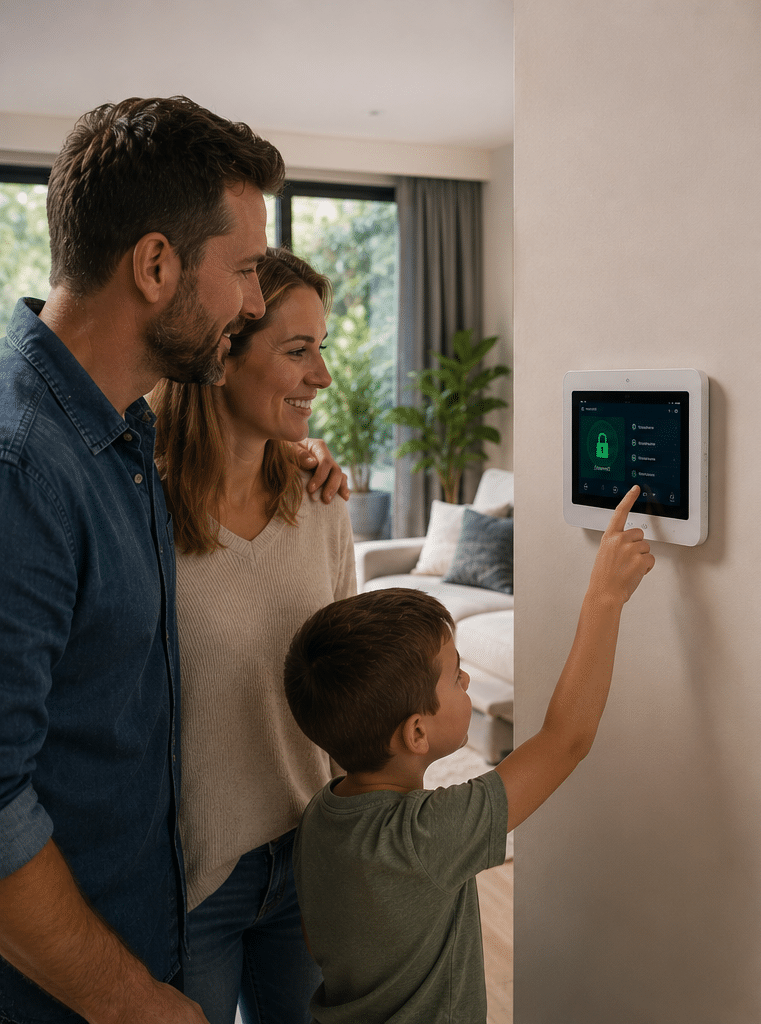
Main parts of a modern alarm system
Modern alarm systems are made up of several connected components. Each part has a role, and the system only works well when those parts match the property.
Control panel
The control panel is the brain of the alarm. It receives signals from sensors, decides whether an alarm event has occurred, and sends alerts to sirens, apps, keypads, or monitoring services.
Older systems often used basic panels with hardwired zones. In contrast, newer systems may support wireless sensors, mobile app control, automation, event history, and remote management.
Keypad or touchscreen
A keypad allows users to arm and disarm the alarm. Some systems use PIN codes, proximity tags, cards, or mobile credentials. In a business, separate user codes are useful because managers can see who armed or disarmed the site.
For example, a café owner may want staff to disarm only during opening hours. A warehouse manager may want different permissions for employees, cleaners, contractors, and supervisors.
Door and window contacts
Door and window contacts detect opening. They are commonly used on front doors, rear doors, garage entries, balcony doors, office entrances, stockroom doors, and accessible windows.
These sensors are useful because they detect entry before a person moves through the building. Therefore, they are often part of a strong perimeter alarm design.
Motion sensors
Motion sensors detect movement inside a protected area. Passive infrared sensors, often called PIRs, detect changes in heat and movement. Dual-technology sensors may combine PIR and microwave detection to reduce false alarms in difficult spaces.
Pet-friendly sensors can help in homes with animals, although placement still matters. For example, a sensor pointed at stairs, furniture, or a sunny window may still create problems if a pet can move through the detection field.
Glass-break sensors
Glass-break sensors listen for acoustic patterns associated with breaking glass. They are useful for shopfronts, display areas, offices, and homes with large glass doors.
However, they should not be treated as a replacement for contacts or motion detection. Instead, they work best as another layer.
Sirens and strobes
Sirens create local attention. External sirens and strobes can also help neighbours, patrol responders, or staff identify the affected property.
In residential settings, a siren can deter a quick intruder. In commercial settings, a siren is often paired with monitoring because many break-ins occur after hours when nobody is nearby.
Communicator
The communicator sends alarm events outside the building. Depending on the system, this may use NBN, Ethernet, Wi-Fi, 4G, dual SIM, or a combination.
A communicator is especially important for monitored alarm systems. If the alarm detects an event but cannot send a signal, the system loses much of its value.
Backup battery
A backup battery keeps the alarm running during a power outage. This matters because outages, storms, renovations, and accidental switch-offs can all affect power.
From my experience, battery age is one of the most overlooked issues in older alarm systems. A system may look fine on the wall, but if the backup battery has not been tested or replaced, reliability may be poor.
Alarm systems Australia: wired, wireless, monitored, and smart options
When people compare alarm systems, they often focus on brand names first. However, the more useful starting point is system type.
Wired alarm systems
Wired alarms use physical cabling between the control panel, sensors, keypad, and sirens. They are common in new builds, renovations, commercial fit-outs, and larger sites.
The main benefit is reliability. Wired sensors do not rely on individual sensor batteries. Also, they can be harder to interfere with when installed correctly.
The downside is installation effort. Running cables through finished walls, ceilings, concrete areas, or heritage buildings can add labour and disruption.
Wireless alarm systems
Wireless alarm systems use battery-powered sensors that communicate with the panel by radio signal. They are popular in existing homes, rentals, apartments, and small offices because installation is faster and less invasive.
However, wireless systems still need careful planning. Signal range, battery maintenance, wall construction, metal surfaces, and interference can affect performance.
A professional installer will usually test signal strength before finalising placement. That step matters because a sensor that works during setup should also work reliably over time.
Monitored alarm systems
Monitored alarm systems send events to a monitoring centre or response service. Depending on the service level, operators may contact nominated people, dispatch patrols, or follow an agreed escalation process.
Monitoring is useful for businesses, high-value homes, vacant properties, and sites where owners cannot respond quickly. However, monitoring also has ongoing costs. Therefore, it should be chosen for the risk level, not just because it sounds more advanced.
Self-monitored alarm systems
Self-monitored systems send alerts to your phone. This can suit homeowners, small businesses, and people who want visibility without a monitoring contract.
The limitation is response. If your phone is off, overseas, in a meeting, or out of range, the alert may not be actioned quickly. As a result, self-monitoring works best when several trusted users receive alerts.
Smart alarm systems
Smart alarm systems connect with apps, cameras, smart locks, lights, garage doors, or automation platforms. They can be convenient, especially for people who want remote control.
However, smart features introduce cyber security responsibilities. The Australian Government has introduced mandatory cyber security standards for most consumer-grade smart devices acquired in Australia, with the Cyber Security (Security Standards for Smart Device) Rules 2025 commencing on 4 March 2026 after a transition period. Source: Australian Government smart device security standards.
That matters for alarm systems because many devices now connect to apps, cloud services, Wi-Fi networks, and mobile accounts. Therefore, passwords, updates, account access, and device quality are part of the security decision.
Comparison table: alarm system types
| Alarm system type | Best suited to | Main strengths | Main limitations |
| Wired alarm systems | New builds, renovations, commercial sites, larger premises | Reliable, stable, less battery maintenance | More labour to install in finished buildings |
| Wireless alarm systems | Existing homes, apartments, rentals, small offices | Faster installation, less disruption, flexible placement | Battery checks and signal testing are important |
| Monitored alarm systems | Businesses, vacant properties, high-value homes | Escalation process, response support, event records | Ongoing monitoring fees |
| Self-monitored alarm systems | Homes and small businesses with active phone users | Lower ongoing cost, instant app alerts | Alerts may be missed if users are unavailable |
| Smart alarm systems | Tech-friendly homes, integrated offices, remote management | App control, automation, camera integration | Needs strong cyber security habits |
| Hybrid alarm systems | Mixed sites with old cabling and new needs | Combines wired reliability with wireless flexibility | Requires careful design and configuration |
How to choose alarm systems for different properties
The best alarm systems are designed around how the property is actually used. Therefore, the first question should not be “Which alarm is cheapest?” It should be “What are we trying to detect, and what should happen next?”
Alarm systems for homes
A home alarm should protect likely entry points while keeping daily use simple. Common areas include the front door, back door, garage internal door, hallway, living area, and accessible windows.
For many Australian homes, a good basic setup includes:
- Door contacts on main entry doors
- Motion sensors in key internal areas
- A siren and strobe
- App alerts for owners
- Backup battery
- User codes for family members
- Optional smoke, panic, or medical alert functions
However, the layout matters. A single-storey home with side access may need different coverage from a high-rise apartment. Likewise, a home with pets may need different sensor placement from a pet-free property.
Alarm systems for apartments
Apartments usually have fewer entry points, but they can have shared-access risks. For example, a building foyer, car park, storage cage, lift, or shared corridor may affect security.
Inside the apartment, door contacts and carefully placed motion sensors are common. If the apartment is rented or strata-managed, residents should check administrative approvals before drilling, installing external devices, or changing common-property areas.
Alarm systems for offices
Office alarm systems should consider staff movement, cleaners, contractors, server rooms, filing areas, and reception doors. A useful office alarm often includes separate user codes, event logs, and partitioning.
Partitioning lets different areas be armed separately. For instance, a reception area may be accessible during business hours while a stockroom or server room remains armed.
Alarm systems for retail shops
Retail sites often need protection for shopfront glass, rear doors, cash areas, storerooms, and display cabinets. They may also need duress buttons, especially where staff work alone or handle cash.
From my experience, false alarms in retail often come from poor closing procedures. For example, a moving sign, loose balloon, heater airflow, or unlocked rear door can trigger avoidable events. Clear staff training helps prevent this.
Alarm systems for warehouses
Warehouses can be challenging because they may have large open spaces, roller doors, loading docks, skylights, office sections, and high ceilings. Standard motion sensors may not always suit every zone.
A warehouse alarm may use roller-door contacts, beam sensors, industrial PIRs, perimeter devices, and monitored communications. In addition, the design should account for forklifts, stock movement, dust, insects, birds, and temperature changes.
Alarm systems for schools and community facilities
Schools, childcare centres, and community facilities need user-friendly systems because many authorised people may need access. These sites may include staff, cleaners, volunteers, contractors, and after-hours groups.
Therefore, permissions, logs, and training are important. The system should be simple enough for daily use but detailed enough for accountability.
Professional installation vs DIY alarm systems
DIY alarm kits can be useful for simple needs. However, they are not always the best choice for complex properties, commercial risks, or users who want long-term support.
Professional installation can add value because the installer checks sensor placement, communication paths, backup power, user training, and practical risks. Also, a professional can explain why one sensor belongs in a hallway and another does not belong near a heat source or window.
DIY alarm systems may suit
DIY systems may suit small homes, renters, and low-risk users who are comfortable with apps, batteries, and troubleshooting. They may also be useful for temporary setups.
However, buyers should still check device quality, app security, update support, battery life, and warranty terms.
Professional alarm systems may suit
Professional alarm systems are often better for businesses, larger homes, high-value assets, monitored sites, and properties needing reliable reporting.
A professional can also support staged upgrades. For example, a business may start with alarm detection and later add access control, CCTV, intercoms, or monitoring.
For expert help with site-specific planning, Eclipse Security can support Australian homes and businesses with professional alarm system installation and integrated security advice.
Monitoring, alerts, and response options
An alarm is only useful if someone responds. Therefore, alert design is just as important as sensor design.
App notifications
App notifications are convenient because they give users fast updates. Some systems can show which zone triggered, when the event occurred, and whether the alarm was armed or disarmed.
However, app alerts depend on phone access. If the owner is asleep, driving, overseas, or in a low-signal area, response may be delayed.
SMS or call alerts
Some systems can send SMS or call alerts. These may be useful for users who do not want to rely only on push notifications.
However, communication costs, network availability, and system compatibility should be checked before installation.
Monitoring centre alerts
A monitoring centre can follow a written response plan. For example, the plan may include calling the owner, contacting a manager, notifying a patrol service, or escalating after multiple alarm events.
This is helpful because response is not dependent on one phone. However, monitoring is an ongoing service, so it should be matched to risk and budget.
Patrol response
Some properties use patrol response after an alarm event. This can be useful for vacant sites, commercial properties, and owners who cannot attend.
However, patrol response times vary by location, traffic, service agreement, and event priority. Therefore, it should be seen as one layer of response, not a guarantee.
Smart alarm systems and cyber security
Smart alarm systems are convenient, but convenience should not weaken security. Any internet-connected alarm can introduce digital risk if it uses weak passwords, outdated firmware, poorly protected accounts, or insecure networks.
For Australian buyers, this is becoming more important because smart devices are now part of the broader cyber security conversation. A practical approach includes:
- Use strong, unique passwords
- Turn on multi-factor authentication where available
- Keep alarm apps and firmware updated
- Avoid sharing one login across all staff
- Remove old users when employees leave
- Secure the Wi-Fi network
- Check whether the product has ongoing manufacturer support
- Avoid unknown devices with unclear update policies
From my experience, one of the most common weaknesses is shared access. For example, a business may have one alarm app login used by several staff members. That makes it hard to remove access when someone leaves. Individual user accounts are usually safer and easier to audit.
Privacy, cameras, and administrative compliance
Many alarm systems now connect with cameras, video verification, doorbells, and access control. This can be useful, but it also creates privacy and administration tasks.
For businesses, video surveillance should be handled with clear notices, visible cameras, staff communication, and responsible data handling. The Australian Government’s business guidance recommends telling staff and new employees in writing about surveillance devices, using visible cameras, and placing signs at entrances where relevant. Source: business.gov.au video surveillance guidance.
This section is not legal advice. Instead, it highlights practical administrative tasks that owners should review with a qualified professional, licensed security provider, strata manager, workplace adviser, or legal adviser if needed.
Practical administration tasks
Australian businesses and strata sites may need to consider:
- Whether cameras are used with the alarm
- Whether audio recording is disabled or separately reviewed
- Whether staff have been told about surveillance
- Whether signs are placed where appropriate
- Whether footage access is limited to authorised people
- Whether old users are removed from apps and systems
- Whether contractors have temporary access only
- Whether monitoring instructions are current
- Whether emergency contacts are up to date
The key point is simple. Security systems should protect people and property while respecting privacy, workplace expectations, and site rules.
Numbered checklist before installing alarm systems
Use this checklist before comparing quotes or buying equipment.
- List the assets you need to protect
Start with people, entry points, cash, stock, equipment, tools, vehicles, records, and sensitive rooms. - Identify likely entry points
Walk around the property and note doors, windows, roller doors, balconies, roof access, car parks, and shared areas. - Decide who needs alerts
Choose whether alerts go to owners, managers, family members, a monitoring centre, patrol responders, or multiple contacts. - Choose wired, wireless, or hybrid design
Consider building age, wall access, budget, renovation plans, and future expansion. - Check communication options
Confirm whether the system will use Ethernet, Wi-Fi, 4G, dual path, or another method. - Plan user access
Decide who gets codes, app access, tags, or temporary permissions. - Consider pets, airflow, and site conditions
Review pets, heaters, air conditioning, curtains, insects, sunlight, and moving objects. - Review privacy and signage needs
If cameras are included, check signs, staff notices, strata rules, and data handling processes. - Ask about maintenance
Confirm battery replacement, sensor testing, software updates, and monitoring checks. - Test the system after installation
Test arming, disarming, sirens, alerts, app access, backup battery, and monitoring signals.
Common mistakes to avoid with alarm systems
Choosing price before design
A cheap system may cost more later if it misses key entry points or creates false alarms. Therefore, compare the design, not just the hardware list.
Ignoring false alarm causes
False alarms reduce trust. If users believe the alarm is unreliable, they may stop using it. Common causes include poor sensor placement, loose doors, pets, insects, low batteries, and unclear staff procedures.
Forgetting backup communication
If an alarm relies only on one communication path, alerts may fail during an outage. For higher-risk sites, ask whether dual-path communication or mobile backup is suitable.
Sharing one code across many users
Shared codes make life easy at first, but they reduce accountability. Individual codes help identify who armed or disarmed the system.
Not updating emergency contacts
Monitoring centres and staff need current contact details. If the first three contacts are old employees, the response plan fails.
Overlooking maintenance
Alarm systems need testing. Batteries, sensors, sirens, apps, and communication paths should be checked on a schedule.
People Also Ask: alarm systems in Australia
Are alarm systems worth it in Australia?
Yes, alarm systems can be worth it when they are designed for the property’s real risks. They provide early warning, local deterrence, and faster notification, especially when paired with good locks, lighting, cameras, and clear response procedures.
How much do alarm systems cost in Australia?
Costs vary depending on the number of sensors, wired or wireless design, monitoring, app features, installation labour, and property size. As a general guide, a simple residential setup may cost less than a larger commercial system, but quotes should be based on a site assessment rather than guesswork.
Do I need a monitored alarm system?
You may need monitoring if nobody can respond quickly to alerts, if the property is vacant after hours, or if the site has higher-value assets. However, self-monitoring may be enough for lower-risk homes where several trusted people can receive app alerts.
Are wireless alarm systems reliable?
Wireless alarm systems can be reliable when quality equipment is installed correctly and signal strength is tested. However, battery maintenance, device placement, and radio conditions matter.
Can alarm systems connect to cameras?
Yes, many modern alarm systems can connect with cameras or video verification. This can help users understand what triggered an alert, but privacy, signage, and access controls should be reviewed when video is used.
Expert Q&A about alarm systems
1. What is the best alarm system for a small business?
The best alarm system for a small business usually includes door contacts, motion sensors, a keypad, a siren, app alerts, user codes, and optional monitoring. If the business has stock, cash, tools, or after-hours risk, monitored alarm systems may provide a stronger response plan.
2. Should I choose wired or wireless alarm systems for a finished home?
Wireless alarm systems are often easier for finished homes because they reduce drilling and cabling. However, wired or hybrid systems may still be better during renovations, extensions, or new builds.
3. How often should alarm systems be serviced?
Many systems should be checked at least once a year, although higher-risk commercial sites may need more frequent testing. Service checks commonly include batteries, sensors, sirens, communication paths, user codes, event history, and monitoring signals.
4. Can an alarm system reduce insurance costs?
Some insurers may consider security measures when assessing risk, but discounts are not guaranteed. Ask your insurer what evidence they need, such as installation details, monitoring confirmation, or maintenance records.
5. What should I ask before accepting an alarm quote?
Ask what areas are protected, why each sensor is placed there, how alerts are sent, whether monitoring is included, how backup power works, what happens during an internet outage, and what maintenance is required. Also ask whether the system can expand later.
Conclusion: choose alarm systems that fit the real risk
Alarm systems are most effective when they are practical, reliable, and designed around the property. In Australia, that means thinking beyond the box on the wall. You need the right sensors, clear alerts, secure app access, backup power, privacy-aware camera use, and a response plan that works when nobody is standing at the door.
For homeowners, the goal is peace of mind without making daily life harder. For businesses, the goal is controlled access, faster response, reduced disruption, and better accountability. In both cases, the best alarm systems are the ones people actually use correctly every day.
If you are comparing options, start with a site walk-through, list your risks, and ask for a design that explains the “why” behind each device. Then choose a system that can grow with your property, your team, and your security needs.