


Commercial Security Systems are no longer limited to a basic alarm at the front door and a few cameras above the counter. Australian businesses now use connected security technology to protect people, premises, stock, equipment, sensitive areas and day-to-day operations. However, choosing the right system requires more than simply buying the newest cameras or adding more sensors.
A retail store in Melbourne has different security risks from a warehouse in Brisbane, a medical facility in Sydney or an industrial site in Perth. Therefore, the most effective approach starts with the site, its people, its operating hours and the consequences of an incident.
In real-world security planning, one principle appears repeatedly: more equipment does not automatically mean better security. Instead, the strongest systems combine the right technology with sensible procedures, clear staff responsibilities, reliable monitoring and regular maintenance.
This guide explains how Commercial Security Systems work, which technologies businesses commonly use, how to plan an integrated solution and what Australian organisations should consider when dealing with CCTV, access control, alarms, privacy and network-connected security equipment.
What Are Commercial Security Systems?
Commercial Security Systems are coordinated technologies and procedures used to protect Australian workplaces, people, buildings, stock and information. They commonly combine CCTV, access control, intruder alarms, intercoms and monitoring so a business can detect suspicious activity, control entry, record events and respond faster when incidents occur.
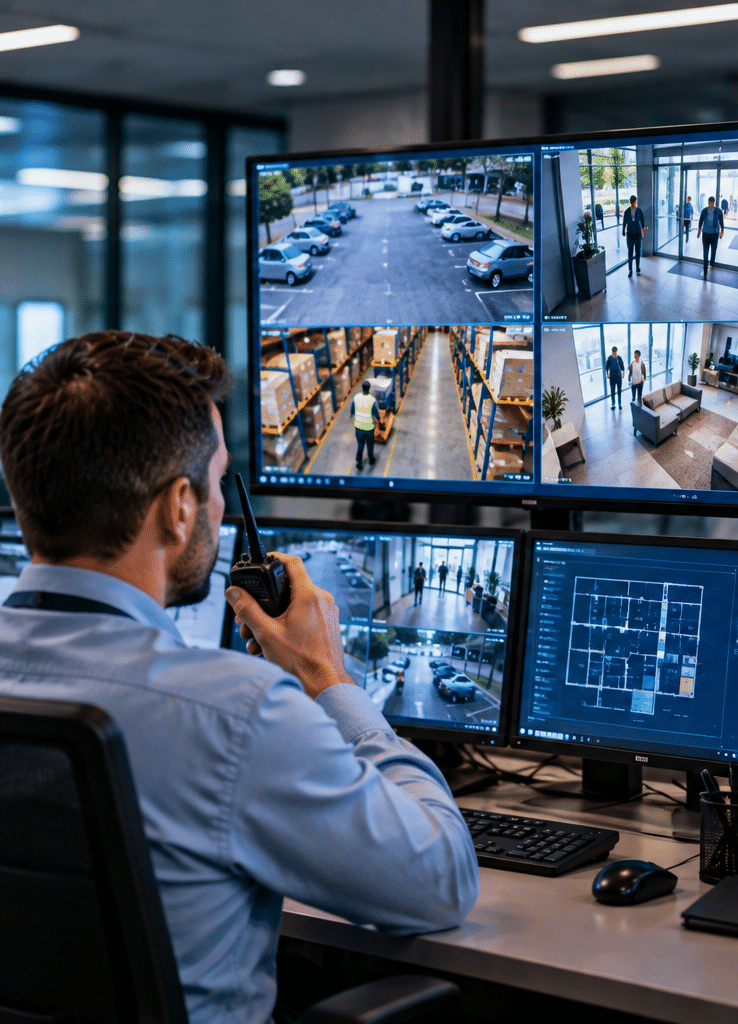
Table of Contents
- Why Commercial Security Systems Matter
- What a Commercial Security System Usually Includes
- Why Layered Commercial Security Works Better
- CCTV and Security Camera Systems
- Commercial Access Control Systems
- Intruder Alarms and Alarm Monitoring
- Intercoms and Visitor Entry
- Cyber Security for Connected Security Systems
- Privacy and Surveillance Considerations in Australia
- Commercial Security Systems Comparison Table
- Choosing Security for Different Australian Industries
- Commercial Security Planning Checklist
- Installation, Testing and Maintenance
- Common Commercial Security Mistakes
- People Also Ask
- Expert Q&A
- Conclusion
Why Commercial Security Systems Matter
Businesses face several types of security risk at the same time.
There may be unauthorised entry after hours. Retailers may experience theft. Warehouses may need to protect valuable stock. Offices may need to prevent visitors from reaching staff-only areas. Industrial businesses may need stronger perimeter controls, while schools and healthcare facilities may need tightly managed movement between public and restricted spaces.
Because these risks are different, relying on one security device is rarely enough.
Victoria Police, for example, recommends a combination of measures for business premises, including cameras, monitored alarms, lighting, secure doors and physical protection at vulnerable entry points.
This illustrates an important idea known as layered security.
Instead of expecting one device to stop every incident, the business creates several barriers.
For example:
- exterior lighting improves visibility;
- CCTV provides surveillance and evidence;
- access control restricts entry;
- alarms detect unauthorised activity;
- monitoring helps initiate a response;
- physical locks, doors and barriers delay access;
- staff procedures determine what happens next.
Therefore, Commercial Security Systems should be designed as part of a wider security strategy rather than treated as isolated pieces of hardware.
What Do Commercial Security Systems Usually Include?
A modern commercial solution may combine several technologies.
CCTV and video surveillance
Security cameras allow businesses to monitor important areas and retain video records of events.
Common locations include:
- entrances and exits;
- loading docks;
- reception areas;
- car parks;
- warehouses;
- cash-handling zones;
- corridors;
- stock rooms;
- external boundaries.
However, camera quantity alone does not determine effectiveness.
Placement, lighting, viewing angle, resolution, storage duration and image quality all matter.
Victoria Police advises businesses to consider entry and exit coverage, available storage, network security and the ability to obtain clear images during both daytime and nighttime conditions. It also recommends combining CCTV with measures such as sensor lighting and alarms.
That is why a site assessment should come before camera selection.
Access control systems
Access control determines who can enter a location, which areas they can access and sometimes when they can access them.
Instead of relying entirely on traditional keys, businesses may use:
- cards;
- fobs;
- PINs;
- mobile credentials;
- biometric technologies;
- electronically controlled doors.
For example, a staff member might have access to the office during normal working hours but not to the server room.
Meanwhile, a warehouse manager may require access to both warehouse and administrative areas.
This creates greater control than issuing the same physical key to many employees.
Access control systems can also create records of authorised entry activity. Therefore, they can support investigations and administrative reviews when properly configured.
Victoria Police specifically recommends access control and trackable access cards for areas containing high-value goods.
Why Layered Commercial Security Systems Work Better
Imagine a warehouse protected only by CCTV.
A camera may record an intruder, but the camera itself does not physically stop entry.
Now imagine that same warehouse with perimeter lighting, strong locks, door contacts, an alarm, CCTV and access-controlled internal areas.
An intruder now encounters several separate security layers.
This concept is sometimes described as defence in depth.
The Australian Signals Directorate also uses defence-in-depth principles when discussing physical protection of information systems and facilities. Its guidance emphasises successive physical security layers and controlled access to sensitive technology.
Although government security requirements can be more demanding than those of an ordinary commercial premises, the principle remains useful.
A business can think about security as several zones:
Zone 1: Property boundary
Lighting, fencing, gates and external cameras may provide the first layer.
Zone 2: Building entrance
Doors, locks, intercoms, access control and alarms protect entry points.
Zone 3: Internal restricted areas
Access-controlled doors can separate public areas from offices, stock rooms, laboratories, server rooms or cash areas.
Zone 4: High-value assets
Safes, locked cabinets, equipment rooms or additional alarm sensors may provide another layer.
Therefore, when one control fails or is bypassed, another layer remains.
CCTV Within Commercial Security Systems
CCTV remains one of the most visible parts of Commercial Security Systems.
However, business owners should begin with a question:
What does this camera need to achieve?
A camera designed to provide a wide overview of a warehouse is performing a different job from a camera intended to obtain usable facial images at an entrance.
Likewise, a car park camera may have different lighting and positioning requirements from an indoor reception camera.
Detection, observation and identification
Businesses should decide whether they primarily need to:
- see activity occurring;
- understand what is happening;
- recognise an individual;
- identify a person or vehicle;
- review an incident later.
This decision affects camera position and image detail.
For example, mounting a camera extremely high may create broad coverage. However, it may produce less useful facial detail.
Conversely, placing a camera closer to an entrance may provide stronger identification footage but cover a smaller area.
Storage also matters
Businesses should consider:
- how much footage will be stored;
- how long recordings need to remain available;
- who can access footage;
- whether storage is local or remote;
- how footage will be exported following an incident;
- how storage devices themselves are protected.
Victoria Police recommends that CCTV systems have adequate storage and that recording equipment be secured.
Therefore, CCTV design should consider the entire recording process rather than cameras alone.
Commercial Access Control Systems
Access control is particularly useful where a business needs different permissions for different people.
Consider a commercial office.
Visitors may enter reception but should not freely access meeting rooms, finance offices or server rooms.
Employees may enter normal workspaces. However, only authorised IT personnel may require access to technical areas.
An access control system can support this structure.
Access permissions can be changed quickly
Traditional keys create an administrative problem.
If an employee leaves without returning a key, the business may need to replace or re-key locks.
With electronic access control, an authorised administrator may instead disable the person’s credential.
Similarly, temporary contractors may receive access only during an approved period.
Therefore, access management can become more flexible.
Useful access control questions
Before installation, businesses should determine:
- Which doors actually require electronic access?
- Which staff roles need access?
- Should permissions vary by time?
- How will lost credentials be handled?
- What happens during a power failure?
- How are emergency exits managed?
- Who is authorised to add or remove users?
- How frequently should access permissions be reviewed?
The technology is only part of the answer. Administration matters equally.
Intruder Alarms and Security Monitoring
An alarm system detects defined events and creates an alert.
Depending on the system, sensors may detect:
- doors opening;
- windows opening;
- movement;
- glass breakage;
- unauthorised access to protected areas.
Commercial alarm systems can also be divided into different areas or zones.
For example, a warehouse may require active protection overnight while an authorised employee continues working in an office.
Local alarms versus monitored alarms
A local alarm may activate a siren or notification.
A professionally monitored alarm can also communicate an event to a monitoring facility.
However, monitoring does not mean every alarm automatically results in emergency-service attendance. Procedures, verification requirements and response arrangements can vary.
Therefore, businesses should establish a clear alarm response plan.
It should identify:
- who receives notifications;
- who is contacted first;
- who can attend the site;
- what happens after a verified incident;
- how false alarms are handled;
- who updates contact details.
An alarm without a response procedure may create noise without providing an effective operational response.
Intercoms and Controlled Visitor Entry
Intercom systems provide another useful security layer.
They allow staff to communicate with someone before giving them access.
Video intercoms may also allow visual verification.
This is particularly useful at:
- office entrances;
- gated facilities;
- warehouses;
- loading areas;
- apartment-style commercial developments;
- education facilities;
- healthcare premises.
An intercom becomes even more useful when integrated with electronic door control.
A receptionist, for instance, may identify a visitor and release the entrance remotely rather than physically walking to the door.
However, businesses still need procedures.
Staff should know when they may release a door, how contractors are verified and how unexpected visitors are handled.
Cyber Security Is Now Part of Commercial Security Systems
Modern security equipment is increasingly connected.
Security cameras, network video recorders, intercoms and access control controllers may communicate across an organisation’s network or the internet.
Therefore, physical security and cyber security can no longer be considered completely separate.
The Australian Cyber Security Centre notes that Internet of Things devices include security cameras and warns that some connected devices can contain security weaknesses that expose devices or personal information to compromise.
Useful cyber-security practices can include:
- changing default passwords;
- using strong, unique credentials;
- installing approved firmware updates;
- limiting administrative access;
- disabling unnecessary remote services;
- keeping configuration backups;
- controlling vendor remote access;
- separating security devices from sensitive business systems where appropriate;
- reviewing old user accounts.
Larger organisations may also consider network segmentation.
Cyber.gov.au’s security principles recommend segmenting systems into network zones according to factors such as business criticality and trust.
For many businesses, that may mean avoiding a situation where every camera, staff computer, guest Wi-Fi device and critical server sits on the same unrestricted network.
For practical Australian advice, see the Australian Cyber Security Centre’s guidance on securing connected devices. Cyber.gov.au guidance for connected devices
Privacy and Commercial Security Systems in Australia
CCTV can collect information about customers, staff, contractors and visitors.
Therefore, businesses must think about privacy as well as physical security.
According to the Office of the Australian Information Commissioner, organisations covered by the Privacy Act must handle personal information collected through surveillance devices consistently with the Australian Privacy Principles. The OAIC also notes that state and territory surveillance laws may apply.
Workplace surveillance requirements can also differ across Australian jurisdictions.
Consequently, businesses should not assume that one rule applies everywhere in Australia.
Administrative considerations may include:
- CCTV signage;
- staff notifications;
- camera placement;
- footage access permissions;
- storage periods;
- disclosure procedures;
- secure deletion;
- workplace surveillance requirements;
- state or territory legislation.
The Australian Government also recommends informing employees about workplace surveillance and avoiding camera placement in private areas such as toilets, showers and change rooms.
Businesses considering CCTV can review the Australian Government’s video surveillance guidance. Australian Government video surveillance guidance
For additional privacy information, see the OAIC’s guidance on security cameras. OAIC security camera privacy guidance
These points are general administrative guidance, not legal advice. Organisations should confirm applicable requirements for their industry, state or territory when necessary.
Commercial Security Systems Comparison
| Security component | Main purpose | Strongest use | Important limitation |
| CCTV | Monitor and record activity | Entrances, car parks, warehouses, retail and investigation | Does not physically prevent entry |
| Access control | Restrict and record authorised entry | Offices, staff zones, server rooms and restricted areas | Permissions must be maintained |
| Intruder alarm | Detect unauthorised activity | After-hours protection and restricted areas | Requires a defined response process |
| Professional monitoring | Provide external alarm response support | Businesses requiring after-hours coverage | Response depends on procedures and event type |
| Intercom | Verify and communicate with visitors | Reception areas, gates and controlled entrances | Staff still need visitor procedures |
| Physical security | Delay or restrict forced entry | Doors, windows, gates and perimeter areas | Needs maintenance and correct installation |
| Network security | Protect connected security infrastructure | IP cameras, controllers and remote management | Poor configuration can create cyber risk |
The important point is that these technologies are complementary.
A camera provides information.
An alarm provides detection.
Access control manages authorised movement.
A strong door provides delay.
Monitoring supports response.
Consequently, combining controls is usually more useful than expecting one product to perform every role.
Choosing Commercial Security Systems by Industry
Different businesses should prioritise different risks.
Retail stores
Retail security may focus on:
- customer entrances;
- cash-handling areas;
- stock rooms;
- staff-only areas;
- after-hours intrusion;
- external shopfronts.
CCTV can support incident review, while access control can restrict back-of-house areas.
Alarms can then protect the premises after closing.
Warehouses and distribution centres
Warehouses often have larger physical areas and multiple access points.
Important locations may include:
- loading docks;
- roller doors;
- external yards;
- stock storage;
- dispatch areas;
- offices;
- gates.
Therefore, camera placement and access permissions require careful planning.
After-hours monitoring may also be particularly valuable where valuable inventory remains unattended.
Offices
Commercial offices usually require more emphasis on controlled access than large-scale perimeter surveillance.
Typical priorities include:
- main entrances;
- reception;
- lift or floor access;
- server rooms;
- records storage;
- staff-only areas.
Visitor management should also form part of the plan.
Healthcare facilities
Healthcare environments can contain sensitive records, controlled medicines, staff-only rooms and public-facing areas.
Consequently, a security plan may need to balance access restrictions with rapid staff movement.
Privacy must also receive particular attention.
Schools and education facilities
Education premises may require controlled entry, visitor verification, surveillance of appropriate public and external areas, alarms and access restrictions.
However, privacy, safeguarding and operational policies require careful review.
Industrial and manufacturing sites
Industrial premises may contain:
- expensive machinery;
- hazardous areas;
- remote buildings;
- external yards;
- multiple shifts;
- contractors.
Therefore, integrated access control, perimeter surveillance, alarms and role-based permissions can become important.
How to Plan Commercial Security Systems: 10-Step Checklist
A structured assessment helps prevent unnecessary spending and poor system design.
- Identify the assets you need to protect.
List people, buildings, equipment, stock, documents and sensitive technology. - Map entrances, exits and vulnerable areas.
Include doors, windows, loading bays, gates, roof access and external yards. - Review when risks occur.
Risks during operating hours may differ significantly from after-hours risks. - Separate public and restricted areas.
Decide where visitors, contractors and staff should be able to move. - Define CCTV objectives.
Decide whether each camera needs overview, observation, recognition or detailed identification. - Define alarm zones and response procedures.
Determine who should receive alerts and what happens when an alarm activates. - Plan access permissions.
Create access groups based on job responsibilities rather than giving everyone unrestricted access. - Review privacy and administrative requirements.
Consider signage, staff notifications, footage access and applicable state or territory rules. - Protect network-connected security equipment.
Change default credentials, control remote access and maintain device software. - Create a maintenance and review schedule.
Test cameras, sensors, doors, recording equipment and communication paths periodically.
Following this process helps move the conversation away from “How many cameras should we buy?” toward the more useful question: What risks are we trying to control?
Choosing a Commercial Security Provider
Commercial security installation is a specialist activity.
Furthermore, licensing requirements differ across Australian jurisdictions.
ASIAL notes that each Australian state and territory has its own security industry regulator and licensing framework, while Victoria Police identifies security equipment installation as a regulated private-security activity in Victoria.
Therefore, when evaluating a provider, businesses should consider more than hardware price.
Useful questions include:
- Is the business appropriately licensed for the jurisdiction?
- Who will design the system?
- Who performs installation?
- What equipment is proposed?
- How will the system be supported?
- Is remote support available?
- How will software and firmware updates be managed?
- Can the provider maintain existing equipment?
- What monitoring arrangements are available?
- What documentation will be supplied?
- What happens if the business moves or expands?
Clear documentation is especially important.
Businesses should understand which equipment has been installed, where devices are located and who has administrator credentials.
Standalone vs Integrated Commercial Security Systems
Some businesses operate several independent security systems.
For example:
- one application for cameras;
- another system for alarms;
- separate access control software;
- an independent intercom.
This can work for small installations.
However, larger facilities may benefit from integration.
Standalone systems
Standalone security can be simpler initially.
It may also allow individual systems to be replaced without affecting other components.
However, staff may need to manage several interfaces.
Event investigation can also require information from different platforms.
Integrated systems
Integrated Commercial Security Systems can connect security events.
For example, an unauthorised access attempt could be associated with nearby camera footage.
Similarly, an alarm event may allow operators to review relevant surveillance information.
Integration can therefore improve situational awareness.
However, complexity increases.
The design must consider compatibility, permissions, network infrastructure and future support.
Therefore, integration should solve a genuine operational problem rather than be added simply because the technology supports it.
Installation Matters as Much as Equipment
High-quality equipment cannot compensate for poor installation.
A camera can have excellent specifications but provide limited value if it points at a bright window or misses the doorway it is supposed to monitor.
Likewise, an access-controlled door may create problems if emergency egress requirements have not been considered.
Alarm sensors may generate unwanted alerts if installed or configured poorly.
Consequently, commissioning is essential.
Commissioning means testing the completed system to confirm that it actually performs as designed.
CCTV commissioning
Check:
- daytime images;
- nighttime images;
- camera angles;
- timestamps;
- recording;
- playback;
- storage;
- remote viewing;
- footage export.
Alarm commissioning
Test:
- each sensor;
- entry and exit delays;
- alarm zones;
- sirens;
- notifications;
- communication paths;
- monitoring procedures where applicable.
Access control commissioning
Confirm:
- authorised users;
- restricted users;
- time schedules;
- door locking;
- emergency behaviour;
- credential cancellation.
A system should not be considered complete simply because the equipment powers on.
Why Maintenance Is Essential
Commercial Security Systems operate every day.
As a result, normal changes around the property can gradually reduce their effectiveness.
For example:
A tree may grow into a camera view.
A warehouse shelf may block a camera.
A door may stop closing correctly.
A backup battery may deteriorate.
A staff member may leave while their access remains active.
A network configuration may change.
Storage may fail.
Therefore, security maintenance should include both physical inspection and system testing.
Review user permissions
Old access credentials are a common administrative weakness.
Businesses should periodically check:
- current staff;
- former employees;
- contractors;
- temporary users;
- administrator accounts.
Access should reflect current operational requirements.
Review camera views
Changes in furniture, shelving, walls or landscaping can create new blind spots.
Therefore, camera coverage should be reviewed after renovations or layout changes.
Test incident procedures
Technology works best when people know what to do.
Staff should understand who receives security alerts, when managers should be contacted and when emergency services should be called.
Commercial Security Systems and Business Growth
A security system should ideally accommodate change.
A company may:
- open another site;
- add a warehouse;
- increase employee numbers;
- change operating hours;
- add restricted rooms;
- expand car parking;
- renovate reception;
- increase stock value.
Therefore, scalability is worth considering during initial design.
This does not necessarily mean installing everything immediately.
Instead, businesses can consider whether the underlying platform can support additional doors, cameras or users later.
Planning expansion early can also reduce unnecessary replacement costs.
Common Commercial Security Mistakes
Buying equipment before assessing risk
A camera package may look attractive, but the number of cameras does not tell you whether those cameras cover the right locations.
Start with risks and objectives.
Focusing only on the building entrance
Security incidents can occur through loading bays, rear doors, staff entrances and internal restricted areas.
Therefore, review the whole site.
Ignoring lighting
Even capable cameras can struggle under difficult lighting conditions.
Consider both daytime and nighttime performance.
Giving too many people administrator access
Administrator accounts can change settings and permissions.
Therefore, they should be restricted to people who genuinely need them.
Keeping former staff credentials active
Access control is valuable only if its user database is maintained.
Disable unnecessary credentials promptly.
Ignoring cyber security
Network-connected security devices are part of your technology environment.
Default passwords and unnecessary internet exposure can create avoidable risks.
Installing CCTV without considering privacy
Camera placement and footage handling should be reviewed before installation.
Privacy should not be an afterthought.
Having alarms without a response plan
An alert only tells you that something happened.
Someone still needs to know what action to take.
People Also Ask About Commercial Security Systems
What is included in a commercial security system?
A commercial security system can include CCTV, intruder alarms, access control, intercoms, monitoring and physical security measures. The exact combination depends on the site’s risks, building layout, operating hours and areas requiring restricted access.
How much do Commercial Security Systems cost in Australia?
There is no reliable single price because commercial sites vary significantly. Costs depend on camera quantities, door hardware, cabling, recording capacity, alarm sensors, network work, monitoring, site size, installation complexity and ongoing maintenance.
Do Australian businesses need CCTV?
CCTV is not automatically necessary for every business. However, it can support surveillance, incident investigation and deterrence when cameras are positioned appropriately. Businesses should also consider applicable privacy and surveillance requirements.
Is access control better than traditional keys?
Access control can provide advantages where many employees require different levels of access. Credentials can often be cancelled or changed without replacing locks, while access permissions can be managed according to location, role or time.
Should commercial security cameras be connected to the internet?
Remote access can be useful, but internet connectivity also introduces cyber-security considerations. Businesses should use secure credentials, controlled remote access, appropriate updates and sound network configuration.
Expert Q&A: Commercial Security Systems
1. How often should a commercial security system be reviewed?
The system should be reviewed regularly and after significant changes such as renovations, staff restructuring, site expansion or a security incident. Testing should cover equipment, user permissions, footage recording, alarms and response procedures.
2. How long should a business keep CCTV footage?
There is no universal retention period suitable for every Australian organisation. Businesses should choose a period based on operational needs, applicable privacy obligations, industry requirements, storage capability and legitimate security purposes rather than retaining footage indefinitely without reason.
3. Can an existing CCTV system be upgraded without replacing every camera?
Sometimes. The answer depends on the existing cameras, cabling, recorder, network infrastructure and compatibility with newer technology. A technical assessment can identify which components remain useful and which create performance limitations.
4. What should businesses do when an employee leaves?
Security administration should form part of the offboarding process. Remove or disable relevant access credentials, remote security access, administrator accounts and shared credentials where required, and recover physical keys or devices supplied to the employee.
5. What is the most important part of Commercial Security Systems?
There is no single device that is most important for every site. The strongest security plan is the one that matches the organisation’s actual risks and combines appropriate detection, access restriction, surveillance, response procedures and maintenance.
Conclusion: Build Commercial Security Systems Around Risk, Not Products
Effective Commercial Security Systems start with understanding the business.
What needs protection?
Who should have access?
Which areas are most vulnerable?
What happens outside business hours?
Who responds when something goes wrong?
Once those questions are clear, businesses can select suitable technologies such as CCTV, access control, alarms, intercoms and monitoring.
However, technology should form part of a layered security strategy. Good lighting, strong physical security, sensible access permissions, staff procedures, privacy administration and cyber-security controls all contribute to the result.
Australian businesses should also review relevant state or territory licensing and surveillance requirements rather than assuming the same rules apply nationally.
Most importantly, commercial security should be reviewed over time. Buildings change. Staff change. Technology changes. Risks change as well.
A structured security assessment can identify gaps, remove unnecessary complexity and help determine which controls genuinely suit the premises. For businesses considering a new installation, upgrade or integrated solution, explore commercial security solutions from Eclipse Security Systems to discuss the security requirements of your site.