


Video intercom systems are now a practical access control choice for Australian homes, apartments, offices, warehouses, schools, medical clinics and mixed-use buildings. From my experience reviewing security requirements for Australian properties, the best outcomes usually come from matching the intercom to the site’s doors, network, visitor flow, privacy needs and long-term maintenance plan—not simply choosing the newest screen or app.
This guide explains how video intercom systems work, what features matter, how they compare with audio-only and keypad entry, and what Australian buyers should consider before installation. It is written for non-experts who want clear, practical information before speaking with a security installer.
Table of Contents
- What are video intercom systems?
- Why video intercom systems matter in Australia
- How video intercom systems work
- Main types of video intercom systems
- Key features to compare before buying
- Video intercom systems for homes, apartments and businesses
- Wired vs wireless video intercom systems
- IP video intercom systems and mobile app access
- Privacy, cyber security and admin considerations
- Installation checklist for Australian properties
- Cost factors and ownership planning
- Common mistakes to avoid
- People Also Ask
- Expert Q&A
- Conclusion
What are video intercom systems?
Video intercom systems let occupants see, speak with and verify visitors before unlocking a door, gate or entry point. They usually combine an outdoor camera station, indoor monitor or mobile app, two-way audio and an electric lock release to improve convenience, visitor screening and controlled access.
Why video intercom systems matter in Australia
Australia has many property types that benefit from controlled entry. A detached home may need a gate station at the driveway. A strata apartment may need a lobby intercom that calls individual units. A warehouse may need visitor screening at reception and delivery access after hours. A childcare centre or medical clinic may need a stricter visitor process because staff must know who is entering.
Therefore, video intercom systems are not only about seeing a person at the door. They support a broader access process. They help users answer three questions before opening:
- Who is at the entry point?
- Why are they there?
- Should they be allowed in now?
This is important because many Australian sites now combine physical security with convenience. For example, a resident may want to answer the front gate from a phone. A receptionist may need to unlock a door from a desk. A facilities manager may need an audit-friendly system that reduces lost keys and unmanaged access.
According to the Office of the Australian Information Commissioner, organisations using surveillance devices such as security cameras generally need to consider privacy and surveillance laws. This matters because many video intercom systems capture images, audio or access records. Australian businesses should treat privacy notices, retention settings and staff procedures as administrative tasks that support responsible operation.
How video intercom systems work
Most video intercom systems include four core parts.
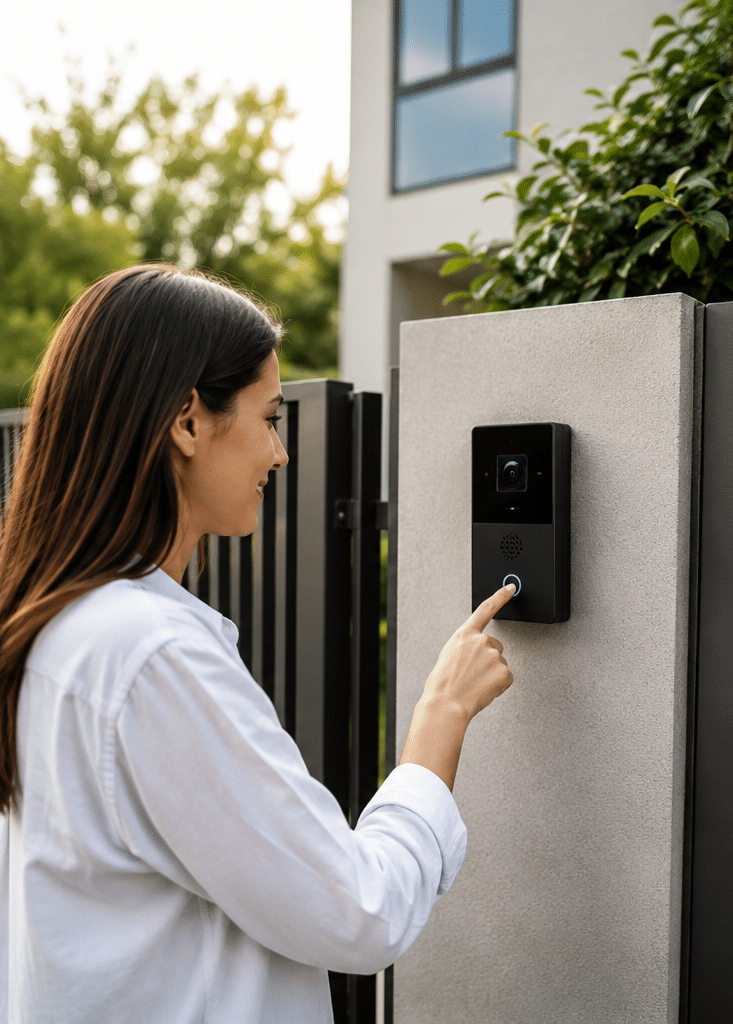
First, the outdoor station sits at the gate, door, lobby or reception point. It usually includes a camera, microphone, speaker and call button. Some units also include a keypad, card reader or QR access option.
Second, the indoor station receives the call. This may be a wall-mounted screen, a desk handset, a guard station, a mobile app or a browser-based console. In homes, the indoor monitor is often placed near the kitchen or main hallway. In businesses, it may sit at reception or security control.
Third, the communication path connects both sides. Older systems may use dedicated cabling. Modern IP video intercom systems often use Ethernet, network switches and sometimes Power over Ethernet, also known as PoE. Wireless systems may use Wi-Fi, although they still need reliable power.
Fourth, the lock release connects the intercom to a door strike, magnetic lock, gate motor or access control relay. When the user approves entry, the system sends a signal to unlock the entry point for a short time.
In simple terms, the visitor presses a button, the occupant sees and speaks with them, and the occupant decides whether to release the door. However, the design can become more complex when there are multiple doors, lifts, tenancies, remote users or after-hours rules.
Main types of video intercom systems
1. Residential video intercom systems
Residential video intercom systems are used in houses, duplexes and small townhouses. They are often installed at front gates, pedestrian gates, front doors and garage-side entrances. Many homeowners choose them because they want to avoid opening a door before confirming who is outside.
A good home system should have clear night vision, weather-resistant hardware and a simple unlock process. In Australia, outdoor devices should be selected for heat, rain, dust and coastal exposure where relevant.
2. Apartment video intercom systems
Apartment systems usually need a lobby panel, a directory, multiple indoor stations or mobile app accounts, and integration with common doors. In strata buildings, the system must be easy to manage when residents move in or out.
For apartments, video intercom systems should be planned around resident privacy, visitor flow, parcel deliveries, lift access and ongoing administration. A low-cost system may become frustrating if it cannot easily add or remove residents.
3. Commercial video intercom systems
Commercial sites use video intercom systems to manage visitor access, deliveries, contractors and staff entry points. Offices, warehouses, factories, schools and clinics often need more than one entry station.
In commercial settings, the intercom may connect with access control, CCTV, alarms or visitor management software. As a result, the system should be chosen for reliability, supportability and integration—not just the camera resolution.
4. IP video intercom systems
IP video intercom systems run over a data network. They are popular because they can support multiple devices, remote answering, central management and integration with other security systems.
However, IP systems must be configured securely. The Australian Government’s smart device security guidance highlights the importance of baseline cyber security for connected smart devices, including areas such as secure configuration and responsible product design. For property owners, this means default passwords, updates and network settings should not be ignored.
5. Wireless video intercom systems
Wireless video intercom systems can be useful where cabling is difficult. They may suit existing homes or small sites where running cable to a gate is expensive.
However, wireless systems depend on signal quality, power stability and Wi-Fi coverage. From my experience, many wireless issues are not caused by the intercom itself. They are caused by weak Wi-Fi at the gate, metal structures, long distances or poor router placement.
Key features to compare before buying
Camera quality
Look for a camera that performs well in real conditions, not only in product images. Australian entry points often face strong sunlight, glare, shade and night-time lighting changes. Wide dynamic range can help when a visitor stands in front of a bright driveway or glass entry.
Two-way audio
Clear audio matters because users need to confirm visitor intent. If the microphone or speaker is poor, the system becomes annoying. For business sites, check whether the device handles road noise, warehouse noise or windy entrances.
Night vision
Many visitors, deliveries and security events happen outside standard business hours. Therefore, night vision should be tested at the actual mounting height and angle. Infrared glare from nearby walls or reflective signs can reduce image quality.
Mobile app access
Mobile app access is convenient for homes and small businesses. It allows authorised users to answer calls when away from the property. However, app-based systems need secure accounts, strong passwords, device management and stable internet.
Door release compatibility
Not every intercom works with every lock or gate. Before buying, check compatibility with electric strikes, magnetic locks, gate motors, automatic doors and fail-safe or fail-secure requirements.
Multi-entry support
Many Australian properties have more than one access point. For example, a site may have a vehicle gate, pedestrian gate, reception door and rear delivery entrance. The system should support future expansion if the property may grow.
Weather and vandal resistance
Outdoor intercom stations should be suitable for local conditions. In public-facing areas, vandal-resistant housings and strong mounting are important. In coastal areas, corrosion resistance matters.
Accessibility
For public or shared buildings, accessibility should be considered early. This may include mounting height, screen readability, tactile buttons, audio clarity and access path design. The Australian Building Codes Board provides National Construction Code information, and accessibility requirements may apply depending on the building type and work being carried out.
Video intercom systems compared with other entry options
| Entry option | Best suited for | Main benefits | Limitations |
| Audio intercom | Simple doors or low-risk sites | Lower cost, simple communication | No visual verification |
| Video intercom systems | Homes, apartments and businesses needing visitor screening | See and speak with visitors before unlocking | Needs camera placement, power and privacy planning |
| Keypad entry | Staff or resident access | No physical key needed | Codes can be shared if not managed |
| Swipe card or fob access | Commercial and strata sites | Easy to add or remove users | Does not show who is requesting entry |
| Smart lock only | Small homes or internal doors | Convenient app or PIN access | Usually not ideal for visitor screening alone |
| CCTV only | Monitoring and recording | Supports visibility and review | Does not provide two-way entry approval by itself |
This comparison shows why video intercom systems often sit between CCTV and access control. They help users communicate and make an access decision in real time.
Video intercom systems for homes
For homes, the most common goal is convenience with better screening. A homeowner may want to answer the front gate from the kitchen, upstairs bedroom or mobile phone. Parents may want children to see who is at the door without opening it. Elderly residents may want a safer way to respond to unexpected visitors.
A residential system should be simple. If it takes too many steps to answer a call, people stop using it. Therefore, the best home setup usually includes a clear monitor, an easy unlock button and a reliable app for remote use.
Important home considerations include:
- Gate distance from the house
- Wi-Fi strength at the entry point
- Existing lock or gate motor compatibility
- Night-time lighting
- Visitor approach angle
- Weather exposure
- Whether multiple family members need app access
Video intercom systems for apartments and strata buildings
Apartment buildings need stronger planning because the system affects many residents. A poor choice can create daily complaints, especially if calls are missed, directories are hard to update or mobile apps are unreliable.
For strata committees and building managers, the main questions are administrative:
- How are residents added and removed?
- Who manages access permissions?
- Can the system support renters and owners?
- Can it handle parcel deliveries?
- Does it integrate with lift control or access control?
- What happens during internet or power outages?
In my experience, the most successful apartment projects involve early input from the strata manager, committee, installer and residents. This reduces surprises and helps select a system that is practical to manage after handover.
Video intercom systems for businesses
Businesses often need video intercom systems for front doors, reception entries, loading docks, staff-only areas and after-hours access. Unlike a home system, a business system may need multiple users, access logs, security desk monitoring and integration with existing security infrastructure.
For example, a warehouse may want delivery drivers to call the office from the gate. A clinic may want reception staff to identify visitors before allowing entry. A school may want controlled visitor access during class hours. An office may want remote call answering when reception is unattended.
For commercial sites, ask these questions before choosing a system:
- How many entry points need video intercom coverage?
- Who can unlock each door?
- Should calls route to reception, security or mobile phones?
- Does the system need after-hours schedules?
- Should the intercom connect with CCTV or access control?
- How will contractors and visitors be handled?
For tailored design support, Eclipse Security can help assess entry points, access risks and integration needs through its Australian security system installation and access control services.
Wired vs wireless video intercom systems
| Feature | Wired video intercom systems | Wireless video intercom systems |
| Reliability | Usually stronger when installed correctly | Depends on Wi-Fi or wireless signal |
| Installation | More cabling work | Less cabling, but still needs power |
| Best for | New builds, renovations, commercial sites, apartments | Existing homes or small sites with difficult cable paths |
| Video quality | More consistent | Can drop if signal is weak |
| Maintenance | Lower network troubleshooting in many cases | May need router, extender or signal checks |
| Scalability | Better for multi-door and multi-user systems | Better for simple setups |
| Long-term value | Often stronger for permanent sites | Good where flexibility matters |
Wired systems are often the safer choice for high-use doors and business sites. However, wireless systems can work well when the signal is strong and expectations are realistic.
IP video intercom systems and mobile app access
IP video intercom systems are common because they use network technology. They can support remote answering, cloud features, desktop consoles, SIP calling, mobile apps and integration with other platforms.
However, the network becomes part of the security system. As a result, the installation should include cyber hygiene. The Australian Cyber Security Centre advises practical steps for connected devices, including changing default passwords, applying updates and using secure settings. For video intercom systems, these steps are not optional extras. They are part of responsible ownership.
Good IP intercom practice includes:
- Change default administrator passwords
- Use strong, unique user passwords
- Keep firmware updated
- Disable unused features
- Use secure remote access settings
- Limit admin access
- Remove app access when staff or residents leave
- Keep network equipment secure
- Document who manages the system
This matters because an intercom is not just a doorbell. It can show live video, unlock doors and store access data. Therefore, it should be managed like a security asset.
Privacy and compliance considerations in Australia
Video intercom systems may collect images, audio, names, unit numbers, call history or access events. In a private home, the situation is different from a business, workplace or apartment building. However, responsible planning is still useful.
The OAIC explains that organisations and agencies using surveillance devices such as security cameras generally need to follow relevant laws. It also notes that the Privacy Act applies to Australian Government agencies and many organisations, including businesses with annual turnover above $3 million and some smaller organisations in specific situations.
This article is not legal advice. Instead, treat privacy and compliance as administrative planning tasks. For example, a business may need signage, a privacy notice, clear retention settings and an internal process for access to recordings or logs. A strata building may need committee approval, resident communication and a documented management process.
Useful admin questions include:
- What personal information does the system collect?
- Who can view live video or call history?
- Are recordings stored? If yes, for how long?
- Are audio features enabled?
- Is signage required for the site?
- Who removes users when they move out or leave employment?
- Who approves access to logs or footage?
- Are privacy settings reviewed after installation?
For Australian guidance, see the OAIC’s information on security cameras and privacy, the Department of Home Affairs page on security standards for smart devices, and the Australian Building Codes Board’s National Construction Code resources.
Installation checklist for Australian properties
Use this checklist before installing video intercom systems.
- Map the entry points
Identify every gate, lobby, door, loading dock and internal entry that needs visitor control. - Confirm the user journey
Decide who receives calls, who can unlock doors and what happens after hours. - Check power and cabling
Review existing cable paths, network points, power supply options and gate cabling. - Assess network strength
For IP and app-based systems, test Wi-Fi, Ethernet, router quality and internet stability. - Review lock compatibility
Confirm whether the door uses an electric strike, magnetic lock, gate relay or other release method. - Choose camera position carefully
Mount the camera at a height and angle that captures faces without glare or blind spots. - Plan privacy notices and admin settings
Decide whether signage, retention limits, user permissions and access procedures are needed. - Test day and night performance
Check image quality in sunlight, shade, rain and darkness. - Train users
Show residents, staff or managers how to answer calls, unlock doors and report faults. - Document maintenance tasks
Record passwords securely, update schedules, warranty details and support contacts.
Cost factors for video intercom systems
The cost of video intercom systems in Australia varies because every site is different. A single-door home system is far simpler than a multi-entry apartment or commercial system.
Key cost factors include:
- Number of entry stations
- Number of indoor monitors
- Mobile app licensing or cloud fees
- Cabling distance and difficulty
- Door lock or gate hardware
- Network switches or PoE equipment
- Integration with access control or CCTV
- Weatherproof or vandal-resistant hardware
- Lift control requirements
- After-hours call routing
- Ongoing support and maintenance
As a general guide, treat any online price as an estimate until the site is inspected. The lowest hardware price may not be the lowest total cost if installation, support and future user management are difficult.
Choosing the right video intercom system
The right system depends on risk, convenience and administration. A home may prioritise ease of use. A strata building may prioritise resident management. A commercial site may prioritise integration and audit control.
A practical selection process is:
- Define the entry problem.
- List who needs to answer calls.
- Decide whether mobile access is needed.
- Confirm door and gate hardware.
- Check privacy and admin requirements.
- Compare wired, wireless and IP options.
- Plan maintenance before buying.
This approach avoids buying a product that looks good but does not fit the property.
Common mistakes to avoid
Choosing only by screen size
A large indoor screen is useful, but it does not solve poor camera placement, weak audio or unreliable unlocking. Always assess the full system.
Ignoring the lock
The intercom can only release a door if the locking hardware is compatible and safely installed. Door hardware should be checked early.
Assuming Wi-Fi will work at the gate
Wi-Fi often weakens near gates, fences and external walls. Test the signal where the intercom will be installed.
Forgetting user management
In apartments and businesses, people come and go. If user removal is difficult, security gaps can appear over time.
Leaving default passwords unchanged
Default passwords are a common weakness in connected devices. Change them during setup and store credentials securely.
Not planning for deliveries
Many Australian properties now receive frequent parcels. A good system should support practical delivery workflows without giving uncontrolled access.
People Also Ask
Are video intercom systems worth it in Australia?
Yes, video intercom systems are worth considering when you want to verify visitors before opening a door or gate. They are especially useful for homes with front gates, apartments with shared lobbies and businesses with unattended reception areas.
Do video intercom systems need Wi-Fi?
Some video intercom systems need Wi-Fi, but many wired and IP systems use Ethernet cabling instead. For reliability, wired connections are often better for gates, commercial sites and multi-resident buildings.
Can a video intercom unlock my front door or gate?
Yes, many video intercom systems can unlock a door, gate or lobby entrance when connected to compatible release hardware. The installer must check the lock type, power requirements and safety settings before connecting it.
Can I answer a video intercom from my mobile phone?
Many modern video intercom systems support mobile app answering. However, remote access depends on internet reliability, app permissions, account security and the product’s cloud or network configuration.
Do video intercom systems record video?
Some systems record snapshots, call events or video clips, while others only provide live viewing. If recording is enabled, Australian businesses and shared buildings should consider privacy notices, access controls and retention settings.
Expert Q&A
1. What is the best video intercom system for a commercial property?
The best commercial system is usually an IP-based or integrated video intercom that can support multiple doors, user permissions and future expansion. It should also work with the site’s access control, CCTV and network environment.
2. How long do video intercom systems last?
A well-installed system can last for years, but lifespan depends on hardware quality, weather exposure, usage, firmware support and maintenance. Outdoor stations may need more attention because they face heat, rain, dust and vandal risk.
3. Can video intercom systems integrate with access control?
Yes, many video intercom systems can integrate with access control. This allows a business or strata building to combine visitor calls, card access, door schedules and entry permissions in a more organised way.
4. What should strata committees check before approving a video intercom upgrade?
Strata committees should check resident management, installation disruption, privacy settings, compatibility with existing doors, lift integration, app costs and ongoing support. They should also decide who will add and remove residents after installation.
5. Are cloud video intercom systems safe?
Cloud systems can be safe when configured properly, but they need strong passwords, secure accounts, updates and careful user management. Buyers should ask where data is stored, how access is controlled and what happens if internet service is interrupted.
Conclusion
Video intercom systems give Australian property owners a practical way to see, speak with and verify visitors before granting access. They can improve convenience, reduce unmanaged entry and support better visitor control for homes, apartments and businesses.
However, the best result comes from good planning. You need the right camera position, reliable connectivity, compatible locks, clear user permissions and sensible privacy administration. Therefore, do not choose a system only by brand or screen size. Choose it by how well it fits the site.
For Australian homes, strata buildings and businesses, the most effective next step is a site-specific assessment that reviews entry points, cabling, locks, network conditions and daily visitor flow. That gives you a video intercom system that is easier to use, easier to manage and better suited to long-term security.