On this page17
- Introduction
- What Are Surveillance Cameras in Melbourne?
- 1. Why Melbourne Properties Need Surveillance Cameras
- 2. Types of Surveillance Cameras Melbourne Buyers Should Know
- 3. Essential Features for Surveillance Cameras Melbourne Properties Need
- 4. Best Locations for Surveillance Cameras Around Melbourne Properties
- 5. Wired vs Wireless Surveillance Cameras Melbourne Comparison
- 6. CCTV Recording and Storage Options in Melbourne
- 7. Surveillance Camera Privacy and Victorian Regulations
- 8. How Much Do Surveillance Cameras Cost in Melbourne?
- 9. Professional Surveillance Camera Installation Melbourne Checklist
- 10. Maintaining Surveillance Cameras in Melbourne
- 11. Common Mistakes When Choosing Surveillance Cameras Melbourne Systems
- 12. How to Choose a Surveillance Camera Installer in Melbourne
- 13. People Also Ask: Surveillance Cameras Melbourne
- 14. Frequently Asked Questions About Melbourne Surveillance Cameras
- 15. Conclusion: Choosing the Right Surveillance Cameras Melbourne Properties Need
Not sure what your site needs?
A technical consultant from our Hallam office will look at the site and recommend a system, free of charge.
Request an assessment 1300 66 11 99Introduction
If you have searched for surveillance cameras Melbourne, you have probably discovered a wide range of security options. From wired CCTV systems to wireless smart cameras, choosing the right equipment can be confusing. However, the most important question is not simply which camera has the highest resolution. It is whether your security system will capture useful footage when you need it.
Melbourne homeowners, business operators and property managers face different security challenges. A suburban home in Berwick may need driveway and entrance coverage, while a retail store in Melbourne's CBD may require cameras near customer entrances, stock areas and delivery points.
In practical security planning, the best starting point is understanding the property, identifying possible risks and deciding what each camera must capture. Technology comes next.
This guide explains how surveillance cameras work, which features matter, how professional CCTV installation can help and what Victorian property owners should consider before making a decision.
Whether you are installing a new system or upgrading older cameras, you will find practical guidance to help you choose an effective and manageable security solution.
What Are Surveillance Cameras in Melbourne?
Surveillance cameras in Melbourne are video security devices used to monitor homes, businesses and other permitted areas. They can record footage to a local device or cloud service and may send movement alerts to your phone. Effective systems rely on clear images, suitable positioning, secure storage and privacy-aware operation.
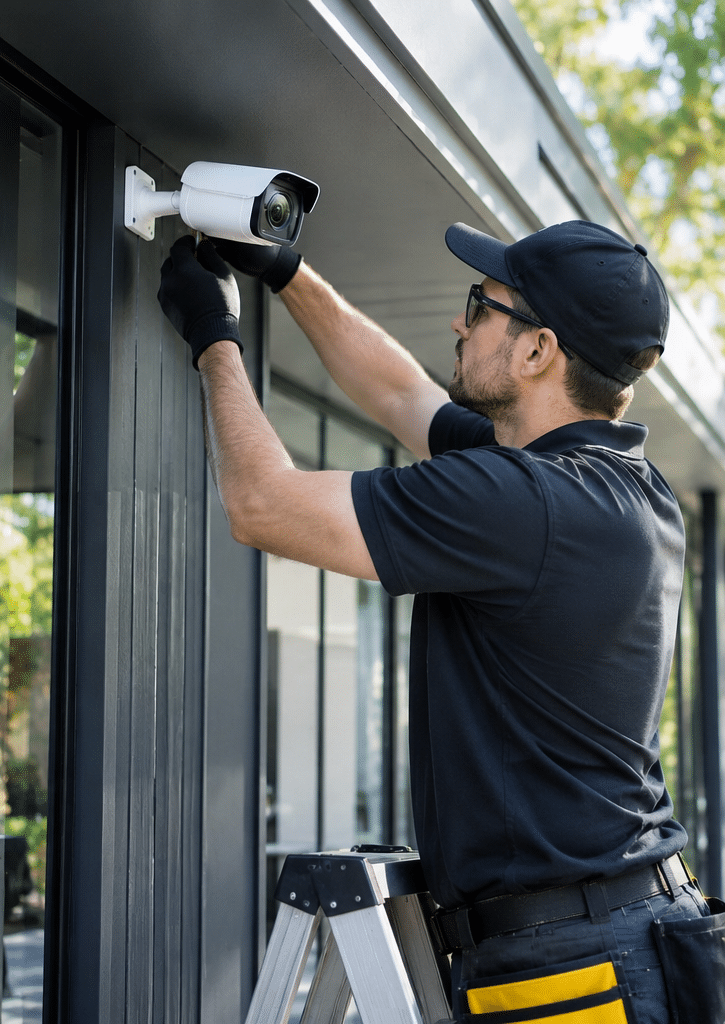
Table of Contents
- Why Melbourne Properties Need Surveillance Cameras
- Types of Surveillance Cameras Available in Melbourne
- Essential Features to Consider Before Buying
- Best Locations for Surveillance Camera Installation
- Wired vs Wireless Surveillance Cameras
- CCTV Recording and Storage Options
- Surveillance Camera Privacy and Victorian Regulations
- How Much Do Surveillance Cameras Cost in Melbourne?
- Professional Surveillance Camera Installation Process
- Maintaining Your Security Camera System
- Common Surveillance Camera Mistakes
- Choosing a Melbourne Security Camera Installer
- People Also Ask
- Frequently Asked Questions
- Conclusion
1. Why Melbourne Properties Need Surveillance Cameras
Surveillance cameras are an important part of modern property security. They help people observe activity, review incidents and understand what happened at a particular location.
However, cameras should be viewed as one layer of security rather than a complete solution.
For example, a camera may record someone approaching a warehouse entrance. Yet it cannot physically prevent entry. Therefore, a more effective security arrangement may combine cameras with suitable locks, lighting, intrusion alarms and controlled access.
Helping Deter Unwanted Activity
Visible cameras may discourage opportunistic theft, trespassing and property damage.
According to Victoria Police CCTV installation guidance, security cameras can help deter offenders and support their identification. Victoria Police also recommends careful camera positioning, sufficient storage and clear images during both day and night.
Nevertheless, deterrence is never guaranteed. Some offenders may ignore cameras, cover their faces or approach from areas outside the field of view.
Recording Useful Evidence
One of the main benefits of surveillance cameras Melbourne property owners should consider is the ability to review recorded events.
For instance, a retail business may need to establish when stock disappeared from a storage area. Similarly, a homeowner may want to understand how a gate or vehicle was damaged.
Clear, accurately dated footage may help with incident reviews, police enquiries and insurance claims where relevant.
However, recording quality matters. A distant camera that captures a small figure may show what happened without providing enough detail for identification.
Remote Property Monitoring
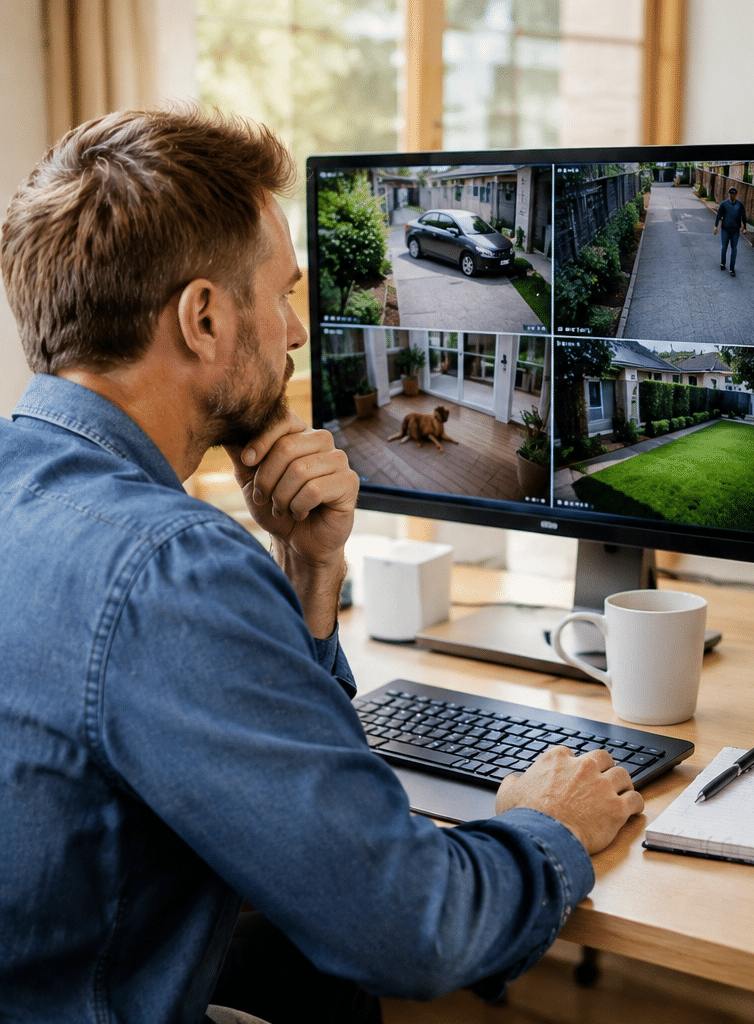
Modern network-connected CCTV systems can often provide remote access through secure mobile applications or desktop software.
As a result, authorised users may be able to:
- View live video from selected cameras.
- Review previously recorded events.
- Receive motion or intrusion alerts.
- Check entrances while away from the property.
- Monitor authorised areas across multiple premises.
However, remote access normally depends on suitable network connectivity, system configuration and the availability of the recording platform.
Security for Different Melbourne Properties
The requirements of a surveillance system will vary by location and property use.
For example:
Residential properties: Homes in suburbs such as Cranbourne, Dandenong, Berwick and Ringwood may benefit from coverage of entrances, driveways, side access and rear gates.
Retail businesses: Shops in Melbourne's CBD, Richmond or South Yarra may prioritise entrances, service counters and stockroom access.
Warehouses: Industrial properties around Dandenong South, Hallam and Truganina may need coverage of vehicle gates, loading docks and perimeter access.
Offices: Commercial workplaces may require cameras at reception, common access points and authorised areas containing valuable equipment.
These are illustrative planning examples. An individual site assessment is needed to identify actual risks and suitable camera positions.
2. Types of Surveillance Cameras Melbourne Buyers Should Know
Not all security cameras work in the same way. Therefore, understanding the main camera categories can prevent expensive purchasing mistakes.
IP Surveillance Cameras
Internet Protocol (IP) cameras transmit digital video through a network.
Many commercial and residential systems use IP cameras connected to a network video recorder, commonly called an NVR.
Some IP cameras support Power over Ethernet, or PoE. This technology carries network data and electrical power through a compatible Ethernet cable.
Why choose IP cameras?
They can provide high-resolution footage, network-based management and flexible integration with suitable recording software.
However, network security is essential. Poor passwords, outdated firmware and unnecessary internet exposure can create security risks.
Traditional Analogue CCTV Cameras
Analogue systems commonly use coaxial cable to transmit video to a compatible digital video recorder, known as a DVR.
Modern high-definition analogue formats can offer better image quality than older standard-definition systems.
Therefore, upgrading an existing analogue installation may be worth considering if the cabling remains suitable.
However, compatibility between cameras, cable type and recorders must be checked before purchasing equipment.
Wireless Surveillance Cameras
Wireless cameras generally transmit video over Wi-Fi or another wireless connection.
They can be useful in locations where installing network cables is difficult.
However, wireless does not always mean cable-free. Many Wi-Fi cameras still require a wired power supply.
Battery-powered models can reduce wiring requirements, but battery life, recording behaviour and charging access need careful consideration.
In addition, signal strength can affect performance, particularly where walls, metal structures or long distances interfere with connectivity.
Dome, Bullet and Turret Cameras
Camera design also affects installation suitability.
Dome cameras have a rounded housing and are commonly used in indoor commercial spaces and some outdoor areas.
Bullet cameras have an elongated body and are often selected for external walls, entrances and perimeter locations.
Turret cameras have a compact, adjustable design and can be suitable for residential and commercial use.
However, camera shape alone does not determine image quality. Lens selection, sensor performance, weather protection and mounting position are equally important.
Pan-Tilt-Zoom Cameras
Pan-tilt-zoom, or PTZ, cameras can change their viewing direction and zoom level.
They may be useful for large yards, industrial premises and other areas requiring active observation.
However, a PTZ camera can only view the direction in which it is pointed at a given moment.
Therefore, fixed cameras are often still needed to provide continuous coverage of critical areas.
3. Essential Features for Surveillance Cameras Melbourne Properties Need
When comparing surveillance cameras in Melbourne, it is easy to focus on product labels such as 4K, smart detection or night vision.
However, these features should be assessed against the property's actual monitoring needs.
Camera Resolution and Image Detail
Resolution describes how many pixels a camera records.
Common options include:
- 2MP: Approximately Full HD resolution.
- 4MP: Higher detail than standard Full HD.
- 8MP: Often marketed as 4K UHD, depending on the camera's recording format.
Higher resolution can be valuable when greater image detail is required.
However, it does not automatically guarantee that a face or vehicle registration plate will be readable.
For example, a wide-angle 8MP camera covering an entire car park may provide less useful identification detail at a distant entrance than a properly positioned camera with a narrower field of view.
Therefore, ask installers to demonstrate footage at the actual distance you need to monitor.
Night Vision and Low-Light Performance
Many security incidents occur when natural light is limited.
Consequently, surveillance cameras should be tested for performance at night, not only during daylight.
Infrared cameras use infrared illumination to capture footage in darkness. Meanwhile, some low-light cameras can produce colour images where adequate ambient light is available.
When comparing options, consider:
- Clarity of faces near entrances.
- Headlight glare in driveways.
- Reflections from windows.
- Shadows around gates.
- Outdoor lighting conditions.
- The distance between a camera and its subject.
For example, infrared reflection from a nearby wall can reduce picture quality even when a camera has a strong night-vision specification.
As a result, mounting position can matter as much as advertised infrared range.
Motion Detection and Smart Alerts
Basic motion detection responds to visible changes in an image.
However, weather, moving trees, insects and passing vehicles can create unwanted notifications.
Some newer systems offer person, vehicle or object classification.
These features can help reduce irrelevant alerts when configured correctly.
Nevertheless, automated detection is not perfect. Therefore, owners should test detection areas and review missed events as well as false alarms.
Outdoor Durability
Melbourne weather can include rain, strong winds, temperature changes and intense summer sunlight.
Therefore, external surveillance cameras need suitable protection for their installation environment.
Ingress Protection, or IP, ratings describe resistance to dust and water under defined test conditions.
For example, an IP66-rated camera is designed to resist dust ingress and powerful water jets.
However, an IP rating does not guarantee that poorly installed cable joints, connectors or mounting points will remain weatherproof.
For this reason, correct mounting and cable protection are essential.
Secure Remote Access
Remote monitoring is convenient, but it must be properly secured.
Look for systems that support strong account protection, current software and controlled user access.
Where available, enable multi-factor authentication.
In addition, change default credentials and avoid exposing camera management interfaces directly to the public internet.
A security camera should not become a weak point in the property's digital security.
4. Best Locations for Surveillance Cameras Around Melbourne Properties
Camera positioning is one of the most important decisions in any CCTV project.
In practice, a system with fewer well-positioned cameras may provide more useful coverage than a larger system with poor viewing angles.
Surveillance Camera Placement for Melbourne Homes
Residential camera placement should begin with the areas where people or vehicles enter the property.
Front entrances
A camera near the main entrance may capture visitors, deliveries and activity around the front door.
However, it should be positioned to capture useful detail rather than only the top of a person's head.
Driveways
Driveway cameras may help document vehicle movements and activity near garages.
However, a wide driveway view does not guarantee readable registration plates, especially at night.
Side access
Narrow side passages can be overlooked during security planning.
Therefore, a dedicated camera may be appropriate where side access presents a genuine security concern.
Rear entrances
Rear doors, garden gates and detached garages may also require coverage.
However, cameras should avoid unnecessary views into neighbouring homes and private spaces.
Surveillance Camera Placement for Melbourne Businesses
Commercial properties often require a more detailed camera layout.
Retail stores may prioritise customer entrances, service counters, delivery access and stock areas.
Meanwhile, office buildings may focus on reception, common entry points and access-controlled rooms.
For larger facilities, surveillance cameras may be planned around business operations rather than simply building dimensions.
For example, a warehouse could benefit from cameras at loading docks and vehicle gates because these are locations where stock and vehicles regularly move.
Coverage for Warehouses and Industrial Premises
Industrial sites often present challenges that smaller properties do not.
These may include long viewing distances, high mounting positions, heavy vehicle movement and uneven lighting.
Therefore, a warehouse surveillance design should consider both an overview of the area and close-up footage at critical points.
A camera high above a loading dock may show the movement of goods. However, a second camera at a suitable height may be needed to capture more detailed images of people entering the area.
The exact arrangement should be decided through a site-specific assessment.
5. Wired vs Wireless Surveillance Cameras Melbourne Comparison
Both wired and wireless cameras can be useful. However, each option comes with different installation and maintenance considerations.
| Feature | Wired Surveillance Cameras | Wireless Surveillance Cameras |
| Connection | Usually Ethernet or coaxial cable | Usually Wi-Fi or another wireless link |
| Reliability | Less dependent on local wireless signal quality | Can be affected by signal strength and interference |
| Power | PoE or separate electrical supply | Often requires mains power or batteries |
| Installation | May require significant cable routing | Can reduce network cabling work |
| Recording | Often integrates with a local recorder | May use local, cloud or hybrid storage |
| Expansion | Requires network capacity and possible new cabling | Requires adequate wireless coverage |
| Maintenance | Cables, connectors, recorders and firmware | Wireless connection, batteries, firmware and storage |
| Common applications | Homes, offices, shops and industrial sites | Homes, smaller premises and difficult-to-cable locations |
Which Option Is Better?
For a permanent installation with several cameras, a properly designed wired IP system is often worth considering.
It can provide consistent network connectivity and central recording.
However, wireless systems may be more practical for some smaller properties or locations with difficult cable routes.
The important point is to assess reliability, power, footage storage and long-term maintenance rather than choosing based on convenience alone.
6. CCTV Recording and Storage Options in Melbourne
Recording is a major part of a surveillance system.
After all, a camera that displays a live image but does not retain the required footage may be of limited value during an incident review.
Local NVR and DVR Recording
A network video recorder stores footage from compatible IP cameras.
Meanwhile, a digital video recorder is commonly used with compatible analogue CCTV cameras.
Local recording can provide direct control over footage storage and may continue during an internet outage if the equipment remains powered and properly connected.
However, recorders must be protected against theft, damage and unauthorised access.
Where appropriate, secure off-site backups may provide an additional layer of protection.
Cloud-Based Surveillance Storage
Cloud recording transfers selected footage to a remote service.
It can allow footage to remain available even if a local recorder is damaged or stolen, provided the recording was successfully uploaded.
However, cloud storage may involve subscription charges, internet bandwidth requirements and provider-specific retention limits.
Therefore, review where footage is stored, who can access it and how it can be exported.
How Much Storage Do Surveillance Cameras Need?
Storage requirements depend on resolution, recording quality, compression, frame rate, camera count and recording hours.
For example, consider a hypothetical system with four cameras, each recording continuously at an average of 2 megabits per second.
At that constant combined data rate, fourteen days of recording would require approximately 1.2 terabytes of storage before allowing for formatting, system overhead and operational variation.
This is an illustrative calculation, not a recommended storage specification. Real requirements can vary substantially.
Therefore, ask your installer to calculate recording capacity using the actual proposed cameras and settings.
Choosing the Right Retention Period
A system's retention period describes how long footage remains available before being overwritten or deleted.
For a typical residential property, retention should reflect how quickly incidents are likely to be noticed.
For businesses, additional considerations may include operating schedules, incident reporting procedures and applicable obligations.
Importantly, there is no single CCTV retention period that automatically applies to every Melbourne property.
Some regulated premises have specific requirements, which should be checked separately.
7. Surveillance Camera Privacy and Victorian Regulations
Privacy is an essential part of surveillance camera planning.
A system should help protect people and property without collecting more personal information than reasonably necessary.
Understanding Victorian Surveillance Rules
The Surveillance Devices Act 1999 (Vic) regulates certain uses of surveillance devices, including optical and listening devices.
The legal treatment of recorded activity depends on the circumstances, including whether a private activity or conversation is involved.
Therefore, homeowners and business operators should not assume that owning a camera gives them unrestricted permission to record anywhere.
In particular, avoid placing cameras in locations where people reasonably expect privacy, such as toilets, change rooms and similar facilities.
Audio recording requires special care because private conversations raise different legal concerns from video-only recording.
Consequently, microphone features should not be enabled without reviewing their intended use and applicable requirements.
Privacy Obligations for Melbourne Businesses
The Office of the Australian Information Commissioner explains that organisations covered by the Privacy Act 1988 must handle personal information collected through surveillance in accordance with applicable Australian Privacy Principles.
According to the OAIC guidance on security cameras, relevant obligations can include notifying people about recording, protecting footage and disposing of information when it is no longer required.
However, not every private homeowner or small business is covered by the Privacy Act in the same way.
State laws, workplace requirements and other obligations may still apply.
Therefore, businesses should review their circumstances rather than assuming an exemption applies.
Practical CCTV Privacy Administration
Before a commercial surveillance system begins operating, responsible staff should consider several administrative tasks.
These may include recording the purpose of surveillance, documenting camera locations and explaining relevant monitoring practices to employees.
In addition, a business may need procedures covering footage access, retention, deletion and disclosure.
For example, access to recordings can be restricted to authorised managers rather than every employee.
Similarly, requests for footage should follow a documented process.
These are general administrative considerations, not legal advice. A suitably qualified legal adviser and relevant licensed security professional should review any situation involving uncertain requirements.
Special Requirements for Licensed Venues
Some Melbourne pubs, clubs and other licensed venues have specific CCTV conditions attached to their liquor licences.
The Victorian Government guidance for security in licensed venues explains that where CCTV is required under the relevant licence conditions, there are requirements covering recording locations, recording quality, retention and signage.
For example, the guidance specifies at least four weeks of recording retention for venues subject to those CCTV requirements.
However, this should not be interpreted as a universal four-week rule for every home, office or retail shop.
Venue operators should check their actual licence conditions and seek appropriate advice.
Choosing an Appropriately Licensed Installer
Victorian private security licensing requirements can apply to individuals and businesses that install prescribed security equipment.
Therefore, checking an installer's relevant licensing status is an important part of selecting a provider.
The installer should also be able to explain camera positioning, safe installation, network configuration and maintenance responsibilities.
These checks help establish whether the proposed service is suitable for the property and applicable regulatory requirements.
8. How Much Do Surveillance Cameras Cost in Melbourne?
The cost of surveillance cameras Melbourne property owners purchase depends on several factors.
There is no single reliable price that suits every property.
For example, a small residential installation with straightforward cable access will have different requirements from a multi-building warehouse system.
Factors That Affect Installation Cost
Number of cameras: More cameras generally increase equipment, installation and storage requirements.
Camera specifications: Higher-end low-light performance, specialised lenses and advanced analytics can affect equipment cost.
Installation difficulty: High ceilings, long cable routes, difficult roof access and additional network infrastructure may increase labour.
Recording equipment: An NVR, storage drives, network switches and backup power may form part of the overall system.
Remote monitoring: Mobile access, cloud subscriptions or optional monitoring services may create ongoing costs.
Existing infrastructure: Reusing suitable equipment may reduce some costs, although compatibility and condition must be checked.
What Should a CCTV Installation Quote Include?
A useful quote should identify the proposed cameras, recorder, installation work and any ongoing service charges.
It should also explain what is excluded.
For example, ask whether electrical work, network changes, additional storage, difficult-access equipment or future maintenance are included.
In addition, clarify the warranty terms and who will provide support after installation.
Rather than relying only on the lowest price, compare the actual footage quality and system performance offered for the intended purpose.
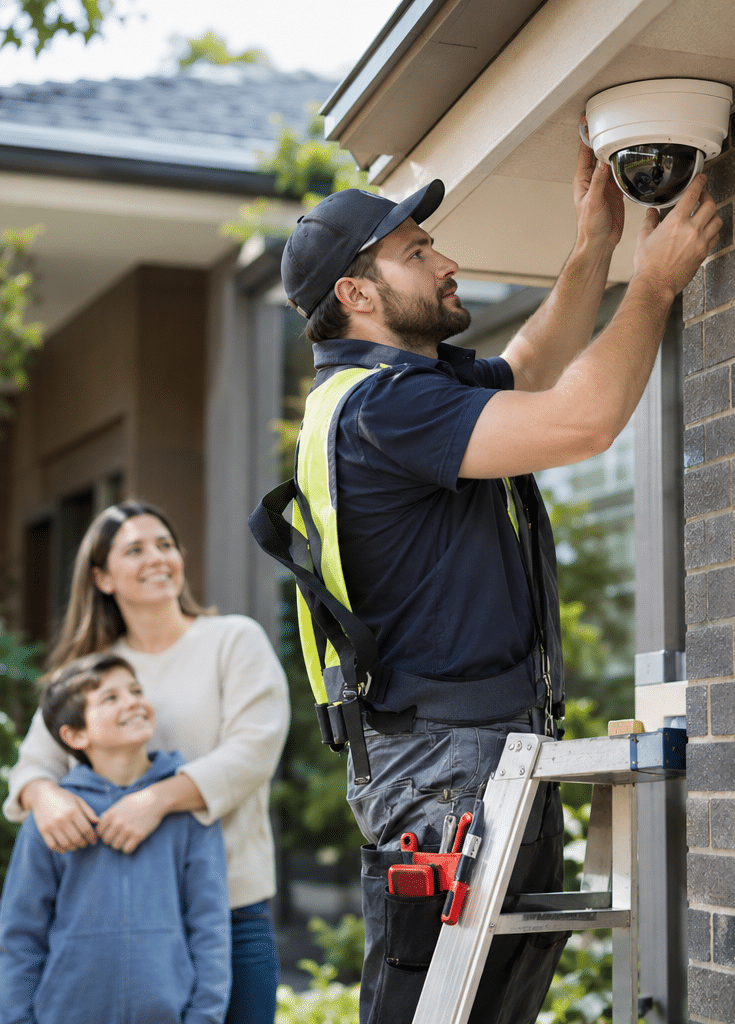
9. Professional Surveillance Camera Installation Melbourne Checklist
A structured installation process helps ensure that the final system meets its intended purpose.
The following checklist can be used when planning professional surveillance cameras in Melbourne.
10-Step Surveillance Camera Installation Checklist
- Identify the security objective. Decide whether the cameras need to show general activity, verify an alert or capture enough detail to support identification.
- Inspect the property. Review entrances, gates, loading areas, lighting, power access, cable routes and possible blind spots.
- Choose suitable camera locations. Match each position to a specific coverage requirement while avoiding unnecessary intrusion into private areas.
- Select the camera technology. Compare IP, analogue, wired and wireless options based on reliability, compatibility and site conditions.
- Confirm image quality requirements. Assess resolution, lens angle, viewing distance, low-light performance and expected recording conditions.
- Plan storage and retention. Estimate the required recording capacity and review any retention obligations that apply to the premises.
- Complete installation safely. Use appropriately qualified and licensed professionals for relevant security and electrical work.
- Configure network security. Set strong credentials, restrict user permissions, update supported firmware and secure remote access.
- Test the complete system. Check daytime and night-time images, alerts, recording playback, power recovery and footage export.
- Arrange handover and maintenance. Obtain operating instructions, system documentation, support details and a practical servicing plan.
Why Testing Matters After Installation
A successful installation is not simply one where every camera turns on.
The footage must be useful.
For example, an installer may need to adjust a camera after testing it at night because headlights obscure a vehicle entrance.
Similarly, an outdoor camera may require repositioning if foliage repeatedly triggers motion alerts.
Therefore, commissioning tests should examine real site conditions.
Professional Installation vs DIY
A DIY camera system may be suitable for some straightforward residential uses.
However, more complex systems benefit from careful technical planning, especially when they involve multiple buildings, commercial networks, specialised mounting or integration with other security equipment.
Professional installation can also simplify troubleshooting and ongoing support.
Nevertheless, homeowners should still understand basic system operation, including how to view recordings and export important footage.
10. Maintaining Surveillance Cameras in Melbourne
Even a well-installed system requires maintenance.
Over time, camera lenses may become dirty, vegetation may obstruct a view and software may need updating.
Therefore, regular system checks are important.
Routine Maintenance Tasks
Check camera images: Review live and recorded footage to confirm that every camera has a useful view.
Clean exposed surfaces: Remove dust, cobwebs and dirt using methods appropriate for the camera housing.
Inspect mounting points: Check for visible movement, damage or loose components.
Test night footage: Confirm that infrared lighting, external lights and exposure settings remain effective.
Review recording capacity: Make sure the system still retains footage for its intended period.
Check software updates: Apply appropriate manufacturer-supported firmware and security updates.
Test alerts: Confirm that motion notifications reach the intended authorised users.
Review access permissions: Remove accounts belonging to people who no longer require access.
For a business, these tasks can form part of a scheduled maintenance programme.
Additionally, periodic professional servicing may identify hardware problems before they interrupt recording.
11. Common Mistakes When Choosing Surveillance Cameras Melbourne Systems
Several avoidable mistakes can reduce the usefulness of a CCTV installation.
Selecting Cameras Only by Resolution
High-resolution cameras can produce detailed images. However, resolution cannot compensate for every positioning or lighting problem.
Therefore, consider the entire imaging setup rather than the megapixel rating alone.
Leaving Blind Spots Around Entry Points
A single wide-angle camera may cover a large area while failing to capture useful detail at a doorway.
As a result, more targeted camera coverage may be needed.
Ignoring Night-Time Conditions
A camera demonstration in bright daylight does not show how the same equipment performs after dark.
Therefore, night-time testing should be included in the installation process.
Failing to Protect the Recorder
If a recorder is accessible to unauthorised people, footage could be removed or damaged.
Consequently, physical security and suitable backup arrangements should be considered.
Using Weak Camera Passwords
Connected cameras require proper cybersecurity practices.
Default passwords, shared administrator accounts and outdated firmware can expose a system to avoidable risks.
Therefore, security settings should be reviewed during installation and maintenance.
Overlooking Privacy Requirements
Cameras should not be positioned simply to capture the largest possible area.
Instead, each camera should serve a legitimate security purpose while limiting unnecessary recording.
Forgetting Future Expansion
A system that meets today's requirements may not have sufficient network or recording capacity for additional cameras later.
Therefore, discuss realistic future needs before selecting equipment.
12. How to Choose a Surveillance Camera Installer in Melbourne
Choosing an installer is as important as choosing the cameras.
A suitable provider should help explain technical options clearly and design around the property rather than recommending the same package to everyone.
Questions to Ask Before Choosing an Installer
Will you assess the property before recommending equipment?
A site review helps identify coverage requirements, installation restrictions and practical risks.
Can you explain why each camera is needed?
Each proposed camera should have a clear purpose.
For example, one camera might provide general car park coverage while another captures detail at a pedestrian entrance.
Can you demonstrate realistic footage quality?
Ask about examples relevant to the required distance and lighting conditions.
How will recordings be protected?
The installer should explain user access, storage, backup options and the security of remote connections.
What support is available after installation?
Find out how faults, software updates and maintenance requests are handled.
Are the relevant licences and qualifications in place?
Request details appropriate to the installation activities being performed.
Choosing Surveillance Cameras With Long-Term Value
A lower upfront price is not always the lowest long-term cost.
For instance, replacing unreliable cameras, correcting faulty cabling or upgrading undersized storage may create avoidable expenses.
Therefore, consider the expected operating life, maintenance needs, warranty conditions and availability of technical support.
It is also worth asking whether equipment can be expanded or integrated with existing security systems.
How Eclipse Security Systems Can Help
Eclipse Security Systems provides CCTV security camera solutions for residential and commercial properties, alongside related services such as alarm systems, access control, security installation and maintenance.
The company also offers site assessments and security system upgrades.
For Melbourne property owners, a professional assessment can help clarify suitable camera locations, recording requirements and opportunities to integrate CCTV with other security measures.
However, the right solution should always be based on the individual property's risks, layout and budget rather than a standard equipment package.
13. People Also Ask: Surveillance Cameras Melbourne
Are surveillance cameras worth installing in Melbourne?
Surveillance cameras can help property owners observe activity, review incidents and improve their awareness of security risks. However, they are most effective when used alongside suitable lighting, locks, alarms and other protective measures.
Can I view my Melbourne security cameras on my phone?
Many modern CCTV systems support mobile viewing through compatible applications. However, remote access must be configured securely, and performance depends on the system and network connection.
Can surveillance cameras record at night?
Yes, many surveillance cameras use infrared illumination or low-light imaging technology to record after dark. However, results depend on camera specifications, lighting, installation position and viewing distance.
Do I need permission to install CCTV cameras in Melbourne?
Requirements depend on the property's ownership, location, intended camera views and use of the recordings. For example, renters, owners corporations and commercial operators may need to review additional approvals or obligations before installation.
How long should surveillance camera footage be stored?
The appropriate retention period depends on security needs, storage capacity and any applicable obligations. Some regulated premises have specific requirements, so property owners should not assume that a single retention period applies to every Melbourne CCTV installation.
14. Frequently Asked Questions About Melbourne Surveillance Cameras
1. How can I tell whether a surveillance camera will capture a clear face?
Ask the installer to evaluate the camera's field of view, pixel detail at the required distance, mounting height and lighting conditions.
For example, a camera may produce excellent wide-area footage but limited facial detail at the far end of a driveway.
Therefore, request practical test images at relevant distances. If identification is a key goal, it should be clearly included in the installation brief.
2. What happens to a surveillance camera system during a power or internet outage?
The outcome depends on how the system is designed.
A local recorder may continue operating without internet access if the cameras, networking equipment and recorder remain powered. However, remote viewing may become unavailable.
A power outage can also stop recording unless suitable backup power is provided.
Therefore, ask whether an uninterruptible power supply, commonly called a UPS, would be appropriate for critical equipment.
3. Can an existing CCTV system be upgraded without replacing everything?
In some cases, yes.
For example, it may be possible to replace a recorder, add storage or upgrade selected cameras while retaining compatible infrastructure.
However, older cabling, unsupported recording formats, insufficient power and limited network capacity can restrict upgrade options.
A technical assessment should determine which components remain suitable.
4. Should Melbourne businesses choose continuous recording or motion-based recording?
Continuous recording provides an ongoing visual record during the configured operating period.
Motion-based recording may reduce storage needs by saving footage when defined activity is detected.
However, motion detection can miss events if sensitivity, lighting or detection areas are poorly configured.
Therefore, businesses with critical security requirements may prefer continuous recording in important areas, possibly combined with event markers for faster searching.
The final choice should reflect risk, privacy requirements and available storage.
5. Can surveillance cameras be connected to alarms and access control systems?
Many commercial security platforms can integrate CCTV with compatible alarms, intercoms and access control equipment.
For example, an authorised access event may be associated with nearby camera footage, making incident reviews easier.
Similarly, an alarm event may trigger a notification linked to a relevant camera view.
However, integration depends on equipment compatibility, software capabilities and correct configuration.
Therefore, businesses should confirm the supported features before purchasing cameras or replacing an existing security platform.
15. Conclusion: Choosing the Right Surveillance Cameras Melbourne Properties Need
Choosing surveillance cameras in Melbourne involves more than comparing camera prices or megapixel ratings.
An effective CCTV system should provide the right coverage, clear footage, suitable recording capacity and reliable access when an incident needs to be reviewed.
For homeowners, this may mean protecting entrances, driveways and side access points. Meanwhile, businesses may need carefully planned surveillance around stock areas, customer entrances, loading docks and other operationally important locations.
However, cameras alone cannot guarantee security.
The best results come from combining sensible camera placement, quality installation, secure configuration, appropriate privacy practices and regular maintenance.
Therefore, before purchasing a system, identify your security objectives, review your property's layout and ask a qualified professional to explain the available options.
Get Professional Surveillance Camera Advice in Melbourne
If you are planning a new CCTV installation or upgrading an existing system, Eclipse Security Systems can help you explore camera options, installation requirements and ongoing maintenance.
Take the next step: Explore Melbourne CCTV security solutions and request a security assessment from Eclipse Security Systems.
A well-planned surveillance system is an investment in better visibility, informed security decisions and long-term property protection.