

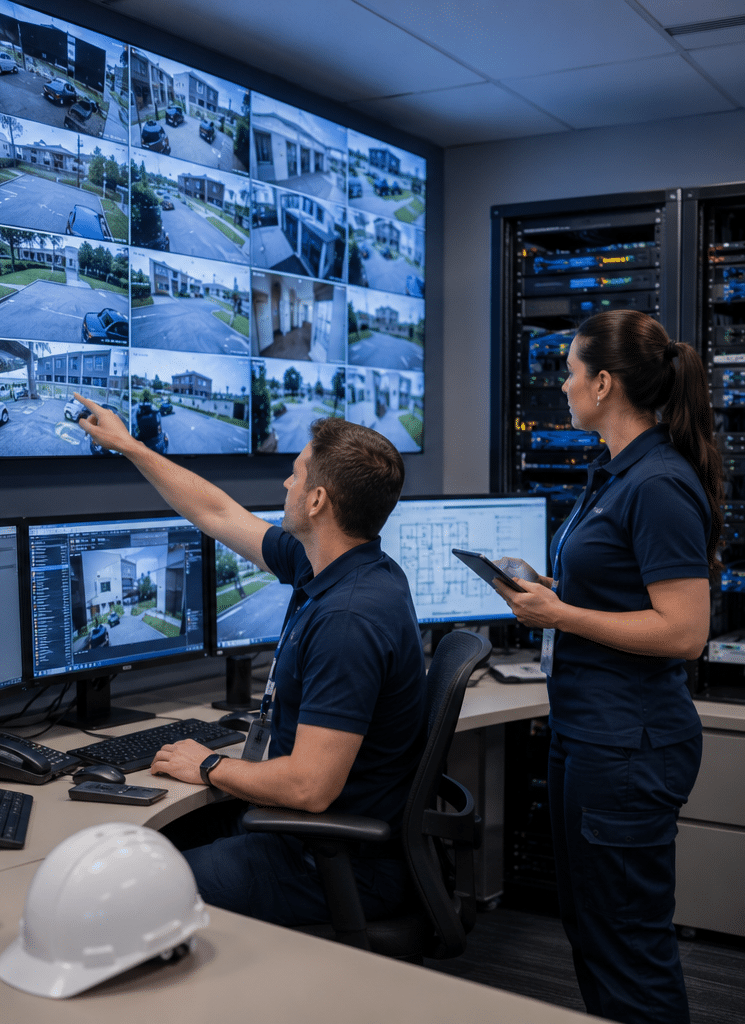
Security maintenance services help Australian homes, businesses, schools, warehouses, retail sites and commercial facilities keep their alarms, CCTV, access control and monitoring equipment working as intended. From my experience reviewing security system workflows, many faults are not caused by poor equipment. Instead, they come from missed updates, dirty camera lenses, weak batteries, outdated user permissions, loose cabling or systems that were never tested after a site layout changed.
Good maintenance is not just a “nice to have”. It protects the money already spent on your system. More importantly, it helps reduce blind spots, nuisance alarms, downtime and confusion during a real incident. Therefore, this guide explains what security maintenance includes, how often to schedule it, what to ask a provider, and how Australian compliance admin fits into the process.
Table of Contents
- What Are Security Maintenance Services?
- Why Security Maintenance Services Matter in Australia
- What Security Maintenance Services Usually Include
- Security Maintenance Services for Different Site Types
- Routine Maintenance vs Reactive Repairs
- Onsite vs Remote Security Maintenance Services
- Australian Compliance and Admin Considerations
- How Often Should Security Systems Be Maintained?
- Numbered Checklist: Security Maintenance Onboarding
- Costs, Value and Budget Planning
- People Also Ask
- Expert Q&A: Security Maintenance Services
- Conclusion
What Are Security Maintenance Services?
Security maintenance services are planned checks, testing, cleaning, updates and repairs that keep alarms, CCTV, access control and monitoring systems reliable. They help identify faults early, reduce downtime, support safer operations and keep records for audits, insurance queries or internal risk reviews.
Why Security Maintenance Services Matter in Australia
Australian sites face a mix of practical and environmental pressures. Heat, dust, storms, humidity, insects, coastal air, power interruptions and building works can all affect security equipment. For example, a camera may still appear online but deliver blurred images because of dust or glare. Likewise, an alarm sensor may look normal until a test reveals poor coverage after shelving or partitions have moved.
In many workplaces, the security system is also connected to daily operations. Staff use access cards to enter buildings. Managers review CCTV after incidents. Monitoring centres respond to alarm signals. Facilities teams rely on event logs to understand what happened overnight. As a result, poor maintenance can affect more than security. It can affect safety, operations and business continuity.
Security maintenance services also help avoid false confidence. A system can look fine from the outside while key parts are failing. Batteries may be near the end of life. Storage may be overwriting footage too quickly. Firmware may be outdated. User access may include people who no longer work at the site. Therefore, regular checks turn a passive system into an actively managed asset.
According to the Australian Security Industry Association Limited security licensing guidance, security licensing requirements vary by state and territory, and both businesses and individuals may need licences depending on the service provided. This matters because maintenance is not only technical. It also involves choosing properly authorised providers and keeping good service records.
What Security Maintenance Services Usually Include
Security maintenance services vary by site, system type and risk profile. However, most plans cover a mix of physical inspection, functional testing, software review, cleaning, documentation and repair advice.
CCTV Maintenance Services
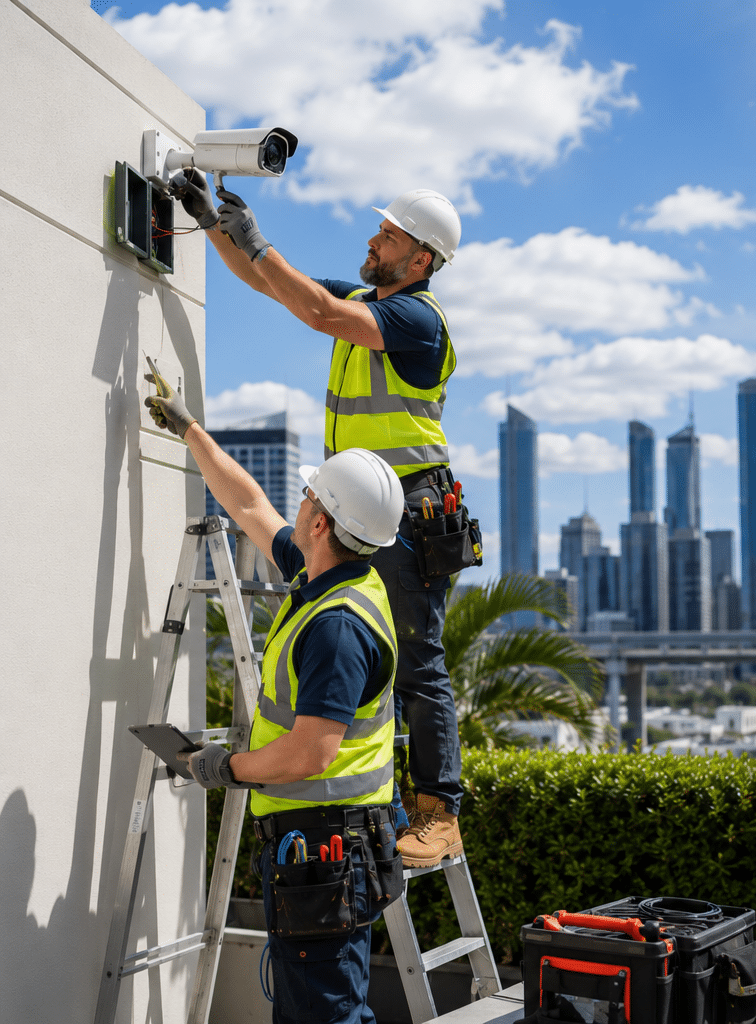
CCTV maintenance focuses on image quality, recording reliability and camera coverage. A technician may clean lenses, check camera alignment, test night vision, review storage settings and confirm that time stamps are correct.
This matters because CCTV is often needed after an event. If footage is blurry, missing or incorrectly time-stamped, it may be less useful. In my experience, one of the most common issues is not total camera failure. It is gradual image decline caused by dirt, spider webs, water marks, glare or small changes in camera angle.
Typical CCTV checks include:
- Camera lens and housing cleaning
- Image focus, angle and field-of-view checks
- Infrared and low-light performance testing
- Network video recorder or digital video recorder health checks
- Hard drive status checks
- Recording schedule review
- Retention period confirmation
- Remote viewing test
- User access review
- Time and date synchronisation
For businesses using cameras, privacy administration is also important. The Office of the Australian Information Commissioner security camera guidance notes that organisations using surveillance devices such as CCTV generally need to follow several laws. This is not legal advice, but it shows why maintenance should include practical admin tasks such as checking signage, camera placement, access permissions and data handling processes.
Alarm System Maintenance Services
Alarm maintenance checks whether the system detects intrusion correctly and communicates alerts as expected. This usually includes testing sensors, sirens, keypads, control panels, batteries and communication paths.
Alarm systems are easy to ignore until something goes wrong. However, a single weak backup battery or failed communicator can reduce the system’s reliability. Therefore, planned servicing is usually cheaper and less stressful than discovering a fault after a break-in or after-hours alarm event.
Typical alarm maintenance includes:
- Passive infrared detector testing
- Reed switch and door contact checks
- Control panel inspection
- Backup battery testing
- Siren and strobe checks
- Alarm zone review
- User code review
- Monitoring signal testing
- Fault log review
- Power supply checks
In Australia, ASIAL lists electronic security standards that relate to alarm systems, monitoring centres, CCTV and cabling. One listed standard is AS/NZS 2201.1:2007 for intruder alarm systems covering client premises design, installation, commissioning and maintenance. You do not need to understand every standard yourself, but you should expect your provider to explain the relevant administrative requirements in plain English.
Access Control Maintenance Services
Access control maintenance keeps doors, readers, locks, credentials and permissions working properly. This is especially important for offices, warehouses, apartment buildings, schools, gyms, health sites and restricted areas.
A door may have a card reader, electric strike, magnetic lock, request-to-exit button, door closer and software rule. If one part fails, the door may not secure correctly. Alternatively, staff may be locked out or emergency egress may be affected. Because of this, access control checks should combine technical testing with real-world door operation.
Common access control maintenance tasks include:
- Reader testing
- Door lock and strike testing
- Door closer checks
- Access level review
- Staff and contractor credential audit
- Lost card removal
- Time schedule review
- Event log review
- Backup power testing
- Integration checks with alarms or intercoms
The “why” is simple. Access control is only as strong as its weakest permission. If old users remain active, the system may still allow unauthorised access. Therefore, maintenance should include user management, not just hardware inspection.
Intercom and Visitor Entry Maintenance
Intercom systems are often used in apartment buildings, gated sites, offices and education facilities. Maintenance may include testing call buttons, handsets, mobile app connections, door release functions, audio clarity and video quality.
In many sites, intercoms are exposed to weather and public use. As a result, buttons can wear out, speakers can become distorted and door release timing can drift. Regular maintenance helps avoid frustrating access problems for residents, staff, visitors and deliveries.
Monitoring and Alarm Communication Checks
A maintained alarm is not fully useful if signals do not reach the right destination. Therefore, security maintenance services often include communication testing. This may involve checking IP, 4G, dual-path or other communication methods used between the alarm panel and a monitoring centre.
From my experience, communication issues often appear after internet changes, router replacements, NBN upgrades, SIM changes or power events. Because these changes may be handled by IT or facilities teams rather than a security technician, they can unintentionally affect alarm signalling.
Cyber and Network Security Checks for Modern Systems
Modern CCTV and access systems often sit on business networks. Therefore, maintenance may include checking passwords, firmware, remote access settings, network stability and user permissions. This is especially important for IP cameras, cloud-managed access control and mobile app access.
The Australian Signals Directorate’s cyber.gov.au physical security guidance explains that defence in depth is strengthened through successive layers of physical security. In practical terms, that means a site should not rely on one control. Cameras, access control, alarms, procedures, records and staff training should support each other.
Security Maintenance Services for Different Site Types
Not every site needs the same maintenance plan. A small office with four cameras has different needs from a warehouse with perimeter alarms, boom gates, access-controlled doors and 24-hour operations.
Homes and Residential Properties
For homes, maintenance usually focuses on alarms, cameras, doorbells, intercoms and remote viewing. Homeowners often need help with app access, password changes, router changes and camera positioning. Additionally, they may need battery replacement and sensor testing after renovations.
A practical residential maintenance visit may include checking camera views, confirming recording, testing alarm zones, updating app access and explaining any faults in simple terms.
Retail and Hospitality Sites
Retail sites, restaurants, pubs, clubs and cafés often rely on CCTV for safety, incident review and stock loss investigation. Therefore, camera coverage and recording reliability are key. Staff turnover also makes user access review important.
For these sites, maintenance should include checking cash handling areas, entrances, exits, storerooms, back-of-house corridors and any blind spots created by new displays or furniture. However, camera placement must be handled carefully, especially in areas where privacy expectations are higher.
Offices and Commercial Buildings
Commercial offices usually need access control, CCTV, alarms and visitor management to work together. Therefore, maintenance should include door testing, access permission review, contractor access checks and after-hours alarm testing.
Because office layouts change often, maintenance should also consider whether cameras and sensors still match the current floor plan. For example, a new partition can block a detector. Likewise, a relocated reception desk can change the best camera angle.
Warehouses and Industrial Sites
Warehouses, depots and industrial sites often need stronger perimeter checks. Roller doors, loading docks, yards, gates, fence lines and external cameras should be inspected. Dust, vibration, forklifts and weather can affect equipment.
For these sites, security maintenance services should check camera housings, cable protection, sensor alignment, backup power and remote monitoring. In addition, maintenance records can help managers track recurring faults in high-impact areas.
Schools and Education Facilities
Schools may use CCTV, access control, duress alarms, vape detection, intercoms and visitor management. Maintenance should be planned around school terms, privacy expectations and student safety. It should also include simple handover notes for administration teams.
Because school environments change frequently, checks should consider new buildings, temporary classrooms, changed entry points and after-hours community use.
Routine Maintenance vs Reactive Repairs
Many people confuse maintenance with repairs. However, they are different.
Routine maintenance is planned work. It checks systems before they fail. Reactive repair happens after a fault is noticed. Both are useful, but they solve different problems.
| Service Type | Best For | Typical Tasks | Main Benefit |
| Routine maintenance | Preventing faults and reducing downtime | Testing, cleaning, reviewing logs, checking batteries, updating records | Helps find issues early |
| Reactive repair | Fixing known problems | Replacing failed parts, restoring signal paths, repairing damaged cameras | Restores function after a fault |
| Remote maintenance | Software and connectivity checks | User access review, recorder checks, firmware review, remote diagnostics | Faster support for suitable systems |
| Onsite maintenance | Physical equipment checks | Lens cleaning, door testing, sensor testing, cabling inspection | Confirms real-world performance |
The best approach is usually a mix. Routine maintenance reduces avoidable problems. Meanwhile, reactive repairs provide support when unexpected issues occur.
Onsite vs Remote Security Maintenance Services
Some security maintenance services can be done remotely, while others need a technician onsite. Remote checks are useful for diagnostics, software updates and user management. However, they cannot clean a camera lens, test a door closer or inspect physical damage.
| Maintenance Method | What It Can Check | What It Cannot Fully Check | Good Use Case |
| Remote maintenance | Recorder status, camera online status, user access, logs, some firmware settings | Lens dirt, physical angle, damaged housings, door hardware | Multi-site businesses needing fast checks |
| Onsite maintenance | Physical condition, image quality, sensor coverage, locks, cabling, batteries | Some cloud settings without admin access | Annual or six-monthly servicing |
| Hybrid maintenance | Both software and physical condition | Depends on access permissions and system design | Most commercial sites |
A hybrid plan is often best. For example, a provider may perform quarterly remote health checks and a more detailed onsite service once or twice a year. However, higher-risk sites may need more frequent onsite visits.
Australian Compliance and Admin Considerations
Security compliance in Australia is not one single rule. It can involve state and territory licensing, privacy requirements, workplace policies, building rules, insurance expectations, lease obligations and internal risk procedures.
This article does not provide legal advice. Instead, think of compliance support as administrative maintenance. A good provider helps you keep records, check settings and identify issues that may need review by a licensed adviser, insurer, strata manager, lawyer or internal compliance officer.
Important admin tasks may include:
- Confirming technicians are appropriately licensed where required
- Keeping service records and test results
- Reviewing user permissions
- Checking camera signage and placement
- Reviewing footage retention settings
- Confirming monitoring details are current
- Updating site contact lists
- Recording battery replacements and major repairs
- Documenting recurring faults
- Reviewing access for former staff and contractors
These tasks matter because security systems create records. CCTV footage, access logs and alarm events may contain sensitive information or be used after incidents. Therefore, clean administration supports both reliability and accountability.
How Often Should Security Systems Be Maintained?
There is no single schedule that suits every site. Frequency depends on system size, risk level, environment, insurance expectations and how heavily the system is used.
As a general estimate, many small sites benefit from at least annual maintenance. Commercial, industrial, retail, education and high-traffic sites may need six-monthly, quarterly or customised maintenance. Higher-risk sites may also use remote health monitoring between visits.
A simple maintenance frequency guide is:
| Site Type | Suggested Maintenance Frequency | Why It May Be Needed |
| Small home system | Every 12 months | Battery checks, app access, camera cleaning |
| Small office | Every 6–12 months | Staff changes, access review, alarm testing |
| Retail site | Every 3–6 months | High use, incident review needs, camera reliability |
| Warehouse or depot | Every 3–6 months | Dust, weather, vibration, perimeter risks |
| School or campus | Each term or every 3–6 months | Changing site use, student safety, multiple systems |
| High-risk commercial site | Custom schedule | Insurance, monitoring, audit and operational needs |
These are estimates only. Your actual schedule should be based on a site assessment and the manufacturer’s recommendations.
Security Maintenance Onboarding
Use this checklist when setting up security maintenance services for an Australian site.
- List every security asset.
Include cameras, recorders, alarm panels, sensors, keypads, access readers, locks, intercoms, duress buttons, gates and monitoring connections. - Map the site.
Mark entrances, exits, high-risk areas, restricted zones, blind spots, plant rooms, loading docks and public-facing areas. - Confirm system ownership and admin access.
Make sure you know who controls passwords, cloud accounts, mobile apps, monitoring accounts and recorder login details. - Review licensing and provider details.
Ask whether the provider and technicians hold relevant licences for your state or territory where required. - Check current faults.
Note cameras offline, alarms beeping, doors not locking, app issues, poor images and nuisance alarms. - Review users and permissions.
Remove former staff, expired contractors and duplicate users. Then confirm access levels match current roles. - Test critical functions.
Check alarm signals, sirens, camera recording, access-controlled doors, intercom calls and remote viewing. - Set maintenance frequency.
Choose annual, six-monthly, quarterly or customised servicing based on risk, environment and system use. - Create a record template.
Include date, technician, equipment checked, faults found, repairs completed, parts replaced and follow-up actions. - Schedule the next review before closing the job.
This avoids the common problem of servicing only when something breaks.
Signs Your Security System Needs Maintenance
You may need security maintenance services sooner if you notice:
- Cameras dropping offline
- Blurry or dark CCTV images
- Incorrect time stamps on footage
- Alarm beeps or fault lights
- Frequent false alarms
- Staff unable to access doors
- Former employees still listed as users
- Intercom calls failing
- Door locks sticking
- Remote viewing no longer working
- Footage missing after an incident
- Monitoring centre contact details out of date
These signs should not be ignored. Small faults often point to larger reliability issues.
Costs, Value and Budget Planning
Security maintenance costs vary. Pricing depends on site size, travel, equipment type, number of devices, service frequency, parts, after-hours work and whether remote support is included.
For planning, separate maintenance into three budget areas:
- Planned servicing: routine checks, cleaning and testing
- Consumables and parts: batteries, hard drives, locks, readers, power supplies and damaged devices
- System improvements: upgrades, extra cameras, better storage, network changes or access control changes
Although maintenance has a cost, it can reduce avoidable downtime. It can also extend equipment life and improve the usefulness of footage, logs and alerts. However, no provider should guarantee that maintenance will prevent every incident or fault. A trustworthy provider explains risks clearly and documents what was checked.
Choosing a Security Maintenance Services Provider
A good provider should be practical, transparent and properly authorised. They should explain technical issues in plain English and provide clear records after each visit.
Ask these questions before choosing a provider:
- Are you licensed for the security work required in my state or territory?
- Do you maintain CCTV, alarms, access control and intercoms?
- Can you support my existing system brand?
- Do you provide written maintenance reports?
- Can you test alarm monitoring signals?
- Do you review users and permissions?
- Can you provide both onsite and remote support?
- What is included in the maintenance plan?
- What is charged separately?
- How do you handle urgent faults?
The answers should be specific. Vague promises are less useful than a clear maintenance scope.
Security Maintenance Services and Risk Management
Maintenance works best when it is linked to risk management. This means the provider should understand what the system is protecting and why.
For example, a warehouse may care most about perimeter detection, vehicle gates and after-hours monitoring. A retail store may care about entry points, cash areas and incident footage. A school may care about student safety, visitor control and privacy-aware camera placement.
When the risk is clear, maintenance becomes more targeted. Instead of simply checking boxes, the technician can focus on the areas that matter most.
Common Mistakes to Avoid
Several mistakes can reduce the value of security maintenance services.
The first mistake is only servicing the system after a fault. This can lead to long periods where equipment is partly working but not reliable.
The second mistake is ignoring user permissions. If former staff still have access, the system is not properly controlled.
The third mistake is treating CCTV as “set and forget”. Camera angles, lighting, storage and image quality can change over time.
The fourth mistake is failing to keep service records. Without records, it is harder to prove what was checked, when it was checked and what was recommended.
Finally, some sites forget to test systems after building changes. New walls, shelving, signage, lighting or network equipment can all affect performance.
People Also Ask
How often should security maintenance services be done in Australia?
Most small sites should consider at least annual servicing, while commercial, retail, warehouse and school sites may need six-monthly or quarterly checks. The right schedule depends on system size, environment, risk level and manufacturer guidance.
What is included in security maintenance services?
Security maintenance services usually include CCTV cleaning and testing, alarm sensor checks, access control testing, battery checks, user permission reviews, monitoring signal tests and written service records. Some providers also offer remote health checks and firmware reviews.
Do security technicians need a licence in Australia?
Security licensing requirements vary between Australian states and territories. ASIAL notes that many jurisdictions require businesses and individuals to be licensed, so you should check the relevant regulator and ask your provider for licence details.
Can CCTV maintenance help with privacy obligations?
CCTV maintenance can support privacy administration by checking camera placement, signage, user access and retention settings. However, it is not legal advice, so businesses should seek professional advice for specific privacy or workplace surveillance obligations.
Is remote security maintenance enough?
Remote maintenance is useful for checking logs, users, connectivity and some system settings. However, onsite maintenance is still needed for physical checks such as dirty lenses, damaged housings, loose cabling, door hardware and sensor coverage.
Expert Q&A: Security Maintenance Services
1. What should a maintenance report include?
A useful report should include the service date, technician details, equipment checked, tests performed, faults found, parts replaced and recommended follow-up actions. It should also record critical results such as alarm signal tests, battery condition and CCTV recording status.
2. Why do false alarms happen after a system has been installed correctly?
False alarms can happen because environments change. Pets, insects, dust, moving stock, loose contacts, low batteries, heat, drafts or new furniture can affect sensors. Therefore, maintenance should review both the equipment and the surrounding conditions.
3. Should maintenance include cybersecurity checks?
Yes, where systems are networked. Modern CCTV and access control systems may use apps, cloud dashboards, IP networks and remote access. As a result, maintenance should include password hygiene, user review, firmware checks and secure access settings where supported.
4. What is the difference between maintenance and an upgrade?
Maintenance keeps the current system working as intended. An upgrade improves capability, such as adding cameras, replacing old recorders, increasing storage, improving analytics or moving to better access control. A maintenance visit may identify when an upgrade is worth considering.
5. Who should keep security maintenance records?
The site owner, facilities manager, strata manager, business manager or authorised security contact should keep copies of reports. These records may help with audits, insurance questions, internal reviews and future troubleshooting.
Conclusion
Security maintenance services help Australian sites keep alarms, CCTV, access control, intercoms and monitoring systems reliable. They also support better records, clearer responsibilities and fewer avoidable faults. Most importantly, maintenance helps confirm that your system still matches the way your site is actually used today.
For best results, choose a provider that understands Australian security licensing, practical site risks, privacy administration and modern networked systems. Then set a realistic maintenance schedule and keep clear records after every visit.
To discuss a practical maintenance plan for your site, explore trusted security support for Australian homes and businesses.