


Security installation is one of the most important decisions an Australian homeowner, business owner, school, warehouse manager or strata committee can make. From my experience reviewing site layouts and security needs, the best results come from matching the right cameras, alarms, access control and monitoring to the real risks on the property, not just buying the most expensive hardware.
A good system should help deter crime, record clear evidence, alert the right people quickly and support day-to-day operations. However, poor planning can lead to blind spots, false alarms, privacy issues, weak passwords and equipment that does not suit Australian conditions.
This guide explains what security installation means, how the process works, what to ask before choosing an installer, and how Australian businesses can approach licensing, privacy and cyber security as practical administrative tasks rather than guesswork.
Table of Contents
- What Is Security Installation?
- Why Security Installation Matters in Australia
- Common Types of Security Installation
- Security Installation Planning: What Happens First
- Security Installation for Homes vs Businesses
- CCTV, Alarms and Access Control Compared
- Security Installation Checklist
- Australian Compliance and Administrative Considerations
- Smart Security, Cyber Safety and Remote Access
- Common Mistakes to Avoid
- How to Choose a Security Installation Provider
- People Also Ask
- Expert Q&A
- Conclusion
What Is Security Installation?
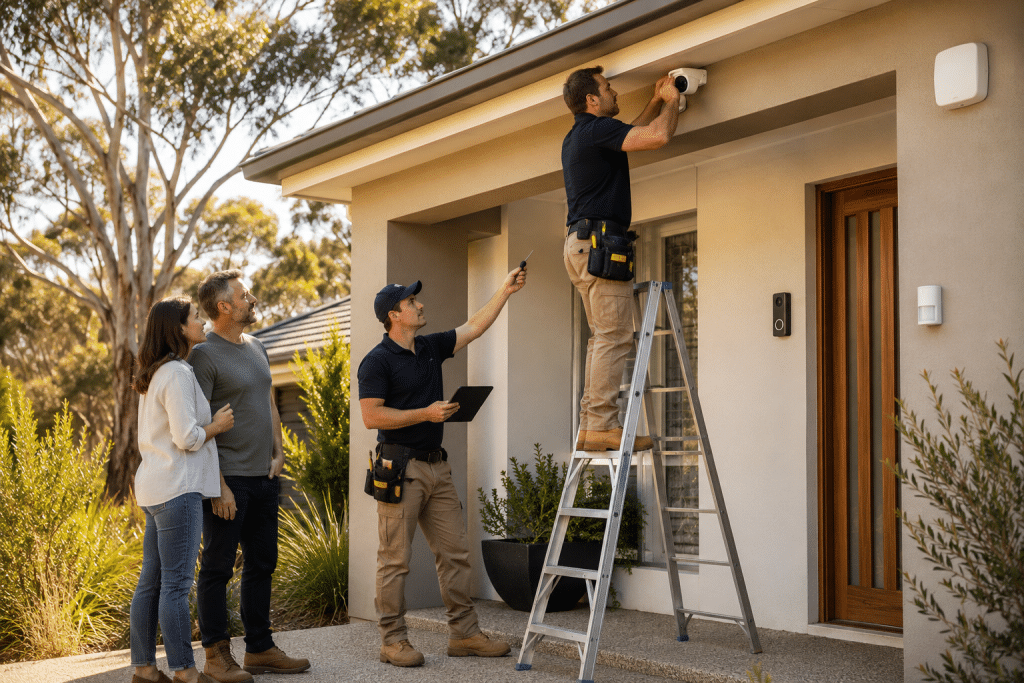
Security installation is the professional setup of physical and electronic protection systems such as CCTV cameras, alarm sensors, access control, intercoms, monitoring links and related network equipment. In Australia, it should include site assessment, correct device placement, safe cabling, configuration, testing, user training and ongoing maintenance planning.
Why Security Installation Matters in Australia
Australia has a wide mix of property types, from detached homes and small shops to schools, warehouses, construction sites and multi-site commercial facilities. Therefore, security installation should never be treated as a one-size-fits-all job.
A suburban home may need perimeter cameras, door contacts and mobile alerts. In contrast, a warehouse may need access control, motion detection, loading dock coverage, after-hours monitoring and audit trails. Meanwhile, a school may need privacy-aware camera placement, visitor management and staff procedures.
Good security installation helps answer four practical questions:
- Who is entering the property?
- What happens when nobody is watching?
- How quickly can someone respond?
- Can the system provide useful evidence later?
From my experience, many security problems come from unclear planning. For example, a camera may be installed too high, which captures movement but not faces. Similarly, an alarm sensor may be placed near moving air, pets or reflective surfaces, which can cause nuisance alerts.
As a result, the best security installation starts with the site, not the product catalogue.
Common Types of Security Installation
Security installation can include several connected systems. Each one has a different role, so it helps to understand the purpose before choosing equipment.
CCTV Security Installation
CCTV security installation uses cameras, recorders, storage and viewing software to monitor key areas. It can support deterrence, incident review and operational visibility.
Common locations include entrances, driveways, reception areas, loading docks, car parks, stairwells and stock rooms. However, cameras should be positioned with privacy in mind. For example, toilets, change rooms and private areas should not be monitored.
The Office of the Australian Information Commissioner explains that organisations and agencies using security cameras generally need to consider privacy and surveillance laws. You can read the official guidance from the OAIC security cameras resource.
Alarm System Installation
Alarm security installation detects unauthorised entry or unusual activity. A typical alarm setup may include door contacts, reed switches, PIR motion sensors, glass break sensors, sirens, keypads and mobile app alerts.
For homes, the goal is usually quick notification and deterrence. For businesses, alarms may be connected to back-to-base monitoring, duress buttons or opening and closing reports.
A well-designed alarm system reduces false alarms. Therefore, sensor placement, zone naming and user training matter as much as the hardware.
Access Control Installation
Access control security installation manages who can enter certain doors, gates, lifts or restricted rooms. It may use cards, fobs, PINs, mobile credentials, intercoms or biometric readers.
For Australian businesses, access control can improve accountability because it creates an entry record. However, biometric systems can raise additional privacy questions, so they should be reviewed carefully before use.
Access control is common in offices, medical centres, warehouses, schools, gyms, strata buildings and staff-only areas.
Intercom and Visitor Management Installation
Intercoms allow staff or residents to speak with visitors before granting entry. Modern systems may include video calling, mobile app access, keypad entry and integration with gates or electric strikes.
For apartment buildings and offices, intercom security installation improves convenience while reducing unauthorised access.
Monitoring and Remote Access Setup
Monitoring connects your system to a phone, control room or nominated response process. Remote access allows authorised users to view cameras, receive alerts or manage alarms through an app.
However, remote access must be secured. Weak passwords, outdated firmware and poorly configured networks can create risk. Therefore, cyber safety should be part of modern security installation.
Security Installation Planning: What Happens First
A professional security installation should begin with discovery and design. This is the stage where the installer learns what you want to protect, how the site works and where risks are most likely.
1. Site Assessment
The installer should inspect entry points, blind spots, lighting, power availability, internet access, ceiling spaces, cabling routes and high-value areas. They should also ask about operating hours, staff movement, deliveries, parking and previous incidents.
This stage matters because every site has different weak points. For example, a café may need camera coverage at the counter and rear entrance. Meanwhile, a warehouse may need gate control and after-hours motion detection.
2. Risk Prioritisation
Not every area needs the same level of protection. Therefore, security installation should rank risks by likelihood and impact.
High-priority areas often include:
- Main entrances
- Cash handling areas
- Stock rooms
- Server rooms
- Reception desks
- Loading bays
- Car parks
- Perimeter gates
- Staff-only corridors
Once priorities are clear, the installer can recommend the right mix of cameras, sensors and access points.
3. System Design
The design should show what equipment will be installed and why. It may include camera locations, alarm zones, access-controlled doors, recorder capacity, cable pathways and network requirements.
A clear design helps prevent misunderstandings. It also allows you to compare quotes fairly.
4. Installation and Configuration
During installation, technicians mount devices, run cables, connect power, configure software and test each part of the system. Good workmanship matters because loose mounts, exposed cables and poor labelling can cause maintenance problems later.
5. Testing and Handover
A reliable security installation must be tested before handover. Cameras should show clear images. Alarms should trigger correctly. Access control should accept and reject credentials as expected. Notifications should reach the right people.
The handover should include user training, admin access details, manuals, warranty information and maintenance advice.
Security Installation for Homes vs Businesses
Home and business security installation share some principles, but their priorities are different.
| Feature | Home Security Installation | Business Security Installation |
| Main goal | Protect family, property and vehicles | Protect staff, customers, assets and operations |
| Common systems | CCTV, alarms, video doorbells, intercoms | CCTV, alarms, access control, monitoring, intercoms |
| User access | Usually family members | Staff, managers, contractors and visitors |
| Monitoring | Mobile alerts or optional monitoring | Often monitored, logged and procedure-based |
| Privacy focus | Neighbours, public areas and household privacy | Staff, customers, signage and workplace policies |
| Maintenance need | Periodic checks and updates | Scheduled testing, reporting and documentation |
| Best fit | Simple, reliable and easy to use | Scalable, auditable and integrated |
For homes, ease of use is critical. If the alarm is too hard to operate, people stop using it. For businesses, the system also needs clear records, role-based access and documented procedures.
CCTV, Alarms and Access Control Compared
Each system solves a different problem. Therefore, a strong security installation often combines them.
| System | What It Does | Best For | Key Limitation |
| CCTV | Records and displays video | Evidence, deterrence, live viewing | Does not physically stop entry |
| Alarm system | Detects intrusion or activity | Fast alerts, after-hours protection | Can create false alarms if poorly designed |
| Access control | Restricts and records entry | Staff areas, doors, gates and audit trails | Needs credential management |
| Intercom | Screens visitors before entry | Homes, offices, strata and gates | Depends on user response |
| Monitoring | Sends alerts to people or control rooms | Faster response planning | Requires clear escalation procedures |
The right choice depends on the risk. For instance, CCTV may help identify a person after an incident, while access control may prevent that person from entering a restricted area in the first place.
Numbered Security Installation Checklist
Use this checklist before approving a quote or booking work.
- Define the problem clearly. Decide whether you need deterrence, evidence, access control, staff safety, visitor screening or all of these.
- Walk the site at different times. Check lighting, shadows, traffic flow and after-hours activity.
- List high-risk areas. Include doors, gates, windows, car parks, stock areas, offices and blind spots.
- Ask for a written design. The design should explain camera locations, alarm zones, device types and system purpose.
- Confirm licensing requirements. Security licensing varies by state and territory, so confirm the installer’s licence where required.
- Review privacy considerations. Consider signage, camera angles, staff notification and data handling.
- Check network security. Change default passwords, use secure remote access and update firmware.
- Test every device. Do not accept handover until cameras, alarms, access control and notifications work correctly.
- Request user training. Make sure staff or household members know how to arm, disarm, review footage and respond to alerts.
- Plan maintenance. Schedule periodic checks for cameras, batteries, storage, sensors, access permissions and software updates.
Australian Compliance and Administrative Considerations
Compliance in security installation should be handled carefully. This section is general information, not legal advice. For complex sites, workplace surveillance, biometric systems or regulated industries, get advice from the relevant regulator, licensed consultant or legal professional.
Security Licensing
In Australia, security licensing requirements vary by state and territory. The Australian Security Industry Association Limited notes that most states and territories require businesses and individuals to be licensed for many security activities. You can review the overview on ASIAL security licensing.
For example, NSW Police explains that a Class 2 security licence covers specialist fields including selling, installing, maintaining and repairing security equipment. Other states have their own licence names and processes.
Therefore, when choosing a security installation provider, ask for current licensing details and confirm they match the work being performed.
Privacy and Camera Placement
Security cameras can collect personal information. Therefore, camera placement should be proportionate and reasonable.
In practical terms, this means:
- Avoid private spaces.
- Use clear signage where appropriate.
- Limit access to footage.
- Keep recordings only as long as needed.
- Tell staff how workplace cameras are used.
- Be careful with audio recording.
- Review extra analytics such as facial recognition before use.
The “why” is simple: a security system should protect people and property without creating unnecessary privacy risk.
Data Storage and Retention
CCTV footage may be stored on a recorder, server or cloud platform. The retention period depends on storage size, image quality, number of cameras and recording settings.
For many businesses, 14 to 30 days is common as a practical estimate, but the right period depends on operational needs and policy. Longer storage may increase cost and data responsibility.
Insurance and Incident Records
Security installation may support insurance discussions, although it does not guarantee lower premiums. Insurers may ask about alarms, monitoring, locks, cameras, maintenance and incident records.
Therefore, keep installation documents, invoices, serial numbers and maintenance logs. These records can help after a theft, break-in, damage claim or compliance review.
Smart Security, Cyber Safety and Remote Access
Modern security installation often includes internet-connected devices. This adds convenience, but it also adds cyber risk.
The Australian Signals Directorate recommends the Essential Eight as baseline mitigation strategies that make it harder for adversaries to compromise systems. While the Essential Eight is designed for internet-connected IT networks, its principles are useful when thinking about connected security systems. You can read the official ASD Essential Eight guidance.
For security installation, practical cyber steps include:
- Change default usernames and passwords.
- Use strong, unique passwords.
- Enable multi-factor authentication where available.
- Keep firmware updated.
- Restrict administrator access.
- Avoid exposing recorders directly to the internet.
- Use secure remote access methods.
- Remove old users when staff leave.
- Back up important configuration settings.
- Separate security devices from guest Wi-Fi where possible.
From my experience, remote viewing is one of the most requested features. However, it must be set up properly. A cheap system with weak remote access can create more risk than value.
Security Installation Costs in Australia
Security installation costs vary because every site is different. A small home alarm is not comparable to a multi-camera commercial CCTV and access control system.
Cost usually depends on:
- Number of cameras or sensors
- Cable distance and building access
- Recorder or cloud storage needs
- Access-controlled doors
- Monitoring requirements
- Network upgrades
- After-hours work
- Height access or special equipment
- System brand and warranty
- Training and maintenance
As a rough, non-binding guide, a basic residential installation may cost far less than a commercial system with multiple doors, cameras and monitoring. However, the cheapest quote is not always the best value. Poor installation may lead to unclear footage, false alarms and higher repair costs.
A better approach is to compare scope, workmanship, licensing, support and warranty.
Onshore vs Offshore Security Monitoring
Some Australian businesses compare local monitoring with offshore support or app-only alerts. The right choice depends on risk, budget and response expectations.
| Option | Advantages | Considerations |
| Onshore monitoring | Local context, clearer escalation, Australian time zones | May cost more than app-only alerts |
| Offshore support | Can be cost-effective for some technical support tasks | May not suit urgent incident response |
| App-only alerts | Low cost and direct control | Relies on the user being available |
| Internal monitoring | Good for large teams with procedures | Needs training and accountability |
| Professional control room | Structured response and logs | Requires clear instructions and ongoing fees |
For higher-risk sites, response procedure matters more than the alert itself. After all, an alarm notification is only useful if someone knows what to do next.
Common Security Installation Mistakes to Avoid
Choosing Cameras Only by Resolution
High resolution helps, but it is not everything. Lens angle, mounting height, lighting, compression and storage settings also affect image quality.
A 4K camera installed in the wrong place can still produce poor evidence. Therefore, camera placement should be based on the scene and purpose.
Ignoring Lighting
Cameras need usable light. Some cameras have infrared night vision, but reflective surfaces, glass and long distances can reduce performance.
Before installation, check the site at night. This step often reveals problems that are invisible during daytime inspections.
Not Naming Alarm Zones Clearly
Zone names such as “Zone 1” and “Zone 2” are not helpful during an incident. Instead, use plain names such as “Front Door”, “Rear Roller Door” or “Office Hallway”.
Clear naming makes alerts easier to understand.
Sharing One Login
Shared logins create accountability problems. If everyone uses the same account, you cannot easily see who changed settings or accessed footage.
For businesses, each authorised user should have their own account with suitable permissions.
Forgetting Maintenance
Security installation is not finished forever on day one. Batteries fail, cameras move, trees grow, firmware ages and staff change.
A maintenance plan keeps the system reliable.
How to Choose a Security Installation Provider
Choosing the right provider is as important as choosing the right equipment.
Look for a provider that can explain the reason behind each recommendation. They should ask questions, inspect the site and provide a clear scope of work.
A good provider should be able to discuss:
- Licensing and experience
- Similar project examples
- Camera placement logic
- Alarm zone design
- Access control permissions
- Privacy-aware installation
- Cyber-safe remote access
- Warranty and support
- Maintenance options
- User training
For Australian homes and businesses that want practical advice, tailored system design and professional installation support, Eclipse Security offers security installation solutions for Australian properties.
Security Installation for Different Australian Sites
Homes
Home security installation should be simple, reliable and easy to operate. Useful features may include perimeter cameras, smart alerts, door contacts, internal motion sensors and video intercoms.
For families, usability matters. If the system is confusing, it will not be used consistently.
Retail Stores
Retail security installation often focuses on entrances, counters, aisles, stock rooms and staff areas. CCTV can help review incidents, while alarms and access control protect after hours.
However, camera placement should respect customers and staff.
Warehouses
Warehouses usually need wide-area coverage, loading dock visibility, gate control and after-hours alarms. Access control can help manage staff, contractors and delivery areas.
Because warehouses often have high ceilings, camera lens choice and mounting height are important.
Offices
Office security installation may include access control, intercoms, CCTV at entry points and alarms for after-hours protection. Sensitive areas such as server rooms and records storage may need restricted access.
Schools and Education Sites
Schools need a careful balance between safety, privacy and procedure. Cameras may support perimeter safety and incident review, while access control can help manage staff-only areas.
Policies, signage and authorised access should be clear.
Strata and Apartment Buildings
Strata security installation often includes intercoms, garage access, foyer cameras and common-area CCTV. The system should be easy for residents to use and manageable for building committees.
People Also Ask
What does security installation include?
Security installation usually includes site assessment, system design, equipment supply, mounting, cabling, configuration, testing and user training. Depending on the site, it may cover CCTV, alarms, access control, intercoms and monitoring.
Do security installers need a licence in Australia?
In many Australian states and territories, security businesses and technicians need a licence for certain installation work. Requirements vary, so customers should confirm the provider’s licence with the relevant state or territory regulator.
How long does security installation take?
A small home security installation may be completed in a day, while larger commercial projects can take several days or longer. Timing depends on cabling, access, number of devices, system complexity and testing requirements.
Is CCTV enough for security?
CCTV is useful for deterrence and evidence, but it does not physically stop entry. For stronger protection, many Australian properties combine CCTV with alarms, access control, lighting and clear response procedures.
Can I view my security system from my phone?
Many modern systems support mobile viewing and alerts. However, remote access should be configured securely with strong passwords, updated firmware and multi-factor authentication where available.
Expert Q&A About Security Installation
1. What should I ask before accepting a security installation quote?
Ask what risks the system is designed to reduce, where each device will be installed and how the system will be tested. Also ask about licensing, warranty, remote access, privacy considerations and maintenance.
A quote should be clear enough that you can compare it with another quote. If the scope is vague, ask for more detail before approving the job.
2. How do I know where CCTV cameras should go?
Cameras should be placed where they capture useful evidence, not just wide views. Key locations include entrances, exits, driveways, counters, loading areas and high-value zones.
The installer should consider lighting, lens angle, mounting height and privacy. A camera that cannot identify faces or number plates may not meet your goal.
3. Should my alarm system be monitored?
Monitoring can be useful if you need a structured response when an alarm activates. For example, a business may want alerts sent to a control room, manager or nominated contact.
However, monitoring is not a replacement for good procedures. You still need clear instructions for who responds, when they respond and what they should do.
4. What is the biggest security installation risk for small businesses?
One major risk is installing equipment without a clear plan. This can lead to blind spots, false alarms, poor footage and staff confusion.
Another risk is weak remote access security. Default passwords and outdated firmware can expose connected systems, so cyber safety should be part of the installation.
5. How often should a security system be maintained?
Most systems should be checked at least once or twice a year, depending on risk and usage. High-risk commercial sites may need more frequent maintenance.
Maintenance should include camera cleaning, image checks, alarm testing, battery checks, access user review, firmware updates and storage review.
Conclusion
Security installation in Australia is about more than cameras, alarms and cables. It is a planning process that connects risk assessment, correct equipment, skilled installation, privacy awareness, cyber safety and clear response procedures.
The best systems are practical. They are easy to use, properly maintained and designed around the real layout of the property. Therefore, before investing, define your risks, confirm licensing, review privacy needs and choose a provider that can explain the “why” behind each recommendation.
For tailored advice and professional support, speak with an experienced Australian security provider that understands local homes, businesses and compliance expectations.