On this page16
- 1. Why Security Cameras Matter for Melbourne Properties
- 2. Types of Security Cameras Melbourne Buyers Should Compare
- 3. Choosing Security Cameras for Melbourne Homes and Businesses
- 4. Where to Position Security Cameras in Melbourne
- 5. Understanding Security Camera Resolution and Image Quality
- 6. Security Cameras Melbourne: Night Vision and Weather Protection
- 7. Video Storage, Remote Access and Cybersecurity
- 8. What Affects Security Camera Installation Costs in Melbourne?
- 9. Choosing a Professional CCTV Installer in Melbourne
- 10. Privacy and Licensing for Security Cameras Melbourne Buyers
- 11. Step-by-Step Checklist for Security Cameras Melbourne Installation
- 12. Integrating CCTV With Other Security Systems
- 13. Maintaining Security Cameras in Melbourne
- 14. People Also Ask About Security Cameras Melbourne
- 15. Advanced Questions and Answers About Melbourne CCTV Systems
- 16. Conclusion: Choose Security Cameras in Melbourne With Confidence
Not sure what your site needs?
A technical consultant from our Hallam office will look at the site and recommend a system, free of charge.
Request an assessment 1300 66 11 99Choosing the right security cameras Melbourne homeowners and businesses can depend on involves more than comparing prices or camera specifications. Whether you want to protect a family home, retail store, warehouse or commercial property, a well-designed CCTV system can improve visibility, support incident investigations and help you respond to suspicious activity. However, effective security starts with understanding your property's risks, choosing suitable technology and installing cameras in the right locations.
With Melbourne properties ranging from compact townhouses to large industrial facilities, security requirements can vary considerably. This guide takes a practical, installation-focused approach to camera selection, coverage planning, recording, privacy and maintenance. It also explains how to compare systems without paying for features that may not improve your security.
Quick answer: What are security cameras Melbourne property owners use?
Security cameras Melbourne property owners install are CCTV systems that watch selected areas, record video and may send alerts to a phone or control room. A suitable system combines useful camera placement, clear day-and-night images, secure footage storage and privacy-conscious settings, rather than relying on camera count alone.

Table of Contents
- Why Security Cameras Matter for Melbourne Properties
- Types of Security Cameras Available in Melbourne
- Choosing CCTV for Homes and Businesses
- Where to Position Security Cameras
- Understanding Resolution and Image Quality
- Night Vision and Melbourne Weather Conditions
- Video Storage, Remote Access and Cybersecurity
- Security Camera Installation Costs in Melbourne
- Choosing a Professional CCTV Installer
- Security Camera Privacy and Licensing Requirements
- Step-by-Step Installation Checklist
- Integrating CCTV With Other Security Systems
- Security Camera Maintenance and Troubleshooting
- People Also Ask
- Advanced Questions and Answers
- Conclusion
1. Why Security Cameras Matter for Melbourne Properties
Security cameras play an important role in protecting homes, workplaces and commercial facilities. Although locks, gates and alarm systems remain essential, CCTV adds another layer of protection by allowing property owners to see what is happening around their premises.
For Melbourne homeowners, cameras may provide visibility over driveways, entry doors, garages and outdoor areas. Meanwhile, businesses may need coverage around loading docks, storage rooms, customer entrances and restricted-access zones.
According to Victoria Police's CCTV installation and crime prevention guidance, appropriately installed cameras can assist in identifying offenders, allow remote property monitoring and potentially deter criminal activity.
However, cameras do not guarantee that theft, vandalism or unauthorised entry will be prevented. Their effectiveness depends on placement, image clarity, lighting, maintenance and the wider security measures in use.
Understanding the practical benefits of CCTV
Deterrence of opportunistic crime
Visible security cameras may discourage some offenders from targeting a property. However, deterrence varies depending on the circumstances, so CCTV should complement physical security rather than replace it.
Recording useful evidence
Clear footage may help establish what happened during an incident. For example, a properly positioned camera could capture a vehicle entering a driveway or someone approaching a business entrance.
Remote property monitoring
Many modern systems allow authorised users to view live footage through a secure application. Consequently, business owners can check selected areas without being physically present.
Improved incident response
When configured correctly, motion alerts can notify authorised users about selected activity. Furthermore, integration with alarms or access control can provide additional context.
Operational visibility
Commercial CCTV can also support legitimate operational needs, such as reviewing delivery movements or identifying hazards. However, workplace monitoring should have a clear purpose and follow applicable privacy requirements.
Start with the problem, not the product
A useful CCTV assessment begins by identifying the specific event you want to detect or record.
For example, a homeowner may want to see who approaches the front door. A warehouse manager may need to identify vehicles entering a loading area.
These are different requirements, even though both involve cameras.
Therefore, the first question should be: What must the camera show clearly for the system to be useful?
Once that question is answered, choosing equipment becomes much easier.
2. Types of Security Cameras Melbourne Buyers Should Compare
The market for security cameras Melbourne property owners can choose from includes several camera designs and recording technologies.
Each option has advantages. However, no camera type is automatically best for every building.
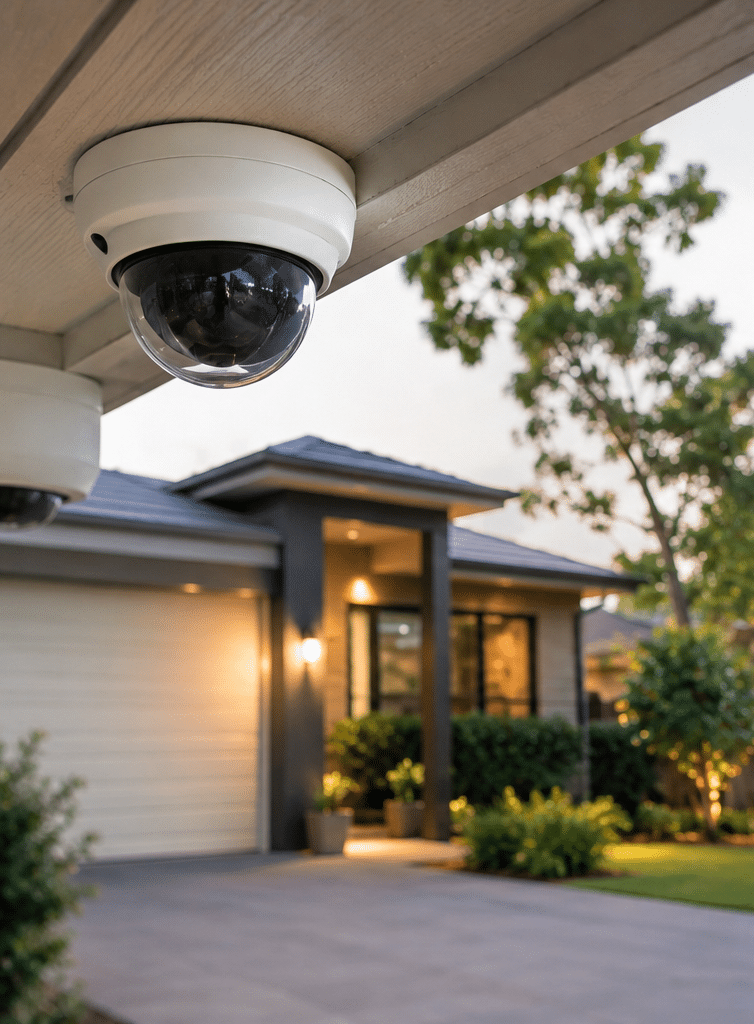
Dome security cameras
Dome cameras are commonly used in shops, offices, corridors and commercial premises.
Their compact housings can fit neatly into indoor environments. Some models also have vandal-resistant designs that help protect the equipment from physical damage.
However, the dome itself does not guarantee better image quality. Performance still depends on the sensor, lens and lighting.
Bullet security cameras
Bullet cameras have an elongated housing and are often installed along building exteriors.
They are useful when a clearly directed field of view is required, such as a driveway, gate or warehouse perimeter.
Additionally, their visible design may reinforce the presence of surveillance.
Turret security cameras
Turret cameras have an adjustable ball-shaped camera assembly.
They are frequently selected for homes and businesses because their design can make aiming relatively straightforward.
Depending on the model, they may also avoid some reflections associated with clear dome covers.
PTZ security cameras
PTZ stands for pan, tilt and zoom.
These cameras can change direction and zoom into selected areas. Therefore, they can be useful for monitoring large open spaces or specific operational activities.
However, a moving PTZ camera may not record every part of a scene at the same time. Fixed cameras are often needed to maintain continuous coverage of critical locations.
Comparison of popular CCTV camera types
| Camera type | Common application | Main advantage | Important limitation |
| Dome | Offices, shops, corridors | Compact housing | Dome reflections can affect some models |
| Bullet | Driveways, gates, exteriors | Clear directional coverage | More visually prominent |
| Turret | Homes and businesses | Flexible mounting and aiming | Exposure and weather ratings vary |
| PTZ | Large yards and facilities | Adjustable viewing direction | Cannot watch every direction simultaneously |
| Video doorbell | Residential entrances | Visitor alerts and communication | Narrower purpose than full CCTV |
| Battery camera | Difficult-to-cable locations | Easier physical installation | Battery life and recording behaviour vary |
Wired versus wireless security cameras
Another major consideration is connectivity.
Wired IP cameras commonly use Power over Ethernet (PoE). This technology carries data and electrical power through a suitable network cable.
As a result, PoE systems can provide a reliable connection without depending on Wi-Fi coverage at every camera location.
Wireless cameras may be easier to position where network cabling is difficult. However, wireless does not always mean cable-free. Many Wi-Fi models still require a power connection.
Battery-operated cameras offer greater flexibility but may use motion-triggered recordings to conserve energy.
For long-term commercial installations, wired connections are often preferred where feasible. Nevertheless, the final choice should reflect the property's infrastructure and operational requirements.
3. Choosing Security Cameras for Melbourne Homes and Businesses
Different properties require different CCTV designs.
For this reason, choosing security cameras Melbourne properties need should begin with the building's layout and daily activity.
Residential security camera systems
A typical Melbourne home might include a front entrance, driveway, garage, side access and backyard.
Rather than installing cameras indiscriminately, homeowners should prioritise locations that people are most likely to use when approaching the property.
A practical residential plan may include:
- A front-door camera to record visitors.
- A driveway camera to observe vehicles and movement.
- Side-access cameras where visibility is limited.
- A backyard camera positioned towards relevant entry points.
- Secure recording equipment located away from easy access.
However, more cameras do not always create better coverage.
For example, a poorly positioned wide-angle camera may show an entire driveway but fail to provide a clear image of a person's face.
A narrower view or an additional camera may be more useful.
Commercial security camera systems
Businesses often have more complex needs.
A Melbourne retail store may focus on customer entrances, stock areas and after-hours access. Meanwhile, a warehouse in Dandenong South may need to monitor vehicle gates, loading areas and valuable equipment.
Commercial requirements can include:
- Continuous recording during operating and non-operating hours.
- Multiple authorised users with different access levels.
- Centralised monitoring of several buildings.
- Integration with alarm and access control systems.
- Reliable storage with planned retention periods.
- Maintenance and incident-reporting procedures.
Furthermore, businesses should consider who is responsible for reviewing footage and responding to alerts.
Without an agreed process, even a technically advanced system may fail to support timely action.
Apartment buildings and shared properties
Apartments and townhouses introduce additional considerations.
Shared entrances, basement car parks and communal pathways may require coordination with an owners corporation or building manager.
Therefore, residents should confirm the relevant permissions before installing cameras in common areas.
They should also consider how camera angles may affect neighbours and visitors.
4. Where to Position Security Cameras in Melbourne
Camera placement often matters more than the number of cameras installed.
A camera can have excellent technical specifications yet deliver limited value if it faces the wrong direction.
When planning security cameras in Melbourne, installers should consider the property's entry routes, lighting, building materials and potential blind spots.
Front entrances
Front entrances are important because they record visitors approaching a property.
However, mounting a camera too high can result in a view dominated by the tops of people's heads.
Therefore, the mounting position and lens should be chosen to produce a useful facial view while keeping the equipment secure.
Driveways and vehicle access
Driveway cameras can help document vehicle movements.
However, ordinary wide-angle CCTV footage should not be assumed to capture readable registration plates in every condition.
Moving vehicles, headlights, rain, distance and camera settings can reduce clarity.
For sites that specifically require registration plate recognition, a purpose-designed camera and carefully planned position may be necessary.
Side paths and rear entrances
Side access points can be overlooked during installation.
Consequently, it is useful to walk around the property and identify pathways that are not clearly visible from the street or main building.
Cameras can then be positioned to cover these areas without unnecessarily recording neighbouring properties.
Shops, warehouses and loading areas
Commercial cameras should support clearly defined tasks.
For example, a warehouse may need one camera showing the whole loading area and another providing detailed coverage of a specific doorway.
Similarly, a retail store may need to monitor entrances and stock access points.
However, avoid assuming that every public or staff area should be recorded. Surveillance should remain proportionate to a legitimate purpose.
Common placement mistakes
Some recurring CCTV design problems include:
- Positioning cameras directly towards strong sunlight.
- Installing equipment where tree branches obstruct the view.
- Relying on one wide-angle camera for detailed identification.
- Allowing outdoor lights to create glare.
- Mounting cameras where maintenance access is unsafe.
- Recording unnecessary neighbouring or private areas.
- Failing to test footage after dark.
Practical recommendation: Assess the camera view from the position where it will actually be installed. Then check whether the image provides the detail required for its purpose.
5. Understanding Security Camera Resolution and Image Quality
Image resolution is one of the first specifications buyers notice.
However, resolution alone cannot determine whether footage will be useful.
What do 2MP, 4MP and 8MP mean?
Megapixels describe the approximate number of pixels captured in an image.
Common categories include:
| Resolution | Approximate image detail | Typical consideration |
| 2MP | Full HD, around 1080p | General monitoring in suitable conditions |
| 4MP | Greater detail than Full HD | Balanced detail and storage requirements |
| 8MP | Approximately 4K UHD | More detail where lens and lighting support it |
These are broad technical categories, not guarantees of identification performance.
For example, an 8MP camera covering a very wide area may produce less useful facial detail at a distant doorway than a lower-resolution camera with a better-targeted lens.
Field of view matters
The field of view describes how much of a scene the camera captures.
A wide-angle lens covers more space. However, people and objects occupy fewer pixels when they are distant.
A narrower view captures less area but can provide greater detail of a particular location.
Therefore, camera design should balance overall coverage with the need to recognise or identify people and objects.
Lens selection
Fixed-lens cameras have a set focal length.
Meanwhile, varifocal cameras allow the field of view to be adjusted within a supported range.
Varifocal models can be particularly useful when installation conditions are uncertain or the desired viewing area is narrow.
However, the chosen lens must still suit the camera's sensor and intended viewing distance.
Frame rate and compression
Frame rate is measured in frames per second (fps).
Higher frame rates can help capture smoother movement, but they also increase recording demands.
Compression technologies such as H.264 and H.265 reduce video file sizes. However, the actual storage savings depend on the scene, settings and equipment.
Ultimately, the best image settings are those that produce usable footage without creating unnecessary storage or network costs.
6. Security Cameras Melbourne: Night Vision and Weather Protection
Melbourne's changing weather makes outdoor camera performance particularly important.
Rain, wind, moisture, shadows and bright sunlight can all affect the quality of recorded footage.
Therefore, security cameras Melbourne property owners install outdoors should be chosen for the actual conditions they will face.
Infrared night vision
Many cameras use infrared illumination to capture footage in dark areas.
This can help monitor entrances, paths and yards after sunset.
However, infrared footage is commonly monochrome. It may also lose useful detail when subjects are too far away or when nearby surfaces reflect infrared light.
Low-light colour cameras
Some cameras use sensitive image sensors and suitable illumination to produce colour footage in low-light conditions.
This may help distinguish clothing or vehicle colours.
However, colour night vision performance depends on available light and the camera's capabilities.
Consequently, product demonstrations should be assessed under lighting conditions similar to the intended installation.
Wide Dynamic Range
Wide Dynamic Range, often called WDR, helps balance bright and dark regions in a scene.
For example, a camera inside a shop entrance may need to record people standing against bright outdoor light.
Without suitable exposure control, faces may appear too dark.
WDR can improve visibility in these conditions, although results differ between models.
Outdoor protection ratings
Outdoor cameras should have appropriate environmental protection.
An IP rating indicates resistance to dust and water under defined test conditions. For example, IP66-rated housings are designed to resist dust ingress and powerful water jets.
However, an IP rating does not eliminate the need for good installation.
Cables, connectors and junction boxes must also be protected against moisture.
Additionally, exposed sites may need suitable impact-resistant housings and mounting hardware.
Before purchasing, ask whether the proposed camera has been selected for the property's weather exposure rather than simply being labelled as an outdoor model.
7. Video Storage, Remote Access and Cybersecurity
A CCTV camera is only one part of the system.
The recording platform, network and access settings determine whether footage remains available when needed.
When comparing security cameras Melbourne suppliers offer, buyers should ask where video is recorded and who can access it.
Local recording with an NVR
An NVR, or Network Video Recorder, stores footage from compatible IP cameras.
For example, a business may install several PoE cameras connected to a network switch and NVR.
This arrangement can support local recording without requiring all footage to be uploaded continuously to the internet.
However, recorder capacity must match the cameras and intended retention period.
The recorder should also be kept in a secure, ventilated location.
Cloud-based recording
Cloud recording stores or manages footage through an online service.
It can offer convenient remote access and central management, particularly for organisations operating multiple sites.
However, costs may include ongoing subscriptions.
Cloud services also require careful review of internet dependence, account security, data location and available retention options.
Local versus cloud CCTV comparison
| Feature | Local NVR system | Cloud-managed system |
| Storage | Usually on-site drives | Provider-dependent cloud or hybrid storage |
| Internet dependence | Local recording may continue offline | Depends on system architecture |
| Remote access | Requires secure configuration | Commonly built into the platform |
| Ongoing fees | May be limited or optional | Often subscription-based |
| Equipment maintenance | Local recorder requires maintenance | Local hardware needs vary |
| Multi-site management | Depends on platform | Often designed for central access |
Neither option is automatically more secure.
Instead, security depends on configuration, updates, access controls and the chosen provider.
How much CCTV storage do you need?
Storage requirements depend on camera count, resolution, bitrate, recording schedule and retention.
Consider this illustrative calculation, not a quote or guaranteed specification.
Suppose a property uses four cameras, each recording continuously at an average bitrate of 4 megabits per second.
Under these assumptions:
- One camera produces approximately 43.2 GB of video per day.
- Four cameras produce approximately 172.8 GB per day.
- Thirty days of recording requires approximately 5.2 TB before extra overhead and reserve capacity.
Actual requirements can differ substantially because of compression, movement, scene complexity, audio and recording settings.
Therefore, ask the installer for a storage calculation based on the exact proposed equipment.
Secure remote access
Internet-connected cameras and recorders can introduce cybersecurity risks.
To reduce exposure:
- Use unique, strong passwords.
- Enable multi-factor authentication where supported.
- Install security and firmware updates.
- Remove unused user accounts.
- Restrict administrator permissions.
- Avoid unnecessary direct internet exposure.
- Protect the recorder and network equipment.
- Review access logs where available.
Additionally, avoid sharing one administrator login among multiple staff members.
Individual accounts make it easier to manage permissions and remove access when someone leaves an organisation.
8. What Affects Security Camera Installation Costs in Melbourne?
The price of a CCTV system can vary significantly.
Therefore, there is no reliable universal price for security cameras Melbourne homeowners and businesses should expect to pay.
A small residential system and a multi-building commercial installation involve different equipment, labour and infrastructure.
Camera quantity and capability
More cameras generally increase equipment and installation costs.
However, model selection also matters.
A basic fixed camera may cost less than a specialised low-light, varifocal or licence plate recognition model.
Cabling and installation complexity
Installing cameras in an accessible single-storey property may require less labour than working at height or routing cables through complex commercial buildings.
Furthermore, older properties may need additional network or electrical work.
Video storage
Storage costs depend on recording requirements.
For example, a business requiring extended continuous recording may need greater capacity than a homeowner using selected motion recording.
Additional features
Potential extras include analytics, mobile notifications, backup power, remote monitoring and system integrations.
Some features may also involve ongoing software licences.
Maintenance and subscriptions
Total ownership cost is more useful than the initial installation price alone.
Therefore, request an itemised quotation that identifies:
- Camera models and quantities.
- Recorder and storage specifications.
- Cabling and installation labour.
- Network requirements.
- Software or cloud subscriptions.
- Warranty and service terms.
- Maintenance and future upgrade options.
A clear quotation should also explain which services are excluded.
For example, additional electrical work or specialised access equipment may not be part of a standard installation proposal.
9. Choosing a Professional CCTV Installer in Melbourne
Selecting an installer is an important part of creating a reliable CCTV system.
A good installation process considers the site, equipment compatibility, physical security and the owner's ability to operate the system.
When comparing security cameras Melbourne installation providers, look beyond the advertised camera package.
Look for a site-specific assessment
An installer should ask what the system needs to achieve.
For example, do you need general monitoring, visitor recognition, vehicle identification or monitoring across multiple locations?
These requirements influence camera placement and equipment selection.
Additionally, the installer should consider available lighting, network capacity, cabling routes and privacy concerns.
Confirm licensing
Victoria has specific licensing requirements for commercial security activities.
According to Victoria Police's private security licensing update, reforms effective from 19 June 2025 made private security activities licensed activities, including security equipment installation.
Victoria Police also distinguishes installing a security system on your own property from providing installation services to others.
Therefore, customers should verify that the provider and relevant personnel hold the appropriate current authorisations for their work.
Check the installation proposal
A professional proposal should identify the recommended camera locations and explain their purpose.
It should also address recording duration, remote access, storage and maintenance.
For complex commercial sites, request a written coverage plan before approving installation.
Ask for a demonstration
Before handover, the installer should demonstrate how to:
- View live cameras.
- Find recorded footage.
- Export a recording.
- Manage approved users.
- Understand system alerts.
- Identify recording or connection failures.
This helps ensure the system remains useful after installation.
Why local service matters
For Melbourne businesses, ongoing support can be important when cameras fail or site requirements change.
For example, a warehouse may expand its loading area, while a retail store may relocate its stockroom.
A provider familiar with the site's original design can help assess whether existing equipment can be reused.
Therefore, service arrangements should be considered alongside product warranties.
10. Privacy and Licensing for Security Cameras Melbourne Buyers
Privacy is a key part of responsible CCTV planning.
Security cameras can record people who have no direct connection to a security incident.
Consequently, property owners should consider what information is collected, how long it is kept and who can view it.
Residential camera privacy
Homeowners should aim cameras towards areas they have a legitimate reason to monitor.
For example, a driveway camera should primarily cover the driveway rather than neighbouring windows or private outdoor areas.
Privacy masking features can help exclude unnecessary parts of the image.
However, owners should not assume that all residential recording is automatically permitted in every situation.
Commercial CCTV and the Privacy Act
The Office of the Australian Information Commissioner's security camera guidance explains that organisations covered by the Privacy Act 1988 must comply with the Australian Privacy Principles when collecting personal information through surveillance.
The Privacy Act covers many larger organisations and some other entities, but it does not apply to every business in the same way.
Where the requirements apply, organisations need to consider notification, information security and appropriate disposal.
Additionally, Victorian surveillance laws may apply independently of federal privacy obligations.
Signs, notices and workplace policies
Businesses should assess whether appropriate CCTV signage and privacy notices are required.
A clear notice can explain that surveillance operates at the premises.
Internal policies may also need to define who can view footage and when recordings may be disclosed.
For employee surveillance, the organisation should establish a legitimate purpose and review the relevant workplace requirements.
Audio recording requires particular care
Cameras with microphones introduce different privacy considerations.
Recording a conversation may raise issues under laws that differ from those governing silent video surveillance.
Therefore, audio should not be enabled automatically simply because a camera supports it.
Instead, confirm the purpose and obtain appropriate advice before activating sound recording.
Practical compliance administration
Businesses can reduce operational uncertainty by maintaining a short CCTV administration register.
This may record the camera locations, responsible staff, access permissions, retention settings and review dates.
It should also identify the process for responding to legitimate footage requests.
These are useful administrative controls, not a substitute for legal advice. Where requirements are unclear, seek guidance from an appropriately qualified legal or privacy professional and verify security licences with the relevant regulator.
11. Step-by-Step Checklist for Security Cameras Melbourne Installation
A structured installation process helps prevent avoidable mistakes.
The following checklist can be used when planning security cameras Melbourne residential or commercial projects.
1. Identify your security concerns
Write down the problems the CCTV system should address.
For example, you may want to monitor vehicle movements, identify visitors or improve visibility around an entrance.
Be specific about which events need to be recorded.
2. Inspect the property
Walk around the building during daylight.
Identify entrances, pathways, restricted areas and potential blind spots.
Then consider how those locations change after dark.
3. Define the required image detail
Decide whether each camera needs to detect movement, observe general activity, recognise familiar people or support identification.
These tasks may require different viewing distances and lenses.
4. Choose suitable camera types
Select cameras based on location and purpose.
For example, a fixed turret camera may suit an entrance, while a specialised camera may be appropriate for vehicle identification.
Avoid selecting equipment solely because it has the highest advertised resolution.
5. Plan cabling, power and connectivity
Assess whether PoE cabling is practical.
If wireless equipment is proposed, confirm that signal strength and available power are sufficient.
Also consider what happens during a power or internet outage.
6. Determine recording and storage needs
Choose an appropriate recording schedule and retention period.
Ask for a storage estimate based on the proposed camera settings.
Consider whether important recordings need a separate backup process.
7. Review privacy and permissions
Check camera angles, neighbouring properties and shared areas.
For business installations, review relevant signage, privacy policies and recording procedures.
Confirm any required permissions before work begins.
8. Verify the installation provider
Check relevant licences and experience.
Request an itemised quotation and a clear description of installation responsibilities.
Furthermore, confirm what happens if additional work becomes necessary.
9. Test the finished system
Review footage in daylight and darkness.
Test motion alerts, remote access, playback and exporting recordings.
Ensure the owner can understand and operate the system.
10. Establish ongoing maintenance
Create a schedule for checking camera views, recording health and software updates.
Record important account and warranty information securely.
Finally, identify who should be contacted when something stops working.
Following this process does not guarantee that every incident will be captured. However, it provides a stronger basis for a reliable and maintainable installation.
12. Integrating CCTV With Other Security Systems
Although CCTV provides visual information, it works best as part of a wider security strategy.
For this reason, security cameras Melbourne businesses install may benefit from integration with alarms, intercoms and access control.
CCTV and intruder alarms
An alarm can identify a possible intrusion through configured sensors.
Meanwhile, CCTV may help an authorised person assess the surrounding activity.
For example, an after-hours alarm event may prompt a review of footage from the associated entrance.
However, an alarm does not automatically guarantee an immediate response, and false alerts remain possible.
CCTV and access control
Access control systems manage who can enter particular areas.
Depending on the platform, an access event may be associated with relevant camera footage.
This can be useful in workplaces with restricted rooms or multiple entrances.
However, the system should enforce appropriate permissions and record access activity securely.
CCTV and video intercoms
Video intercoms allow occupants to communicate with visitors before granting access.
For homes, this can support controlled entry.
For businesses, intercoms may help staff manage delivery gates or reception entrances.
CCTV and professional monitoring
Some sites may require monitored security services.
Monitoring arrangements can differ in operating hours, available responses, service levels and fees.
Therefore, customers should confirm exactly what is monitored and what action is taken when an event occurs.
Eclipse Security Systems offers Melbourne customers CCTV, alarm, intercom and access control solutions, as well as maintenance and monitoring options.
For properties requiring several systems, discussing integration during the initial assessment can help avoid compatibility problems later.
13. Maintaining Security Cameras in Melbourne
CCTV equipment requires ongoing attention.
Even well-installed security cameras can develop problems caused by weather, damaged cables, network changes or ageing components.
Therefore, maintenance should form part of the system's long-term operating plan.
Clean camera lenses
Dust, rain marks and cobwebs can reduce image quality.
For example, a spider web close to a camera may reflect infrared light and create bright areas in nighttime footage.
Periodic cleaning can help restore a clearer view.
However, cleaning should follow manufacturer guidance and safe access procedures.
Check recording status
A working live view does not always mean footage is being stored.
Storage drives can fail, recording schedules can be changed and connection problems can interrupt video.
Therefore, periodically confirm that recorded footage is available for the expected dates and times.
Review camera positioning
Trees, new signage and building alterations may obstruct cameras.
Additionally, a changed entrance or new storage area can create coverage gaps.
Consequently, revisit the original camera plan when the property changes.
Maintain cybersecurity
Review firmware updates and account permissions.
Remove users who no longer require access.
Furthermore, replace unsupported equipment when continued use creates unacceptable security risks.
Test backup power
Where backup power is installed, ensure it is maintained and tested appropriately.
A camera cannot continue recording during a power failure unless its power and recording infrastructure remain operational.
Troubleshooting common CCTV problems
| Problem | Possible cause | First practical check |
| Camera offline | Power or network interruption | Check authorised network and power indicators |
| Blurry footage | Dirt, focus or moisture | Inspect image and external lens condition |
| Poor night vision | Glare or limited illumination | Review nearby lighting and reflections |
| Missing recordings | Storage or configuration issue | Check recorder health and recording schedule |
| Remote viewing failure | Internet, account or app issue | Check connectivity and authorised login |
| Frequent false alerts | Motion settings or environmental movement | Review detection zones and sensitivity |
Where equipment access or repairs involve electrical work, working at heights or specialised security systems, engage appropriately qualified personnel.
14. People Also Ask About Security Cameras Melbourne
1. What are the best security cameras for Melbourne homes?
The best choice depends on the property's layout, lighting and recording requirements. Wired IP cameras are often suitable for permanent installations, while Wi-Fi or battery cameras may be practical where cabling is difficult.
2. How much does CCTV installation cost in Melbourne?
Installation costs depend on camera quantity, equipment specifications, cabling, storage and site complexity. Request an itemised quote following a site assessment rather than relying on a generic package price.
3. Can I view my Melbourne security cameras on my phone?
Many modern CCTV systems support remote viewing through a compatible mobile application. However, access should be secured with strong authentication and configured according to the manufacturer's recommendations.
4. Do security cameras work at night?
Many cameras offer infrared or low-light recording capabilities. However, nighttime performance depends on lighting, viewing distance, lens selection and the specific equipment used.
5. Are security cameras legal in Melbourne?
Security cameras can be used for legitimate property security purposes, but Victorian surveillance laws and applicable privacy obligations must be considered. Recording private activities, capturing audio and monitoring shared or workplace areas may introduce additional requirements.
15. Advanced Questions and Answers About Melbourne CCTV Systems
Q1. Should I choose continuous recording or motion-activated recording?
Continuous recording can provide a more complete timeline of activity, making it useful where events may start before a motion alert is triggered.
However, it usually requires more storage.
Motion-activated recording can reduce storage demands and make events easier to locate. Nevertheless, poorly configured motion detection may miss activity or generate unnecessary alerts.
For some sites, a hybrid approach works well.
For example, critical entrances may record continuously while less important areas use event-based recording.
The final choice should reflect the property's risks, retention requirements and available storage.
Q2. Can I expand my existing CCTV system without replacing everything?
Expansion may be possible if the existing recorder, network and software support additional cameras.
However, compatibility should be checked before purchasing new equipment.
Important considerations include available recording channels, camera protocols, bandwidth, storage capacity and power supply.
For example, adding high-resolution cameras may exceed the recorder's supported decoding or recording capacity.
Therefore, request an assessment of the existing system before assuming that new cameras can be added.
A staged upgrade can sometimes preserve useful equipment while replacing outdated components.
Q3. What happens to security cameras during a power or internet outage?
The answer depends on the equipment and system architecture.
A local NVR system may continue recording during an internet outage if the cameras, network and recorder remain powered.
However, remote viewing may become unavailable until connectivity returns.
During a power failure, cameras and recorders normally stop operating unless supported by suitable backup power.
A properly designed uninterruptible power supply, or UPS, can provide temporary power for selected equipment.
However, backup duration depends on the electrical load and battery capacity.
Therefore, outage behaviour should be tested during commissioning.
Q4. How should businesses securely export and preserve CCTV footage after an incident?
Businesses should first identify the relevant time period and cameras.
Then, an authorised person should export the footage using the recording system's supported method.
Where possible, preserve the original recording format and retain relevant timestamps.
Additionally, document who exported the footage, when it was created and how it was transferred or stored.
Restrict access to authorised personnel and avoid unnecessary distribution.
If footage may become evidence in a criminal investigation, follow police instructions regarding preservation and transfer.
A written internal procedure can help ensure incidents are handled consistently.
Q5. When should a Melbourne business upgrade its security camera system?
An upgrade may be appropriate when the existing system no longer meets operational or security requirements.
Examples include repeated hardware failures, poor nighttime images, insufficient storage or unsupported software.
Businesses may also need to upgrade when expanding into new premises or adding further entry points.
However, replacing every camera is not always necessary.
Sometimes, improving lighting, changing a camera's lens, updating the recorder or repairing cabling may resolve the problem.
Therefore, an assessment of the current system should precede major replacement decisions.
This helps identify which components remain useful and where investment will deliver the greatest practical benefit.
16. Conclusion: Choose Security Cameras in Melbourne With Confidence
Finding suitable security cameras Melbourne homes and businesses need is not simply about purchasing the newest equipment.
An effective CCTV system should address clearly identified security risks, provide useful images, store recordings securely and remain reliable over time.
For residential properties, this may mean carefully positioned cameras covering entrances, driveways and external access points.
For commercial premises, it may involve a more detailed system with central management, appropriate user permissions, secure storage and integration with other security technology.
Most importantly, every installation should balance security benefits with privacy, maintenance and long-term operating costs.
By reviewing the property's layout, comparing camera technologies and checking installer credentials, buyers can make informed decisions without relying on exaggerated product claims.
Get professional security camera advice in Melbourne
Eclipse Security Systems provides CCTV and integrated security solutions for residential and commercial properties across Melbourne and surrounding areas.
Based in Hallam, the company offers site assessments and tailored security recommendations to help customers understand their options.
Whether you are installing a new system, expanding an existing network or reviewing outdated equipment, a site-specific assessment is a practical starting point.
Take the next step: Request a tailored Melbourne CCTV security assessment from Eclipse Security Systems and discuss the camera coverage, recording options and installation requirements that suit your property.