


Security cameras are now a common part of Australian home and business protection, but choosing the right system is not just about buying the highest-resolution camera. It is about matching the camera type, recording method, installation quality, privacy responsibilities, and cyber security settings to the way your property actually works.
From my experience reviewing residential and commercial security setups, the best results usually come from a simple plan: cover the real entry points, avoid blind spots, use reliable recording, and make sure the system is easy to use after installation. A camera that captures clear footage at the right angle is often more useful than an expensive model placed in the wrong position.
This guide explains how security cameras work, what Australians should compare, and how to choose a practical setup without hype.
Table of Contents
- What Are Security Cameras?
- Why Security Cameras Matter in Australia
- Main Types of Security Cameras
- Wired vs Wireless Security Cameras
- Key Features to Compare Before Buying
- Where to Place Security Cameras
- Security Cameras for Homes
- Security Cameras for Businesses
- Privacy and Compliance Basics in Australia
- Cyber Security for Smart Cameras
- Installation Checklist
- People Also Ask
- Expert Q&A
- Conclusion
What Are Security Cameras?
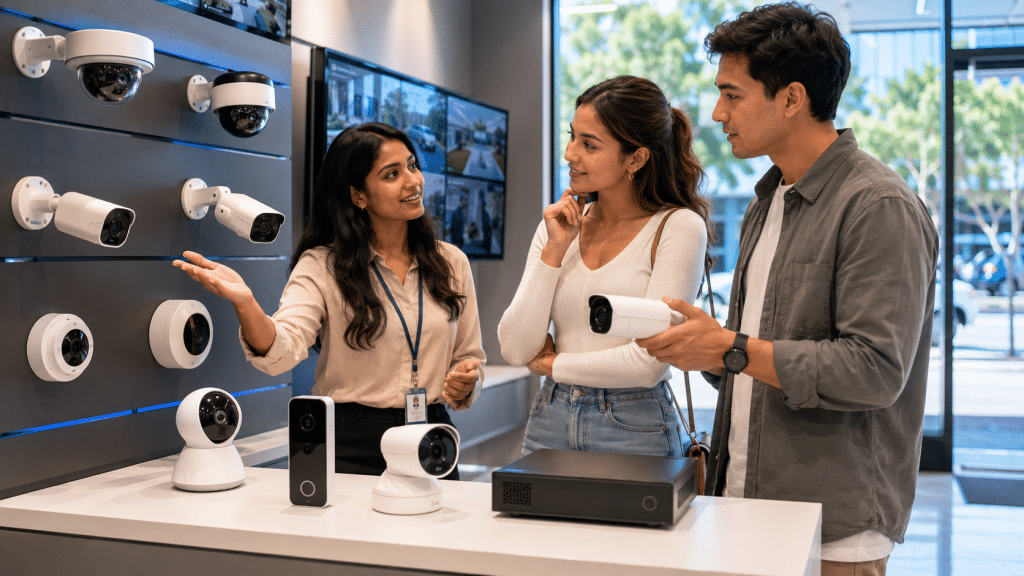
Security cameras are video devices used to monitor, record, and review activity around homes, shops, offices, warehouses, and other properties. In Australia, they are commonly used to support deterrence, incident review, access control, safety monitoring, and evidence collection when installed responsibly and positioned with privacy in mind.
Why Security Cameras Matter in Australia
Security cameras help people see what happened, when it happened, and where it happened. However, they should not be treated as a magic shield. They work best as one layer in a broader security plan that may include alarms, lighting, locks, gates, intercoms, access control, and sensible routines.
For Australian homes, cameras often help monitor front doors, driveways, side paths, garages, and outdoor living areas. For businesses, they can help oversee customer entry points, stock rooms, reception areas, loading zones, car parks, and after-hours access.
The Australian Government’s YourHome resource explains that the way a home is designed and fitted out can affect security, because security is about preventing crime, not only reacting after an event. That principle applies to camera planning too: the layout, lighting, access points, and daily use of the property all matter.
A good camera system should answer five questions clearly:
- Who entered or approached the property?
- Which direction did they come from?
- What time did the event occur?
- What did they do?
- Is the footage clear enough to be useful?
If the answer to any of these is “not sure”, the system may need better positioning, lighting, lens selection, storage settings, or network configuration.
Main Types of Security Cameras
Security cameras are not all built for the same purpose. Therefore, it helps to understand the common types before comparing brands or prices.
Dome Security Cameras
Dome cameras are common in shops, offices, apartment buildings, and covered outdoor areas. Their rounded casing makes it harder for people to see exactly where the lens is pointing. As a result, they are often used in visible public-facing positions.
They are useful for entrances, hallways, reception areas, and retail spaces. In addition, many dome cameras include vandal-resistant housings, which can help in areas where the camera may be reachable.
Bullet Security Cameras
Bullet cameras are more obvious and usually point in a fixed direction. Because they are visible, they can act as a stronger deterrent. They are often used outside homes, warehouses, car parks, and perimeter areas.
However, they must be mounted carefully. If they point too far down, they may capture only the top of a person’s head. If they point too far out, they may miss close activity near doors or windows.
Turret Security Cameras
Turret cameras are popular because they are compact, flexible, and usually easier to adjust than domes. They are commonly used in residential and small business systems.
From my experience, turret cameras often perform well under eaves because they can be aimed cleanly while reducing some glare and reflection issues that can occur with dome covers.
PTZ Security Cameras
PTZ stands for pan, tilt, and zoom. These cameras can move and zoom to follow or inspect activity. They are useful for large areas such as yards, industrial sites, car parks, and public-facing commercial spaces.
However, PTZ cameras are not always the best first choice for small properties. If the camera is looking in one direction, it may miss activity elsewhere unless it is programmed well or actively monitored.
Doorbell Cameras
Doorbell cameras are common for homes and townhouses. They help monitor visitors, deliveries, and front entry activity. Many include two-way audio and mobile alerts.
Still, they should not be the only camera on a property. A doorbell camera may miss side access, garage activity, or driveway movement.
CCTV Camera Systems
CCTV is often used as a broad term for security camera systems. In modern installations, CCTV may include IP cameras, network video recorders, mobile viewing, motion detection, and remote alerts.
A professionally planned CCTV system is usually more reliable than a collection of separate consumer cameras, especially for businesses that need stable recording and long-term footage access.
Wired vs Wireless Security Cameras
Both wired and wireless security cameras can work well, but they suit different properties. The better choice depends on reliability, budget, building layout, internet quality, and recording needs.
| Feature | Wired Security Cameras | Wireless Security Cameras |
| Connection | Uses cable for data, and often power | Uses Wi-Fi for data, with battery or power supply |
| Reliability | Usually stronger for continuous recording | Depends on Wi-Fi strength and battery/power |
| Best for | Homes, businesses, warehouses, long-term systems | Rentals, small homes, temporary coverage |
| Maintenance | Lower once installed properly | May need battery charging and Wi-Fi checks |
| Video storage | Often records to NVR or DVR | Often records to cloud or local device |
| Installation | More planning and cabling required | Faster in simple situations |
| Weak point | Cable route and installation cost | Signal dropouts, battery limits, network congestion |
In many Australian homes and businesses, wired IP cameras with Power over Ethernet are a strong option. They use one cable for power and data, which keeps the setup neat and stable.
Wireless cameras can still be helpful. For example, they may suit renters or locations where cabling is difficult. However, buyers should check Wi-Fi coverage, recording limits, battery life, and subscription costs before committing.
Key Features to Compare Before Buying
Security cameras are often marketed with big claims. Therefore, it is better to compare practical features that affect real footage quality.
Resolution
Common camera resolutions include 1080p, 2K, 4MP, 6MP, and 4K. Higher resolution can capture more detail, but it also uses more storage and bandwidth.
For most homes, 2K to 4MP is often enough for entry points and general coverage. For wider areas, car parks, or business entrances, higher resolution may be useful. However, lens angle and placement are just as important as pixel count.
Night Vision
Night vision is critical because many incidents happen after dark. There are two main types:
Infrared night vision records in black and white using IR light. Colour night vision uses visible light or low-light sensors to capture colour detail.
Colour night vision can help identify clothing, vehicles, and objects. However, it may need some ambient light. Therefore, lighting design matters.
Field of View
A wide-angle camera covers more area but may reduce detail at distance. A narrower view captures less area but may show faces or plates more clearly.
For example, a wide camera may suit a backyard, while a narrower camera may suit a gate or doorway. The goal is not just “more view”. The goal is useful detail.
Motion Detection
Motion alerts can be helpful, but poor settings create too many notifications. Better systems allow detection zones, sensitivity control, human detection, vehicle detection, or line-crossing alerts.
This matters because Australian homes often have moving trees, pets, bright sunlight, insects, and passing traffic. Good detection settings reduce false alarms.
Storage
Security cameras can record to:
- A Network Video Recorder, known as an NVR
- A Digital Video Recorder, known as a DVR
- A microSD card
- Cloud storage
- A hybrid setup
For homes, 7–30 days of recording may be enough, depending on the risk level. For businesses, retention needs may be longer. Any retention period should be chosen carefully, because keeping footage longer than needed may increase privacy and data management responsibilities.
Remote Viewing
Remote viewing lets you check footage from a phone, tablet, or computer. It is useful, but it must be secured well. Weak passwords, outdated firmware, or exposed devices can create avoidable risks.
The Australian Cyber Security Centre notes that Internet of Things devices include security cameras and that many IoT devices in homes and businesses have not always been designed with security in mind.
Audio Recording
Some cameras include microphones. However, audio recording is more sensitive than video in many situations. Rules can vary by state and territory, and workplace monitoring can involve extra obligations. Therefore, audio should be treated carefully and reviewed as an administrative compliance issue, not an afterthought.
This is not legal advice. For workplace or commercial monitoring, owners should seek guidance from a qualified professional or relevant authority.
Where to Place Security Cameras
Camera placement is one of the most important parts of system design. A good camera in the wrong place gives poor results.
Front Entry
The front entry is often the most important location. It captures visitors, deliveries, and attempted access. Place the camera high enough to reduce tampering but low enough to capture faces.
Driveway
Driveway cameras can capture vehicles, visitors, and movement near garages. However, licence plate capture needs careful angle, lighting, and camera selection. A general wide-angle camera may not capture plates clearly at night.
Side Gates and Paths
Side access points are often overlooked. Yet many homes have blind side paths that lead to windows, sheds, or back doors. A small turret or bullet camera under the eaves can improve visibility.
Backyard and Outdoor Living Areas
Backyards can include sheds, tools, bikes, pool equipment, and outdoor furniture. However, camera angles should avoid unnecessarily capturing neighbours’ private areas.
Business Entrances
For commercial sites, entrances should capture faces, direction of travel, and time of entry. If possible, combine cameras with clear lighting and access control records.
Cash Handling or Stock Areas
Retail counters, stock rooms, and loading areas may need focused coverage. However, staff privacy and workplace surveillance requirements should be considered before installation.
Security Cameras for Homes
Home security cameras should be simple, reliable, and easy for the household to manage.
A typical Australian home setup may include:
- One camera at the front door
- One camera covering the driveway
- One camera covering side access
- One camera covering the backyard or rear entry
- Optional doorbell camera for visitor alerts
- NVR recording for stable local storage
The best setup depends on the home. For example, a narrow terrace house in Sydney may need fewer cameras than a larger property in outer Melbourne, Brisbane, Perth, Adelaide, or regional Australia.
Weather is another factor. Outdoor cameras should be rated for external use. In coastal areas, corrosion resistance can matter. In hot regions, heat tolerance and correct placement under cover may help extend device life.
It is also worth thinking about internet outages. If your cameras depend fully on cloud recording, they may stop recording when the internet fails. In contrast, a local NVR system can often keep recording on-site even if remote viewing is temporarily unavailable.
Security Cameras for Businesses
Business security cameras need stronger planning because they may support operations, safety, insurance discussions, incident reports, and staff procedures.
A small retail store may need cameras for entrances, point-of-sale areas, aisles, storage rooms, and rear access. A warehouse may need loading docks, roller doors, staff entries, and perimeter views. A medical, education, or professional office may need a more privacy-sensitive approach.
For businesses, useful questions include:
- Who needs access to live view and recordings?
- How long should footage be kept?
- Are signs needed?
- Are cameras recording staff areas?
- Is audio disabled unless clearly required?
- Is the system protected with strong passwords and updates?
- Can footage be exported securely when needed?
The Office of the Australian Information Commissioner explains that organisations or agencies using surveillance devices such as CCTV generally must follow several laws. It also notes that if the Privacy Act 1988 covers the organisation or agency, personal information collected through surveillance must comply with the Australian Privacy Principles.
For practical purposes, this means businesses should not treat cameras as only a technical purchase. They also need clear internal rules for access, storage, signage, and incident handling.
Privacy and Compliance Basics in Australia
Security cameras can capture personal information, including images of identifiable people. Therefore, privacy should be considered before installation.
The OAIC states that the Privacy Act covers Australian Government agencies and organisations with annual turnover of more than $3 million, along with some other organisations, and the Australian Privacy Principles cover matters such as collection, use, disclosure, governance, accountability, integrity, correction, and access.
For homeowners, disputes may arise if cameras point into a neighbour’s property. For businesses, the issues can be broader. They may include workplace monitoring, customer notice, footage access, and retention.
As an administrative guide, consider these steps:
- Use cameras for a clear security purpose.
- Avoid recording areas where people expect higher privacy.
- Use signs where appropriate.
- Limit who can view footage.
- Keep footage only as long as reasonably needed.
- Protect recordings with strong access controls.
- Review state and territory rules for surveillance and workplace monitoring.
- Seek qualified advice if recording employees, tenants, customers, or public-facing areas.
This section is general information only. It is not legal advice.
Cyber Security for Smart Cameras
Modern security cameras are often connected to the internet. That creates convenience, but it also creates risk. A camera that is not secured properly can become an entry point into a network.
The Australian Cyber Security Centre’s IoT guidance includes security cameras as examples of connected devices and highlights secure design principles such as avoiding duplicated default or weak passwords.
For homeowners and businesses, good cyber security habits include:
- Change default usernames and passwords.
- Use long, unique passwords.
- Enable multi-factor authentication where available.
- Keep firmware updated.
- Avoid cheap unknown devices with poor support.
- Separate cameras from sensitive business systems where possible.
- Turn off features you do not use.
- Use secure remote access instead of exposing devices directly online.
- Remove old users when staff or contractors leave.
- Back up important configuration details.
This is especially important for businesses. A camera system may seem separate from accounting, email, or customer systems, but connected devices can still affect the wider network if configured poorly.
Installation Checklist
Use this checklist before installing security cameras.
- Map your property first
Walk around the property during the day and at night. Identify doors, windows, side paths, garages, gates, driveways, reception points, and loading areas. - Choose the purpose of each camera
Decide whether each camera is for identification, general overview, deterrence, vehicle monitoring, or safety review. - Check lighting conditions
Look for glare, strong backlight, shadows, streetlights, and dark corners. Then choose night vision and lighting options that suit the location. - Select camera types
Use turret, dome, bullet, PTZ, or doorbell cameras based on the environment. Avoid choosing one style for every position without checking the angle. - Plan storage
Decide whether footage will be stored locally, in the cloud, or both. Also decide how many days of footage are needed. - Review privacy impacts
Adjust angles to avoid unnecessary recording of neighbours, staff-only areas, or unrelated public spaces. - Secure the network
Change default passwords, enable updates, and protect remote access. - Test footage before finalising
Check live and recorded footage at different times. Make sure faces, movement, and key zones are clear. - Set alert zones
Configure motion zones so you are not alerted every time a car passes, a tree moves, or a pet walks past. - Document the setup
Keep records of camera locations, passwords, installer details, warranty information, and maintenance dates.
Common Mistakes to Avoid
Many security camera problems come from planning errors, not camera faults.
One common mistake is placing cameras too high. High cameras may show movement, but they may not show faces clearly. Another mistake is choosing very wide-angle lenses for every location. Wide coverage looks impressive on a screen, yet it may reduce useful detail.
A third mistake is ignoring lighting. Cameras need light, infrared, or low-light capability to record useful footage at night. Bright headlights, reflective surfaces, and strong sun can also reduce clarity.
Another issue is relying only on phone alerts. Alerts are helpful, but continuous recording may be more useful when reviewing an incident. If an event starts before motion detection triggers, you may miss important context.
Finally, many people forget maintenance. Cameras should be cleaned, tested, updated, and reviewed. Cobwebs, dust, water marks, changed Wi-Fi settings, and full storage drives can all reduce performance.
How Much Do Security Cameras Cost in Australia?
Costs vary widely, so any estimate should be treated as general. A simple wireless camera may cost much less upfront, while a professionally installed multi-camera wired system costs more because it includes hardware, cabling, labour, configuration, and testing.
Factors that affect price include:
- Number of cameras
- Camera resolution and low-light performance
- NVR or cloud storage requirements
- Cable access and building structure
- Single-storey or multi-storey layout
- Business-grade features
- Remote viewing setup
- Warranty and support
- Ongoing cloud subscription fees
The cheapest system is not always the best value. A low-cost camera that misses faces, drops Wi-Fi, or stops recording when needed can become expensive in another way. Therefore, value should be judged by useful footage, reliability, support, and ease of use.
Professional Installation vs DIY
DIY security cameras can suit simple situations. For example, a renter may use a battery doorbell camera or a small Wi-Fi camera to monitor a front entry. However, DIY setups can struggle with coverage, Wi-Fi reliability, storage, and long-term maintenance.
Professional installation is often better when:
- The property needs multiple cameras
- Cabling is required
- The system is for a business
- Footage quality matters
- Remote viewing needs to be secure
- Cameras must be positioned around eaves, roofs, gates, or commercial entries
- Users need training after installation
A professional installer can also help with camera angles, cable routing, recorder setup, mobile app access, and practical handover. That matters because the system must be usable after the installer leaves.
For a tailored setup, you can explore professional security camera installation and support from Eclipse Security.
Authoritative Australian Resources
For privacy and general security planning, these resources are useful:
- The OAIC’s guidance on security cameras and privacy
- The Australian Cyber Security Centre’s advice on Internet of Things devices
- The Australian Government’s YourHome guide to safety and security
People Also Ask
Are security cameras legal in Australia?
Security cameras are commonly used in Australia, but their use can involve privacy, surveillance, workplace, and state or territory requirements. For homes, avoid pointing cameras into neighbouring private areas. For businesses, treat signage, access control, footage retention, and staff monitoring as administrative compliance tasks.
Do security cameras work without internet?
Yes, some systems can record without internet if they use local storage such as an NVR, DVR, or memory card. However, remote viewing, cloud backups, and mobile alerts usually need an internet connection. Therefore, local recording is often useful for reliability.
What is better, wired or wireless security cameras?
Wired security cameras are usually better for stable long-term recording, especially for businesses and larger homes. Wireless cameras can be easier to install, but they depend on Wi-Fi strength, power, and sometimes subscriptions. The right choice depends on your property and risk level.
How many security cameras does a home need?
Many Australian homes use three to six cameras, but the correct number depends on layout. A small home may need only front door, driveway, and rear entry coverage. A larger home may also need side paths, garage areas, gates, and backyard coverage.
Can security cameras record audio?
Some cameras can record audio, but audio recording can raise extra privacy and surveillance concerns. Before enabling it, check relevant state or territory requirements and consider whether audio is truly necessary. For workplaces, seek qualified advice before recording conversations.
Expert Q&A
1. What resolution should I choose for security cameras?
For many homes, 2K or 4MP cameras offer a good balance of detail, storage use, and price. For wide commercial areas, 6MP or 4K may be useful. However, resolution alone does not guarantee clear footage. Lens choice, angle, light, and distance are just as important.
2. Should I choose cloud storage or local recording?
Cloud storage is convenient because footage can be accessed remotely and may remain available if a recorder is damaged. However, it may involve ongoing fees and internet dependence. Local recording through an NVR is often better for continuous footage and larger systems. Many users prefer a hybrid approach.
3. Where should security cameras not be installed?
Avoid placing cameras where they capture private areas without a clear reason. Examples may include bathrooms, change rooms, bedrooms used by guests, neighbouring yards, or staff break areas. For businesses, camera placement should match a clear operational or security purpose.
4. Why does night footage look blurry?
Night footage may look blurry because of low light, dirty lenses, infrared reflection, poor camera angle, motion blur, or low-quality sensors. Insects, spider webs, rain, and glare from headlights can also affect image quality. Cleaning, better lighting, and camera repositioning can often improve results.
5. How often should a security camera system be maintained?
A practical review every few months is wise. Check that cameras are clean, recording correctly, showing the right time, and accessible to authorised users. Also check firmware updates, storage health, passwords, and mobile access. For businesses, maintenance should be part of a documented security routine.
Conclusion
Security cameras can make Australian homes and businesses easier to monitor, but the best system is not always the most expensive one. The best system is the one that records useful footage, covers real risk points, respects privacy, and stays secure over time.
Start with the property layout. Then choose the right camera types, storage method, lighting approach, and access controls. Finally, test the footage in real conditions, not just during installation.
For a practical, well-planned setup, speak with Eclipse Security about security cameras that suit your property, budget, and day-to-day needs.