


Intercom systems are now a core part of access, communication and visitor management for many Australian homes, strata buildings, offices, warehouses, schools and commercial sites. From my experience reviewing security setups for Australian properties, the best result rarely comes from buying the most expensive unit. Instead, it comes from matching the intercom to the entry point, user habits, cabling conditions, network reliability and long-term maintenance needs.
Modern intercoms do more than let someone press a button at the front gate. They can support video calls, mobile app answering, door release, access control integration, lift control, visitor logs and after-hours delivery management. However, they also introduce practical questions about privacy, cabling, cyber security and who should manage users when staff or tenants change.
This guide explains how intercom systems work, which options suit different Australian properties, what to ask before installation, and how to choose a system that remains useful after the installer leaves.
What Are Intercom Systems?
Intercom systems are communication and entry-control devices that let people speak to, see and verify visitors before allowing access. In Australia, they are commonly used at front gates, apartment foyers, offices, warehouses and schools to improve convenience, visitor screening and controlled entry.
Table of Contents
- Why intercom systems matter in Australia
- How intercom systems work
- Main types of intercom systems
- Comparison table: which intercom suits your property?
- Important features to consider
- Australian installation and cabling considerations
- Privacy and admin responsibilities
- Cyber security for smart intercom systems
- Intercom systems for homes
- Intercom systems for apartments and strata
- Intercom systems for businesses
- Installation checklist
- Common mistakes to avoid
- People Also Ask
- Expert Q&A
- Conclusion
Why Intercom Systems Matter in Australia
Australia has a mix of detached homes, gated driveways, apartment towers, commercial units, industrial sites and mixed-use buildings. Because of this, intercom systems need to suit very different environments. A small townhouse may only need a simple video door station, while a multi-level apartment building may require directory calling, lift integration and remote management for tenants.
In many properties, the intercom is the first layer of access control. It helps answer three simple questions: who is at the entry, why are they there, and should they be allowed in? This matters because many access problems begin at the front door, roller door, lobby, car park gate or loading dock.
However, intercom systems are not only about security. They also improve convenience. For example, a resident can speak to a courier without walking to the front gate. A receptionist can release a door from a desk. A property manager can update a tenant directory without replacing hardware. As a result, a well-designed intercom can reduce friction across the whole site.
From my experience, Australian buyers usually care about four outcomes: easy visitor access, better control over entry, fewer missed deliveries and a reliable system that does not create daily support issues. Therefore, the right product is the one that fits the site’s real routine.
How Intercom Systems Work
Most intercom systems have three basic parts: an entry station, a receiving device and a release mechanism.
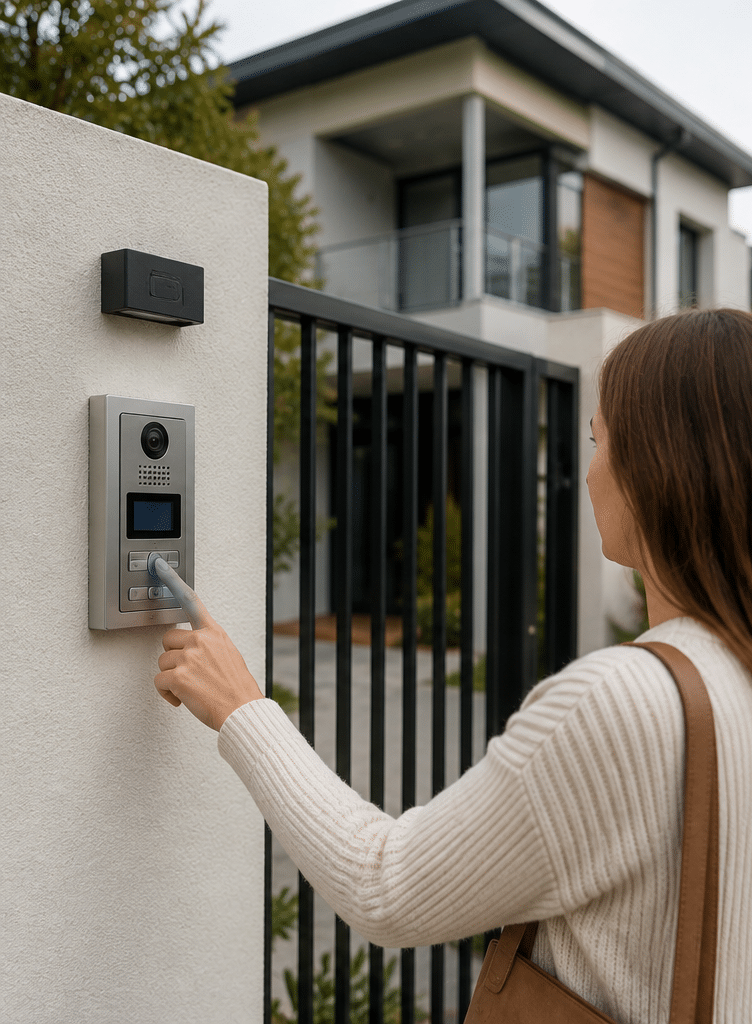
The entry station is installed at a gate, door or foyer. It may include a call button, camera, microphone, speaker, keypad, card reader or touchscreen directory. The receiving device may be a wall-mounted indoor monitor, desk phone, mobile app, SIP phone or security workstation. The release mechanism may be an electric strike, magnetic lock, gate motor trigger or integration with an access control panel.
When a visitor presses the call button, the system sends audio or video to the authorised user. The user then speaks to the visitor and decides whether to unlock the entry. In more advanced systems, the same platform may also record events, control multiple doors and connect to CCTV or access control.
There are two major technology paths. Traditional systems use dedicated cabling between the door station and monitors. Meanwhile, IP intercom systems use data networks, cloud services or local servers. Each option has benefits, but the best choice depends on cabling, building size, reliability needs and who will manage the system.
Main Types of Intercom Systems
Audio Intercom Systems
Audio intercom systems allow voice communication between the visitor and the occupant. They are usually simple, cost-effective and suitable where visual verification is not essential.
They can work well for internal office doors, staff-only entries, small gates and older buildings where cabling is limited. However, because the user cannot see the visitor, audio-only systems rely more heavily on voice recognition and context.
Video Intercom Systems
Video intercom systems add a camera at the entry station and a screen or app at the receiving end. This makes them popular for homes, apartment foyers and businesses that want stronger visitor verification.
Video is useful because it reduces guesswork. For example, a resident can see whether a delivery driver is actually at the gate. A receptionist can identify a contractor before opening a staff entrance. However, video quality depends on lighting, camera angle, weather protection and network performance.
IP Intercom Systems
IP intercom systems operate over computer networks. They can support mobile apps, remote management, SIP calling, multiple entry points and integration with broader security systems.
They are common in newer commercial buildings and larger residential developments. However, they require careful network planning. Poor Wi-Fi, weak passwords, outdated firmware or badly configured remote access can create reliability and security problems.
Wireless Intercom Systems
Wireless intercom systems reduce the need for long cable runs. They may use Wi-Fi, mobile networks, radio frequency or app-based communication.
Wireless can be useful for existing homes, temporary offices, remote gates and sites where trenching cable is expensive. However, wireless is not automatically easier. It still needs power, signal strength, weatherproofing and ongoing support.
Apartment Intercom Systems
Apartment intercom systems often include a building directory, unit calling, door release and sometimes lift access. They may connect to handsets, monitors or residents’ smartphones.
For strata properties, administration is just as important as hardware. Someone must update resident names, remove old users, manage access permissions and respond when devices fail.
Commercial Intercom Systems
Commercial intercom systems are designed for offices, warehouses, schools, medical centres, retail sites and industrial premises. They may integrate with access cards, CCTV, alarms, visitor management and reception workflows.
In commercial settings, the key question is not just “Can we talk to visitors?” It is “Can we manage entry safely, consistently and efficiently across business hours, deliveries, staff changes and emergencies?”
Comparison Table: Which Intercom Suits Your Property?
| Property type | Common intercom option | Best fit | Key consideration |
| Detached home | Video intercom or smart door station | Front door, gate or driveway | Check Wi-Fi, lighting and gate release compatibility |
| Townhouse | Video intercom with indoor monitor | Shared driveway or private entry | Confirm body corporate or strata rules if shared areas are affected |
| Apartment building | Multi-tenant IP or video intercom | Lobby, car park and lift areas | Plan directory management and resident onboarding |
| Small office | Video intercom with door release | Reception or staff entrance | Ensure reception can answer calls during busy periods |
| Warehouse | Rugged audio/video intercom | Loading dock, gate or roller door | Consider noise, weather and after-hours deliveries |
| School or childcare site | Controlled-entry intercom | Main reception and perimeter gates | Prioritise visitor verification and controlled release |
| Medical or professional suite | Video intercom with access control | Patient or client entry | Consider privacy, accessibility and reception workflow |
Important Features to Consider
Video Quality and Field of View
A camera is only useful if it captures the right area. Therefore, check whether the lens covers the visitor’s face, parcels, gate approach and any blind spots. At night, infrared or low-light performance may also matter.
In Australia, bright sunlight can be a problem. A camera facing harsh afternoon sun may produce glare or silhouettes. Because of this, placement and angle are just as important as camera resolution.
Door and Gate Release
Many intercom systems can unlock doors or trigger gates. However, the release method must match the lock, door type and safety requirements.
For example, a pedestrian gate may use an electric strike, while a glass door may use a magnetic lock. A driveway gate may need a relay connection to the gate motor. Therefore, the installer should inspect the hardware before quoting.
Mobile App Answering
Mobile app answering lets users speak to visitors from a phone. This is convenient for homes, small businesses and property managers.
However, app-based intercom systems depend on internet access, push notifications, phone settings and vendor cloud services. As a result, they should be configured carefully, especially where entry control is business-critical.
Access Control Integration
Intercom systems often work best when they connect with access control. For instance, staff may use cards or mobile credentials, while visitors use the intercom. This keeps everyday entry fast while still allowing visitor screening.
Integration also helps with auditing. A business can see whether a door was opened by a card, keypad code or remote release. However, access logs must be managed responsibly.
Multi-Site Management
Some Australian businesses manage several offices, warehouses or retail sites. In this case, a cloud-managed or centrally administered intercom may reduce support time.
Even so, central management needs clear internal rules. Someone should own user approvals, permissions, device health checks and deactivation when staff leave.
Accessibility
Intercoms should be practical for the people who use them. Consider button height, audio clarity, screen size, lighting, signage and whether visitors can understand what to do.
For apartments and public-facing sites, accessibility is not an afterthought. It affects everyday usability for residents, visitors, delivery drivers and contractors.
Australian Installation and Cabling Considerations
Intercom installation in Australia often involves electrical work, data cabling, door hardware and network setup. These tasks may require qualified or registered trades, depending on the work involved.
According to the Australian Communications and Media Authority cabling rules, people working on customer cabling need to understand the relevant cabling rules and standards. This matters because many intercom systems use telecommunications or data cabling inside a building.
For property owners, the practical takeaway is simple: do not judge an intercom quote only by the hardware price. A proper installation should consider cabling pathways, power, conduit, network equipment, lock hardware, weather exposure and commissioning.
In older Australian buildings, installers may need to check whether existing cabling can support a new system. Sometimes, old analogue cable can be reused. However, in other cases, it is better to upgrade cabling to support IP video, PoE devices or future expansion.
For outdoor gates, trenching and cable protection can be a major cost factor. Therefore, the site inspection should include distance from the building, soil or concrete conditions, gate motor location, power availability and whether wireless links are realistic.
Privacy and Admin Responsibilities
Intercom systems can collect or display personal information, especially if they include video, audio, directories, access logs or mobile app accounts. This does not mean you should avoid them. Instead, it means the system should be managed thoughtfully.
The Office of the Australian Information Commissioner Australian Privacy Principles explain privacy obligations for many Australian Government agencies and organisations covered by the Privacy Act. For businesses and strata committees, this is a useful reminder to think about notice, access, storage and responsible handling of personal information.
This section is general administrative guidance, not legal advice. If your site has complex privacy, workplace surveillance, strata or tenancy issues, have the process reviewed by the appropriate licensed adviser or legal professional.
In practical terms, property managers should decide:
- Who can view live video or call logs.
- Who can add or remove users.
- How resident or staff names appear in directories.
- How long logs or images are retained, if the system stores them.
- What happens when a tenant, employee or contractor leaves.
- How visitors are informed that an intercom or camera is in use.
For many sites, the biggest privacy risk is not the camera itself. It is poor administration. For example, old staff accounts may remain active, former tenants may still receive calls, or too many people may have administrator access.
Cyber Security for Smart Intercom Systems
Smart intercom systems can be very useful, but they should be treated as connected devices. If the intercom connects to the internet, a mobile app or a cloud dashboard, it needs basic cyber hygiene.
The Australian Government’s security standards for smart devices highlight the importance of stronger baseline security for consumer-grade smart devices. While not every commercial intercom will fall into the same category, the principles are still useful for buyers.
Before choosing IP intercom systems, ask these questions:
- Does the product force unique passwords?
- Are firmware updates available?
- How long does the manufacturer support the device?
- Can administrator accounts use strong authentication?
- Can remote access be limited or disabled?
- Where is video or call data processed?
- What happens if the vendor’s cloud service is unavailable?
From my experience, many problems appear after installation because no one owns these settings. Therefore, cyber security should be part of commissioning, not a separate job later.
For businesses, intercoms should also be documented in the asset register. That way, IT or security teams know the device exists, where it is connected and who manages updates.
Intercom Systems for Homes
Home intercom systems are usually installed at front doors, gates, driveways and side entrances. The most popular option is a video intercom with either an indoor monitor, smartphone app or both.
For Australian homes, the key design issue is lifestyle. For instance, a family that often receives deliveries may want mobile alerts and clear parcel-area video. A home with an electric driveway gate may need reliable gate release. A rural or semi-rural property may need a longer-range solution because Wi-Fi may not reach the front gate.
A good home system should be easy for every authorised resident to use. If it takes too many steps to answer a call, people will ignore it. Therefore, simple app design, reliable notifications and a clear indoor chime matter.
Homeowners should also think about failure modes. What happens if the internet drops? Can the gate still open? Is there a manual override? Can visitors call a second person if the first does not answer?
Intercom Systems for Apartments and Strata
Apartment intercom systems need stronger planning because many people depend on the same entry point. In strata buildings, the intercom affects residents, visitors, couriers, cleaners, property managers and emergency access procedures.
A modern apartment intercom may include a digital directory, unit-to-door calling, mobile app support, access cards, PIN codes, lift integration and remote updates. However, the system must be managed carefully.
Before upgrading, strata committees should review:
- Number of apartments and expected users.
- Existing cable condition.
- Entry points, car parks and lift requirements.
- Whether residents prefer handsets, monitors or mobile apps.
- How visitor access works after hours.
- How tenant changes will be updated.
- Who pays for in-unit devices, if required.
Intercom systems for apartments also need clear onboarding. Residents should receive simple instructions, support contacts and rules for adding or removing users. Otherwise, the committee may face repeated support requests.
In my experience, staged communication is helpful. First, explain why the upgrade is happening. Next, confirm what residents need to do. Then, provide testing dates and support options. This avoids confusion when the old system is replaced.
Intercom Systems for Businesses
Business intercom systems must support security and operations at the same time. A secure system that slows down deliveries may frustrate staff. Meanwhile, a convenient system that opens doors too freely may weaken access control.
For offices, the intercom may connect visitors to reception. For warehouses, it may connect drivers to dispatch or site management. For schools, it may support controlled entry through reception. For medical centres, it may help manage patient arrival outside normal hours.
The best design starts with a workflow map. Who arrives at each entry? Who answers? When are calls missed? Which doors need remote release? Who should have access after hours? Which events should be logged?
Once these questions are answered, the hardware choice becomes easier. For example, a single-tenant office may need one video intercom at the front door. In contrast, a multi-tenant commercial building may need directory calling, access credentials and management reporting.
Businesses should also plan for staff turnover. When a receptionist, manager or contractor leaves, their app access and permissions should be removed quickly. This is an administrative task, but it is essential for long-term security.
Installation Checklist
Use this numbered checklist before approving an intercom systems quote:
- Confirm the entry points. List every door, gate, roller door, lobby, lift or car park entry that needs visitor communication.
- Define who answers calls. Decide whether calls go to a monitor, reception desk, mobile app, security room or multiple users.
- Check cabling and power. Ask the installer to inspect existing cable, conduit, power supply and network points.
- Review lock hardware. Confirm whether the door uses an electric strike, magnetic lock, gate motor or other release method.
- Test network coverage. For IP or wireless systems, check Wi-Fi, mobile signal, PoE switch capacity and internet reliability.
- Plan privacy administration. Decide who manages names, logs, app users, access permissions and visitor information.
- Set cyber security controls. Change default passwords, restrict admin access and confirm update procedures.
- Consider weather and lighting. Check whether the camera will face sun, rain, glare, shadows or vandal risk.
- Document handover details. Request user guides, admin credentials, wiring notes, warranties and support contacts.
- Test real scenarios. Test daytime calls, night calls, missed calls, gate release, door release and backup access.
Common Mistakes to Avoid
Choosing Hardware Before Understanding the Site
Many buyers start with a product brochure. However, the better starting point is the site itself. Cable routes, door hardware, network coverage and user behaviour all shape the right design.
Ignoring Ongoing Administration
Intercom systems need user management. If no one removes old users or updates directories, the system becomes messy and less secure over time.
Relying Only on Wi-Fi at a Front Gate
Wi-Fi can work, but outdoor range is often weaker than expected. Brick walls, metal fencing, distance and weather can all reduce performance. Therefore, test before committing.
Forgetting About Lighting
A high-resolution camera can still perform poorly if the visitor stands in shadow or direct glare. Good placement often improves video more than extra pixels.
Not Planning for Deliveries
Many Australian homes and businesses receive frequent parcels. Therefore, consider how couriers will call, where parcels can be left and whether the gate or lobby can be opened safely.
Overlooking Mobile App Support
Mobile apps are useful, but they depend on phones, notifications and vendor support. Before choosing an app-based system, check how many users are included and whether ongoing fees apply.
Treating Compliance as a Last-Minute Issue
Privacy notices, user permissions, cabling registration and workplace procedures should be considered early. This helps avoid rework and confusion.
People Also Ask
What are the best intercom systems for Australian homes?
The best intercom systems for Australian homes are usually video intercoms with clear audio, reliable app alerts and compatible gate or door release. However, the right choice depends on Wi-Fi coverage, entry location, power availability and whether you want an indoor monitor.
Do intercom systems need internet?
Not always. Some intercom systems work on dedicated cabling without internet, while many IP and app-based models need network or cloud access. If remote answering is important, internet access is usually required.
Can an intercom open an electric gate?
Yes, many intercom systems can trigger an electric gate through a relay or compatible gate controller. However, the installer should confirm the gate motor, safety settings and cable path before installation.
Are video intercom systems suitable for apartments?
Yes, video intercom systems are common in apartment buildings because they help residents verify visitors before entry. For strata sites, directory management, cabling condition and resident onboarding are just as important as the hardware.
How long do intercom systems last?
A well-installed intercom can last for many years, but lifespan depends on weather exposure, product quality, network support and maintenance. IP systems may also depend on firmware updates and manufacturer support periods.
Expert Q&A
1. Should I choose a wired or wireless intercom?
Choose wired if reliability is the main priority and cable installation is practical. Choose wireless when cabling is difficult or expensive, but only after testing signal strength and power options at the entry point.
2. Can intercom systems connect with CCTV?
Yes, some intercom systems can integrate with CCTV or a video management platform. This can help staff view nearby cameras when a visitor calls, but privacy access and storage settings should be managed carefully.
3. What is the difference between an intercom and access control?
An intercom lets people communicate with visitors before allowing entry. Access control manages authorised entry through cards, fobs, PINs, mobile credentials or biometrics. In many Australian sites, both systems work together.
4. What should strata committees ask before upgrading an intercom?
Strata committees should ask about cabling condition, unit compatibility, app fees, resident onboarding, directory management, lift integration, warranties and support. They should also decide who will manage user updates after installation.
5. How can businesses make intercom systems more secure?
Businesses can improve security by limiting administrator access, removing old users, using strong passwords, documenting devices, applying firmware updates and reviewing logs. They should also match door release permissions to real staff responsibilities.
Conclusion
Intercom systems are a practical way to improve visitor communication, entry control and everyday convenience across Australian homes, apartments and businesses. However, the best system is not always the newest or most expensive. It is the one that suits the site, supports real workflows and can be managed properly over time.
For homes, focus on clear video, reliable notifications and gate or door compatibility. For apartments, prioritise resident management, cabling checks and strata communication. For businesses, connect the intercom design to reception, deliveries, staff access and after-hours procedures.
Above all, treat the intercom as part of your wider security environment. Consider cabling, privacy administration, cyber security, access control and future maintenance before choosing a product.
For practical guidance on choosing and installing intercom systems for your property, speak with Australian security installation specialists at Eclipse Security.