


The Ultimate Guide to Intercom Security Systems in Australia: Controlling Access with Confidence
Table of Contents
- Introduction
- What are Intercom Security Systems? (Featured Definition)
- The Evolution of Access Control in Australia
- Types of Intercom Systems: Choosing the Right Fit
- Comparison: Audio vs. Video vs. IP Intercoms
- Key Features to Look for in 2025
- Installation Checklist: Wiring, Wi-Fi, and Power
- Integration with Smart Home and Business Security
- Australian Privacy Laws and Compliance
- People Also Ask (PAA)
- Advanced Q&A: Expert Insights
- Conclusion
1. Introduction
In the bustling urban landscapes of Sydney, Melbourne, and Brisbane, the front door has become the new frontline of property safety. Whether you are managing a commercial office block or protecting a family home, Intercom Security Systems have evolved from simple “buzz-in” buttons into sophisticated access control hubs. From my experience in the Australian security industry, the ability to verify who is at your gate before granting access is the single most effective way to prevent unauthorized entry.
Gone are the days of grainy audio and bulky handsets. Today’s market offers crystal-clear video, smartphone integration, and cloud-based management that puts control in the palm of your hand, wherever you are in the world. This guide delves deep into the mechanics, benefits, and installation nuances of these systems, providing you with the knowledge to make an informed decision for your specific security needs.
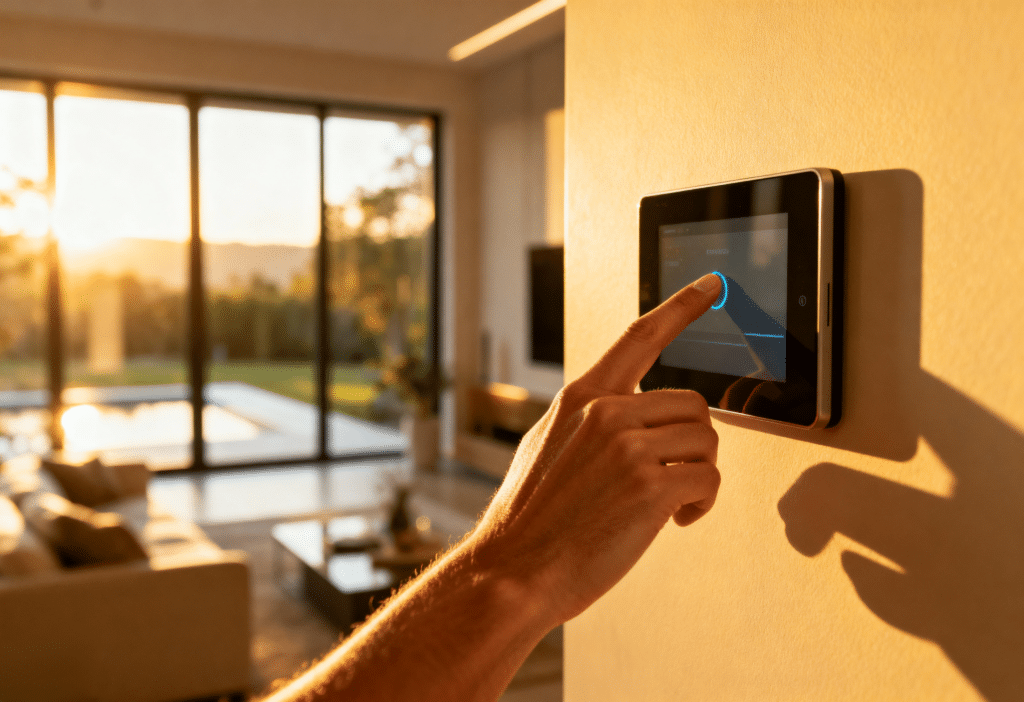
2. What are Intercom Security Systems?
Intercom Security Systems are electronic communication devices that facilitate two-way audio and video verification between an external entry point and an internal monitor or mobile device. They serve as a primary access control measure, allowing users to identify visitors visually and verbally before remotely unlocking a door or gate.
3. The Evolution of Access Control in Australia
To understand the current market, we must look at how far technology has come. In the past, Australian apartment blocks relied on hardwired audio-only systems. These were functional but limited; you could hear a voice, but you couldn’t verify if the person was who they claimed to be.
The Shift to Visual Verification
The introduction of video intercoms changed the game. Suddenly, residents could see if the “delivery driver” was actually wearing a uniform or if there were multiple people standing just out of view. This visual component is crucial. According to crime prevention data, the uncertainty of being recorded or seen is a significant deterrent to opportunistic criminals.
The Rise of IP and Mobile Connectivity
The modern standard is the IP (Internet Protocol) Intercom. These systems connect to your home or business network, sending data over the internet. This shift has enabled:
- Remote Answering: Talk to a courier at your Melbourne front door while you are holidaying in Bali.
- Keyless Entry: Issue temporary QR codes or PINs to tradespeople or cleaners.
- Audit Trails: Keep a digital log of exactly who entered the premises and when.
4. Types of Intercom Systems: Choosing the Right Fit
When selecting Intercom Security Systems for an Australian property, you will generally encounter three main categories.
1. Hardwired Video Intercoms
These are the gold standard for reliability. Connected via Cat5/6 ethernet cables or traditional 2-wire cabling, they do not rely on Wi-Fi stability.
- Best For: New builds, renovations where walls are open, and commercial properties requiring 100% uptime.
- Pros: No interference, constant power, high video quality.
- Cons: Expensive installation if cabling doesn’t already exist.
2. Wireless (Wi-Fi) Intercoms
These units rely on your existing Wi-Fi network to transmit data. They often run on batteries or existing doorbell wiring.
- Best For: Renters, heritage listed homes where drilling is prohibited, and quick DIY retrofits.
- Pros: Easy to install, lower upfront cost.
- Cons: Dependent on Wi-Fi signal strength (which can struggle through brick walls), battery recharging required.
3. GSM / 4G Intercoms
These systems use a SIM card to use the mobile phone network. When a visitor presses the button, it calls your mobile phone like a standard voice call.
- Best For: Rural Australian properties with large gates far from the house (e.g., farms), or construction sites without internet.
- Pros: Unlimited range, no cabling to the main building needed.
- Cons: Monthly SIM card costs, typically audio-only or lower quality video.
5. Comparison: Audio vs. Video vs. IP Intercoms
Choosing the right technology can be confusing. Here is a breakdown of how the different tiers of Intercom Security Systems stack up against each other.
| Feature | Audio-Only (Legacy) | Analog Video (Standard) | IP Video (Smart) |
| Verification | Voice Only | Voice + Visual | Voice, Visual + App |
| Connectivity | Hardwired | Hardwired (Coax/2-wire) | Network (Cat6 / Wi-Fi) |
| Remote Access | No | No | Yes (Smartphone) |
| Integration | Limited (Door Release) | Basic (CCTV) | High (Smart Home/NVR) |
| Image Quality | N/A | Standard Definition (TVL) | High Definition (1080p/4K) |
| Cost | Low | Medium | High |
As the table shows, while audio systems are cheap, they lack the verification power of video. IP systems offer the highest versatility but come with a higher price tag.
6. Key Features to Look for in 2025
If you are upgrading your security this year, ensure your Intercom Security Systems include these modern essentials.
Wide-Angle / Fisheye Lens
Thieves often stand to the side of the door to avoid cameras. A lens with a 160° to 180° field of view ensures you can see the entire porch area, not just the person standing directly in front of the unit.
Night Vision (IR)
Crime doesn’t stop at sunset. Look for units with built-in Infrared (IR) LEDs. These illuminate the visitor in total darkness without blinding them with a spotlight, providing a clear monochrome image on your monitor.
Integrated Keypad or RFID Reader
Why carry keys? Many modern intercoms have a built-in keypad or RFID (card) reader. This allows family members or staff to enter a PIN or tap a fob to unlock the door, reducing the risk of lost keys being used by unauthorized persons.
Picture Memory
This feature automatically snaps a photo or records a short video clip every time the doorbell is pressed. It provides a valuable log of visitors—including those who rang the bell to “case” the house to see if anyone was home, and then left when you didn’t answer.
7. Installation Checklist: Wiring, Wi-Fi, and Power
Installing Intercom Security Systems requires planning. Here is the checklist we use to ensure a smooth deployment.
1. Assessment of Cabling
- Existing: If replacing an old system, check if it uses 2-wire, 4-wire, or Cat5 cable. This dictates which new models are compatible without rewiring.
- New: Run Cat6 ethernet cable. It is future-proof and handles data and power efficiently.
2. Power Source Strategy
- PoE (Power over Ethernet): The preferred professional method. One cable carries both internet data and power from a central switch.
- Mains Power: Some units require a 12V or 24V transformer plugged into a nearby power point.
3. Mounting Height
- Standard: The camera lens should be approximately 1500mm–1600mm from the ground.
- Consideration: If you have many children or wheelchair users, consider a unit with a vertical tilt or a lower mounting position.
4. Wi-Fi Signal Strength (for Wireless Units)
- Stand at the gate/door with your phone. If you have fewer than 2 bars of Wi-Fi, a wireless intercom will likely lag or freeze. You may need a Wi-Fi extender or a mesh node nearby.
5. Strike Integration
- Are you connecting an electric strike (lock)? Ensure the intercom has a relay output capable of powering the lock, or install a separate power supply for the lock to prevent voltage drop.
For more insights on integrating security hardware, explore our extensive resources on security technology trends.
8. Integration with Smart Home and Business Security
A standalone intercom is good; an integrated one is better. Modern Intercom Security Systems act as a node in your wider security ecosystem.
CCTV Integration (NVR)
Many IP intercoms comply with ONVIF (Open Network Video Interface Forum) standards. This means the intercom camera can record 24/7 to your NVR (Network Video Recorder) just like your other security cameras, giving you a continuous timeline of events at your front door.
Smart Locks
Integration with brands like Yale or Assa Abloy allows you to unlock the door from the same app you use to speak to the visitor.
Home Automation
Imagine the doorbell rings, and your house automatically pauses the TV, turns on the porch lights, and displays the camera feed on your kitchen touchscreen. Platforms like Control4, Savant, and even Google Home/Alexa are making this a reality for Australian homes.
9. Australian Privacy Laws and Compliance
When installing cameras that record public or semi-public spaces, you must be aware of legal boundaries.
The Surveillance Devices Act
In Australia, laws vary slightly by state (e.g., Surveillance Devices Act 1999 in Victoria vs. NSW laws). generally, you are entitled to record video on your private property. However:
- Audio Recording: Recording private conversations without consent is generally an offence. Most intercoms are exempt because the parties are aware they are speaking into a communication device, but covert audio recording is a risk.
- Public Privacy: Avoid pointing fixed cameras directly into a neighbor’s window or backyard.
- Signage: In a commercial environment, you must display signage indicating that CCTV/Surveillance is in use.
According to the Office of the Australian Information Commissioner (OAIC), respecting privacy principles helps avoid disputes and ensures your security footage is admissible if needed.
10. People Also Ask (PAA)
Can I view my intercom on my phone when I am not home?
Yes, most modern IP and Wi-Fi intercoms come with a dedicated mobile app. As long as your intercom has an internet connection and your phone has data (4G/5G), you can receive calls, see visitors, and unlock the door from anywhere in the world.
Do intercoms work if the internet goes down?
It depends on the system. Hardwired IP systems will still ring the internal monitor inside the house because they use the local network (LAN). However, remote features like calling your mobile phone will fail until the internet is restored. Older analog systems work perfectly without internet.
How much does it cost to install an intercom system in Australia?
The cost varies wildly. A DIY Wi-Fi doorbell might cost $200–$400. A professional hardwired IP intercom system for a single home typically ranges from $800 to $1,500 fully installed. Multi-unit apartment systems are significantly more complex and are quoted per apartment.
What is the difference between 2-wire and IP intercoms?
2-wire systems use older cabling technology (often existing doorbell wires) to transmit digital signals. They are great for retrofits where you can’t run new cables. IP systems use ethernet cables (Cat5/6) and offer higher data speeds, better video quality, and easier integration with smart home networks.
11. Advanced Q&A: Expert Insights
Q1: My front gate is 100 meters away. Which system should I use?
A: Wi-Fi will not reach this distance reliably. You have two options:
- Hardwired: Trench a conduit and run fiber optic or high-grade ethernet cable (with repeaters) to the gate. This is expensive but reliable.
- 4G/GSM: Use a SIM-card-based intercom. It requires power at the gate (which you likely have for the automatic opener) but communicates via the mobile network, eliminating the need for a data cable back to the house.
Q2: Can I unlock my door if the power goes out?
A: Intercom Security Systems require power to operate. If you have an electric strike (lock) connected, it is usually “Fail Secure” (stays locked without power) or “Fail Safe” (unlocks without power).
- Residential: Usually Fail Secure. You will need a physical key to enter during a blackout.
- Commercial: Often Fail Safe for fire exit compliance.
- Solution: Install a UPS (Uninterruptible Power Supply) battery backup for the intercom and lock controller to ensure operation during power cuts.
Q3: Are intercoms vulnerable to hacking?
A: Like any IoT (Internet of Things) device, they can be if not secured.
- Change Default Passwords: Never leave the admin password as “12345” or “admin”.
- Update Firmware: Regularly check for updates from the manufacturer to patch security vulnerabilities.
- Separate Network: For high security, put your intercoms and cameras on a separate VLAN (Virtual Local Area Network) so they are isolated from your personal computer data.
Q4: Can I add extra screens to my system later?
A: Most IP systems are modular. You can start with one doorbell and one screen, and later add a screen in the master bedroom, the garage, or even a “slave” doorbell at the back door. Ensure you buy a brand that supports “scalability” like Hikvision, Dahua, or Aiphone.
Q5: What happens if the intercom is vandalized?
A: Look for units with an IK Rating (Impact Protection). An IK08 or IK10 rating means the device can withstand significant physical force (e.g., being hit with a hammer) and continue working. Anti-vandal screws (which require a special tool to remove) are also standard on professional units to prevent theft.
12. Conclusion
In the modern Australian security landscape, Intercom Security Systems are no longer a luxury reserved for penthouses; they are a fundamental component of a safe home and business. They provide the critical “verify before entry” step that prevents confrontations and unauthorized access.
Whether you choose a simple Wi-Fi unit for a rental property or a fully integrated hardwired system for a commercial facility, the peace of mind that comes from knowing exactly who is at your door is invaluable. Remember, the best system is one that is reliable, easy for your family or staff to use, and installed correctly to withstand the Australian elements.
For further reading on how to secure your property with the latest technology, visit our comprehensive security blog.
References: