


Home security cameras are now one of the most common ways Australian households monitor entrances, driveways, yards, garages, and deliveries. From my experience reviewing residential security needs, the best camera setup is rarely the most expensive one. Instead, it is the system that covers real risks, avoids privacy problems, records clearly, and is simple enough for the household to use every day.
Table of Contents
- What Are Home Security Cameras?
- Why Australians Install Home Security Cameras
- How Home Security Cameras Work
- Types of Home Security Cameras
- Wired vs Wireless Home Security Cameras
- Key Features to Compare Before Buying
- Where to Place Cameras Around an Australian Home
- Privacy, Compliance and Neighbour Considerations
- Cyber Security for Smart Cameras
- Installation Checklist
- Common Mistakes to Avoid
- People Also Ask
- Expert Q&A
- Conclusion
What Are Home Security Cameras?
Home security cameras are video devices installed around a property to help monitor activity, record events, and support safer decision-making. In Australia, they are commonly used at front doors, driveways, garages, side paths, and backyards. A good setup balances clear footage, reliable recording, smart alerts, privacy, and cyber security.
Home security cameras can be simple or advanced. Some are single doorbell cameras linked to a phone app. Others are multi-camera CCTV systems connected to a recorder, monitor, and mobile alerts. However, the goal is usually the same: to help you see what is happening around your home.
Importantly, cameras are not a complete security solution by themselves. They work best when combined with good locks, lighting, alarms, secure gates, and everyday habits. For example, Victoria Police advises households to secure doors, windows, gates, sheds, pet doors, skylights, and other access points as part of broader burglary prevention.
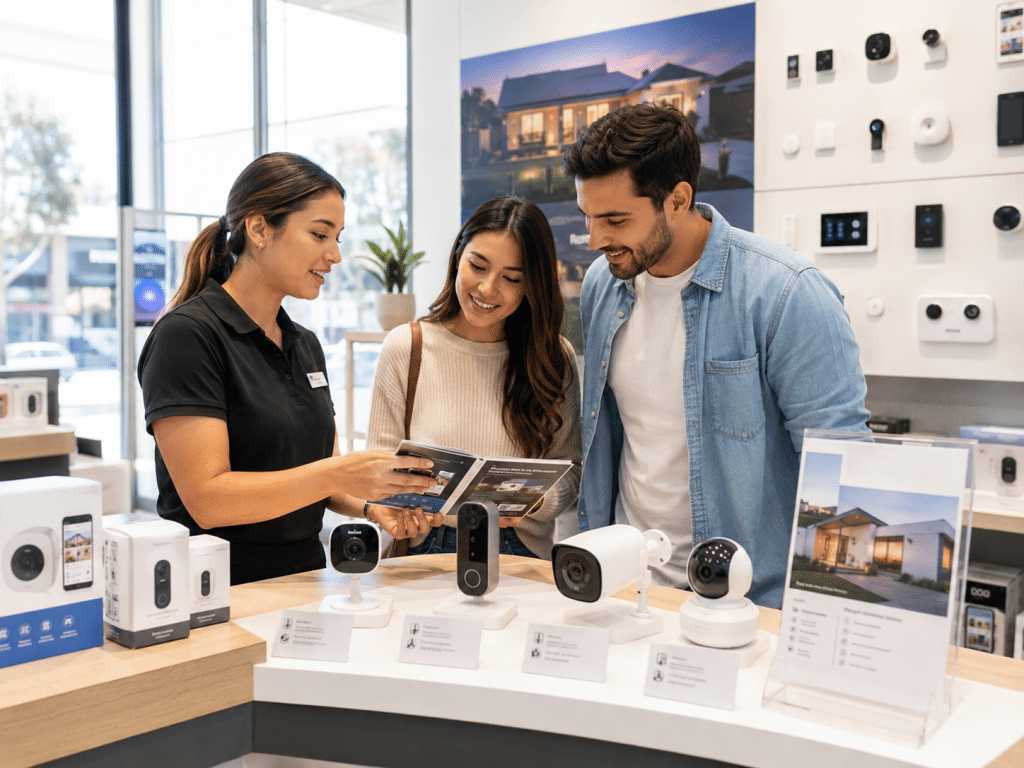
Why Australians Install Home Security Cameras
Many Australians install cameras because they want visibility. A camera can show who came to the door, when a delivery arrived, or whether movement in the driveway was a person, pet, vehicle, or branch in the wind.
For homeowners, the most common reasons include:
- Monitoring front doors and parcel deliveries.
- Watching driveways, garages, and side gates.
- Recording suspicious activity near entry points.
- Checking on pets, elderly family members, or tradespeople.
- Supporting insurance or police reports after an incident.
- Receiving alerts while travelling or working away from home.
That said, expectations should stay realistic. Cameras may deter some opportunistic behaviour, yet they do not physically stop entry. Therefore, they should be part of a layered security plan.
Queensland Police describes home security as a layered approach, where households regularly assess risks and use targeted measures to make the home safer. In practical terms, this means cameras should support locks, lighting, alarm systems, fencing, and good habits.
How Home Security Cameras Work
Most home security cameras use a lens, image sensor, processor, network connection, and storage method. When motion is detected, the camera can record a clip, send an alert, or save footage continuously.
A typical system includes:
- Camera lens – captures the scene.
- Image sensor – converts light into video.
- Infrared LEDs or low-light technology – improves night vision.
- Recorder or cloud storage – stores footage.
- App or monitor – lets you view live and recorded video.
- Network connection – links the system through Wi-Fi, Ethernet, or mobile data.
For example, a wired CCTV system may use Power over Ethernet, often called PoE. This means one cable can carry both power and data. As a result, PoE cameras are often more stable than Wi-Fi cameras, especially for larger homes or properties with thick brick walls.
By contrast, Wi-Fi cameras are usually easier to install. However, they depend heavily on signal strength, router quality, and internet reliability.
Types of Home Security Cameras
There is no single best camera for every Australian home. The right choice depends on the property layout, budget, Wi-Fi coverage, recording needs, and whether you prefer DIY or professional installation.
1. Doorbell cameras
Doorbell cameras are popular for front doors. They show visitors, deliveries, and movement near the entry. Many include two-way talk, motion alerts, and app-based viewing.
They are useful for apartments, townhouses, and homes with a clear front entry. However, they may not cover the driveway or side access points.
2. Bullet cameras
Bullet cameras are long, visible cameras often used outdoors. They are easy to aim and can act as a visible deterrent. Therefore, they are common for driveways, side paths, garages, and backyards.
However, because they are easy to see, they should be installed high enough to reduce tampering.
3. Dome cameras
Dome cameras sit inside a rounded housing. They are more discreet than bullet cameras and are often used under eaves, patios, and entry ceilings. Because the lens direction is harder to see, they can be useful in areas where you want cleaner aesthetics.
4. Turret cameras
Turret cameras are a practical middle ground. They are compact, easy to adjust, and often perform well at night because they reduce infrared reflection issues common in some dome designs.
From my experience, turret cameras are often a strong choice for Australian homes because they suit eaves, garages, and outdoor walls.
5. Indoor cameras
Indoor cameras are useful for entry rooms, hallways, nurseries, pets, or checking on a holiday home. However, they need extra privacy consideration. Avoid bedrooms, bathrooms, and private spaces where people reasonably expect privacy.
6. Solar and battery cameras
Solar and battery cameras suit sheds, gates, rural properties, and spots without easy cabling. They are convenient, but they may record shorter clips to save power. Also, battery life can vary based on motion frequency, Wi-Fi strength, temperature, and camera settings.
Wired vs Wireless Home Security Cameras
Choosing between wired and wireless home security cameras is one of the biggest decisions. Both can work well, but they suit different homes.
| Feature | Wired / PoE Cameras | Wireless / Wi-Fi Cameras |
| Best for | Larger homes, stable recording, multi-camera systems | Rentals, small homes, simple DIY installs |
| Power | Cable-powered | Battery, plug-in, or solar |
| Reliability | Usually stronger | Depends on Wi-Fi strength |
| Installation | More complex | Easier |
| Storage | Often local NVR storage | Cloud, SD card, or app storage |
| Internet dependence | Can record locally without internet | Often needs internet for full features |
| Upfront cost | Usually higher | Often lower |
| Best use case | Long-term home security | Flexible monitoring |
For many owner-occupied homes, a wired PoE setup gives the best long-term reliability. However, renters and apartment residents may prefer wireless cameras because they avoid drilling and major cabling.
Key Features to Compare Before Buying
When comparing home security cameras, avoid judging only by resolution. A 4K camera with poor night performance may be less useful than a 2K camera with better low-light handling.
Resolution
Common options include 1080p, 2K, 4MP, 5MP, and 4K. Higher resolution can help identify faces, number plates, and clothing details. However, it also uses more storage and bandwidth.
For most homes, 2K to 5MP is a strong balance. Use 4K where detail matters, such as driveways or larger front yards.
Field of view
A wider field of view captures more area. However, very wide lenses can distort edges and reduce detail at distance. Therefore, use wide views for porches and narrow views for gates or driveways where identification matters.
Night vision
Night vision is critical in Australia because many incidents happen in low light. Look for infrared night vision, colour night vision, or cameras with built-in spotlights.
However, placement matters. A camera facing headlights, reflective walls, or shiny surfaces may produce poor night footage.
Motion detection
Basic motion detection can trigger too many alerts from trees, pets, shadows, or cars. Better systems use person, vehicle, or package detection. As a result, they reduce false alerts and make the system easier to live with.
Storage
Home security cameras usually store footage in one of three ways:
- Local recorder: Good for multi-camera systems and longer retention.
- MicroSD card: Simple, but limited and easier to damage or remove.
- Cloud storage: Convenient, but often requires a subscription.
Cloud storage can be helpful if a thief steals the camera. However, local recording can be better for privacy and long-term cost control.
Audio recording
Some cameras record sound. This can be useful at a front door, but it also raises privacy and listening-device concerns. Rules vary by state and territory, so treat audio as a higher-risk feature and seek professional or legal advice where needed.
Weather resistance
Outdoor cameras should have a suitable weather rating. In Australia, heat, rain, salt air, dust, and insects can affect performance. Coastal homes may also need corrosion-resistant mounting hardware.
App quality
A good app matters more than many buyers expect. You should be able to view live footage, search recordings, change alerts, update firmware, and manage users without confusion.
Integration
Some households want integration with alarms, smart locks, lights, sirens, or home automation. However, avoid buying every smart feature unless you will use it. A simple reliable system is often better than a complicated one that nobody maintains.
Where to Place Cameras Around an Australian Home
Good placement is more important than camera count. Four well-positioned cameras can outperform eight poorly aimed ones.
Best camera locations
Common locations include:
- Front door or porch.
- Driveway and garage.
- Side gate or narrow side path.
- Backyard entry.
- Rear sliding door.
- Shed or detached garage.
- Main internal entry hallway, where appropriate.
Front door
The front door is often the first priority. It covers visitors, deliveries, and attempted entry. A doorbell camera or turret camera can work well here.
Driveway
A driveway camera can capture vehicles, number plates, and people approaching the home. However, angle and lighting are critical. Avoid pointing directly into the rising or setting sun where possible.
Side access
Side paths are often overlooked. Yet they may lead to windows, backyards, or garage entries. Therefore, a side camera with motion alerts can add strong coverage.
Backyard
Backyards need careful planning. Aim cameras at entry points, not private areas. Also, avoid capturing neighbouring yards or windows wherever possible.
Garages and sheds
Garages often contain tools, bikes, vehicles, and entry points to the home. Sheds can also hold valuable equipment. Therefore, cameras near these areas can support practical monitoring.
Privacy, Compliance and Neighbour Considerations
Privacy matters when installing home security cameras in Australia. The safest approach is to monitor your own property, avoid recording private spaces, and minimise unnecessary capture of neighbours, footpaths, and shared areas.
The Office of the Australian Information Commissioner explains that organisations and agencies using surveillance devices generally need to follow several laws. For householders, the exact obligations can depend on the situation, property type, state or territory, and whether cameras capture areas beyond the home.
This article is not legal advice. Instead, treat privacy checks as administrative steps before installation.
Practical privacy steps
Before installing cameras:
- Point cameras mainly at your own property.
- Avoid filming neighbours’ windows, yards, pools, or private spaces.
- Be careful with audio recording.
- Check strata, body corporate, or rental rules before mounting cameras.
- Use privacy masking if the system supports it.
- Limit access to footage to trusted household members.
- Keep footage only as long as needed.
- Use strong passwords and two-factor authentication.
In apartments and townhouses, shared areas can be more sensitive. For example, a camera facing a common hallway, car park, lift area, or shared driveway may need approval from strata or building management.
Cyber Security for Smart Cameras
Smart cameras connect to your network, so cyber security is part of home security. A weak password, outdated firmware, or exposed cloud account can create risk.
The Australian Government’s Security Standards for Smart Devices commenced on 4 March 2026 after a transition period and introduced mandatory cyber security standards for most consumer smart devices acquired in Australia.
This is relevant because many modern home security cameras are smart devices. They may connect to apps, cloud servers, Wi-Fi networks, voice assistants, and smart-home platforms.
Camera cyber security checklist
Use these steps:
- Change default passwords immediately.
- Use a unique password for the camera account.
- Turn on two-factor authentication.
- Update firmware regularly.
- Buy from reputable brands with update support.
- Separate smart devices on a guest network where possible.
- Disable features you do not use.
- Remove old users from the app.
- Check privacy and sharing settings.
- Avoid unknown bargain cameras with poor support.
Also, think about who can view footage. A shared household, ex-tenant, former staff member, or previous installer should not retain access after they no longer need it.
Installation Checklist
A good installation starts before drilling holes. Use this numbered checklist to plan home security cameras properly.
- Walk around the property.
Start at the street and approach the home like a visitor. Note entry points, blind spots, side paths, gates, and dark areas. - List what you want to capture.
Decide whether you need faces, vehicles, number plates, deliveries, or general movement. - Choose camera locations.
Prioritise front door, driveway, garage, side access, and rear entry points. - Check Wi-Fi or cabling routes.
For Wi-Fi cameras, test signal strength. For PoE cameras, plan cable paths through roof spaces, walls, or conduits. - Check lighting conditions.
Look at each location during the day and night. Identify glare, shadows, reflective walls, and bright headlights. - Review privacy angles.
Adjust planned views to avoid neighbouring private areas and unnecessary public capture. - Select storage.
Choose local recorder, cloud, SD card, or a hybrid setup. - Set recording rules.
Decide between continuous recording and motion-based recording. - Configure alerts.
Use person or vehicle detection where possible to reduce false notifications. - Secure accounts.
Use unique passwords and two-factor authentication. - Test footage.
Walk through each camera zone during day and night. Confirm faces and key details are clear. - Document settings.
Keep a secure record of account owners, installer details, device models, and warranty information.
Common Mistakes to Avoid
Even good home security cameras can perform poorly when installed badly. Here are mistakes I see often.
Mounting cameras too high
A very high camera may show the top of someone’s head but not their face. Instead, aim for a balance between tamper resistance and useful identification.
Ignoring night testing
Many systems look excellent during the day but fail at night. Always test night footage before finalising the installation.
Relying only on Wi-Fi
Wi-Fi is convenient, yet it can be unreliable in large homes, double-brick buildings, and properties with metal structures. If you need stable recording, consider wired cameras.
Capturing too much public or neighbouring space
A camera should not be a neighbourhood surveillance tool. Instead, focus on your own entry points and property boundaries.
Using weak passwords
A camera system is only as secure as its login. Use strong credentials and protect the email account linked to the system.
Forgetting maintenance
Cameras need cleaning, updates, and occasional repositioning. Spider webs, dust, storms, and garden growth can block views.
Cost Factors for Home Security Cameras in Australia
Prices vary widely. A single DIY camera may cost much less than a professionally installed multi-camera system. However, the cheaper option is not always better if it misses critical areas or fails to record when needed.
Common cost factors include:
- Number of cameras.
- Wired or wireless design.
- Camera resolution.
- Night vision quality.
- Recorder size.
- Cloud subscription fees.
- Labour and cabling.
- Roof access and wall construction.
- Smart alerts and AI detection.
- Warranty and support.
As an estimate, a basic DIY setup may suit a small rental or apartment. Meanwhile, a professionally installed wired system is often better for larger homes, high-value assets, or long-term reliability.
DIY vs Professional Installation
DIY installation can work well for simple needs. For example, a renter may use a battery doorbell camera and one indoor camera. However, professional installation is often worth considering when you need multiple outdoor cameras, clean cabling, network setup, or reliable recorder configuration.
| Option | Pros | Cons | Best For |
| DIY cameras | Lower upfront cost, fast setup, flexible | Wi-Fi issues, limited placement, possible privacy mistakes | Renters, small homes, basic monitoring |
| Professional installation | Better placement, cleaner cabling, stronger reliability | Higher upfront cost | Owner-occupiers, larger homes, long-term systems |
| Hybrid setup | Mix of flexibility and expert support | Needs careful planning | Homes with a few complex areas |
From my experience, professional advice is most valuable during camera placement. The right angle, lens, height, and lighting can make the difference between useful evidence and blurry movement.
Home Security Cameras and Insurance
Some insurers may ask about security measures, but camera discounts are not guaranteed. If insurance is a key reason for installing cameras, check directly with your insurer before buying.
Keep records of installation invoices, camera models, and maintenance. Also, ensure your system records clearly enough to support a claim if needed.
Home Security Cameras for Renters
Renters should be careful before installing cameras. Battery and plug-in cameras are usually easier because they avoid permanent changes. However, tenants should check their lease, strata rules, and landlord requirements before drilling, mounting, or placing cameras in shared spaces.
Good renter-friendly options include:
- Battery doorbell cameras.
- Plug-in indoor cameras.
- Freestanding cameras.
- Non-permanent mounts.
- Cameras aimed only at the rented premises.
Avoid recording common areas in apartment buildings without approval.
Home Security Cameras for Families
Families often want cameras for both security and convenience. For example, parents may want to know when children arrive home or when a parcel is delivered. However, it is important to set boundaries.
Tell household members where cameras are located. Avoid private rooms. Also, limit app access to responsible adults.
Home Security Cameras for Older Australians
For older Australians, cameras can support safety and confidence. A doorbell camera can help someone check who is outside before opening the door. Motion alerts can also help family members monitor unusual activity, where everyone has agreed.
However, keep the setup simple. Too many notifications can become stressful. Therefore, choose clear alerts, simple controls, and reliable support.
People Also Ask
Are home security cameras legal in Australia?
In general, homeowners can use cameras to monitor their own property. However, issues may arise if cameras capture private areas, shared spaces, or audio without proper consent. Rules can vary by state, territory, strata scheme, and property type, so seek legal advice for specific concerns.
Do home security cameras need Wi-Fi?
Not always. Many wireless cameras need Wi-Fi for alerts, app viewing, and cloud storage. However, wired PoE systems can record locally to a network video recorder and may continue recording even when the internet is down.
How many cameras does a house need?
A small home may need two to four cameras covering the front door, driveway, side access, and rear entry. Larger homes may need more. The goal is not maximum camera count; it is useful coverage of real entry points.
Are wired cameras better than wireless cameras?
Wired cameras are usually more reliable for long-term recording. However, wireless cameras are easier to install and suit renters or small homes. The better option depends on your property, budget, and tolerance for maintenance.
Can home security cameras record at night?
Yes, many cameras use infrared or colour night vision. However, night performance depends on camera quality, placement, lighting, and glare. Always test night footage before relying on the system.
Expert Q&A
1. What is the best resolution for home security cameras?
For most homes, 2K to 5MP provides a practical balance between detail, storage, and cost. Use 4K for larger driveways, front yards, and areas where identification from distance matters. However, lens quality and night performance are just as important as resolution.
2. Should I choose cloud storage or local recording?
Cloud storage is convenient and can protect footage if a camera is stolen. Local recording gives more control and may reduce subscription costs. Many households benefit from a hybrid approach, using local recording for continuous footage and cloud storage for important alerts.
3. Where should I not install cameras?
Avoid bedrooms, bathrooms, neighbouring private spaces, and shared areas without approval. Also, avoid pointing cameras directly into a neighbour’s window or yard. In most cases, cameras should focus on your own entries, vehicles, and property boundaries.
4. How long should camera footage be kept?
Retention depends on storage size, privacy preferences, and the purpose of recording. Many households keep footage for several days to a few weeks. However, avoid keeping footage longer than needed, especially where privacy concerns may exist.
5. Can cameras stop a break-in?
Cameras may deter some behaviour and can record useful footage. However, they do not physically stop entry. For better protection, combine cameras with locks, lighting, alarms, secure gates, and good everyday habits.
Conclusion
Home security cameras can make an Australian home easier to monitor, but the best results come from careful planning. Start with your real risks, choose reliable camera types, test day and night footage, respect privacy, and secure the system against cyber threats.
For a dependable setup, focus on coverage quality rather than camera count. Also, remember that cameras work best as part of layered home security, not as a standalone solution.
For tailored advice, installation support, and practical security planning, speak with trusted Australian security camera specialists at Eclipse Security.