


Home alarm systems are one of the most practical ways Australian households can improve everyday security, especially when they are planned around the layout of the home, the habits of the people living there, and the risks in the local area. From my experience reviewing residential security needs, the best results usually come from matching the right sensors, control method, monitoring option, and installation approach rather than buying the most expensive package.
Across Australia, homeowners, renters, apartment residents, and families are asking better questions about alarms. They want to know whether wired or wireless is better, whether professional monitoring is worth it, and how smart alarms fit with cameras, intercoms, access control, and mobile apps. This guide explains those choices in plain English.
What Are Home Alarm Systems?
Home alarm systems are security setups that use sensors, a control panel, sirens, alerts, and sometimes professional monitoring to detect unauthorised entry, movement, glass breakage, smoke, or duress. In Australia, they can be wired, wireless, app-connected, self-monitored, or monitored by a control room.
Table of Contents
- Why home alarm systems matter in Australia
- How a home alarm system works
- Main types of home alarm systems
- Wired vs wireless home alarm systems
- Monitored vs self-monitored alarms
- Key components to understand
- Smart home alarm systems and cybersecurity
- Australian installation and compliance considerations
- How to choose a home alarm system
- Step-by-step home alarm installation checklist
- Common mistakes to avoid
- People Also Ask
- Expert Q&A
- Conclusion
Why Home Alarm Systems Matter in Australia
Home security is not only about stopping a break-in. It is also about warning people early, reducing response time, and giving residents more control over what happens around their property.
According to the Australian Bureau of Statistics crime victimisation release, 1.8% of Australian households experienced a break-in in the 2024–25 financial year. That figure does not mean every home is at high risk, but it does show that break-ins remain a real issue for Australian households.
A well-designed alarm helps because it creates layers of protection. For example, a door contact can detect entry, a motion detector can confirm movement inside, and a siren can put pressure on an intruder to leave. In addition, app alerts or monitoring can notify someone when no one is home.
From my experience, many homes do not need a complicated system. However, they do need a system that covers the right entry points. Front doors, back doors, garage internal doors, sliding doors, downstairs windows, and hallway movement zones are usually more important than filling every room with devices.
How Home Alarm Systems Work
Most home alarm systems follow the same basic process.
First, sensors detect activity. These sensors may be door contacts, window contacts, motion detectors, glass-break detectors, vibration sensors, smoke detectors, or duress buttons. Then, the control panel receives that signal and checks whether the system is armed. If the alarm is armed and the event matches a programmed rule, the panel triggers an action.
That action might be a loud siren, a push notification, an SMS, a call from a monitoring centre, or a signal to another device. For example, some systems can turn on lights, record camera footage, or notify a nominated contact.
In simple terms, the alarm does three jobs:
- It detects a possible event.
- It decides whether that event should trigger an alarm.
- It sends a warning to people or services that can respond.
This is why good setup matters. A poorly positioned motion sensor may cause false alarms. A door contact on the wrong entry point may miss the most likely access route. Therefore, home alarm systems should be designed around real movement patterns, not just product brochures.
Main Types of Home Alarm Systems
Australian homeowners usually compare four broad types of home alarm systems.
1. Wired Home Alarm Systems
A wired alarm uses physical cabling between the sensors, control panel, sirens, and sometimes keypads. These systems are common in new builds, renovations, and larger homes where reliability is a priority.
Wired systems can be very stable because they do not rely on batteries for every device. However, installation can be more involved. If a home is already finished, cabling may require roof space access, wall access, conduits, or careful planning.
2. Wireless Home Alarm Systems
Wireless home alarm systems use radio signals between sensors and the control panel. They are popular in existing homes, rentals, apartments, and properties where running cable is difficult.
The main benefit is flexibility. Devices can often be installed with less disruption. However, batteries must be checked and replaced when required. Also, the system should use secure wireless communication and be installed within suitable range.
3. Hybrid Home Alarm Systems
Hybrid systems combine wired and wireless devices. This is useful when part of the home already has cabling, but extra rooms, sheds, garages, or extensions need wireless coverage.
For many Australian homes, hybrid design is a practical middle ground. It can protect key areas with wired devices while using wireless sensors where cabling would be costly or messy.
4. Smart Home Alarm Systems
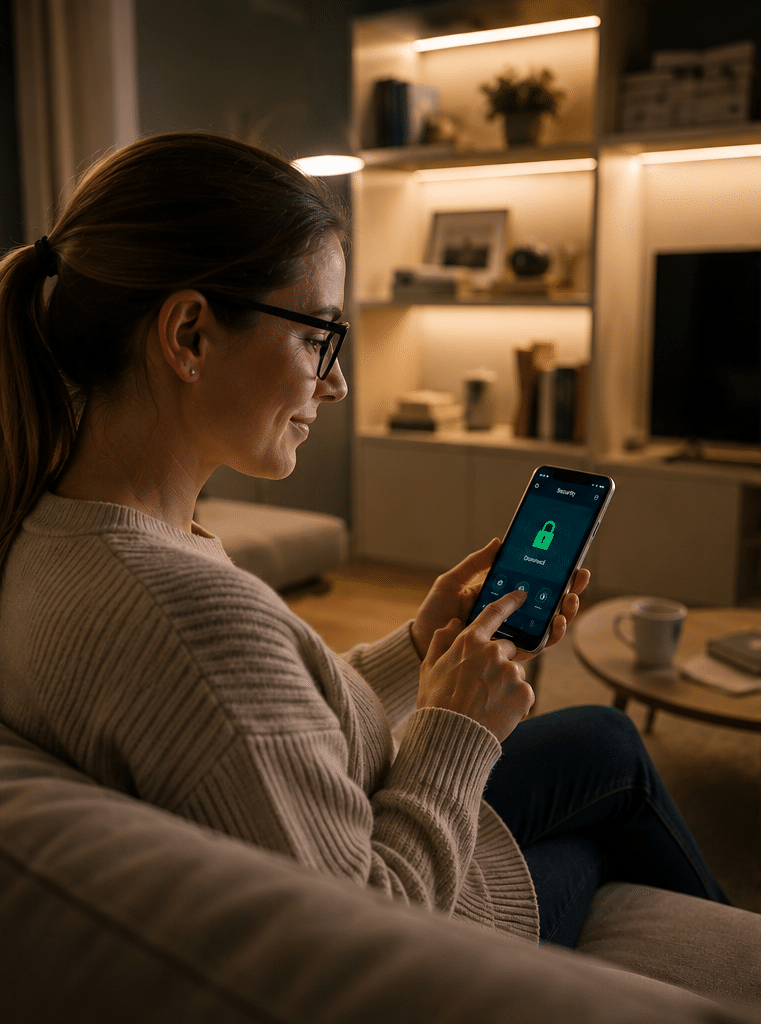
Smart home alarm systems connect to apps, cloud services, voice assistants, cameras, smart locks, lights, or automation platforms. They can be convenient, but they also need stronger cybersecurity habits.
For example, users should enable multi-factor authentication where available, use strong passwords, and keep device firmware updated. The Australian Government has introduced security standards for many consumer smart devices, and the Department of Home Affairs smart-device security guidance explains the broader push to improve the security of connected products in Australia.
Wired vs Wireless Home Alarm Systems
The right choice depends on the property. Therefore, it helps to compare the options side by side.
| Feature | Wired home alarm systems | Wireless home alarm systems |
| Best suited to | New builds, renovations, larger homes, long-term owners | Existing homes, apartments, rentals, quick installs |
| Installation effort | Higher because cabling may be needed | Lower because fewer cables are required |
| Reliability | Very strong when installed correctly | Strong when signal range and batteries are managed |
| Maintenance | Less battery maintenance for wired devices | Battery checks and replacements are needed |
| Flexibility | Less flexible after installation | Easier to move or expand |
| Appearance | Clean if installed during construction | Usually neat, with minimal disruption |
| Upfront cost | Can be higher due to labour | Often lower for simple systems |
| Long-term value | Excellent for permanent homes | Excellent for flexible living situations |
In practice, neither option is automatically better. A wireless alarm installed properly is often better than a wired system with poor sensor placement. Likewise, a wired system in a new build can be more dependable than a low-quality wireless kit.
From my experience, the most important questions are simple: Where are the likely entry points? How will people arm and disarm the system? Who receives alerts? What happens if the internet drops out? What happens if power fails?
Monitored vs Self-Monitored Home Alarm Systems
A key decision is whether the alarm should be monitored by the household or by a professional monitoring centre.
Self-Monitored Alarm Systems
A self-monitored alarm sends alerts to the homeowner’s phone or nominated contacts. This can be cost-effective and convenient. However, it depends on someone seeing the alert, understanding it, and taking action.
Self-monitoring may suit people who are comfortable managing notifications and have reliable phone access. However, it may be less suitable for frequent travellers, shift workers, or households that want a more formal response process.
Professionally Monitored Alarm Systems
A professionally monitored alarm sends signals to a monitoring centre. Depending on the service and agreement, the centre may contact the homeowner, nominated contacts, a patrol service, or emergency services where appropriate.
Professional monitoring adds ongoing cost. However, it also adds structure. This can be valuable when the homeowner is overseas, asleep, driving, in a meeting, or unable to check the phone.
Back-to-Base Monitoring
In Australia, people often use the phrase “back-to-base alarm monitoring”. This usually means the alarm communicates with a monitoring centre rather than only sounding a siren locally. Communication may occur through IP, 4G, dual-path communication, or other approved methods, depending on the system.
Key Components of Home Alarm Systems
A good alarm is more than one box on a wall. It is a group of devices working together.
Control Panel
The control panel is the brain of the alarm. It receives signals, runs the programmed rules, and triggers sirens or alerts. Some panels are hidden in cupboards or secure areas, while others are combined with a touchscreen keypad.
Keypad or Touchscreen
The keypad lets users arm, disarm, and control the system. A touchscreen may be easier for some households, but a basic keypad can be very reliable. Many modern systems also support app control.
Door and Window Contacts
Contacts detect when a door or window opens. They are useful for perimeter protection because they can detect entry before someone moves through the home.
Motion Detectors
Motion detectors sense movement inside a room or hallway. They are often used in living areas, hallways, garages, and access paths. Pet-friendly motion detectors may help reduce false alarms, but they must be chosen and positioned carefully.
Glass-Break Detectors
Glass-break detectors listen for the sound pattern of breaking glass. They can be useful near large windows, sliding doors, and glass-heavy living spaces.
Sirens and Strobes
Sirens create pressure and draw attention. External sirens or strobes can also help neighbours or responders identify the property. However, siren rules and noise expectations may vary by local area, so installers should consider local requirements and practical neighbour impact.
Panic or Duress Buttons
A duress button lets a person trigger an alarm intentionally. This can be useful for vulnerable residents, people living alone, or households that want an emergency alert option.
Communication Module
The communication module sends alerts through internet, mobile network, or another pathway. For reliability, many users prefer a system that does not depend only on the home Wi-Fi connection.
Smart Home Alarm Systems and Cybersecurity
Smart home alarm systems can be useful because they allow app control, push notifications, event history, and integrations with other devices. However, every connected device needs digital security.
Use these practical habits:
- Change default passwords immediately.
- Use long, unique passwords.
- Enable multi-factor authentication where supported.
- Keep apps and firmware updated.
- Remove old users when someone moves out.
- Avoid sharing one login across multiple people.
- Use a secure home Wi-Fi password.
- Review notification settings after installation.
This matters because a smart alarm is both a security device and a connected device. As a result, it should be treated like part of the home’s cybersecurity setup.
The Australian Government’s smart-device security reforms are relevant because many modern alarms, cameras, intercoms, smart locks, and hubs connect to the internet. While these reforms are aimed at suppliers and consumer-grade smart devices, homeowners still benefit from choosing reputable products and maintaining good security habits.
Australian Installation and Compliance Considerations
This section is general information, not legal advice. Security licensing and cabling rules can vary by state or territory, and administrative requirements should be checked with the relevant authority or reviewed by a licensed professional.
In Australia, alarm installation may involve several administrative checks.
First, security licensing can apply to people or businesses that install, maintain, or advise on security equipment. For example, NSW Police describe Class 2 security licences as covering specialist security work, including installing, maintaining, and repairing security equipment. Other states and territories have their own regulators and licence categories.
Second, cabling rules may apply if the installation connects to telecommunications cabling or network infrastructure. The Australian Communications and Media Authority cabling registration guidance explains that cabling registration categories authorise cablers to perform or supervise certain kinds of cabling work.
Third, electrical work should be handled by appropriately licensed trades where required. Alarm installers should not perform regulated electrical work unless they hold the correct licence.
Fourth, privacy matters should be considered when alarms are integrated with cameras, microphones, intercoms, or cloud storage. For most homeowners, this means avoiding intrusive camera angles, respecting neighbouring properties, and using access controls wisely.
How to Choose the Best Home Alarm System for Your Property
Choosing a system starts with the home, not the catalogue.
Start With the Property Type
A single-storey house, townhouse, apartment, duplex, and rural property all have different risks. For example, an apartment may need stronger front-door and balcony-door coverage, while a detached home may need garage, side access, and rear sliding-door protection.
Think About Daily Routines
A family with children needs simple arming and disarming. A household with pets needs careful motion detector placement. A frequent traveller may prefer professional monitoring and mobile alerts. A shift worker may need night arming modes that protect the perimeter while allowing movement inside.
Decide What Happens During an Alarm
This is one of the most overlooked questions. A siren is useful, but it is not a complete response plan. Decide who receives alerts, who can check the property, and what should happen if the first contact does not answer.
Check Expansion Options
A basic alarm may be enough today. However, future needs may include cameras, intercoms, smart locks, smoke detection, garage protection, or access control. Therefore, it is wise to choose a platform that can expand.
Balance Cost and Reliability
The cheapest alarm may cost more later if it causes false alarms, fails to notify you, or cannot be expanded. On the other hand, the most expensive system may be unnecessary for a small apartment. The right system is the one that fits the risk, building, budget, and response plan.
For practical advice and tailored security planning, Eclipse Security can help Australian homeowners compare options for reliable residential security system design and installation.
Estimated Home Alarm System Costs in Australia
Costs vary by property size, system type, device count, monitoring choice, and installation complexity. The following are broad estimates only, not quotes.
| System type | Typical use case | Cost factors to consider |
| Basic wireless alarm | Small home, apartment, rental | Number of sensors, siren, app access, battery maintenance |
| Mid-range hybrid alarm | Family home, townhouse, renovation | Wired and wireless mix, keypad, mobile module, extra zones |
| Monitored alarm | Frequent travellers, higher-value homes | Monthly monitoring fee, communication path, response plan |
| Integrated smart security | Homes with cameras, intercom, smart locks | App platform, network setup, cybersecurity, device compatibility |
A small home may only need several sensors and one keypad. However, a larger property may need zoning, multiple keypads, garage sensors, outdoor beams, and backup communication. Therefore, it is better to request a site-specific assessment than rely on a one-size-fits-all package.
Step-by-Step Home Alarm Installation Checklist
Use this numbered checklist before approving a system design.
- List the main entry points. Include front doors, rear doors, sliding doors, garage doors, balcony doors, and accessible windows.
- Identify high-movement areas. Hallways, living rooms, staircases, and garage entries often make good motion detection zones.
- Decide who uses the alarm. Include adults, teenagers, cleaners, carers, tenants, or property managers.
- Choose arming modes. Ask for away mode, stay mode, night mode, and partial arming if needed.
- Plan alert handling. Decide whether alerts go to an app, nominated contacts, or a professional monitoring centre.
- Check internet and mobile coverage. A smart alarm needs reliable communication. If the area has weak mobile reception, discuss alternatives.
- Review power backup. Ask how long the system can operate during a power outage.
- Ask about licences and cabling. Confirm that the installer can handle relevant security, cabling, and electrical boundaries.
- Test each device. Walk-test motion sensors, open each protected door, and confirm notifications.
- Train every user. Make sure people know how to arm, disarm, cancel false alarms, and respond to alerts.
- Document the setup. Keep user instructions, warranty details, monitoring contacts, and maintenance notes in one place.
- Schedule maintenance. Check batteries, signal strength, app users, and communication paths at least annually.
Common Mistakes to Avoid
Buying Before Mapping the Home
Many people buy a kit first and plan later. However, this often leads to weak coverage. It is better to map the home first, then choose devices.
Ignoring the Garage
In many Australian homes, the garage connects directly to the house. Therefore, it should be treated as a serious entry point, not an afterthought.
Depending Only on Wi-Fi
Wi-Fi can fail during outages, router issues, or internet service problems. A stronger setup may include mobile backup or dual-path communication.
Forgetting About Pets
Pets can trigger motion detectors if the wrong sensor is used or the device is mounted poorly. Pet-friendly sensors help, but setup still matters.
Sharing One App Login
Shared logins make it hard to manage access. Each user should have their own login where possible, so access can be removed later.
Skipping Maintenance
Home alarm systems need periodic checks. Batteries, sirens, sensors, apps, and communication modules should be tested regularly.
Home Alarm Systems for Different Australian Homes
Apartments
Apartments usually need front-door protection, balcony-door coverage, and careful motion detection. Because apartments share walls and corridors, a loud siren should be used thoughtfully. App alerts and compact wireless devices are often practical.
Townhouses
Townhouses often have multiple levels, internal garages, and rear courtyards. A good design may include door contacts downstairs, motion detection on access paths, and stay mode for night use.
Detached Homes
Detached homes may need broader perimeter coverage. Sliding doors, side gates, rear windows, garages, and outdoor areas should be considered. However, outdoor sensors need careful setup to reduce false alarms from weather, pets, and vegetation.
Rural and Regional Homes
Rural properties may need long-range wireless devices, mobile communication checks, shed protection, gate alerts, and backup power. Because response times may be longer, the alarm plan should focus on early warning and clear notification.
People Also Ask: Home Alarm Systems in Australia
Are home alarm systems worth it in Australia?
Yes, home alarm systems can be worth it when they are designed for the property and used consistently. They help detect unauthorised entry, alert residents, and support a faster response plan.
How much do home alarm systems cost in Australia?
The cost depends on property size, device count, wired or wireless design, monitoring, and installation complexity. A simple wireless setup is usually cheaper than a larger integrated system, but a proper site assessment gives a more reliable estimate.
Do I need professional monitoring for my home alarm?
Not always. Self-monitoring may suit people who can respond quickly to alerts, while professional monitoring may suit frequent travellers, busy households, or people who want a structured response process.
Can renters install home alarm systems?
Many renters can use wireless alarms, but they should check the lease and get permission before fixing devices to walls or changing locks, wiring, or permanent fixtures. Portable sensors and app-based systems may be easier for rentals.
What is the difference between a burglar alarm and a home alarm system?
A burglar alarm usually focuses on intrusion detection. A home alarm system may include intrusion detection plus smoke alerts, duress buttons, app control, monitoring, automation, and integration with other security devices.
Expert Q&A: Home Alarm Systems
1. What sensors should every home alarm system include?
Most homes should start with door contacts on main entry points and motion detection in key internal movement areas. Depending on the layout, glass-break detectors, garage contacts, and duress buttons may also be useful.
2. How often should home alarm systems be serviced?
As a practical rule, review the system at least once a year. Check batteries, sirens, app users, signal strength, event history, and communication paths. If the system is professionally monitored, ask whether routine testing is part of the service.
3. Will a home alarm system work during a power outage?
Many systems include backup batteries, but backup time varies. If power outages are common in your area, ask about battery capacity, mobile communication backup, and how the system reports low battery or power failure events.
4. Can home alarm systems reduce insurance premiums?
Some insurers may consider security systems when assessing risk, but discounts are not guaranteed. Ask your insurer directly and confirm whether they require professional installation, monitoring, or specific documentation.
5. Should I choose alarms, cameras, or both?
Alarms and cameras do different jobs. An alarm detects and alerts, while cameras help verify what happened. For many homes, the strongest setup uses both, with the alarm providing the trigger and cameras providing visual context.
Conclusion: Choosing Home Alarm Systems With Confidence
Home alarm systems work best when they are practical, well-positioned, easy to use, and supported by a clear response plan. In Australia, the right system depends on the property type, household routine, installation requirements, monitoring preference, and future expansion needs.
Therefore, do not choose an alarm only by price or brand. Instead, start with the home’s real entry points, decide who needs alerts, check installer credentials, and make sure every household member knows how to use the system.
A good alarm should make daily life safer without making it harder. With the right design, home alarm systems can provide early warning, reduce uncertainty, and give Australian households more control over their security.