


Door intercom systems help Australian homes, apartment buildings, offices, warehouses, schools, clinics, and retail sites manage entry without leaving doors unprotected. From my experience reviewing security upgrades, the best outcomes usually come from matching the intercom to the building, the users, the network, and the way visitors actually arrive each day.
Modern systems can be simple audio units, video intercoms, IP-based systems, mobile-app entry panels, or integrated access control solutions. However, a good choice is not just about choosing a screen or a stylish door station. It is about safe entry, clear communication, reliable installation, privacy-aware operation, and long-term maintenance.
Australian buyers also need to think about cabling, apartment common property, visitor records, camera placement, and future upgrades. For example, a small office may only need a single video door phone, while a strata building may need multi-tenant calling, lift integration, access fobs, remote management, and clear admin rules.
Table of Contents
- What are door intercom systems?
- Why door intercom systems matter in Australia
- Main types of door intercom systems
- Comparison table: wired, wireless, IP, and mobile app systems
- Best use cases by property type
- Key features to compare before buying
- Australian installation and compliance considerations
- Privacy and video intercom considerations
- Step-by-step checklist for choosing a system
- Common mistakes to avoid
- Maintenance and lifecycle planning
- People Also Ask
- Expert Q&A
- Conclusion
What are door intercom systems?
Door intercom systems are entry communication systems that let people inside a property speak with, see, verify, and grant access to visitors at a door or gate. In Australia, they are commonly used in apartments, offices, warehouses, schools, and homes to improve convenience, visitor control, and everyday security.
Why Door Intercom Systems Matter in Australia
Door intercom systems are popular because Australian properties often need a balance between convenience and controlled entry. For instance, apartment residents want delivery access without letting unknown visitors roam freely. Meanwhile, offices need reception-free entry control after hours. In addition, warehouses may need gate communication for couriers, contractors, and staff.
A door intercom system creates a controlled point of contact. Instead of opening the door first and asking questions later, the occupant can verify who is outside. With a video intercom, they can also check visual details, such as uniforms, delivery labels, or vehicle presence.
However, the biggest benefit is not just security. It is workflow. A well-planned intercom reduces missed deliveries, limits unnecessary foot traffic, supports after-hours access, and helps staff avoid constant door interruptions. As a result, the right system can improve both safety and daily efficiency.
In Australia, building types vary widely. A terrace home in Melbourne, a commercial tenancy in Sydney, a strata apartment in Brisbane, and a warehouse in Perth may all need different door intercom systems. Therefore, the buying decision should start with the property layout, the number of users, and the access points.
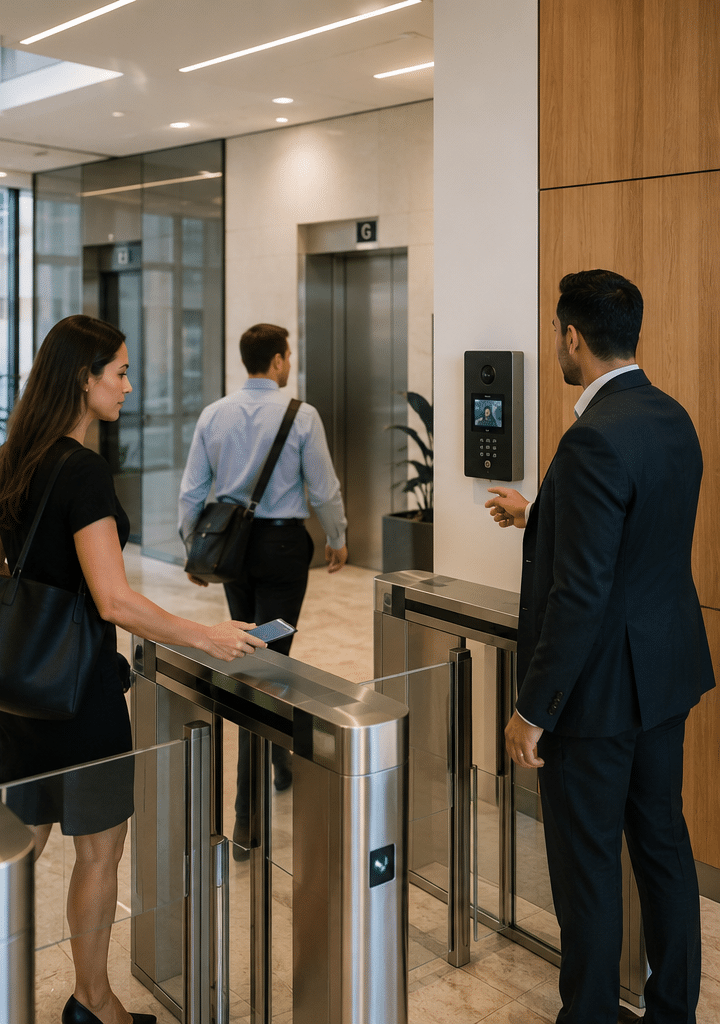
Main Types of Door Intercom Systems
Audio Door Intercom Systems
Audio intercoms allow voice communication between a visitor and someone inside. They are usually cost-effective and simple to use. For small homes, back-of-house areas, and basic business entries, audio may be enough.
However, audio-only systems provide limited verification. You can ask who is there, but you cannot see whether the person matches the claim. Therefore, audio systems are best when the risk level is low, the door is visible, or the site already has another camera covering the entry.
Video Door Intercom Systems
Video intercoms add a camera at the door station and a screen or mobile app for the user. This gives clearer visitor verification. In many cases, this is the preferred option for apartment foyers, office entries, medical clinics, and homes with gates.
Video systems can be especially useful after dark, provided the camera has suitable low-light performance. However, camera angle matters. A poorly mounted video intercom may show only the top of a visitor’s head or miss people standing slightly to the side.
Wired Door Intercom Systems
Wired systems use physical cabling between the door station, monitor, controller, lock, and network equipment. They are often more reliable than wireless systems because they are less affected by signal interference and battery issues.
For new builds and major refurbishments, wired door intercom systems are usually worth considering. They may cost more upfront, but they can deliver stronger long-term performance. In Australia, cabling work should be handled by appropriately registered or licensed professionals where required. The Australian Communications and Media Authority explains that cabling work is regulated and must follow Australian cabling rules and standards, including the wiring rules for customer cabling. See the ACMA Australian cabling standards.
Wireless Door Intercom Systems
Wireless intercoms use Wi-Fi, radio frequency, mobile networks, or app-based communication. They can suit homes, small offices, temporary sites, or buildings where running new cable is difficult.
However, wireless does not always mean easier in practice. Wi-Fi signal strength, router quality, wall materials, and network congestion can all affect reliability. Therefore, wireless systems should be tested at the actual door location before installation is finalised.
IP Door Intercom Systems
IP intercoms use data networks. They are common in commercial and multi-residential buildings because they can support remote management, software updates, multiple users, cloud dashboards, and integration with access control.
IP systems can scale well. For example, a building manager may update residents, fobs, schedules, and permissions from a central platform. However, IP systems also need sound cyber hygiene. Passwords, firmware updates, network segmentation, and user permissions matter.
Mobile App Door Intercom Systems
Mobile app systems send calls to smartphones. They are useful for busy residents, mobile workers, and businesses without a permanent reception desk. For example, a manager can answer a gate call while away from the site.
Nevertheless, mobile app entry should not be the only plan. Phones go flat, staff leave, reception can drop, and apps may need updates. Therefore, many sites use app entry alongside physical monitors, fobs, PINs, or backup keys.
Comparison Table: Door Intercom Systems by Type
| System type | Best for | Strengths | Limitations | Typical Australian use case |
| Audio intercom | Basic entry communication | Affordable, simple, easy to train users | No visual verification | Small homes, back doors, low-risk offices |
| Video intercom | Visitor verification | Shows who is at the door, useful after hours | Camera angle and lighting matter | Apartments, clinics, offices, homes |
| Wired intercom | Reliability and longevity | Stable performance, fewer signal issues | Higher installation effort | New builds, commercial sites, strata upgrades |
| Wireless intercom | Hard-to-cable areas | Faster installation in some cases | Wi-Fi and interference risks | Small offices, homes, temporary buildings |
| IP intercom | Scalable buildings | Remote admin, integrations, multi-user support | Needs good network setup | Apartments, campuses, commercial buildings |
| Mobile app intercom | Flexible answering | Remote calls and access control | Depends on phone, app, and data | Offices, gated homes, mixed-use sites |
Best Door Intercom Systems by Property Type
Homes and Townhouses
For homes, the best door intercom systems are usually video-based. A front gate or front door station with a clear camera, two-way audio, and mobile alerts can be practical. In addition, many homeowners prefer remote unlocking for gates, especially when receiving deliveries.
However, homeowners should avoid overcomplicating the setup. A simple, reliable system often performs better than a feature-heavy system that depends on weak Wi-Fi. If the front gate is far from the router, cabling or network extension may be needed.
Apartment Buildings and Strata Properties
Apartment buildings need more planning. A multi-residential intercom may need a directory, apartment calling, access credentials, lift integration, visitor logs, and management permissions.
In strata properties, entry panels, foyer equipment, wiring risers, and shared doors may involve common property decisions. For example, NSW strata resources explain that common property maintenance and responsibility can sit with the owners corporation depending on the item and scheme documents. This is general administrative context, not legal advice.
Therefore, strata committees should document the reason for the upgrade, the preferred system, user impacts, maintenance responsibilities, and how access credentials will be issued or removed.
Offices and Commercial Tenancies
Commercial door intercom systems should support staff, visitors, couriers, cleaners, and contractors. In many offices, the intercom connects to reception during business hours and redirects after hours.
A good commercial setup may include a door station, electric strike or magnetic lock, access reader, exit button, door position sensor, and video monitoring. However, safety and egress must be planned properly by qualified professionals.
Warehouses and Industrial Sites
Warehouses often need intercoms at vehicle gates, pedestrian entries, roller doors, and dispatch points. Noise can be a major issue. Therefore, strong speaker output, noise handling, and clear signage are important.
In addition, industrial sites may need rugged hardware. Weather exposure, dust, vibration, forklifts, and delivery traffic can damage low-grade equipment. As a result, durable vandal-resistant and weather-rated units are usually better.
Schools, Clinics, and Community Facilities
These sites often need controlled visitor flow. A door intercom lets staff screen arrivals before opening secure areas. However, privacy and child safety expectations may be higher, so camera placement, signage, and access records should be handled carefully.
Key Features to Compare Before Buying
Camera Quality and Viewing Angle
For video door intercom systems, camera quality matters. Look for a wide but not distorted field of view, clear night performance, and good backlight handling. Australian entrances can have harsh sunlight, deep shade, and reflective surfaces, so testing the image in real conditions helps.
Audio Clarity
Audio must be clear at both ends. Wind, traffic, machinery, and busy foyers can make cheap systems hard to use. Therefore, compare speaker quality, microphone placement, and noise reduction.
Door Release Options
Many systems can trigger an electric strike, magnetic lock, gate motor, or access controller. However, door hardware must be matched carefully. The wrong lock setup can create reliability issues or safety concerns.
Access Control Integration
A door intercom becomes more powerful when linked to access control. For example, staff may enter with fobs, residents may use mobile credentials, and visitors may call through the intercom.
This is where planning matters. If your site may later add CCTV, alarms, lift control, or multiple doors, choose a system that can integrate cleanly rather than one that traps you in a closed setup.
Mobile App Support
Mobile app features can be useful, but they must be managed. Before choosing app-based door intercom systems, ask how users are added, how former staff are removed, what happens when phones are replaced, and whether calls can go to groups.
User Management
For apartments and businesses, user management is critical. A system should make it easy to add, edit, and remove users. Otherwise, old tenants, ex-staff, and lost credentials may remain active for too long.
Weather and Vandal Resistance
Outdoor door stations need suitable weather ratings and physical strength. In exposed Australian conditions, sun, rain, salt air, and heat can shorten the life of low-quality hardware.
Power and Backup
Some systems fail during power outages unless backup power is designed. For businesses and apartment buildings, ask whether the intercom, controller, lock, and network switch need UPS support.
Audit Logs
Some advanced systems record access events. This can help with incident review and administration. However, logs should be handled responsibly and retained only as needed for legitimate purposes.
Australian Installation and Compliance Considerations
Cabling Rules and Qualified Installers
Intercom installation can involve low-voltage cabling, network cabling, door hardware, and sometimes connection to telecommunications infrastructure. According to ACMA, Australian cabling work is regulated and cablers need to follow relevant cabling rules and standards.
Therefore, do not treat installation as a simple handyman job when cabling or network termination is involved. Using qualified installers helps reduce faults, poor signal quality, and compliance problems.
National Construction Code Context
The National Construction Code is Australia’s primary technical design and construction framework for buildings. It sets minimum provisions for areas such as safety, health, amenity, accessibility, and sustainability in relevant building work. For official background, see the National Construction Code overview.
For door intercom systems, this matters because entry changes may interact with doors, egress, accessibility, fire safety, and building approvals. This article does not provide legal or building compliance advice. Instead, treat these as administrative checks for your builder, certifier, access consultant, or licensed security provider.
Strata and Common Property Administration
In apartment buildings, intercom upgrades often affect common property. Therefore, the committee or owners corporation may need quotes, meeting decisions, resident communication, warranty records, and maintenance planning.
A practical approach is to document the current pain points, such as failed handsets, old wiring, poor visitor access, or unsafe tailgating. Then, compare options based on lifecycle cost, not just the purchase price.
Privacy and Visitor Recording
Video intercoms may capture identifiable images. The Office of the Australian Information Commissioner notes that organisations using surveillance devices, such as security cameras or CCTV, generally need to consider multiple laws and obligations. For plain-language privacy guidance, see the OAIC security camera guidance.
As a result, businesses and strata managers should use clear signage, limit unnecessary recording, restrict access to footage, and set sensible retention practices. Also, audio recording can raise extra concerns, so it should not be enabled casually.
Privacy and Video Intercom Considerations
Privacy does not mean avoiding security technology. Instead, it means using it fairly, transparently, and proportionately.
For door intercom systems, that means placing cameras where they verify visitors without unnecessarily filming private areas. It also means giving access to footage only to authorised people. In addition, businesses should have a basic process for handling requests, incidents, and data deletion.
From my experience, privacy issues often come from poor administration rather than the device itself. For example, too many people may know the admin password, old users may still have access, or footage may be kept longer than needed. Therefore, system management should be part of the installation plan.
A simple privacy checklist may include:
- Put signage near camera-monitored entries.
- Avoid pointing cameras into neighbouring homes, private lots, bathrooms, or staff-only sensitive areas.
- Limit admin access to approved people.
- Change default passwords during setup.
- Review users every quarter or when staff and tenants change.
- Keep footage only as long as reasonably needed.
- Document who can release footage and why.
Step-by-Step Checklist for Choosing Door Intercom Systems
- Map every entry point.
List front doors, gates, loading docks, car parks, lift lobbies, and staff entries. - Define who needs access.
Include residents, staff, visitors, contractors, cleaners, couriers, and emergency contacts. - Choose audio, video, or IP.
Use audio for simple communication, video for visitor verification, and IP for scalable management. - Check cabling and network conditions.
Confirm whether existing wiring can be reused or whether new cabling is required. - Match the lock hardware.
Make sure the intercom, access controller, strike, maglock, gate motor, and exit devices work together. - Plan privacy administration.
Decide who can view calls, manage users, access logs, and review footage. - Check building and strata requirements.
For apartments or commercial buildings, confirm approval pathways, common property issues, and maintenance responsibility. - Ask about support and parts.
Choose hardware with local support, available parts, and clear warranty terms. - Test before handover.
Test calls, video, unlocking, after-hours routing, mobile apps, backup access, and user removal. - Create a user guide.
Keep simple instructions for residents, staff, managers, and future installers.
Common Mistakes to Avoid
Choosing the Cheapest Hardware
Cheap door intercom systems can look attractive, but low-cost hardware may fail faster, provide poor audio, or lack local support. Therefore, assess the total cost over five to ten years.
Ignoring Network Quality
IP and mobile app systems depend on stable networks. If the Wi-Fi is weak or the network switch is overloaded, users may blame the intercom even though the network is the real issue.
Forgetting Former Users
This is a common risk in offices and rentals. When staff, tenants, or contractors leave, their access should be removed quickly. A quarterly user audit can prevent old credentials from becoming a security gap.
Poor Camera Placement
A camera mounted too high, too low, or facing bright sunlight may not verify visitors well. Before final installation, test the view at different times of day.
No Backup Plan
Every site needs a fallback. If the app fails, the internet drops, or power goes out, users still need a safe way to enter and exit. Therefore, plan mechanical keys, backup credentials, or UPS support where appropriate.
Cost Factors in Australia
The cost of door intercom systems varies widely. As a broad estimate, a simple residential audio or video system may cost far less than a multi-tenant IP intercom with access control, lift integration, and cloud management.
Main cost drivers include:
- Number of doors or gates
- Number of apartments, users, or handsets
- Wired versus wireless installation
- Existing cabling condition
- Door hardware and lock type
- Mobile app or cloud subscription fees
- Access control integration
- Vandal-resistant or weather-rated hardware
- After-hours support and maintenance
Because every site is different, compare quotes by scope. A cheaper quote may exclude lock hardware, cabling repairs, programming, training, or support. Therefore, ask each provider to list inclusions clearly.
Door Intercom Systems and Access Control
Door intercom systems often work best when paired with access control. The intercom handles visitor communication. Access control handles authorised entry.
For example, staff may use fobs during business hours, while visitors use the intercom. Residents may use mobile credentials, while contractors receive time-limited access. This reduces reliance on shared PINs and manual door opening.
However, integration should be planned, not improvised. If the intercom and access control system do not communicate properly, users may face delays, failed unlocks, or duplicated administration.
On-Premise vs Cloud Door Intercom Systems
| Option | Advantages | Limitations | Best fit |
| On-premise system | Local control, less reliance on internet, predictable setup | Remote access may be harder, upgrades may require site visits | Buildings with stable local management |
| Cloud-managed system | Remote user changes, mobile app features, easier multi-site control | May involve subscriptions and internet reliance | Apartments, franchises, offices, managed sites |
| Hybrid system | Combines local reliability with remote features | Needs careful setup and support | Sites needing both resilience and flexibility |
Cloud systems can be convenient. However, buyers should ask about data hosting, user permissions, subscription terms, outage handling, and export options. In contrast, on-premise systems can suit sites that want fewer ongoing software dependencies.
Maintenance and Lifecycle Planning
A door intercom is not a set-and-forget device. It should be maintained like other security infrastructure.
A basic maintenance plan may include cleaning camera lenses, testing audio, checking door release timing, reviewing access users, updating firmware, testing backup power, and checking weather seals.
For apartment buildings, maintenance should also include resident communication. If a panel is being replaced, residents need notice, setup instructions, and support for app onboarding. Otherwise, the technical upgrade can create frustration.
From my experience, the best projects include handover documents. These should list admin contacts, installer details, passwords stored securely, warranty dates, hardware models, network settings, and emergency access steps.
People Also Ask: Door Intercom Systems in Australia
Are door intercom systems worth it for Australian homes?
Yes, door intercom systems can be worthwhile for homes that need safer visitor screening, gate control, or delivery management. They are especially useful when the front door or gate is not visible from living areas.
Do I need a wired or wireless door intercom system?
A wired system is usually better for reliability, while wireless can suit smaller sites where cabling is difficult. However, wireless performance depends heavily on signal strength, building materials, and network quality.
Can door intercom systems connect to mobile phones?
Yes, many modern systems can send calls to mobile apps. However, you should still plan backup access because phones can lose power, apps can fail, and internet connections can drop.
Who should install door intercom systems in Australia?
A suitable security, electrical, or cabling professional should install systems that involve wiring, network cabling, locks, or access control. This helps ensure the system is safe, reliable, and aligned with Australian cabling requirements.
Can a video door intercom record visitors?
Some video intercoms can record images, clips, or call events. However, recording should be managed carefully, especially for businesses, strata buildings, and public-facing entries where privacy obligations may apply.
Expert Q&A: High-Value Questions About Door Intercom Systems
1. What is the best door intercom system for an apartment building?
The best option is usually a multi-tenant IP video intercom with central user management, access control integration, and durable entry hardware. However, the final choice depends on the number of apartments, existing cabling, lift requirements, resident needs, and strata approval processes.
2. How long do door intercom systems last?
A quality system can last many years when installed correctly and maintained. However, lifespan depends on weather exposure, hardware quality, software support, cabling condition, and how often users or access rules change.
3. Can an old intercom be upgraded without replacing all wiring?
Sometimes, yes. Some upgrades can reuse existing cabling, while others need new cable or network infrastructure. A site inspection is the best way to confirm because old wiring may be damaged, undocumented, or unsuitable for video and IP features.
4. What features matter most for a commercial intercom?
Commercial sites should prioritise reliability, clear audio, video verification, access control integration, user management, after-hours routing, and support. In addition, businesses should consider admin processes for staff turnover and contractor access.
5. What should strata committees ask before approving an intercom upgrade?
They should ask about total project scope, resident onboarding, access credential management, warranty, maintenance costs, privacy settings, cabling condition, and responsibility for future repairs. They should also record decisions clearly as part of normal strata administration.
Conclusion
Door intercom systems are a practical way to improve entry control, visitor communication, and day-to-day convenience across Australian homes, apartments, offices, warehouses, and community facilities. However, the right system depends on more than price. You need to consider cabling, network reliability, lock hardware, privacy, user management, support, and future expansion.
For small homes, a reliable video intercom may be enough. For apartment and commercial sites, IP-based systems with access control integration often provide better long-term value. Therefore, the best decision starts with a proper site review and a clear understanding of how people use the entry every day.
For practical guidance on choosing, installing, and maintaining the right entry security solution, speak with Australia-focused security system specialists at Eclipse Security and compare options based on your building, users, and long-term security goals.