

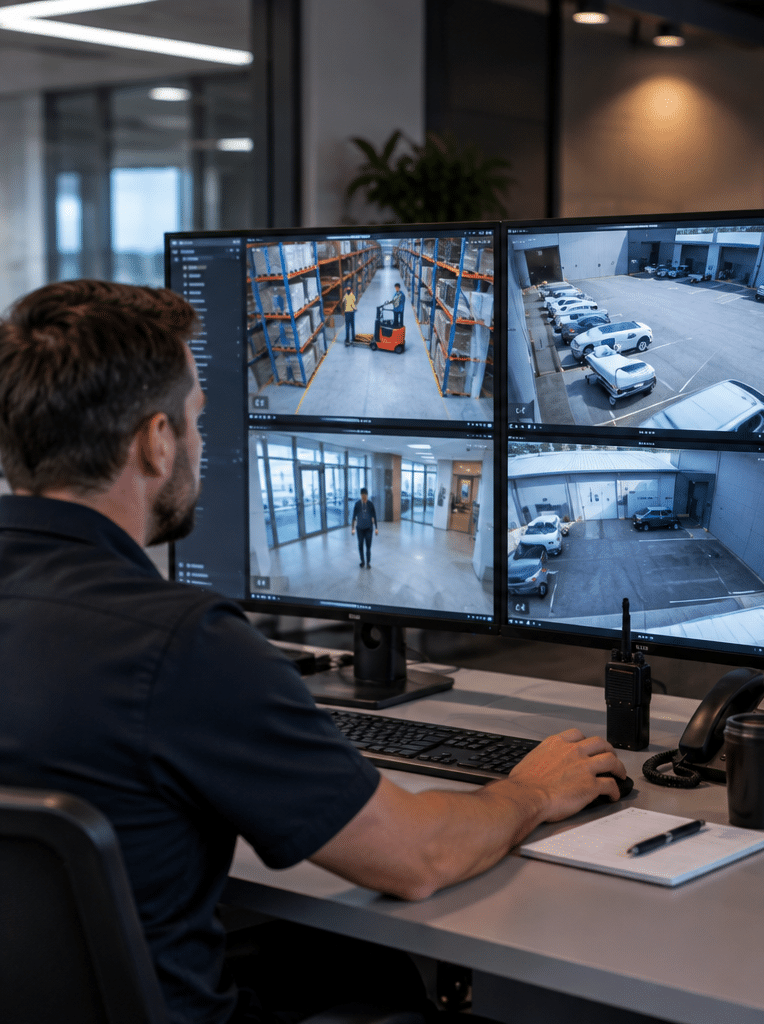
Choosing commercial security cameras Melbourne businesses can rely on involves much more than selecting the camera with the highest resolution. A useful commercial CCTV system must capture the right areas, produce usable footage in real conditions, store recordings securely, support authorised access and continue working when your business actually needs it.
Melbourne businesses also have very different security environments. A CBD office may prioritise entrances, lifts and reception areas. A warehouse in Truganina or Dandenong may need long-range perimeter coverage, loading dock monitoring and vehicle identification. Meanwhile, a retail store may need clear views of entrances, registers, aisles and stock areas.
For that reason, camera selection should begin with risk, location and operational requirements rather than megapixel numbers alone.
This guide explains how commercial CCTV systems work, which features matter, how installation should be planned, what Melbourne businesses should consider around licensing and privacy, and how to compare security camera solutions without paying for features that provide little practical value.
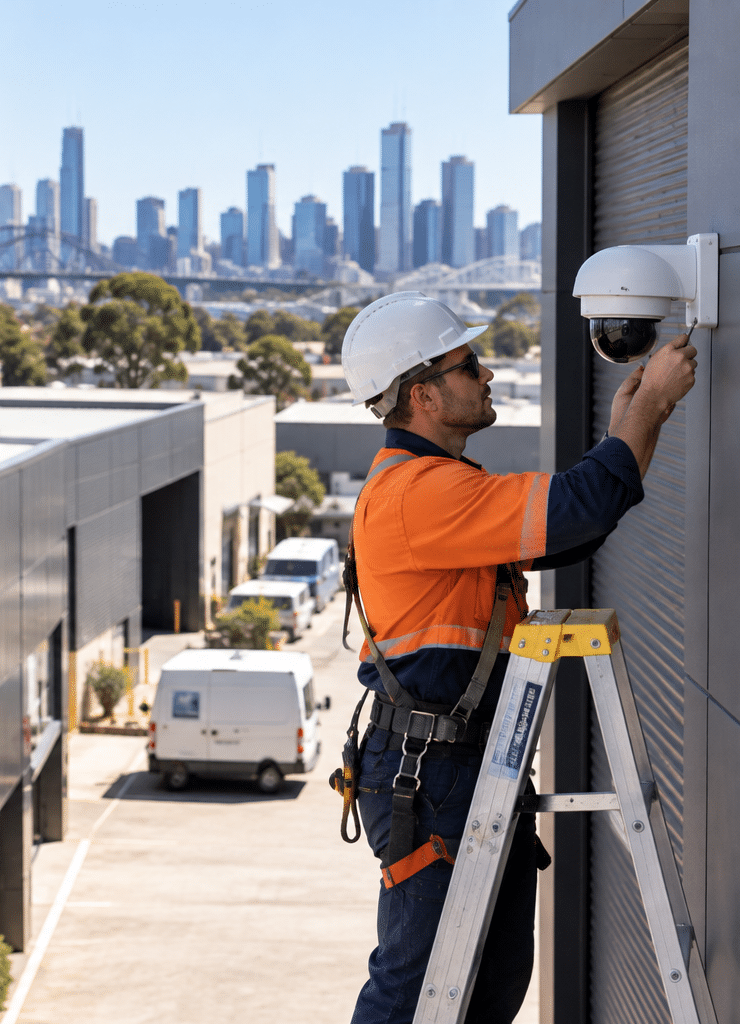
Table of Contents
- What are commercial security cameras in Melbourne?
- Why Melbourne businesses install commercial CCTV
- Commercial cameras versus residential cameras
- Types of commercial security cameras Melbourne businesses use
- Resolution and image quality
- Night vision and low-light performance
- Camera placement and coverage
- NVR, cloud and hybrid CCTV systems
- How much CCTV storage does a business need?
- AI-powered video analytics
- Network and cyber security
- Victorian installer licensing
- CCTV privacy and workplace considerations
- Commercial security camera installation checklist
- Common CCTV installation mistakes
- How to choose a commercial CCTV provider
- People Also Ask
- Commercial security cameras Melbourne Q&A
- Conclusion
What Are Commercial Security Cameras Melbourne Businesses Use?
Commercial security cameras Melbourne businesses use are purpose-built CCTV systems designed to monitor workplaces, entrances, assets and surrounding areas. They typically combine professional cameras, video recording, secure network access, adequate storage and planned camera placement to provide reliable live monitoring and recorded footage for business security and incident review.
Why Melbourne Businesses Use Commercial Security Cameras
Commercial CCTV generally supports several objectives rather than one.
A system may help a business:
- monitor entrances and exits
- review incidents
- observe loading and delivery areas
- detect unauthorised activity
- protect high-value equipment or stock
- monitor restricted areas
- improve visibility after business hours
- support workplace safety procedures
- verify alarm events
- provide footage following theft, vandalism or property damage
Victoria Police notes that CCTV can assist with identifying offenders, monitoring property remotely and deterring some criminal activity. It also recommends considering camera position, storage capacity, network security and image quality during both day and night conditions.
Businesses can review the official Victoria Police CCTV installation guidance when planning general camera coverage.
However, cameras should not be treated as a complete security strategy.
For example, a camera may record someone entering a warehouse, but an alarm system may be needed to detect the intrusion immediately. Access control can restrict entry before the incident occurs. Monitoring services can then provide a response pathway.
Therefore, the strongest commercial security design usually combines prevention, detection, recording and response.
Commercial Security Cameras Melbourne Businesses Need Versus Residential Cameras
Commercial and residential cameras can use similar technology, but the operating requirements are often very different.
A small home may have four cameras and limited recording requirements. In contrast, a commercial site could have dozens of cameras, multiple buildings, several authorised users and significant network traffic.
Commercial installations commonly require:
| Requirement | Typical Residential System | Typical Commercial System |
| Camera quantity | Low | Medium to very high |
| Recording | Basic | Continuous or rule-based |
| Storage | Limited | Larger, calculated retention |
| User permissions | Usually one household | Multiple roles and departments |
| Network design | Basic | Often segmented and managed |
| Video analytics | Optional | Frequently important |
| System integration | Limited | Alarms, access control, monitoring |
| Maintenance | Occasional | Scheduled |
| Remote management | Basic app | Controlled multi-user access |
| Scalability | Limited | Often essential |
Consequently, buying consumer cameras simply because they are inexpensive can create limitations later.
A business should consider the complete system life cycle, including maintenance, firmware support, storage expansion and future camera additions.
Types of Commercial Security Cameras Melbourne Sites Commonly Use
Different camera shapes exist because different locations require different viewing angles, mounting options and levels of protection.
Dome Cameras
Dome cameras are commonly installed inside offices, retail spaces, reception areas and similar locations.
Their compact form can provide a clean appearance, while the enclosure may also make the precise viewing direction less obvious.
They are suitable for:
- reception areas
- shops
- corridors
- foyers
- internal entrances
- office environments
Turret Cameras
Turret cameras have become common in commercial installations because they are relatively easy to position and can perform well in a range of indoor and outdoor situations.
They are often used for:
- building entrances
- warehouses
- car parks
- retail premises
- loading areas
Bullet Cameras
Bullet cameras have a more visible, directional design.
As a result, they can be useful where businesses want the presence of CCTV to be obvious.
Common applications include:
- perimeter areas
- driveways
- loading docks
- yards
- building exteriors
PTZ Cameras
PTZ means pan, tilt and zoom.
These cameras can move horizontally and vertically and may include optical zoom.
PTZ cameras can be valuable at large sites where operators actively monitor areas such as:
- warehouses
- logistics facilities
- major car parks
- industrial yards
- campuses
However, one PTZ camera should not automatically replace several fixed cameras.
A PTZ can only look in one direction at a given moment. Therefore, fixed cameras are usually still required for continuous coverage of critical areas.
Multi-Sensor Cameras
Multi-sensor cameras combine several imaging sensors within one housing.
They can provide broad coverage and may reduce the number of physical camera mounting locations needed in large open areas.
These systems can be useful for:
- building corners
- large foyers
- warehouses
- intersections within industrial facilities
- wide outdoor areas
Choosing Resolution for Commercial Security Cameras Melbourne Properties
Resolution matters, but more megapixels do not automatically mean better security.
A 4K image contains more pixels than a lower-resolution image. However, identification still depends on several factors, including:
- distance from the subject
- lens choice
- lighting
- camera angle
- movement
- compression
- shutter settings
- available bandwidth
- installation height
Therefore, the correct question is not simply, “How many megapixels do I need?”
The better question is:
What detail must this camera capture at this exact location?
For example, a general warehouse overview camera has a different purpose from a camera positioned to capture people entering through a doorway.
Likewise, a camera watching a car park entrance may require different lens characteristics from one monitoring an indoor storeroom.
Camera resolution should therefore be matched with the scene and the evidence requirement.
Low-Light and Night Performance Matter
A camera that performs well at midday may produce poor evidence at 2 am.
This is especially important for businesses with:
- outdoor yards
- warehouses
- car parks
- laneways
- loading zones
- 24-hour operations
Infrared illumination allows many cameras to capture monochrome images in darkness. Meanwhile, some newer cameras are designed to produce useful colour images at very low light levels.
However, marketing claims should be treated carefully.
Actual low-light performance depends on the sensor, lens, shutter speed, supplementary lighting and installation environment.
For example, bright vehicle headlights pointing directly towards a camera can affect image quality. Likewise, reflective surfaces can interfere with infrared illumination.
A site survey should consider these conditions before camera models are selected.
Camera Placement Is More Important Than Camera Count
Adding more cameras does not necessarily improve a system.
Ten poorly positioned cameras can be less useful than six cameras designed around specific security objectives.
Victoria Police recommends considering entry and exit coverage, camera positioning, adequate storage, network settings and image quality.
For a commercial site, useful camera locations may include:
- main pedestrian entrances
- staff entrances
- reception areas
- loading docks
- vehicle entry points
- cash-handling locations
- high-value stock areas
- plant or equipment rooms
- internal access points
- external perimeter areas
- car parks
Nevertheless, camera placement must also account for privacy.
Pointing cameras unnecessarily into neighbouring properties, private spaces or unrelated areas creates avoidable privacy concerns.
The objective should be purposeful coverage rather than maximum surveillance.
Commercial Security Cameras Melbourne: NVR, Cloud or Hybrid?
Modern commercial systems can store video locally, remotely or through a combination of both.
Network Video Recorder
An NVR records video from IP cameras, usually across a business network.
This remains common for commercial installations because businesses can maintain substantial local storage without continuously uploading all footage to the internet.
Cloud Recording
Cloud-based systems transmit video or selected events to remotely hosted infrastructure.
Advantages may include:
- remote access
- easier multi-site management
- reduced reliance on an onsite recorder
- centralised administration
However, businesses should also evaluate:
- subscription costs
- bandwidth
- data sovereignty requirements
- internet outages
- storage limitations
- cyber security
- vendor dependency
Hybrid CCTV
A hybrid approach stores footage locally while also using remote or cloud services for selected functionality.
For example, a business may keep continuous footage on an NVR but use secure cloud connectivity for notifications, remote viewing or backup of selected incidents.
| Feature | NVR | Cloud | Hybrid |
| Local recording | Yes | Usually limited or no | Yes |
| Internet required for recording | Usually no | Usually yes | Usually not |
| Large storage capacity | Strong | Plan-dependent | Strong |
| Remote access | Available | Strong | Strong |
| Ongoing subscription | Often lower | Common | Possible |
| Multi-site management | Possible | Strong | Strong |
| Internet outage resilience | Strong | Depends on design | Strong |
No single architecture is automatically best.
Instead, the system should reflect operational requirements, cyber-security policy, site connectivity and budget.
How Much CCTV Storage Does a Business Need?
Storage should be calculated rather than guessed.
The main factors are:
- number of cameras
- camera resolution
- frame rate
- video codec
- average bitrate
- hours recorded each day
- motion versus continuous recording
- required retention period
Consider a simplified example.
If one camera averages approximately 4 Mbps, continuous recording can generate roughly 43 GB per day.
Therefore, 20 cameras operating under similar conditions could theoretically generate more than 800 GB each day.
These figures are only illustrative estimates. Real storage varies significantly based on scene complexity, compression, bitrate settings and recording schedules.
The lesson is simple: determine your retention requirement first, then calculate storage around it.
Otherwise, a business may discover after an incident that older footage has already been overwritten.
AI Features in Commercial Security Cameras Melbourne Systems
Artificial intelligence has become increasingly common in commercial video surveillance.
However, “AI camera” can describe many different capabilities.
Common analytics include:
- human detection
- vehicle detection
- line crossing
- intrusion zones
- object classification
- people counting
- loitering detection
- vehicle searching
- unusual activity alerts
The primary benefit is usually not that AI makes a camera inherently better.
Instead, analytics can reduce the volume of footage operators need to review.
For example, traditional motion detection may trigger when trees move, rain falls or shadows change.
Object classification can help distinguish between a person, vehicle and irrelevant movement.
That can improve event searching and reduce unnecessary alerts.
However, analytics should be tested against the real environment.
Accuracy can vary because of:
- lighting
- camera height
- viewing angle
- distance
- weather
- visual obstructions
- scene congestion
Therefore, businesses should avoid assuming that an analytics feature will perform perfectly simply because it appears on a specification sheet.
Cyber Security for Networked Commercial Cameras
Modern IP cameras are computers connected to a network.
That means CCTV is also an IT security issue.
The Australian Cyber Security Centre identifies security cameras as Internet of Things devices and warns that poorly secured IoT devices can expose networks and data. Its guidance recommends considering passwords, software updates, data collection, remote access and manufacturer support.
Businesses can review the Australian Government’s guidance for securing Internet of Things devices.
For commercial installations, useful controls can include:
- changing default credentials
- using strong, unique passwords
- applying firmware updates
- limiting administrator accounts
- disabling unnecessary services
- controlling remote access
- separating CCTV equipment from other business systems where appropriate
- using secure remote-access methods
- documenting authorised users
- removing access when staff leave
- maintaining device inventories
It is also worth considering the manufacturer’s support life.
A camera may continue functioning physically for years after the manufacturer stops releasing security updates.
Therefore, purchase price should not be the only factor.
Commercial Security Cameras Melbourne Installer Licensing
Businesses should check who is actually authorised to install their security equipment.
Victoria Police defines a security equipment installer as a person retained or employed to install, service, repair or maintain security equipment. Security camera systems are specifically included within the listed equipment category.
Importantly, Victoria’s private security licensing framework has changed.
Victoria Police states that from 19 June 2025, private security activities became licensed activities. It also provides a public register that businesses can use to check authorised licence holders.
Before appointing an installer, businesses should therefore verify the relevant Victorian licensing status and authorised activity.
The official Victoria Police private security information provides current licensing details.
This is particularly important for larger commercial installations where the installer may also advise on alarms, access control or integrated security systems.
Privacy Considerations for Commercial CCTV
Commercial CCTV can capture identifiable customers, employees, contractors and visitors.
Therefore, privacy should be considered during system design rather than after cameras are installed.
The Office of the Australian Information Commissioner states that organisations covered by the Privacy Act must comply with the Australian Privacy Principles when collecting personal information through surveillance devices. It notes that covered organisations generally need to notify people that their image may be captured and secure recorded personal information.
The Privacy Act generally applies to Australian Government agencies and organisations with annual turnover above $3 million, as well as some other organisations covered regardless of turnover.
However, state surveillance requirements can also apply.
Therefore, a business should consider administrative questions such as:
- Why is each camera required?
- What area does it capture?
- Who can access recordings?
- How long is footage retained?
- How are recordings exported?
- Who approves disclosure?
- Are signs or notices required?
- Are employees being monitored?
- Is audio recording enabled?
- Is footage stored with a third party?
These points are general administrative guidance, not legal advice. Businesses with privacy, workplace-surveillance or recording concerns should obtain advice appropriate to their organisation and monitor current Victorian requirements.
A 10-Step Commercial Security Camera Installation Checklist
A professional CCTV project should normally follow a structured process.
1. Define the security problem
List the incidents or risks the business wants the system to address.
For example:
- unauthorised entry
- stock theft
- vandalism
- after-hours activity
- vehicle access
- workplace incidents
2. Inspect the site
Review doors, windows, perimeter lines, lighting, network infrastructure and vulnerable areas.
3. Set an objective for each camera
Every camera should have a reason for existing.
Examples include:
- identify people entering
- observe a loading dock
- monitor a cash register
- view a vehicle gate
- detect after-hours movement
4. Determine image detail
Decide whether each view needs general observation, recognition or stronger identification detail.
5. Test lighting conditions
Consider daytime glare, darkness, headlights and shadows.
6. Plan network infrastructure
Determine cable routes, switches, PoE capacity, network segmentation and remote-access requirements.
7. Calculate storage
Define the required recording period and calculate storage using actual camera settings.
8. Configure user permissions
Avoid giving every user administrator access.
Instead, create access according to role.
9. Test the completed system
Test cameras during real operating conditions, including after dark where relevant.
10. Document and maintain the system
Record:
- camera names
- locations
- IP addresses
- recording settings
- authorised users
- warranty information
- firmware versions
- maintenance schedules
Documentation becomes increasingly valuable as systems grow.
Common Commercial CCTV Installation Mistakes
Installing Cameras Too High
A very high camera may provide excellent overview coverage but poor facial detail.
Therefore, height should be matched to the camera’s objective.
Using Wide-Angle Views Everywhere
A wide-angle lens captures more area, but objects occupy fewer pixels.
Consequently, the scene may look impressive while providing insufficient detail at important distances.
Ignoring Night Conditions
A daytime installation test is incomplete when the highest security risk occurs after hours.
Forgetting Storage Retention
A recorder may appear to have substantial capacity until dozens of high-resolution cameras begin recording continuously.
Using Shared Passwords
Shared administrator credentials create unnecessary risk and poor accountability.
Connecting Cameras Without Network Planning
A large IP CCTV deployment can place meaningful traffic on business infrastructure.
Therefore, network capacity should be considered before installation.
Assuming AI Is Always Accurate
Video analytics can significantly improve searching and alerting. However, they still require correct configuration and suitable camera placement.
Neglecting Maintenance
Dirty lenses, damaged cables, failed hard drives, incorrect time settings and outdated firmware can all reduce system effectiveness.
A camera that appears online is not necessarily producing useful evidence.
Choosing a Provider for Commercial Security Cameras Melbourne
Comparing installers only by total quote price can be misleading because CCTV proposals may differ significantly in scope.
Instead, ask each provider to explain:
What does each camera need to achieve?
The proposal should connect camera locations to business objectives.
What camera models are being supplied?
Request model information rather than accepting descriptions such as “8MP professional camera”.
How will footage be stored?
Confirm:
- storage capacity
- estimated retention
- recording method
- backup approach
How will remote access work?
Ask how access is secured and how users are managed.
Is future expansion possible?
Your business may later need additional cameras, buildings or integrations.
Who will install and maintain the equipment?
Verify that relevant Victorian security licensing requirements are satisfied.
What happens after installation?
A commercial system should include clear handover information.
Ideally, the business should understand how to:
- review footage
- export incidents
- manage authorised users
- confirm cameras are recording
- report faults
Should CCTV Integrate With Access Control and Alarms?
Often, yes.
Integrated security systems can provide more context than standalone devices.
For example, access control may record that a credential was used at a door at 8:42 pm. CCTV can provide visual context around that event.
Likewise, an intrusion alarm may trigger a specific camera view for investigation.
Possible integrations include:
- CCTV and alarms
- CCTV and access control
- CCTV and intercoms
- CCTV and monitoring centres
- CCTV and vehicle gates
- CCTV and analytics
However, integration should solve a genuine operational problem.
Connecting systems simply because integration is technically possible can increase complexity without adding meaningful security value.
How Much Do Commercial Security Cameras Melbourne Businesses Cost?
There is no reliable universal price because commercial CCTV projects vary greatly.
Cost depends on factors such as:
- number of cameras
- camera specifications
- installation height
- cable distance
- network infrastructure
- storage requirements
- analytics
- monitoring
- remote connectivity
- existing equipment
- site access
- integration requirements
- commissioning
- maintenance
For example, installing four cameras in a small office with accessible ceiling space is fundamentally different from installing 40 cameras across a warehouse and external yard.
Therefore, any price given without understanding the site should be treated as an estimate.
The more useful approach is to develop a clear scope and compare equivalent system designs.
Commercial CCTV Maintenance
Commercial security cameras should be maintained like other business infrastructure.
A maintenance review may include:
- cleaning lenses
- checking camera alignment
- testing night images
- confirming recording
- checking storage health
- testing exported video
- reviewing user access
- checking firmware
- confirming system time
- testing remote viewing
- inspecting physical mounts
- reviewing camera obstruction
For example, landscaping may grow into an outdoor camera’s field of view. A warehouse layout may change. New signage may block an internal camera.
Therefore, a system that was correctly designed two years ago may no longer provide the same coverage today.
People Also Ask About Commercial Security Cameras Melbourne
What security cameras are best for a Melbourne business?
The best camera depends on the area being monitored. Indoor offices, loading docks, warehouses and car parks have different requirements, so lens choice, low-light performance, resolution, analytics and environmental protection should be matched to each location.
Do commercial security cameras need internet access?
Not necessarily. Many IP CCTV systems can record to an onsite NVR without internet access, although internet connectivity is generally required for cloud services and remote viewing. Remote connections should be secured and limited to authorised users.
How long should commercial CCTV footage be stored?
There is no single retention period suitable for every business. Storage should reflect operational requirements, privacy considerations, risk level and the time it normally takes the organisation to discover incidents.
Can a business use CCTV to monitor employees in Melbourne?
Workplace surveillance can involve Australian and Victorian privacy and surveillance requirements. Businesses should define a legitimate purpose, collect only what is necessary and obtain advice appropriate to their workplace before using CCTV specifically for employee monitoring.
Are commercial CCTV installers licensed in Victoria?
Security equipment installation is a private security activity regulated in Victoria, and security camera systems fall within the equipment installer category. Businesses should verify the provider and relevant authorised activities through current Victoria Police licensing information.
Commercial Security Cameras Melbourne: Expert Q&A
1. Should my business choose 4MP or 8MP cameras?
Neither resolution is automatically better.
An 8MP camera provides more pixels, but storage, bitrate, lighting and lens selection also affect results. A properly positioned 4MP camera can sometimes provide more useful evidence than a poorly positioned 8MP camera.
The decision should therefore be based on required image detail at the target distance.
2. Should commercial cameras record continuously or only when motion is detected?
Continuous recording provides the most complete timeline, while event-based recording can reduce storage requirements.
Many businesses use a combination. Critical cameras may record continuously, while analytics or motion rules help identify relevant events.
The best configuration depends on storage capacity, risk and operational requirements.
3. Is facial recognition necessary for a commercial CCTV system?
Usually not.
Standard cameras can provide high-quality identification footage without automated facial recognition.
Facial recognition introduces additional privacy, governance and accuracy considerations. Therefore, businesses should only consider it where there is a clear requirement and appropriate compliance review.
4. Can an existing analogue CCTV system be upgraded without replacing everything?
Sometimes.
Existing cabling and infrastructure may be reusable depending on condition, technology and the upgrade design.
However, keeping old infrastructure purely to reduce upfront cost can restrict image quality or future expansion. A site assessment can determine which components remain practical to use.
5. How can a business tell whether its CCTV system is actually effective?
Test it against realistic incidents.
For example, ask whether you can:
- identify a person at the main entrance
- review a vehicle entering the site
- retrieve footage quickly
- see useful images at night
- export video successfully
- determine when a camera stops recording
If the system cannot perform its intended tasks, additional cameras are not always the answer. Camera position, lighting, network configuration or recording settings may need adjustment.
Final Thoughts on Commercial Security Cameras Melbourne Businesses Can Rely On
Effective commercial security cameras Melbourne businesses use should be designed around risk rather than specifications alone.
Resolution matters, but camera position matters too. AI analytics can help, but only when configured for the environment. Remote viewing is useful, but it also requires strong cyber-security controls. Large storage capacity is valuable, but only when retention has been calculated correctly.
In addition, Victorian businesses should verify the licensing status of security equipment installers and consider privacy requirements before collecting or retaining identifiable footage.
Most importantly, think of CCTV as part of a wider security system.
For many sites, cameras work best alongside access control, alarms, monitoring and clear internal procedures.
If you are planning a new CCTV installation, replacing an ageing recorder or reviewing security across a Melbourne commercial site, explore commercial security solutions from Eclipse Security to discuss a system based on your site’s actual coverage, recording and operational requirements.