

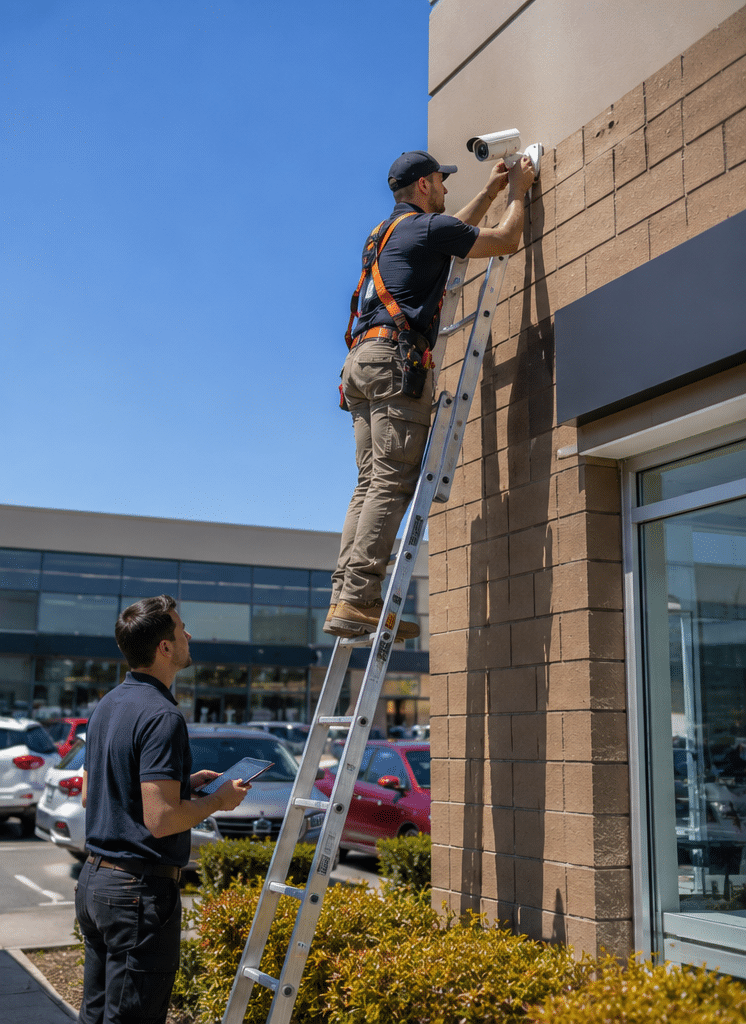
CCTV servicing is one of the most overlooked parts of business security in Australia, yet it is often the difference between usable evidence and a camera system that fails when you need it most. From my experience working with commercial security needs, many camera faults do not appear overnight. They build slowly through dirty lenses, loose connections, poor night vision, outdated firmware, full hard drives, weak network settings, and cameras that have drifted away from the area they were meant to cover.
A CCTV system is not a “set and forget” asset. It is closer to a safety system, IT device, and operational tool rolled into one. Therefore, regular servicing helps protect people, property, stock, vehicles, staff, visitors, and records. It also supports better privacy administration because camera placement, signage, access permissions, retention settings, and system logs can be reviewed before a complaint or incident occurs.
For Australian businesses, CCTV servicing is especially important because conditions vary widely. Coastal air can corrode mounts. Dust can affect cameras in warehouses and industrial sites. Heat can shorten hardware life. Meanwhile, cyber risks affect internet-connected cameras, recorders, and apps. As a result, a good servicing plan should check physical condition, image quality, recording, storage, network security, privacy settings, and user access.
What Is CCTV Servicing?
CCTV servicing is the planned inspection, cleaning, testing, adjustment, software review, and fault reporting of security camera systems. It helps confirm cameras are recording clearly, storing footage correctly, positioned properly, protected from basic cyber risks, and ready to support safety, incident review, and business security needs.
Table of Contents
- Why CCTV servicing matters in Australia
- What a professional CCTV service should include
- CCTV servicing checklist for Australian sites
- How often should CCTV systems be serviced?
- CCTV servicing for different Australian businesses
- Common CCTV faults found during servicing
- Compliance and privacy administration
- Cyber security and network camera maintenance
- DIY checks vs professional CCTV servicing
- How to prepare for a CCTV service visit
- People Also Ask
- Q&A: Expert CCTV servicing answers
- Conclusion
Why CCTV Servicing Matters in Australia
CCTV cameras are installed to provide visibility. However, visibility is only useful when the system is working properly. A camera may look fine from the outside but still fail to record, lose time synchronisation, capture blurry footage, miss night activity, or overwrite video too soon.
In Australia, CCTV systems are used across retail stores, offices, warehouses, apartment buildings, schools, construction sites, hospitality venues, healthcare facilities, car parks, strata properties, and industrial sites. Each environment creates different servicing needs. For example, a coastal site may need extra corrosion checks, while a busy warehouse may need more frequent lens cleaning due to dust.
According to the Office of the Australian Information Commissioner security camera guidance, privacy issues can arise when cameras capture people’s images or identity information. Therefore, CCTV servicing should not only focus on hardware. It should also support good administration, including camera coverage, access control, signage checks, and footage handling procedures.
Good servicing helps answer simple but critical questions:
- Are all cameras online?
- Is every camera recording?
- Is the image clear during the day and at night?
- Is the date and time correct?
- Can authorised people retrieve footage quickly?
- Are storage and retention settings working as intended?
- Are old users removed from system access?
- Are cameras still aimed at appropriate areas?
- Are system faults documented?
These questions matter because CCTV usually becomes important after something has already happened. By then, it is too late to fix yesterday’s recording failure.
What a Professional CCTV Service Should Include
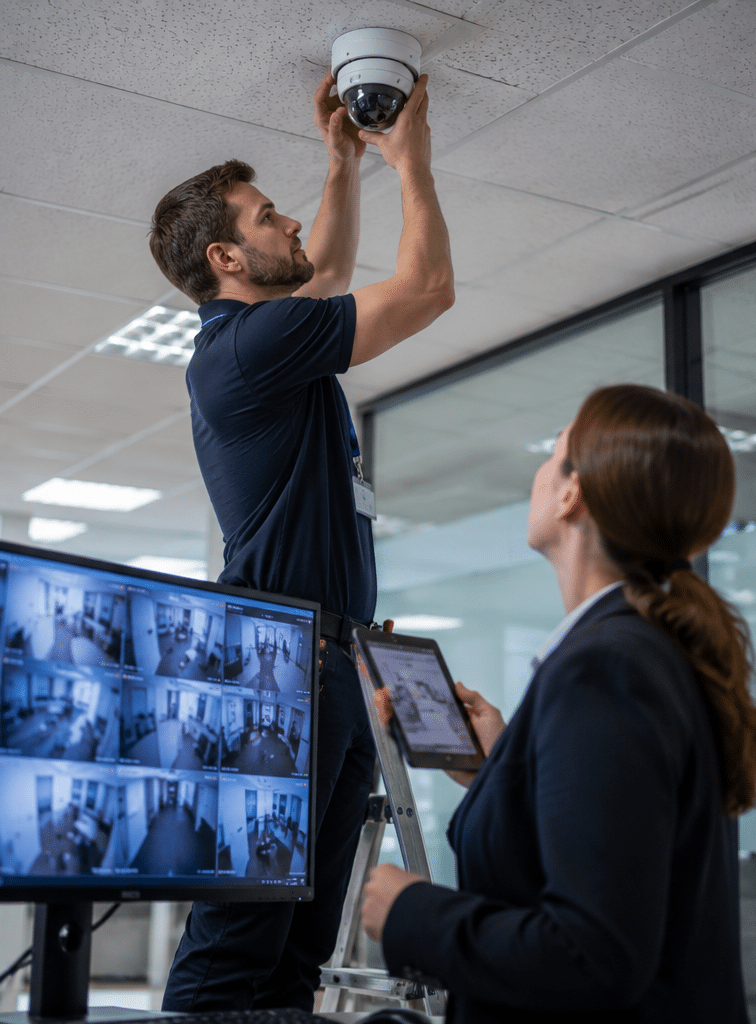
A professional CCTV servicing visit should be structured, documented, and practical. It should not be limited to wiping a few lenses and restarting a recorder. Instead, it should test the system from camera to storage to playback.
1. Camera inspection and cleaning
Technicians should inspect each camera for dirt, cobwebs, water marks, cracked housings, loose brackets, corrosion, vandal damage, blocked views, and sun glare. They should also clean lenses and domes using suitable materials.
This matters because even a high-resolution camera can produce poor evidence if a lens is dirty or a dome cover is scratched. In outdoor areas, dust, rain, insects, salt air, and heat can reduce image quality over time.
2. Camera angle and field-of-view review
Camera angles can shift after wind, vibration, accidental impact, renovations, stock movement, new signage, or changes in site layout. Therefore, CCTV servicing should include a review of each camera’s field of view.
From my experience, this is one of the most valuable checks. A business may install a camera to monitor a gate, counter, driveway, or loading bay, only to discover months later that a sign, shelving unit, or parked vehicle blocks the main view.
3. Day and night image quality testing
CCTV systems should be checked under real operating conditions. Daytime footage may look sharp, while night footage may be washed out, too dark, or affected by reflections.
A technician should check:
- Focus
- Exposure
- Infrared performance
- Low-light performance
- Backlight issues
- Motion blur
- Frame rate
- Image noise
- Glare from headlights or reflective surfaces
Night vision faults are common because infrared LEDs can weaken, domes can reflect light, and nearby surfaces can bounce light back into the camera.
4. Recording and playback confirmation
A camera being “online” does not always mean it is recording properly. Therefore, servicing should include playback checks. The technician should confirm footage is being stored, can be searched, and can be exported if required.
This step is vital for incident response. If a theft, injury, dispute, break-in, or safety issue occurs, the business needs more than a live image. It needs reliable recorded evidence.
5. Storage and retention review
Digital video recorders, network video recorders, and cloud-connected systems all depend on storage settings. If storage is too small or wrongly configured, footage may be overwritten sooner than expected.
Servicing should check:
- Hard drive health
- Available storage
- Recording schedule
- Motion recording settings
- Retention period
- Error logs
- Overwrite settings
- Export function
Retention needs vary by site. For example, a small office may need a shorter retention period than a warehouse, school, strata property, or high-risk retail site. However, retention should be balanced with privacy and operational requirements.
6. Network and remote access checks
Modern CCTV systems often connect to mobile apps, cloud portals, routers, switches, Wi-Fi bridges, and business networks. Therefore, servicing should include basic network checks.
The Australian Signals Directorate’s cyber security guidance for smart devices has highlighted the importance of avoiding default passwords, applying security updates, and managing vulnerabilities. The Australian Government’s Code of Practice: Securing the Internet of Things for Consumers also prioritises default passwords, vulnerability disclosure, and security updates.
For CCTV servicing, that means technicians should review:
- Password strength
- User accounts
- Remote access settings
- Firmware status
- Network connection stability
- Recorder access permissions
- App access for current staff only
- Basic router or port exposure concerns
CCTV is no longer just physical security. It is also a connected technology risk.
7. Documentation and service reporting
A quality CCTV service should end with a clear report. The report should list what was checked, what passed, what failed, and what should be repaired, upgraded, or reviewed.
A useful report may include:
- Camera list
- Camera locations
- Faults found
- Photos where useful
- Recording status
- Storage health
- User access notes
- Recommended actions
- Urgency level
- Date of service
- Technician notes
This documentation helps managers budget, plan repairs, and show that the system is being managed responsibly.
CCTV Servicing Checklist for Australian Sites
Use this numbered checklist as a practical starting point before, during, and after a service visit.
- Confirm site goals
List what the CCTV system is meant to protect, such as entrances, exits, counters, loading docks, car parks, perimeters, restricted areas, or plant rooms. - Map every camera
Record each camera location, name, model, and viewing area. This makes future servicing faster and reduces confusion during incident searches. - Check camera condition
Inspect housings, domes, mounts, brackets, cable entry points, seals, and visible damage. - Clean lenses and covers
Remove dust, cobwebs, water marks, grease, and debris using suitable cleaning methods. - Review camera angles
Confirm each camera still covers the intended area and does not unnecessarily capture private or unrelated spaces. - Test live view
Check every camera on the monitor, app, or video management system. - Test recording
Search recent footage from each camera and confirm video is actually being stored. - Check playback and export
Export a short sample clip to confirm the process works before an urgent incident occurs. - Confirm date and time
Make sure the recorder, cameras, and exported footage display the correct Australian local time. - Review storage health
Check hard drive status, retention period, and overwrite settings. - Test night vision
Review low-light footage or schedule a night test for high-risk areas. - Check remote access
Confirm only approved users can access the system remotely. - Remove old users
Delete accounts for former staff, contractors, or suppliers who no longer need access. - Review firmware and updates
Check whether camera or recorder updates are available and apply them using a controlled process. - Document faults and actions
Record findings, recommended repairs, priorities, and next service date.
How Often Should CCTV Systems Be Serviced?
Most commercial CCTV systems should be serviced at least once or twice per year. However, higher-risk sites may need quarterly checks. The right schedule depends on the environment, camera count, risk level, public exposure, and how often the system is used.
As a practical guide:
| Site Type | Suggested CCTV Servicing Frequency | Why It Matters |
| Small office | Every 12 months | Low dust and lower camera movement, but recording and access still need checking |
| Retail store | Every 6 months | High incident value, frequent layout changes, and customer-facing risks |
| Warehouse | Every 3–6 months | Dust, forklifts, vibration, and blocked views can affect footage |
| Construction site | Every 1–3 months | Temporary power, movement, weather, and vandalism create higher failure risk |
| Strata building | Every 6–12 months | Shared access areas need reliable coverage and clear administration |
| School or childcare site | Every 3–6 months | Sensitive environments require strong access control and careful camera review |
| Industrial site | Every 3–6 months | Dust, heat, vibration, and safety events increase the need for regular checks |
These are general estimates, not fixed rules. However, if CCTV is part of your safety, insurance, operations, or incident management process, servicing should be frequent enough to detect faults before footage is needed.
CCTV Servicing for Different Australian Businesses
Different organisations use CCTV in different ways. Therefore, servicing should reflect the site’s real risks.
Retail CCTV servicing
Retail cameras often monitor entrances, exits, checkouts, aisles, stock areas, and loading zones. Servicing should focus on clear facial images at entry points, reliable footage at point-of-sale areas, and working playback for loss prevention reviews.
However, retailers should be careful with advanced analytics such as facial recognition. The OAIC has examined privacy issues involving facial recognition and retail surveillance, which shows why businesses should treat privacy notices, purpose, access, and data handling as serious administrative tasks.
Warehouse CCTV servicing
Warehouses often have wide spaces, high ceilings, forklifts, roller doors, and loading docks. As a result, camera placement can be challenging. Servicing should check lens cleanliness, vibration effects, blind spots, night lighting, and camera views blocked by pallets or racking.
Because warehouses can change layout often, a servicing visit should include a field-of-view review, not just a technical test.
Office CCTV servicing
Office systems often focus on entrances, reception areas, server rooms, lifts, corridors, and car parks. Servicing should confirm that cameras are not aimed into private areas and that access to footage is limited to authorised people.
For offices, privacy administration is often as important as image quality. Staff should know the system exists, why it is used, and who manages access.
Strata and apartment CCTV servicing
Strata CCTV systems often cover foyers, lifts, mail rooms, car parks, bin rooms, and common areas. Servicing should review recorder access, committee or building manager permissions, camera coverage, and footage request processes.
In shared buildings, a clear process helps avoid disputes. It also makes incident review faster when vandalism, theft, parcel loss, or access issues occur.
Construction CCTV servicing
Construction sites are rough environments for cameras. Temporary poles, mobile systems, power interruptions, dust, weather, and site movement can all cause issues. Therefore, servicing should be frequent and practical.
A construction CCTV service should check camera alignment after site changes, battery or power systems, wireless connections, recording continuity, and vandal-resistant mounting.
Common CCTV Faults Found During Servicing
CCTV faults are often simple, but their impact can be serious. During servicing, technicians commonly find the following issues.
Dirty or fogged lenses
Dust, moisture, spider webs, and grime reduce clarity. This is especially common outdoors, in car parks, near loading bays, and in industrial sites.
Failed hard drives
Recorders may keep showing live views even when storage has failed. Therefore, hard drive health checks are essential.
Incorrect time settings
If time settings are wrong, footage can be harder to use during incident review. It can also create confusion when matching CCTV with alarms, access control logs, or staff reports.
Poor night vision
Night footage may be too dark, too bright, or distorted by infrared reflection. This fault is often missed if servicing only happens during daylight.
Loose or damaged cables
Cables can be affected by rodents, water, movement, poor installation, or accidental damage during building works.
Outdated firmware
Outdated firmware can affect stability and security. However, updates should be handled carefully, especially on business-critical systems.
Weak passwords and old users
Former employees or contractors may still have access if user accounts are not reviewed. This is a common and avoidable risk.
Changed site layout
New walls, signs, shelving, stock, vehicles, or equipment can block a once-useful camera view.
Compliance and Privacy Administration
CCTV servicing should not be treated as legal advice. However, it can support good compliance administration by helping businesses review how their cameras are used, managed, and documented.
The OAIC explains that privacy and surveillance issues can arise when cameras collect images or identity information, and employers must consider Australian, state, and territory laws when monitoring workplaces. This makes camera governance important, especially in workplaces and customer-facing areas.
For business owners and facility managers, useful administrative checks include:
- Is CCTV used for a clear business purpose?
- Are cameras positioned in appropriate locations?
- Are private areas avoided?
- Is signage visible where needed?
- Is footage access limited?
- Are retention periods reasonable?
- Are footage requests handled consistently?
- Are audio recording functions disabled unless properly reviewed?
- Are staff and contractors aware of relevant procedures?
- Are advanced analytics reviewed carefully before use?
In Australia, licensing can also matter for security work. For example, Queensland Government guidance states that a security equipment installer licence can authorise the holder to install, repair, service, or maintain electronic security equipment, including audio or visual recording systems. Requirements vary by state and territory, so businesses should check the relevant licensing rules before engaging providers.
The industry body ASIAL also lists standards and codes relevant to electronic security, including CCTV, alarm systems, monitoring centres, and cabling rules. You can review these through ASIAL electronic security standards.
The key point is simple: CCTV servicing should support safety, reliability, privacy awareness, and documented administration. It should not be just a technical exercise.
Cyber Security and Network Camera Maintenance
Many CCTV systems are now IP-based. That means cameras and recorders may connect to business networks, routers, cloud systems, mobile apps, and remote monitoring platforms. Consequently, CCTV servicing should include basic cyber hygiene.
According to Australian Government guidance for connected devices, default passwords, security updates, and vulnerability reporting are high-priority security areas. For CCTV systems, this translates into practical actions.
Password review
Default passwords should be changed. Passwords should be unique and strong. Shared accounts should be avoided where possible because they make accountability harder.
User access review
Staff changes are common. Therefore, CCTV servicing should include a review of who can access live view, playback, export, settings, and remote apps.
Firmware review
Firmware updates can fix bugs and security issues. However, they should be applied in a controlled way. A technician should confirm compatibility, backup settings where possible, and test the system after updates.
Network exposure review
Remote access should be configured carefully. Open ports, weak passwords, outdated recorders, and unsupported apps can create avoidable risks.
App and cloud access review
Many businesses use mobile viewing. However, phones are lost, staff leave, and contractors change. Therefore, mobile access should be checked during servicing.
Cyber-aware CCTV servicing protects more than video. It protects the wider business network.
DIY Checks vs Professional CCTV Servicing
Some checks can be done by a site manager. Others need a qualified technician. The best approach is often a mix of simple monthly checks and scheduled professional servicing.
| Task | DIY Site Check | Professional CCTV Servicing |
| Confirm cameras appear online | Yes | Yes |
| Clean easily accessible indoor camera covers | Sometimes | Yes |
| Check playback from recent footage | Yes | Yes |
| Adjust elevated outdoor cameras | No | Yes |
| Test hard drive health | Limited | Yes |
| Review firmware and system logs | Limited | Yes |
| Repair cabling or mounting faults | No | Yes |
| Review network security settings | Limited | Yes |
| Export footage sample | Yes | Yes |
| Provide formal service report | No | Yes |
DIY checks are useful because they catch obvious problems early. However, professional servicing is still important because many faults are hidden in logs, storage health, network settings, camera alignment, and recorder configuration.
How to Prepare for a CCTV Service Visit
A little preparation helps technicians work faster and produce a better result.
Before the visit
Gather system details, including recorder location, login access, camera list, monitor location, network access information, and any recent problems.
During the visit
Walk the technician through the site. Point out high-risk areas, recent incidents, blocked views, layout changes, and staff concerns.
After the visit
Review the service report. Then, prioritise urgent repairs, approve needed replacements, update access permissions, and schedule the next service.
This process turns CCTV servicing from a reactive repair into a planned security improvement cycle.
Signs Your CCTV System Needs Servicing Now
Book a service sooner if you notice any of these warning signs:
- Cameras dropping offline
- Blurry or dark footage
- Playback gaps
- Recorder beeping
- Wrong date or time
- Full or failed hard drive alerts
- Remote viewing no longer working
- Cameras moved by wind or impact
- Night footage washed out
- Former staff still having app access
- Footage overwriting too quickly
- Water inside camera housings
- Corroded brackets or mounts
- Recent break-in, theft, or safety incident
These signs should not be ignored. In many cases, a small fault can be fixed before it becomes a major failure.
Choosing a CCTV Servicing Provider in Australia
When choosing a provider, look for practical experience, clear reporting, and appropriate licensing for your location and type of work. Also, choose a provider that understands both physical security and connected technology.
A strong provider should be able to:
- Inspect all cameras and recorders
- Test recording and playback
- Check storage health
- Review user access
- Identify blind spots
- Explain faults clearly
- Provide written recommendations
- Handle repairs or upgrades
- Support privacy-aware administration
- Discuss future system improvements without pressure
For Australian businesses that want reliable servicing, maintenance, installation, and security system support, Eclipse Security’s professional security solutions can help plan practical next steps based on your site, risks, and existing equipment.
Cost Factors in CCTV Servicing
CCTV servicing costs vary. The final price usually depends on the number of cameras, site size, access difficulty, system type, fault level, travel, reporting needs, and whether replacement parts are required.
Common cost factors include:
- Number of cameras
- Indoor vs outdoor access
- Height access equipment
- Recorder type
- Network complexity
- Hard drive replacement
- Camera cleaning difficulty
- Fault diagnosis time
- After-hours servicing
- Multi-site reporting
- Firmware or configuration work
A small system may only need a basic service. However, a large commercial site may need a detailed audit, camera map, storage review, access review, and staged repairs.
The cheapest service is not always the best value. Instead, look for clear scope, documented checks, and practical recommendations.
CCTV Servicing and Evidence Quality
CCTV footage is only useful when it is clear, complete, and easy to retrieve. Therefore, servicing should focus on evidence quality.
A technician should ask:
- Can faces be identified where needed?
- Can number plates be captured where required?
- Is the frame rate suitable for moving subjects?
- Is the camera angle useful?
- Is the lighting adequate?
- Is footage retained long enough?
- Can footage be exported without corruption?
- Is the timestamp correct?
- Is the playback search process simple?
From my experience, many systems technically “work” but still fail the evidence test. They show movement but not detail. They capture people but not faces. They record the driveway but not the number plate. Servicing helps close this gap.
People Also Ask
How often should CCTV servicing be done in Australia?
Most Australian businesses should service CCTV systems every 6 to 12 months. However, high-risk, dusty, coastal, construction, retail, or industrial sites may need servicing every 3 to 6 months.
What is included in CCTV servicing?
CCTV servicing usually includes camera cleaning, angle checks, recording tests, playback checks, storage review, user access review, firmware checks, network checks, and a written fault report. The exact scope depends on the system and site.
Can I service my CCTV system myself?
You can do simple checks, such as confirming cameras are online and playback works. However, professional CCTV servicing is better for hard drive health, cabling faults, elevated cameras, firmware updates, network issues, and formal reporting.
Why is my CCTV recording not saving footage?
Common causes include hard drive failure, incorrect recording schedules, storage being full, wrong overwrite settings, camera disconnection, recorder faults, or configuration errors. A service visit should test recording, playback, and export.
Do CCTV cameras need software updates?
Yes, many IP cameras and recorders need firmware or software updates for stability and security. However, updates should be handled carefully because incorrect updates can interrupt recording or change settings.
Q&A: Expert CCTV Servicing Answers
1. What is the difference between CCTV maintenance and CCTV servicing?
CCTV maintenance is the broader ongoing care of the system. CCTV servicing is usually a scheduled visit where a technician inspects, cleans, tests, adjusts, updates, and reports on the system. In practice, many businesses use both terms together.
2. Should CCTV servicing include privacy checks?
Yes. While technicians should not provide legal advice, servicing can include administrative checks such as camera placement, signage, access permissions, retention settings, and footage handling procedures. These checks help businesses manage CCTV more responsibly.
3. What happens if a CCTV hard drive fails?
If the hard drive fails, the recorder may stop saving footage even if live camera views still appear. A technician can check drive health, replace the drive if needed, configure recording settings, and test playback after repair.
4. Is remote CCTV access safe?
Remote access can be safe when configured properly. However, weak passwords, old users, unsupported apps, and exposed network settings can create risks. CCTV servicing should include a review of remote access and user permissions.
5. When should a CCTV system be upgraded instead of serviced?
Upgrade may be better when cameras are outdated, footage is too poor for identification, storage is insufficient, parts are unsupported, cyber risk is high, or the site’s security needs have changed. A service report should explain whether repair or upgrade is the better option.
Conclusion
CCTV servicing is essential for reliable security in Australia. It keeps cameras clean, aligned, recording, secure, and ready for real incidents. More importantly, it helps businesses move from reactive fixes to planned protection.
A good service checks image quality, recording, playback, storage, access, cyber settings, privacy administration, and system documentation. As a result, your CCTV system is more likely to provide clear, useful footage when it matters.
For a practical review of your camera system, arrange a professional CCTV servicing visit and use the findings to improve reliability, safety, and long-term security planning.