


camera and security system
Table of Contents
- Introduction
- Featured Definition
- Why Australians Choose a Camera and Security System
- Types of Security Cameras & Systems
- Key Features to Look For
- How to Choose the Right System (Checklist)
- Installation: DIY vs Professional
- Maintenance and Reliability in Australia
- Comparing Onshore vs Offshore Systems
- People Also Ask (PAA)
- FAQs / Q&A Section
- Conclusion & Recommendation
1. Introduction
When you search for camera and security system information in Australia, you want answers that are clear, accurate and tailored to local conditions like climate, crime patterns and installation requirements. From my experience helping Australian homeowners and businesses choose surveillance solutions, I’ve learned that the right content should demystify technology and help you make confident decisions without hype.
In this guide, we explain what a camera and security system includes, why Australians invest in one, how to choose features that truly matter, and how to maintain it so your home or business stays protected.
2. Featured Definition
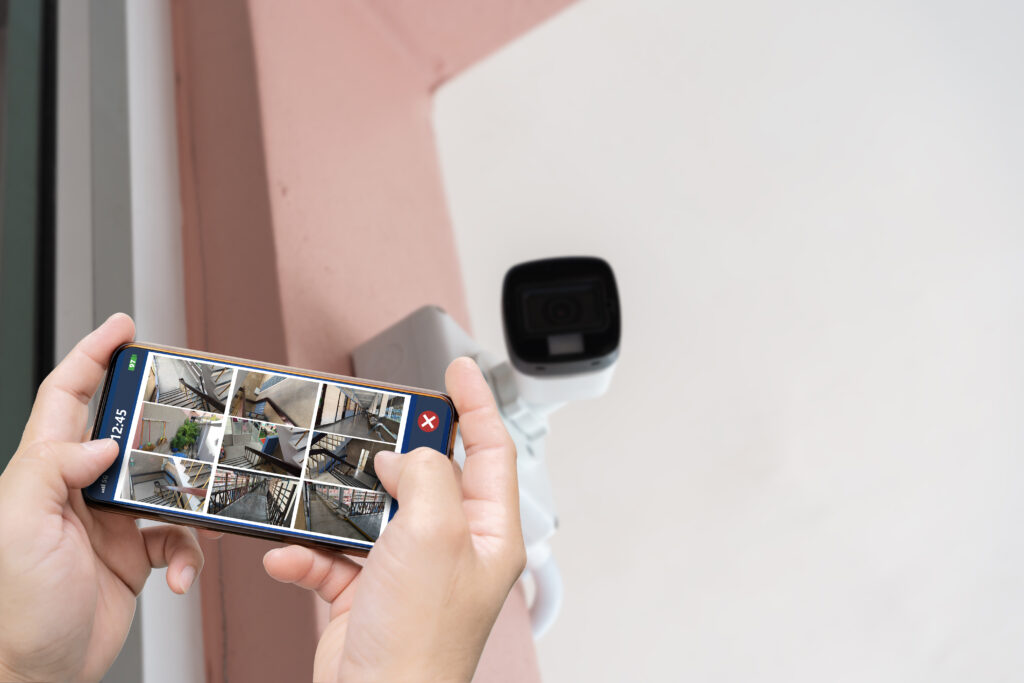
A camera and security system is a setup of video cameras, recording/storage units and monitoring tools designed to deter, detect and document incidents at homes or businesses. In Australia, systems can be wired, wireless or hybrid and often include smart features like remote access and alerts.
3. Why Australians Choose a Camera and Security System
Security technology in Australia is growing fast because people want:
- Visible deterrence: Cameras discourage opportunistic crime.
- Evidence collection: Clear video footage helps police investigations.
- Remote monitoring: Smartphones can check live feeds from anywhere.
- Peace of mind: Knowing loved ones and assets are safer.
According to the Australian Institute of Criminology, property crime remains a concern in many states, driving demand for quality security solutions. Many insurers also offer reduced premiums when you install accredited systems. (Note: verify with your insurer)
4. Types of Security Cameras & Systems
Below is a clear explanation of system types found in Australia:
A. Wired CCTV
- Description: Cameras connected by cables to a recorder.
- Pros: Stable connection, good for fixed installations.
- Cons: Higher installation cost if retrofitted.
- Use Case: Large homes, warehouses.
B. Wireless/Wi-Fi Cameras
- Description: Connects to local Wi-Fi; footage stored locally or in the cloud.
- Pros: Flexible placement.
- Cons: Needs strong Wi-Fi; possible interference.
- Use Case: Rentals, small businesses.
C. Hybrid Systems
- Description: Combine wired and wireless cameras.
- Pros: Balance of reliability and flexibility.
- Cons: Can be more complex to set up.
D. Smart Camera Systems
- Features: AI motion detection, cloud alerts, app control.
- Examples: Person detection, vehicle alerts, privacy zones.
5. Key Features to Look For
When comparing systems, Australians should consider:
| Feature | Why It Matters |
|---|---|
| Resolution (1080p/4K) | Higher detail makes identifying people/plates easier. |
| Night Vision | Infrared or colour night imaging for low light. |
| Motion Detection | Reduces false alerts; focuses on real events. |
| Remote App Access | Check live feed and alerts from phone. |
| Cloud Storage | Off-site backup in case local storage is damaged. |
According to consumer electronics guides, 1080p is the minimum resolution most homeowners find acceptable, with 4K becoming increasingly common. External link: Consumer Reports on CCTV Resolution (example for context, not Australia-specific).
6. How to Choose the Right System (Checklist)
Here’s a practical numbered checklist to help you evaluate options:
- Establish Your Budget
- Decide how much you can spend on hardware and monthly costs (if cloud storage).
- Choose Camera Locations
- Front door, backyard, driveway consider sightlines and lighting.
- Select Resolution
- At least 1080p; 4K for large properties.
- Decide on Power Source
- Mains-powered, battery, PoE (Power over Ethernet).
- Evaluate Storage Options
- Local NVR/DVR vs cloud subscription.
- Check Smart Features
- Remote access, notifications, AI detection.
- Verify Weather-Resistance
- IP66 or higher for outdoor cameras in Australian climates.
- Consider Integration
- Works with alarms or smart home systems?
This checklist helps ensure you don’t overlook critical factors that affect performance and satisfaction.
7. Installation: DIY vs Professional
DIY Installation
- Good for: Tech-savvy homeowners, smaller systems.
- Pros: Lower upfront cost.
- Cons: Time-consuming; potential wiring/placement errors.
Professional Installation
- Good for: Complex setups, businesses, compliance with standards.
- Pros: Guaranteed placement, signal optimisation.
- Cons: Labour cost.
Most Australians find professional setup worthwhile when systems include many cameras, PoE wiring, or integration with alarms.
8. Maintenance and Reliability in Australia
Australian weather ranges from tropical humidity to desert heat. To ensure reliability:
- Clean lenses periodically
- Check for firmware updates
- Test alerts and recording regularly
- Protect wiring from rodents and weather exposure
Long-term reliability also means choosing brands with good local support and warranty services.
9. Comparing Onshore vs Offshore Systems
| Aspect | Onshore (Australia) | Offshore (Imported) |
|---|---|---|
| Support & Service | Local support and faster response | May have delays, time-zone issues |
| Compliance | Better understanding of local needs | Generic specs may miss local conditions |
| Installation Expertise | Often bundled with professional services | Buyer must find local installer |
| Warranty Handling | Easier returns in Australia | Shipping costs & delays |
If local support and responsiveness matter, many Australians prefer onshore providers for camera and security system needs.
10. People Also Ask (PAA)
Q1: What’s the best security camera for Australian homes?
A: The best system balances resolution (1080p+/4K), night vision, weather resistance (IP66+), and smart alerts. Consider local support when choosing.
Q2: How much does a camera and security system cost in Australia?
A: Basic DIY systems start around several hundred dollars; full professional setups with multiple cameras typically range into the low thousands depending on features.
Q3: Can I monitor my security cameras from my phone?
A: Yes. Most modern systems include an app that streams live video and sends motion alerts.
11. FAQs / Q&A Section
Q1: Do I need council approval for security cameras in Australia?
A: Generally no council approval is required, but privacy laws mean you must avoid recording neighbours’ private areas like yards or windows.
Q2: What storage option is best for Australian users?
A: A combination of local NVR for immediate access and optional cloud backup gives redundancy.
Q3: Are wireless cameras reliable in Aussie suburbs?
A: With strong Wi-Fi and good positioning, wireless cameras perform well, though interference can affect signal quality.
Q4: How do weather extremes affect cameras?
A: Use rated IP66+ cameras with temperature tolerance suited to local climates sealed housings and proper installation help longevity.
Q5: Can security cameras reduce insurance premiums?
A: Many insurers consider certified alarm systems and cameras as risk mitigation; check with your provider for specifics.
12. Conclusion & Recommendation
Choosing and installing a camera and security system in Australia means balancing features, local conditions and your specific protection goals. Focus on resolution, weather resistance, storage options and professional installation when appropriate. For tailored solutions and expert installation support, explore reliable Australian providers like Eclipse Security Systems to protect what matters most.