


Business CCTV systems help Australian organisations protect staff, customers, property, stock, cash, vehicles, and sensitive areas. From my experience reviewing security needs for shops, offices, warehouses, hospitality venues, and strata sites, the best results come from choosing the right camera layout, recording setup, signage, cyber settings, and maintenance plan before installation begins.
Table of Contents
- Definition
- Why Australian Businesses Invest in CCTV
- What a Business CCTV System Includes
- Business CCTV Systems by Industry
- Camera Types and Where They Work Best
- Cloud vs On-Premises CCTV Recording
- Compliance, Privacy, and Workplace Admin
- Cyber Security for Modern CCTV
- Business CCTV Installation Checklist
- People Also Ask
- Business CCTV Systems Q&A
- Conclusion
Definition
Business CCTV systems are camera, recording, storage, and monitoring solutions designed for commercial sites. They help deter theft, review incidents, improve safety, and support operational visibility. In Australia, they should be installed with clear purpose, suitable signage, secure access, and awareness of privacy and workplace surveillance obligations.
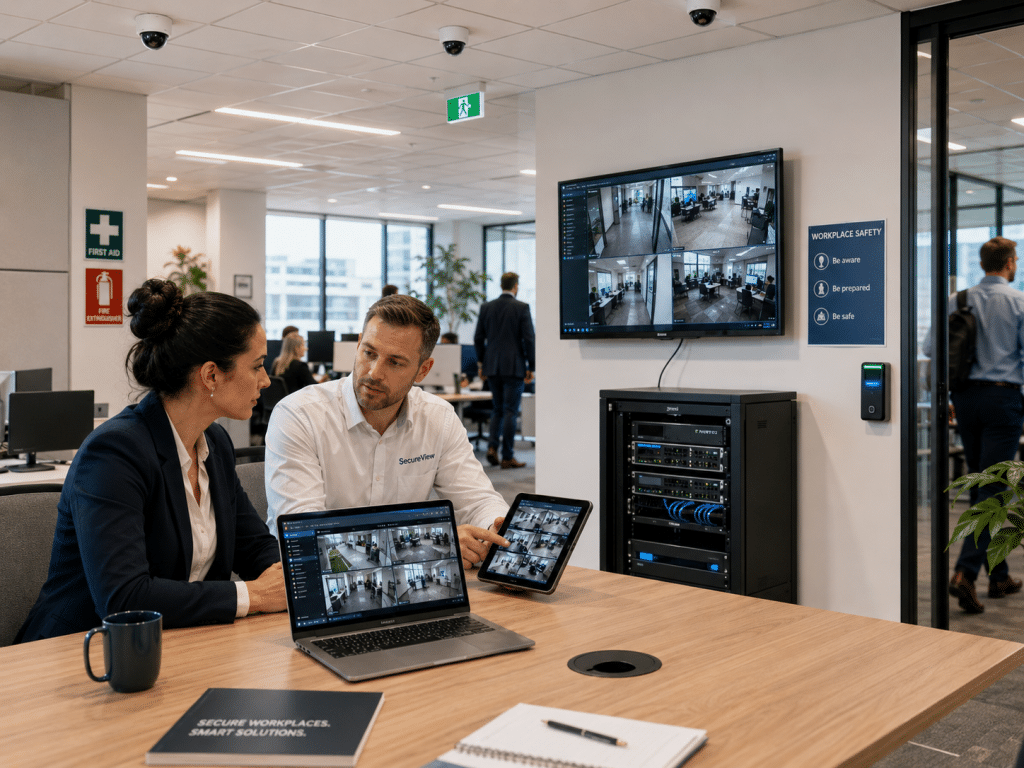
Why Australian Businesses Invest in CCTV
Australian businesses use CCTV for more than “watching cameras”. In practice, CCTV is a risk-management tool. It can help a business understand what happened, when it happened, and where procedures failed.
For example, a retail store may use cameras to review stock loss near a counter. A warehouse may use footage to assess a loading-dock incident. A medical practice may use cameras around entrances and waiting areas while avoiding private consultation rooms.
The value comes from planning. Poorly placed cameras may record unusable footage. However, a well-designed system can capture faces, number plates, entry points, cash handling areas, and after-hours movement.
According to the Office of the Australian Information Commissioner, organisations using surveillance devices such as security cameras generally need to follow several laws. The OAIC also notes that workplace monitoring can involve state and territory laws, including specific workplace surveillance laws in some jurisdictions.
Because of this, business CCTV systems should be designed around four goals:
- Security: deter intruders, theft, vandalism, and unauthorised access.
- Safety: help review slips, trips, aggression, vehicle incidents, and hazards.
- Operations: monitor queues, deliveries, bottlenecks, and site procedures.
- Accountability: provide a clear record when an incident needs review.
What a Business CCTV System Includes
A commercial CCTV setup usually includes more than cameras. It is a full system of hardware, software, cabling, networking, recording, access control, and ongoing support.
A typical business CCTV system may include:
- IP cameras or analogue HD cameras.
- Network video recorder, digital video recorder, or cloud storage.
- Power over Ethernet cabling for IP systems.
- Monitors, mobile app access, or remote viewing portals.
- User permissions for managers, owners, or security teams.
- Motion alerts, line-crossing alerts, or after-hours notifications.
- Backup power options for critical sites.
- Maintenance, firmware updates, and periodic camera testing.
From my experience, many businesses focus on camera count first. However, camera placement and image purpose matter more. One well-positioned entrance camera can be more useful than three wide-angle cameras that miss faces.
A good installer should ask practical questions before recommending equipment. For example, do you need to identify faces or simply detect movement? ,Do you need coverage at night?, Do you need audio?, Do you need licence plate capture?, Do staff need access, or only authorised managers?
These questions shape the system design.
Business CCTV Systems by Industry
Different industries need different camera layouts. Therefore, a “standard package” is rarely ideal for every site.
Retail business CCTV systems
Retail shops often need cameras at entrances, point-of-sale areas, aisles, stockrooms, and rear exits. The main goals are loss prevention, incident review, staff safety, and after-hours visibility.
For retail, camera height matters. If the camera is too high, it may capture the top of a person’s head instead of their face. As a result, entrance cameras should often be angled to capture usable identification footage.
Office business CCTV systems
Office CCTV usually focuses on entrances, reception areas, lift lobbies, server rooms, car parks, and external doors. It should not be used in areas where people reasonably expect privacy.
In offices, business CCTV systems often work best when paired with access control. For example, swipe-card logs and CCTV footage can help confirm who entered a restricted room.
Warehouse and industrial CCTV systems
Warehouses need wide coverage, durable cameras, and strong night performance. Loading docks, roller doors, racking aisles, dispatch zones, and vehicle entry points are common priorities.
However, warehouses also need careful lighting checks. A camera facing a bright roller door may struggle with backlight. Therefore, installers often use wide dynamic range cameras in mixed-light areas.
Hospitality CCTV systems
Restaurants, pubs, cafés, and venues often need cameras around entrances, counters, kitchens, outdoor areas, tills, and stockrooms. Business CCTV systems can help review disputes, cash handling, delivery issues, and safety incidents.
That said, audio recording should be treated carefully. Audio surveillance laws can be more sensitive than video surveillance, so businesses should get proper advice before recording sound.
Strata and commercial property CCTV
Strata complexes, shared commercial buildings, and mixed-use sites often need cameras in foyers, car parks, lifts, mail areas, bin rooms, and common entries.
For these sites, governance matters. Owners corporations, strata managers, and building managers should have clear rules about who can access footage, how long it is retained, and when it can be shared.
Camera Types and Where They Work Best
Business CCTV systems can include several camera styles. Each has strengths and trade-offs.
| Camera type | Best use | Strength | Watch-out |
| Dome camera | Retail, offices, reception areas | Discreet and vandal-resistant | Can reflect infrared inside dirty domes |
| Bullet camera | External walls, driveways, loading areas | Visible deterrent and strong direction | More exposed to tampering |
| Turret camera | Shops, warehouses, offices | Clear image and less infrared reflection | Less discreet than domes |
| PTZ camera | Large yards, car parks, industrial sites | Pan, tilt, and zoom control | May miss events if aimed elsewhere |
| Licence plate camera | Driveways and vehicle entries | Captures plates in controlled conditions | Needs careful angle, lighting, and speed planning |
| Thermal camera | Perimeters and low-light areas | Detects heat signatures | Not ideal for facial identification |
The right choice depends on the job. For example, a dome camera may suit a reception area, while a bullet or turret camera may suit an external gate. A PTZ camera may look impressive, but it should not replace fixed cameras at critical points.
Cloud vs On-Premises CCTV Recording
Business CCTV systems can record locally, in the cloud, or through a hybrid model. The best choice depends on budget, internet reliability, data sensitivity, and access needs.
| Option | Advantages | Limitations | Good fit |
| On-premises recorder | Strong local control, no constant cloud fees, works without relying fully on internet | Recorder can be stolen or damaged if poorly secured | Warehouses, retail, offices, industrial sites |
| Cloud CCTV | Easier remote access, off-site storage, scalable user access | Ongoing fees, internet dependence, data-location questions | Multi-site businesses, remote managers |
| Hybrid CCTV | Local recording plus selected cloud backup | More setup planning needed | Higher-risk sites and multi-location businesses |
For many Australian small and medium businesses, a hybrid model works well. Local recording handles day-to-day footage, while key events or critical cameras can be backed up remotely.
However, businesses should ask where footage is stored, who can access it, how long it is retained, and how accounts are protected.
Compliance, Privacy, and Workplace Admin
CCTV compliance in Australia is not one simple national checklist. Instead, businesses may need to consider privacy, state or territory surveillance laws, workplace policies, signage, lease conditions, and industry-specific obligations.
The OAIC explains that the Privacy Act 1988 does not specifically cover workplace surveillance, but employers conducting surveillance must follow relevant Australian, state, and territory laws. It also notes that state laws generally cover CCTV installation and use, and some states have specific workplace surveillance laws.
This article is not legal advice. However, from an administrative and operational point of view, businesses should usually consider:
- Why CCTV is being used.
- Where cameras are placed.
- Whether staff, visitors, and contractors are informed.
- Whether signage is clear.
- Who can access footage.
- How footage is stored and protected.
- How long footage is retained.
- How requests for footage are handled.
- Whether workplace policies need updating.
- Whether state or territory rules apply.
The Fair Work Ombudsman is Australia’s workplace regulator and provides general workplace information for employers and employees. For privacy-specific guidance, the OAIC is a key source. For complex workplace surveillance questions, a business should seek advice from a qualified professional.
Areas where cameras should be treated carefully
Businesses should be especially cautious with cameras near:
- Toilets.
- Change rooms.
- Shower areas.
- Medical treatment rooms.
- Staff break areas.
- Private consultation rooms.
- Neighbouring properties.
- Public footpaths beyond what is reasonably needed.
The goal is proportionality. In simple terms, cameras should match a legitimate business purpose without collecting more personal information than necessary.
Cyber Security for Modern CCTV
Modern business CCTV systems are often connected to networks, mobile apps, cloud platforms, and remote login portals. This creates convenience, but it also creates cyber risk.
The Australian Signals Directorate’s cyber security work highlights that digital systems and information are essential for modern businesses, but connectivity brings exposure to malicious cyber activity.
For CCTV, common cyber risks include weak passwords, outdated firmware, exposed remote-access ports, shared admin accounts, and poorly secured mobile apps.
The Australian Government’s cyber.gov.au is a useful starting point for cyber security guidance. In addition, the Australian Government’s IoT security code of practice was developed with the Australian Signals Directorate’s Australian Cyber Security Centre and focuses on improving security safeguards for internet-connected devices.
Practical cyber controls for business CCTV systems include:
- Change default usernames and passwords.
- Use strong, unique passwords.
- Enable multi-factor authentication where available.
- Limit admin accounts.
- Keep camera and recorder firmware updated.
- Avoid exposing CCTV directly to the internet.
- Use secure remote access methods.
- Separate CCTV from sensitive business systems where practical.
- Remove access when staff leave.
- Review user access regularly.
This matters because CCTV footage can include staff, customers, vehicles, deliveries, stock, and business routines. Therefore, securing the CCTV system is part of protecting the business.
Business CCTV Installation Checklist
A strong CCTV project starts before the first cable is run. Use this checklist to plan a cleaner installation.
- Define the purpose
List the reasons for installing CCTV, such as theft prevention, safety, access review, or after-hours monitoring. - Map high-risk areas
Mark entrances, exits, cash points, loading docks, car parks, restricted rooms, and blind spots. - Decide what each camera must capture
Separate “detect movement” cameras from “identify a face” cameras. This avoids unrealistic expectations. - Check lighting conditions
Review daytime glare, night lighting, shadows, reflective glass, roller doors, and outdoor weather. - Choose recording retention
Decide whether you need 7, 14, 30, or more days of footage. Longer retention needs more storage. - Plan privacy and signage
Prepare visible signage and update internal policies where needed. - Set access permissions
Decide who can view live footage, export recordings, change settings, and manage users. - Secure the network
Change default passwords, restrict remote access, and use secure configuration. - Test footage quality
Test faces, plates, night vision, motion alerts, and playback before signing off. - Schedule maintenance
Clean lenses, check recordings, test hard drives, update firmware, and review camera angles.
Common Mistakes to Avoid
Many business CCTV systems underperform because of simple planning errors.
Mistake 1: Buying only on camera count
More cameras do not always mean better coverage. Instead, match each camera to a purpose.
Mistake 2: Ignoring night performance
A camera may look excellent during the day but fail at night. Therefore, test after dark when night footage matters.
Mistake 3: Poor recorder placement
If the recorder is easy to find, an intruder may steal or damage it. A secure location is important.
Mistake 4: Shared passwords
Shared passwords make accountability difficult. Individual user accounts are better.
Mistake 5: No maintenance
Dust, spider webs, changed stock layouts, new signage, and moved shelves can all reduce footage quality.
Cost Factors for Business CCTV Systems
CCTV pricing varies because each site is different. The main cost factors include camera quantity, camera quality, cable runs, recorder size, storage duration, remote access, lift or roof work, after-hours installation, and maintenance needs.
As a general planning guide, a small shop may need a simpler setup than a warehouse, strata car park, or multi-site business. However, the cheapest quote is not always the best option. Poor footage can be expensive if an incident happens and the system cannot identify anyone.
Good planning should balance cost with risk. For example, a front entrance, rear door, and cash area may deserve higher-quality cameras than a low-risk storage corner.
People Also Ask
Are business CCTV systems legal in Australia?
Yes, business CCTV systems are commonly used in Australia. However, businesses should consider privacy, workplace surveillance, signage, and state or territory requirements. The exact obligations can vary depending on the location, purpose, and whether employees are being monitored.
How long should a business keep CCTV footage?
Many businesses keep footage for 14 to 30 days, but the right retention period depends on risk, storage capacity, industry needs, and internal policy. If an incident occurs, relevant footage should be preserved before it is overwritten.
Can staff view CCTV footage?
Staff should only view footage if they are authorised and have a genuine business reason. Access should be limited because CCTV may contain personal information about employees, customers, contractors, and visitors.
Do business CCTV systems need internet?
Not always. Local CCTV can record without internet, but remote viewing, cloud backup, push alerts, and app access usually require internet. For better security, remote access should be configured carefully.
What is the best CCTV system for a small business?
The best system depends on the site layout, lighting, risk areas, budget, and recording needs. A small retail shop may need entrance, counter, stockroom, and rear-door coverage, while an office may need reception, access points, and server-room visibility.
Business CCTV Systems Q&A
1. What camera resolution does a business need?
Many modern business CCTV systems use 4MP, 6MP, or 8MP cameras, but resolution alone is not enough. Lens angle, lighting, compression, sensor quality, and camera placement also affect image quality. A lower-resolution camera placed correctly can outperform a higher-resolution camera placed poorly.
2. Should businesses use CCTV with audio?
Audio should be approached carefully. Recording conversations can raise additional privacy and surveillance issues, so many businesses use video-only CCTV unless there is a clear need and proper advice. If audio is considered, get professional compliance guidance first.
3. Can CCTV help with workplace safety?
Yes, CCTV can help review safety incidents, identify hazards, and support training. However, it should not replace proper workplace safety systems, staff consultation, incident reporting, and risk controls.
4. Is cloud CCTV better than a local recorder?
Cloud CCTV is useful for remote access and off-site storage. However, local recording can provide strong control and may be more cost-effective over time. Many businesses choose hybrid systems because they combine local storage with selected cloud benefits.
5. How often should a business service its CCTV system?
A practical service schedule is usually every 6 to 12 months, depending on site risk and environment. Dusty warehouses, coastal locations, food venues, and outdoor sites may need more frequent checks. Maintenance should include lens cleaning, recording tests, user access review, firmware updates, and playback checks.
Conclusion
Business CCTV systems can make Australian workplaces safer, more accountable, and easier to manage. However, the best outcomes come from thoughtful design, not guesswork. A strong system should capture the right areas, protect footage, respect privacy, support staff safety, and remain reliable after installation.
For practical advice on camera placement, recording options, remote viewing, and commercial security planning, speak with trusted Australian CCTV and security system specialists.