On this page57
- What Is the Best CCTV in Melbourne?
- What Makes the Best CCTV in Melbourne?
- Why CCTV Design Matters in Melbourne
- Types of CCTV Cameras Melbourne Properties Commonly Use
- Dome Cameras
- Turret Cameras
- Bullet Cameras
- PTZ Cameras
- IP CCTV vs Analogue CCTV
- Choosing the Right CCTV Resolution
- Why CCTV Lens Selection Matters
- Night Performance and Low-Light CCTV
- Infrared
- Low-Light Colour
- External Lighting
- CCTV Recording and Storage
- Continuous vs Motion Recording
- Remote CCTV Viewing
- Cyber Security Is Part of CCTV Security
- CCTV Privacy Considerations in Victoria
- Best CCTV in Melbourne for Homes
- Front Entrance
- Driveway
- Side Access
- Best CCTV in Melbourne for Businesses
- Retail CCTV
- Office CCTV
- Hospitality CCTV
- CCTV for Warehouses and Industrial Sites
- CCTV Integration With Other Security Systems
- Professional CCTV Installation vs DIY CCTV
- 10-Step CCTV Installation Checklist
- Comparing CCTV Solutions
- Common Mistakes When Choosing CCTV
- Mistake 1: Buying Based Only on Megapixels
- Mistake 2: Mounting Cameras Too High
- Mistake 3: Ignoring Backlighting
- Mistake 4: Underestimating Storage
- Mistake 5: Ignoring Network Security
- Mistake 6: Installing and Forgetting
- CCTV Maintenance in Melbourne
- How to Choose the Best CCTV Provider in Melbourne
- What Does the Best CCTV in Melbourne Actually Look Like?
- People Also Ask About the Best CCTV in Melbourne
- What is the best CCTV camera for Melbourne homes?
- Is wired CCTV better than wireless CCTV?
- How many CCTV cameras does a Melbourne property need?
- Is 4K CCTV worth it?
- Can I view my Melbourne CCTV cameras remotely?
- Expert Q&A: Choosing the Best CCTV in Melbourne
- 1. Should every camera in a CCTV system use the same resolution?
- 2. How important is frame rate for CCTV?
- 3. Should CCTV cameras record audio?
- 4. How often should CCTV be checked?
- 5. What should I prioritise when my CCTV budget is limited?
- Choosing CCTV for Long-Term Value
- Final Thoughts on Finding the Best CCTV in Melbourne
Not sure what your site needs?
A technical consultant from our Hallam office will look at the site and recommend a system, free of charge.
Request an assessment 1300 66 11 99Finding the best CCTV in Melbourne is not simply about buying the camera with the highest resolution or the longest list of features. A CCTV system must suit the property, lighting conditions, security risks, network environment and the way footage will actually be used. For Melbourne homes, offices, warehouses, schools, retail stores and other commercial sites, good CCTV starts with careful planning before the first camera is installed.
From a practical security-design perspective, one of the most important lessons is that camera specifications alone do not determine whether a surveillance system will work well. A 4K camera installed in the wrong position can provide less useful evidence than a properly positioned lower-resolution camera.
Likewise, adding more cameras does not automatically make a property safer. Coverage, image detail, lighting, recording reliability, cyber security, storage and ongoing maintenance all matter.
This guide explains what Australians should consider when searching for the best CCTV system in Melbourne, including camera technology, recording methods, night performance, remote viewing, installation, privacy, cyber security and long-term system management.
What Is the Best CCTV in Melbourne?
The best CCTV in Melbourne is a professionally designed surveillance system that provides clear, reliable footage in the areas that matter most, records securely, performs effectively in Melbourne conditions and can be maintained over time. The right solution depends on the property's risks, lighting, coverage requirements, storage needs and security objectives.

Table of Contents
- What makes a CCTV system genuinely good?
- Why CCTV design matters in Melbourne
- CCTV camera types explained
- IP CCTV versus analogue CCTV
- Choosing the right camera resolution
- Why lens selection and camera placement matter
- Night vision and low-light CCTV
- Recording and CCTV storage
- Remote viewing and mobile access
- Cyber security for CCTV systems
- CCTV privacy considerations in Victoria
- CCTV for Melbourne homes
- CCTV for Melbourne businesses
- CCTV for warehouses and industrial sites
- Integrated CCTV and security systems
- Professional CCTV installation
- CCTV installation checklist
- Comparing CCTV solutions
- Mistakes to avoid
- CCTV maintenance
- How to choose a Melbourne CCTV provider
- People Also Ask
- Expert CCTV Q&A
- Conclusion
What Makes the Best CCTV in Melbourne?
There is no single camera model that qualifies as the best choice for every property.
Instead, an effective system brings several elements together:
- suitable cameras
- appropriate lenses
- good camera positioning
- dependable recording
- sufficient storage
- strong night-time performance
- secure network configuration
- reliable remote access
- sensible user permissions
- ongoing maintenance.
Therefore, the best CCTV installation should start with the risks you want to manage.
For example, a retail business may need clear views of entrances, registers, stock areas and loading points. Meanwhile, a warehouse may place greater importance on perimeter monitoring, vehicle movement, loading docks and large internal spaces.
A residential property may instead prioritise the front entrance, driveway, side access and backyard.
The objective should determine the system—not the other way around.
Why CCTV Design Matters in Melbourne
Melbourne properties vary considerably.
A CCTV system for a small suburban home is very different from one designed for a multi-level office, school, warehouse or commercial car park.
Before selecting equipment, consider questions such as:
- Where could unauthorised access occur?
- What assets need protection?
- Are cameras required indoors, outdoors or both?
- Is identification of people important?
- Do vehicle number plates need to be captured?
- Is the site occupied at night?
- Are some areas poorly lit?
- Who needs access to footage?
- How long should footage be retained?
- Does CCTV need to integrate with alarms or access control?
These questions help turn CCTV from a collection of cameras into a security system.
Eclipse Security Systems, for example, lists commercial CCTV, alarms, access control, intercoms, monitoring, installation and maintenance among its services and has delivered integrated CCTV systems across education, commercial and public infrastructure environments in Victoria.
Types of CCTV Cameras Melbourne Properties Commonly Use
Different camera styles serve different purposes.
Dome Cameras
Dome cameras use a rounded housing and are commonly installed under ceilings and building eaves.
They are often suitable for:
- offices
- shops
- reception areas
- corridors
- schools
- hospitality venues.
Their compact appearance can make them less visually intrusive than larger cameras.
Turret Cameras
Turret cameras have a ball-and-socket-style body.
They are popular because the camera direction can usually be adjusted easily during installation. Depending on the specific model, they may also offer strong infrared night performance.
Turret cameras are commonly used around:
- homes
- commercial buildings
- entrances
- car parks
- external walkways.
Bullet Cameras
Bullet cameras have an elongated body that makes the direction of surveillance more obvious.
That visibility can be useful when a property owner wants CCTV to have a deterrent presence.
They may suit:
- building perimeters
- driveways
- warehouses
- loading zones
- car parks.
However, the correct weather protection and mounting method still need to be selected for outdoor conditions.
PTZ Cameras
PTZ stands for pan, tilt and zoom.
These cameras can change viewing direction and, depending on the system, may be controlled manually or through automated functions.
They are often more appropriate for large spaces where active monitoring is required.
Examples include:
- industrial sites
- large car parks
- campuses
- public spaces
- logistics facilities.
However, one PTZ camera should not automatically replace several fixed cameras. A PTZ can only look in one direction at a particular moment, whereas fixed cameras continue recording their assigned views.
IP CCTV vs Analogue CCTV
One of the main decisions when searching for the best CCTV in Melbourne is whether to use an IP-based system or an analogue-based system.
| Feature | IP CCTV | Analogue/HD Analogue CCTV |
| Video transmission | Digital network | Usually coaxial cable |
| Recorder | NVR | DVR |
| Scalability | Generally strong | Depends on infrastructure |
| Advanced analytics | Often widely available | More model-dependent |
| Network configuration | Important | Less network-dependent at camera level |
| Existing cabling reuse | Situation dependent | Often useful where coax already exists |
| Remote access | Common | Common through compatible DVRs |
| Best suited to | Newer scalable systems | Some upgrades and existing sites |
An NVR, or network video recorder, records video from IP cameras.
A DVR, or digital video recorder, is commonly associated with analogue cameras.
Neither system should automatically be labelled superior in every situation.
For example, replacing a functioning analogue system across a large property could require substantial infrastructure work. In some cases, retaining existing cabling may be practical.
For a new installation, however, IP CCTV often provides greater flexibility for network-based features and future expansion.
Choosing the Right CCTV Resolution
Resolution is usually described using terms such as:
- 1080p
- 4MP
- 5MP
- 8MP or 4K.
Higher resolution can provide more image detail. However, it also increases bandwidth and storage requirements.
Therefore, choosing the highest resolution everywhere is not always necessary.
Ask what the camera must achieve.
A general overview camera may have different requirements from a camera monitoring a narrow entrance where identification detail is important.
For instance, an 8MP camera covering an excessively wide area may still fail to capture useful facial detail if the person occupies only a tiny part of the image.
Consequently, pixels on target and field of view are often more important than the resolution number printed on the box.
Why CCTV Lens Selection Matters
The lens controls how much of the scene the camera sees.
A wide-angle lens captures more of the surrounding environment. However, objects appear smaller within the image.
A narrower field of view shows less of the overall scene but can provide more useful detail at a particular distance.
Therefore, a common CCTV design mistake is trying to make one camera cover too much.
Imagine a camera overlooking an entire car park.
It may provide an excellent overview. Yet a person's face or vehicle plate at the opposite side of the car park could occupy only a small number of pixels.
A better system may use:
- overview cameras for general movement
- strategically positioned cameras for entrances
- dedicated cameras where identification is important.
This layered approach usually provides more useful footage.
Night Performance and Low-Light CCTV
Melbourne CCTV systems need to perform after dark as well as during the day.
Several technologies can help.
Infrared
Infrared, or IR, cameras use infrared illumination to capture images in low-light or dark conditions.
Depending on the camera, night images may appear in black and white.
Low-Light Colour
Some modern cameras use larger sensors, sensitive imaging technology or supplementary lighting to produce colour images in relatively low-light environments.
Colour may provide useful details such as:
- clothing colour
- vehicle colour
- object colour.
However, performance still depends heavily on available light and camera specifications.
External Lighting
Sometimes the best CCTV improvement is not another camera.
It is better lighting.
Poor lighting can create:
- strong shadows
- glare
- overexposure
- silhouettes
- motion blur.
Therefore, CCTV design and property lighting should be considered together.
CCTV Recording and Storage
A reliable camera is of little value if footage is not recorded correctly.
Most professional systems use an NVR or DVR with surveillance-grade storage drives.
Before deciding how much storage is required, consider:
- number of cameras
- resolution
- frames per second
- compression technology
- recording schedule
- motion recording settings
- required retention period.
Storage requirements can vary significantly.
For instance, 16 continuously recording high-resolution cameras will need considerably more storage than four cameras recording primarily when motion occurs.
Therefore, storage capacity should be calculated for the actual installation rather than selected using a generic number of days.
Continuous vs Motion Recording
Continuous recording captures footage around the clock.
The advantage is straightforward: there are fewer opportunities for an event to be missed because motion detection failed.
However, it consumes more storage.
Motion-based recording saves footage when the system detects movement or another configured event.
This reduces storage use, although detection settings need careful configuration.
Many commercial systems use a mixture of approaches depending on the camera and risk area.
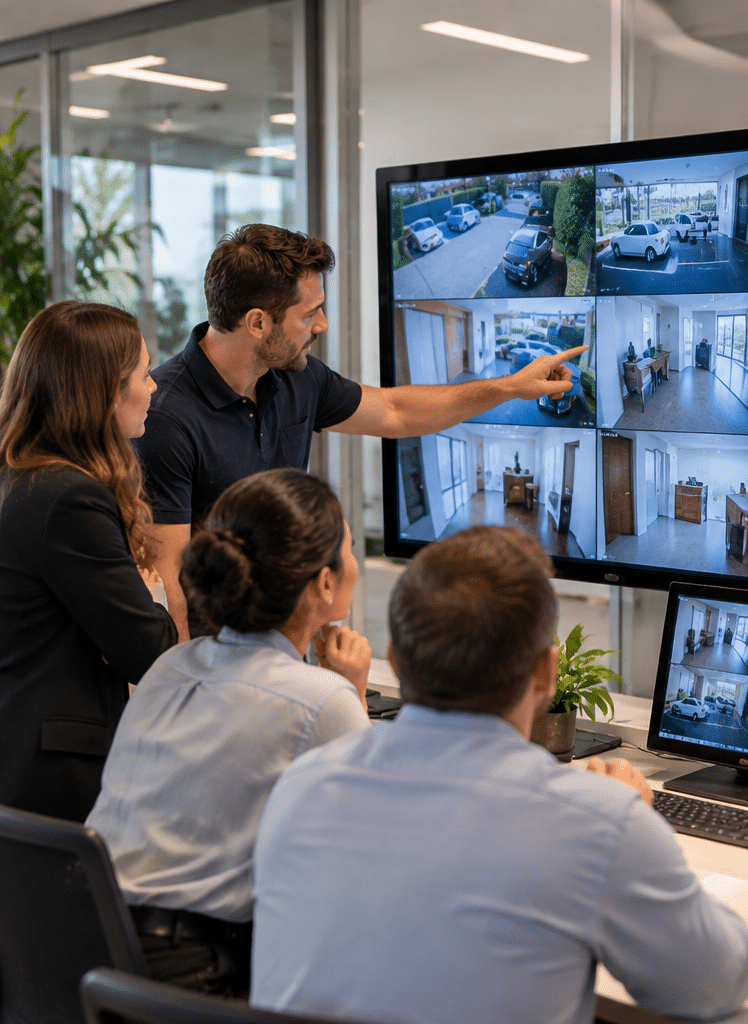
Remote CCTV Viewing
Remote access allows authorised users to view cameras using:
- smartphones
- tablets
- computers
- web or application interfaces.
This is useful, but convenience needs to be balanced with security.
A remote CCTV connection creates another pathway to a system that may contain sensitive footage.
Therefore, access should be carefully controlled.
Good practices include:
- unique passwords
- strong passwords
- multi-factor authentication where available
- individual user accounts
- minimum required permissions
- prompt firmware updates
- removing unused accounts.
Cyber Security Is Part of CCTV Security
A modern IP camera is essentially a network-connected computing device with a camera attached.
Therefore, physical security and cyber security cannot be separated.
The Australian Government's cyber-security guidance specifically recognises security cameras as Internet of Things devices and recommends strong passwords, secure software updates and protection of personal information. Its Secure-by-Design guidance also emphasises avoiding weak/default credentials, protecting communications and reducing exposed attack surfaces.
Since 4 March 2026, Australia's mandatory cyber-security standards for covered smart devices have also introduced requirements relating to default passwords, vulnerability reporting and defined security-update periods for affected products.
For buyers, that means the cheapest network camera is not necessarily the cheapest system over its useful life.
Before selecting internet-connected CCTV, investigate:
- manufacturer reputation
- firmware support
- update availability
- password controls
- encryption
- user-management capabilities
- vulnerability-management processes.
For official Australian guidance, see Australian Government guidance on securing smart devices.
CCTV Privacy Considerations in Victoria
CCTV does not exist outside privacy and surveillance responsibilities.
The relevant requirements can depend on:
- who operates the cameras
- where cameras are installed
- what they record
- whether audio is recorded
- whether employees are monitored
- how footage is handled.
Victoria has a Surveillance Devices Act 1999, and organisations may also have privacy obligations depending on their sector and circumstances.
You can review the current Victorian legislation through Victoria's Surveillance Devices Act 1999.
The Office of the Victorian Information Commissioner also recommends that surveillance be connected to a legitimate purpose, be necessary and proportionate, and include safeguards for personal information. Its guidance highlights transparency, protection against unauthorised access and appropriate handling of collected information.
OVIC's surveillance guidance is available through Victoria's surveillance and privacy principles.
These references are provided as general administrative guidance, not legal advice. Businesses with specific surveillance, employment or privacy obligations should obtain professional legal advice appropriate to their circumstances.
Best CCTV in Melbourne for Homes
Residential CCTV normally has a different design objective from commercial surveillance.
Common locations include:
- front doors
- driveways
- garages
- side entrances
- rear doors
- backyards.
However, more cameras are not necessarily better.
A four-camera system designed properly may provide more useful coverage than an eight-camera package installed without considering angles or lighting.
Front Entrance
A front entrance camera should ideally provide a useful image of someone approaching the door rather than only recording the top of their head.
Height and angle matter.
Driveway
A driveway camera may provide:
- vehicle overview
- movement detection
- visibility around parked vehicles.
However, reliably capturing number plates can require more specialised placement and configuration than general vehicle monitoring.
Side Access
Narrow passages are often overlooked, yet they can provide access between the front and rear of a property.
A dedicated camera may provide better coverage than attempting to observe the passage from a distant corner.
Best CCTV in Melbourne for Businesses
Commercial CCTV should be driven by operational risks.
Typical camera locations include:
- customer entrances
- employee entrances
- reception
- point-of-sale locations
- loading areas
- storage rooms
- corridors
- car parks
- perimeter access points.
However, camera placement should also consider privacy and legitimate operational needs.
For instance, monitoring a public-facing entrance is very different from unnecessarily recording a private staff area.
Retail CCTV
Retail CCTV may help provide visual evidence relating to:
- theft
- customer incidents
- cash handling
- deliveries
- after-hours access.
Nevertheless, footage needs to be clear enough to provide useful context.
Office CCTV
Office systems may prioritise:
- entrances
- reception
- common circulation areas
- server or equipment rooms
- external access points.
Where employees may be recorded, organisations should carefully review their administrative and privacy responsibilities.
Hospitality CCTV
Pubs, clubs, restaurants and other hospitality properties often have complex layouts.
CCTV planning may include:
- entrances
- service areas
- customer areas
- external spaces
- cash-handling zones.
Again, the system should match genuine risks rather than monitoring simply because technology allows it.
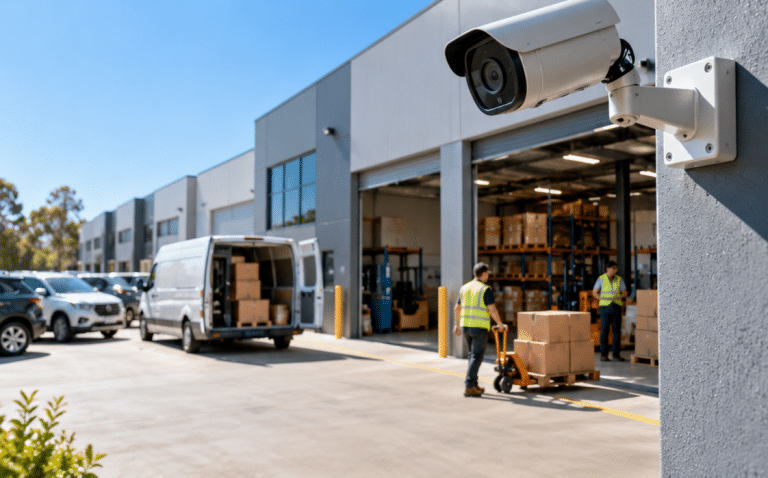
CCTV for Warehouses and Industrial Sites
Warehouses often present greater CCTV design challenges because of:
- high ceilings
- long distances
- moving vehicles
- loading docks
- large doors
- changing stock layouts
- strong contrasts between indoor and outdoor lighting.
For example, placing a standard wide-angle camera high above a loading dock may show that a vehicle arrived but not provide enough detail to identify what happened beside it.
Therefore, an industrial CCTV design may use multiple camera roles.
These can include:
- overview cameras
- entrance cameras
- loading-bay cameras
- perimeter cameras
- vehicle-focused cameras
- specialised cameras for critical areas.
The goal is not merely to eliminate visual blind spots.
The goal is to capture useful evidence.
CCTV Integration With Other Security Systems
The best CCTV in Melbourne may not operate independently.
CCTV can sometimes be integrated with:
- access control
- alarms
- intercoms
- monitoring
- analytics.
For example, imagine an access-controlled door opens outside normal hours.
An integrated security environment may allow authorised staff to review the corresponding CCTV footage and determine what occurred.
Similarly, alarm events can help direct attention towards relevant cameras.
Eclipse Security's published projects include Melbourne-area installations combining CCTV with technologies such as access control, security systems and intercoms, illustrating how surveillance can form part of a wider electronic-security architecture rather than remaining an isolated system.
Professional CCTV Installation vs DIY CCTV
Consumer CCTV has improved considerably.
For small residential applications, DIY products may be appropriate.
However, professional systems become more valuable when requirements involve:
- multiple buildings
- commercial properties
- large camera counts
- advanced recording
- access control integration
- network configuration
- complex lighting
- commercial maintenance
- high-value assets.
Professional installation also allows camera position, cabling and network infrastructure to be considered together.
10-Step CCTV Installation Checklist
When comparing providers for the best CCTV in Melbourne, use this process.
- Define the security objective.
Decide whether you need general monitoring, identification, evidence, perimeter coverage, vehicle monitoring or several objectives. - Assess the property.
Review entrances, exits, valuable assets, blind spots, lighting and existing security systems. - Identify priority areas.
Rank locations by security importance rather than installing cameras uniformly. - Define the required image detail.
Determine whether each camera needs overview, recognition or identification-quality imagery. - Check lighting conditions.
Review daytime, evening and overnight conditions. - Choose suitable camera types.
Match dome, turret, bullet, PTZ or specialised cameras to each location. - Plan recording and storage.
Establish recording modes and realistic footage-retention requirements. - Secure network access.
Configure passwords, users, remote access and firmware management. - Test cameras under real conditions.
Do not evaluate CCTV only during daylight. Test night performance and real movement. - Create a maintenance plan.
Schedule reviews for cameras, recording, storage, firmware and physical condition.
Comparing CCTV Solutions
| CCTV consideration | Basic approach | Better security approach |
| Camera selection | Same camera everywhere | Cameras selected for each location |
| Resolution | Maximum resolution only | Resolution matched to required detail |
| Placement | Convenient mounting points | Risk-based camera positions |
| Night performance | IR assumed sufficient | Real night conditions tested |
| Storage | Generic recorder capacity | Retention calculated from settings |
| Remote access | Shared login | Controlled individual access |
| Passwords | Default/simple passwords | Unique strong credentials |
| Updates | Rarely reviewed | Firmware lifecycle managed |
| Maintenance | Repair after failure | Preventive inspections |
| Integration | Standalone CCTV | CCTV linked where useful to wider security |
The right-hand approach does not necessarily mean buying the most expensive equipment.
Instead, it means spending money where it improves security outcomes.
Common Mistakes When Choosing CCTV
Mistake 1: Buying Based Only on Megapixels
Resolution matters, but camera position, sensor performance, lens choice and lighting can matter just as much.
Mistake 2: Mounting Cameras Too High
A high camera may provide excellent coverage while producing poor facial detail.
Therefore, installation height should reflect the surveillance objective.
Mistake 3: Ignoring Backlighting
An entrance with bright daylight outside and a darker interior can be challenging.
A camera needs suitable dynamic-range performance and appropriate positioning.
Mistake 4: Underestimating Storage
Changing resolution, frame rate or recording mode can dramatically alter retention.
Therefore, storage should be calculated from realistic settings.
Mistake 5: Ignoring Network Security
Connected cameras need cyber-security controls.
Changing default credentials should be considered a basic step, not an advanced feature.
Mistake 6: Installing and Forgetting
A CCTV system can slowly degrade.
For example:
- cameras move
- lenses become dirty
- vegetation blocks views
- hard drives age
- firmware becomes outdated
- passwords are shared
- time settings become incorrect.
Regular checking helps identify these problems.
CCTV Maintenance in Melbourne
Preventive maintenance helps ensure that a CCTV system still performs as originally designed.
A maintenance inspection may include checking:
- camera alignment
- image quality
- lenses and housings
- recording status
- available storage
- timestamps
- network connectivity
- remote viewing
- power supplies
- firmware status
- system logs where available.
Eclipse Security states that it provides installation, repairs and preventive maintenance for CCTV and related security systems, including assessments for businesses that relocate or expand.
How to Choose the Best CCTV Provider in Melbourne
Instead of asking only, "How much does CCTV cost?", ask prospective providers how they design a system.
Useful questions include:
- Why have you chosen these camera positions?
- What level of detail should I expect?
- How will the cameras perform at night?
- How many days of footage should this configuration retain?
- How is remote access secured?
- Can individual users have separate accounts?
- How are firmware updates handled?
- What happens if a camera fails?
- Can the system expand later?
- Can CCTV integrate with alarms or access control?
- What maintenance is recommended?
A competent provider should be able to explain the reasoning behind the design in plain language.
Be cautious when a proposal relies almost entirely on camera quantity and megapixel specifications.
A site-specific security assessment generally provides better information than choosing a package based only on an online product list.
What Does the Best CCTV in Melbourne Actually Look Like?
A strong system tends to have several characteristics.
First, cameras have clearly defined purposes.
Second, installation positions make sense for those purposes.
Third, night performance has been considered.
Fourth, footage is stored reliably.
Fifth, remote access is protected.
Sixth, privacy and administrative requirements have been considered.
Finally, someone is responsible for maintenance.
The result may actually be a simpler system than expected.
Good security engineering is often about removing unnecessary complexity while strengthening important areas.
People Also Ask About the Best CCTV in Melbourne
What is the best CCTV camera for Melbourne homes?
There is no single best model for every Melbourne home. A good residential system normally combines suitable outdoor-rated cameras, useful night performance, secure recording and carefully planned views of entrances, driveways and other access points.
Is wired CCTV better than wireless CCTV?
Wired CCTV often provides stable connectivity and is commonly preferred for permanent multi-camera installations. Wireless cameras can be convenient where cabling is difficult, but they still depend on reliable networking and, unless battery-powered, generally require power.
How many CCTV cameras does a Melbourne property need?
The correct number depends on the layout and security objectives. Start by identifying entrances, high-risk areas and required evidence, then design camera coverage around those requirements rather than choosing an arbitrary camera quantity.
Is 4K CCTV worth it?
4K can provide valuable detail when the camera, lens, lighting and storage are suitable. However, higher resolution increases storage and bandwidth needs, so it should be selected where the additional image detail provides a real benefit.
Can I view my Melbourne CCTV cameras remotely?
Many modern CCTV systems support remote viewing through mobile or desktop applications. However, remote access should be secured using strong credentials, appropriate user permissions and multi-factor authentication where supported.
Expert Q&A: Choosing the Best CCTV in Melbourne
1. Should every camera in a CCTV system use the same resolution?
No. Different cameras may have different objectives. A camera monitoring a narrow doorway may require different detail from one providing an overview of a warehouse, so designing each camera around its task can be more effective.
2. How important is frame rate for CCTV?
Frame rate determines how many images are captured per second. Higher frame rates produce smoother motion but increase bandwidth and storage consumption, so the appropriate setting should reflect the activity being monitored.
3. Should CCTV cameras record audio?
Audio recording creates additional privacy and surveillance considerations and should not simply be enabled because a camera supports it. Organisations should determine whether audio is genuinely necessary and obtain appropriate professional advice about applicable Victorian requirements.
4. How often should CCTV be checked?
There is no universal schedule for every system. However, businesses should conduct periodic checks appropriate to the system's risk and criticality, including camera views, storage, recording health, network access and equipment condition.
5. What should I prioritise when my CCTV budget is limited?
Prioritise the most important security risks rather than attempting to cover every possible location cheaply. Strong coverage of critical entrances, asset areas and vulnerable access points is usually more useful than spreading the budget across many poorly positioned cameras.
Choosing CCTV for Long-Term Value
When buyers search for the best CCTV in Melbourne, price naturally matters.
However, the purchase price represents only part of a CCTV system's lifecycle.
You should also consider:
- expected equipment life
- manufacturer support
- software support
- replacement availability
- storage upgrades
- maintenance
- future expansion.
Cheap equipment with poor software support may eventually become difficult to manage securely.
Conversely, a well-designed system can often be expanded as requirements change.
For businesses, scalability becomes particularly important.
A company might initially need eight cameras but later add:
- another warehouse
- additional offices
- new entry points
- access-controlled doors
- additional monitoring.
Planning for that possibility during the original design can reduce unnecessary replacement later.
Final Thoughts on Finding the Best CCTV in Melbourne
Choosing the best CCTV in Melbourne should start with the security problem rather than the camera catalogue.
A strong CCTV solution combines appropriate cameras, sensible placement, suitable image detail, good low-light performance, dependable recording, secure remote access and ongoing maintenance.
For Melbourne businesses in particular, CCTV should also be considered alongside the broader security environment. Access control, alarms, intercoms and monitoring may provide better protection when they work together rather than as isolated systems.
Most importantly, avoid judging CCTV purely by megapixels or camera quantity. Ask whether the proposed system will deliver useful footage at the exact locations and times when an incident is most likely to occur.
If you are planning a new system, replacing ageing cameras or reviewing an existing commercial security setup, a site assessment can help identify genuine risks before equipment is selected.
Explore professional CCTV and integrated security solutions from Eclipse Security Systems to discuss a Melbourne CCTV solution based on your property's specific security needs.