


Australian schools, childcare centres, colleges and other learning facilities face a difficult security challenge. They need to keep students, educators, visitors, buildings and valuable equipment safer without turning a welcoming learning environment into a fortress. Advanced Security Solutions for Education aim to solve that problem by combining several security technologies with clear operational procedures, privacy controls and appropriate staff responses.
Modern education security is no longer just about installing a few cameras at the front gate. A school may need to control access to staff areas, identify after-hours intrusion, monitor public spaces, communicate with visitors, manage alarms, protect connected security equipment from cyber threats and maintain reliable incident records.
However, technology should support people rather than replace them. The strongest approach starts by identifying risks and understanding how the facility operates. The security system can then be designed around real needs, rather than around a list of products.
For Australian education facilities, this is especially important because privacy obligations, school policies, state and territory requirements, student welfare considerations and operational responsibilities can all influence how surveillance and security technology should be used.
What Are Advanced Security Solutions for Education?
Advanced Security Solutions for Education combine CCTV, access control, alarms, intercoms, monitoring, duress features, visitor controls and cyber safeguards into one planned security approach. The goal is to help Australian education facilities manage who enters, detect unusual events, respond faster and protect people, property, privacy and system data.
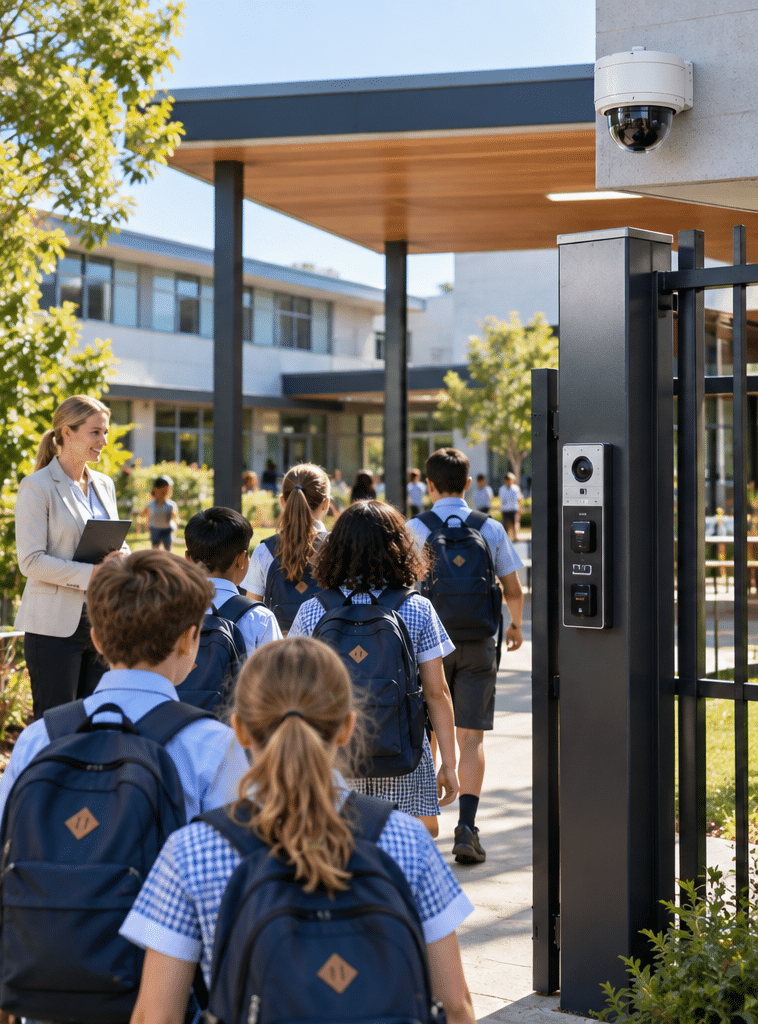
Table of Contents
- What Advanced Security Solutions for Education include
- Why education facilities need a layered security approach
- Security risks faced by Australian education facilities
- Core education security technologies
- Standalone versus integrated security systems
- How Advanced Security Solutions for Education work together
- CCTV and privacy considerations in Australian schools
- Access control for schools and education facilities
- Alarm monitoring and emergency response
- Cyber security for modern education security systems
- Security planning checklist for education facilities
- Common mistakes to avoid
- Maintaining an education security system
- People Also Ask
- Advanced Q&A
- Conclusion
What Advanced Security Solutions for Education Include
The word “advanced” does not simply mean installing expensive technology.
Instead, an advanced system uses the right technology in the right places, connects relevant systems where useful and provides clear information to authorised staff.
Typical Advanced Security Solutions for Education may include:
- CCTV and video surveillance
- Electronic access control
- Intruder alarm systems
- Alarm monitoring
- Video and audio intercoms
- Duress or panic systems
- Visitor entry management
- Perimeter detection
- Electronic door and gate control
- Vape detection where appropriate
- Security system health monitoring
- Remote administration
- Event and audit reporting
- Cyber-security controls for connected devices
Not every school requires every system.
For example, a small early-learning centre may place more emphasis on controlled entry, intercoms and door access. Meanwhile, a large secondary school may need separate permissions for administration areas, technology rooms, performing arts spaces, sports facilities and after-hours community access.
Likewise, a university campus could require much more complex access permissions because students, employees, contractors and visitors may enter different buildings at different hours.
Therefore, security should be risk-based rather than product-based.
Why Advanced Security Solutions for Education Need a Layered Approach
No single security device solves every problem.
A CCTV camera can record activity, but it does not physically prevent someone from opening an unlocked door.
An access-control reader can restrict a door, but it will not necessarily identify movement through an unprotected external area.
An alarm can detect an intrusion, but the alarm signal still needs a suitable response process.
Therefore, modern education security commonly uses layers.
Consider a simple after-hours example.
A person approaches a restricted building. External lighting and visible cameras may act as initial deterrents. If the person attempts to enter, door contacts or intrusion sensors can generate an alarm. Access-control records can show whether a valid credential was presented. Cameras can help authorised personnel review what occurred. Monitoring can then trigger an agreed escalation process.
Each layer provides different information.
Together, they create a more complete security picture.
This is one reason Advanced Security Solutions for Education should be planned as an ecosystem rather than a collection of unrelated devices.
Security Risks Faced by Australian Education Facilities
Every education site is different. However, several recurring risks can influence security planning.
Unauthorised access
Schools need to balance accessibility with controlled movement.
Students, parents, teachers, administrative employees, contractors, cleaners, delivery drivers and visitors may all require different levels of access.
A security assessment should therefore identify which areas are genuinely public and which areas should require authorisation.
Theft and property damage
Education facilities may contain computers, audiovisual equipment, scientific equipment, tools, musical instruments and other valuable assets.
Buildings may also be vulnerable to vandalism or damage outside normal operating hours.
Student and staff safety
Security systems may support incident investigation, emergency communication and controlled access to sensitive locations.
However, schools should avoid assuming that technology alone creates safety. Staff training, supervision, safeguarding practices and emergency procedures remain important.
After-hours building use
Australian schools often contain gyms, halls, sports grounds, theatres and meeting rooms that may be used outside ordinary school hours.
This creates a different security problem.
The organisation may want community groups to enter one building without giving them unrestricted access to the entire campus.
Electronic access control can help support this type of arrangement.
Visitor management
Reception areas are often the first controlled point between the public and the broader campus.
A well-designed system may combine reception procedures, intercom communication, controlled doors and visitor identification.
Behaviour-related incidents
Some schools also consider technologies such as vape detection.
However, these systems work best when they support a wider behaviour-management and student-welfare process rather than being treated as automatic disciplinary tools.
Core Advanced Security Solutions for Education
CCTV and Video Surveillance
CCTV can help authorised staff review incidents, monitor selected areas and understand what happened before, during and after an event.
Common coverage areas can include entrances, external pathways, car parks, building perimeters, reception approaches and other appropriate communal areas.
Camera placement matters.
Installing more cameras does not automatically create a better system. Poor camera angles, backlighting, unsuitable resolution, excessive distance and blocked fields of view can make footage much less useful.
Schools should begin by asking what each camera is expected to achieve.
For example:
- Is it intended to observe general activity?
- Identify a person?
- Monitor an entrance?
- Review vehicle movement?
- Protect equipment?
- Support after-hours security?
The answer determines camera position, lens selection, recording quality and retention requirements.
Access Control
Access control determines who can enter a controlled area and, depending on the system, when they can enter.
Instead of giving everyone mechanical keys, organisations can use cards, fobs, mobile credentials or other authorised methods.
Permissions can then be assigned according to roles.
For example, a classroom teacher may require different access from a facilities manager. A contractor may receive temporary access. A community organisation using a hall in the evening could be restricted to specific doors during an approved time period.
This provides more flexibility than relying entirely on physical keys.
It also creates useful administrative records when configured appropriately.
Intruder Alarms
An intrusion alarm detects events such as doors opening unexpectedly, movement in protected zones or other configured conditions.
For education facilities, zoning is important.
A school may want to arm one building while another section remains in use. Large sites may therefore benefit from carefully structured alarm areas rather than a single all-or-nothing configuration.
Intercom Systems
Intercoms allow staff to communicate with visitors before opening a controlled entrance.
Video intercoms can add visual verification where appropriate.
This can be particularly useful at reception entrances, gates, administration buildings, childcare centres and other locations where unrestricted entry is undesirable.
Duress Systems
Duress devices are intended to help authorised people discreetly raise an alert during an appropriate emergency.
However, installation is only one part of the process.
The organisation also needs to decide:
- Who receives the alert?
- What information does it provide?
- What should the recipient do?
- When should emergency services be contacted?
- How will the system be tested?
Without a response procedure, the value of any alerting technology is reduced.
Standalone vs Integrated Education Security Systems
A useful way to understand Advanced Security Solutions for Education is to compare isolated systems with integrated systems.
| Area | Standalone approach | Integrated approach | Potential benefit |
| CCTV | Cameras reviewed separately | Video associated with relevant security events | Faster event review |
| Access control | Door events viewed independently | Access activity can be checked with related video | Better incident context |
| Intruder alarm | Alarm signal only | Alarm linked with zone, time and supporting systems | Clearer investigation |
| Intercom | Independent communication | Door release and video may work together | More controlled visitor entry |
| Monitoring | Separate alerts | Relevant alarms follow structured escalation rules | More consistent response |
| Administration | Several platforms | Selected systems managed through a coordinated workflow | Less operational complexity |
Integration should still be purposeful.
Connecting everything simply because it is technically possible can create unnecessary complexity.
Instead, organisations should integrate systems when doing so improves security operations, response, reporting or administration.
How Advanced Security Solutions for Education Work Together
Consider a school administration building with a controlled front entrance.
A visitor arrives and uses the intercom.
Reception staff communicate with the visitor before authorising entry.
The door access system records the event according to its configuration. CCTV covers the public entrance area. If the building is closed, the intrusion system protects relevant internal zones.
Now imagine an unauthorised entry attempt after hours.
Instead of checking several unrelated systems manually, an integrated environment may allow authorised personnel to correlate alarm activity, door events and appropriate recorded video.
This can reduce guesswork.
However, automation should not automatically mean aggressive action.
A strong design supports informed human decisions.
This principle is central to Advanced Security Solutions for Education because schools are complex environments involving children, young people, employees, families and visitors.
Advanced Security Solutions for Education and CCTV Privacy
Privacy deserves particular attention when security cameras are used around education facilities.
The Victorian Department of Education states that CCTV can support safe and secure school environments and may help deter vandalism, theft and inappropriate behaviour or verify incidents. Importantly, its policy also requires privacy to be considered when CCTV is installed or used. Victorian Department of Education CCTV in Schools policy
This highlights an important principle.
The question should not simply be:
“Can we install a camera here?”
The better questions are:
“What security purpose does this camera serve?”
“Is this an appropriate location?”
“Who will be able to access the footage?”
“How long should recordings be retained?”
“What administrative approvals are required?”
“How will people be informed about surveillance where required?”
The Office of the Australian Information Commissioner also explains that organisations covered by the Privacy Act must appropriately handle personal information captured through security cameras, including securing recorded information and dealing with it appropriately when it is no longer needed. State and territory surveillance laws may also apply. OAIC guidance on security cameras and privacy
The privacy framework can differ between public and private education providers. For example, the OAIC notes that many state and territory public schools are governed by relevant state or territory privacy arrangements rather than the federal Privacy Act framework that commonly applies to covered private organisations.
Therefore, privacy and surveillance requirements should be reviewed for the institution’s location and status.
These are administrative and governance considerations, not legal advice. Schools should have the appropriate responsible authority, privacy officer or qualified adviser review requirements that apply to their particular organisation.
Access Control as Part of Advanced Security Solutions for Education
Access control becomes particularly useful when a campus contains many groups of users.
Rather than asking, “Who has a key?”, administrators can think in terms of permissions.
For example:
Teachers may need staff entrances and teaching areas.
Facilities teams may need plant rooms, service areas and broader building access.
IT employees may require server or communications rooms.
Contractors may need temporary access to limited locations.
Community users may need access to a gymnasium or hall at set times.
Visitors may be restricted to reception and approved meeting locations.
Permissions can also be reviewed when circumstances change.
That matters because schools change constantly. Employees join and leave. Temporary buildings open. Construction works begin. Rooms change purpose. Community groups use facilities outside school hours.
Consequently, access-control administration should be an ongoing process rather than a once-only installation task.
Alarm Monitoring and Security Response
An alarm that makes noise on-site is different from an alarm connected to a monitoring and response pathway.
Monitoring can help ensure that configured security events are sent to the appropriate destination when the building is unattended.
However, the important question is not simply whether the alarm is monitored.
The school should understand the escalation process.
For example:
- What causes a signal?
- Who receives it?
- How is the event verified?
- Which keyholder is contacted?
- When would a patrol or other agreed responder be requested?
- Under what circumstances would emergency services be contacted?
- What happens when a communication path or backup battery fails?
These decisions should be documented before an incident occurs.
In addition, false alarms need attention.
Repeated false alarms can result from incorrect user procedures, damaged sensors, environmental conditions, door faults, poor configuration or equipment problems.
Therefore, false-alarm analysis should form part of ongoing security maintenance.
Cyber Security for Connected Education Security Systems
Modern security systems increasingly use networks.
Cameras may have IP addresses. Access-control servers may communicate across a school network. Cloud services may provide remote management. Mobile applications may allow authorised personnel to review alerts.
As a result, physical security and cyber security can no longer be treated as completely separate topics.
At a minimum, organisations should consider:
- Strong administrator authentication
- Multi-factor authentication where supported
- Controlled remote access
- Regular software and firmware updates
- Removal of unused accounts
- Appropriate network segmentation
- Secure password management
- Backup procedures
- Logging and audit review
- Controlled administrative privileges
The Australian Signals Directorate recommends the Essential Eight as a baseline set of cyber-security mitigation strategies. They include multi-factor authentication, patching applications and operating systems, restricting administrative privileges, application control and regular backups, among other measures. Australian Signals Directorate Essential Eight guidance
The Essential Eight was designed primarily for internet-connected IT networks. Therefore, education organisations should not assume that it automatically covers every security or operational-technology device.
Instead, IT teams and security-system providers should work together to determine how cameras, controllers, servers, cloud platforms and remote connections will be secured.
This is another reason Advanced Security Solutions for Education should involve both facilities and IT stakeholders early in a project.
12-Step Checklist for Planning Advanced Security Solutions for Education
A school can use the following process before selecting technology.
- Define the security objectives. Identify what the organisation wants to protect and which problems it wants to solve.
- Map the site. Review buildings, doors, gates, car parks, reception areas, shared facilities and external boundaries.
- Identify users. Document how students, staff, visitors, contractors, cleaners and community groups move through the site.
- Review existing systems. Record current cameras, alarms, access-control equipment, intercoms, network infrastructure and monitoring arrangements.
- Identify vulnerabilities. Look for uncontrolled entrances, poor visibility, repeated incidents, blind spots and after-hours risks.
- Prioritise risks. Not every weakness carries the same impact. Address higher-priority risks first.
- Check privacy and administrative requirements. Determine who needs to approve surveillance, data handling, access permissions and related policies.
- Design the response process. Decide what staff should do when cameras, alarms, duress systems or other technologies generate events.
- Plan integration carefully. Connect systems where the integration provides a clear operational benefit.
- Coordinate with IT. Review network access, cyber security, user accounts, updates, backups and remote management.
- Test and train. Confirm the system works in real conditions and teach authorised staff how to use it.
- Schedule ongoing reviews. Reassess permissions, equipment condition, camera views, procedures and site risks regularly.
This process keeps technology aligned with actual operational requirements.
Designing Security Around Different Education Environments
Early Learning and Childcare
Early-learning centres often have a strong focus on controlled entry because young children may need additional protection from unrestricted visitor movement.
Intercoms, controlled external doors and appropriate camera coverage of shared or external areas may form part of the solution.
Privacy considerations remain essential.
Primary Schools
Primary-school environments can include large numbers of parents and carers arriving within short periods.
Consequently, drop-off times, pedestrian entrances and reception processes deserve careful planning.
The security design should remain easy for staff to manage.
Secondary Schools
Secondary schools often have larger campuses, more specialist facilities and greater movement between buildings.
Science rooms, technology spaces, sports facilities, administration areas and performing-arts buildings may have different access requirements.
Some secondary schools may also consider vape detection as one component of a broader behaviour and welfare program.
TAFE and Vocational Training Facilities
Vocational campuses may contain workshops, tools, machinery, vehicles and specialist equipment.
Therefore, access permissions may need to separate general learning areas from higher-risk technical spaces.
Universities and Large Campuses
University campuses can operate for long hours and involve thousands of users.
Security planning may therefore include multi-building access control, public areas, laboratories, residential facilities, car parks and large event spaces.
Scalability becomes especially important.
Avoiding Common Education Security Mistakes
Buying technology before assessing risk
A security product is not automatically a security strategy.
Before choosing equipment, define the problem.
Installing cameras without a clear purpose
Each camera should have a reason for being there.
Otherwise, the organisation may spend money storing footage that provides little useful information.
Giving too many users administrator access
Security management accounts can be powerful.
Therefore, permissions should reflect staff responsibilities rather than convenience.
Ignoring cyber security
Default credentials, outdated firmware or unmanaged remote access can undermine an otherwise sophisticated security environment.
Forgetting staff training
A perfectly configured system still depends on people knowing what to do.
Employees should understand relevant alarm procedures, access rules and escalation pathways.
Treating privacy as an afterthought
Privacy should influence system design from the beginning.
It is much easier to make thoughtful camera-placement, retention and access decisions during planning than after deployment.
Ignoring maintenance
Camera lenses become dirty. Doors move out of alignment. Batteries age. Site layouts change. Trees grow. New buildings create blind spots.
Security requires maintenance.
Maintaining Advanced Security Solutions for Education
The job does not end when installation is complete.
A suitable maintenance program should reflect the equipment, manufacturer requirements, environment and importance of the system.
A practical review can include checking:
- Camera images and fields of view
- Recording status
- System storage
- Door locking and release
- Reader operation
- Intercom audio and video
- Alarm sensors
- Backup batteries
- Communication paths
- Duress functions
- User accounts
- Access permissions
- Software and firmware status
- Event logs
- Network connectivity
- Monitoring arrangements
Schools should also review whether the site itself has changed.
For example, a camera that worked well two years ago may no longer cover the correct area after a building extension.
Likewise, an access group created for a temporary construction project should not remain active indefinitely.
Therefore, Advanced Security Solutions for Education require technical maintenance and administrative housekeeping.
Building a Practical Security Response Culture
Security technology works best when responsibilities are clear.
Staff do not need to become security engineers. However, relevant employees should know basic procedures.
For instance, reception personnel may need to understand visitor entry and intercom functions.
Facilities staff may need to recognise faults.
IT staff may manage network and account controls.
Leadership may approve policies and determine escalation procedures.
The security provider may maintain equipment and support technical faults.
Separating these responsibilities helps prevent important tasks from falling between teams.
It also supports accountability.
People Also Ask About Advanced Security Solutions for Education
What security systems do Australian schools typically need?
Requirements vary according to site size, risk, location and operating model. Common solutions can include CCTV, alarms, access control, intercoms, monitoring and controlled visitor entry, while larger facilities may require more extensive integration.
Can schools use CCTV in Australia?
Schools can use CCTV in appropriate circumstances, but requirements vary between jurisdictions and between public and private institutions. Schools should consider privacy, approvals, camera location, access to footage, retention and relevant state, territory or organisational policies before installation.
What is an integrated school security system?
An integrated system allows selected technologies such as CCTV, alarms and access control to share relevant information or operate through coordinated workflows. Integration can make incident review and administration easier, although systems should only be connected when there is a clear operational reason.
Are Advanced Security Solutions for Education expensive?
Costs vary considerably because a small childcare facility and a multi-building school campus have very different requirements. Building size, number of controlled doors, camera coverage, cabling, integration, monitoring, software licensing and maintenance can all affect total cost, so a site assessment is more useful than a generic price estimate.
Advanced Q&A About Education Security
1. Should a school replace mechanical keys with electronic access control?
Not necessarily everywhere.
Mechanical keys can remain suitable for some doors. However, electronic access control may provide advantages where permissions change frequently, temporary access is needed or administrators need greater control over entry.
A hybrid approach is often practical.
2. How long should schools keep CCTV footage?
There is no universal retention period that automatically suits every Australian education provider.
The appropriate period depends on factors such as organisational policy, purpose, applicable privacy requirements, storage capacity and incident-management needs. Schools should establish and document a retention policy rather than keeping footage indefinitely by default.
3. Should school security systems connect to the school’s main IT network?
They can, but the architecture should be deliberately designed.
IT and security specialists should consider segmentation, administrative access, remote connectivity, updates, bandwidth, authentication, logging and system availability. Connecting devices without cyber-security planning can introduce unnecessary risk.
4. How often should an education security system be reviewed?
Technical equipment should be maintained according to system requirements and the organisation’s maintenance program. In addition, schools should reassess security after renovations, repeated incidents, significant enrolment changes, changed site access, new buildings or major operational changes.
User permissions should also be reviewed regularly and when employees or contractors leave.
5. What should schools prioritise when their security budget is limited?
Start with risk rather than technology.
Identify the incidents or vulnerabilities most likely to cause serious harm or disruption. Then prioritise controls that reduce those risks while supporting normal school operations. A staged implementation can be more effective than buying several disconnected systems at once.
Conclusion: Building Safer and Smarter Education Environments
Advanced Security Solutions for Education work best when technology, people and procedures support one another.
For Australian education facilities, that usually means starting with a risk assessment and then considering appropriate CCTV, access control, alarms, intercoms, monitoring, cyber safeguards and maintenance.
However, sophisticated hardware alone is not enough.
Camera placement should serve a clear purpose. Access permissions need regular review. Alarm events need defined response procedures. Network-connected equipment needs cyber-security controls. Privacy should be considered before surveillance systems are deployed.
Most importantly, security must fit the education environment.
A primary school, childcare centre, secondary college, vocational campus and university will not have identical requirements. The best system is therefore one designed around the actual site, its users, its operating hours and its risks.
If your organisation is reviewing an existing system or planning a new education security project, explore integrated security solutions from Eclipse Security Systems and arrange an assessment of your site, existing infrastructure and operational requirements before deciding which technologies to deploy.
A thoughtful assessment provides a stronger starting point than simply adding more devices. It helps education providers invest in security that is practical, manageable, privacy-aware and appropriate for the people who use the facility every day.