
On this page16
- What Is Access Control Maintenance?
- Why Access Control Maintenance Matters in Australia
- Core Parts of an Access Control System
- Common Access Control Maintenance Tasks
- Recommended Access Control Maintenance Schedule
- Access Control Maintenance Checklist
- Cloud vs On-Site Access Control Maintenance
- Access Control Maintenance for Different Australian Sites
- Australian Compliance and Admin Considerations
- Warning Signs Your System Needs Servicing
- Why Preventive Access Control Maintenance Saves Money
- Access Control Maintenance and Cyber Security
- How to Choose an Access Control Maintenance Provider
- People Also Ask
- Expert Q&A
- Conclusion
Not sure what your site needs?
A technical consultant from our Hallam office will look at the site and recommend a system, free of charge.
Request an assessment 1300 66 11 99Access control maintenance is one of the most overlooked parts of business security in Australia. Many sites invest in swipe cards, fobs, PIN pads, electronic locks, intercoms and cloud access platforms, yet they only think about servicing when a door stops locking or staff cannot enter. From my experience working around commercial security planning, the better approach is simple: treat access control like a living system, not a one-time installation.
A well-maintained access control system helps keep doors secure, staff movement organised and audit records useful. However, it also reduces daily frustration. Cards read faster, locks respond properly, user permissions stay clean, and managers have more confidence that restricted areas are actually restricted.
Australian businesses also need to think about licensing, cabling, privacy and recordkeeping. This article is general information only. Compliance references are administrative guidance, not legal advice. Businesses should confirm obligations with qualified security, legal, privacy or licensing advisers where needed.
Table of Contents
- What Is Access Control Maintenance?
- Why Access Control Maintenance Matters in Australia
- Core Parts of an Access Control System
- Common Access Control Maintenance Tasks
- Recommended Maintenance Schedule
- Access Control Maintenance Checklist
- Cloud vs On-Site Access Control Maintenance
- Commercial, Retail, Strata and Industrial Use Cases
- Australian Compliance and Admin Considerations
- Warning Signs Your System Needs Servicing
- How to Choose an Access Control Maintenance Provider
- People Also Ask
- Expert Q&A
- Conclusion
What Is Access Control Maintenance?
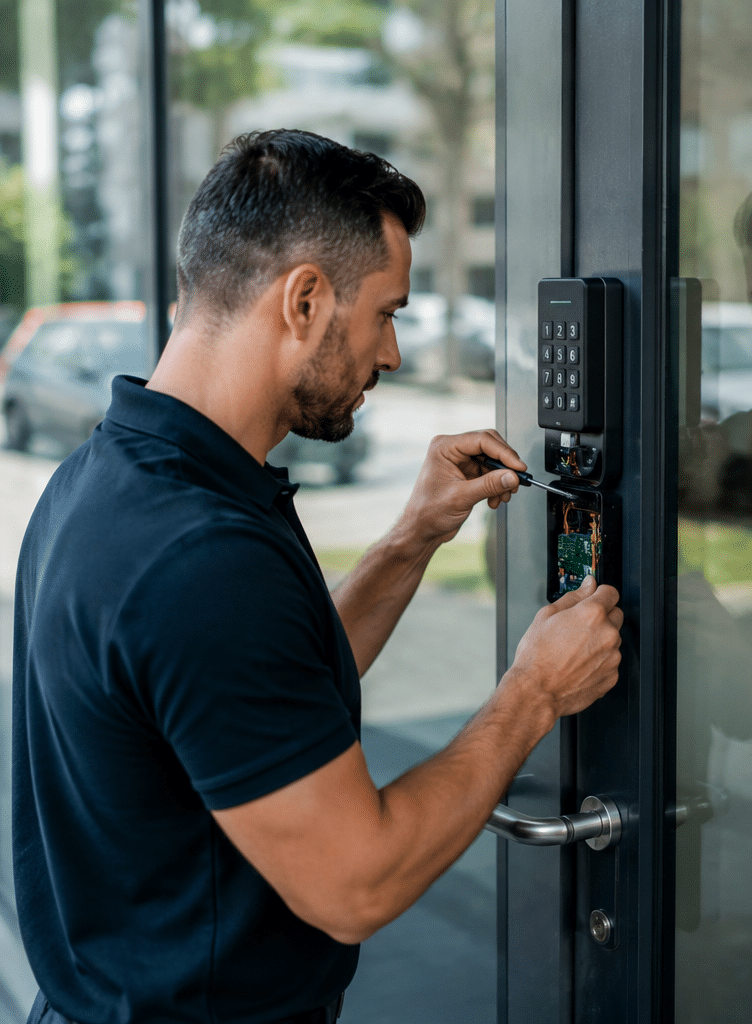
Access control maintenance is the routine inspection, testing, cleaning, updating and administration of electronic entry systems. It includes checking readers, door locks, controllers, software, credentials, user permissions, batteries, cabling, logs and integrations so authorised people can enter while unauthorised access is restricted.
Why Access Control Maintenance Matters in Australia
Access control systems protect everyday Australian workplaces, including offices, warehouses, medical centres, apartment buildings, schools, factories, retail sites and commercial tenancies. Therefore, small faults can create bigger risks. A reader that fails once a week may seem minor, but it can lead staff to prop open a door. A door strike that does not latch fully can make an entire secure area vulnerable.
In Australia, technical security work may also sit within state and territory licensing rules. ASIAL notes that security licensing requirements vary by jurisdiction and may cover installing, maintaining, repairing or servicing security equipment. In Queensland, for example, government guidance states that a security equipment installer licence can authorise a person to install, repair, service or maintain electronic or biometric access control devices.
For broader physical security, the Australian Signals Directorate’s ACSC guidance describes physical security as part of a layered approach, including the protection of facilities and systems through successive security layers. In plain terms, access control should not be isolated. It works best when it supports alarms, CCTV, visitor management, staff procedures and incident response.
For Australian businesses, good access control maintenance supports five practical goals:
- Keeping doors, gates and restricted areas secure.
- Reducing lockouts, access delays and after-hours callouts.
- Keeping staff, tenant and contractor permissions current.
- Supporting audit trails after incidents.
- Helping managers meet internal security, privacy and safety processes.
Core Parts of an Access Control System
Before planning access control maintenance, it helps to understand the main components. Non-experts often think the “system” is only the card reader on the wall. However, the reader is only one part.
Credentials
Credentials are the things people use to prove they are allowed to enter. These may include swipe cards, proximity cards, fobs, PIN codes, mobile credentials, QR codes or biometric identifiers.
Cards and fobs can wear out. PINs can be shared. Mobile credentials depend on phones, apps and network settings. Biometric credentials can raise extra privacy considerations because they may involve sensitive personal information.
Readers and Keypads
Readers and keypads sit at doors, gates, lifts or turnstiles. They scan cards, fobs, phones or PINs. Because they are touched often and exposed to dust, weather or impact, they need regular inspection.
Outdoor readers in Australian conditions may face heat, rain, coastal corrosion, insects and UV exposure. As a result, maintenance should include physical inspection, not just software checks.
Door Hardware
Door hardware includes electric strikes, magnetic locks, drop bolts, request-to-exit buttons, reed switches, door closers, hinges and emergency exit devices. Many access control issues are actually door hardware issues.
For example, a reader may approve access, but the door may still jam because the closer is misaligned. Similarly, a magnetic lock may work, but the door may not close firmly enough for the sensor to show a secure state.
Controllers and Power Supplies
Controllers make the access decision. They communicate with readers, locks and software. Power supplies keep locks and controllers running, while backup batteries support operation during outages.
Battery health matters. A weak backup battery may not show up during daily use, but it can fail during a power interruption.
Software and User Database
The software manages users, schedules, access levels, event logs and reports. In cloud systems, updates may be handled by the provider. In on-site systems, updates may require planned service visits or remote support.
Good access control maintenance includes cleaning up the database. Old employees, expired contractors and unused access groups should be removed or disabled.
Network and Cabling
Many modern access control systems rely on IP networking, structured cabling or integrations with intercoms, alarms and CCTV. ACMA guidance explains that customer cabling work in Australia is regulated and must follow applicable cabling provider rules and standards.
This matters because poor cabling can create intermittent faults. A door may work during testing, then fail later due to loose terminations, damaged cable, water ingress or network instability.

Common Access Control Maintenance Tasks
Effective access control maintenance combines physical checks, software checks and administrative review. Therefore, a proper service should be more than a quick “reader works” test.
1. Test Every Controlled Door
Each controlled door should be tested from both sides where practical. The technician should confirm that valid credentials unlock the door, invalid credentials are rejected, the door relocks correctly and the event appears in the system log.
This is important because a system can appear healthy from the software dashboard while a door is physically misaligned.
2. Inspect Locks, Strikes and Door Closers
Door hardware should be checked for wear, movement, rust, loose fixings and alignment. In busy Australian commercial sites, doors may open hundreds of times a day. Over time, vibration and repeated use can affect alignment.
From my experience, many “access control faults” start as ordinary door problems. A heavy glass door, a worn hinge or a closer set too fast can put pressure on the lock and cause inconsistent operation.
3. Clean and Check Readers
Readers should be cleaned, secured and inspected for cracks, moisture, tampering or loose mounting. Outdoor readers need special attention because they may be exposed to weather, dust and insects.
If staff report that cards only work when held at a certain angle, the reader may be failing, damaged or affected by interference.
4. Review User Permissions
Access permissions should match current roles. For example, warehouse staff may need store-room access, while office visitors should not. Contractors may only need temporary access for specific dates.
Regular review reduces “permission creep”. This happens when users keep old access rights after changing roles or sites.
5. Remove Old Users and Lost Credentials
Lost cards and former staff accounts should be disabled quickly. However, many businesses forget to clean old records. This can create unnecessary risk.
A strong access control maintenance routine includes checking inactive users, duplicate cards, expired contractors and access levels that no longer make sense.
6. Check Time Schedules and Public Holidays
Access control systems often use time zones, trading hours and public holiday schedules. If these are wrong, doors may unlock at the wrong time or deny staff entry when they should be allowed in.
For Australian sites, this can be especially important across multiple states because public holidays differ between jurisdictions.
7. Test Backup Power
Controllers, locks and network devices should be tested for backup power where applicable. Batteries should be checked for age, swelling, charge condition and performance.
This is not only a convenience issue. During power events, sites need doors to behave as designed, including safe egress.
8. Review Event Logs
Event logs show access granted, access denied, door forced, door held open and system fault events. Reviewing logs can reveal patterns before they become incidents.
For example, repeated “door held open” events may mean staff are propping a door. Repeated denied access may show that a user group is configured incorrectly.
9. Update Firmware and Software
Firmware and software updates can improve reliability, security and compatibility. However, updates should be planned carefully. A poor update process can interrupt entry, especially in 24/7 sites.
Therefore, updates should be backed up, tested where possible and scheduled at suitable times.
10. Check Integrations
Access control often connects with CCTV, alarms, intercoms, lifts, automatic doors or visitor systems. During maintenance, these links should be tested.
For example, a forced-door alarm may need to trigger a CCTV bookmark or alarm notification. If the integration has failed, managers may not know until an incident occurs.
Recommended Access Control Maintenance Schedule
There is no single maintenance interval that suits every Australian site. A small office with two doors has different needs from a logistics warehouse with multiple shifts and vehicle gates. However, the following schedule is a practical guide.
| Maintenance Area | Low-Traffic Office | Busy Commercial Site | High-Risk or 24/7 Site |
| Door and reader testing | Every 6 months | Quarterly | Monthly or quarterly |
| User permission review | Quarterly | Monthly | Monthly or after roster changes |
| Lost card and former staff cleanup | As needed | Weekly to monthly | Immediate and audited |
| Battery and power checks | Every 6 months | Quarterly | Quarterly or as required |
| Event log review | Monthly | Fortnightly | Weekly or monitored |
| Software and firmware review | Every 6 to 12 months | Quarterly to 6-monthly | Planned change process |
| Full system audit | Annually | Annually | 6-monthly or annually |
These are general estimates only. Site risk, insurance conditions, manufacturer guidance, internal policies and the advice of a qualified security provider should shape the final schedule.
Access Control Maintenance Checklist
Use this numbered checklist when onboarding a maintenance plan or preparing for a service visit.
- List every controlled door, gate, lift level and restricted area.
- Record the type of reader, lock, controller and credential used at each point.
- Confirm who is responsible for approving new users and removing old users.
- Export or review the current user list.
- Disable former staff, expired contractors and unknown credentials.
- Test valid and invalid credentials at every access point.
- Check that doors close, latch and relock correctly.
- Inspect readers, keypads, request-to-exit buttons and door sensors.
- Test emergency egress paths according to site procedures.
- Review time schedules, holidays and after-hours rules.
- Check backup batteries and power supplies.
- Review event logs for repeated faults, forced doors or held-open alerts.
- Confirm CCTV, alarm, intercom and lift integrations still work.
- Back up access control software settings where applicable.
- Document findings, actions taken and recommended repairs.
- Schedule the next service date before problems are forgotten.
This checklist is not a substitute for a licensed technician’s inspection. However, it gives managers a clear way to discuss access control maintenance without relying on guesswork.
Cloud vs On-Site Access Control Maintenance
Both cloud and on-site access control systems need maintenance. The tasks are similar, but responsibility is different.
| Feature | Cloud-Based Access Control | On-Site Access Control |
| Software updates | Often managed by provider | Usually managed by technician or IT team |
| Remote administration | Usually easier | May require VPN or local access |
| Internet dependency | Higher | Lower for local operation |
| Server maintenance | Reduced on site | Local server or workstation may need care |
| User management | Often simple across sites | Depends on software design |
| Data and privacy review | Still required | Still required |
| Best fit | Multi-site businesses, growing teams, remote admin | Sites needing local control or specific integrations |
Cloud systems can make access control maintenance easier because administrators can add users, remove users and check events remotely. However, they still need physical inspection. A cloud dashboard cannot fix a misaligned door closer or a damaged reader.
On-site systems can be reliable and controlled locally. However, they may need more attention to backups, computer health, server updates and local network changes.
Access Control Maintenance for Different Australian Sites
Access control maintenance should match the way the site operates. Therefore, a one-size-fits-all checklist is rarely enough.
Offices
Office access control often focuses on staff entry, lift access, meeting rooms, server rooms and after-hours security. Maintenance should include user cleanup after staff changes. It should also check public holiday schedules and tenancy changes.
In shared buildings, managers may need to coordinate with building management, lift contractors and IT providers.
Warehouses and Industrial Sites
Warehouses may have roller doors, pedestrian entries, vehicle gates, staff turnstiles and restricted storage areas. Dust, vibration, forklifts and heavy use can affect hardware.
In these sites, access control maintenance should pay close attention to physical damage, gate safety, weather exposure and shift-based permissions.
Retail Sites
Retail access control often protects stockrooms, cash offices, staff entrances and back-of-house areas. Because staff turnover can be higher, user administration is critical.
Managers should remove former staff access promptly and avoid shared PINs where possible.
Strata and Apartment Buildings
Apartment buildings often use fobs, intercoms, garage access and common-area doors. Maintenance needs to balance security with resident convenience.
Lost fobs should be cancelled. Door closers, garage readers and intercom links should be checked regularly because these are common sources of resident complaints.
Medical and Professional Sites
Medical centres, legal offices and professional practices may need access control for staff-only areas, records rooms, medicine storage, consultation areas or IT rooms.
Because these sites may handle personal information, administrators should also think carefully about access logs, privacy notices and who can view records.
Australian Compliance and Admin Considerations
Compliance for access control maintenance is not just about the device on the wall. It may involve licensing, cabling, privacy, workplace procedures and recordkeeping.
Security Licensing
Licensing rules differ between Australian states and territories. As a practical step, businesses should check that any person or company maintaining security equipment holds the relevant licence for the work and location. ASIAL’s security licensing guidance is a useful starting point for understanding how licensing varies across Australia.
This is an administrative check, not legal advice. If there is uncertainty, confirm with the relevant state or territory regulator.
Physical Security Frameworks
The ACSC’s physical security guidance explains physical protection through layered controls. For businesses, this supports a practical idea: access control works best with supporting layers such as locked areas, alarms, monitoring, CCTV, procedures and staff awareness.
Therefore, access control maintenance should not only ask, “Does the card reader work?” It should also ask, “Does this door still support our wider security plan?”
Privacy and Biometric Access
Some access systems use biometric identifiers, such as fingerprints or facial recognition. In Australia, privacy obligations can apply to personal information, and the OAIC explains that the Australian Privacy Principles govern standards, rights and obligations around the collection, use and disclosure of personal information.
For non-experts, the key point is simple. If your access control system collects personal information, especially biometric information, get privacy advice and keep clear records. Maintenance should include checking who has administrator access, how long logs are kept and whether old user data is removed when no longer needed.
Cabling and Network Work
If access control work involves customer cabling, ACMA cabling rules may apply. ACMA states that the cabling industry is regulated by the Telecommunications (Cabling Provider) Rules 2025, and people performing or supervising customer cabling work need to follow those rules.
In practical terms, do not treat cabling as a minor detail. Poor or non-compliant cabling can affect system reliability and may create regulatory or insurance concerns.
Documentation
Good documentation is part of good maintenance. Keep records of:
- Service dates.
- Technician details.
- Doors and devices tested.
- Faults found.
- Repairs completed.
- Batteries replaced.
- Software updates applied.
- User list reviews.
- Recommendations for future work.
This documentation helps during audits, insurance reviews, tenancy changes and incident investigations.
Warning Signs Your System Needs Servicing
Access control systems often give warning signs before a major failure. However, these signs are easy to ignore.
Book access control maintenance if you notice:
- Cards or fobs only work sometimes.
- Staff need to swipe multiple times.
- A door does not close properly.
- A magnetic lock hums, vibrates or feels loose.
- Users appear in the database who no one recognises.
- Former staff still have active credentials.
- Door forced or door held open alerts appear often.
- The system clock is wrong.
- Public holiday schedules do not work.
- Backup batteries are old or untested.
- The access software runs on an old computer no one maintains.
- Managers cannot produce event reports when needed.
These issues may seem small. However, they can reduce security and increase frustration. More importantly, they often cost less to fix early than after a complete failure.
Why Preventive Access Control Maintenance Saves Money
Reactive repairs are usually more disruptive than planned maintenance. If a door fails during business hours, staff may be locked out, visitors may be delayed, and managers may need urgent help.
Preventive access control maintenance helps by finding weak points early. For example, replacing a tired battery during a planned visit is easier than discovering it during a power outage. Adjusting a door closer before it damages a lock is cheaper than replacing both hardware and electronics later.
There is also an operational benefit. Staff trust systems that work smoothly. When systems are unreliable, people create workarounds. They share cards, prop doors, bypass procedures or leave entries unlocked. Therefore, maintenance supports both technology and behaviour.
Access Control Maintenance and Cyber Security
Modern access control systems are often connected to networks. As a result, maintenance should include basic cyber hygiene.
This does not mean every site needs complex cyber security processes. However, it does mean administrators should take sensible steps, such as:
- Use strong administrator passwords.
- Remove old administrator accounts.
- Limit who can export access logs.
- Keep software and firmware current.
- Protect remote access tools.
- Back up system configuration.
- Coordinate changes with IT.
- Avoid using shared admin logins.
The ACSC Information Security Manual describes cyber security principles around governance, identifying assets, protecting systems, detecting events and responding to incidents. While written for a broad audience, that structure is useful for access control because physical security systems increasingly depend on digital systems.
How to Choose an Access Control Maintenance Provider
Choosing the right provider matters. A technician may be able to replace a reader, but a strong provider should also understand doors, locks, software, licensing, cabling and site procedures.
Look for a provider that can:
- Service your brand or platform.
- Provide licence details where required.
- Check both hardware and software.
- Document work clearly.
- Explain findings in plain English.
- Support urgent faults when needed.
- Understand commercial, strata or industrial sites.
- Coordinate with electricians, locksmiths, IT teams and building managers.
- Help review user permissions and admin processes.
Also, ask what is included in the maintenance visit. A low-cost inspection may only test a few devices. A better service should include door operation, readers, locks, logs, power, users and recommendations.
People Also Ask
How often should access control maintenance be done in Australia?
Most low-risk sites should review access control maintenance at least every 6 to 12 months. Busy commercial, strata, warehouse and high-risk sites may need quarterly or monthly checks. The right frequency depends on door traffic, risk level, system age and manufacturer guidance.
What does access control maintenance include?
It usually includes testing doors, readers, locks, controllers, credentials, backup power, software, access levels and event logs. It should also include checking old users, lost cards and time schedules. A good service looks at both security and everyday usability.
Do access control technicians need a licence in Australia?
Licensing rules vary by state and territory. In some jurisdictions, maintaining or servicing security equipment, including access control devices, may require a relevant security licence. Businesses should check the provider’s licence details before work begins.
Can access control maintenance prevent lockouts?
Yes, it can reduce lockouts by finding weak batteries, faulty readers, poor door alignment and incorrect user permissions before they cause failures. However, no maintenance plan can prevent every fault. It simply lowers the risk and improves response planning.
Is biometric access control legal in Australia?
Biometric access control may be allowed in some circumstances, but it can raise privacy obligations. Businesses should get privacy advice before collecting biometric information and should manage consent, notices, storage, access and deletion carefully.
Expert Q&A
1. What is the biggest access control maintenance mistake businesses make?
The biggest mistake is only checking the technology and ignoring the user database. A reader may work perfectly, but the site can still be exposed if former staff, old contractors or duplicate credentials remain active. Maintenance should always include an access permission review.
2. Why does my access control door unlock but not open properly?
This often happens because the door hardware is misaligned. The system may approve the credential and release the lock, but the strike, latch, hinge or closer may be under pressure. A technician should check the full door assembly, not just the reader.
3. Should access control maintenance include CCTV and alarms?
If the systems are integrated, yes. For example, a forced-door event may need to trigger an alarm or link to CCTV footage. During maintenance, integrated actions should be tested so managers know the full security response still works.
4. How should we manage access cards for staff who leave?
Former staff cards should be disabled as part of the offboarding process. Ideally, HR, management or IT should notify the access control administrator before or on the staff member’s final day. Regular audits should then catch anything missed.
5. What records should we keep after access control maintenance?
Keep service reports, fault notes, user review records, battery replacements, software update notes and recommendations. These records help with accountability, future troubleshooting, insurance questions and internal security reviews.
Conclusion
Access control maintenance is not just a technical service. It is a practical business process that protects people, property, information and daily operations. In Australia, it also supports better licensing checks, cleaner privacy administration, safer cabling decisions and stronger physical security habits.
The best approach is proactive. Test doors before they fail. Remove users before credentials become a risk. Check batteries before outages. Review logs before an incident forces you to. Most importantly, treat access control as part of your wider security environment, alongside CCTV, alarms, intercoms, visitor processes and staff training.
For tailored support with access control maintenance, system checks and practical security upgrades, speak with Eclipse Security’s Australian electronic security specialists.