


Table of Contents
- Introduction
- What is Security Cameras Installation?
- Why Security Cameras Installation Matters in Australia
- Types of Security Camera Systems Explained
- Security Cameras Installation Process (Step-by-Step Checklist)
- DIY vs Professional Installation in Australia
- Costs of Security Cameras Installation in Australia
- Legal and Privacy Considerations (Australia)
- Choosing the Right Locations for Cameras
- Wired vs Wireless Systems (Comparison Table)
- Common Mistakes to Avoid
- Maintenance and Long-Term Performance
- People Also Ask (PAA)
- Expert Q&A Section
- Conclusion
Introduction
If you’re searching for security cameras installation in Australia, you’re likely trying to protect your home, business, or investment property. From my experience working with property owners and small business operators, the biggest mistake people make is treating security systems as a simple plug-and-play solution, when in reality, proper planning and installation make all the difference.
In Australia, rising awareness around property security and insurance requirements has made surveillance systems more common than ever. However, installing cameras correctly, while complying with privacy expectations and achieving reliable performance, requires more than just buying equipment online.
This guide breaks down everything you need to know in plain Australian English, so you can make informed decisions with confidence.
What is Security Cameras Installation?
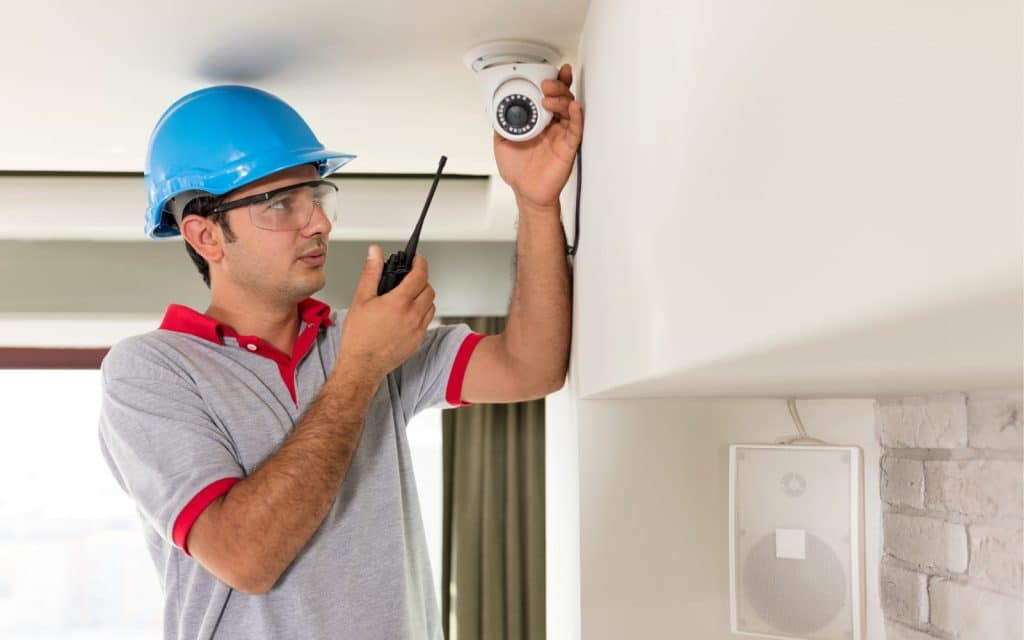
Security cameras installation is the process of selecting, positioning, and setting up surveillance cameras to monitor and protect a property. It includes choosing suitable equipment, ensuring correct placement for coverage, connecting power and networks, and configuring recording and remote access systems for reliable, ongoing security monitoring.
Why Security Cameras Installation Matters in Australia
Security concerns in Australia vary by region, but trends show increasing demand for surveillance solutions. According to the Australian Institute of Criminology, property crime remains one of the most common offences nationally, particularly theft and unlawful entry.
Because of this:
- Homeowners want deterrence and peace of mind
- Businesses need evidence for disputes and insurance claims
- Strata and commercial properties require monitoring compliance
From my experience, properly installed systems reduce incidents not just by recording events, but by deterring them before they happen.
Types of Security Camera Systems Explained
Before installation, it’s important to understand the main system types available in Australia.
1. CCTV (Wired Systems)
- Uses cables (usually coaxial or Ethernet)
- Highly reliable and stable
- Best for larger or permanent setups
2. IP Cameras (Network-Based)
- Connect via internet or local network
- Enable remote viewing via apps
- Ideal for modern homes and businesses
3. Wireless Cameras
- Easier to install
- Suitable for renters or small setups
- May depend on Wi-Fi quality
4. Smart Cameras
- Integrated with smart home systems
- Features like motion detection, alerts, AI recognition
Each option has trade-offs between cost, reliability, and flexibility.
Security Cameras Installation Process (Step-by-Step Checklist)
Here’s a practical checklist based on real-world installations:
Security Cameras Installation Checklist
- Assess Your Property
- Identify entry points (doors, windows, driveways)
- Consider blind spots
- Define Your Goals
- Deterrence, monitoring, evidence collection?
- Choose Camera Types
- Indoor vs outdoor
- Night vision requirements
- Plan Camera Placement
- Height: 2.5–3 metres recommended
- Avoid direct sunlight and glare
- Check Power and Connectivity
- Wired (PoE) or wireless setup
- Internet bandwidth for remote access
- Install Mounts and Cameras
- Secure brackets properly
- Weatherproof outdoor units
- Configure System
- Recording schedules
- Motion detection zones
- Test Coverage
- Check angles, clarity, and blind spots
- Set Up Remote Access
- Mobile apps or desktop monitoring
- Review Compliance
- Ensure privacy expectations are met
DIY vs Professional Installation in Australia
DIY Installation
Pros:
- Lower upfront cost
- Faster setup
- Flexible
Cons:
- Risk of poor placement
- Limited technical support
- Compliance risks
Professional Installation
Pros:
- Expert placement and optimisation
- Clean cabling and setup
- Better long-term reliability
Cons:
- Higher upfront cost
If you’re serious about long-term performance, it’s worth exploring a professional solution like this trusted security camera installation service in Australia.
Costs of Security Cameras Installation in Australia
Costs vary depending on system complexity. Estimated ranges:
| Setup Type | Estimated Cost (AUD) |
|---|---|
| Basic DIY (2–4 cameras) | $300 – $800 |
| Mid-range system | $800 – $2,500 |
| Professional installation | $2,000 – $6,000+ |
Factors affecting cost:
- Number of cameras
- Wiring complexity
- Storage (cloud vs local)
- Labour
These figures are indicative and should be confirmed with a licensed installer.
Legal and Privacy Considerations (Australia)
In Australia, security camera use is generally allowed, but there are important considerations.
According to the Office of the Australian Information Commissioner:
- Avoid recording areas where people expect privacy (e.g., bathrooms, neighbours’ homes)
- Inform visitors if surveillance is in place (signage recommended)
- Businesses must comply with privacy laws when collecting personal data
Additionally, states like NSW and VIC have specific surveillance device laws.
Important: This is general guidance only and should be reviewed with a qualified professional for compliance.
Choosing the Right Locations for Cameras
Correct placement is critical. From my experience, placement matters more than camera quality.
Key Locations:
- Front door (primary entry point)
- Driveway and garage
- Backyard or side access
- Interior entry points
Tips:
- Install at an angle to capture faces
- Avoid pointing directly into sunlight
- Use wide-angle lenses for coverage
Wired vs Wireless Systems (Comparison Table)
| Feature | Wired Systems | Wireless Systems |
|---|---|---|
| Reliability | Very high | Depends on Wi-Fi |
| Installation | Complex | Easy |
| Cost | Higher upfront | Lower upfront |
| Maintenance | Low | Moderate |
| Best For | Large properties | Small homes/renters |
Common Mistakes to Avoid
Many Australians make these errors:
- Installing cameras too high (poor facial detail)
- Ignoring lighting conditions
- Over-relying on Wi-Fi
- Not securing passwords
- Skipping system testing
From my experience, fixing poor installation often costs more than doing it properly the first time.
Maintenance and Long-Term Performance
To keep your system reliable:
- Clean lenses every 3–6 months
- Check firmware updates
- Test recording regularly
- Inspect cables and mounts
According to Standards Australia, ongoing system maintenance is essential for performance and safety compliance.
People Also Ask (PAA)
1. Do I need permission to install security cameras in Australia?
Generally no for private property, but you must avoid recording areas where others have a reasonable expectation of privacy.
2. How many cameras do I need for a home?
Most homes need 2–6 cameras depending on size and entry points.
3. Are wireless cameras reliable in Australia?
Yes, but only if your Wi-Fi is strong and stable. Otherwise, wired systems are more reliable.
4. Can security cameras reduce insurance costs?
Some insurers may offer discounts, but it varies. Always check with your provider.
5. How long do security cameras store footage?
Typically 7–30 days depending on storage capacity and settings.
Expert Q&A Section
1. What resolution is best for security cameras?
1080p is standard, but 4K offers better detail, especially for identifying faces or licence plates.
2. Should I choose cloud or local storage?
Cloud offers remote access and backups, while local storage avoids subscription fees. A hybrid approach is often best.
3. Can security cameras work during power outages?
Only if you have battery backup or UPS systems installed.
4. How secure are modern surveillance systems?
They are secure if properly configured. Use strong passwords, enable encryption, and update firmware regularly.
5. What’s the best angle for outdoor cameras?
A downward angle of about 15–30 degrees provides optimal facial recognition and coverage.
Conclusion
Investing in security cameras installation in Australia is one of the most practical ways to protect your property, but only if it’s done properly. From choosing the right system to understanding placement and compliance, every step plays a role in long-term effectiveness.
If you’re looking for a reliable, professionally installed solution, consider exploring a trusted Australian security installation provider to ensure your system is set up correctly from day one.