On this page19
- Introduction
- What Is CCTV Camera Installation Melbourne?
- 1. Why CCTV Camera Installation Matters in Melbourne
- 2. How CCTV Camera Systems Work
- 3. CCTV Camera Installation Melbourne: Best Camera Locations
- 4. Types of CCTV Cameras Compared for Melbourne Properties
- 5. CCTV Camera Installation Melbourne: Resolution and Night Vision
- 6. Recording, Storage and Remote Viewing for CCTV Systems
- 7. Step-by-Step CCTV Camera Installation Melbourne Checklist
- 8. How Much Does CCTV Camera Installation Cost in Melbourne?
- 9. CCTV Camera Installation Melbourne: Victorian Licensing and Privacy
- 10. Cybersecurity for Connected CCTV Camera Systems
- 11. CCTV Installation for Melbourne Homes and Businesses
- 12. How to Choose a Professional CCTV Installer in Melbourne
- 13. Common CCTV Camera Installation Mistakes to Avoid
- 14. Maintaining CCTV Systems After Installation
- 15. People Also Ask: CCTV Camera Installation Melbourne
- 16. Expert Q&A: CCTV Camera Installation Melbourne
- 17. Conclusion: Choose the Right CCTV Camera Installation Melbourne Solution
Not sure what your site needs?
A technical consultant from our Hallam office will look at the site and recommend a system, free of charge.
Request an assessment 1300 66 11 99Introduction
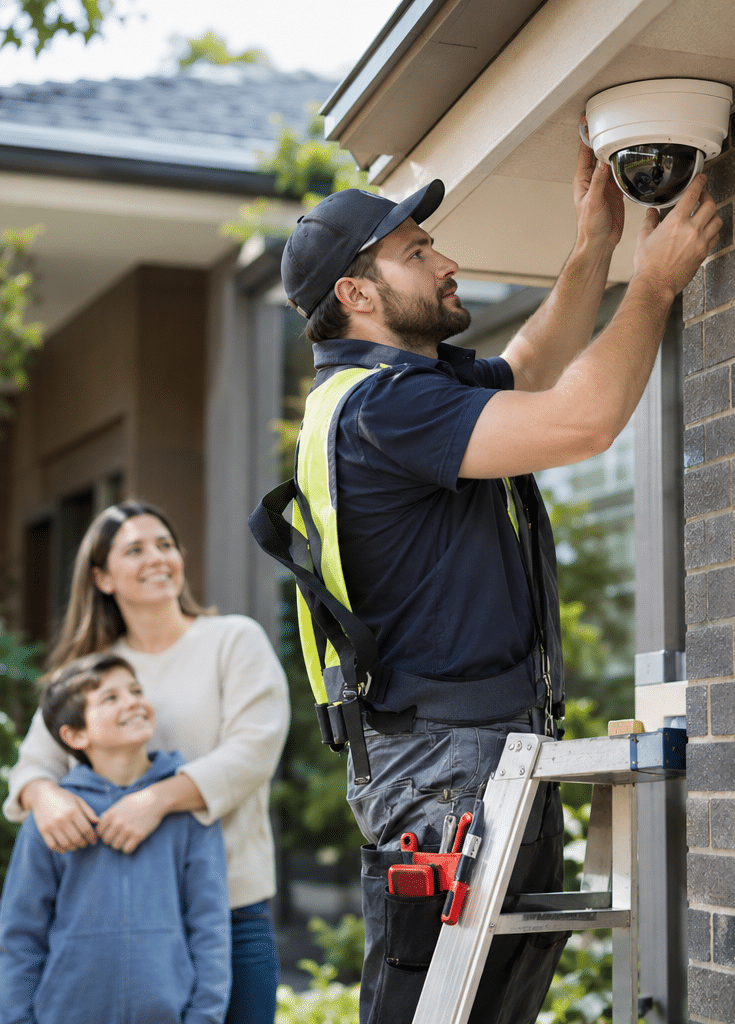
If you are searching for CCTV camera installation Melbourne, you are probably looking for a reliable way to protect your home, business, employees or valuable assets. However, installing security cameras involves much more than choosing a camera, mounting it on a wall and connecting it to a recording device.
A well-designed CCTV system helps you monitor important areas, review security incidents and understand what happens around your property. More importantly, effective installation considers camera placement, lighting, image clarity, recording capacity and network security.
Melbourne has a wide range of properties, from apartments and suburban homes to retail shops, offices, warehouses and industrial facilities. Consequently, a security system suitable for a small home in Dandenong may not meet the needs of a large commercial property in Campbellfield.
At Eclipse Security Systems, the focus is on security solutions designed around the needs of each property. This guide takes a practical approach to CCTV planning, installation and testing, with an emphasis on the questions that matter during a real site assessment.
Whether you are replacing old cameras or planning your first installation, you will learn how to select the right equipment, understand costs, compare installation methods and avoid common mistakes.
What Is CCTV Camera Installation Melbourne?
CCTV camera installation Melbourne refers to planning, mounting, connecting and testing security cameras for homes and businesses across metropolitan Melbourne. A complete installation checks viewing angles, night-time image quality, recording storage, network security and privacy. The aim is dependable footage of important areas, not merely cameras that turn on.

Table of Contents
- Why CCTV camera installation matters in Melbourne
- How CCTV camera systems work
- Best camera locations for Melbourne properties
- CCTV camera types compared
- How to choose camera resolution and night vision
- Recording systems, storage and remote viewing
- Step-by-step CCTV camera installation checklist
- CCTV installation costs in Melbourne
- Victorian licensing and privacy considerations
- Cybersecurity for connected CCTV systems
- CCTV installation for homes and businesses
- Choosing a professional CCTV installer
- Common CCTV installation mistakes
- Maintenance and long-term performance
- People Also Ask
- Expert CCTV installation Q&A
- Conclusion
1. Why CCTV Camera Installation Matters in Melbourne
Security cameras are used in residential and commercial properties for several reasons. While no camera can guarantee that a crime will not occur, a properly designed system can improve visibility and provide useful recordings when an incident happens.
The most important benefit is access to information.
For example, if a delivery goes missing from a business entrance, a camera recording that area may help establish when the parcel arrived and what happened afterwards.
Similarly, a residential camera overlooking a driveway may help the property owner review an incident involving a parked vehicle.
CCTV Camera Installation Melbourne: Key Benefits
1. Greater visibility around the property
Security cameras allow owners and authorised staff to view selected areas without being physically present.
For instance, a business manager may use an approved mobile application to check whether a delivery has arrived or a loading bay is clear.
However, the system must have suitable network connectivity and properly configured access permissions.
2. Supporting incident investigations
Recorded footage may help establish an event timeline, identify relevant activity or provide information to police.
Nevertheless, the usefulness of the footage depends on image quality, lighting, camera position and whether the recording has been retained.
A camera covering a large area may show that an incident occurred without capturing enough detail to identify a person.
3. Visible security presence
Clearly positioned CCTV cameras may discourage some opportunistic behaviour.
However, cameras are not a substitute for secure doors, appropriate lighting, alarm systems or sensible access controls.
Therefore, they work best as part of a broader security plan.
4. Remote monitoring
Modern CCTV systems can allow authorised users to view cameras from a smartphone or computer.
For example, a Melbourne business owner travelling interstate may be able to review selected cameras through a secure connection.
Remote access should be configured carefully because internet-connected cameras also introduce cybersecurity risks.
5. Better operational awareness
Commercial CCTV can help businesses review deliveries, investigate incidents and monitor selected operational areas.
However, workplace surveillance must be appropriate to its purpose and reviewed against applicable privacy and employment obligations.
The goal should be legitimate security and operational visibility rather than unnecessary monitoring of individuals.
2. How CCTV Camera Systems Work
Before choosing CCTV camera installation Melbourne services, it helps to understand the main parts of a modern security camera system.
Although equipment varies between manufacturers, most systems follow the same basic process.
Cameras capture video
A CCTV camera uses an image sensor and lens to capture a scene.
The sensor converts incoming light into a video signal. The camera then sends that signal to a recorder, storage platform or monitoring application.
Image quality depends on several factors, including resolution, lens selection, exposure settings and available light.
Cameras connect to the system
Cameras can connect through coaxial cabling, Ethernet cabling or wireless networking.
For example, many modern IP cameras use Power over Ethernet (PoE), which carries power and network data through a suitable Ethernet cable.
This arrangement can simplify installation because the camera does not need a separate local power adaptor.
However, the network switch or recorder must provide sufficient power for the cameras.
Recorders store footage
A recording system saves video so authorised users can review it later.
Common options include:
- NVR (Network Video Recorder): Records video from compatible network or IP cameras.
- DVR (Digital Video Recorder): Commonly used with analogue camera systems.
- Cloud recording: Stores footage or selected events on a remote provider's infrastructure.
- Hybrid systems: Combine different camera technologies or storage methods.
The best option depends on the property, existing equipment and recording requirements.
Users access recordings
Once the system is configured, users can review live footage, search recordings or export clips.
In addition, some systems support motion-based notifications, person or vehicle detection and integration with alarm systems.
These features are useful when configured correctly. However, analytics can produce false alerts, so they should be tested under real conditions.
3. CCTV Camera Installation Melbourne: Best Camera Locations
Camera location is one of the most important parts of a successful installation.
A high-resolution camera pointed in the wrong direction may be less useful than a modest camera positioned carefully.
Therefore, installation planning should begin with the purpose of each camera.
Front entrances and access points
Front doors, reception areas and main business entrances are common CCTV locations.
These areas are important because people often pass through a relatively narrow space.
A camera positioned to capture a clear view of approaching visitors may provide more useful detail than one mounted high above the entire entrance.
However, avoid placing the lens directly towards intense sunlight or strong reflective surfaces.
Driveways and parking areas
Driveways and car parks can benefit from cameras that monitor vehicle movements and entry points.
For instance, a Melbourne homeowner may wish to review activity around a garage or parked vehicle.
However, a wide camera view does not automatically provide readable number plates.
If number plate capture is important, the camera may need a suitable lens, angle, lighting arrangement and dedicated configuration.
Side access and rear entrances
Narrow side passages can be overlooked during initial camera planning.
Consequently, these areas may create gaps between the front and rear camera views.
A carefully positioned camera can cover side gates, service doors or access paths.
However, the installer should check whether nearby walls, vegetation or outdoor lighting may obstruct the image.
Retail entrances and stock areas
Retail CCTV often focuses on entry points, transaction areas, stock access and delivery locations.
For example, a small shop in Melbourne's CBD may have different camera requirements from a larger retail outlet in Dandenong.
The shopfront may need clear entrance footage, while a stockroom may require restricted access and appropriate recording controls.
Cameras should be positioned to meet legitimate security needs while limiting unnecessary capture of private activities.
Warehouses and loading bays
Warehouse security requires careful consideration of distance, mounting height and lighting.
Large open spaces can make it difficult for one camera to provide useful detail across an entire area.
Therefore, a combination of overview cameras and cameras focused on important entry or loading points may be more effective.
Practical installation principle: Decide what each camera must show before deciding where to mount it.
For CCTV camera installation Melbourne projects, this simple approach helps prevent unnecessary equipment purchases and improves coverage planning.
4. Types of CCTV Cameras Compared for Melbourne Properties
There is no single camera type suitable for every situation.
Instead, the selection should depend on the required coverage, building layout, network conditions and maintenance needs.
CCTV Camera Systems: Comparison Table
| Camera or system type | Main advantages | Important limitations | Common applications |
| Wired IP cameras with PoE | Stable network connection, flexible settings and central recording | Requires suitable cabling and network equipment | Homes, offices, warehouses |
| Analogue CCTV with DVR | May allow reuse of existing coaxial cables and compatible equipment | Features and upgrade options vary by platform | Upgrades to older installations |
| Wi-Fi security cameras | Useful where fixed network cabling is difficult | Depends on wireless signal and reliable power or batteries | Small homes, selected rental situations |
| Dome cameras | Compact housing and various mounting options | Dome reflections and dirty covers can affect images | Retail, reception, covered outdoor areas |
| Bullet cameras | Directional design and visible presence | Needs careful positioning and secure mounting | Driveways, entrances, perimeters |
| PTZ cameras | Can pan, tilt and zoom across selected areas | May miss activity outside their current view without suitable presets or operators | Large commercial sites |
| Cloud-managed cameras | Remote administration and centralised management | May involve subscriptions and internet or provider dependencies | Multi-site businesses |
Wired CCTV camera installation in Melbourne
Wired systems are often a sensible choice for properties that require continuous recording.
Because the video travels through a physical connection, the system is less dependent on local Wi-Fi conditions.
For example, a warehouse with several cameras may benefit from a structured wired network.
However, cable routes must be planned carefully, especially when working across multiple buildings or through difficult ceiling spaces.
Wireless CCTV camera installation
Wireless cameras are useful when installing network cables is impractical.
For instance, a small apartment may only need limited entry-point monitoring.
However, wireless does not always mean cable-free.
Many Wi-Fi cameras still require a power connection, while battery-operated cameras need charging or battery replacement.
Also, network interference, weak signal strength and router problems can affect performance.
Choosing dome, bullet or PTZ cameras
Camera shape alone does not determine video quality.
A dome camera can work well in a covered entrance, while a bullet camera may suit a clearly defined outdoor approach.
Meanwhile, a PTZ camera can help operators inspect large areas.
However, because a PTZ camera only points in one direction at a time, fixed cameras may still be needed for continuous coverage of critical locations.
The best CCTV camera installation Melbourne design may use several camera styles rather than relying on one model.
5. CCTV Camera Installation Melbourne: Resolution and Night Vision
Camera resolution is important, but it is not the only measure of image quality.
A good installer should explain what the camera needs to capture at the intended distance.
Understanding camera resolution
Resolution describes the number of pixels available in an image.
Common camera specifications include:
- 2 MP: Often associated with 1080p video.
- 4 MP: Offers more image detail than 2 MP under comparable conditions.
- 8 MP: Commonly associated with 4K UHD cameras.
Higher resolution can provide more detail. However, it may also increase storage and network requirements.
More importantly, resolution alone does not guarantee that faces or vehicle details will be identifiable.
Why lens selection matters
A wide-angle lens covers more of a scene, but objects may appear smaller.
A narrower viewing angle covers less space while potentially providing more useful detail at a selected distance.
For example, a camera overlooking a broad driveway may show several vehicles.
However, a second camera focused on the driveway entrance might capture clearer details as vehicles pass through a smaller area.
Therefore, the camera's purpose should determine its viewing angle.
Test CCTV cameras at night
Night-time performance is especially important for outdoor CCTV.
Some cameras use infrared illumination to capture images in low light. Others use visible lighting or specialised low-light sensors.
However, infrared can reflect from nearby walls, signs, insects or dirty camera covers.
A camera may appear excellent during the day but provide poor footage after dark.
Consequently, a proper installation should include testing under the lighting conditions the property will actually experience.
Consider Melbourne's outdoor conditions
Melbourne properties may experience rain, strong sunlight, temperature changes and periods of reduced visibility.
Outdoor equipment should therefore have a suitable environmental rating and be installed according to the manufacturer's requirements.
For instance, an IP66-rated enclosure is designed to resist dust and powerful water jets under defined test conditions. However, the rating does not mean every installation method or cable connection is weatherproof.
The installer must also protect exposed connectors and choose appropriate mounting materials.
For coastal and exposed locations, material corrosion resistance deserves additional attention.
6. Recording, Storage and Remote Viewing for CCTV Systems
A camera that captures useful footage is only part of a successful CCTV system.
The footage must also be recorded, stored securely and available when required.
Local recording versus cloud recording
Local recording generally uses an NVR or DVR installed at the property.
A key advantage is that supported systems can continue recording locally during an internet outage, provided they still have power and the local network remains operational.
However, the recorder itself must be protected from theft, damage and unauthorised access.
Cloud recording stores video or events through an external service.
This can simplify access across multiple properties. However, it may create ongoing subscription costs and dependencies on internet connectivity or the provider.
Therefore, the choice should consider both operational needs and long-term costs.
How much CCTV storage is required?
Recording capacity depends on:
- Number of cameras.
- Video resolution.
- Recording bitrate.
- Frame rate.
- Compression format.
- Continuous or event-based recording.
- Required footage retention period.
For example, consider four cameras recording continuously at an average of 2 Mbps each.
Their combined recording rate would be approximately 8 Mbps.
At that rate, the system would produce roughly 86 GB of footage per day, or around 1.2 TB over 14 days before allowing for practical storage overheads.
This is an illustrative calculation, not a storage guarantee. Actual video sizes change with scene movement, compression, camera settings and recording schedules.
Therefore, an installer should calculate storage requirements using the proposed equipment and your retention target.
What is a suitable retention period?
Some property owners may want a week of footage, while others may require several weeks.
However, there is no universal retention period suitable for every Australian CCTV system.
The decision should consider why footage is recorded, how quickly incidents are discovered, the amount of storage available and any applicable obligations.
For example, a business closed over a long holiday period may need sufficient storage to review an incident discovered after reopening.
In addition, older footage should be deleted or overwritten according to an appropriate retention policy.
Secure remote CCTV viewing
Remote viewing allows authorised users to check cameras from a mobile device or computer.
However, internet access should not be enabled without security planning.
Prefer systems that support secure authentication, appropriate account permissions and vendor-supported connection methods.
Avoid exposing recorder administration ports directly to the internet unless a competent professional has assessed and secured the arrangement.
7. Step-by-Step CCTV Camera Installation Melbourne Checklist
A structured installation process helps reduce mistakes and provides a clear basis for checking the finished system.
The following checklist can be used when discussing a project with a professional installer.
12-Step CCTV Installation Checklist
- Identify the main security risks. Review property entrances, vulnerable access points, valuable assets and any history of relevant incidents.
- Define the purpose of each camera. Decide whether it needs to provide an overview, detect activity or capture useful identification detail.
- Conduct a site inspection. Check building structure, lighting, existing security equipment, network connections and possible cable routes.
- Prepare a camera placement plan. Mark proposed locations, viewing directions and likely blind spots.
- Select suitable equipment. Compare camera resolution, lens type, weather protection, recorder compatibility and support requirements.
- Review privacy and installation requirements. Confirm that proposed recording locations are appropriate and that the work is assigned to suitably authorised people.
- Plan power and cabling. Check PoE capacity, cable lengths, power supply requirements and any specialist cabling or electrical work.
- Install and secure the cameras. Use suitable brackets, protected connections and appropriate cable management.
- Configure recording and storage. Set recording schedules, image quality, retention targets, date and time settings, and storage alerts.
- Secure network and user access. Replace default credentials, apply updates and configure individual permissions where supported.
- Test the complete system. Review daylight and night-time footage, playback, alerts, remote viewing and recording after a restart.
- Complete handover and training. Explain daily operation, footage export, maintenance, support contacts and warranty information.
Why commissioning matters
Commissioning is the process of checking that a newly installed system performs as intended.
It should not end when the cameras first display an image.
For example, an installer may discover that a security light causes excessive glare at night.
Similarly, a recording schedule may be set incorrectly, resulting in missing footage during an important period.
Therefore, the final test should simulate the property's real operating conditions.
For CCTV camera installation Melbourne businesses can rely on, a documented handover is particularly valuable.
What should the installer demonstrate?
Before accepting the system, ask for a practical demonstration.
You should be able to:
- View every camera.
- Find a recording from a specific time.
- Export a short video clip.
- Check the system's available recording history.
- Understand how alerts are delivered.
- Access the system using an approved account.
- Identify what happens during a network interruption.
In addition, request basic system documentation, including camera locations, equipment models and support details.
8. How Much Does CCTV Camera Installation Cost in Melbourne?
The cost of CCTV camera installation Melbourne depends on the size of the property and the work required.
Therefore, a reliable quotation should reflect the proposed equipment, installation conditions and testing requirements.
There is no single fixed installation price suitable for every Melbourne property.
Factors affecting CCTV installation costs
Number of cameras
A larger system usually needs more equipment, cabling and configuration.
However, camera count alone does not determine the total price.
Four cameras installed in difficult locations may require more labour than six cameras installed along accessible cable routes.
Camera specifications
High-resolution sensors, specialist lenses, low-light features and advanced analytics can affect equipment costs.
However, expensive features are not always necessary.
For example, a small entrance may be monitored effectively with a suitable fixed camera rather than a more complex PTZ model.
Building structure
Installation in a single-storey property with accessible ceiling space may be simpler than installation across multiple floors.
In contrast, concrete walls, restricted roof access and long outdoor cable routes may require additional labour.
Recorder and storage capacity
Larger hard drives, additional recording channels and advanced management software can increase the initial budget.
Meanwhile, cloud services may introduce recurring charges.
Ongoing maintenance
A complete budget should consider equipment support, firmware updates, periodic inspections and future component replacement.
Example of a CCTV project budget
To understand how costs add up, consider this hypothetical example for a small property.
| Budget component | Illustrative allowance |
| Cameras and basic recording equipment | A$1,250 |
| Cabling, mounting and installation labour | A$850 |
| Additional storage and accessories | A$300 |
| Illustrative total | A$2,400 |
These figures demonstrate a budgeting method only. They are not a current market average, a supplier quotation or an advertised Eclipse Security price. Actual quotes may be lower or considerably higher, and GST treatment should be confirmed.
What should a CCTV quotation include?
Ask the installer to identify the cameras and recorder by model, along with storage capacity, installation work and software configuration.
Also, confirm whether the quote covers:
- GST and equipment delivery.
- Cabling and protective conduit.
- Access equipment for difficult locations.
- Network configuration.
- Mobile application setup.
- Night-time testing.
- User training.
- Warranty and after-sales support.
- Optional subscriptions or monitoring charges.
Importantly, compare quotes using the same technical requirements.
A lower quotation is not necessarily better value if it excludes essential equipment or commissioning work.
9. CCTV Camera Installation Melbourne: Victorian Licensing and Privacy
Installing security cameras in Victoria involves both technical work and administrative considerations.
These should be reviewed before installation rather than addressed after a complaint or incident.
The information below is general guidance, not legal advice.
Victorian security installer licensing
Victoria regulates private security activities, including security equipment installation and security advice.
Before engaging a provider, check that the business and relevant individuals hold the appropriate current authority for the work being performed.
According to Victoria Police, its public register identifies licensed or registered individuals and businesses, their authorised activities and relevant licence details.
You can review the Victoria Police public register of security licence holders.
This is particularly useful because security licensing arrangements have changed in recent years.
In addition, confirm that any specialist cabling or electrical work will be performed by appropriately qualified and authorised personnel.
Privacy and surveillance considerations
CCTV cameras can record images of identifiable individuals.
Therefore, property owners and businesses should carefully consider where their cameras point and how the recordings are used.
Victoria's Surveillance Devices Act 1999 addresses the use of surveillance devices, including optical devices and listening devices, in particular circumstances.
The distinction between observing a publicly visible area and recording a private activity can be important.
For example, a camera covering a business entrance raises different privacy issues from one directed towards a private changing area.
You can review the Victorian Surveillance Devices Act 1999 through the Victorian legislation website.
What about neighbouring properties?
When planning home CCTV, aim cameras towards legitimate areas of concern on your own property.
If a camera also captures a neighbouring property, review whether its angle can be adjusted or privacy masking applied.
Privacy masking allows compatible systems to block selected parts of an image.
However, masking should not be treated as a universal legal solution.
The circumstances, recording purpose and applicable law still matter.
Is CCTV signage required?
CCTV signage can help people understand that surveillance is taking place.
However, signage obligations depend on the location, organisation and applicable legal requirements. There is no single rule that covers every private camera installation.
For a workplace, consider whether policies, notices, staff consultation or additional privacy procedures are needed.
Businesses covered by applicable privacy legislation may have further obligations concerning collection, use, disclosure and protection of personal information.
What about audio recording?
Audio recording creates additional privacy and legal considerations.
Therefore, do not assume that enabling a camera microphone is equivalent to recording video.
Have the proposed audio recording arrangements reviewed before activating the feature.
For business properties, legal and administrative requirements should be confirmed with an appropriately qualified professional.
10. Cybersecurity for Connected CCTV Camera Systems
Modern CCTV cameras are often network-connected devices.
As a result, protecting them from unauthorised digital access is just as important as securing their physical location.
A camera can be installed correctly but still create security risks if its software or network configuration is weak.
Use strong authentication
Default or shared passwords may expose the system to unauthorised access.
Instead, create strong, unique credentials and use multi-factor authentication where supported.
Also, give users only the access they need.
For example, a reception employee who only needs live viewing may not require permission to delete recordings or change system settings.
Keep camera software updated
Manufacturers release firmware updates to correct faults and address security vulnerabilities.
Therefore, establish a process for checking and installing supported updates.
However, updates to critical business systems should be planned and tested appropriately.
Protect the network
Where suitable, CCTV devices can be separated from general office or guest networks.
This reduces unnecessary access between systems.
In addition, avoid exposing administrative interfaces directly to the public internet.
Use secure vendor-supported access or other professionally configured remote-access methods.
Review the manufacturer's security support
The Australian Government's cyber security guidance recommends strong passwords, software updates and secure connections for smart devices.
It also highlights the importance of checking device security features, data handling and manufacturer support.
According to the Australian Government, mandatory cybersecurity rules for many consumer smart devices commenced on 4 March 2026. Their application depends on the product and its circumstances, so procurement teams should confirm relevant requirements rather than assume that every commercial CCTV component is covered in the same way.
For practical advice, see the Australian Government guidance on securing connected devices.
Control access to stored footage
Camera recordings may contain sensitive information about visitors, employees and property operations.
Therefore, access should be restricted to authorised users.
Where available, enable activity logs, individual accounts and secure methods for sharing exported footage.
When staff members leave an organisation, review and revoke their access promptly.
These simple practices can reduce the risk of unnecessary disclosure.
11. CCTV Installation for Melbourne Homes and Businesses
Residential and commercial CCTV systems often use similar technology.
However, their operating requirements can be quite different.
Residential CCTV camera installation Melbourne
Home CCTV usually focuses on key property access points.
These may include the front entrance, driveway, garage, side gate and rear access.
However, more cameras do not automatically mean better security.
For example, four carefully positioned cameras may provide more useful coverage than a larger number installed without a clear plan.
Homeowners should also consider daily convenience.
An easy-to-use mobile application, reliable recording and clear alerts may be more valuable than advanced functions that nobody understands.
Additionally, consider how equipment will be maintained.
A camera installed in a difficult-to-reach position may require specialist access whenever it needs cleaning or adjustment.
Commercial CCTV camera installation Melbourne
Commercial properties often require more detailed planning.
For example, a retail outlet may need cameras at entrances, selected transaction points and stock access areas.
Meanwhile, a warehouse may require coverage of loading bays, vehicle access, storage zones and perimeter gates.
Larger businesses may also require:
- Different access levels for employees and managers.
- Centralised monitoring across several locations.
- Integration with access control and alarm systems.
- Scheduled maintenance.
- Defined incident-response procedures.
- Reliable video export and record management.
These requirements should be identified before selecting a recording platform.
Melbourne business example: A warehouse in Hallam
Consider a hypothetical warehouse in Hallam that receives deliveries during business hours.
The site has a front office, vehicle entrance, loading bay and rear storage area.
Instead of simply installing cameras in every corner, the business could begin by identifying what it needs to see.
For instance, one camera might provide an overview of the loading bay. Another could capture vehicles entering through the gate.
A third camera may focus on a restricted access door.
Meanwhile, the business would need to determine who can review footage and how long recordings should remain available.
This approach connects security spending to actual operational needs.
Melbourne residential example: A suburban home
Consider a single-storey home with a front porch, garage and side pathway.
The homeowner wants to review unexpected visitors and activity around the driveway.
A site assessment may show that a front entrance camera, driveway camera and side-access camera provide the most useful views.
However, nearby street lighting may create glare on one camera.
Therefore, the proposed positions should be checked after dark before the installation is considered complete.
These examples are illustrative scenarios, not claims about actual customer installations.
12. How to Choose a Professional CCTV Installer in Melbourne
Choosing the right installer involves more than comparing prices.
The provider should be able to explain how the system will work and why each component has been selected.
Confirm relevant licensing
First, check the provider's current licensing or authorisation for the security activities involved.
Also, confirm who will perform specialist cabling and electrical work where required.
Ask for a site-specific proposal
A professional assessment should consider the actual property.
For example, ask whether the installer has inspected the lighting, available power, cable routes and network infrastructure.
A quotation prepared without reviewing important site conditions may require changes once installation begins.
Request equipment details
Ask for the proposed camera models, recorder model, storage capacity and relevant technical specifications.
These details make it easier to compare quotations.
They also help you plan future expansion or replacement.
Discuss maintenance and support
Find out who will support the system after installation.
For example, ask what happens if a recorder stops saving footage or a camera loses connectivity.
Clarify the warranty arrangements, service availability and any maintenance charges.
Ask about future expansion
A business may need additional cameras as it grows.
Therefore, consider whether the proposed recorder has spare channels, whether the network has sufficient capacity and whether the platform supports additional locations.
Planning for reasonable expansion can reduce avoidable replacement costs.
Evaluate the handover process
A successful installation should include a clear explanation of system operation.
The owner or nominated manager should understand how to view recordings, export relevant footage and contact support.
A useful question to ask: "Can you demonstrate what this system will record at night, how long it will retain footage and how I can retrieve an incident recording?"
The answer reveals more about the proposed solution than a camera's megapixel rating alone.
13. Common CCTV Camera Installation Mistakes to Avoid
Several common mistakes can reduce the value of an otherwise capable CCTV system.
Mistake 1: Choosing cameras based only on megapixels
A high-resolution camera may still produce poor identification footage if its viewing angle is too wide.
Instead, choose the lens and location according to the detail required.
Mistake 2: Installing cameras too high
High mounting points may provide good overview coverage.
However, they can also produce steep viewing angles that make faces difficult to see.
Therefore, balance protection against tampering with the image detail needed.
Mistake 3: Ignoring night-time lighting
A camera that performs well during daylight may struggle with glare, reflections or inadequate light.
As a result, night testing should be part of the installation process.
Mistake 4: Underestimating recording storage
Insufficient storage may cause recordings to be overwritten sooner than expected.
Therefore, define the required retention period before purchasing the recorder and hard drive.
Mistake 5: Using weak passwords
Internet-connected cameras can expose footage if account security is poorly managed.
Consequently, secure credentials and software maintenance are essential.
Mistake 6: Forgetting privacy considerations
A camera may capture more than its owner intended.
For example, an overly broad camera angle could include neighbouring private areas.
Review placement and privacy requirements before enabling recording.
Mistake 7: Neglecting maintenance
Dirty lenses, damaged cables and failed storage devices can affect performance.
However, some problems remain unnoticed until someone tries to retrieve footage.
Regular checks help identify these failures earlier.
14. Maintaining CCTV Systems After Installation
Professional CCTV camera installation Melbourne services should include a discussion about ongoing system maintenance.
Even a reliable system needs periodic checks.
Monthly CCTV checks
A simple monthly inspection can include checking that every camera is online and recording.
Also, review a sample of recent footage and confirm that the displayed date and time are correct.
If motion alerts are important, test whether they are still being delivered.
Quarterly maintenance
Every few months, inspect accessible camera housings and lenses for dirt, water marks or damage.
Also, check for changes in vegetation or other objects that may obstruct the view.
For commercial systems, confirm that user permissions are still appropriate.
Annual system review
At least annually, consider a broader review of the security setup.
For example, a business may have changed its entrances, added storage areas or introduced new equipment.
As a result, camera placement that was suitable at installation may no longer provide adequate coverage.
Review the recording retention period, available storage, system support status and security update arrangements.
When should cameras be upgraded?
Replacement is not always necessary simply because a newer camera model is available.
However, an upgrade may be appropriate when existing equipment cannot provide the required image quality, no longer receives security updates or has become unreliable.
Likewise, expanding a business may require additional recording capacity or a different management platform.
The decision should be based on operational requirements rather than marketing claims.
15. People Also Ask: CCTV Camera Installation Melbourne
How much does CCTV camera installation cost in Melbourne?
Costs vary according to camera count, equipment quality, storage and installation complexity. For a reliable estimate, request a site-specific quote that includes equipment, cabling, configuration, testing, GST and any ongoing charges.
Do I need permission to install CCTV cameras in Melbourne?
Permission requirements depend on the property, installation work and circumstances. Owners, tenants and businesses should check relevant property approvals, licensing requirements and privacy obligations before installation.
Is wired CCTV better than wireless CCTV?
Wired CCTV is often preferable for continuous recording because it does not depend on Wi-Fi signal strength. However, wireless cameras may be useful where cabling is difficult, provided power, connectivity and recording reliability are suitable.
How long can CCTV cameras store recordings?
Storage duration depends on the recorder, available capacity, recording settings and retention policy. A system can be designed for a particular retention period, but the actual capacity must be calculated and tested rather than assumed.
16. Expert Q&A: CCTV Camera Installation Melbourne
Q1. Will CCTV cameras continue recording during a power outage?
Most conventional CCTV systems require electrical power to operate. Consequently, cameras and recorders may stop working during a power failure unless a suitable backup power arrangement is installed.
An uninterruptible power supply (UPS) can provide temporary backup power to selected equipment.
However, its runtime depends on battery capacity and the combined power requirements of the connected devices.
For example, a UPS supporting a recorder and PoE switch may provide enough time for a short outage, but it should not be assumed to support several hours of operation.
Therefore, ask the installer to calculate expected runtime under the actual equipment load.
Q2. Can existing CCTV cameras be reused when upgrading a system?
In some cases, yes.
However, compatibility depends on the camera technology, recorder, network requirements, supported video standards and available firmware.
For example, an existing analogue camera may work with a compatible DVR, while an IP camera may require an NVR or video management platform that supports its connection method.
Also, older cameras may lack current security updates or suitable image quality.
Therefore, an installer should assess existing equipment before recommending replacement.
A partial upgrade may be more cost-effective than replacing everything, but only when the retained equipment remains suitable.
Q3. How can I make sure CCTV footage is useful after an incident?
Start by defining what the camera must capture.
If identification detail is important, the camera should provide sufficient image detail at the relevant distance.
Next, test the picture under daylight and night-time conditions.
Also, confirm that the recording system uses the correct time settings and retains footage for the required period.
When an incident occurs, preserve the relevant original recording according to the system's supported procedure.
Export footage using an appropriate format and record important details such as the camera location, date, time and person responsible for the export.
For evidence that may be used in a formal investigation, follow police or qualified legal guidance on preservation and handling.
Q4. Can CCTV camera installation be completed in a rental property or apartment?
It may be possible, but permission and installation restrictions should be checked first.
For example, a renter may need approval before drilling into walls or making permanent changes.
Apartment owners may also need to consider owners corporation rules and common-property arrangements.
Wireless or removable cameras can sometimes reduce the need for permanent modifications.
However, recording areas shared with neighbours or other residents still raises privacy considerations.
Therefore, confirm the property arrangements and legal requirements before purchasing equipment.
Q5. How can a Melbourne business prepare its CCTV system for future expansion?
Begin with a system design that identifies likely future requirements.
For example, a growing warehouse may later require cameras at additional entrances, new storage areas or a second building.
Ask the installer whether the recorder supports more camera channels and whether the network can handle additional video traffic.
Also, consider storage capacity, software licensing, power requirements and future maintenance costs.
For multi-site businesses, centralised management may be helpful.
However, it should be evaluated against cybersecurity, internet availability and ongoing service costs.
A scalable system does not need every possible feature on day one. It needs a practical upgrade path that avoids unnecessary replacement when requirements change.
17. Conclusion: Choose the Right CCTV Camera Installation Melbourne Solution
Choosing the right CCTV camera installation Melbourne solution requires more than buying cameras with impressive specifications.
A reliable security setup starts with identifying what needs protection and where useful footage must be captured.
From there, camera placement, image quality, recording storage, network security and ongoing maintenance all contribute to performance.
For Melbourne homes, this may mean carefully covering entrances, driveways and side-access points.
For commercial properties, it may involve a broader design with CCTV cameras, access control, alarm integration and defined operational procedures.
Importantly, the best system is not necessarily the one with the most cameras or the highest initial cost. It is the one that meets the property's real security requirements, can be managed securely and continues to perform when needed.
Before committing to installation, request a detailed assessment, confirm relevant licensing and compare equipment and installation specifications.
If you are planning a new CCTV system or upgrading an existing installation, Eclipse Security Systems offers security camera solutions, installation and maintenance for Melbourne properties.
Take the next step: Explore Eclipse Security Systems' Melbourne CCTV installation solutions and request a free security assessment to discuss your property, identify coverage requirements and find a suitable security system for your needs.