
On this page17
- Introduction
- What is 24/7 security monitoring?
- What is 24/7 security monitoring?
- Why 24/7 security monitoring matters in Australia
- How monitored security works step by step
- What can be monitored around the clock?
- 24/7 security monitoring vs self-monitoring
- Onshore vs offshore monitoring centres
- What to look for in a 24/7 security monitoring provider
- Onboarding checklist for 24/7 security monitoring
- Compliance, privacy and admin considerations
- Common mistakes to avoid
- How much does 24/7 security monitoring cost in Australia?
- When is 24/7 security monitoring most useful?
- People Also Ask
- Expert Q&A
- Conclusion
Not sure what your site needs?
A technical consultant from our Hallam office will look at the site and recommend a system, free of charge.
Request an assessment 1300 66 11 99Table of Contents
- What is 24/7 security monitoring?
- Why 24/7 security monitoring matters in Australia
- How monitored security works step by step
- What can be monitored around the clock?
- 24/7 security monitoring vs self-monitoring
- Onshore vs offshore monitoring centres
- What to look for in a monitoring provider
- Onboarding checklist for monitored security
- Compliance, privacy and admin considerations
- People Also Ask
- Expert Q&A
- Conclusion
Introduction
24/7 security monitoring gives Australian homes, offices, warehouses, schools, retail stores and commercial sites a way to keep their security systems watched even when no one is physically there. From my experience working through security content and client-facing monitoring scenarios, the biggest value is not just having alarms, cameras or access control installed. The value comes from having the right people, processes and response rules behind those systems.
Many Australians first search for 24/7 security monitoring after a break-in, false alarm problem, staff safety issue or insurance-related security review. Others want better visibility across multiple sites. However, the best time to plan monitoring is before an incident happens.
A monitored system can help detect an alarm event, review CCTV footage, verify what is happening, notify authorised contacts and escalate according to your response plan. It does not guarantee that crime will be prevented. However, it can reduce blind spots, support faster decision-making and give property owners more structured after-hours protection.
For Australian businesses, the decision should also consider privacy, staff procedures, cyber security and whether the monitoring centre follows recognised standards. The Australian Security Industry Association Limited, known as ASIAL, operates a grading scheme for alarm monitoring centres and notes that it also has supplementary certification for centres supported by a separate redundant location.
What is 24/7 security monitoring?
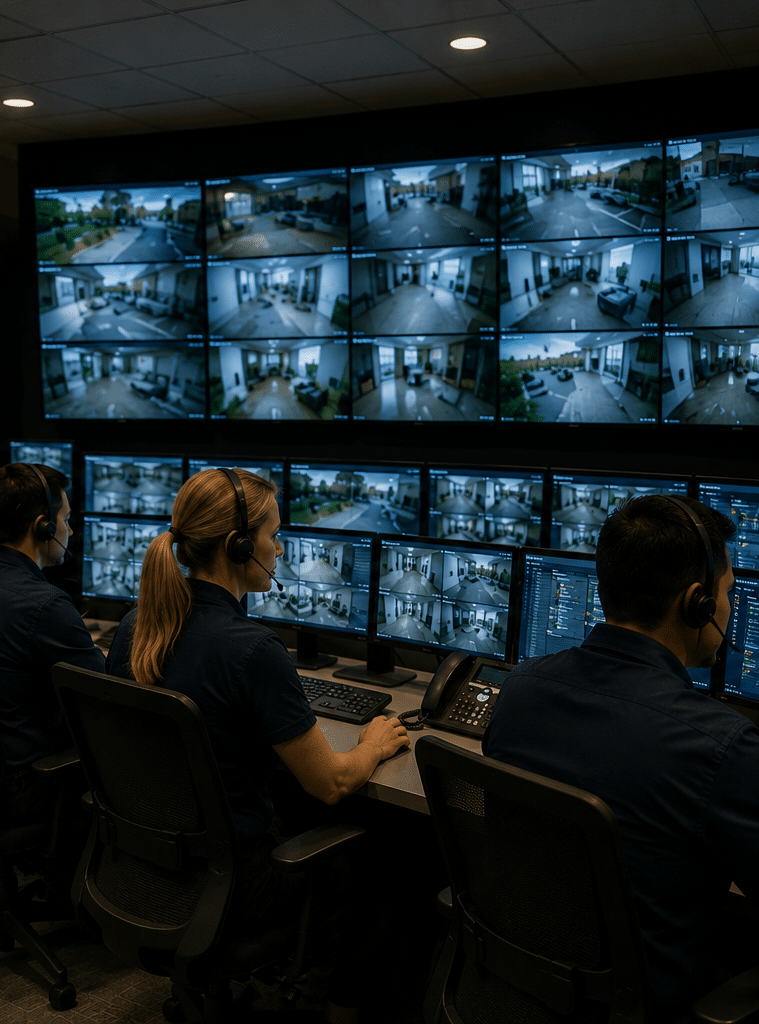
24/7 security monitoring is a service where trained operators or a monitoring centre watch alarms, CCTV, access control alerts and other security signals around the clock. When an event occurs, they assess it, follow agreed instructions and contact keyholders, guards or emergency services where appropriate.
What is 24/7 security monitoring?
24/7 security monitoring means your security system is connected to a monitoring process that operates all day, every day. This may involve a graded monitoring centre, trained operators, automated event rules, CCTV verification, alarm response procedures and clear escalation contacts.
In simple terms, your devices detect activity, but the monitoring service helps decide what happens next.
For example, a warehouse roller door sensor may trigger at 2:16 am. Without monitoring, the alert may sit unnoticed until morning. With 24/7 security monitoring, the signal can be received, checked, verified against CCTV where available and escalated according to the site’s instructions.
That response may include calling the business owner, contacting a nominated keyholder, dispatching a patrol or contacting emergency services if the event appears serious and the agreed criteria are met.
The key point is that monitoring is a process, not just a product. Cameras, alarms and sensors provide inputs. The monitoring team, response rules and records provide structure.
Why 24/7 security monitoring matters in Australia
Australia has a wide mix of security needs. A suburban home in Sydney, a Melbourne retail store, a Brisbane warehouse, a Perth construction site and a regional medical clinic may all need different monitoring setups.
However, they share one issue: risk does not follow business hours.
After-hours events can include attempted break-ins, unauthorised access, staff duress alerts, plant room faults, fire panel signals, freezer temperature alarms, vandalism, loitering, gate openings and system tampering. Therefore, a security setup that only works when someone is watching a phone may not be enough.
From my experience, many sites already have decent hardware. The problem is that no one has mapped the “what happens next” process. For example, who gets called first? What if that person is asleep? Should a patrol be sent before the owner is contacted? What if the CCTV shows a cleaner, not an intruder?
Good 24/7 security monitoring answers these questions before a stressful event occurs.
It also supports accountability. A monitored system can keep event logs, call records and escalation notes. These records can help businesses review false alarms, improve staff training and adjust site procedures.
How monitored security works step by step
Most 24/7 security monitoring follows a structured workflow. The exact process depends on the system, the provider and the site risk profile. Still, the core flow is usually similar.
1. A device detects an event
An event may come from an alarm panel, CCTV analytics, panic button, access control system, intercom, duress device, environmental sensor or fire-related input.
For instance, a motion detector may activate after the alarm is armed. Alternatively, a CCTV camera may flag movement in a restricted zone after hours.
2. The signal reaches the monitoring centre
The signal is sent through a communication path such as IP, mobile network, NBN connection or a backup path. Reliable communication is important because a monitoring service can only act on signals it receives.
Because of this, many Australian sites use backup communication methods. If the primary connection fails, the system may still report through a secondary channel.
3. The event is assessed
Operators or automated rules assess the event type. For example, a burglary alarm, duress alarm, low battery signal and CCTV line-crossing event all need different handling.
Where CCTV verification is available, the monitoring team may check live or recorded footage linked to the alarm event. This can help distinguish a likely intruder from a false trigger caused by insects, weather, animals, contractors or cleaning staff.
4. The response plan is followed
The monitoring provider follows the site’s agreed instructions. This may include calling a keyholder, sending a patrol, contacting a facilities manager or escalating to emergency services if the situation meets the relevant criteria.
This is why setup quality matters. If the call list is outdated, even the best monitoring centre can lose valuable time.
5. The event is logged and reviewed
A professional monitoring service should record what happened, when it happened and what actions were taken. As a result, the site owner can review recurring issues.
For example, repeated false alarms from one sensor may indicate poor positioning, insects, damaged equipment or user error. Fixing the root cause can reduce disruption and unnecessary callouts.
What can be monitored around the clock?
24/7 security monitoring can cover more than burglar alarms. In Australia, many sites combine several systems into one monitored security framework.
Alarm system monitoring
Alarm monitoring is one of the most common services. It may cover intrusion sensors, door contacts, glass-break detectors, panic buttons, tamper alerts and low battery warnings.
For homes, this can provide reassurance when travelling. For businesses, it can support after-hours protection for stock, equipment and staff.
CCTV monitoring and video verification
CCTV monitoring adds visual context. Instead of responding to an alarm signal alone, operators may check cameras to see whether the event looks genuine.
This matters because false alarms waste time and can cause alarm fatigue. However, CCTV monitoring must be set up carefully. Cameras should be positioned for useful security coverage while respecting privacy expectations.
The Office of the Australian Information Commissioner explains that CCTV can involve privacy issues and that workplace monitoring must follow Australian, state and territory laws.
Access control monitoring
Access control systems manage who can enter a building, room or restricted area. Monitoring may include forced-door alerts, door-held-open alerts, access attempts outside approved hours and unauthorised credential use.
This is useful for offices, warehouses, schools, gyms, healthcare facilities and multi-site businesses.
Intercom and gate monitoring
Some sites need remote gate or intercom support. For example, a visitor may arrive after hours, or a delivery driver may need controlled entry.
With proper procedures, monitoring can help verify the visitor and reduce the need for staff to attend site unnecessarily.
Duress and personal safety monitoring
Duress buttons and panic alarms can support staff safety. These are often used in retail, healthcare, reception areas, late-night venues and lone-worker environments.
Because duress events can be serious, the response plan should be clear, tested and understood by staff.
Environmental and operational alerts
Not every monitored event is a crime risk. Some Australian businesses monitor freezer temperatures, server room conditions, plant faults, water leaks or power issues.
For example, a cold storage facility may suffer major losses if a freezer fault goes unnoticed overnight. In this case, 24/7 security monitoring can support operational continuity as well as security.
24/7 security monitoring vs self-monitoring
Self-monitoring means alerts go directly to the owner, manager or nominated user’s mobile app. This can work for low-risk situations, but it has limitations.
A phone can be silent, flat, out of range or ignored during a meeting. Also, many users cannot safely verify or respond to an incident at 3 am.
Professional 24/7 security monitoring gives you a more structured approach.
| Feature | Self-monitoring | 24/7 security monitoring |
| Alert receiver | Owner or staff member | Monitoring centre or trained operators |
| Availability | Depends on user availability | Around-the-clock service |
| Event handling | Often informal | Based on agreed response procedures |
| CCTV verification | User checks app if available | Operators may verify according to setup |
| Record keeping | Limited or app-based | Event logs and action records |
| Best suited for | Lower-risk homes or simple sites | Homes, commercial sites and higher-risk locations |
| Main limitation | Missed alerts and unclear response | Requires correct setup and ongoing fees |
Self-monitoring can still be useful as a backup or visibility tool. However, for higher-risk sites, professional monitoring is usually more dependable.
Onshore vs offshore monitoring centres
Some Australian businesses prefer onshore monitoring because operators may better understand local conditions, time zones, emergency escalation expectations and Australian site procedures. However, offshore monitoring may suit some lower-risk or budget-driven arrangements if the process is clear and reliable.
The right choice depends on risk, budget, compliance expectations and response requirements.
| Factor | Onshore monitoring in Australia | Offshore monitoring |
| Local context | Strong understanding of Australian locations and conditions | May need more detailed site instructions |
| Time zone alignment | Naturally aligned with Australian operations | Can still operate 24/7 but may require careful coordination |
| Communication | Often easier for local contacts and patrols | Depends on provider training and language standards |
| Data handling | May simplify data governance discussions | Requires closer review of data access and storage |
| Cost | Often higher | Often lower |
| Best fit | Commercial, regulated, higher-risk or multi-site properties | Lower-risk sites with clear procedures |
Neither option should be judged on location alone. Instead, ask about operator training, redundancy, cyber security, escalation rules, reporting and quality assurance.
What to look for in a 24/7 security monitoring provider
Choosing a monitoring provider is not just about the monthly fee. It is about trust, process and fit.
Monitoring centre standards
Ask whether the provider uses a graded monitoring centre and what standard or certification applies. ASIAL’s grading scheme is a useful Australian reference point because it relates to monitoring centre assessment and certification.
This does not mean every site needs the highest possible grade. However, it does mean you should understand what level of service you are buying.
Clear response procedures
A good provider should help you document what happens for each event type. For example, a duress alarm should not be treated like a low battery alert.
Your response plan should include:
- Event types and priority levels.
- Keyholder names and phone numbers.
- Patrol or guard response rules.
- Site access instructions.
- Emergency escalation criteria.
- After-hours contractor details.
- False alarm review steps.
CCTV verification capability
If you need CCTV monitoring, ask how operators access footage, what cameras they can view, whether clips are stored and who can access recordings.
Also ask whether the system uses analytics, such as line crossing, object detection or after-hours movement zones. These tools can help, but they must be tuned properly.
From my experience, poorly configured analytics can create too many nuisance alerts. Therefore, camera placement, lighting, sensitivity and testing matter.
Cyber security controls
Modern security systems often connect to networks. This creates convenience, but it also creates cyber risk.
The Australian Signals Directorate notes that digital connectivity brings exposure to malicious cyber activity, and it provides guidance for organisations to protect systems and data from cyber threats.
For monitored systems, practical cyber checks include strong passwords, multi-factor authentication where available, regular firmware updates, secure remote access, role-based user permissions and disabling unused services.
Reporting and review
A useful monitoring provider should offer reporting that helps you improve. This may include alarm history, response times, false alarm patterns, recurring faults and user errors.
Therefore, ask how often reports are available and whether they are easy to understand.
Onboarding checklist for 24/7 security monitoring
Use this checklist before switching on a monitored service.
- Confirm the risk profile.
List what you are protecting, such as people, stock, equipment, cash, vehicles, data rooms or restricted areas. - Map the site.
Identify entries, exits, blind spots, high-value zones, staff-only areas and public-facing spaces. - Choose what will be monitored.
Decide whether you need alarm monitoring, CCTV monitoring, access control alerts, duress alarms or environmental sensors. - Set event priorities.
Separate urgent events from low-priority technical alerts. - Create a call list.
Include primary and backup contacts. Also, confirm who is authorised to make decisions after hours. - Write response instructions.
State what operators should do for each event. Keep instructions simple and practical. - Check communication paths.
Confirm whether your system has backup communication if the primary internet link fails. - Review privacy notices.
For CCTV, make sure signage, staff notices and internal policies are appropriate for your site. Treat this as an administrative task, not legal advice. - Test the system.
Run test events before relying on monitoring. Then confirm that alerts, camera views and contact steps work. - Schedule maintenance reviews.
Monitoring is only as strong as the system behind it. Review devices, batteries, firmware, camera views and response lists regularly.
Compliance, privacy and admin considerations
Security monitoring often involves personal information, video footage, employee activity or visitor records. Therefore, Australian businesses should treat compliance as part of good administration.
This article is not legal advice. However, several practical steps can help.
First, use clear signage where CCTV is operating. Second, avoid placing cameras in private areas such as bathrooms or change rooms. Third, limit who can access footage. Fourth, keep records only for as long as needed. Finally, document how people can make privacy enquiries.
The OAIC’s public guidance on security cameras and privacy is a useful starting point for understanding CCTV privacy issues in Australia. It also notes that state and territory laws may apply in some situations.
For monitoring centre selection, ASIAL’s information on monitoring centre grading and certification can help Australian buyers understand why centre grading matters.
For connected systems, the Australian Signals Directorate’s cyber security guidance is relevant because monitored cameras, alarm panels and access control platforms may rely on networks, cloud services or remote access.
Common mistakes to avoid
Choosing hardware before defining the response
Many people buy cameras first and think about monitoring later. However, monitoring depends on camera angles, lighting, alarm zones, user permissions and response rules.
A better approach is to start with the question: “What do we need to know, and what should happen when we know it?”
Ignoring false alarms
False alarms are not just annoying. They can reduce trust in the system. They can also create extra costs and delay real responses.
Common causes include poor sensor placement, insects, pets, loose doors, user error, contractors, bad weather and old equipment.
Letting contact lists go stale
A monitoring centre cannot reach the right person if the phone numbers are outdated. Therefore, review your call list whenever staff change roles, managers leave or tenants move.
Overlooking privacy
CCTV and monitoring can protect people and property. However, they can also create privacy concerns. Businesses should use monitoring in a targeted, transparent and proportionate way.
Forgetting maintenance
A monitored system still needs servicing. Batteries fail, cameras shift, firmware becomes outdated and network settings change.
As a result, regular testing is essential.
How much does 24/7 security monitoring cost in Australia?
The cost of 24/7 security monitoring in Australia varies based on the number of sites, devices, event types, monitoring level, response requirements, video verification and whether patrol attendance is included.
As a general estimate, simple alarm monitoring may cost less than advanced CCTV monitoring with live operator intervention. Commercial multi-site monitoring usually costs more because it involves more devices, more procedures and more reporting.
You should ask providers to separate:
- Monthly monitoring fees.
- Setup and programming costs.
- Equipment costs.
- Patrol response fees.
- Maintenance charges.
- Video verification costs.
- After-hours callout fees.
- Contract terms.
This makes comparison easier and reduces surprises.
When is 24/7 security monitoring most useful?
24/7 security monitoring is most useful when a site has meaningful after-hours risk, valuable assets, staff safety concerns or limited on-site supervision.
It is especially relevant for:
- Warehouses and industrial properties.
- Retail stores and shopping strips.
- Offices with after-hours cleaners or contractors.
- Medical and allied health clinics.
- Schools and childcare centres.
- Apartment complexes.
- Construction sites.
- Car yards and storage yards.
- Hospitality venues.
- Homes where owners travel often.
However, monitoring should match the risk. A small home may need simple alarm monitoring. A warehouse may need alarms, CCTV verification, access control alerts and patrol response.
People Also Ask
Is 24/7 security monitoring worth it in Australia?
Yes, 24/7 security monitoring can be worth it when you need alerts assessed outside normal hours. It is most valuable for homes, businesses and sites where missed alerts could lead to theft, safety issues or operational loss.
Does 24/7 security monitoring mean someone watches my cameras all the time?
Not always. Many services are event-based, meaning operators check cameras when an alarm, analytic rule or alert is triggered. Some high-risk sites may use live video patrols or scheduled camera checks.
Can monitored security reduce false alarms?
Yes, it can help reduce unnecessary escalation when CCTV verification or clear event rules are used. However, false alarm reduction also depends on good installation, maintenance and user training.
What happens when an alarm goes off after hours?
The monitoring centre receives the signal, checks the event type and follows your response plan. This may include calling keyholders, reviewing CCTV, dispatching patrols or escalating to emergency services where appropriate.
Do Australian businesses need CCTV signage?
In many business settings, signage is a practical privacy and transparency measure. Requirements can vary depending on the location, workplace context and type of monitoring, so businesses should treat signage and notices as part of their compliance administration.
Expert Q&A
1. What is the difference between alarm monitoring and 24/7 security monitoring?
Alarm monitoring usually focuses on signals from an alarm panel, such as intrusion, tamper, duress or low battery events. 24/7 security monitoring is broader. It can include alarms, CCTV, access control, intercoms and environmental alerts under one response process.
2. Can 24/7 security monitoring work with my existing CCTV system?
In many cases, yes. However, your system must be compatible with remote access, secure connection methods and the monitoring provider’s platform. Camera quality, lighting, internet reliability and user permissions also affect how useful the monitoring will be.
3. Who should be on the emergency contact list?
Your list should include people who can make decisions and access the site if needed. Usually, this includes the owner, facilities manager, store manager, operations manager or authorised keyholder. Always include backups.
4. How often should monitored systems be tested?
You should test monitored alarms and response processes during onboarding, after major changes and at scheduled intervals. Many businesses also test after renovations, staff changes, network changes or repeated false alarms.
5. Is cloud-based monitoring safe?
Cloud-based monitoring can be safe when it is configured properly. However, you should check cyber security controls, user permissions, encryption, password policies and where data is stored or accessed. Strong administration is just as important as the technology.
Conclusion
24/7 security monitoring helps Australian homes and businesses move from passive security to active response. Instead of simply recording an incident, a monitored system can detect, verify, escalate and document events around the clock.
The best results come from a practical setup. Start with your risks, choose the right devices, document clear response rules, review privacy administration and test the system before relying on it.
Most importantly, remember that monitoring is a service process, not just a camera or alarm feature. When the process is designed well, it can support faster decisions, fewer blind spots and more confidence after hours.
For tailored support with alarms, CCTV, access control and monitored security solutions, speak with Eclipse Security’s Australian security specialists about a setup that suits your site, risk level and response needs.